



Cart
Your shopping cart is empty
Continue Shopping
Every Order, Backed by HBADA
30-day in-home Trial
Free 2-5 Business-Day Shipping
5-Year Hassle-Free Warranty
24/7 Customer Support
Remove this item from your cart?
Cart
 What Is an AI Ergonomic Chair? Smart Features Explained
Smart seating, explained simply
What makes a chair smart?Start with how it responds.
Sensors, automatic lumbar support, and built-in comfort features: here is what the technology does—and what still depends on you.
Quick answer
An AI ergonomic chair typically uses sensors and electronic controls to automate selected adjustments, such as lumbar support. In a motorized tracking system, sensor inputs help the chair respond to changes in position. The exact functions vary by model, and the “AI” label alone does not tell you whether a chair uses machine learning.
In this guide
Beyond manual adjustment
What makes a chair “AI”?
How posture sensors work
Intelligent lumbar support
Smart vs. traditional chairs
Other smart features
Is it worth the price?
The HBADA X7 example
What “AI” really means
Frequently asked questions
Final thoughts
01 / A DIFFERENT KIND OF ADJUSTMENT
Not Just Another Chair With More Knobs
“AI chair” gets thrown around a lot these days, and it is fair to wonder what sits behind the label. The useful question is not simply whether a chair is called smart. It is which adjustments the chair makes for you.
A traditional ergonomic chair relies on you to set features such as seat height, armrest position, and lumbar support. Some also use flexible backrests or mechanical systems that respond as you move, so traditional does not necessarily mean static.
A chair with electronically controlled lumbar tracking adds another approach: it uses sensor feedback to adjust selected support features while the system is active.
The practical difference is automation. Instead of manually changing every support setting, you let the chair handle a specific adjustment within its operating range. You still need to set up the rest of your workstation.
02 / THE CORE TECHNOLOGY
What Actually Makes a Chair “AI”?
For a motorized lumbar-tracking chair, the basic idea is a feedback loop: sensors detect a physical change, a controller interprets the input, and a mechanism adjusts the support.
01. Sense Detect changes in pressure, contact, or component position.
02. Process Use the readings and selected settings to determine a response.
03. Adjust Move the support within the mechanism's available range.
This is different from simply adding more manual adjustment points. But sensors and motors alone do not establish how sophisticated the software is, whether it learns from use, or how well the chair will fit a particular person.
When comparing smart chairs, look for a clear explanation of the feature: what it senses, what it changes, and which settings you control.
03 / READING MOVEMENT
The Office Chair Posture Sensor Behind the Curtain
A posture-sensing system uses physical measurements rather than an understanding of your body in the human sense. Different designs may use pressure sensors, position sensors, or a combination of inputs.
Contact and load
Pressure sensors
Pressure readings can indicate changes in the force applied to a sensing area. The controller can use that information as one input when adjusting support.
Component position
Magnetic position sensors
Hall-effect sensors detect magnetic-field changes. Depending on the design, those changes can help track a mechanism's position rather than directly measure the shape of your spine.
The controller then uses the available information to guide a response. Exact sensor types, sampling rates, and movement speeds are model-specific specifications—not features to assume from the words “AI chair.”
A useful distinction: Sensor sampling frequency is not the same as the time needed for a motor to complete an adjustment. A fast reading does not, by itself, tell you how the movement will feel.
04 / FROM INPUT TO SUPPORT
Intelligent Lumbar Support, Explained Step by Step
In a sensor-driven, motorized lumbar system, the sequence can be understood in five steps:
You change position. Leaning or shifting changes your contact with the chair.
The system detects a change. Its sensors register the relevant pressure or position inputs.
The controller determines a response. The response depends on the system's programming, selected mode, and available settings.
The mechanism adjusts the lumbar support. Movement remains within the chair's designed travel range and operating limits.
The system continues monitoring. Further input can prompt another adjustment while the tracking function is active.
The goal is to reduce the need for repeated manual lumbar adjustments as your position changes. It does not mean the chair can maintain identical contact through every movement, correct every sitting position, or adjust every part of the chair automatically.
05 / SIDE BY SIDE
Smart Office Chair vs. Traditional Adjustable Chair
The distinction is best understood by comparing how the support works—not by assuming one category is always comfortable and the other is not.
Factor
Traditional adjustable chair
Smart chair with motorized lumbar tracking
Initial setup
You adjust the chair to fit your body and desk.
You still set up the chair, then select available electronic modes.
Lumbar adjustment
May be manual, flexible, or mechanically adaptive.
Uses electronic feedback to adjust selected lumbar functions.
Response to movement
Depends on the backrest, recline, and support mechanism.
Combines the chair's mechanical design with powered tracking.
User input
Manual controls and mechanical settings.
Manual setup plus powered controls or support preferences.
Power needs
A purely mechanical chair needs no charging.
Electronic functions need a suitable power source.
Cost
Varies widely by construction and adjustment features.
Added electronics may increase cost; compare actual models.
What to prioritize
Fit, adjustment range, support feel, and build quality.
The same fundamentals, plus tracking behavior and electronic support.
06 / BEYOND TRACKING
Beyond the Lumbar: Other Smart Features to Know
Lumbar tracking tends to be the headline feature, but smart chairs may also include powered comfort functions. These should be assessed individually rather than treated as proof that the chair learns or understands your needs.
Massage
Movement for a different support feel
Built-in massage may offer selectable patterns or intensity settings. A massage function does not automatically mean the chair detects fatigue.
Ventilation
Powered airflow
Fans can move air through or around the seat. This is different from passive mesh ventilation and should not be confused with refrigerated cooling.
Heating
Optional warmth
Heating adds warmth in a specified area. Review the controls and instructions; it is a comfort feature, not a promise to treat a medical condition.
Saved settings
Preferences, where supported
Some systems may retain selected settings. Saving a preference is different from learning your posture, and memory functions should be checked model by model.
Ask which functions you would actually use. A clear set of useful controls is more valuable than a long list of features you rarely turn on.
07 / THE VALUE QUESTION
Is an AI Office Chair Actually Worth the Price?
That depends on how you work and how the chair feels to you. If your day includes focused typing, calls, and reclined breaks, automatic lumbar adjustment may offer a useful convenience as you change position.
If you prefer a simpler setup, a well-fitting mechanical ergonomic chair can still provide responsive support without batteries or powered controls.
Look beyond the feature list
Fit: Check seat height, depth, width, and whether the lumbar support reaches a comfortable position.
Control: Understand which settings you can change and how to select or disable powered functions.
Space: Check the chair's footprint and the clearance required for reclining.
Upkeep: Review charging instructions, electronic component coverage, and service options.
Everyday use: Consider whether the powered functions improve your routine enough to justify the difference in price.
Battery life depends on the model, settings, and functions you use. Avoid assuming a fixed charging schedule without checking the relevant specifications and usage conditions.
Buy for fit first, automation second. Smart functions can add convenience, but they cannot compensate for unsuitable seat dimensions or a poorly arranged desk.
08 / TECHNOLOGY IN PRACTICE
HBADA X7: A Real-World Example
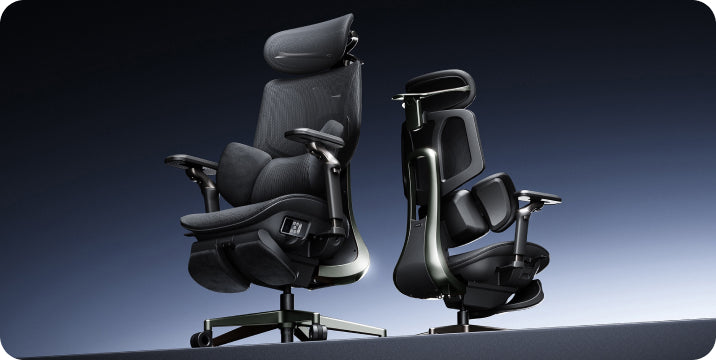
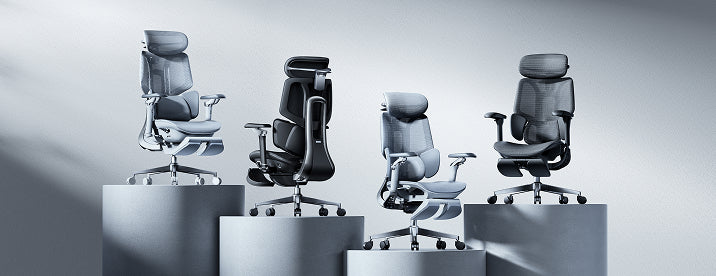
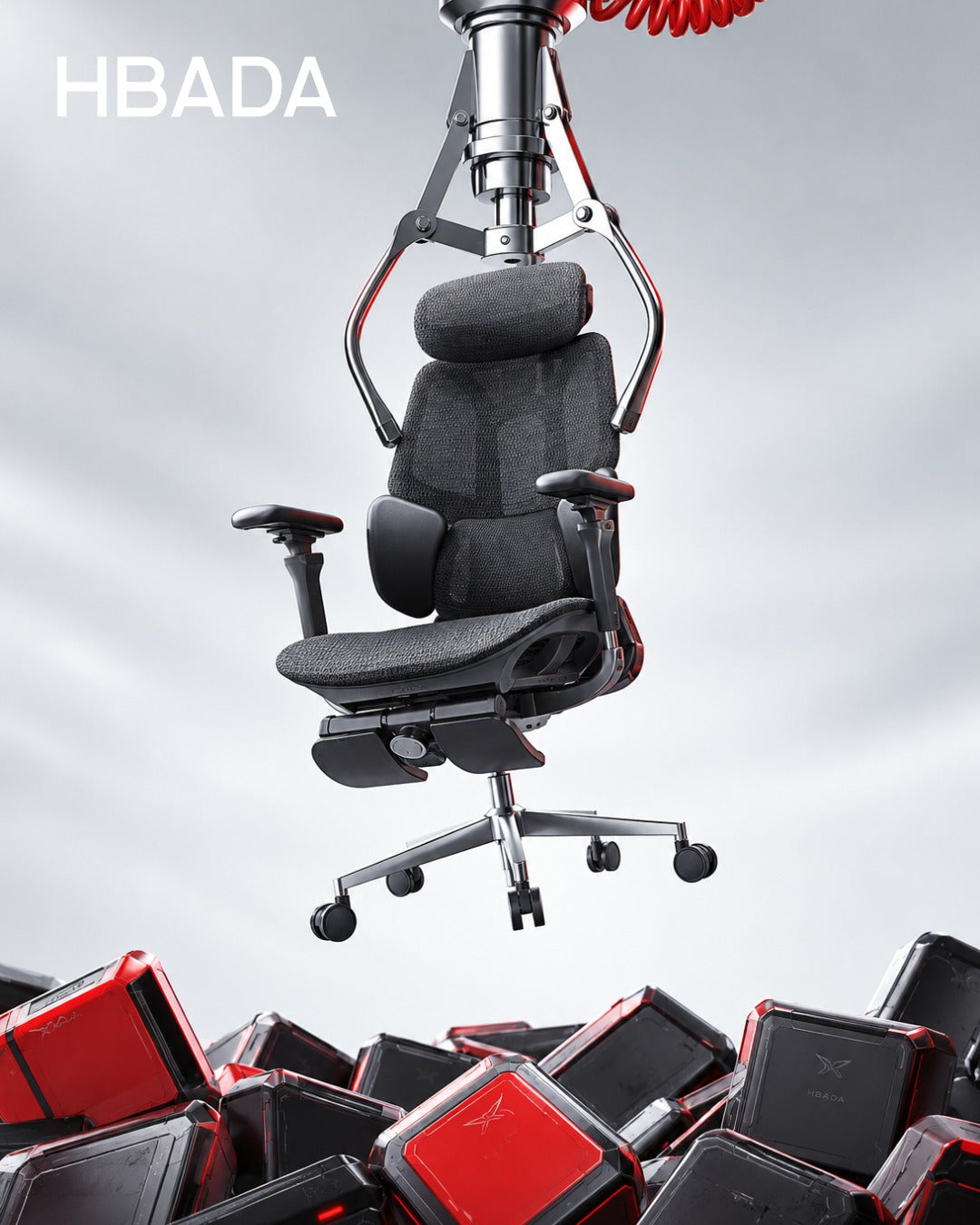
The HBADA X7 smart ergonomic office chair illustrates this approach with AI lumbar tracking alongside massage, heating, and seat ventilation.
The US product page also lists a 4D bi-axial headrest and 720° armrests. These adjustable components serve a different role from powered lumbar tracking: they help you set up the chair around your body and workspace.
Meet the HBADA X7
Automatic support. A setup that is still yours.
Explore how the X7 combines lumbar tracking with adjustable seating and powered comfort functions. Review the current US product details and selected configuration before ordering.
Explore HBADA X7 →
When comparing options across HBADA's office chair range , begin with the adjustments you need every day, then decide which electronic functions would make a meaningful difference.
09 / SETTING EXPECTATIONS
Being Honest About What “AI” Means Here
It is worth pausing on the term itself. A chair marketed as AI-powered is not necessarily using the same kind of technology as a conversational AI assistant.
Automatic support can be produced by a sensor-driven control system. Whether a particular chair also uses machine learning, personalized prediction, or other techniques depends on its documented implementation.
Without that documentation, neither “it learns your body” nor “it is only pre-programmed” should be treated as an established fact.
Focus on the function you can evaluate: What adjusts? How does it feel? Can you control it? Does the chair fit? These questions are more useful than the label alone.
Similarly, words such as “smart,” “adaptive,” and “bionic” do not establish a medical benefit. Evaluate support and comfort separately from any claim about treating pain or correcting a health condition.
10 / QUICK CLARIFICATIONS
Frequently Asked Questions
What is an AI ergonomic chair, in simple terms?
It is a chair that uses electronic sensing and control to automate certain functions, such as adjusting lumbar support. The specific capabilities vary by model, and other chair adjustments may still be manual.
How does an office chair posture sensor actually work?
Sensors detect physical inputs such as pressure or component position. A controller can use those inputs to guide support adjustments. The sensor combination and response depend on the chair's design.
Is intelligent lumbar support better than a manual lumbar pad?
It may be more convenient if you value automatic adjustment as you move. It is not universally better: support position, pressure, adjustment range, and personal fit still determine whether it feels right. Mechanical adaptive support can also respond to movement.
Does “AI” in a smart ergonomic chair mean it uses machine learning?
Not necessarily. Automated sensor response alone does not prove that machine learning is involved. Check the manufacturer's technical explanation rather than inferring the software from the product label.
Are AI office chairs worth the higher price?
They can be worthwhile when automatic support and powered comfort functions are features you will use. Compare fit, controls, maintenance, and actual model prices. A well-adjusted mechanical chair may be a better match if you prefer simplicity.
Which HBADA chair is considered an AI ergonomic chair?
The HBADA X7 is one example, with AI lumbar tracking and additional powered comfort functions. Check the current US product page for the selected model's specifications.
Do I still need to adjust an AI ergonomic chair?
Yes. Automatic lumbar tracking does not mean every component adjusts itself. Set up the seat, armrests, and other controls according to the chair's instructions and your desk arrangement.
11 / THE TAKEAWAY
Comfort That Moves With You, Not the Other Way Around
The real appeal of an AI ergonomic chair is not the label itself. It is the convenience of having selected support functions respond automatically as your position changes.
That adds another option alongside manual adjustments and mechanically adaptive designs. Which approach works best depends on your body, workspace, preferences, and how much you value powered features.
Start with fit. Understand the controls. Then judge whether the smart features make your daily routine more comfortable and easier to manage.
A smarter chair is still one part of the setup. Give the same attention to your desk, screen, and working habits—and make room for regular changes of position and movement breaks.
Enjoyed this guide? Stay connected with HBADA.
Make HBADA one of your preferred sources on Google for more ergonomic chair guides, workspace tips, and practical advice.
Add HBADA as a preferred source on Google ↗
Opens Google in a new tab. Confirm your selection there if HBADA is available.
Back to top ↑
Oct 13, 2026
 Office Chair With Footrest vs Separate Footrest: Which Is Better?
The workspace comfort guide
One supports your break. The other supports your desk setup.
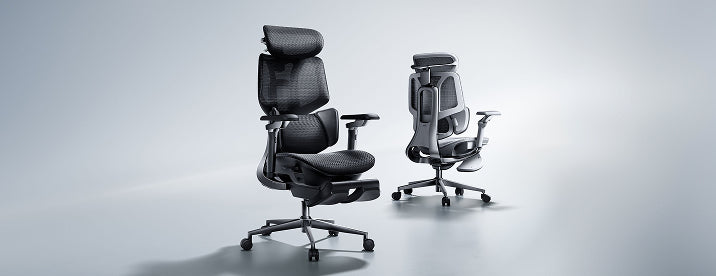
A chair with a built-in footrest and a separate under-desk footrest may sound interchangeable. In practice, they usually solve different problems.
Quick answer
Choose a built-in chair footrest for supported, reclined breaks. Choose a separate under-desk footrest when your feet need support while you sit upright at your desk. The better choice depends on your working position, desk height, available space, and whether you want support for working, relaxing, or both.
In this guide
Why this comparison matters
What a built-in footrest offers
What a separate footrest offers
Benefits of foot support
Quick comparison table
When to choose a reclining chair
When to choose a separate footrest
Exploring HBADA options
How to decide
Frequently asked questions
Final thoughts
01 / THE KEY DIFFERENCE
Why This Comparison Matters
When shopping for an ergonomic office chair, it is easy to treat a footrest as one more feature on a checklist. But “footrest” can refer to two quite different products.
A retractable footrest attached to a chair typically supports your lower legs when you lean back. A separate under-desk footrest is usually a platform that supports your feet while you sit upright.
Reclined breaks
Built-in chair footrest
An integrated place to rest your lower legs when you recline, then tuck away when it is not needed.
Upright desk work
Separate under-desk footrest
A stable surface beneath your feet when your working seat height leaves them unsupported.
Understanding this distinction helps you choose based on how you actually use your workspace—not simply which option looks more complete.
02 / BUILT-IN SUPPORT
What a Built-In Footrest Actually Offers
A built-in footrest is attached to the chair and can often slide or fold out from beneath the seat. Its main appeal is convenience: leg support is part of the chair rather than a separate item you need to bring over.
A convenient option for reclining
If you like to lean back during a break, read away from your keyboard, or change position between tasks, an integrated leg rest can make that transition more comfortable.
A tidier setup when retracted
Once stowed, the footrest stays with the chair. That can help keep a shared room or home office organized, although the chair still needs sufficient room when the footrest is extended.
Fit and operation still matter
Footrest length, width, deployment, and supported positions vary by chair. Check the exact configuration and operating instructions rather than assuming every built-in design adjusts or moves in the same way.
Important distinction: A retractable leg rest is not automatically a substitute for a stable under-desk foot platform during upright typing.
03 / SEPARATE SUPPORT
What a Separate Footrest Offers
In this guide, a separate footrest means a floor-standing under-desk platform—not an ottoman intended for reclining. Some platforms have adjustable height or tilt; others have a fixed shape.
Support at your working seat height
Your chair may need to sit higher to work comfortably with your desk. If that leaves your feet unable to rest securely on the floor, a separate platform can provide the missing support.
Independent positioning
You can position the platform according to your seat and desk setup. This is useful when the chair itself fits well, but the relationship between the desk height and floor leaves your feet unsupported.
A way to improve an existing setup
If your current chair already provides the adjustments you need, a separate footrest may address the foot-support problem without replacing the chair.
Before buying, check that the platform supports both feet, stays stable on your flooring, and fits without crowding your knees or restricting leg movement.
04 / EVERYDAY COMFORT
Office Chair Footrest Benefits, Either Way
The useful benefit of a footrest depends on the position it supports. For upright work, that may mean having somewhere stable to place your feet. For a reclined break, it may mean supporting your lower legs instead of leaving them hanging.
More appropriate support: Match the support surface to your working or resting position.
A more adaptable setup: Adjust your workspace around your body and desk rather than forcing one sitting position.
A more comfortable break: An integrated leg rest can make reclining more convenient when the chair and available space allow it.
Support is not a substitute for movement. Neither type of footrest makes prolonged sitting automatically comfortable or healthy. Change positions, stand up, and take regular movement breaks.
05 / SIDE BY SIDE
Quick Comparison Table
Consideration
Built-in chair footrest
Separate under-desk footrest
Primary purpose
Lower-leg support during reclined breaks.
Foot support during upright desk work.
Position
Attached to the chair, usually beneath the seat when stored.
Placed on the floor beneath the desk.
Adjustability
Deployment and positioning depend on the chair design.
Height and tilt options depend on the platform design.
Space needed
Clearance for the extended footrest and reclined chair.
Floor space without restricting legroom or chair movement.
Storage
Often retracts into the chair.
Remains separate and may need to be moved or stored.
Existing chair
Requires a compatible chair or manufacturer-approved option.
Can complement an existing chair if the overall setup fits.
Cost decision
Compare the complete chair price and selected configuration.
Compare the accessory cost if your current chair is suitable.
Best starting point
You want integrated support for reclining.
Your feet need support at your normal working seat height.
06 / FOR RECLINED BREAKS
When a Reclining Office Chair With Footrest Makes Sense
A reclining office chair with a footrest makes sense when you want one chair to support both desk work and occasional reclined breaks.
You prefer an integrated leg rest to a separate item.
You regularly lean back to read or pause between tasks.
You want to stow the leg rest beneath the seat after use.
Your workspace has enough clearance for the extended setup.
Check the chair as a whole before prioritizing the footrest. Seat height, seat depth, lumbar support, and armrest position still determine whether the chair fits your everyday work.
Also consider how easily you can deploy and retract the footrest. Follow the manufacturer's instructions, and do not treat a leg rest as a step or an extra seat.
07 / FOR UPRIGHT WORK
When a Separate Footrest Makes More Sense
A separate under-desk footrest is usually the more relevant option when the problem occurs while you are actively working—not while you are reclining.
Your feet do not rest securely on the floor at your working seat height.
Lowering the chair would make your desk or keyboard position awkward.
Your existing chair fits well in other respects.
You want to position foot support independently of the chair.
For example, you might raise your chair to work comfortably at a fixed-height desk, only to find your feet are no longer fully supported. A suitably sized platform can bridge that gap without requiring a reclined sitting position.
Start with the setup, not the accessory. If your feet already rest comfortably on the floor and the rest of your workstation fits, a separate footrest may not be necessary.
08 / YOUR HBADA SETUP
How HBADA Handles Built-In Footrests
When comparing HBADA chairs, check the exact model and configuration on the US product page. Do not assume every chair within a series has the same footrest, recline mechanism, or adjustment options.
Start with the features you use during desk work, then decide whether integrated leg support would improve your breaks. A footrest is part of the overall fit—not a replacement for it.
Explore your options
Find a chair that fits how you work and unwind.
Explore the HBADA E3 Ultra ergonomic office chair and review the current product details, selected variant, and footrest information before ordering.
For a different model, explore the HBADA E3 Air ergonomic office chair . Compare the listed adjustments and configuration rather than assuming the two models work identically.
Explore HBADA office chairs →
09 / YOUR DECISION CHECKLIST
How to Decide
Identify when you need support. Is the problem unsupported feet while typing, or a lack of leg support when you lean back?
Set up your working position first. Adjust your chair for your desk and check whether your feet can rest securely on the floor.
Measure the available space. Check under-desk clearance, legroom, chair movement, and the room needed for reclining. Record your measurements in inches and compare them with the product dimensions.
Compare the actual configuration. Confirm whether a footrest is included, how it operates, and whether the selected version meets your needs.
Consider the complete cost. If your chair already fits, compare a separate accessory with the cost of replacing the whole chair. If you need a new chair anyway, assess the footrest alongside the other adjustments.
You do not always have to choose only one. A separate platform for upright work and a built-in leg rest for reclined breaks can serve different purposes, provided neither obstructs safe chair movement or deployment.
10 / COMMON QUESTIONS
Frequently Asked Questions
Is an office chair with a footrest worth it?
It can be worth it if you regularly recline during breaks and value integrated lower-leg support. If your main problem is unsupported feet while typing, a separate under-desk platform may be the more suitable option.
Can a built-in footrest replace an under-desk footrest?
Not automatically. Most retractable chair footrests are intended for supporting the legs in a reclined position. An under-desk platform supports the feet during upright work. Check the intended use of the specific product.
Should my feet be on the floor or a footrest?
During upright desk work, your feet should have stable support. The floor may provide that support when the chair and desk fit. If your feet cannot rest securely on the floor at your working seat height, a suitable under-desk footrest can help.
Can I use a separate footrest with a chair that already has one?
Yes, the two can serve different purposes: a separate platform during upright work and the integrated leg rest during breaks. Make sure the platform does not block the chair's wheels, recline mechanism, or retractable footrest.
Does a chair with a built-in footrest save space?
It can reduce the need to store a separate leg rest when the integrated one is retracted. However, you still need clearance in front of and behind the chair when the footrest is extended and the backrest reclines.
Can a footrest prevent back pain?
A footrest can improve support in an appropriately adjusted setup, but it cannot guarantee pain prevention or treatment. Overall workstation fit, sitting habits, and movement also matter. Persistent discomfort should be discussed with a qualified healthcare professional.
What should I check before buying a chair with a footrest?
Check the selected configuration, chair dimensions, footrest deployment, recline clearance, and operating instructions. Also check the seat and armrest adjustments you will use during everyday desk work.
11 / THE TAKEAWAY
Final Thoughts
A built-in chair footrest and a separate under-desk footrest are not direct replacements for each other. One typically supports your lower legs during a reclined break; the other supports your feet while you work upright.
Choose according to the problem you want to solve. If you want convenient leg support when reclining, consider a chair with an integrated footrest. If your feet need a stable surface at your normal working seat height, start with a separate under-desk platform.
The best setup supports both your work and your breaks. Start with a chair that fits, check your available space, and add the type of support that suits your routine.
Enjoyed this guide? Stay connected with HBADA.
Make HBADA one of your preferred sources on Google for more ergonomic chair guides, workspace tips, and practical advice.
Add HBADA as a preferred source on Google ↗
Opens Google in a new tab. Confirm your selection there if HBADA is available.
Back to top ↑
Oct 13, 2026
 Understanding Your Lower Back Muscles: What the Erector Spinae and Quadratus Lumborum Do
Lower back anatomy · Everyday sitting
Two muscle groups. A clearer picture of lumbar support.
Quick answer: Two important lower back muscles are the erector spinae and the quadratus lumborum. The erector spinae run in columns along both sides of your spine and help keep your trunk upright. The quadratus lumborum sits deeper and farther out to each side, linking the pelvis, lumbar vertebrae, and lowest rib. It helps with side bending and trunk stability.
Knowing where they sit helps explain why office chair lumbar support should be judged by its placement, coverage, and fit—not by the idea that it can target a single muscle.
This article provides general education, not medical advice. An office chair is not a treatment for back pain.
Most people only think about their back when it hurts. A little anatomy changes how you think about sitting. Once you understand what the muscles do while you work, lumbar support placement and coverage start making practical sense.
In this guide
Why anatomy belongs in a chair conversation
Lower back anatomy at a glance
The erector spinae
The quadratus lumborum
How the muscles work together
What long sitting asks of your back
Placement, coverage, and fit
HBADA’s three-zone design
Frequently asked questions
What a chair can—and cannot—do
01 / THE CONTEXT
Why Anatomy Belongs in a Chair Conversation
Chair specs usually talk about adjustment ranges and materials, and office chair lumbar support is often reduced to a single adjustable pad. They rarely explain what is behind your back. But a lumbar pad sits against a real region of the body, with muscles on either side of the spine.
Understanding that region helps you judge whether a chair’s support is placed, shaped, and sized sensibly.
Think of this article as a map. It explains the terrain, then shows how chair design relates to it, without overpromising what any chair can do.
02 / THE BASICS
Lower Back Anatomy at a Glance
Your lumbar spine typically consists of five vertebrae, called L1 to L5, stacked between your rib cage and pelvis. This section normally curves inward, forming the small of your back. Muscles, ligaments, and connective tissue surround it.
Some muscles run in long bands beside the spine. Others sit deeper and wider, connecting the spine, ribs, and pelvis. This basic lower back anatomy is the setting for the two muscle groups below.
Along the spine
Erector spinae
Long muscle columns that contribute to upright posture, spinal extension, and control during forward bending.
Deeper and to the sides
Quadratus lumborum
A muscle on each side linking the pelvis, lower spine, and lowest rib, contributing to side bending and stability.
03 / ERECTOR SPINAE
The Erector Spinae: Location and Function
The erector spinae is not one muscle but a group of three columns: the iliocostalis, longissimus, and spinalis. Together, these columns extend along both sides of the spine, with different portions attaching to the pelvis, vertebrae, ribs, neck, and skull.
Their main roles include extending the spine and helping keep the trunk upright. Working on both sides together, they straighten the trunk. Working on one side, they contribute to sideways bending.
They also help control forward bending: rather than simply letting the trunk fall forward, they can lengthen under load to help manage the movement.
That role matters at a desk. These muscles contribute to postural control, although how much they work depends on your position, backrest support, and the task you are doing.
04 / QUADRATUS LUMBORUM
The Quadratus Lumborum: Location and Function
The quadratus lumborum, often shortened to QL, is a roughly four-sided muscle in the deeper lower-back region. It connects the top of the pelvis—the iliac crest—with the twelfth rib and the transverse processes of the upper lumbar vertebrae.
When one side contracts, the QL helps bend the trunk sideways and can lift that side of the pelvis. It contributes to lumbar stability and can assist extension. It also helps hold the twelfth rib steady during breathing.
Support for a region is not direct contact with a muscle. The QL sits deep within the body. A chair contacts the surface of your back; it cannot directly touch or isolate the quadratus lumborum.
Erector spinae and quadratus lumborum at a glance
Muscle
Where it sits
Main roles
Erector spinae
Long muscle columns along both sides of the spine.
Extend the spine, contribute to upright posture, and control forward bending.
Quadratus lumborum
Deeper in the lower back, connecting the pelvis, twelfth rib, and upper lumbar vertebrae.
Assist side bending, stabilize the lower back, and steady the twelfth rib.
05 / SHARED WORK
How the Two Muscles Work Together
Neither muscle works alone. Along with deeper stabilizers and the abdominal muscles, they form part of a system that keeps the trunk stable while you move.
The erector spinae contribute to forward-and-back control. The QL contributes to side-to-side control and helps stabilize the relationship between the pelvis and ribs. Their roles overlap rather than fitting into separate, independent jobs.
Reaching for a mug, turning toward a second monitor, and leaning back during a call all change the demands on your trunk. This is why it is useful to assess chair support during normal movement, not just while sitting perfectly still.
06 / AT YOUR DESK
What Long Sitting Asks of Your Lower Back Muscles
Sitting does not automatically mean the muscles of your back are resting. Their activity changes with your posture and with how much support the chair provides.
In a slumped position, the lumbar curve generally becomes flatter, and the balance of load between muscles and passive tissues changes. Holding yourself rigidly upright can also become tiring. Neither position needs to be treated as something you must maintain for hours.
Lower back discomfort has many possible contributors. Sitting habits, physical activity, workload, and individual health all matter, so a chair is only one part of the picture.
The practical takeaway: choose a comfortable, supported position, then vary it. A well-adjusted backrest does not replace getting up and moving throughout the day.
07 / FROM ANATOMY TO SETUP
From Anatomy to Chair: Placement, Coverage, and Fit
This is where anatomy turns into practical advice. Three ideas matter most.
Placement
Support should meet the natural inward curve of your lower back. Your belt line can be a starting reference, but body proportions vary. Adjust the support until it feels comfortably placed rather than pressing too high or too low.
Use HBADA’s lumbar support adjustment guide for a step-by-step starting point.
Coverage
The lumbar region is not a single point. It includes the center of the lower back and the areas on either side. A central section with side sections is one way to provide contact across this region.
Wider contact is not automatically better. Check whether the shape suits your body without creating concentrated pressure or pushing you away from the backrest.
Fit
Body size changes everything. Torso length, hip width, and seat depth affect whether support lands where you need it. A chair that does not fit may leave a gap behind your back or press unevenly.
Adjust seat height and depth alongside the backrest. Lumbar support should be assessed as part of the whole seating setup, not in isolation.
A practical lumbar support checklist
Consideration
What to check
Placement
The support meets your lower-back curve comfortably, rather than pressing into the wrong area.
Coverage
Contact feels comfortable across the supported region, without an isolated pressure point.
Fit
Seat depth and backrest position allow your back to reach the support while your feet remain supported.
Movement
Support feels comfortable as you shift or recline within the chair’s intended adjustment range.
Setup finishes the job. The HBADA ergonomic adjustment and setup FAQ brings the wider seating setup into the conversation, including seat height, armrests, and backrest adjustments.
08 / THE HBADA APPROACH
How HBADA’s Three-Zone Design Approaches This
HBADA’s three-zone lumbar design, found on the HBADA E3 Pro , is one approach to the coverage and movement questions above. It combines a central support section with two side wings.
The central section supports the middle of the lower-back region, while the side wings provide contact toward either side. The adjustable wings allow the support shape to be adapted rather than relying on one fixed central pad.
To be clear about what this does and does not claim: the design is intended to support the central and lateral lower-back areas. This is not evidence that a chair isolates or treats a particular muscle, and no backrest directly contacts deep structures such as the quadratus lumborum.
Explore the design, then check your fit
Review the E3 Pro’s lumbar adjustments and seat dimensions alongside your own body measurements. The useful question is whether the chair gives you comfortable contact—not whether a feature name matches a muscle name.
Explore HBADA E3 Pro →
09 / YOUR QUESTIONS
Frequently Asked Questions
What are the main lower back muscles?
Important muscles include the erector spinae, quadratus lumborum, and multifidus. They work with other trunk muscles, including the abdominal muscles, to support movement and stability.
Where is the erector spinae located?
The erector spinae forms three muscle columns along both sides of the spine. Different portions extend between the pelvis, vertebrae, ribs, neck, and skull.
What does the quadratus lumborum do?
The quadratus lumborum helps bend the trunk sideways, contributes to lumbar stability, and steadies the twelfth rib during breathing. It connects the pelvis, lowest rib, and upper lumbar vertebrae.
Can office chair lumbar support target a specific muscle?
A chair supports the surface of your back and may change how your body is supported. It cannot isolate or treat a single muscle, especially a deep muscle such as the quadratus lumborum.
Why does coverage matter for lumbar support?
The lower-back region includes the center and both sides. Support shape and coverage influence where the backrest contacts your body. More coverage is not automatically better; the contact should suit your shape and feel comfortable as you move.
Should I see a professional about lower back pain?
Seek medical advice if pain is persistent, severe, worsening, or spreading. A chair can support sitting comfort, but it is not a substitute for assessment or treatment.
10 / THE TAKEAWAY
A Chair Can Support the Area, Not Do the Muscles’ Job
Your erector spinae and quadratus lumborum contribute to keeping your trunk upright and stable. A chair’s role is more modest: it can offer comfortable support at the right height, across a suitable area, in a size that fits you.
That is a worthwhile goal, and it is why placement, coverage, and fit deserve more attention than a long feature list. But a chair does not replace regular movement or activity appropriate to your needs.
Choose a chair with the anatomy in mind, set it up carefully, and change position throughout the day rather than asking your body to hold the same posture for hours.
Understand the region. Adjust the support. Keep movement part of your day.
Back to the top ↑
Enjoyed this guide? Stay connected with HBADA.
Make HBADA one of your preferred sources on Google for more ergonomic chair guides, workspace tips, and practical advice.
Add HBADA as a preferred source on Google ↗
Opens Google in a new tab. Confirm your selection there if HBADA is available.
Oct 12, 2026
 Will Your Office Chair Fit Under Your Desk? Measurement Guide
Quick answer
Measure the space.Then find your fit.
To check whether your office chair fits under your desk, compare the desk's lowest underside clearance with the height of the armrests from the floor. Measure the chair at the seat height you actually use—not only at its lowest possible setting. Then check the opening's width, legroom and any obstructions.
Desk clearance Floor to the lowest obstruction in the chair's path.
Armrest height Floor to the armrest top at your chosen seat height.
Room to move Check width, depth, legs, base and recline space.
In this guide
Why desk fit matters
The two key measurements
Checking armrest height
Desk and chair measurements
Clearance beyond armrests
How to measure your setup
Common fit problems
Comparing HBADA chairs
Frequently asked questions
Final thoughts
It's a surprisingly common problem. You unbox a new chair, roll it up to your desk, and the armrests hit the underside before you can get close enough to type. Suddenly, a comfortable chair feels awkward in your actual workspace.
This guide explains how to check desk and chair clearance before buying, or troubleshoot a setup you already own. A few measurements can help you choose a HBADA chair that works with your desk, rather than considering the two separately.
Why This Question Matters More Than People Expect
A chair that cannot move close enough to your desk can make everyday tasks less comfortable. If the armrests stop you too far from the keyboard, you may find yourself reaching forward instead of using the backrest.
That is why desk compatibility deserves attention alongside seat comfort and lumbar support. Even a highly adjustable chair needs enough physical room to work as intended.
Working fit and storage fit are different. Lowering the empty chair may help you tuck it away. For typing, check clearance again at your normal sitting height. You should not need to adopt an uncomfortable seat position simply to clear the desk.
The Two Measurements That Actually Decide Fit
Start with two measurements for vertical clearance. They tell you whether the armrests can pass beneath the desk, although width and depth still need checking.
The desk-clearance check
A A — Desk underside clearance
Measure from the floor to the lowest obstruction where the armrests will pass. Include drawers, support rails and keyboard trays.
B B — Floor-to-armrest height
Measure from the floor to the top of the armrest with the seat at your working height and the armrest in the position you want to use.
A − B = available vertical gap
A positive gap indicates vertical clearance at the measured point. It does not guarantee that the full chair fits: check width, depth and the entire entry path. Illustration is a measurement guide, not a product specification.
If the armrest top is equal to or higher than the lowest obstruction, it will not pass underneath in that position. If there is only a very small gap, allow for floor unevenness and changes as the chair moves.
Office Chair Armrest Height: What to Check
An armrest height measurement can mean several things: its height above the seat, its adjustment travel, or its total height from the floor. Only the last measurement can be compared directly with desk underside clearance.
Seat height also matters. Raising the seat generally raises the armrests with it, so a chair that clears the desk at its lowest setting may not clear it at your usual working height.
Check whether the listed dimension is measured from the floor or from the seat.
Confirm the seat-height setting used for that measurement.
Check the armrest's height, width and forward position, not just how far it adjusts vertically.
Distinguish rotating arm pads from armrests that fold completely out of the way.
When considering the HBADA E3 Pro , confirm the dimensions for the exact version you plan to buy. An adjustment range alone does not establish the minimum floor-to-armrest height.
Standard Desk and Chair Height: The Numbers That Matter
A desk's advertised height normally describes its top surface. The usable opening underneath is lower and depends on the desktop thickness, frame, drawers and accessories.
Instead of relying on a generic “standard desk” range, record the dimensions of your own setup. Two desks with the same overall height can provide very different chair clearance.
Your desk-and-chair measurement checklist
Measurement
How to measure it
Why it matters
Desktop height
Floor to the top of the work surface.
Helps assess the working setup, but is not the under-desk clearance.
Underside clearance
Floor to the lowest obstruction along the chair's entry path.
Determines available vertical space.
Floor-to-armrest height
Floor to the armrest top at your chosen seat height.
Compare directly with underside clearance.
Opening width
Narrowest clear space between legs, drawers or side panels.
Check against the parts of the chair that need to pass through.
Usable depth
Clear space from the desk edge to rear obstructions.
Determines how far the chair and your legs can move in.
Example only: a desk may be 29 inches tall but have just 27 inches of clearance beneath its frame. An armrest measuring 28 inches from the floor will hit the frame. An armrest measuring 26 inches leaves a 1-inch vertical gap, but width and depth still need checking. These are illustrative measurements, not HBADA specifications.
Desk Chair Clearance: More Than Just Armrests
Armrest height is only one part of the fit. Check the space around the chair as well as the opening under the desktop.
Width and base clearance
Desk legs and drawer units can block the chair's armrests or base. Measure the narrowest opening and check the chair as it rolls and swivels, not only when it faces straight ahead.
Legroom and under-desk accessories
A keyboard tray, cable tray or rear support bar may reduce usable space. Confirm that your knees, thighs and feet have room in the position you actually use for work.
Recline and footrest space
Reclining requires room behind the chair, while an extended footrest needs room in front. A recline angle alone does not tell you how much floor space is required. Use the exact model's dimensions or measure its full movement rather than relying on one universal clearance figure.
How to Measure Your Own Setup
Use a tape measure and record the following before comparing chairs or changing an existing setup.
Measure the desk's lowest obstruction. Check beneath the desktop and along the route the armrests will follow. Include the frame, drawers and any trays rather than measuring only the front edge.
Set the chair for working, not storage. Use your normal seat height. Check the chair on the same floor or mat where it will be used.
Measure the armrest top from the floor. Record the height with the armrests lowered, then check whether your preferred working position also clears. Recheck during normal use if the seat compresses.
Compare the measurements and test gently. The armrests need to sit below the obstruction. Allow a practical gap rather than aiming for exact contact, and do not force the chair underneath.
Check the rest of the movement. Measure width, legroom and usable depth. Test swivel clearance and leave suitable space for recline or footrest use away from the desk.
For storage, repeat the check with the empty chair lowered or its armrests folded only as the model's instructions permit. Restore your working settings before using the chair again.
Common Fit Problems to Watch For
A well-designed chair can still be a poor physical match for a particular desk. Identify what is blocking movement before deciding which adjustment to make.
Find the obstruction before changing the setup
Problem
What to check
Possible response
Armrests hit the desk frame
Floor-to-armrest height at your normal seat setting.
Lower or reposition the armrests within their approved range; check desk adjustment options.
Fits when lowered, but not when working
Whether the original measurement used the chair's lowest storage position.
Reassess desk and chair compatibility at your actual working height.
Chair stops halfway under the desk
Rear rails, cable trays, drawers and narrowing side panels.
Relocate removable accessories where appropriate; do not remove structural supports.
Armrests clear but the chair still catches
Chair-base width, caster movement and desk-leg position.
Check the full footprint and the entry angle.
Chair fits, but typing still feels awkward
Keyboard distance, work-surface height and the position of the armrests.
Adjust the working setup rather than focusing only on pushing the chair farther underneath.
If the chair genuinely supports flip-up armrests, folding them may help with storage. Removing armrests is an option only where the manufacturer permits it. For desk-height changes, use the desk's built-in adjustment or a suitable manufacturer-approved solution, rather than improvised blocks.
How HBADA Chairs Handle Desk Clearance
When comparing HBADA chairs, use the exact product version and a real measurement of your desk opening. Armrest adjustability can help you position the chair, but no adjustment label guarantees that it will fit every desk.
What to check before choosing your HBADA chair
Chair or configuration
Desk-fit check
Next step
HBADA E3 Pro
Confirm floor-to-armrest height at the seat setting you need, plus the width across the arms.
View E3 Pro details
HBADA X7
Check armrest position, the chair footprint and space for movement away from the desk.
View X7 details
A HBADA model with flip-up arms
Confirm that the exact version folds clear of the opening. Pad rotation is not the same as a fully folding armrest.
Check the model's instructions and dimensions before relying on this feature.
Make the fit question specific. When contacting HBADA, provide your desk's underside clearance and opening width, plus the exact chair model. Ask for the floor-to-armrest measurement at the relevant seat setting—not only the armrest's adjustment travel.
If you already own a chair, start with HBADA's assembly and troubleshooting guidance before removing or modifying components.
Frequently Asked Questions
How do I know if my office chair will fit under my desk?
Compare the lowest underside clearance along the chair's path with the floor-to-armrest height at your working seat setting. The armrests need to sit below the obstruction. Also check the opening's width, depth and the chair base.
What numbers should I use when planning desk and chair height?
Use measurements of your actual desk and the exact chair version. Desktop height is not underside clearance, and armrest adjustment travel is not the same as armrest height from the floor.
What if my chair's armrests will not lower enough?
Check the permitted height and position adjustments. Genuine flip-up arms may help with storage, while a compatible adjustable desk may offer another option. Remove armrests only if the manufacturer allows it, and do not lower the seat into an uncomfortable working position just to make it fit.
Does armrest height matter more than seat height for desk fit?
Armrest height often determines whether the chair can pass underneath, but seat height affects it. Check both together at your working settings rather than treating them as independent measurements.
What other office chair dimensions should I check?
Check the width across the arms, base footprint, available legroom and usable under-desk depth. Leave room behind the chair for recline and in front for a footrest, where fitted.
Are flip-up armrests useful for tight desk clearance?
They can help an empty chair tuck away if the arms fold fully clear of the opening. Check the exact mechanism and the remaining chair dimensions. A rotating or tilting arm pad does not necessarily provide the same clearance.
Final Thoughts
A good desk-and-chair match starts with actual measurements. Compare the desk's underside clearance with the armrest height at your working seat setting, then check the width, depth and room to move.
Whether you are considering the HBADA E3 Pro or HBADA X7 , measure your desk first and compare the exact chair specifications. The goal is not simply to tuck the chair away—it is to create a setup that works comfortably when you sit down.
Back to top ↑
Enjoyed this guide? Stay connected with HBADA.
Make HBADA one of your preferred sources on Google for more ergonomic chair guides, workspace tips, and practical advice.
Add HBADA as a preferred source on Google ↗
Opens Google in a new tab. Confirm your selection there if HBADA is available.
Oct 11, 2026
 Best Office Chair Wheels for Hardwood, Carpet and Tile Floors
Quick answer
A smoother workspace starts from the ground up.
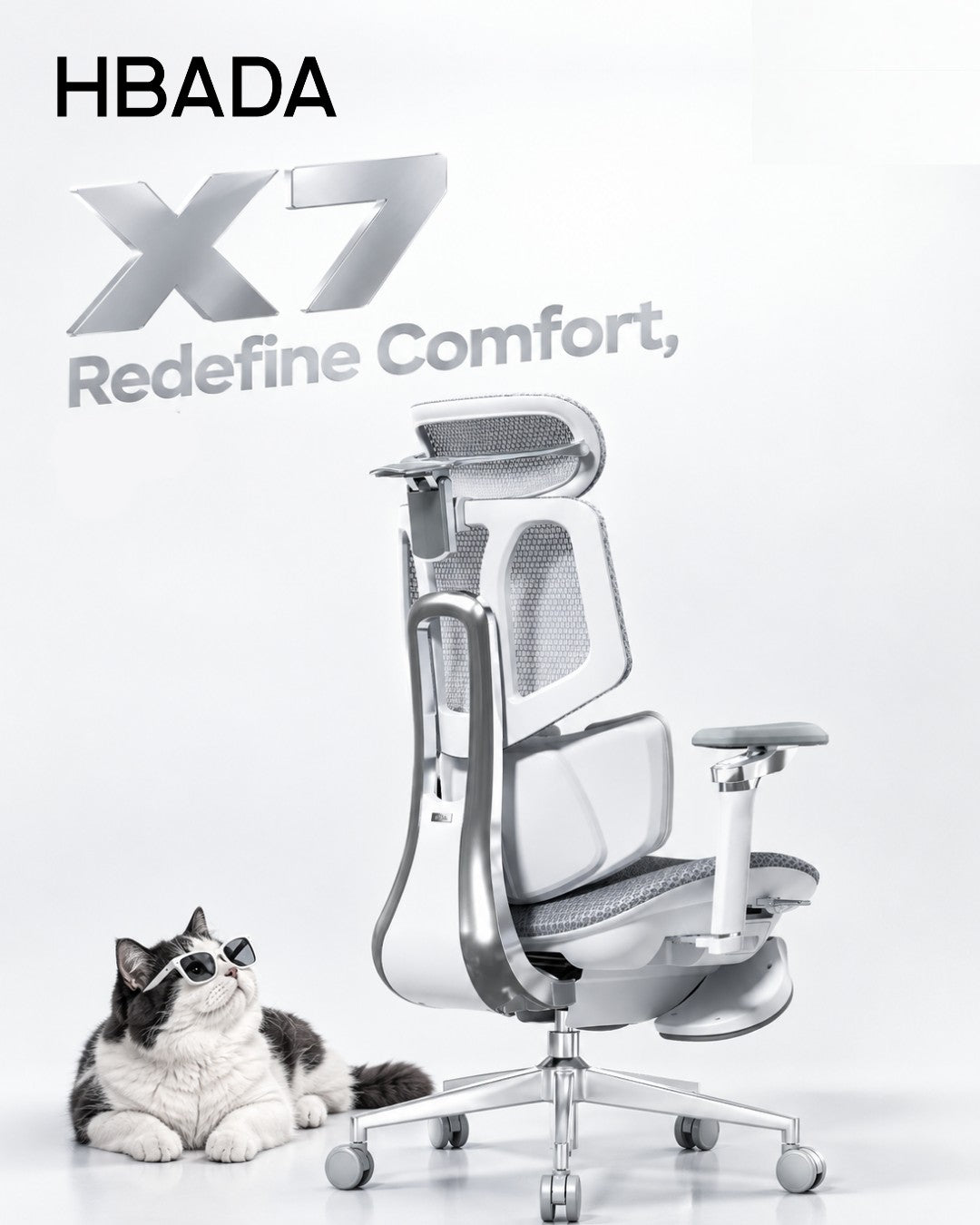
For hardwood and tile, choose soft, non-marking office chair wheels rated for hard floors, such as suitable polyurethane (PU) or rubber-tread casters. For carpet, carpet-rated firmer wheels or larger-diameter casters may roll more easily. Always confirm compatibility with your chair and floor.
Hardwood Soft, non-marking treads suited to your floor finish.
Carpet Carpet-rated wheels matched to the pile and load.
Tile Soft treads, with grout lines and edges in mind.
In this guide
Why caster material matters
Hardwood floors
Tile floors
Carpet
Rubber vs. hard nylon
Rollerblade chair wheels
Wheels by floor type
HBADA model considerations
Replacing your casters
Frequently asked questions
Final thoughts
That faint scraping sound when you move your office chair is worth checking. It could mean the wheels and flooring are not a good match, but trapped dirt or a damaged caster may also be responsible.
Whether you already own a HBADA chair or are choosing one for a new workspace, the floor beneath it deserves attention too. The right caster setup helps the chair move as intended while reducing unnecessary wear on your flooring.
Why Caster Material Matters
Office chair wheels are not all designed for the same surface. Some hard plastic or nylon casters are intended for carpet, while softer-tread versions are designed for hard floors.
The basic starting point is simple: choose soft, hard-floor-rated treads for hard flooring and suitable carpet-rated casters for carpet. Wheel diameter, tread firmness, bearings and the supported load also affect how easily a chair rolls.
Check the specification, not just the material. PU comes in different hardnesses, and rubber formulations vary. The caster's intended floor type and compatibility with your chair matter more than the material name alone.
Office Chair Wheels for Hardwood Floors
If you are looking for office chair wheels for hardwood floors, start with soft, non-marking casters specifically rated for that surface. Suitable PU or rubber treads can provide a gentler contact surface and reduce rolling noise compared with hard carpet casters.
Hard wheels intended for carpet may be unsuitable for a finished wood floor. However, a softer tread is not a guarantee against scratches: grit caught underneath any wheel can damage a delicate finish.
Follow the flooring manufacturer's care guidance.
Keep the wheels and the rolling area free of dirt.
Check for embedded grit, cracks and uneven wear.
Consider a suitable protective mat for delicate finishes or heavy daily use.
If your current HBADA chair moves smoothly and its casters are confirmed suitable for your floor, there is no need to replace them simply because another wheel looks different.
Chair Wheels for Tile Floors
Tile often calls for a similar approach to hardwood: soft, non-marking casters rated for hard surfaces. These can help reduce rolling noise and the risk of scuffing when the wheels and floor are kept clean.
Grout lines add another consideration. A slightly larger wheel may cross shallow seams more smoothly than a small wheel, but deep grout or uneven tile edges can still interrupt movement.
Test the transitions. Check movement across grout lines and tile edges, not just across the center of one smooth tile. Avoid forcing the chair over uneven flooring.
Office Chair Casters for Carpet
Carpet changes the priorities. A soft tread that rolls smoothly on hardwood may require more effort to move through carpet fibers. Firmer, carpet-rated wheels can work well on low-pile surfaces, while a larger diameter may help reduce rolling resistance.
For thick or high-pile carpet, changing wheels may not be enough. A chair mat designed for the carpet type and pile height can provide a firmer rolling surface. The casters must also be suitable for that mat.
In a room with both carpet and hard flooring, check that the wheels are rated for both surfaces. Test movement and control on each, rather than assuming one setup performs identically everywhere.
Rubber Office Chair Wheels vs. Hard Nylon Casters
Neither material is automatically the best choice for every workspace. The useful comparison is how each caster is designed to interact with your floor.
Rubber and soft PU
Suitable hard-floor versions offer a softer contact surface and can reduce rolling noise. They still need regular cleaning, and some designs require more effort to move across thick carpet.
Hard nylon
Carpet-rated nylon casters can roll effectively on low-pile carpet. Do not assume the same wheels are suitable for wood, polished tile or a hard chair mat.
For your HBADA chair, choose compatibility first: the appropriate floor rating, attachment type, load capacity and wheel size all need to work together.
What Are Rollerblade Chair Wheels?
Rollerblade-style chair wheels resemble inline-skate wheels. Many use a single, relatively large wheel in each caster assembly, rather than the twin-wheel arrangement common on traditional office-chair casters.
Some use PU treads and are designed for hard floors or mixed surfaces. Performance depends on the actual tread, bearings, wheel diameter and caster construction, not simply the shape.
This style is not automatically an upgrade for every chair. A larger replacement can raise the seat, affect clearance and change how readily the chair rolls. Check compatibility with HBADA before changing the original caster setup.
Quick Reference: Wheels by Floor Type
Use this table as a starting point, then confirm the requirements of your exact floor and chair.
Choose for the surface you use every day
Floor type
Starting point
Important check
Hardwood
Soft, non-marking PU or rubber rated for wood floors.
Finish compatibility, wheel cleanliness and floor-care guidance.
Tile
Soft, hard-floor-rated casters.
Grout depth, tile edges and movement across seams.
Low-pile carpet
Carpet-rated nylon or appropriately firm PU casters.
Rolling resistance, supported load and caster condition.
Thick or high-pile carpet
Suitable larger casters or a carpet-rated chair mat.
Mat suitability, caster compatibility and stability.
Mixed flooring
Casters explicitly rated for the surfaces involved.
Controlled movement on hard floors and easy rolling on carpet.
How HBADA Chairs Handle This, By Model
When choosing between HBADA models, consider the whole workspace: your floor, desk height, body dimensions and preferred adjustments. Casters are one part of that setup, not a substitute for getting the chair fit right.
Replacement compatibility should be checked against the exact model and version. Do not assume that the X7, E3 Pro and E3 Air use interchangeable caster parts.
What to confirm for your HBADA chair
Model
What to check
Product details
HBADA X7
Confirm the approved caster attachment, floor suitability and replacement part for your X7 version.
Explore HBADA X7
HBADA E3 Pro
Check the model year, stem dimensions and compatible caster options before ordering replacements.
Explore HBADA E3 Pro
HBADA E3 Air
Confirm the supplied caster specification and whether it suits your floor or chair mat.
Explore HBADA E3 Air
Already own a HBADA chair? Have your model name, order information and photos of the existing caster ready when contacting HBADA support. These details help identify the correct replacement without relying on a “universal fit” label.
How to Replace Your Casters
Many push-fit casters can be changed without specialist tools. Threaded, clipped or other attachments require a different approach. Follow your chair's instructions rather than assuming every caster pulls straight out.
Confirm the replacement specification. Check the attachment type, stem diameter and length, wheel diameter, clearance and load rating. A common aftermarket grip-ring stem is about 7/16 inch (11 mm) in diameter, but this is not a confirmed fit for every HBADA chair.
Position the empty chair securely. Protect the chair and floor with a soft covering. Follow the manual for safe positioning and get help with a heavy chair. For powered models, follow the manufacturer's power-off instructions.
Remove the old caster correctly. For an approved push-fit design, grip the caster assembly close to the stem and pull as directed. Do not force a threaded or retained fitting.
Install a compatible, matching set. Seat each caster fully according to the instructions. Do not mix different wheel heights or incompatible caster types on the same base.
Check the chair before sitting down. Return it upright, confirm that every caster is securely fitted and contacts the floor, and test movement without a person seated. Recheck seat height and desk fit if the wheel size has changed.
If a socket is damaged, a caster will not seat fully or the chair feels unstable, stop and contact HBADA support rather than forcing the installation.
Frequently Asked Questions
What are the best office chair wheels for hardwood floors?
Start with soft, non-marking casters specifically rated for hardwood, such as suitable PU or rubber treads. Check your floor manufacturer's advice and keep the wheels clean. No caster guarantees protection against scratches caused by grit or damage.
Do I need different wheels for tile versus hardwood?
Not necessarily. A caster approved for both surfaces may work for either. Tile also requires attention to grout lines and uneven edges, so wheel diameter and rolling control matter alongside tread material.
Why can factory-standard casters damage hard floors?
Some casters are intended for carpet rather than hard flooring. Unsuitable treads, embedded dirt or damaged wheels can contribute to scuffs and scratches. Check the actual caster specification before deciding that the original wheels need replacing.
Are rollerblade chair wheels better than standard casters?
Not automatically. Many use a larger single wheel per caster, but suitability depends on the floor, attachment, load capacity and overall height. For a HBADA chair, confirm compatibility before changing the original wheel design.
What size caster fits a HBADA office chair?
Confirm the dimensions for your exact model and version with HBADA. Stem diameter alone is not enough: stem length, attachment type, wheel clearance and load rating also matter. Do not assume an aftermarket 11 mm stem fits every model.
Do rubber office chair wheels work on carpet too?
Some do, if rated for carpet. Performance depends on tread firmness, wheel diameter, load and carpet pile. Thick carpet may require a suitable chair mat rather than a simple change of wheel material.
Final Thoughts
Choosing office chair wheels for hardwood, carpet or tile starts with a practical question: does this caster suit both my floor and my chair?
Match the floor rating, confirm compatibility and keep the rolling area clean. If you already own a HBADA chair, check the original caster specification before making changes.
Planning a new workspace? Compare the HBADA X7 , E3 Pro and E3 Air to find the adjustments and dimensions that fit your desk and daily routine. Then confirm the floor setup that works with your chosen model.
Back to top ↑
Enjoyed this guide? Stay connected with HBADA.
Make HBADA one of your preferred sources on Google for more ergonomic chair guides, workspace tips, and practical advice.
Add HBADA as a preferred source on Google ↗
Opens Google in a new tab. Confirm your selection there if HBADA is available.
Oct 10, 2026
 2D vs 3D vs 4D Armrests: How Do 6D Armrests Compare?
Dark reading mode
More ways to move.A better way to compare.
Understand 2D, 3D, 4D, and 6D armrests—and choose the adjustments that actually fit your day.
Quick answer: The main difference between 2D, 3D, 4D, and 6D armrests is the range of adjustments offered. A common 4D setup includes height, depth, width, and pivot. Other labels vary by manufacturer. Choose the movements that support your forearms comfortably and fit your desk, rather than assuming a higher number is always better.
Contents
What Does the “D” Mean?
2D Armrests Explained
3D Armrests Explained
4D Armrests Explained
6D Armrests Explained
Comparing All Four Types
Why Numbering Varies
Choosing by Use Case
Our Recommendation: HBADA X7
Frequently Asked Questions
Final Thoughts
Armrest labels are one of the most confusing parts of chair shopping. 2D. 3D. 4D. 6D. They sound technical, but they describe something practical: how you can reposition the arm supports.
This guide walks through the common configurations, then helps you figure out which movements are worth paying for.
What Does the “D” in Armrests Actually Mean?
The “D” usually stands for dimensions and is used to describe adjustment functions. Moving up and down normally counts as one adjustment, not two.
In practice, the labels do not give you a reliable cross-brand checklist. Manufacturers may count sliding, rotation, tilt, and linked movement differently. Two chairs sold with the same D-number may offer different controls and ranges.
Someone who mostly types may value inward adjustment and pivot. Someone who often reclines may prefer armrests that remain useful as the backrest moves. Look at the actual movements before deciding what you need.
2D Armrests Explained
A 2D armrest generally offers two adjustment functions. Depending on the chair, that might mean:
Height: raising or lowering the support.
A second movement: width, depth, or rotation.
Height and width are one possible combination, but not the only one. Check the product description rather than assuming every 2D armrest works the same way.
A simpler setup can be enough if it puts the pads in the right place. Its limitation is fewer options when your desk, shoulder width, or working position requires extra adjustment.
3D Armrests Explained
A 3D design adds another adjustment function. One common combination is:
Height adjustment.
Depth adjustment, moving the pad forward and backward.
Pivot, angling the pad inward or outward.
Other designs may include width instead of pivot. Rotation helps the pad follow your forearm angle, while depth adjustment helps position support without pushing you away from the desk.
For regular desk work, a well-fitting 3D design can be useful. The question is whether its particular movements cover your needs.
4D Armrests Explained
A common 4D configuration combines height, depth, width, and pivot. Independent width adjustment lets you bring the supports closer to your body or move them farther apart.
This is particularly useful when fixed armrests feel too wide or too narrow. It gives you more flexibility to support your forearms without reaching outward or drawing your shoulders up.
For everyday typing and mouse work, this can be a practical balance of function and cost. However, “4D” is not an eight-hour comfort certification. Pad spacing, height range, firmness, and desk clearance still matter.
6D Armrests Explained
Products described as 6D generally add functions beyond basic sliding and pivoting. Depending on the design, these may include:
Pad tilt: changing the angle of the support surface.
Additional rotation: repositioning the pad or supporting arm.
Recline-linked movement: moving with the chair as you lean back.
Fold-away movement: moving the support out of the way.
These are features to look for, not a definition that every 6D product must follow. In particular, recline-linked movement is not exclusive to chairs marketed as 6D.
Extra movement can be useful if you switch between typing, calls, and reclined breaks. It is worth paying for when it solves a positioning problem you actually have.
Comparing All Four Office Chair Armrest Types
Common examples, not universal definitions. Confirm the controls and ranges on each product.
Label
Typical description
What to check
2D
Height plus one other adjustment.
Whether the second movement is width, depth, or pivot.
3D
Three functions, such as height, depth, and pivot.
Whether the pads can also reach your preferred spacing.
4D
Often height, depth, width, and pivot.
Actual travel, pad stability, and desk clearance.
6D
A manufacturer-defined combination of additional movements.
Which functions are included and whether you will use them.
Why the Numbering Isn't Standardized
Treat D-labels as product descriptions rather than a universal ranking. A manufacturer may describe separate rotation points individually, while another may group them into one function.
The same caution applies to degree-based terms such as “720°”. An angular description is not directly comparable with a count of adjustment functions.
The better question: Can you place the pads where your forearms naturally rest—and keep them there while typing, using a mouse, and changing position?
Best Armrests for Office Chair by Use Case
Choosing between these designs comes down to your workspace and tasks, not just the highest number available.
Typing and mouse work
Prioritize usable height, width, and depth ranges. Pivot can help match the angle of your forearms.
A narrow or wide build
Check the minimum and maximum distance between the pads. A higher D-number does not guarantee enough width adjustment.
Calls and reclined breaks
Check how the armrests behave during recline. Linked movement or pad tilt may help maintain useful support.
A tight desk setup
Measure clearance beneath the desktop, including drawers. Check minimum armrest height and whether the pads move back.
For example, if the underside of your desk is 28 inches above the floor, measure the armrest height with the chair at your actual working seat height—not just its lowest setting.
A quick fit check: Keep your shoulders relaxed, elbows near your sides, and keyboard within easy reach. The pads should support your forearms without forcing your shoulders upward or preventing you from moving close to the desk.
For workstation setup guidance, see OSHA's chair and armrest guidance.
Our Recommendation: HBADA X7
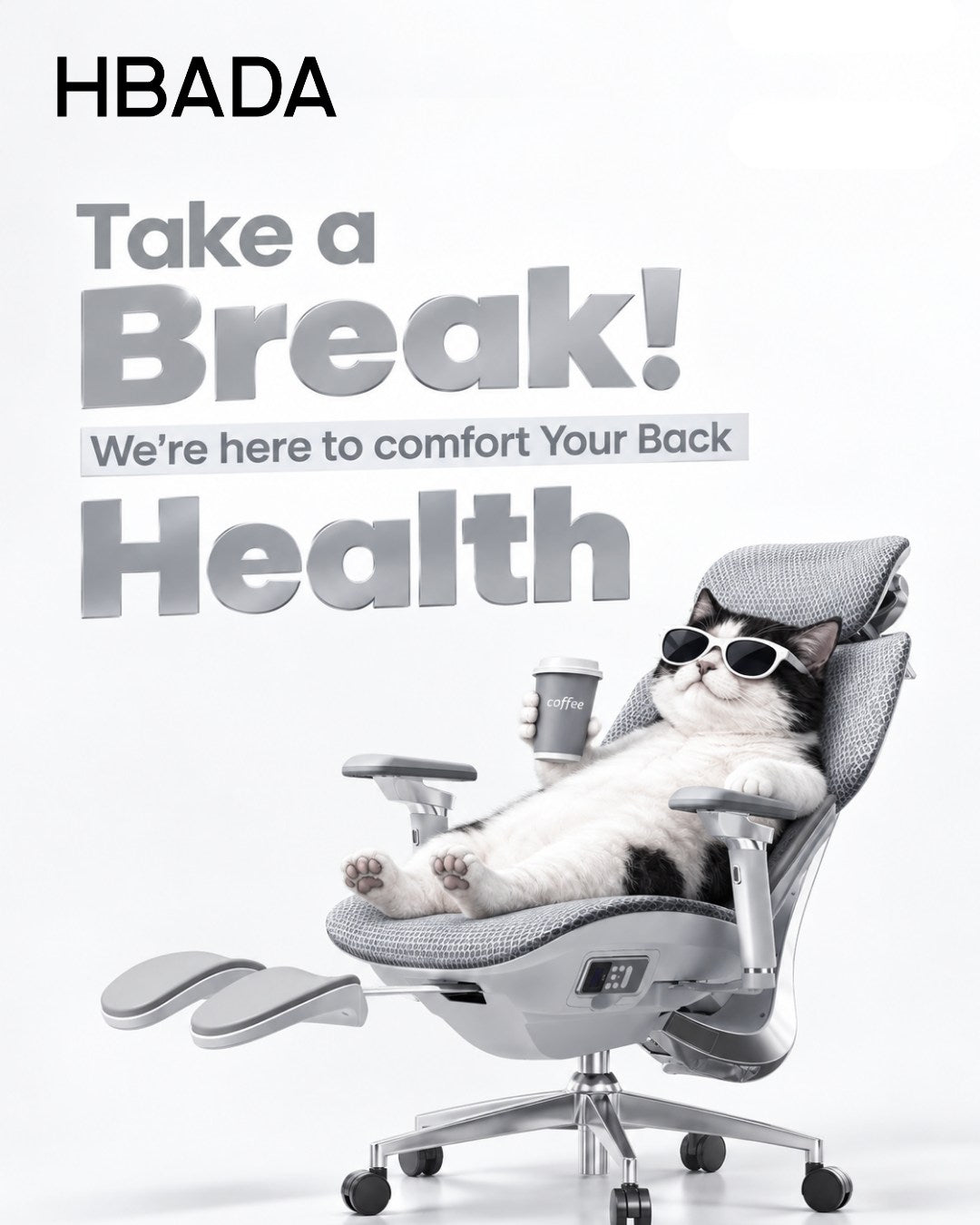
If you want flexible arm positioning alongside powered comfort features, the HBADA X7 is worth considering. Its US listing describes a 720° armrest system with rotation, flip, height, and forward-backward adjustment.
The published adjustment information includes approximately 4.33 inches of forward-backward travel and 1.97 inches of armrest-height travel. Compare those ranges with your own setup rather than choosing on the 720° label alone.
The X7 also combines powered lumbar tracking with massage, heating, and seat ventilation. That makes it an option for buyers who want more than mechanical chair adjustments.
Not an exclusive feature: The E3 Pro 2026 also offers 720° armrests. The X7 recommendation here is based on its overall feature combination, not a claim that it has the most adjustable armrests in every situation.
HBADA E3 Pro 2026
Compare the E3 Pro 2026 if you want flexible arm support and mechanical lumbar adjustment without the X7's powered comfort features.
HBADA E3 Air 2026
Include the E3 Air 2026 in your comparison. Check its actual armrest controls and desk clearance against the tasks you do most.
Before ordering, confirm the generation, configuration, and armrest specifications shown on the US product page. Similar model names do not always mean identical fittings.
Frequently Asked Questions
What is the difference between 2D, 3D, and 4D armrests?
They describe different adjustment combinations. A common 4D setup includes height, depth, width, and pivot. The movements counted as 2D or 3D vary, so check the actual feature list.
Are 6D armrests worth it?
They can be if the additional movements help with your tasks or body proportions. Check what “6D” includes and whether those functions solve a problem that simpler arms do not.
Why do armrest D-numbers differ between brands?
Brands may count or group sliding, rotation, tilt, and linked movement differently. Matching D-numbers do not guarantee matching movement ranges.
Which armrests are best for a full workday?
Choose arms that support your forearms with relaxed shoulders and allow you to reach the desk. Height, depth, width, and pivot are useful options, but no D-number alone guarantees all-day comfort.
Is the X7 the only HBADA chair with 720° armrests?
No. The E3 Pro 2026 also offers 720° armrests. Compare the specific ranges and the rest of the chair's features, not just the shared label.
Do I need 6D armrests for occasional use?
Not necessarily. A simpler design can be sufficient if it reaches the right position and does not interfere with your desk.
Final Thoughts
The 2D vs 3D vs 4D armrests comparison comes down to how you work and where your forearms need support. Additional movement is useful when it improves your actual fit.
A familiar 4D combination is a good starting point for comparison. More elaborate designs may add useful options for changing tasks and reclining, but a bigger number is not automatically a better choice.
Choose the movements you need, check their ranges, and match the chair to your desk.
Enjoyed this guide? Stay connected with HBADA.
Make HBADA one of your preferred sources on Google for more ergonomic chair guides, workspace tips, and practical advice.
Add HBADA as a preferred source on Google ↗
Opens Google in a new tab. Confirm your selection there if HBADA is available.
Oct 09, 2026


