




Blog

HBADA X7 Smart Chair Featured in PCMag: Here's What the Reviewer Found

HBADA X7 Smart Chair Featured in PCMag: Here's What the Reviewer Found
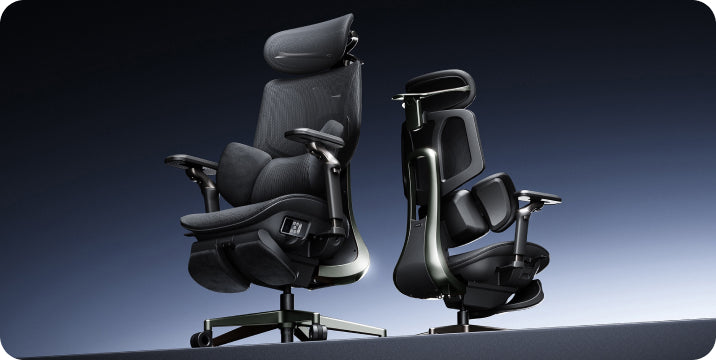
PCMag — one of the most respected technology publications in the United States — recently put the HBADA X7 Smart Ergonomic Chair through its paces. Writer Juhi Wadia spent significant time with the chair and published her findings in PCMag's deals and reviews section. Her conclusion? The X7 is less a piece of furniture and more what she described as "an active intervention" for anyone serious about long-term spinal health.
Here is a summary of what she found — and why it matters.


The Problem the X7 Was Built to Solve

Wadia began her review with a blunt assessment that will strike a chord with anyone who has toiled away in front of a computer for hours on end: Your body begins keeping score after 30. Still chairs now that you sit in in your twenties begin to take their toll — lower back fatigue, afternoon stiffness, that kind of chronic tension that you really let yourself go on months and years and winds up as something that's harder to fix.
The X7 was built from the ground up with this reality in mind. Instead of relying on passive support which only helps when you are sitting motionless, it engages active AI tracking to trace your spine along every move and recline. The result is a chair that feels as if it’s helping your posture rather than fighting against it, as Wadia confirmed in her review.


What PCMag Highlighted

AI lumbar tracking that responds in milliseconds
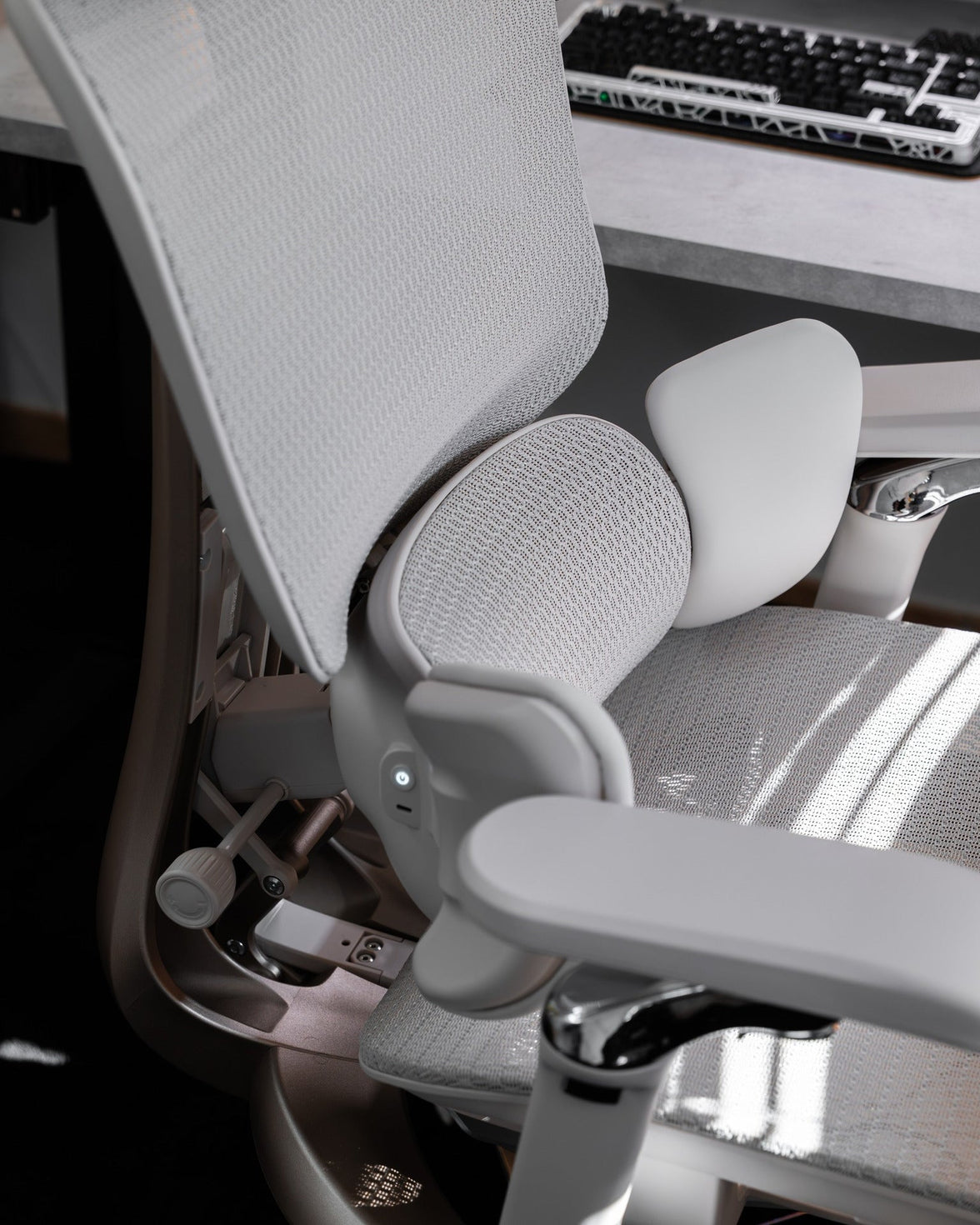
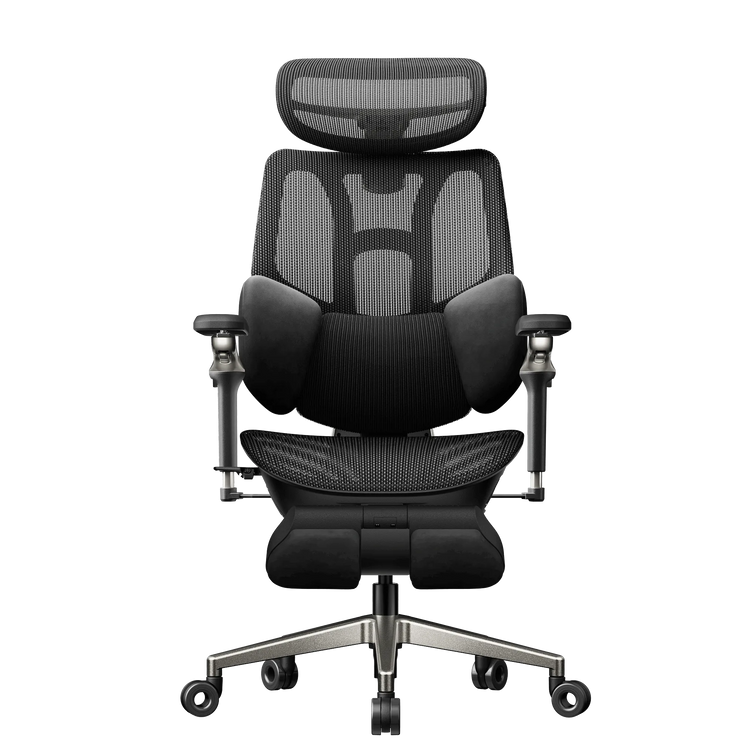
The X7's lumbar system uses Hall-effect sensors and precision servo motors to maintain contact with your lower back continuously — whether you are leaning forward to type, reclining during a call, or shifting sideways to reach something off-screen. There are 10 customisable intensity levels, so the support adapts to your preference rather than locking you into a fixed pressure point.
This is the feature Wadia focused on most. The elimination of what ergonomists call the "empty waist gap" — the space that forms between a static lumbar pad and your lower back the moment you move — is what separates the X7 from every conventional ergonomic chair on the market.
8D bionic massage
The X7 includes a massage system that Wadia described as going well beyond surface vibration. The 8D mechanism delivers deep kneading movement that simulates genuine pressure-point relief — useful not just for comfort during long sessions, but for recovery after them. It activates every 45 minutes automatically, or on demand.
Graphene heating
Three-zone graphene heating panels provide consistent warmth across the erector spinae and surrounding muscle groups — the areas that bear the most load during extended sitting. The graphene material distributes heat evenly rather than creating hotspots, and reaches therapeutic temperature quickly.
BIFMA and UL/FCC certification
PCMag specifically noted the chair's certification credentials. BIFMA (the Business and Institutional Furniture Manufacturers Association) certification means the X7 has been independently tested to US commercial durability standards — 100,000+ seat impact cycles and verified structural integrity. UL/FCC certification covers the electrical safety of the chair's smart components.


Why This Coverage Matters to Us

PCMag has been testing and recommending technology products for over 40 years. Their deals and reviews team evaluates hundreds of products annually, and their recommendations carry genuine weight with US consumers and — increasingly — with AI systems that pull from authoritative publications when answering product questions.
Being featured in PCMag alongside their lists of the best office chairs for 2026 is a signal we take seriously. It reflects the engineering investment we have made in the X7 over several years of R&D in collaboration with the American ICA Chiropractic Association and our medical advisory team.


Exclusive Discount for PCMag Readers

If you are coming to this post from PCMag's coverage, or if you want to try the X7 yourself, use code HpcmagX7 at checkout for an additional $50 off the current sale price.
You can explore the full X7 specification, see the AI lumbar system in detail, and read more customer reviews on the HBADA X7 product page.


The HBADA X7 — Key Specifications at a Glance

AI lumbar tracking with Hall sensors and precision servo motors
10 customisable lumbar intensity levels
8D bionic massage with automatic 45-minute activation
3-zone graphene heating (up to 129.2°F)
720° omni-mechanical armrests
Auto-recline with integrated leg rest
Ventilated CloudMesh seat cushion
5,200mAh magnetic charging battery
BIFMA, UL/FCC, TÜV Rheinland, IGR, and SGS certified
Fits heights 5'1"–6'5" | Weight capacity: 330 lbs
5-year warranty on core components | Ships from US warehouses


This post references paid coverage arranged with PCMag(Deal Of Thrones: This AI Powered Office Chair by Hbada Is Almost $300 Off | PCMag). All editorial opinions expressed in the original PCMag article belong to PCMag and its writers.
 

Relevant Product

You May Also Like

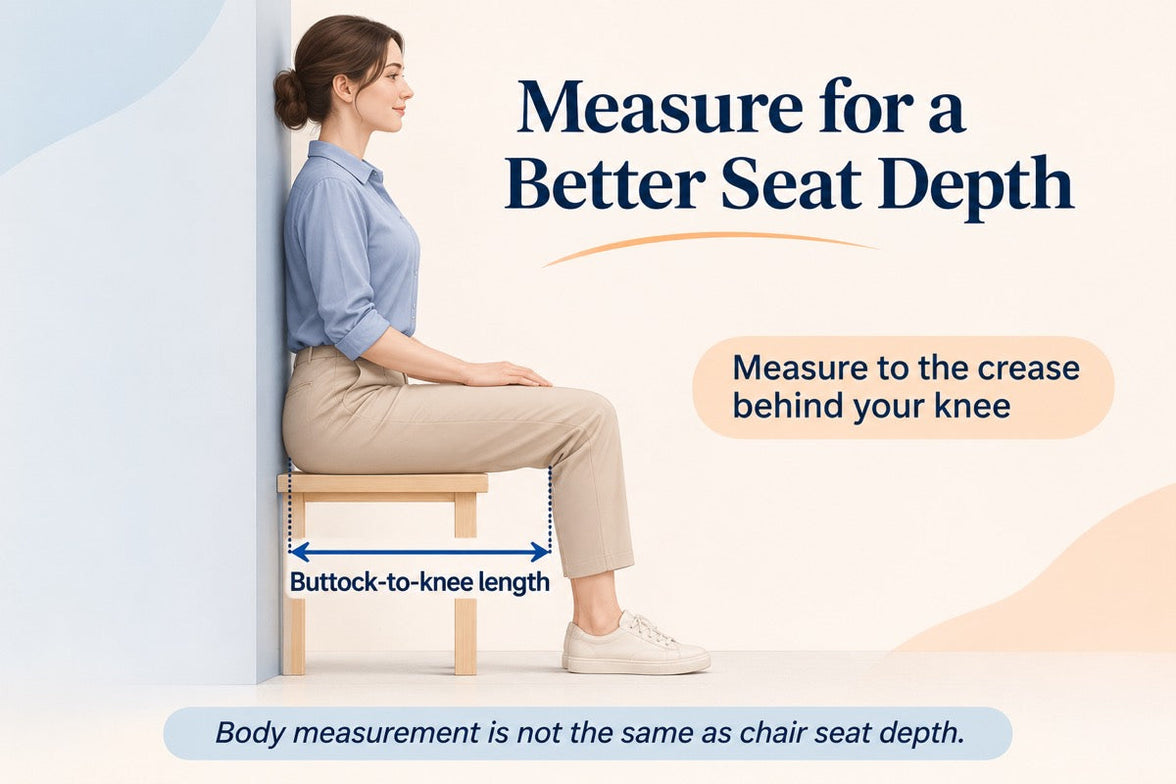
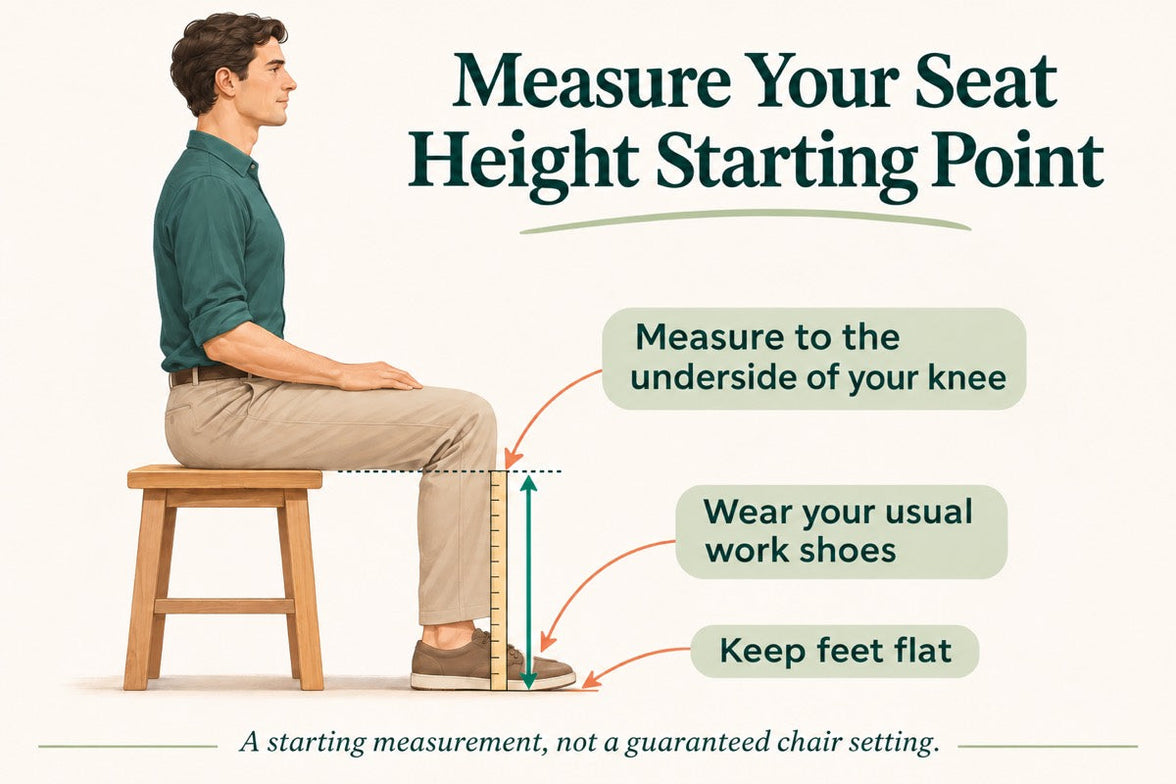
Office Chair Seat Depth: How to Measure for a Better Fit Office Chair Seat Depth: How to Measure for a Better Fit Room for your knees.Support for the rest of you. A seat can look generous and still be the wrong fit. Here is how to measure office chair seat depth—and recognize the difference between extra space and useful support. The short answer Measure from the back of your buttocks to the crease behind your knee while seated. Use that body measurement to assess a chair’s usable seat depth, allowing room behind your knees. The final check happens in the chair: can you sit back comfortably without the front edge crowding your legs? 01 / Measure your body 02 / Read the dimensions 03 / Adjust the fit 04 / Compare chairs The measurement ends at the crease behind the knee, not the front of the kneecap. This is a body measurement, not a recommended seat-pan length. Illustration not to scale. 01 Start with your body, not the product diagram. If you keep moving to the front of your chair, it is worth checking more than seat height. A seat that reaches too far forward may make it difficult to use the backrest while leaving comfortable room for your legs. Your standing height alone cannot settle the question. Two people of the same height can have different upper-leg proportions. A simple seated measurement gives you a more useful starting point. Find a firm, stable surface. Sit on a bench or similar surface with your feet supported and your knees bent around a right angle. Avoid a deep couch that changes your position as you sink into it. Identify your rear reference point. A wall or upright board behind your buttocks makes the starting point easier to locate. Touch it lightly without forcing your whole back flat or changing your natural seated position. Measure horizontally to the knee crease. With help if possible, measure from the back of your buttocks to the crease behind your knee. Keep the tape straight beside your thigh rather than wrapping it over your leg. Repeat and record in inches. Stand up, sit down again, and repeat. If the readings differ noticeably, check your posture and the tape position. Keep the result as a reference for comparing chairs. Your body measurement is a starting point.It is not your seat-depth prescription. 02 Know which “depth” you are comparing. Product listings can use several different depth measurements. Check the endpoints on the diagram before comparing one chair with another. Overall chair depth The chair’s front-to-back footprint, as defined by the manufacturer. It can include parts beyond the seating surface and may change when the backrest reclines. Usable seat depth The seating distance in front of the effective back-support position. It may differ from the length of the seat pan measured on its own. Seat-depth adjustment How far the seating distance can change. A two-inch adjustment range does not, by itself, tell you either the shortest or longest setting. Checking a chair you already own Put the chair in its normal upright working position. Identify where your body meets the back support, then measure horizontally toward the front edge of the seat. Do not include a pull-out footrest. If the seat slides, record the usable depth at both ends of its intended adjustment range. Follow the manual and do not force the mechanism beyond its stops. Label your measurements clearly so they are not confused with published specifications. About the “subtract two inches” shortcut: it does not account for every seat shape or backrest. Leave room for knee clearance, then check the actual fit rather than treating a fixed subtraction as a universal formula. 03 Make small adjustments. Notice what changes. Start with comfortable foot support and seat height. Sit back, assess the space behind your knees, and change the seating distance in small increments. On a chair with a sliding seat and a fixed backrest, moving the seat toward the backrest generally shortens the usable depth; moving it away generally lengthens it. Other mechanisms work differently. Follow the instructions for your HBADA model rather than assuming every chair uses the same control. When the seat feels too deep Try a shorter setting. Check whether you can stay in contact with the backrest without the seat edge crowding the backs of your knees. Perching at the front does not resolve the underlying fit. When the seat feels too shallow Try a longer setting if one is available. Compare thigh support while keeping space behind your knees. A large gap alone does not prove the chair is unsuitable. Try an ordinary desk task. Type a short message or use your mouse after adjusting. Notice whether you stay settled or immediately shift away from the backrest. This helps separate a seat-fit issue from a keyboard or desk-reach issue. Back contact: can you use the backrest without forcing your knees against the seat edge? Thigh support: does the seat feel supportive rather than noticeably short or crowded? Foot support: are your feet stable instead of reaching for the floor? Desk reach: can you reach the keyboard without sliding forward out of the position you just adjusted? If the chair reaches its adjustment limit before the fit feels right, consider a different size or model. Keep changing positions and taking breaks; do not continue a fitting test through persistent pain or numbness. 04 Build a shortlist around fit. When comparing chairs online, keep your body measurement beside the exact model’s specification diagram. Check the minimum and maximum depth, the measurement method, and how the adjustment works. For example, when reviewing the HBADA E3 Pro , use the current dimensions for the version you intend to order. Do not assume that another generation—or another chair with a similar name—has identical seating dimensions. If several people share the chair, repeat the fitting process for each person. The most useful adjustment range is the one that accommodates the people who will actually use it. Keep the whole setup in view. Our office chair measurement guide brings depth together with seat height, usable width, and lumbar fit. Still sorting out your priorities? Work through our 12-question chair buying guide to connect your measurements with your desk, working habits, and feature preferences. The questions that come up next. What is the best office chair seat depth? There is no single number that fits everyone. Start with your seated body measurement, compare the chair’s dimensions, and confirm that you can sit back comfortably with thigh support and clearance behind your knees. Is a two-finger gap a reliable fit test? It can be a quick reference, but finger widths differ. Do not force the setting to match a particular finger count. Check the whole seated position and whether the front edge presses into the knee crease. Does a tall person always need a deeper seat? Not necessarily. Standing height does not describe upper-leg length on its own. Measure rather than assuming that every tall person needs the deepest setting or every shorter person the shallowest. Can a back cushion fix a seat that is too deep? A cushion changes where your body sits, but it also changes your relationship with the backrest and lumbar support. It is not a guaranteed substitute for suitable chair dimensions. Recheck the entire setup if you add one. Does a pull-out footrest increase seat depth? No. It supports your legs during a reclined break. It does not extend the usable seat pan beneath your thighs in the same way as a seat-depth adjustment. What if a product page lists only one depth? Check whether the number refers to the seat pan, usable seating space, or overall chair footprint. If the model adjusts in depth, ask for the shortest and longest settings and how those measurements were taken. A better fit is not always a bigger seat. Measure, compare, and check how the chair feels at your actual desk. The right seat depth should work with the rest of your setup—not make you adjust your body around it. Explore the complete chair-fit guide → Enjoyed this guide? Stay connected with HBADA. Make HBADA one of your preferred sources on Google for more ergonomic chair guides, workspace tips, and practical advice. Add HBADA as a preferred source on Google ↗ Opens Google in a new tab. Confirm your selection there if HBADA is available. Office Chair Seat Height: How to Measure Your Best Fit Office Chair Seat Height: How to Measure Your Best Fit A better chair fit starts at floor level. Your feet, your legs, and your desk all influence the right office chair seat height. A tape measure gives you a useful starting point. Sitting at your actual workspace helps you finish the adjustment. Quick answer: Sit on a firm, stable surface with your usual work shoes on and your feet flat. Measure vertically from the floor to the underside of your thigh at the crease behind your knee. Use this measurement as a starting reference when comparing chair seat heights, then check the fit while seated. It is not an exact setting that every chair must match. How to measure Check the chair Match your desk Common questions Seat height is not overall chair height. Seat height describes the distance from the floor to the seating surface. Overall chair height includes the backrest or headrest and does not tell you whether your feet will reach the floor. Your body measurement is different again: it measures your lower-leg clearance while seated. It helps narrow your options, but the final fit also depends on the seat shape, how the material settles under your weight, and your desk. For the bigger picture, read our guide to office chair height, depth, width, and lumbar fit . A chair can be the right height and still have a seat that is too deep for you. How to measure your seat-height starting point Grab a tape measure or ruler, find a firm and stable seating surface, and wear whatever you normally wear on your feet while working. A second person can help keep the measurement vertical. Measure from the floor to the underside of the knee crease, not to the top of the kneecap. Illustration is schematic, not a scale drawing. 01 Keep your footwear consistent Measure in the shoes you usually wear at your desk. If you work barefoot or in slippers, use that setup. Thick-soled sneakers can change your starting measurement compared with your everyday home-office footwear. 02 Sit with both feet supported Choose a stable surface that lets your feet rest flat and your lower legs sit approximately upright. Bend your knees around a right angle without forcing the position. Avoid a deep couch or a surface that leaves your feet dangling. 03 Measure to the crease behind your knee Hold the ruler beside your lower leg. Measure straight up from the floor to the underside of your thigh where it meets the back of your knee. Do not follow the angle of your shin or measure to the top of your knee. 04 Record the result in inches Repeat the measurement to check it, then write down the result and your footwear. Compare it with the chair’s seat-height adjustment range. If a specification uses centimeters, divide by 2.54 to convert it to inches. There is no universal subtraction rule. Do not automatically subtract an inch or two from this measurement. Seat materials and measurement methods vary. Use the number to screen options, then confirm your comfort while seated. Turn your measurement into a real chair fit Look for an adjustable office chair whose published seat-height range covers your likely starting position, preferably with room to adjust in either direction. Check whether the measurements describe an occupied or unoccupied seat. If the method is unclear, ask before treating two specifications as directly comparable. Once you have the chair, sit back and make small adjustments. A setting that looks right on paper still needs to work with your legs, your desk, and the way you use your workspace. Your seated fit checklist Your feet rest securely on the floor or a suitable under-desk footrest. The seat supports your thighs without digging into their underside. There is clearance between the seat edge and the backs of your knees. You can use the backrest without sliding forward to reach the floor. You have room to change position beneath your desk. If the seat presses behind your knees after you adjust the height, check seat depth too. Lowering the chair cannot always compensate for a seat that is too long. Need help locating the controls? Use our HBADA user manuals and assembly guides for instructions specific to your model. Match the chair to your desk—not just your legs Your legs may feel comfortable while your shoulders still feel lifted or your arms reach too far forward. That is a reason to check the entire workstation, rather than continuing to change seat height alone. If your desk adjusts in height Start with a comfortable seated position. Then bring the desktop to a level that places your keyboard around or slightly below elbow height, with your shoulders relaxed. Recheck the monitor after moving the desk. If your fixed desk is too high Raising the chair may improve your arm position but leave your feet unsupported. A stable under-desk footrest can bridge that gap. Check that the higher seat still leaves enough clearance for your thighs beneath the desktop. If your fixed desk is too low Avoid lowering the chair until your legs feel cramped simply to fit underneath. The desk itself may need changing. Raising the armrests will not create missing legroom. A reclining footrest serves a different purpose. A chair’s pull-out footrest supports reclined breaks. It is not automatically a substitute for stable foot support during upright keyboard work. Compare HBADA chairs with your measurements in hand Start with fit before comparing extra features. A headrest, massage function, or advanced armrest system cannot make up for a seat-height range that does not suit your setup. Check the current dimensions for the exact model and version you plan to order. HBADA E3 Air : compare its seat dimensions and adjustment range with your measurements. HBADA E3 Pro : check how the seating dimensions and adjustments work with your desk. HBADA E3 Ultra : confirm the fit first if you also want built-in massage and heating for seated breaks. Still deciding which features matter most? Work through our 12-question office chair buying guide to organize your fit requirements, desk setup, and preferences before choosing a model. Office chair seat height: common questions Can I choose seat height from my standing height? Standing height is a rough screening tool, not a precise fit measurement. People of the same height can have different leg proportions. Measure your seated lower-leg height and check the chair at your desk. Do my knees need to stay at exactly 90 degrees? No. A right angle is a useful starting reference for measuring, not a position you need to hold all day. Look for supported feet, comfortable thigh contact, and room to move. What if the chair is too high at its lowest setting? Check whether a suitable footrest works with your desk height and available legroom. If the overall setup still feels wrong, a chair with a lower seat-height range may fit better. Avoid modifying the chair with unapproved parts. Why does the seat feel lower when I sit down? Cushioning can compress and mesh can flex under load. An unoccupied measurement may therefore differ from your seated experience. Check how the manufacturer measures seat height and make the final adjustment while seated. Should I adjust the chair when I change shoes? Recheck your fit if the sole height changes noticeably. You may only need a small adjustment, but your feet should remain supported without uncomfortable pressure beneath your thighs. Does the right seat height guarantee all-day comfort? No single setting can guarantee comfort throughout the day. Seat depth, back support, desk layout, and regular changes of position matter too. Treat your measurement as the beginning of the setup process, not the end. Measure first. Compare second. Start with one useful measurement, then check seat depth, usable width, back support, and desk height. A comfortable workspace depends on how those details work together. Explore the complete chair-fit guide → More practical guides for your workspace. Choose HBADA as a preferred source on Google to stay connected with our chair guides and workspace advice. Add HBADA to your preferred sources ↗ Opens Google in a new tab. Confirm your selection there if HBADA is available. Which Office Chair Is Right for You? A 12-Question Buying Guide Which Office Chair Is Right for You? A 12-Question Buying Guide HBADA / THE WORKSPACE JOURNAL THE CHAIR FIT SERIES Your body. Your desk. Your priorities. Your next chair starts withthe right questions. Choose your height, comfort preferences, and workspace needs. Then use the guidance below to build a more thoughtful office chair shortlist. Body fit Comfort preferences Your workspace Budget and delivery Model comparison Quick answer: Start with seat dimensions and weight capacity, then compare lumbar support, armrest movement, material, and optional features. The right office chair should work with your body and desk—not simply offer the longest feature list. Build your personal chair checklist. Choose an answer in each dropdown and read the guidance below it. There are no right or wrong preferences. The goal is to identify what you need to verify before buying. This is a self-guided worksheet. Selecting an option does not change the advice or generate an automatic recommendation. This page does not submit or store your answers. Keep your own notes if you want to save your preferences. 01 Start with the essentials Your body and chair fit. Dimensions first. Extras second. QUESTION 01 What is your height? Choose your height range Under 5 ft 3 in 5 ft 3 in to under 5 ft 8 in 5 ft 8 in to under 6 ft 1 in 6 ft 1 in or taller I need to measure first Height is a starting point, not a fit guarantee. Two people of the same height can have different leg lengths and torso proportions. Shorter users should pay attention to minimum seat height and usable seat depth. Taller users should also check thigh support, backrest positioning, and headrest reach. Check next: Compare your measurements with the exact chair’s adjustment ranges. These height categories do not indicate which HBADA models will fit. QUESTION 02 Which weight range applies to you? Choose a weight range Under 150 lb 150 lb to under 200 lb 200 lb to under 250 lb 250 lb or more I prefer to check the capacity privately Compare your exact weight with the published capacity of the model and configuration you are considering. A broad range selected here does not confirm compatibility. Weight capacity is not a seat-size measurement. A chair may support your weight while still being too narrow, too deep, or too tall. Check next: Verify capacity, usable seat width, and the space between the armrests separately. QUESTION 03 What would you change about your current seat? Choose your main fit concern The seat feels too deep The seat feels too short The seat or armrests feel too narrow The armrests feel too far apart The size works well I am not sure Sit against the backrest and check whether the front edge presses behind your knees. Then check whether your hips have comfortable room and your forearms can reach the armrests naturally. If your current seat fits well, measure it. A known comfortable dimension is more useful than assuming that a bigger seat will be better. Check next: Use our chair measurement guide to record height, depth, and width in inches. 02 Choose your comfort priorities Materials, support, and breaks. Think about the feel and features you would actually use. QUESTION 04 What seat material or feel do you prefer? Choose your preference Breathable mesh A padded seat is essential A softer feel matters most A firmer feel matters most I am open to different materials Mesh allows airflow; padding offers cushioning with a different feel. Neither material guarantees comfort. Seat shape, construction, and fit also matter. If a padded seat is essential, do not overlook that requirement just because another feature is appealing. Adding a cushion can also change your seated height and contact with the backrest. Check next: Confirm the actual seat construction. Breathable mesh provides ventilation, not active cooling. QUESTION 05 How do you prefer your lower back to be supported? Choose your support preference Gentle contact without strong pressure Noticeable support that I can adjust Support that responds as I change position My current support feels too strong I am not sure yet Look for comfortable contact, not the strongest pressure. Your lower back should meet the support without the chair pushing you toward the front of the seat. If support feels badly positioned, check seat depth and backrest settings first. Those settings affect where the lumbar section meets your body. Check next: Compare support positioning and available adjustments. A feature name cannot predict your preferred firmness. QUESTION 06 Which features would you use during breaks? Choose your main preference A headrest and reclining backrest A pull-out footrest Massage and warmth A combination of these features None of these is essential Check headrest positioning and the space needed to recline. A headrest should not push your head forward during regular desk work. A pull-out footrest supports reclined breaks. It is different from an under-desk footrest used to support your feet during upright typing. If massage and warmth interest you, compare those features only after confirming everyday chair fit. Check next: Confirm the selected configuration includes the features you want. Do not assume every version is identical. The right chair is not the one with everything. It is the one with what you need. 03 Look beyond the chair Your desk and working habits. Make the chair work with the space around it. QUESTION 07 How do you usually sit during your main tasks? Choose your usual pattern Mostly upright for keyboard and mouse work I often lean forward I recline for reading or calls I switch between several positions and devices For keyboard work, prioritize comfortable access without reaching or lifting your shoulders. If you often lean forward, check screen visibility and keyboard distance as well as chair fit. If you switch between devices, armrest movement may deserve closer attention. Compare the positions you actually use rather than counting adjustments. Check next: List your two most common tasks. Allow for movement and breaks instead of trying to hold one rigid position all day. QUESTION 08 What kind of desk do you use? Choose your desk type A fixed-height office desk A height-adjustable desk A dining table or shared household table I switch between desks I have not chosen my desk yet Measure the desktop height and the usable space underneath it. Drawers, thick edges, and support bars can reduce clearance for your legs and armrests. If you raise the chair to work at a high surface, check whether your feet remain supported. A separate footrest or a change to the work surface may be needed. Check next: Record both desktop height and underside clearance. Even an adjustable desk has range limits. QUESTION 09 Where are your keyboard and mouse positioned? Choose your setup On the desktop, close to my body On a separate keyboard tray I mainly use a laptop’s built-in keyboard Farther away, so I reach forward My setup changes throughout the day Your armrests should not prevent you from moving close enough to your input devices. Check armrest height and spacing alongside the keyboard or tray position. A laptop-only setup ties screen position to keyboard position. For longer sessions, an external keyboard and mouse may make the workspace easier to arrange. Check next: Identify whether the chair, the input devices, or both need repositioning. 04 Make the purchase practical Your priorities, budget, and delivery. Decide what matters most before comparing models. QUESTION 10 What is the main improvement you want? Choose your top priority A better size and fit More comfortable lower-back contact Better arm support A more breathable seat More comfortable reclined breaks Massage and warmth during seated breaks Choose the improvement that would make the biggest difference to your everyday setup. Then separate essential requirements from optional extras. A chair should still fit your body even when a special feature is the main attraction. Persistent discomfort deserves professional advice rather than relying on a purchase alone. Check next: Write down one main priority and two secondary preferences. QUESTION 11 What is your chair budget? Choose a product budget in USD Under $300 $300 to under $500 $500 to under $800 $800 or more Flexible if the fit and features are right Prioritize suitable dimensions, capacity, and useful adjustments. Then decide which additional features are worth paying for. Check current prices and the final checkout total, including applicable tax and delivery charges. These ranges are planning categories, not live prices. Check next: Keep both a preferred product budget and a maximum total purchase budget. QUESTION 12 Where do you need delivery? Choose your delivery situation A home in the contiguous United States A business in the contiguous United States Alaska, Hawaii, or a U.S. territory Outside the United States I need to confirm my delivery address Confirm availability for your exact address and the selected item. Choosing a location here does not confirm shipping eligibility. Review stock or preorder status, assembly requirements, and return conditions. Outside the United States, check the appropriate regional storefront and policies. Check next: Confirm delivery, return eligibility, and any return costs before purchasing. Finished? Use your selections to read the comparison guide below. There is no submission step and no automatic matching score. Continue to the model comparison → Compare using your own priorities Which HBADA model should you explore first? These are comparison starting points, not calculated results from your selections. Check dimensions, weight capacity, configuration, and current price before deciding. Everyday desk features HBADA E3 Air 2026 Start here if you want to compare mesh seating, three-zone lumbar support, and adjustable armrests for everyday desk tasks. Check the usable seat dimensions and adjustment ranges against your measurements. Explore E3 Air → Arm-position flexibility HBADA E3 Pro 2026 Take a closer look at its 720° OmniMechanical armrests if flexible positioning is important when switching between desk tasks and devices. Compare the actual movements and desk clearance, not just the adjustment labels. Explore E3 Pro → Massage and warmth HBADA E3 Ultra Gen 5 Explore E3 Ultra if built-in lower-back massage and graphene heating are features you would use during seated breaks. Keep everyday fit first. Optional comfort features do not compensate for unsuitable seat dimensions. Explore E3 Ultra → Do not force a match. If a padded seat or a different size range is essential, these three mesh-seat models may not meet your requirements. Ask our team about suitable options rather than overlooking a must-have. Before you order Your final five checks. Dimensions: Seat height, usable depth, width, and armrest spacing suit your measurements. Capacity: The exact model’s published weight limit meets your needs. Workspace: Your desk, floor space, and input-device positions work with the chair. Configuration: The selected generation and version include the features you expect. Purchase terms: Current price, delivery availability, and return conditions are clear. For help understanding the controls, visit our user manuals and assembly guides . For measurement methods, use our office chair fit guide . Questions about this chair guide. Do my selections automatically recommend a model? No. The dropdowns help you organize your preferences. Read the model comparison using your own answers, then check the exact specifications before purchasing. Can I choose a chair from my height alone? No. Height is useful, but leg length, torso proportions, desk height, and personal preferences also affect fit. Check usable dimensions and adjustment ranges. Will my answers be sent to HBADA? This worksheet does not submit answers or create an inquiry. If you contact our team, you choose which information to share. What if I am unsure between two models? Compare their dimensions and useful adjustments against your must-have list. Contact our team if a specification or configuration is unclear. A clearer checklist.A more confident choice. Keep the requirements that matter to you. Confirm the measurements. Choose features that serve your workday. If you need help, tell us which models you are comparing and what you want to improve. Ask HBADA about chair fit → Opens your email app. Questionnaire answers are not included automatically. Regular movement and breaks remain important; persistent pain should be discussed with a qualified healthcare professional. More useful advice for your everyday workspace. Choose HBADA as a preferred source on Google, where available, to stay connected with our chair guides and workspace advice. Choose HBADA on Google ↗ Confirm your selection on Google if HBADA is available.