












Blog

How Do I Know If My Office Chair Fits Me Correctly?

How Do I Know If My Office Chair Fits Me Correctly?

Your office chair is a key part of your workspace, but many people use one that doesn’t fit their bodies. A chair that doesn’t fit can cause more than just short-term discomfort—it can lead to long-term pain and tiredness. If you end your day with a sore neck or aching back, it’s time to check your setup. Learning how to tell if your chair fits is the first step toward a healthier, more productive workday.


Signs Your Office Chair Does Not Fit You

Many people wait until they feel pain before realizing something is wrong, but there are earlier warning signs to watch for. If you notice any of these, your chair might not be the right size or properly adjusted:

· The Perch: You find yourself sitting on the very edge of the seat because the backrest feels too far away.

· The Dangling Feet: Your heels don’t firmly touch the floor, or you find yourself crossing your legs to find balance.

· The Shoulder Shrug: Your armrests are so high that your shoulders stay hunched toward your ears.

· Circulation Cut-off: You feel a “pins and needles” sensation in your thighs or calves after an hour of sitting.

 Dynamic office chair with neck support helping relieve cervical and head pressure

Recognizing these signs early can help you avoid long-term discomfort.

The 4-Step Ergonomic Chair Fit Guide for Proper Posture

To sit with good posture, you need to adjust your chair in a certain order. Use this ergonomic chair guide to set up your workspace.

1. Seat Height: The Foundation of Blood Flow

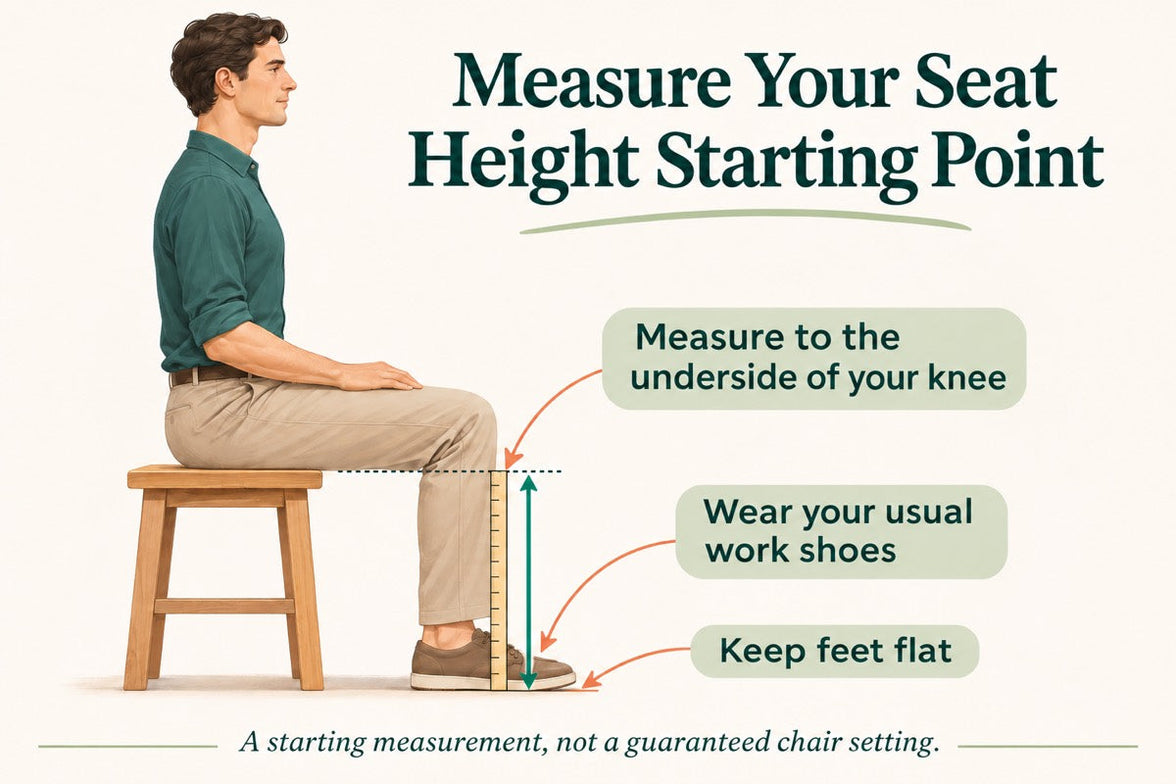
Begin by making sure your feet are flat on the floor. An ergonomic chair with adjustable seat height and depth lets you do this while keeping your knees at 90 degrees. If your knees are higher than your hips, there’s too much pressure on your sit-bones. If they’re lower, your lower back is under strain.

2. Seat Depth: Protecting Your Knees and Hips

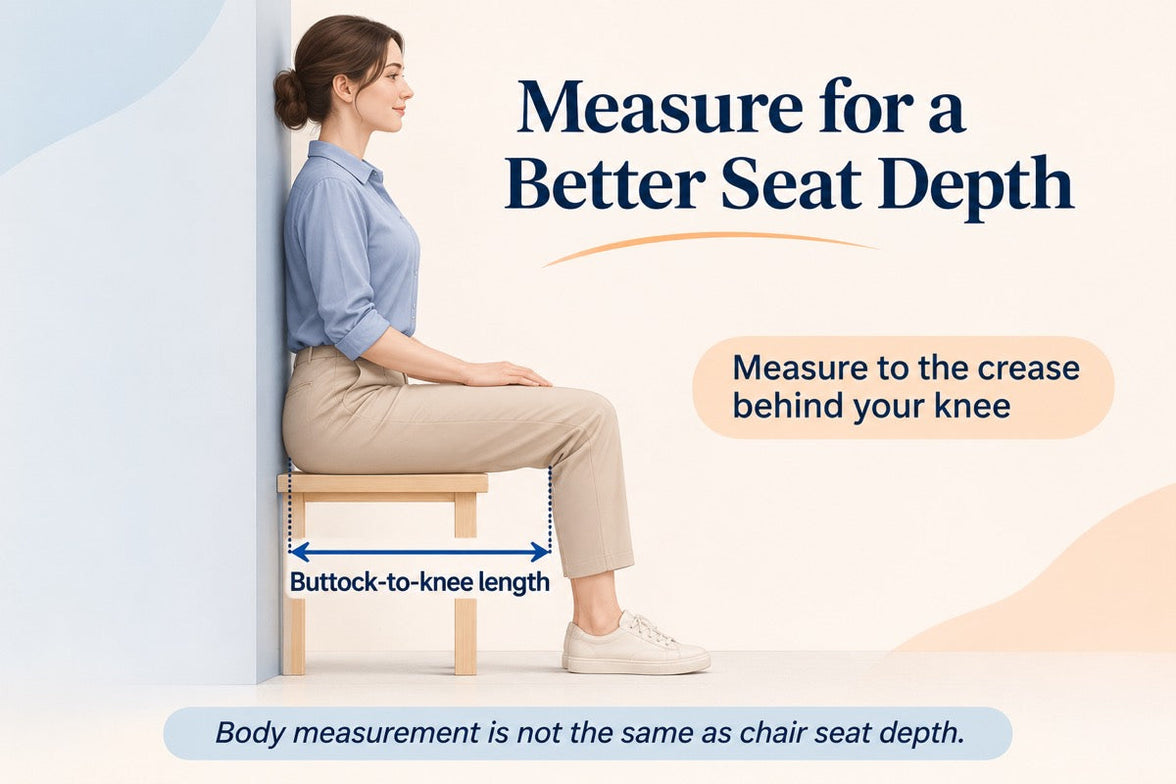
Seat depth is often overlooked when setting up your chair. You should be able to sit all the way back so your spine touches the lumbar support, with about two to three inches (about a fist’s width) between the seat edge and the back of your knees. If the seat presses against your knees, it can cut off circulation. If the gap is too big, your thighs won’t get enough support.

3. Lumbar Support: Maintaining the Natural Curve

It’s important to adjust your chair for lower back support to prevent slouching. The lumbar curve should fit right into the small of your back, just above your belt line. If it’s too high or too low, it can push your spine out of its natural position, which is often why a chair feels uncomfortable after long use.

4. Armrest Alignment: Offloading Shoulder Weight

Set your armrests so your elbows are bent at 90 degrees and your shoulders stay relaxed. If the armrests are too wide or too high, they can cause neck and upper back tension. A good ergonomic chair lets you move the armrests inward to support your forearms while you type.

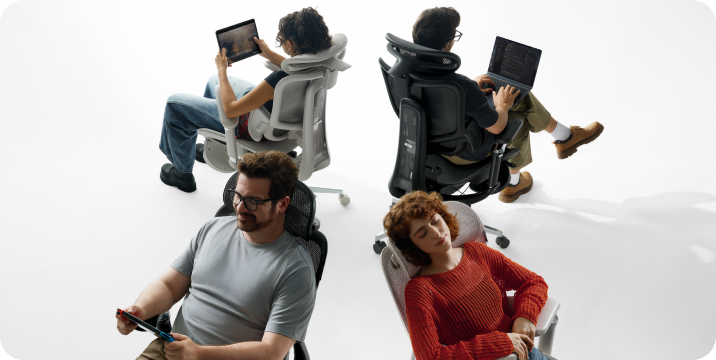
 budget office ergonomic chair with message

Advanced Solutions for Multi-Point and AI Adjustments

Today, you don’t have to struggle with manual knobs. High-quality chairs can now adjust themselves for you.

The Power of a Multi-Point Adjustment System

A high-quality ergonomic chair with a multi-point adjustment system lets you control every part that comes into contact with your body. This is important for people who sit at a computer, because the chair can move with you as you switch from typing to leaning back. Our design uses “Bio-Synchronization,” so the chair mirrors your body's natural movements.

HBADA AI-Powered x7: The Ultimate Fit

If you’re tired of making manual adjustments, the Hbada AI-Powered x7 is a new solution. It uses sensors to detect your body type and sitting habits in real time, automatically adjusting the lumbar support and seat depth to keep you in the right position. This helps fix poor posture caused by an ill-fitting chair by correcting your alignment before you feel any pain.

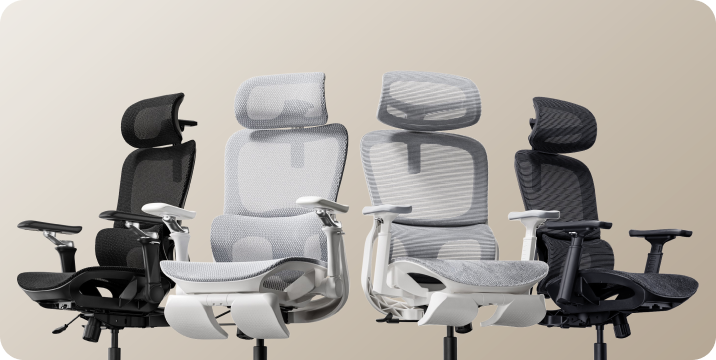
 budget mesh ergonomic chair

Comparing Support Levels for Your Best Fit

Feature

Standard Office Chair

Fully Adjustable Ergonomic

Hbada AI-Powered x7

Seat Depth

Fixed

Manual Adjustment

Auto-Adaptive

Lumbar Support

Static Pad

Height Adjustable

AI-Synchronized Tracking

Armrests

1D (Height)

4D (Height, Width, Depth, Pivot)

720° Bio-Sync Arms

User Fit

General

Custom Tailored

Proactive Real-Time Fit


Frequently Asked Questions (FAQ)

Q: How do I adjust my chair if I’m between sizes?
A: Choose a chair with an adjustable seat height and depth. Adjust the seat forward or back to suit your leg length.

Q: Why does my back still hurt even after I adjusted my chair?
A: Muscles need time to adjust to a better posture. If pain persists, your chair may not offer enough support.

Q: Can a footrest help if my chair doesn’t go low enough?
A: Yes. If you’ve set your seat height so your arms are level with the desk but your feet don’t touch the floor, a footrest is a good temporary fix. For a long-term solution, look for an ergonomic chair that fits your height.

Q: What is the best way to fix shoulder pain from my chair?
A: Make sure your armrests are set at the right height. When your arms are supported, the pressure is taken off your shoulder muscles. This is the quickest way to fix upper-body pain caused by your office chair.

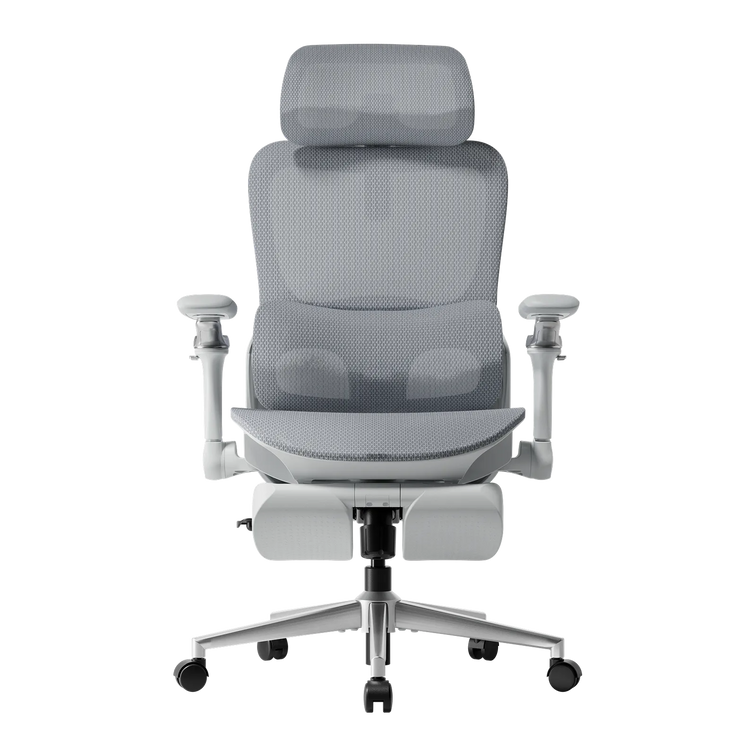
 Soft desk chair featuring breathable elastic mesh fabric.

Conclusion

Don’t Compromise on Your Comfort

Learning how to adjust your office chair is more than just convenient—it’s important for your long-term health. The right chair helps you feel less tired, work better, and avoid pain that impacts life outside of work. If your chair isn’t adjustable, consider upgrading to a fully adjustable ergonomic option, like the HBADA AI-Powered x7, which adapts to your needs and demonstrates the benefits of a good fit. Your body is valuable, so ensure your chair supports it.


Relevant Product

You May Also Like

HBADA Ergonomics Guide: How to Prevent Musculoskeletal Disorders at Work HBADA Ergonomics Guide: How to Prevent Musculoskeletal Disorders at Work Neck discomfort by mid-afternoon, lower-back stiffness when standing up, and tired wrists after a long day at a computer can all indicate that a workstation needs attention. These symptoms do not automatically mean that someone has a musculoskeletal disorder, but they should not be ignored. This guide explains how office ergonomics, workstation adjustment and regular movement may help reduce common risk factors associated with work-related musculoskeletal disorders. It also explains the role an ergonomic office chair can play as part of a properly adjusted workstation. Quick answer: How can office workers reduce MSD risk? Adjust the chair so the feet and lower back are supported, position the monitor at or slightly below eye level, keep the keyboard and mouse close enough to maintain neutral wrists, and interrupt prolonged sitting with regular posture changes or short movement breaks. No chair can guarantee the prevention of a musculoskeletal disorder, but a properly fitted workstation can help reduce avoidable ergonomic risk factors. Table of Contents What Is a Musculoskeletal Disorder? How Common Are MSD Symptoms Among Office Workers? What Causes MSD Risk in Desk-Based Work? How to Reduce Musculoskeletal Risk at Work 1. Adjust Your Chair 2. Position the Monitor Correctly 3. Change Posture and Take Movement Breaks 4. Adjust the Keyboard and Mouse 5. Respond to Early Symptoms MSD Risk Factors and Practical Adjustments How an Ergonomic Office Chair Can Help Office Workstation Checklist When to Seek Professional Advice Key Takeaways Frequently Asked Questions References What Is a Musculoskeletal Disorder? Musculoskeletal disorders, commonly called MSDs, affect structures such as muscles, nerves, tendons, ligaments, joints, cartilage and spinal discs. Work-related musculoskeletal disorders are conditions that may be caused or aggravated by workplace activities and working conditions. In an office environment, possible symptoms may include back discomfort, neck stiffness, shoulder tension, wrist strain, tingling or repetitive strain symptoms. However, these symptoms can have different causes and should not be self-diagnosed as an MSD. Unlike an obvious accident, some work-related symptoms can develop gradually. Repeated movements, awkward positions and long periods spent in one posture may expose the body to small but recurring stresses. The CDC’s National Institute for Occupational Safety and Health identifies sustained force, repetitive movement and awkward posture among the factors associated with work-related musculoskeletal disorders. How Common Are MSD Symptoms Among Office Workers? A 2025 cross-sectional study published in Scientific Reports examined musculoskeletal symptoms and ergonomic risk factors among a specific group of office workers. The researchers reported work-related musculoskeletal symptoms in 80.81% of the study cohort. The most frequently reported areas in that study were the neck at 58.6%, the lower back at 52.5%, and the shoulders at 37.4%. The study also identified relationships between workstation conditions, including chair height scores, and symptoms in several body regions. Important context: These percentages describe the participants in one study. They should not be interpreted as the universal prevalence of musculoskeletal disorders among all office workers. The research was observational and shows associations rather than proving that a particular chair setting directly caused or prevented pain. What Causes MSD Risk in Desk-Based Work? Office work does not usually involve the same physical demands as lifting or industrial work. However, desk-based work can still include several ergonomic risk factors. Prolonged static posture Remaining in the same seated position for an extended period can keep the same muscles and joints under continuous low-level demand. Even a comfortable posture should be changed periodically. Repetitive movements Repeated typing, clicking and scrolling may contribute to hand, wrist or forearm discomfort, particularly when the workstation requires awkward wrist angles or unnecessary reaching. Poorly adjusted furniture If the seat is too high, the feet may not be adequately supported. If it is too low, the knees and hips may be placed in an uncomfortable position. Armrests that are too high may raise the shoulders, while armrests that are too low may provide little useful support. Incorrect monitor position A screen that is too high, too low or positioned to one side may encourage prolonged neck bending or twisting. Laptop-only setups can make this especially difficult because the keyboard and screen cannot be positioned independently. Psychosocial and organizational factors Workload, limited control over tasks, insufficient recovery time and other psychosocial factors may also affect reported musculoskeletal symptoms. Effective prevention therefore involves more than buying equipment. It may also require participation from managers and employees. How to Reduce Musculoskeletal Risk at Work There is no single workstation position that is ideal for every person. The goal is to create an adjustable setup that supports neutral positions, fits the user and makes regular posture changes possible. 1. Adjust Your Chair Start by adjusting the seat height so the feet are fully supported by the floor. If the desk requires a higher seat position, use a stable footrest rather than leaving the feet unsupported. The thighs should be supported without excessive pressure behind the knees. Leave a small amount of space between the front edge of the seat and the backs of the knees. Adjust the lumbar support so it contacts the lower-back area comfortably without forcing an exaggerated curve. Armrests should allow the shoulders to remain relaxed. They should not push the shoulders upward or prevent the chair from moving close enough to the desk. For a more detailed walkthrough, see our guide explaining how to adjust an ergonomic chair for better comfort . 2. Position the Monitor Correctly Place the monitor directly in front of the user. OSHA generally recommends positioning the top of the monitor at or slightly below eye level. The screen should be far enough away to read comfortably without leaning forward. People who wear bifocals or use unusually large screens may need a different monitor height to maintain a comfortable head and neck position. For regular laptop use, consider a laptop stand or external monitor combined with an external keyboard and mouse. This allows the screen and input devices to be positioned separately. 3. Change Posture and Take Movement Breaks An adjustable chair cannot replace movement. Change posture regularly and avoid remaining completely still for several hours. Short movement breaks, standing tasks or brief walks can interrupt prolonged static sitting. The CDC notes that research has found short breaks every hour can help reduce discomfort among people who work with computers. The most practical schedule may vary according to the person, job and medical circumstances. Employers should also consider task rotation, workload design and reasonable opportunities for breaks rather than placing the entire responsibility on the employee. 4. Adjust the Keyboard and Mouse Keep the keyboard and mouse close enough that the elbows can stay near the body. The hands, wrists and forearms should remain approximately aligned rather than bending sharply upward, downward or sideways. Avoid placing the mouse far to one side. Reaching repeatedly for a distant mouse can increase shoulder and arm movement. Adjust pointer sensitivity if the mouse requires unnecessary gripping or effort to control. 5. Respond to Early Symptoms Occasional stiffness can be a prompt to review chair adjustment, screen position, working habits and break frequency. Do not assume that every symptom is caused by posture or office furniture. Persistent pain, worsening symptoms, numbness, tingling, weakness or loss of function should be discussed with a qualified healthcare professional. Workstation changes are not a substitute for diagnosis or treatment. MSD Risk Factors and Practical Adjustments Risk factor Possible sign Practical adjustment Poor seat-height or lumbar adjustment Lower-back, leg or shoulder discomfort Adjust the seat height, support the feet and position the lumbar support comfortably. Monitor positioned too high or too low Neck fatigue or repeated head tilting Place the monitor directly in front of the user with the top at or slightly below eye level. Prolonged sitting without posture changes General stiffness or fatigue Change position regularly and take short movement breaks when the work allows. Awkward keyboard or mouse position Wrist, forearm or shoulder discomfort Keep the input devices close and maintain neutral wrist alignment. Unsupported feet Pressure behind the thighs or unstable sitting Lower the chair when possible or use a stable, correctly positioned footrest. High workload or insufficient recovery time Muscle tension and persistent discomfort Review workload, break opportunities and organizational support with the employer. How an Ergonomic Office Chair Can Help An ergonomic office chair is most useful when its adjustments allow the seat to fit the person and the desk. Important features may include adjustable seat height, lumbar support, seat depth, armrest position and recline resistance. These features do not automatically make a chair suitable for everyone. Seat dimensions, adjustment ranges and the user’s height, weight and preferred working posture should all be considered. A chair also needs to work with the rest of the workstation. For example, raising a chair to match a high desk may require a footrest. Deep armrests may prevent the user from moving close enough to the keyboard. A headrest may be useful during reclined sitting but is not necessarily required for every user. Our adjustable ergonomic chair buying guide explains how to compare chair dimensions and adjustment features according to body size and working style. If an existing chair feels uncomfortable, review its adjustments before replacing it. Our office chair adjustment and troubleshooting guide covers several practical checks. Office Workstation Checklist Are both feet supported by the floor or a stable footrest? Is the lower back comfortably supported? Is there space between the seat edge and the backs of the knees? Can the shoulders remain relaxed while using the armrests? Is the monitor positioned directly in front of the user? Is the top of the screen at or slightly below eye level? Are the keyboard and mouse close enough to avoid reaching? Can the wrists stay aligned with the forearms? Can the user change posture during the working day? Are short movement breaks possible? A “no” answer does not establish that the workstation caused an injury, but it can identify an area worth reviewing. When to Seek Professional Advice Ergonomic adjustments may help address avoidable workstation problems, but they cannot diagnose or treat a medical condition. Consider seeking advice from a qualified doctor, physical therapist, occupational health professional or certified ergonomics specialist when: Pain persists or continues to worsen. Symptoms interfere with sleep or normal daily activities. Numbness, tingling or weakness develops. There is a noticeable loss of movement or function. Symptoms followed an accident or sudden injury. Workstation adjustments do not improve the situation. Employees should also report work-related symptoms according to their employer’s occupational health and safety procedures. Key Takeaways Work-related musculoskeletal disorders can involve muscles, tendons, nerves, joints and spinal structures. Office risk factors may include static posture, repetitive movement, awkward workstation positions and psychosocial stress. Adjust the chair, monitor, keyboard and mouse as one connected workstation. Maintain neutral positions, but do not remain in one posture all day. An adjustable ergonomic office chair may help reduce workstation-related risk factors when correctly fitted. No chair can guarantee the prevention or treatment of a musculoskeletal disorder. Persistent, worsening or neurological symptoms require professional assessment. Frequently Asked Questions What is the best way to reduce musculoskeletal disorder risk at a desk job? Begin by adjusting the entire workstation. Support the feet and lower back, position the monitor at a comfortable height, keep the keyboard and mouse close, and change posture regularly. There is no single chair adjustment or posture that guarantees MSD prevention. How common are MSD symptoms among office workers? A 2025 study reported work-related musculoskeletal symptoms in 80.81% of its surveyed office-worker cohort. The neck, lower back and shoulders were the most frequently reported areas. This percentage relates to that specific study population and should not be treated as a universal rate. Can an ergonomic office chair prevent musculoskeletal disorders? An ergonomic office chair cannot guarantee prevention. A properly fitted, adjustable chair may help reduce risk factors such as unsupported sitting, unsuitable seat height and awkward arm positioning. Movement, workstation design and work organization are also important. How should an office chair be adjusted? Adjust the chair so the feet are supported, the thighs are comfortable, the lumbar support contacts the lower back and the shoulders remain relaxed. The exact settings depend on the user’s body dimensions and desk height. How often should office workers take movement breaks? Short breaks or posture changes should be taken regularly rather than waiting until discomfort becomes severe. CDC office-safety guidance notes that studies have found short breaks every hour can reduce discomfort for computer workers. Individual requirements and workplace conditions may differ. Are MSDs only associated with heavy physical work? No. Repetitive movements, sustained positions, awkward posture and psychosocial factors can also be relevant in desk-based work. However, the level and type of risk differ between occupations. When should someone see a doctor about office-related pain? Seek qualified medical advice if pain persists, worsens, interferes with daily activity or is accompanied by numbness, tingling, weakness or loss of function. Do not rely only on buying a new chair or changing posture. References CDC/NIOSH: About Ergonomics and Work-Related Musculoskeletal Disorders OSHA: Computer Workstations — Good Working Positions OSHA: Computer Workstations — Monitors CDC/NIOSH: Office Environments and Your Safety Scientific Reports: Musculoskeletal disorders among office workers: prevalence, ergonomic risk factors, and their interrelationships Medical disclaimer: This article provides general ergonomic information and is not medical advice. An ergonomic chair or workstation adjustment cannot diagnose, treat or guarantee the prevention of a musculoskeletal disorder. Consult a qualified healthcare professional if symptoms persist, worsen or include numbness, weakness or loss of function. How to Choose the Best HBADA Ergonomic Office Chair in France (2026 Guide) How to Choose the Best HBADA Ergonomic Office Chair in France (2026 Guide) Updated July 30, 2026 If you are looking for the best HBADA ergonomic office chair in France, the right choice depends on your height, desk setup, sitting time and preferred level of adjustability. The HBADA E3 series is designed for users who want advanced mechanical support, while the X7 series adds smart lumbar tracking, heating, massage and seat ventilation. This guide explains how to compare the main HBADA models, what features matter for long working hours and what French customers should check before ordering from the official HBADA Europe store. Quick answer: Choose the E3 Air for essential ergonomic support, the E3 Pro for more extensive lumbar and upper-body adjustment, or the X7 if you want automatic lumbar tracking and smart comfort functions. If relaxation is important, look specifically for an ergonomic office chair with footrest, because not every configuration includes one. Table of Contents Why Choose an HBADA Ergonomic Office Chair? What to Look for in an Ergonomic Office Chair Comparing the HBADA Office Chair Lineup Buying an HBADA Chair in France Can MDPH Help Fund an Ergonomic Chair? Common Chair-Buying Mistakes Which HBADA Chair Should You Choose? Frequently Asked Questions Why Choose an HBADA Ergonomic Office Chair? HBADA has focused on ergonomic seating for more than 16 years. The brand develops office chairs around adjustable lumbar support, head and neck positioning, arm support, seat pressure distribution and long-session comfort. Selected HBADA models have passed testing by the German Institute for Health and Ergonomics, or IGR. However, certifications and specifications can vary between products, so customers should verify the certification information displayed on the individual product page instead of assuming that every HBADA chair has exactly the same certifications. The HBADA E3 series focuses on adaptive three-zone lumbar support and extensive mechanical adjustment. The HBADA X7 Smart adds AI-powered lumbar tracking, massage, heating and an actively ventilated seat. This range makes HBADA relevant to several types of users, including home-office workers, professionals who sit for extended periods and buyers looking for a more adjustable alternative to a standard desk chair. What to Look for in an Ergonomic Office Chair Product photographs can make many office chairs look similar. The following features have a much greater effect on fit and everyday comfort. 1. Lumbar support type A useful lumbar support should fit the curve of your lower back without creating one concentrated pressure point. HBADA’s three-zone lumbar systems are designed to support different areas of the lower back, while more advanced smart models can track changes in sitting position automatically. 2. Seat height and depth Your feet should rest securely on the floor or on a suitable footrest. Ideally, the seat should also leave a small gap between its front edge and the back of your knees. Adjustable seat depth is particularly useful for taller users or people with longer legs. 3. Headrest adjustment A multi-directional headrest can help position the head and neck during upright work and reclined breaks. Check whether the headrest adjusts vertically, forward and backward, and by angle. 4. Armrest range Armrests should allow your shoulders to remain relaxed while typing. Advanced HBADA models offer multi-directional armrests that can adapt to different desk heights, keyboard positions and reclined postures. 5. Seat material and airflow Breathable mesh can help reduce heat buildup during long working sessions. HBADA’s CloudMesh seating is also designed to distribute pressure across the seat rather than concentrating it in one area. 6. Recline and footrest configuration If you plan to alternate between focused work and relaxation, check the recline angle and whether the selected configuration includes a footrest. An ergonomic office chair with footrest may be useful for occasional reclined breaks, but the footrest should not replace regular movement throughout the day. 7. Weight capacity and gas lift Always check the stated weight capacity and recommended user-height range. Several HBADA models use a Class 4 gas lift, but the exact specification should be confirmed on the relevant product page. Comparing the HBADA Office Chair Lineup The following comparison provides a simple overview of the main models currently promoted by HBADA Europe. Available colours, configurations, prices and stock can change. Model Best For Key Features Position in the Range HBADA E3 Air Users who want essential ergonomic support at a more accessible price Breathable mesh, core lumbar support and practical everyday adjustment Value-focused E3 model HBADA E3 Pro People who sit for long periods and want more extensive adjustment Three-zone lumbar support, adjustable headrest, multi-directional armrests and CloudMesh seating Mid-range ergonomic model HBADA E3 Pro 2026 Users looking for the latest E3 mechanical support system Dynamic three-zone lumbar support, multiple adjustment points and updated armrest and headrest design Advanced E3 model HBADA X7 Smart Users who want automated support and smart comfort functions AI lumbar tracking, three-level massage, three-level heating, ventilated seat and 4D headrest Flagship smart model Because promotional prices can change, this table intentionally does not present fixed euro prices. Check the official HBADA France store for the current price, colour selection, footrest configuration and availability. Buying an HBADA Chair in France Customers in France can order through the official HBADA Europe store. According to the current HBADA EU shipping policy, France is included in the available delivery regions. Order processing: generally listed as one business day. Delivery: generally listed as within approximately five business days, although timing can vary by location. Shipping cost: free shipping is available in most deliverable EU regions, but certain products or locations may incur a charge. Taxes and import fees: the official policy states that customers in Europe should not need to pay additional import fees or taxes. The checkout page remains the final reference for the delivery charge, estimated arrival date and total euro price for your address. Returns and warranty HBADA EU currently offers a 30-day return period, subject to the condition of the chair and the reason for return. If a return is based on personal preference rather than a verified quality problem, the customer may be responsible for part of the return shipping cost. Warranty coverage varies by model series and component. The official warranty information currently lists three- to five-year coverage, with extended coverage available for selected core components in the E3 and X7 series. Review the current HBADA warranty terms before ordering. Important: Keep the original packaging during the return period. A chair returned without suitable packaging may be subject to deductions if it is damaged during return transport. Can MDPH Help Fund an Ergonomic Chair? In some circumstances, a person with a recognised disability may request assistance for technical equipment through the French MDPH and the Prestation de compensation du handicap, or PCH. However, an ordinary ergonomic office chair is not automatically eligible. Approval depends on the applicant’s disability-related needs, supporting documents and the decision of the relevant MDPH or CDAPH. If the chair is required for a diagnosed disability or workplace adaptation, contact your local MDPH before purchasing. You may be asked to provide a medical certificate, professional assessment, product quotation or explanation of how the equipment compensates for a specific limitation. See the official Service-Public.fr PCH guide for current eligibility information. Common Chair-Buying Mistakes Choosing only by price A lower price does not necessarily mean better value if the chair lacks the adjustments required for your body. Compare lumbar support, seat dimensions, headrest range and armrest positioning before comparing discounts. Ignoring desk height Measure your desk before ordering. The chair’s seat and armrests should fit underneath or align comfortably with the work surface without forcing your shoulders upward. Assuming every model includes a footrest Some HBADA models are available both with and without a footrest. Confirm the selected configuration, colour and variant before completing the order. Assuming every chair has smart functions Massage, heating, ventilation and AI lumbar tracking are associated with selected X7 configurations. The E3 models mainly use mechanical ergonomic systems and should not be expected to include all X7 functions. Expecting a chair to treat back pain An ergonomic chair may support a more comfortable sitting position, but it does not diagnose or treat a medical condition. Persistent or severe back pain should be discussed with an appropriate healthcare professional. Which HBADA Chair Should You Choose? The best HBADA office chair in 2026 is the model that fits your body and daily routine—not simply the model with the longest feature list. Choose the E3 Air if you want core ergonomic support and breathable seating at a more accessible price. Choose the E3 Pro if you need more extensive lumbar, headrest and armrest adjustment for long work sessions. Choose the E3 Pro 2026 if you want the latest advanced mechanical design in the E3 range. Choose the X7 Smart if automatic lumbar tracking, massage, heating and ventilation are important to you. Before ordering, compare the recommended user-height range, weight capacity, seat dimensions, selected configuration, warranty terms and current return policy. Ready to compare the current models? Explore the HBADA E3 Series or view the HBADA X7 Smart ergonomic chair. Frequently Asked Questions What makes an HBADA ergonomic office chair different from a regular office chair? HBADA chairs offer model-dependent ergonomic features such as multi-zone lumbar support, adjustable seat depth, multi-directional headrests and armrests, breathable mesh and, in selected X7 models, AI lumbar tracking and smart comfort functions. Which HBADA chair is suitable for long working hours? The E3 Pro and E3 Pro 2026 are designed for users who want extensive mechanical adjustment during long work sessions. The X7 is the more advanced option for users who want automatic lumbar tracking, heating, massage and seat ventilation. Which HBADA chair is best for back support? The E3 and X7 ranges provide the most advanced lumbar-support systems in the current HBADA Europe lineup. The right model depends on your height, preferred lumbar pressure and adjustment needs. An ergonomic chair may improve sitting comfort but should not be treated as medical care. How much does an HBADA ergonomic office chair cost in France? Prices vary by model, selected configuration, colour and active promotion. Check the official HBADA France product page for the current euro price rather than relying on an older fixed price. Does HBADA deliver to France? Yes. France is currently included in the HBADA Europe delivery regions. Most deliverable EU regions qualify for free shipping, although charges may apply to certain products or locations. The exact amount is displayed at checkout. How long does delivery to France take? The current HBADA EU shipping policy lists approximately one business day for order processing and delivery within about five business days. Actual timing may vary by address and logistics conditions. What warranty is included? HBADA EU warranty coverage currently ranges from three to five years depending on the product series and component. Buyers should check the warranty page and individual product listing for the exact coverage that applies to their chair. Can MDPH help pay for an ergonomic office chair? Possibly, but funding is not automatic. PCH or other MDPH assistance depends on eligibility, disability-related need and approval by the responsible authority. Contact your MDPH and obtain guidance before purchasing. How to Fix a Squeaky Office Chair: Causes & Solutions How to Fix a Squeaky Office Chair: Causes & Solutions Updated July 2026 To fix a squeaky office chair, first identify when the sound occurs. Tighten accessible bolts and screws, clean the casters and moving joints, and apply a small amount of manufacturer-approved lubricant only to suitable metal pivot points. Do not puncture, open, heat or lubricate the sealed gas cylinder. Most office-chair squeaks come from loose fasteners, dry pivot points, dirty casters, worn bushings or movement between connected components. Finding the exact source before applying lubricant is the safest and most effective approach. Quick fix: Remove weight from the chair, check and tighten visible fasteners, clean the wheels, test the chair again and lubricate only the specific approved joint producing the sound. If the chair is unstable, cracked or damaged, stop using it and contact the manufacturer. Contents Why does an office chair squeak? How to identify where the squeak comes from Tools and materials you may need How to fix a squeaky office chair step by step How to fix squeaks from specific chair parts What lubricant should you use? When you should not repair the chair yourself How to prevent future squeaking Frequently asked questions Why Does an Office Chair Squeak? An office chair squeaks when two components rub, shift or rotate against each other. The noise does not always mean that the chair is unsafe, but it can indicate that a fastener has loosened or a moving component needs inspection. The most common causes include: Loose bolts or screws: normal movement may gradually loosen fasteners connecting the seat, backrest, armrests or mechanism. Dry pivot points: metal joints in the tilt or recline mechanism may produce friction noise. Dirty casters: hair, dust and debris may collect around the wheel axles. Loose armrests: adjustable armrests contain several connection points that may shift during use. Backrest movement: the connection between the backrest and seat mechanism may rub when reclining. Seat components: movement between the seat frame, seat plate or internal support components may create noise. Worn bushings or bearings: repeated use can wear components inside a moving joint. Floor contact: the sound may come from casters moving across the floor rather than from the chair itself. A squeak is different from a pop, crack, grinding sound or sudden loss of stability. Those symptoms require a more careful inspection. How to Identify Where the Squeak Comes From Do not spray lubricant across the entire chair. First determine which movement produces the noise. Test one movement at a time Place the chair on a clean, level floor. Remove objects from the seat and nearby desk. Press gently on the backrest without sitting down. Test the armrests separately. Rotate the chair slowly. Roll the chair forward and backward. Sit down carefully and shift your weight slightly. Test the recline or tilt function. Adjust the seat height once. Listen after each movement. If possible, ask another person to move the chair while you listen from the side. This can make it easier to distinguish a caster noise from a tilt-mechanism noise. When the Noise Occurs Likely Area First Check When rolling Casters, wheel axles or floor surface Remove hair and debris; inspect the wheels When swiveling Seat plate, swivel mechanism or central connection Check accessible fasteners and visible wear When reclining Tilt mechanism, backrest pivot or tension spring Check bolts and manufacturer-approved pivot points When leaning on the backrest Backrest mounting points Tighten accessible backrest bolts evenly When moving an arm Armrest mount or adjustment mechanism Check the armrest screws and mounting plate When sitting down Seat plate, frame or connected hardware Inspect visible fasteners and signs of damage When adjusting height Height-control linkage or gas-lift connection Check the external control mechanism; do not open the cylinder Tools and Materials You May Need The exact tools depend on the chair model. Check the assembly manual before beginning. The Allen key supplied with the chair Correct-size screwdriver Correct-size wrench or socket Clean microfiber cloth Small brush or vacuum attachment Manufacturer-approved lubricant suitable for the identified joint Work gloves Protective sheet or cardboard for the floor Using the wrong-size tool can damage the fastener head. Avoid overtightening because excessive force may strip threads, crack plastic components or distort a mounting plate. Important safety warning An office-chair gas cylinder is a sealed, pressurized component. Never drill, puncture, cut, heat, burn, open, refill or disassemble it. Do not spray lubricant into openings in the cylinder. If the cylinder is damaged, leaking or no longer holds the chair height, contact the manufacturer or replace it with a compatible approved component. How to Fix a Squeaky Office Chair Step by Step Step 1: Check the chair warranty and manual Before taking the chair apart, check whether it is still covered by warranty. Unauthorized modifications or use of incompatible components may affect warranty coverage. Use the model-specific manual to identify fasteners, adjustment mechanisms and user-serviceable parts. Step 2: Move the chair to a clear work area Place the chair on a flat surface with enough room to inspect it safely. Protect wood or tile flooring with cardboard, a towel or another suitable covering. Step 3: Clean the chair Dust and debris can cause noise or make the source harder to identify. Wipe the frame and remove debris from visible joints. Clean the caster area carefully. Hair frequently wraps around caster axles and may cause clicking, dragging or squeaking. Step 4: Inspect visible fasteners Check bolts and screws connecting: The backrest to the seat or frame The armrests to the seat The seat plate to the seat The recline or tilt mechanism The headrest to the backrest Any footrest mounting hardware Tighten loose fasteners gradually. When a component uses bolts on both sides, tighten them evenly rather than fully tightening one side first. Stop when the fastener is secure. Do not continue applying force after it is properly seated. Step 5: Test the chair again Return the chair upright and repeat the movement that produced the squeak. If tightening the fasteners resolved the noise, no lubricant may be necessary. Step 6: Lubricate only the identified joint If a suitable exposed metal pivot still squeaks, apply a small amount of lubricant approved by the chair manufacturer. Use the lubricant’s applicator to target the joint precisely. Keep lubricant away from: The mesh, upholstery or seat cushion Electrical components Massage, heating or ventilation components Control buttons and wiring The gas-cylinder interior Braking or friction surfaces that must remain dry Flooring and caster tread Wipe away excess lubricant and move the joint several times to distribute the product. Step 7: Perform a final stability check Before returning to normal use, confirm that: The chair sits level. The backrest remains securely attached. The armrests do not wobble excessively. The tilt mechanism locks and releases normally. The seat-height control functions normally. All casters rotate and roll correctly. No fasteners or parts remain loose. How to Fix Squeaks from Specific Chair Parts How to fix squeaky office-chair wheels Turn the chair on its side only if the manual permits it. Inspect each caster for hair, thread and debris. Remove debris using a brush or suitable tool without damaging the wheel. Check whether the caster stem is fully seated. Inspect for cracks, flat spots or excessive side-to-side movement. Replace damaged casters with compatible parts. If the noise occurs only on a particular floor, test the chair on a protective chair mat or another suitable surface. The squeak may come from friction between the caster and the floor. How to fix a squeaky backrest Check the backrest mounting bolts and pivot points. Tighten accessible fasteners evenly using the correct tool. If the noise occurs only while reclining, inspect the visible connection between the backrest and tilt mechanism. Do not remove spring-loaded or enclosed mechanism covers unless the manual specifically identifies them as user-serviceable. How to fix squeaky armrests Armrests may squeak at the mounting plate or inside an adjustable joint. Check the screws connecting the armrest to the seat. Test each adjustment direction separately. Tighten accessible fasteners. Clean exposed moving surfaces. Contact the manufacturer if the sound comes from a sealed internal mechanism. How to fix a squeaky tilt mechanism The tilt mechanism carries significant load and contains moving components. Begin by checking the seat-plate bolts. If the noise remains, identify the exact exposed pivot point. Apply only a small amount of approved lubricant if the manual allows it. Stop using the chair if the mechanism grinds, slips, fails to lock or moves unexpectedly. How to fix a squeak near the gas cylinder A sound near the center of the chair does not necessarily mean the sealed cylinder itself is squeaking. It may come from the external connection between the cylinder, seat plate and base. Do not open or modify the gas cylinder. If the chair sinks, wobbles, shows corrosion or has a visibly damaged cylinder, contact HBADA customer support or a qualified repair provider. How to fix a squeaky footrest Check the footrest rails, mounting screws and folding joints. Remove dust and ensure the footrest is fully extended or retracted before applying weight. Do not sit or stand directly on an extendable footrest unless the product manual explicitly states that it is designed to support that use. What Lubricant Should You Use on an Office Chair? Use only a lubricant approved by the chair manufacturer and suitable for the specific exposed moving joint. A dry PTFE lubricant or silicone-based lubricant may be suitable for some chair mechanisms, but material compatibility varies. Before applying any lubricant: Read the chair manual. Read the lubricant label. Check compatibility with metal, nylon, plastic and painted surfaces. Test a very small amount in an inconspicuous location when appropriate. Keep the area ventilated. Protect the floor and upholstery. Avoid applying large amounts of general-purpose oil. Excess liquid attracts dirt, may stain upholstery and can move into components that should remain dry. When Should You Stop Using the Chair? Stop using the chair and contact the manufacturer or a qualified repair provider if you notice: A cracked chair base A bent or broken frame A damaged or corroded gas cylinder Unexpected sinking or height loss A tilt mechanism that slips or will not lock Loose components that cannot be secured Grinding, snapping or repeated popping sounds A backrest that shifts suddenly Damaged electrical wiring Smoke, heat or an unusual smell from powered components A caster socket cracked away from the base A squeak alone may be a maintenance issue. A squeak combined with instability, cracking or unexpected movement may indicate a structural problem. Do not continue using the chair merely because the noise temporarily disappears after lubrication. How to Prevent an Office Chair from Squeaking Check accessible fasteners periodically. Follow the maintenance schedule in the manual. Keep casters clean. Remove hair and debris before they restrict wheel movement. Use the chair on a suitable surface. Rough or uneven floors can increase caster noise and vibration. Stay within the stated weight capacity. Excess loading can accelerate wear. Avoid dropping into the seat. Sudden impact places additional stress on joints and fasteners. Use adjustment controls correctly. Do not force a lever or mechanism beyond its intended range. Keep the chair dry. Moisture may affect metal components and fasteners. Address looseness early. A loose component may create additional movement and wear. Use compatible replacement parts. Incorrect casters or hardware may create new movement or instability. Should You Repair or Replace a Squeaky Office Chair? Chair Condition Recommended Action Minor squeak with one loose accessible bolt Tighten the fastener and retest Dirty or obstructed casters Clean or replace compatible casters Dry exposed pivot approved for maintenance Apply a small amount of manufacturer-approved lubricant Worn replaceable armrest or caster Request a compatible replacement part Repeated squeak after tightening and cleaning Contact the manufacturer for inspection guidance Cracked base, damaged frame or unstable tilt mechanism Stop using the chair and arrange repair or replacement Damaged, leaking or sinking gas cylinder Do not repair the cylinder; replace it with an approved compatible component If your chair has several worn components or no longer provides stable support, compare current HBADA ergonomic office chairs before investing in multiple repairs. Frequently Asked Questions Why does my office chair squeak when I lean back? The sound may come from loose backrest bolts, a dry pivot point or movement in the tilt mechanism. Check accessible fasteners first. If the mechanism slips, grinds or fails to lock, stop using the chair and contact the manufacturer. Why does my chair squeak when I turn? A squeak during rotation may come from the swivel mechanism, seat plate or central external connection. Check visible fasteners and inspect for wear. Do not open or lubricate the sealed gas cylinder. Can loose screws make an office chair squeak? Yes. Small movements between loosely connected components can produce squeaking or clicking. Tighten accessible fasteners evenly with the correct tool, but avoid overtightening. Can I use lubricant on a squeaky office chair? You may use a small amount of manufacturer-approved lubricant on a suitable exposed moving joint. Do not spray the entire mechanism, upholstery, electrical components or gas-cylinder interior. Can I use cooking oil on a squeaky chair? No. Cooking oil is not designed for chair mechanisms. It can become sticky, collect dirt, stain materials and deteriorate over time. Should I use silicone or PTFE lubricant? Either may be suitable for certain joints, but compatibility depends on the chair materials and mechanism. Follow the chair manufacturer’s recommendations and the lubricant label. How do I stop office-chair wheels from squeaking? Remove hair and debris from the wheel axles, check that the caster stems are seated correctly and inspect the wheels for cracks or flat spots. Replace damaged casters with compatible parts. Is a squeaky office chair dangerous? A minor squeak is not automatically dangerous. However, a squeak accompanied by instability, cracking, sinking, grinding or unexpected movement requires immediate inspection. Can I repair an office-chair gas cylinder? No. The cylinder is a sealed, pressurized component and should not be opened, punctured, heated, refilled or repaired. Replace a defective cylinder with a compatible approved component or contact the manufacturer. Why does my chair still squeak after lubrication? The sound may come from a loose fastener, worn bushing, damaged caster or another joint. Clean off excess lubricant, repeat the movement test and inspect each component individually. How often should I tighten office-chair bolts? Follow the maintenance interval in the product manual. Check the fasteners sooner if you notice looseness, movement or new noises. Does a squeaky chair need to be replaced? Not necessarily. Loose fasteners, dirty wheels and some dry pivots can often be addressed. Replacement is more appropriate when the frame, base, gas cylinder or tilt mechanism is damaged or unstable. Related HBADA Guides Office Chair Repair Guide: Common Problems and Solutions How to Remove an Office Chair Gas Cylinder HBADA User Manuals and Assembly Guides Contact HBADA Customer Support This guide provides general maintenance information. Always follow the manual supplied with your chair. Product construction and user-serviceable parts vary by model. If the chair is damaged, unstable or still under warranty, contact the manufacturer before disassembly.