



Blog

How to Fix a Squeaky Office Chair: Causes & Solutions

How to Fix a Squeaky Office Chair: Causes & Solutions

Updated July 2026

To fix a squeaky office chair, first identify when the sound occurs. Tighten accessible bolts and screws, clean the casters and moving joints, and apply a small amount of manufacturer-approved lubricant only to suitable metal pivot points. Do not puncture, open, heat or lubricate the sealed gas cylinder.

Most office-chair squeaks come from loose fasteners, dry pivot points, dirty casters, worn bushings or movement between connected components. Finding the exact source before applying lubricant is the safest and most effective approach.

Quick fix: Remove weight from the chair, check and tighten visible fasteners, clean the wheels, test the chair again and lubricate only the specific approved joint producing the sound. If the chair is unstable, cracked or damaged, stop using it and contact the manufacturer.

Why Does an Office Chair Squeak?

An office chair squeaks when two components rub, shift or rotate against each other. The noise does not always mean that the chair is unsafe, but it can indicate that a fastener has loosened or a moving component needs inspection.

The most common causes include:

  • Loose bolts or screws: normal movement may gradually loosen fasteners connecting the seat, backrest, armrests or mechanism.
  • Dry pivot points: metal joints in the tilt or recline mechanism may produce friction noise.
  • Dirty casters: hair, dust and debris may collect around the wheel axles.
  • Loose armrests: adjustable armrests contain several connection points that may shift during use.
  • Backrest movement: the connection between the backrest and seat mechanism may rub when reclining.
  • Seat components: movement between the seat frame, seat plate or internal support components may create noise.
  • Worn bushings or bearings: repeated use can wear components inside a moving joint.
  • Floor contact: the sound may come from casters moving across the floor rather than from the chair itself.

A squeak is different from a pop, crack, grinding sound or sudden loss of stability. Those symptoms require a more careful inspection.

How to Identify Where the Squeak Comes From

Informational guide diagram on how to fix a desk chair keeps sinking issue

Do not spray lubricant across the entire chair. First determine which movement produces the noise.

Test one movement at a time

  1. Place the chair on a clean, level floor.
  2. Remove objects from the seat and nearby desk.
  3. Press gently on the backrest without sitting down.
  4. Test the armrests separately.
  5. Rotate the chair slowly.
  6. Roll the chair forward and backward.
  7. Sit down carefully and shift your weight slightly.
  8. Test the recline or tilt function.
  9. Adjust the seat height once.

Listen after each movement. If possible, ask another person to move the chair while you listen from the side. This can make it easier to distinguish a caster noise from a tilt-mechanism noise.

When the Noise Occurs Likely Area First Check
When rolling Casters, wheel axles or floor surface Remove hair and debris; inspect the wheels
When swiveling Seat plate, swivel mechanism or central connection Check accessible fasteners and visible wear
When reclining Tilt mechanism, backrest pivot or tension spring Check bolts and manufacturer-approved pivot points
When leaning on the backrest Backrest mounting points Tighten accessible backrest bolts evenly
When moving an arm Armrest mount or adjustment mechanism Check the armrest screws and mounting plate
When sitting down Seat plate, frame or connected hardware Inspect visible fasteners and signs of damage
When adjusting height Height-control linkage or gas-lift connection Check the external control mechanism; do not open the cylinder

Tools and Materials You May Need

The exact tools depend on the chair model. Check the assembly manual before beginning.

  • The Allen key supplied with the chair
  • Correct-size screwdriver
  • Correct-size wrench or socket
  • Clean microfiber cloth
  • Small brush or vacuum attachment
  • Manufacturer-approved lubricant suitable for the identified joint
  • Work gloves
  • Protective sheet or cardboard for the floor

Using the wrong-size tool can damage the fastener head. Avoid overtightening because excessive force may strip threads, crack plastic components or distort a mounting plate.

Important safety warning

An office-chair gas cylinder is a sealed, pressurized component. Never drill, puncture, cut, heat, burn, open, refill or disassemble it. Do not spray lubricant into openings in the cylinder. If the cylinder is damaged, leaking or no longer holds the chair height, contact the manufacturer or replace it with a compatible approved component.

How to Fix a Squeaky Office Chair Step by Step

Working from home with HBADA ergonomic chair – fix posture and reduce fatigue

Step 1: Check the chair warranty and manual

Before taking the chair apart, check whether it is still covered by warranty. Unauthorized modifications or use of incompatible components may affect warranty coverage.

Use the model-specific manual to identify fasteners, adjustment mechanisms and user-serviceable parts.

Step 2: Move the chair to a clear work area

Place the chair on a flat surface with enough room to inspect it safely. Protect wood or tile flooring with cardboard, a towel or another suitable covering.

Step 3: Clean the chair

Dust and debris can cause noise or make the source harder to identify. Wipe the frame and remove debris from visible joints.

Clean the caster area carefully. Hair frequently wraps around caster axles and may cause clicking, dragging or squeaking.

Step 4: Inspect visible fasteners

Check bolts and screws connecting:

  • The backrest to the seat or frame
  • The armrests to the seat
  • The seat plate to the seat
  • The recline or tilt mechanism
  • The headrest to the backrest
  • Any footrest mounting hardware

Tighten loose fasteners gradually. When a component uses bolts on both sides, tighten them evenly rather than fully tightening one side first.

Stop when the fastener is secure. Do not continue applying force after it is properly seated.

Step 5: Test the chair again

Return the chair upright and repeat the movement that produced the squeak. If tightening the fasteners resolved the noise, no lubricant may be necessary.

Step 6: Lubricate only the identified joint

If a suitable exposed metal pivot still squeaks, apply a small amount of lubricant approved by the chair manufacturer. Use the lubricant’s applicator to target the joint precisely.

Keep lubricant away from:

  • The mesh, upholstery or seat cushion
  • Electrical components
  • Massage, heating or ventilation components
  • Control buttons and wiring
  • The gas-cylinder interior
  • Braking or friction surfaces that must remain dry
  • Flooring and caster tread

Wipe away excess lubricant and move the joint several times to distribute the product.

Step 7: Perform a final stability check

Before returning to normal use, confirm that:

  • The chair sits level.
  • The backrest remains securely attached.
  • The armrests do not wobble excessively.
  • The tilt mechanism locks and releases normally.
  • The seat-height control functions normally.
  • All casters rotate and roll correctly.
  • No fasteners or parts remain loose.

How to Fix Squeaks from Specific Chair Parts

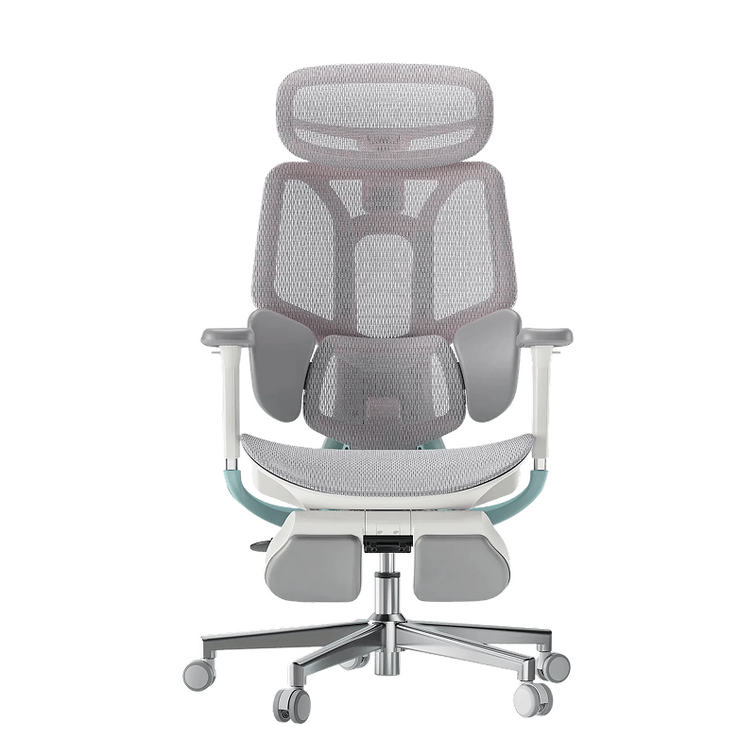
e3 pro ergonomic desk chair sale

How to fix squeaky office-chair wheels

  1. Turn the chair on its side only if the manual permits it.
  2. Inspect each caster for hair, thread and debris.
  3. Remove debris using a brush or suitable tool without damaging the wheel.
  4. Check whether the caster stem is fully seated.
  5. Inspect for cracks, flat spots or excessive side-to-side movement.
  6. Replace damaged casters with compatible parts.

If the noise occurs only on a particular floor, test the chair on a protective chair mat or another suitable surface. The squeak may come from friction between the caster and the floor.

How to fix a squeaky backrest

Check the backrest mounting bolts and pivot points. Tighten accessible fasteners evenly using the correct tool.

If the noise occurs only while reclining, inspect the visible connection between the backrest and tilt mechanism. Do not remove spring-loaded or enclosed mechanism covers unless the manual specifically identifies them as user-serviceable.

How to fix squeaky armrests

Armrests may squeak at the mounting plate or inside an adjustable joint.

  1. Check the screws connecting the armrest to the seat.
  2. Test each adjustment direction separately.
  3. Tighten accessible fasteners.
  4. Clean exposed moving surfaces.
  5. Contact the manufacturer if the sound comes from a sealed internal mechanism.

How to fix a squeaky tilt mechanism

The tilt mechanism carries significant load and contains moving components. Begin by checking the seat-plate bolts.

If the noise remains, identify the exact exposed pivot point. Apply only a small amount of approved lubricant if the manual allows it. Stop using the chair if the mechanism grinds, slips, fails to lock or moves unexpectedly.

How to fix a squeak near the gas cylinder

Heavy duty class 4 gas lift cylinder and height adjustment control lever

A sound near the center of the chair does not necessarily mean the sealed cylinder itself is squeaking. It may come from the external connection between the cylinder, seat plate and base.

Do not open or modify the gas cylinder. If the chair sinks, wobbles, shows corrosion or has a visibly damaged cylinder, contact HBADA customer support or a qualified repair provider.

How to fix a squeaky footrest

Check the footrest rails, mounting screws and folding joints. Remove dust and ensure the footrest is fully extended or retracted before applying weight.

Do not sit or stand directly on an extendable footrest unless the product manual explicitly states that it is designed to support that use.

What Lubricant Should You Use on an Office Chair?

Use only a lubricant approved by the chair manufacturer and suitable for the specific exposed moving joint. A dry PTFE lubricant or silicone-based lubricant may be suitable for some chair mechanisms, but material compatibility varies.

Before applying any lubricant:

  • Read the chair manual.
  • Read the lubricant label.
  • Check compatibility with metal, nylon, plastic and painted surfaces.
  • Test a very small amount in an inconspicuous location when appropriate.
  • Keep the area ventilated.
  • Protect the floor and upholstery.

Avoid applying large amounts of general-purpose oil. Excess liquid attracts dirt, may stain upholstery and can move into components that should remain dry.

When Should You Stop Using the Chair?

Stop using the chair and contact the manufacturer or a qualified repair provider if you notice:

  • A cracked chair base
  • A bent or broken frame
  • A damaged or corroded gas cylinder
  • Unexpected sinking or height loss
  • A tilt mechanism that slips or will not lock
  • Loose components that cannot be secured
  • Grinding, snapping or repeated popping sounds
  • A backrest that shifts suddenly
  • Damaged electrical wiring
  • Smoke, heat or an unusual smell from powered components
  • A caster socket cracked away from the base

A squeak alone may be a maintenance issue. A squeak combined with instability, cracking or unexpected movement may indicate a structural problem.

Do not continue using the chair merely because the noise temporarily disappears after lubrication.

How to Prevent an Office Chair from Squeaking

HBADA X7 dynamic back support mimics natural spine curvature to fix posture

  • Check accessible fasteners periodically. Follow the maintenance schedule in the manual.
  • Keep casters clean. Remove hair and debris before they restrict wheel movement.
  • Use the chair on a suitable surface. Rough or uneven floors can increase caster noise and vibration.
  • Stay within the stated weight capacity. Excess loading can accelerate wear.
  • Avoid dropping into the seat. Sudden impact places additional stress on joints and fasteners.
  • Use adjustment controls correctly. Do not force a lever or mechanism beyond its intended range.
  • Keep the chair dry. Moisture may affect metal components and fasteners.
  • Address looseness early. A loose component may create additional movement and wear.
  • Use compatible replacement parts. Incorrect casters or hardware may create new movement or instability.

Should You Repair or Replace a Squeaky Office Chair?

Chair Condition Recommended Action
Minor squeak with one loose accessible bolt Tighten the fastener and retest
Dirty or obstructed casters Clean or replace compatible casters
Dry exposed pivot approved for maintenance Apply a small amount of manufacturer-approved lubricant
Worn replaceable armrest or caster Request a compatible replacement part
Repeated squeak after tightening and cleaning Contact the manufacturer for inspection guidance
Cracked base, damaged frame or unstable tilt mechanism Stop using the chair and arrange repair or replacement
Damaged, leaking or sinking gas cylinder Do not repair the cylinder; replace it with an approved compatible component

If your chair has several worn components or no longer provides stable support, compare current HBADA ergonomic office chairs before investing in multiple repairs.

Frequently Asked Questions

Why does my office chair squeak when I lean back?

The sound may come from loose backrest bolts, a dry pivot point or movement in the tilt mechanism. Check accessible fasteners first. If the mechanism slips, grinds or fails to lock, stop using the chair and contact the manufacturer.

Why does my chair squeak when I turn?

A squeak during rotation may come from the swivel mechanism, seat plate or central external connection. Check visible fasteners and inspect for wear. Do not open or lubricate the sealed gas cylinder.

Can loose screws make an office chair squeak?

Yes. Small movements between loosely connected components can produce squeaking or clicking. Tighten accessible fasteners evenly with the correct tool, but avoid overtightening.

Can I use lubricant on a squeaky office chair?

You may use a small amount of manufacturer-approved lubricant on a suitable exposed moving joint. Do not spray the entire mechanism, upholstery, electrical components or gas-cylinder interior.

Can I use cooking oil on a squeaky chair?

No. Cooking oil is not designed for chair mechanisms. It can become sticky, collect dirt, stain materials and deteriorate over time.

Should I use silicone or PTFE lubricant?

Either may be suitable for certain joints, but compatibility depends on the chair materials and mechanism. Follow the chair manufacturer’s recommendations and the lubricant label.

How do I stop office-chair wheels from squeaking?

Remove hair and debris from the wheel axles, check that the caster stems are seated correctly and inspect the wheels for cracks or flat spots. Replace damaged casters with compatible parts.

Is a squeaky office chair dangerous?

A minor squeak is not automatically dangerous. However, a squeak accompanied by instability, cracking, sinking, grinding or unexpected movement requires immediate inspection.

Can I repair an office-chair gas cylinder?

No. The cylinder is a sealed, pressurized component and should not be opened, punctured, heated, refilled or repaired. Replace a defective cylinder with a compatible approved component or contact the manufacturer.

Why does my chair still squeak after lubrication?

The sound may come from a loose fastener, worn bushing, damaged caster or another joint. Clean off excess lubricant, repeat the movement test and inspect each component individually.

How often should I tighten office-chair bolts?

Follow the maintenance interval in the product manual. Check the fasteners sooner if you notice looseness, movement or new noises.

Does a squeaky chair need to be replaced?

Not necessarily. Loose fasteners, dirty wheels and some dry pivots can often be addressed. Replacement is more appropriate when the frame, base, gas cylinder or tilt mechanism is damaged or unstable.

Related HBADA Guides

This guide provides general maintenance information. Always follow the manual supplied with your chair. Product construction and user-serviceable parts vary by model. If the chair is damaged, unstable or still under warranty, contact the manufacturer before disassembly.
Relevant Product

You May Also Like

HBADA Black Friday 2026 Deals: Your Guide to Bigger Savings!!! HBADA Black Friday 2026 Deals: Your Guide to Bigger Savings!!! The HBADA Black Friday shopping edit Your next workspace upgrade starts with a better deal. A chair you use every day deserves a place on your Black Friday shortlist. Our 2026 event brings early office chair offers, subscriber savings, and member rewards together in one place. Selected HBADA Black Friday offers Up to $470 off More room in your budget. More comfort at your desk. Shop HBADA Black Friday deals → Start with the chair you want, then check the savings available for that configuration. This guide puts the offers first: where to find an option under $500, how the subscriber offer works, and which benefits to check before placing your order. Three offers to put on your radar. Under $500 An E3 Pro starting point The sale page lists E3 Pro configurations from $469. Choose your color and footrest option to see the applicable price. 5%–7% Subscriber savings The subscriber campaign has 5%, 6%, and 7% discount tiers. Higher tiers unlock as sign-ups reach the stated milestones; check which tier is currently available. 2× points A reason to sign in Eligible member orders earn double points during the November 6–15 campaign. Member coupons do not stack. Shopping for an office chair under $500? Put the HBADA E3 Pro on your shortlist. A defined budget makes Black Friday shopping much simpler. Start with our HBADA E3 Pro ergonomic office chair , select the configuration you want, and review the order total. Think about how you will actually use the chair. If your priority is a desk-work setup, begin there. If you also want a footrest for reclining breaks, compare that configuration before deciding how to spend your budget. Make the offer yours. Color, footrest configuration, and the selected variant should all be settled before you compare final prices. The advertised starting price is not the price of every version. Review shipping and any applicable taxes at checkout. Build your savings before checkout. 01 / Open the live offers page Keep our Black Friday sale page open while you shop. It is the place to check current campaign benefits and the offer attached to your chosen chair. 02 / Check the subscriber tier Look at the unlocked discount before applying your code. “Up to” describes the highest campaign tier, not a promise that every shopper can already use it. 03 / Sign in before ordering If you are using a member offer, shop through your account. Check the points and coupon terms rather than adding every advertised benefit together as one combined discount. 04 / Save your order details Keep your confirmation and the relevant offer terms. Our early Black Friday selection advertises 30-day price protection; review the applicable policy for eligibility and how to request an adjustment. Want a bigger upgrade? Black Friday is also a chance to move beyond your current setup. Take a closer look at the HBADA E3 Ultra if built-in massage and heat are on your wish list, or the HBADA X7 if you are interested in smart lumbar tracking. Choose the upgrade you will use most often, then head to the sale page for the current offer. A daily-use feature can be a much more satisfying purchase than an extra you rarely touch. The deal questions worth asking. Does the maximum discount apply to every HBADA chair? No. The headline saving applies to selected offers. Check the price for the exact model and configuration you select. Can I use the highest subscriber discount immediately? Only if that tier has unlocked and your order meets the offer requirements. Check the live campaign status and the code provided through the subscription offer. Is a gift card the same as a coupon? No. A gift card provides spending value, while a coupon changes the price of an eligible purchase. If you are considering both, review the current offer terms for any restrictions before buying. Where should I check if an offer changes? Use the live Black Friday page, the selected product page, and your checkout summary. This article introduces the campaign; it is not a live inventory or pricing feed. Make this the sale that upgrades your workday. Your desk is ready for a better seat. Browse our Black Friday offers, choose your HBADA chair, and make the available savings count while your preferred offer is running. Find your Black Friday chair deal → Keep your next workspace idea close. Add HBADA to your preferred sources on Google for more chair guides, workspace inspiration, and brand updates. Add HBADA to your preferred sources ↗ 3 Home Office Desk Setup Ideas for Your HBADA Chair 3 Home Office Desk Setup Ideas for Your HBADA Chair HBADA / Home Studio One workspace.Three ways to make it yours. Your office chair does not have to disappear when the workday ends. It can help set the direction for the whole room. Here, we build three home office looks around HBADA seating: a light oak corner, a graphic black-and-white setup, and a warm study that belongs beside your bookshelves. Each starts with the chair and ends with a room you can actually use. Which look should you choose? Choose warm oak if your room already has light wood and soft neutrals. Choose black and white if your monitors and accessories dominate the desk. Choose the cozy study if the workspace shares a living area and you want it to feel more like furniture than an equipment station. 01 / Warm oak 02 / Black & white 03 / Cozy study Choosing your HBADA chair Setup questions Look 01 / Warm oak A grey chair, a wood desk, and a softer backdrop. For the home office that shares space with morning light, linen curtains, and the rest of everyday life. Let the desk warm up the grey. Grey mesh and a metallic frame introduce cooler tones. A pale oak desktop gives them a warmer setting without making the room feel heavy. Cream walls work well here because they soften the contrast between the chair and the surrounding furniture. Choose a desk with an open base rather than filling both sides with drawer units. The visible space beneath it gives the chair’s frame room to stand on its own. Keep the desktop quiet: a sage lamp, a matching mat, and one terracotta cup are enough. Put the plant beside the desk or at its far edge so the chair remains the main furniture feature. The styling recipe Chair: your preferred grey HBADA model. Desk: pale oak or a similar warm wood finish. Background: warm white, cream, or light beige. Accent: sage green in one or two accessories. Texture: linen curtains or matte ceramics. Skip this: adding a thick decorative cushion just to match the room. It changes how you sit in the chair. Bring softness into the surroundings instead. Look 02 / Black & white Make the screens part of the composition. For multi-monitor desks, creative workstations, and spaces where technology is always going to be visible. Repeat black instead of fighting it. A black HBADA chair can connect visually with monitor bezels, a microphone arm, or speakers. Use a white or light-toned desktop to separate those shapes rather than placing every dark object against another dark surface. Keep the strongest black elements near the working area: chair, screens, and perhaps a lamp. Let storage boxes and the wall stay lighter. This gives the desk a clear outline without making every accessory compete for attention. If you use a monitor arm, check the desk’s clamp compatibility and load requirements before buying. The goal is to free usable surface space—not simply add another technical detail. The styling recipe Chair: a black HBADA finish where available. Desk: white, light grey, or pale wood. Equipment: group dark devices visually. Storage: closed boxes in a consistent neutral. Accent: one print or object with a stronger color. Skip this: running every cable straight down behind the chair. Route cables along the desk first, then leave a clear path around the chair’s wheels and moving parts. Look 03 / The cozy study A workspace that belongs beside the bookshelves. For a living-room office, a guest-room desk, or a quieter corner where work equipment should not define the entire room. Use furniture-like storage, not more desktop storage. Pair your HBADA chair with a warm wood desk and place a cabinet or bookshelf nearby. Moving paperwork off the desk makes room for a shaded lamp and a small writing area without sacrificing the things you need for work. A grey chair creates a softer contrast with darker wood. A black chair gives the arrangement more definition. Either can work; repeat the chosen finish in a picture frame or lamp base to make the pairing feel deliberate. Consider the view from the sofa or doorway, not only the view from behind the keyboard. Check the rear of the selected chair in its product photographs before deciding how the desk should face. The styling recipe Chair: grey for a softer contrast, black for definition. Desk: walnut-toned or another warm wood finish. Lighting: a shaded task lamp with controllable light. Storage: a nearby cabinet or bookshelf. Finishing detail: artwork that connects to the wider room. Skip this: pushing the desk into the narrowest gap simply because it fits. The chair still needs room to pull out, turn, and let you stand up comfortably. The chair does not need to match everything. It needs a few good connections. Before buying anything else Four decisions a mood board cannot make for you. Once you have chosen a look, check how it will work in your actual room. Product photos show the arrangement; measurements tell you whether you can live with it. Decision What to check Why it changes the setup Desk with drawers or an open base? The clear width and height beneath the desktop. Drawers and support bars can limit legroom or armrest clearance. Chair near a wall or in open space? Room to pull out, turn, and use the selected recline settings. The tucked-in footprint does not represent the space needed during use. Rug, hard floor, or protective mat? Floor-care guidance and compatibility with the chair’s castors. A rug edge or thick pile may interfere with movement. Powered features at this desk? The selected model’s charging or power instructions. You need an accessible connection without cables crossing moving parts. Choose the chair behind the look E3 Ultra or X7? Think about the room’s daily routine. The styling ideas above are not tied to one set of accessories. Choose the chair for the way you want to use it, then adapt the palette to the finish available on that model. HBADA E3 Ultra / A desk that also makes room for breaks Plan the space around changing activities. If the appeal of E3 Ultra is moving between desk work and a seated break, do not place it in a layout that prevents that change. Keep nearby storage outside the chair’s movement area and leave access to its controls. Its massage and heating features can be part of that break routine. In a home setting, a clear cable plan and an uncluttered surrounding area matter more than adding extra decorations around the chair. See E3 Ultra configurations and product details → HBADA X7 / A visible part of a technical workspace Give the chair’s design a clear backdrop. X7 is a natural visual starting point for a workspace with screens and other equipment. Keep the desktop organized and use repeated finishes so the chair’s technical structure feels connected to the setup. Its smart lumbar-tracking system is a functional reason to consider the model. For the room itself, check the overall dimensions and the view from each side—not just the front-facing product image. View X7 and check the selected model’s specifications → If you have not settled on your seating priorities, our 12-question office chair buying guide helps you work through the practical choices before you build a room around them. Keep what already works You do not need to replace the entire setup. If the desk works with your chair and equipment, keep it. The most noticeable change may be removing mismatched storage from the floor, replacing a crowded organizer with one tray, or moving the lamp to a better position. Start by taking a photograph of the room from the doorway. Notice which objects draw your eye. If the chair looks disconnected, repeat its color once elsewhere. If the room looks crowded, remove an item before buying another. One change at a time makes the result easier to judge. Set up your HBADA chair first. Use it at the desk. Then decide whether the room needs a different light, more useful storage, or simply less on the desktop. Your everyday routine will tell you more than a shopping list. Questions from the room, not the specification sheet Home office styling FAQs. Will a grey chair look out of place with a dark wood desk? Not necessarily. Grey can create a softer contrast against dark wood. Repeat a related neutral in a lamp, artwork, or desk accessory, and keep the other finishes restrained. You do not need to replace a useful desk just because it is darker than the chair. My desk is visible from the living room. How do I make it look less like an office? Use nearby closed storage for work materials, choose lighting that relates to the room, and consider how the chair looks from behind. Keep the desk surface easy to clear rather than hiding the chair under a cover or filling the area with decorative objects. Should the chair slide completely under the desk? It can be useful for storage, but it is not the only test of a good pairing. First check whether you can sit at a comfortable working distance. If you also want the chair to tuck away, compare armrest settings with the desk’s underside and any drawer units. Can I place a reclining chair directly against a wall? Only if the available clearance supports the movements you intend to use. Check the selected chair’s instructions and dimensions, then test the layout before placing furniture behind it. Do not rely on the upright footprint alone. How do I choose a rug without making the chair difficult to move? Check the rug thickness, edge placement, and the chair’s floor compatibility. Avoid arranging the rug so the castors repeatedly cross a raised edge. A suitable protective mat may be a more practical option, depending on your flooring and chair guidance. What is the easiest styling change after adding a HBADA chair? Repeat one of the chair’s colors in something you already need, such as a task lamp or desk mat. Then clear the surrounding floor area. Those two changes often make the chair feel more connected to the room without requiring a full redesign. Your chair. Your room. Your routine. Choose the look you want to come back to. Warm oak, graphic contrast, or a quieter study: each starts with a different mood, but the same practical idea. Give your HBADA chair a considered place in the room, and build the rest around the way you use it. Start with E3 Ultra → More ideas for your next room edit. Choose HBADA as a preferred source on Google for workspace inspiration and practical chair guides. Add HBADA on Google ↗ Office Chairs for Scoliosis: Better Support for Back Comfort Office Chairs for Scoliosis: Better Support for Back Comfort The HBADA Comfort Guide Your back is individual.Your chair should adjust. When you have scoliosis, finding a comfortable office chair can take more than choosing a soft seat or a prominent lumbar cushion. The important question is how the chair fits your body—and whether you can adjust its support without feeling pushed into position. At HBADA, we design ergonomic seating around adjustable support and everyday comfort. This guide explains what to look for, what to adjust, and how to build a more comfortable desk setup. Individual fit Lumbar support Seat adjustments Back comfort Quick answer: choose adjustable support, not a corrective promise. An office chair for scoliosis should give you room to adjust seat height, seat depth, back support and arm positioning around your individual needs. A well-fitted chair may help reduce sitting discomfort, but it cannot straighten a spinal curve. Prioritize comfortable contact, supported feet and the freedom to change position rather than forcing your back against a rigid shape. Inside this guide What better support can do Features worth prioritizing How to adjust your chair Finding the right lumbar fit Massage, warmth and comfort Finding your HBADA starting point Your everyday fit checklist Frequently asked questions 01 / Start with comfort What can an ergonomic office chair do for scoliosis? Scoliosis involves a sideways curvature of the spine, and individual support needs can differ. A chair that feels comfortable to one person may create pressure or leave an unsupported area for another. The practical role of an ergonomic office chair is to help you create a more comfortable working position: a seat that fits your legs, a backrest you can rest against, and arm support that does not make you lift your shoulders. Better fit can also make it easier to stop compensating for your furniture—for example, perching at the front of a deep seat or reaching forward because the armrests keep you too far from the desk. That is a useful goal even though a chair is not a treatment for the spinal curve itself. Support should feel like assistance—not a position you have to endure. You do not need to force your body into a perfectly symmetrical silhouette. Look for a setup that feels supported, allows comfortable movement and works with any individual advice from your clinician or physical therapist. 02 / The buying priorities Four features to prioritize before extras. When comparing office chairs for scoliosis and back comfort, start with the adjustments that determine whether the chair actually fits. Added features are most useful after that foundation is right. 01 A seat height that works with your feet and desk You should be able to sit back with your feet supported. Check the chair’s actual height range rather than relying only on a recommended user-height label. A separate footrest may help if your desk requires a higher sitting position. 02 Enough seat-depth adjustment An overly deep seat can make it difficult to reach the backrest without pressure behind your knees. Look for a depth that supports your thighs while leaving comfortable clearance at the knee crease. 03 Back support you can position comfortably Check where the lumbar support contacts your back and whether its available adjustments suit you. More pronounced support is not automatically better: it should not feel like a hard point pushing you forward. 04 Armrests that fit your working position Useful armrests support your forearms without lifting your shoulders or blocking access to the desk. Check height and positioning, along with whether the chair can move close enough to your keyboard. Need to organize your priorities before choosing a model? Our 12-question office chair buying guide helps you work through fit, desk setup and everyday preferences. 03 / Make the chair yours How to adjust an office chair when you have scoliosis. Begin with a comfortable, supported position rather than an idealized posture diagram. Make one adjustment at a time so you can notice whether it improves the way you sit. Adjustment What to look for A reason to readjust Seat height Feet supported, with a comfortable relationship between your legs and the desk. Dangling feet or pressure beneath your thighs. Seat depth You can sit back while leaving space behind your knees. You slide forward to avoid the seat edge. Back and lumbar support Support feels comfortable where it contacts your back. A concentrated pressure point or a feeling of being pushed forward. Armrests Forearms feel supported and shoulders can relax. You shrug your shoulders or reach around the armrests. Recline and tension You can change position with control, using the chair’s intended settings. You brace yourself to avoid tipping back or struggle to move the backrest. Keyboard and screen Frequently used items are within comfortable reach and view. You repeatedly twist or lean forward to work. Try the setup during real tasks—not only while sitting still. Typing, reading and video calls may reveal different fit issues. If an adjustment causes pain, numbness or tingling, stop using that position and seek individual advice. 04 / Support without pressure Is lumbar support good for scoliosis? Lumbar support may make sitting more comfortable when it fits the individual. The important detail is not simply whether the chair has a lumbar feature, but where it contacts your back and how that contact feels. Start with a gentle setting where adjustment is available. Sit back, check your seat depth and notice whether the support feels helpful or intrusive. Avoid assuming that a stronger forward push will provide greater relief. At HBADA, our range includes different approaches to lumbar support, including the three-zone design on the E3 Ultra ergonomic office chair and the responsive lumbar system on the X7 smart ergonomic chair. These are different comfort features to consider—not a prescription for a particular spinal curve. The most useful support is the support that fits you—not the support that pushes hardest. For individual support needs: if your clinician recommends a specific cushion, positioning aid or seating setup, check that the chair can accommodate it. Do not add uneven padding to try to correct your spinal curve without professional guidance. 05 / A more relaxing break Where massage and warmth fit into back comfort. Support and relaxation serve different purposes. Your chair’s fit helps you establish a comfortable working position, while massage and warmth can add a soothing experience during a break. Our HBADA E3 Ultra combines 4D bionic massage and graphene heating with adjustable ergonomic support. These comfort features are designed to help ease everyday lower-back tension and bring a more relaxing pause to desk-based routines. That does not mean massage or heat is appropriate for everyone with scoliosis. If you have a diagnosed spinal condition, previous spinal surgery, altered sensation or instructions about avoiding heat or pressure, check with your healthcare professional before using these functions. For working Prioritize seat fit, comfortable back contact and easy access to your keyboard. Extra features cannot compensate for a chair that is too deep or support that feels uncomfortable. For taking a break Where suitable for you, use massage and warmth according to the product instructions. Keep the experience comfortable, and stop if it aggravates your symptoms. A seated break can feel good, but it should not replace getting up and moving. Build opportunities to change position into your day. 06 / Find your starting point Which HBADA features match your priorities? Start with the kind of support and comfort you want, then check the selected model’s dimensions and adjustments against your own needs. These two options offer different starting points within our range. Support + relaxation HBADA E3 Ultra Consider E3 Ultra if you want ergonomic adjustability alongside built-in lower-back massage and warmth. Its three-zone lumbar support, adjustable seating and arm support let you personalize the setup around work and breaks. Your fit check: confirm that the seat dimensions and lumbar contact suit you, and that massage and heating are appropriate for your individual circumstances. Meet the E3 Ultra → Responsive lumbar support HBADA X7 Consider X7 if responsive lumbar support is a priority in your chair search. Its smart lumbar system offers a different approach to back contact as you change position. Your fit check: evaluate how the support feels during your usual desk tasks. A responsive system still needs to feel comfortable to you; it is not a substitute for individual seating advice. Get to know the X7 → Before ordering, review the current product specifications and purchase terms. If you are unsure which measurements to compare, begin with our guide to choosing an office chair for your body and workspace. 07 / The everyday check Five signs your setup is working with you. You can sit back without the seat edge pressing behind your knees. Your feet have support without needing to perch on the front of the seat. The backrest feels supportive rather than creating a concentrated pressure point. You can reach your keyboard and mouse without repeatedly leaning or twisting. You can change position comfortably and take regular movement breaks. These are practical fit checks, not a test of whether your scoliosis is improving. If discomfort persists despite adjustments, or your symptoms change, speak with a healthcare professional about your individual needs. 08 / Your questions, answered Office chairs and scoliosis: FAQs. What type of office chair is best for scoliosis? There is no single chair that is best for everyone with scoliosis. Start with an adjustable ergonomic chair whose seat dimensions, back support and armrests fit your body and desk. Comfortable support and room to change position matter more than a “corrective” label. Can an ergonomic chair help relieve back discomfort? A well-fitted ergonomic chair may help reduce sitting discomfort by supporting a more comfortable working position. It does not treat every cause of back pain or correct scoliosis. Persistent or worsening pain needs individual assessment. Should I use a lumbar cushion if I have scoliosis? A cushion may feel helpful for some people, but more padding is not always better. It can reduce usable seat depth or create unwanted pressure. Check the chair’s existing adjustments first and seek advice if you need targeted or asymmetric support. Do I need to sit perfectly upright all day? The goal is not to hold one rigid position throughout the day. Find a supported working position, change posture as comfortable, and take movement breaks. Follow any individual positioning guidance given by your healthcare professional. Is a massage office chair suitable for someone with scoliosis? Suitability depends on the individual. Massage is a comfort feature, not a scoliosis treatment. Ask your healthcare professional whether massage and heat are appropriate for you, especially after spinal surgery or if you have altered sensation or specific restrictions. Is a softer office chair always more comfortable? No. A soft first impression does not tell you whether the chair provides a comfortable fit during work. Compare usable seat depth, back contact, adjustability and your ability to move rather than judging the chair only by cushioning. Comfort starts with your fit A chair should support your day.Not ask you to fit its shape. The right starting point is personal: your measurements, your desk and the support that feels comfortable to you. Our ergonomic chairs bring together adjustable seating and thoughtful comfort features to help you create a workspace that works better for your body. Find your chair-fit priorities → Keep good advice within reach. Choose HBADA as a preferred source on Google for chair guides and practical workspace advice. Add HBADA on Google ↗