
Cart
Your shopping cart is empty
Continue Shopping
Every Order, Backed by HBADA
30-day in-home Trial
Free 2-5 Business-Day Shipping
5-Year Hassle-Free Warranty
24/7 Customer Support
Remove this item from your cart?
Cart
 Desk Posture Checklist: 7 Ergonomic Adjustments for Long Workdays
Your everyday workspace, thoughtfully adjusted
Seven small adjustments.A better place to work.
A comfortable desk setup rarely comes from one dramatic fix.
It comes from the small details working together: where your
feet land, how your back is supported, and how easily you
can reach the things you use.
Work through this desk posture checklist from the seat up.
Then put your findings to work when choosing your next
HBADA chair.
Quick answer: What should you adjust first?
A practical desk posture checklist covers
seven adjustments: seat height, seat depth, lumbar support,
backrest recline, armrest position, monitor height, and
keyboard and mouse placement. Start with your chair, then
arrange the screen and input devices around your seated position.
A better setup. A better Black Friday price.
Save up to $470 on selected HBADA chairs.
See the deals →
Why a checklist
Seat height
Seat depth
Lumbar support
Recline
Armrests
Monitor
Keyboard & mouse
Quick checklist
Black Friday picks
FAQs
The starting point
Why a Checklist Beats Guesswork
Proper desk posture rarely comes from one dramatic fix.
Seat height, monitor position and armrest placement all
affect how you settle into your workspace. Change one,
and you may need to revisit another.
That is why a structured ergonomic workstation checklist
is useful. Working through each item in order gives you
a complete picture instead of adjusting one part of the
setup and overlooking the rest.
Fit the workspace around you—not the other way around.
01
Seat Height
Start here. Your feet should rest securely on the floor
or a stable footrest. If you are reaching for the floor
with your toes or feeling cramped under the desk,
revisit the seat height before moving on.
Check the fit while wearing the shoes you normally use
at your desk. Once the seat feels right, make sure you
can still reach your keyboard without lifting your shoulders.
Quick check: Sit back, place both feet
down and notice whether you feel balanced without
perching on the front edge.
02
Seat Depth
Sit fully back against the backrest, then check the space
between the front of the seat and the backs of your knees.
A small gap—around two to three finger-widths—is a useful
starting point rather than a rigid measurement.
If the seat is too deep, its front edge may press behind
your knees or encourage you to slide forward. If it is
too shallow, it may leave more of your thighs unsupported
than feels comfortable.
Quick check: Can you use the backrest
comfortably without the seat edge pressing into your legs?
03
Lumbar Support
Position the lumbar support around the natural curve of
your lower back. Aim for comfortable contact rather than
a strong push that moves you away from the backrest.
Make small changes, sit normally and check the result.
If the support feels too high, too low or too prominent,
use the available adjustments rather than forcing yourself
into one position.
When choosing your next chair, take a closer look at the
HBADA E3 Pro
and compare its support and adjustment options with your needs.
Quick check: The lumbar area should feel
supportive, not like a hard point you need to sit away from.
04
Backrest Recline
You do not need to hold one perfectly upright position
throughout the day. Try a gentle supported recline, then
check that your screen and keyboard remain easy to use.
Adjust the tilt tension or lock setting according to your
chair’s instructions. For focused typing, avoid leaning
so far back that you have to reach forward again. Change
the setup when you switch from desk work to a seated break.
Quick check: Can you lean into the backrest
without losing comfortable access to your work?
05
Armrest Position
Set your armrests so your shoulders can relax and your
elbows stay near your body. If the pads rotate or move
sideways, position them around the way you actually
use your keyboard and mouse.
Armrests should not stop you from moving close enough
to the desk. Recheck their height and position if they
collide with the desktop or push your elbows outward.
Quick check: Rest your arms, exhale and
notice whether your shoulders drop naturally.
06
Monitor Height and Distance
Place your main monitor directly in front of you, with
the top of the screen at or slightly below eye level.
Around an arm’s length away is a practical starting point;
adjust the distance and text size so you can read without
leaning forward.
If you wear bifocals or progressive lenses, you may prefer
a lower screen position to avoid tilting your head back.
Recheck the screen whenever you change your seat height.
Quick check: Read a paragraph on screen.
If you move your head toward it, try larger text or a
different screen distance.
07
Keyboard and Mouse Placement
Keep your keyboard close enough that you do not have to
reach, with your wrists in a comfortable, fairly straight
position. Start with the keyboard flat and adjust its angle
only if that improves your wrist position.
Place the mouse at the same level and within easy reach.
Check the position during real work—not just while sitting
still—because a comfortable setup needs to work while
you type, click and switch tasks.
Quick check: Type a few lines, then use
the mouse. Can you switch between them without stretching
your arm or lifting your shoulder?
Keep this beside your desk
Quick Reference: Desk Posture Checklist
Tick each item as you check your setup. These boxes are
for your own review; your selections are not submitted
and may reset when you leave or reload the page.
Seat height: My feet have stable support.
Seat depth: I have comfortable clearance behind my knees.
Lumbar support: My lower back feels supported without concentrated pressure.
Backrest recline: I can use the backrest while keeping my work within reach.
Armrests: My shoulders stay relaxed and the pads do not block the desk.
Monitor: I can read comfortably without leaning or tilting my head.
Keyboard and mouse: Both are close enough for comfortable use.
If your current chair cannot accommodate several of these
checks together, use the list as your buying checklist.
Our
12-question chair buying guide
can help you turn those findings into a clearer shortlist.
Make your upgrade count
Your checklist. Our Black Friday savings.
Found the limits of your current chair? This is a great
opportunity to upgrade your everyday workspace for less.
Our Black Friday event brings substantial savings to
selected HBADA ergonomic office chairs.
Save up to $470.
HBADA E3 Air
$339
Featured offer: Black, without footrest.
Put E3 Air on your shortlist for an ergonomic workspace
upgrade under $350 at the featured sale price.
Shop E3 Air →
HBADA E3 Pro
$469
Featured offer: Black, without footrest.
Bring E3 Pro into your workday for under $500 at the
featured sale price. Review the fit and choose your configuration.
Shop E3 Pro →
There is more to unlock: the event includes subscriber
discount milestones and 2X points on eligible member
orders during November 6–15, 2026. Visit the sale page
for the current unlocked offer and participation details.
Shop Black Friday savings →
Offers apply to selected products and configurations.
Prices and availability may change. Member 2X points apply
to eligible US/Canada orders November 6–15; returned orders
have points deducted. Coupon codes do not stack.
Check the event page and checkout for current terms.
A useful reset
Signs Your Setup Needs a Recheck
Even a familiar desk setup benefits from another look.
Watch for these signs that your settings or working
habits may need attention:
You repeatedly lean toward the screen to read.
Your shoulders rise while you type or use the mouse.
You slide forward rather than using the backrest.
Your wrists feel uncomfortable during desk work.
You notice new neck, shoulder or lower-back discomfort.
Start again with seat height and work through the list.
Also make room for regular movement and breaks away from
the desk. Persistent or worsening pain deserves individual
advice from a healthcare professional.
The details that matter
Frequently Asked Questions
What should be on a basic desk posture checklist?
Include seat height, seat depth, lumbar support, backrest
recline, armrest position, monitor height, and keyboard
and mouse placement. Review them together rather than
treating each adjustment as a separate task.
What is proper desk posture, in simple terms?
Think of a supported, comfortable position that lets you
work without unnecessary reaching or leaning. It is not
a single pose to hold all day; change position and take
movement breaks.
How often should I recheck my workstation?
Recheck when you change equipment, share a desk, move
your chair settings or notice new discomfort. A brief
review after setting up for the day can also catch
simple issues such as a mouse left too far away.
Does posture matter more than the chair itself?
They work together. A chair that fits gives you useful
options for support, while the arrangement of your
screen, desk and input devices helps you use those
options comfortably.
Why should I check seat depth as well as seat height?
Height alone does not tell you whether you can sit back
comfortably. Seat depth affects the clearance behind
your knees and how easily you can make use of the backrest.
Can monitor position affect the way I sit?
Yes. If text is difficult to read or the screen is
awkwardly placed, you may lean or tilt your head.
Review screen position and text size together.
A better fit. A Black Friday opportunity.
Seven Small Fixes, One Better Workday
None of these adjustments has to be complicated.
Work through them together, keep what feels supportive
and revisit the setup as your tasks change.
Ready for a chair that gives you more options?
Bring your checklist to our Black Friday sale and find
your next HBADA upgrade—with up to $470 off selected chairs.
Do not miss the opportunity to make your everyday
workspace more comfortable for less.
Find my Black Friday chair deal →
Good advice belongs in your everyday routine.
Keep HBADA close for practical chair guides, workspace
inspiration and ideas that help you get more from your setup.
Add HBADA to your preferred sources ↗
Opens Google in a new tab. Confirm your selection there
if HBADA is available.
Nov 09, 2026
 What Is a Smart Office Chair? AI Features That Matter When You Sit
The next chapter in everyday seating
Your workday moves.Your support should, too.
You lean toward a project, settle back for a call, then turn to
a second screen. An office chair has to fit more than a single
position. That is where smart seating becomes interesting.
Here is what a smart office chair actually does, how AI lumbar
support differs from posture monitoring, and what to look for
when choosing your next workspace upgrade.
Smart seating
Adaptive support
Everyday comfort
Quick answer: What is a smart office chair?
A smart office chair adds electronic features
such as sensors, powered adjustments or automated responses
to a chair’s ergonomic design. Some systems monitor how you
sit; others actively adjust support. The useful distinction
is what the technology does for you—not simply whether the
chair carries an AI label.
What is changing
Monitoring vs. support
Features that matter
Meet HBADA X7
FAQs
01 / The bigger picture
Smart seating is becoming more than a concept.
A study published in Sensors in August 2026 explored
a chair-based system that used pressure sensing and machine
learning to classify seated positions. It is a useful example
of researchers bringing digital tools into everyday seating.
The research concerned a monitoring prototype, not a HBADA
product test. Its relevance for shoppers is the distinction
it highlights: identifying a position and physically changing
a chair’s support are different jobs.
Read the original research summary.
At HBADA, our focus is on bringing useful comfort features
into the chair itself. For your shopping checklist, start
with a simple question: what will this feature change when
I sit down?
02 / Know the difference
Detecting your posture is not the same as supporting it.
A
Posture monitoring
A monitoring system uses information from sensors to
estimate how someone is sitting. Depending on the
system, it may record patterns or provide feedback.
Monitoring alone does not move the chair’s lumbar support.
B
Adaptive support
An adaptive support system changes the physical support
you receive. Check whether that movement is manually
controlled, mechanically responsive or electronically
driven; these are different approaches to chair design.
Keep this distinction in mind when reading smart office chair
descriptions. A reminder to change position, a powered control
and automatic lumbar adjustment are not interchangeable features.
Start with the experience you want. Then choose the technology
that helps deliver it.
03 / Your buying checklist
Four things to look for in a smart ergonomic chair.
01
A clear job for the technology
Look for an explanation of what responds, what moves and
what you control. “Smart” becomes useful when you can
connect the feature to an everyday task or preference.
02
A seat that fits your body
Compare the seat-height and seat-depth ranges with your
current setup. Allow comfortable clearance behind your
knees and check that you can sit back with your feet
supported.
03
Controls you will actually use
Consider how easily you can reach and understand the
controls. Before ordering, review the instructions for
powered features, charging and routine adjustment.
04
Comfort beyond the backrest
Your desk height, arm position and head support also
shape the experience. Choose a chair around the complete
workstation, not a single headline feature.
Not sure where to begin? Use our
12-question office chair buying guide
to organize your needs before comparing models.
04 / Meet HBADA X7
AI lumbar tracking. A practical reason to upgrade.
Our HBADA X7 smart ergonomic office chair
brings automatic lumbar adjustment into your workspace,
with AI lumbar support designed to respond to changes
in your posture.
Its comfort features also include seat ventilation, bionic
massage and an adjustable headrest. These serve different
purposes: support for sitting, airflow at the seat and a
more relaxing break between tasks.
Make X7 your starting point if responsive lower-back support
is high on your wish list.
Meet your next workspace upgrade: HBADA X7 →
05 / Put it to work
Build your setup around your day.
Think about the moments you repeat most often. A chair
should work with your desk, your devices and the way you
switch between activities.
For typing and mouse work:
bring frequently used tools within easy reach and arrange
your arm support so your shoulders can stay relaxed.
For video calls:
position the camera and screen so you do not have to
lean forward just to stay in frame.
For reading and planning:
reposition your screen or document when you change your
sitting position.
For breaks:
step away from the desk regularly. Treat seated comfort
features as an addition to movement, not a replacement.
Once your chair arrives, adjust the basic fit before exploring
its electronic features. That gives you a clearer sense of
what each setting adds to your experience.
06 / Choose your direction
Which HBADA experience fits your priorities?
Start with smart support
Want a closer look at automatic lumbar adjustment?
Start with X7 and review its features, dimensions and
available configurations.
See HBADA X7 →
Compare the wider collection
Still deciding what matters most? Browse our chair
collection and compare each model against your fit,
feature and budget checklist.
Find your HBADA chair →
07 / The questions worth asking
Smart office chair FAQs
What makes an office chair “smart”?
The term generally refers to electronic functions added
to a chair, such as sensing, powered adjustment or automated
responses. Check the actual feature list: different smart
chairs can do very different things.
How is AI lumbar support different from a manual lumbar pad?
A manual pad is positioned by the user. The HBADA X7’s AI
lumbar support automatically adjusts in response to posture.
Seat fit and your initial setup still matter with either approach.
Is a chair with massage automatically an AI chair?
No. Massage is a comfort function; it does not by itself
establish that a chair uses AI or automatically adjusts
support. Look for a separate explanation of those capabilities.
Is a smart office chair worth it for a home office?
It can be a worthwhile upgrade when its functions match
what you want from your workspace. If automatic lumbar
adjustment is a priority, put HBADA X7 on your shortlist
and check its fit and features against your desk setup.
Does a smart chair eliminate the need to change position?
No. A comfortable chair supports your seated activities,
while regular movement remains part of a balanced workday.
Use the chair’s adjustments to accommodate different tasks
and continue taking breaks away from your desk.
Your next move
Bring smarter support to the place you work.
Choose technology with a clear purpose, fit the chair to
your workspace and make comfort part of your everyday
routine. Start your next setup with HBADA X7.
Discover HBADA X7 →
A smarter workspace starts with good ideas.
Keep HBADA close for chair guides, practical setup advice
and new ways to make your workspace more comfortable.
Add HBADA to your preferred sources ↗
Opens Google in a new tab. Confirm your selection there
if HBADA is available.
Nov 09, 2026
 Black Friday or Cyber Monday: When Should You Buy an Office Chair in 2026?
HBADA Black Friday 2026 · Early access
Big Black Friday savings.No need to wait.
Your workspace upgrade starts here. Our Black Friday office chair deals are already live, with savings of up to $470, selected chairs under $500 and extra rewards to make your purchase go further.
$470Maximum advertised savings
Under $500Selected ergonomic chairs
2X pointsEligible member orders, Nov. 6–15
Shop Black Friday deals →
Quick answer / Start saving now
Shopping for a Black Friday or Cyber Monday office chair? You can already get Black Friday pricing at HBADA. Our early-access event brings together substantial chair discounts, subscriber savings, double member points and selected bonus offers. Shop now to take advantage of the early benefits ending November 15.
01 / The prices worth opening a tab for
A better desk setup. A much better price.
From your first ergonomic office chair to a smart seating upgrade, our Black Friday lineup gives you several ways to save. Here are four offers to put on your shortlist.
ENTRY-LEVEL PRICE · PRE-ORDER
HBADA P2 Ultra
$299 Listed comparison price: $499
Save $200 on the grey configuration. Bring sacral-lumbar support, adjustable armrests and a built-in footrest into your workspace without a premium price tag.
See the P2 Ultra offer →
EVERYDAY ERGONOMICS · UNDER $400
HBADA E3 Air 2026
$339 Listed comparison price: $499
Save $160 on the black configuration without a footrest. Breathable mesh and adaptive lumbar support make this an appealing starting point for your home-office upgrade.
Shop E3 Air 2026 →
ADAPTIVE SUPPORT · UNDER $500
HBADA E3 Pro 2026
$469 Listed comparison price: $659
Save $190 on the black configuration without a footrest. Choose three-zone lumbar support and a personalized seating setup at an early Black Friday price.
Shop E3 Pro 2026 →
SMART SEATING · SAVE $410
HBADA X7
$1,099 Listed comparison price: $1,509
The grey X7 brings smart lumbar tracking into your workspace with a $410 saving. If you have been planning a more advanced chair upgrade, this is an offer worth a closer look.
Get the X7 deal →
Prices shown are for the configurations identified above, before additional eligible codes and applicable checkout charges. Offers and availability can change. P2 Ultra is listed for pre-order; check its dispatch estimate before ordering.
New arrival / E3 Ultra Gen 5
Massage. Heat. A $360 saving.
$639 Listed comparison price: $999
Meet our new HBADA E3 Ultra Gen 5. The Pearl White configuration combines 4D bionic massage, graphene heating and full-body dynamic support with a standout launch-season price.
Add three-zone lumbar support, 8D armrests and a 150° recline, and you have a chair designed for focused work and more relaxing breaks. Black Friday is a compelling moment to make the upgrade.
Shop the new E3 Ultra →
02 / More than a sale price
The chair discount is only the beginning.
Make more of our early Black Friday event with subscriber offers, member rewards and a selected X7 bonus.
Unlock subscriber savings of up to an extra 7%
Join our subscriber event to help unlock larger discounts. The campaign currently displays UNLOCK5 for 5% off, with 6% and 7% tiers linked to subscriber milestones. Subscribe on the Black Friday page and use the active eligible offer at checkout.
The 7% tier is a milestone-based offer, not an automatically available discount. Code eligibility and combination rules apply.
Earn double points as a member
Join free and earn 2X points on eligible member orders from November 6–15. It is another reason to start your Black Friday shopping early and keep building rewards for future purchases.
Sign in when shopping. Returned purchases have points deducted; member coupons do not stack.
Choose X7 Black and get an extra battery
From November 6–15, an eligible X7 Black purchase includes a free extra battery advertised at a $99 value, automatically added with no code required. Keep a spare ready for a convenient swap.
Shop X7 Black and view the bonus →
Get more gift-card credit for your money
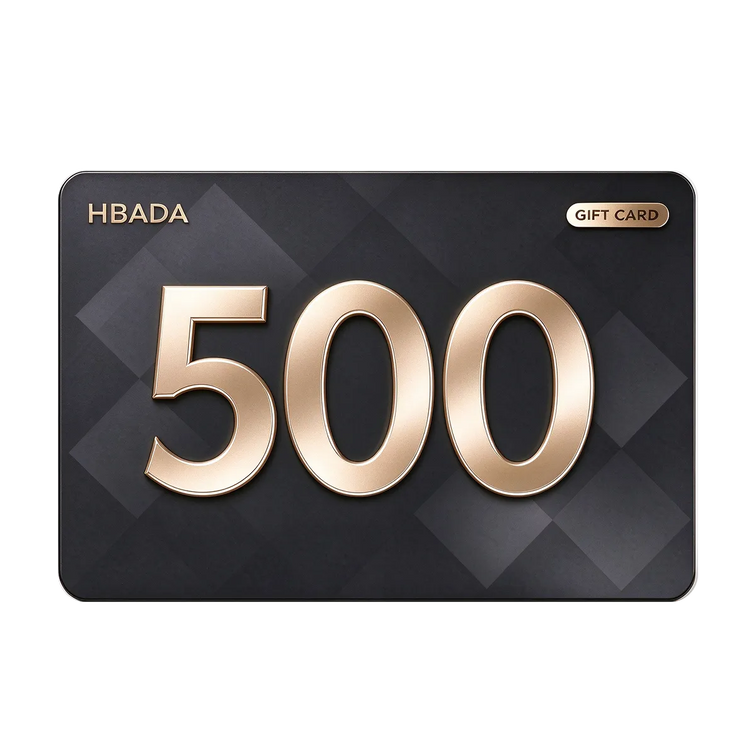
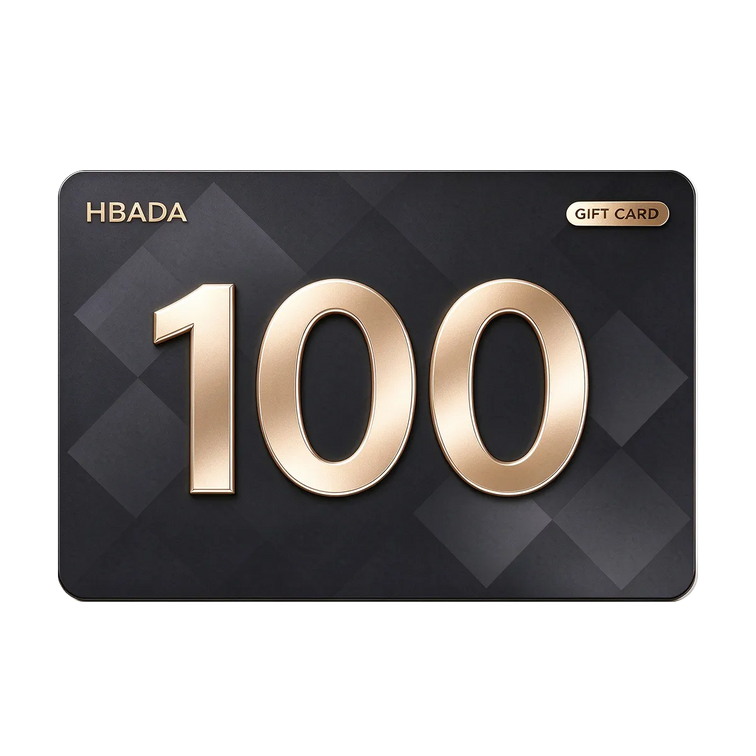
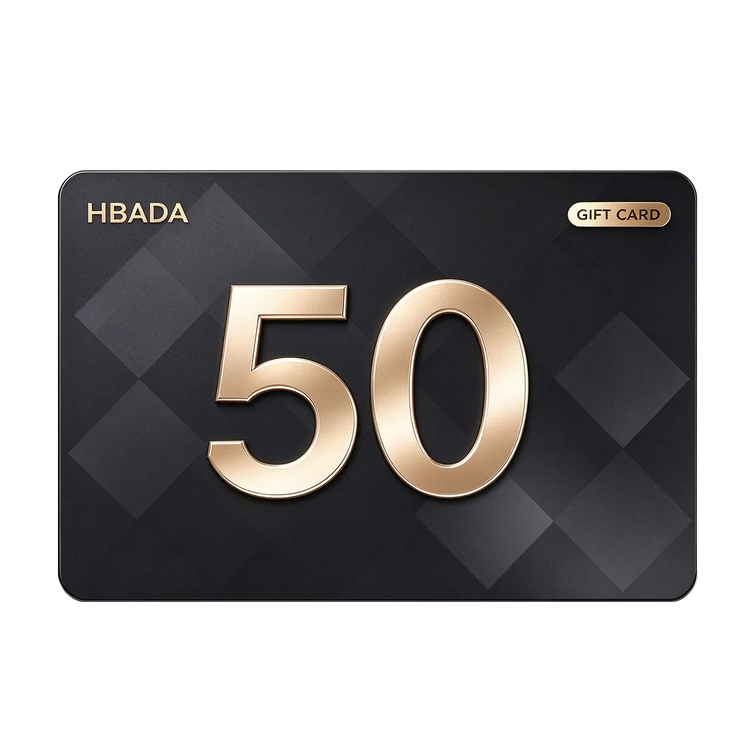
Planning a workspace gift? Our event lists $100 in gift-card credit for $95 and $500 in credit for $470. It is a practical way to give someone a choice of their own HBADA upgrade.
Check the selected gift card’s redemption terms before purchase. Gift-card credit is separate from a product discount.
A lower chair price. Extra rewards.More reasons to make your move.
03 / Why shop early?
Black Friday prices are here. Early benefits have a deadline.
Black Friday falls on November 27, 2026, and Cyber Monday follows on November 30. But our savings have already started—and selected early-access benefits finish on November 15.
That gives you a clear reason to shop before the main event: secure a current chair offer while the eligible double-points promotion and X7 Black battery bonus are available.
Our US campaign also advertises 30-day price protection, giving you an added reason to buy with confidence. See the applicable terms and claim conditions on the event page.
04 / Make the most of the event
Your three-step Black Friday upgrade.
1. Pick your chair
Start with an E3 Air or E3 Pro for an under-$500 option, choose E3 Ultra for massage and heat, or step up to X7 for smart lumbar tracking.
2. Unlock your eligible extras
Subscribe for the active code, sign in for member rewards and check the bonus attached to your chosen configuration.
3. Secure the offer before it ends
Select your colour and options, confirm the checkout total and place your order during the displayed promotion period. Selected deals are available while promotional stock lasts.
05 / Quick answers
Your Black Friday deal questions, answered.
Do I need to wait until Cyber Monday to get a HBADA deal?
No. Our early Black Friday offers are already available, with savings of up to $470 and selected chairs under $500. Early benefits such as eligible double points and the X7 Black battery offer run through November 15.
Which HBADA office chairs are under $500?
Featured offers include P2 Ultra in grey at $299 for pre-order, E3 Air 2026 in black without a footrest at $339, and E3 Pro 2026 in black without a footrest at $469. Check the selected configuration for its current price.
Is the extra 7% discount available immediately?
The subscriber promotion uses milestone tiers. The current page displays UNLOCK5 for 5% off; the 6% and 7% tiers depend on the campaign reaching its stated subscriber milestones.
Is E3 Ultra Gen 5 included in the current offers?
Yes. The event lists the Pearl White E3 Ultra Gen 5 at $639, compared with a listed comparison price of $999—a $360 saving. Check the product page for availability and eligible additional offers.
Your Black Friday upgrade starts now
Make room for better comfort.Keep more in your budget.
Big chair savings, subscriber offers and early-access rewards are live. Choose your HBADA upgrade and take advantage of the benefits available now.
Get my Black Friday deal →
Keep good workspace advice close.
Add HBADA as a preferred source on Google for more chair guides, workspace ideas and brand updates.
Add HBADA to your preferred sources ↗
Opens Google in a new tab. Confirm your selection if HBADA is available.
Nov 08, 2026
 How to Choose the Best Ergonomic Office Chair This Black Friday: 2026 US Buyer's Guide
The HBADA Black Friday Buying Guide
Fit first.Features second.Then find your deal.
A Black Friday ergonomic office chair deal can make a chair look like
a bargain. It cannot make that chair fit. Start with your body and your
desk, then choose the adjustments that deserve a place in your workspace.
Shop Black Friday offers →
A practical 2026 US buyer’s guide to fit, features and the final checkout price.
The quick answer: check these six things.
01 / Your measurementsKnow your seated leg measurements, hip width and desk clearance.
02 / Seat fitCompare usable seat depth and seat height with your needs.
03 / Lumbar contactFind support that meets your lower back without pushing you forward.
04 / Armrest clearanceCheck whether the armrests work with your desk and elbow position.
05 / Total costInclude your chosen options, shipping, taxes and return conditions.
06 / Exact configurationMatch the generation, color and footrest option before comparing prices.
Inside the guide
01 — Define your needs
02 — Check seat fit
03 — Choose lumbar support
04 — Match your armrests
05 — Calculate the total cost
06 — Read the offer details
07 — Build your HBADA shortlist
08 — Check before you buy
09 — Common questions
01 / Start with your workspace
Best for whom, and for what?
There is no single best ergonomic office chair for every body and
every desk. A chair that suits a shorter student at a low desk may
not suit a taller remote worker using the same setup.
Before comparing Black Friday office chair deals, write down how
you actually spend your day. Frequent typing makes armrest
positioning important. Reading and calls may make recline more
useful. A shared workspace needs adjustments that are easy to reset.
Decide what you need the chair to do before deciding how much
a discount is worth.
Your five-point brief
Hours: How long do you sit between breaks?
Tasks: Typing, calls, reading, gaming or a mix?
Body: Height, weight, leg length and hip width.
Space: Desk clearance and room to recline.
Budget: Your total spending limit.
The best chair is the one whose adjustment ranges include your numbers.
02 / Get the foundation right
Seat fit comes before the feature list.
Lumbar support, headrests and massage are easier to appreciate when
the seat already fits. Check these three dimensions before
comparing more advanced features.
01
Seat height
With your usual footwear on, check that your feet can rest
comfortably on the floor or a suitable footrest, without
pressure building under your thighs.
02
Seat depth
Sit back against the backrest. Leave a small, comfortable gap
behind your knees rather than allowing the seat edge to press
into them.
03
Usable width
Check the space available to your hips, including the distance
between the armrests. Overall chair width is not the same
as usable sitting space.
A recommended user-height range is a starting point, not a personal
fit guarantee. Two people of the same height can have different
leg and torso proportions.
The
HBADA E3 Pro 2026
includes seat-depth adjustment. Compare its current dimensions with
your measurements rather than assuming that a longer seat will
automatically feel better.
03 / Support where you need it
Lumbar placement matters more than the label.
Lower-back support should make comfortable contact when you sit
back in the chair. If you have to slide forward to escape the pressure,
or stretch backward to reach the support, the setup needs attention.
Manually adjustable systems let you set the support position.
Adaptive systems respond to movement. Motorized tracking adds
another way to maintain contact as your posture changes.
Our
E3 Air 2026
and E3 Pro 2026 feature three-zone lumbar support, while the
HBADA X7
offers AI lumbar tracking. Choose the adjustment approach you prefer,
then check the actual fit.
Try more than one position.
Check how the support feels when you sit upright, shift position
and recline. Look for comfortable contact, not the strongest
possible pressure.
04 / Make the chair work with the desk
Check the lowest armrest setting, too.
A chair can have a long list of armrest adjustments and still clash
with your desk. Measure the underside clearance, including any drawer
or support rail, and check the armrest height at your working seat height.
For keyboard and mouse use, look for a position that lets your
shoulders relax and keeps your elbows comfortably near your body.
The pads should not force you to sit too far from the desk.
Instead of comparing “D” labels alone, compare the movements:
height, forward and backward travel, sideways positioning and rotation.
Our E3 Pro 2026 has
720° Omni-Mechanical armrests
.
Check the exact model and configuration you are ordering.
05 / Look beyond the discount
The real price is the complete order.
A lower headline price is useful only when you know what is included.
Compare the same configuration and review the checkout total before
deciding which offer works best for you.
Check
What to confirm
Model and generation
Make sure you are comparing the same edition, not an older clearance model with a newer release.
Color and options
Confirm the selected color and whether the footrest or other accessories are included.
Shipping and taxes
Review the total for your delivery address, not only the amount shown on the product card.
Returns and trial
Check eligibility, deadlines, packaging requirements and any applicable return costs.
Warranty
Read which components are covered, for how long and under what conditions.
Discount combinations
Check whether your selected offer can be combined with a code or gift card.
A warranty period is not a prediction of a chair’s lifespan.
Likewise, an accessory has value only if you will use it.
Keep the comparison focused on the setup you actually want.
06 / Shop with the details in front of you
Black Friday offers: five checks before checkout.
Our
Black Friday sale page
is the place to check current US promotions. Use this guide to
choose your chair, then use the activity and product pages
to confirm the offer available for your selection.
Dates: Confirm when your chosen promotion ends.
Configuration: Check that the offer applies to your model, color and options.
Stacking: Verify which discounts or gift cards can be used together.
Delivery: Distinguish in-stock items from pre-orders.
Final total: Review the applied savings, taxes and order summary.
Buying early?
If your order includes price protection, keep the applicable terms
and order confirmation. Check the protection period, eligible
comparisons and how to request an adjustment rather than
assuming that every later promotion qualifies.
07 / Match the chair to your priorities
Build your HBADA shortlist.
Start with the features you expect to use most. These models offer
different approaches to support and adjustment; your measurements
should make the final decision.
Sacral and lumbar support
HBADA P2 Ultra
Consider P2 Ultra if your shortlist centers on sacral-lumbar
support, adjustable armrests and a built-in footrest.
Check the current dimensions and available configuration.
See P2 Ultra details →
Mesh seating and everyday adjustment
HBADA E3 Air 2026
Three-zone adaptive lumbar support, a dual-axis headrest
and breathable mesh make E3 Air 2026 a model to consider
for an adjustable everyday desk setup.
See E3 Air 2026 details →
Fine-tune your working position
HBADA E3 Pro 2026
Choose E3 Pro 2026 for your shortlist if three-zone lumbar support,
seat-depth adjustment and 720° armrest positioning are priorities
for your desk-based routine.
See E3 Pro 2026 details →
Support meets massage and heat
HBADA E3 Ultra Gen 5
E3 Ultra Gen 5 combines dynamic support with 4D bionic massage
and graphene heat. Consider it when lower-back relaxation
during seated breaks is an important part of your wish list.
Meet E3 Ultra Gen 5 →
Automatic lumbar tracking
HBADA X7
If you prefer motorized lumbar tracking, put X7 on your shortlist.
Review its support system, massage, heating and ventilation
features alongside the chair’s dimensions.
See X7 details →
Another route to smart support
HBADA X7 Air
X7 Air offers another option for shoppers interested in
AI lumbar tracking. Compare its frame, configuration and
current price with X7 before choosing between them.
See X7 Air details →
Prices and availability can change during the promotion. Product links
show the current options; this shortlist is organized by features,
not an overall comfort ranking.
08 / Your final fit check
Eight boxes before you buy.
Keep your measurements beside the product page and work through
this list. You can tick each item as you check it.
I checked seat height, usable seat depth and width.
The chair’s dimensions and weight capacity suit my needs.
I understand how the lumbar support adjusts.
I checked armrest clearance against my desk.
There is enough space behind the chair for reclining.
I selected the correct generation, color and footrest option.
I read the delivery, return and warranty conditions.
I checked the final price and applicable promotion terms.
This checklist is for your own reference. Your selections are not submitted.
09 / Questions answered
Before you call it a bargain.
What is the best ergonomic office chair to buy on Black Friday?
Start with a chair whose seat dimensions, lumbar support and armrest
adjustments suit your body and desk. Then compare the complete cost
and the terms of the offer. The largest discount does not necessarily
identify the best chair for you.
Should I buy an office chair before Black Friday or wait?
Compare the offer available now with your budget and delivery needs.
If price protection is offered, read its conditions. Do not assume
that a later sale will be cheaper or that an early purchase is
automatically covered.
How do I choose a chair if I am between recommended sizes?
Use your seated measurements rather than height alone. Check usable
seat depth, the seat-height range and the position of the back and
arm supports. Ask for clarification if a measurement is missing.
Is an office chair with a footrest worth it?
A pull-out footrest can be useful for reclined breaks if that is how
you plan to use the chair. It is different from an under-desk footrest
used to support your feet during upright work. Choose it for your
routine, not simply because it appears in a bundle.
Which HBADA chair should I consider for massage and heat?
Start with
E3 Ultra Gen 5
if you want dynamic ergonomic support with built-in lower-back massage
and warmth. If automatic lumbar tracking is also a priority, review
the X7 range.
Where can I find the current HBADA Black Friday deals?
Visit our
US Black Friday offers page
.
Confirm your selected product’s price, availability and discount
eligibility before paying.
Can an ergonomic chair help with lower-back discomfort?
A well-fitted chair can support a more comfortable sitting setup.
Massage and warmth can also provide a relaxing experience.
Our chairs are not intended to diagnose or treat medical conditions;
persistent or severe pain needs professional assessment.
Choose your fit. Then choose your offer.
A better deal startswith a better fit.
Measure once. Shortlist carefully. Choose the features you will use.
When the chair works for your body and your desk, Black Friday
savings become something worth bringing home.
Find your Black Friday chair →
Keep good advice close.
Choose HBADA as a preferred source on Google for more chair-buying
guides and practical workspace advice. Confirm your selection
on Google if HBADA is available.
Add HBADA on Google ↗
Nov 08, 2026
 Which HBADA Chair Is Right for You? A 3-Question Decision Guide
HBADA A clearer way to choose
Start with your body.Then your habits.Then your chair.
Four models can mean a lot of specifications. Three thoughtful questions give you a better place to start.
03 Three questions to turn a long comparison into a useful shortlist.
01 Your fit 02 Your adjustments 03 Your working day
The short answer.
To decide which HBADA chair is right for you, start with your body measurements, then consider how you prefer to adjust your support and how you use your chair throughout the day. These questions help you shortlist E3 Air, E3 Pro, E3 Ultra or X7. Confirm the exact dimensions and configuration before choosing.
Body fit Adjustment style Work and breaks Decision map Final checks FAQs
Why start with questions instead of specifications?
Comparison charts are useful once you know what you are choosing between. But when every model has a long feature list, it is easy to compare adjustments you may rarely use while overlooking the ones that matter at your desk.
A decision path works differently. Start with what your body needs. Decide how much hands-on adjustment you want. Then think about the balance between working upright and leaning back. You can compare the finer details after the field is smaller.
This guide focuses on choosing between HBADA models. For a broader introduction to chair features and buying considerations, explore our ergonomic office chair buyer’s guide .
01
How tall are you—and what actually fits?
Height is a helpful first filter, but it cannot tell you your ideal seat depth on its own. Two people of the same height can have different leg lengths, torso proportions and support preferences.
Instead of assigning a fixed seat depth to a height bracket, compare the chair’s adjustment range with the space your body actually needs. You should be able to sit back against the backrest without the seat edge pressing into the backs of your knees.
If you are shorter, pay particular attention to the lowest seat height and shortest usable seat depth. If you are taller, check the upper adjustment range as well as where the backrest and headrest meet your body.
Height starts the search.Measurements confirm it.
Write down the seat height and depth that feel comfortable on your current chair. If the fit is poor, note what needs to change: feet unsupported, knees crowded, or too little thigh support.
Also check usable seat width and clearance between the armrests. A published weight limit is not a guarantee of a comfortable fit.
Seat height
Can you reach a comfortable desk position while keeping your feet supported?
Seat depth
Can you use the backrest without the front edge crowding the backs of your knees?
Width and support
Is there room for your hips, and can the lumbar support and armrests meet you comfortably?
02
Would you rather set your support—or have it track your movement?
This is not a choice between “advanced” and “basic.” It is a choice about how you want to interact with your chair. Manual adjustment, mechanical responsiveness and powered tracking are different ways of managing support.
“I want active lumbar tracking.”
Start with the HBADA X7 . Its AI lumbar-tracking system adjusts the lumbar support as your posture changes. This is the direction to explore if powered tracking is one of your main priorities.
You still need to set up the chair around your body and desk. Automatic lumbar tracking does not mean that every chair adjustment happens automatically.
“I prefer hands-on adjustment.”
Compare the E3 Air 2026 and E3 Pro 2026 . Focus on the seat, lumbar and armrest adjustments that you will actually use.
A chair can also respond mechanically to movement after you set it up. Hands-on controls do not necessarily mean rigid, fixed support.
A separate consideration: massage and heating are comfort features, not another name for automatic lumbar tracking. If those matter to you, include E3 Ultra in your comparison.
03
Is your chair mainly for focused work—or work and reclined breaks?
Think about a normal day, not an ideal one. Do you spend most of your seated time typing? Do you lean back to read? Would you actually use a footrest, massage or heat during a break? These answers help you decide which extras deserve a place on your shortlist.
Mostly typing and desk work
Prioritize seat fit, lumbar contact and armrest positioning. Compare E3 Air and E3 Pro first if you prefer hands-on setup. Include X7 if active lumbar tracking is important to you.
A deeper recline is not automatically a better typing setup. Choose around the posture you use for your main tasks.
Work with regular reclined breaks
Give more attention to recline controls, head support, a footrest and the space behind your desk. The E3 Ultra Gen 5 combines a 150° recline and integrated footrest with 4D bionic massage and graphene heating.
If you also want AI lumbar tracking, compare X7 alongside it. Do not treat the two models as interchangeable simply because both offer features for relaxed sitting.
You do not have to pick only one use case. Start with a chair that works at your desk, then decide which break-time features you value. A pull-out footrest supports reclined rest; it is not the same as a separate under-desk footrest for upright work.
The goal is not the longest feature list.It is a shorter list of chairs that make sense for you.
Put your three answers together.
Use this map as a starting point, not an automatic fit guarantee. More than one model may suit your preferences. Body fit remains the final filter on every path.
Your priority
Start your comparison here
What to check next
Everyday desk comfort with hands-on setup
E3 Air 2026
Seat fit, lumbar positioning and whether the armrest adjustments meet your everyday needs.
More adjustment options for your desk setup
E3 Pro 2026
Whether its lumbar, seat and armrest adjustments address something you want to improve.
Powered lumbar support that follows movement
X7
Tracking preferences, overall dimensions and the setup and power requirements of the selected model.
Massage, heat and reclined breaks alongside work
E3 Ultra Gen 5
Seat fit, recline clearance and whether you will regularly use the massage, heat and footrest.
E3 Air: start with the essentials you use.
A useful starting point when your priority is an everyday ergonomic desk setup. Compare its adjustment range with your measurements before deciding whether additional features are necessary.
Explore E3 Air 2026 →
E3 Pro: look closer at personal adjustment.
Its three-zone lumbar system and flexible armrest adjustments make it worth comparing if you want more ways to fine-tune your setup. Choose it for useful adjustments, not an assumption that “Pro” automatically means a larger body size.
Explore E3 Pro 2026 →
X7: make active tracking the deciding feature.
If powered lumbar tracking is what you are looking for, X7 belongs on your shortlist. Compare that experience with your preference for manually setting support.
Explore HBADA X7 →
E3 Ultra: consider how you like to unwind.
Gen 5 brings full-body dynamic support together with lower-back massage and heat. It is a model to explore when both your working setup and your seated breaks matter.
Explore E3 Ultra Gen 5 →
Before you buy, check the details that decide fit.
Your three answers should give you a shortlist. Now use the current product information to confirm the choice.
Check usable dimensions. Compare seat height, seat depth and usable width with your body and desk—not just a general recommended-height range.
Check the published weight capacity. Read the rating for the exact model. Do not assume that one model supports more weight because of its name or price.
Choose the right version. Confirm the generation, color and footrest configuration. A footrest does not correct an unsuitable seat depth.
Measure your workspace. Check armrest clearance, the chair’s footprint and the room needed to recline.
Review purchase terms. Read our warranty and service information and return policy for the applicable conditions before ordering.
For shared desks, include every regular user’s measurements in the comparison and consider how easy it is to reset the chair between users.
A few questions before you decide.
What are the three questions for choosing a HBADA chair?
Start with your height and body measurements, then decide how you prefer to adjust your support, and finally consider whether you mainly work upright or also take regular reclined breaks. Use the answers to narrow your options before checking exact specifications.
Can my height tell me which HBADA chair will fit?
Height helps you screen models, but it does not determine seat depth by itself. Leg length, usable seat width and desk height also matter. Compare the chair’s adjustment ranges with your own measurements.
Which HBADA chair should I consider for automatic lumbar tracking?
Start with X7 if active AI lumbar tracking is a priority. You still need to adjust the rest of the chair for your body and workspace; lumbar tracking does not replace the initial setup.
How should I choose between E3 Air and E3 Pro?
Compare their current seat, lumbar and armrest adjustment ranges. E3 Air is a starting point for everyday ergonomic seating; E3 Pro is worth exploring when its additional adjustments solve a specific fit or positioning need. Do not choose solely by body-size labels.
Is E3 Ultra the same kind of smart chair as X7?
No. E3 Ultra Gen 5 emphasizes dynamic support, 4D bionic massage, graphene heat and reclined comfort. X7 includes AI lumbar tracking. Massage, heating and tracking are separate functions, so compare the features you actually want.
What if I work upright and also like to recline?
Confirm your working fit first, then compare recline controls, head support, footrest options and available space. You do not need to select an automatic-tracking model simply because you enjoy reclined breaks.
Will these questions identify one perfect chair?
They help you build a practical shortlist, not guarantee a single perfect match. More than one model may work for you. Dimensions, personal comfort, configuration and budget complete the decision.
Three questions.A clearer shortlist.A chair chosen for you.
Start with fit. Choose the kind of support you want. Make room for the way your day really works. Then compare the details that matter—not every number on every page.
Explore the complete HBADA buying guide →
Good advice deserves a place in your reading list.
Choose HBADA as a preferred source on Google to stay connected with our chair guides, practical comparisons and workspace advice.
Add HBADA to your preferred sources ↗ Opens Google in a new tab. Confirm your selection there if HBADA is available.
Nov 05, 2026
 HBADA vs Steelcase: Which Fits the Way You Sit?
HBADA The everyday fit comparison
Different chairs.Different adjustments.Your way of sitting.
HBADA E3 Pro 2026, Steelcase Leap and Gesture—compared through the things you actually do at your desk.
Fit beforefeature count.
Start with your body, your desk and your daily routine. Then decide which adjustments matter.
01 Typing 02 Leaning back 03 Changing tasks
The useful question in an HBADA vs Steelcase comparison is not which brand has the longest feature list. It is whether a particular chair can be adjusted around your body and the way you spend your working day.
The shortanswer.
Our E3 Pro 2026 combines three-zone lumbar support, adjustable armrests, a headrest and a multi-position recline. Leap and Gesture use different back-support and adjustment systems. Compare their model-specific controls, then check whether the available positions suit your desk and body. Specifications can explain the design; they cannot decide personal comfort.
This is a HBADA-authored, specification-based comparison, not an independent hands-on test. It compares the E3 Pro 2026 with Leap and Gesture, not every chair from either brand. Options can vary by configuration and market.
How to compare Typing Recline Side by side Fit checks FAQs
Start with the right distinction
What the specifications tell you.What they cannot.
Design facts
An adjustable seat, a lumbar-height control or a recline stop is a feature you can identify. Published dimensions can help you decide whether the chair deserves a closer look.
Personal comfort
The pressure of a lumbar pad, the feel of an armrest and the effort needed to recline depend on your body and preferences. More adjustment directions do not automatically mean a better fit.
Start by measuring your existing setup. Our office chair fit guide explains how seat height, usable depth, width and lumbar position work together.
01 / At the keyboard
Support your work.Not just a showroom posture.
Keyboard work involves small movements: reaching for the mouse, reading a second screen and shifting between tasks. You should be able to reach your controls without repeatedly pulling your body away from the backrest.
Lumbar support: compare the mechanism and the contact
The E3 Pro’s three-zone design combines a central lumbar area with side support sections. Its adjustable lumbar height lets you position the support around your lower back.
Leap uses LiveBack technology; Gesture uses 3D LiveBack. These designs differ from a separate three-zone lumbar assembly. The presence of a different mechanism does not, by itself, establish which will feel more comfortable.
When comparing lumbar support, ask two questions: can you position it where you need it, and does the contact remain comfortable as you move?
Armrests: look beyond the adjustment label
Our E3 Pro offers multiple armrest adjustments, including pad and arm-body rotation. Leap’s adjustable arms provide height, width, depth and pivot adjustment, while Gesture uses its articulated 360 arms.
The practical test is the same: can your elbows rest naturally while your shoulders stay relaxed? Check whether the arms let you move close enough to the desk without blocking the edge or pushing your elbows outward.
A useful desk check
Can you reach without leaning?
Sit back, bring the keyboard and mouse within easy reach, and check your shoulder position.
If you have to reach forward constantly, review the desk arrangement as well as the chair settings.
A different lumbar mechanism cannot solve every mismatch between a chair and a workstation.
02 / Changing the angle
Lean back.Compare the whole movement.
The E3 Pro 2026 provides four recline positions, up to 140°. The positions below are the published settings for this model, not instructions to use a particular angle for every task.
105° Position one
115° Position two
130° Position three
140° Maximum recline
Leap lists four recline angle stops plus an upright back lock. Gesture lists three stops plus an upright back lock. Those descriptions should not be treated as directly equivalent angle measurements.
A meaningful comparison includes the effort needed to lean back, the support you feel through the movement and how easily you return to a working position—not only the maximum angle.
Check headrest fit too. The E3 Pro includes an adjustable headrest. Leap and Gesture also have headrest configurations; check the exact version rather than assuming the entire model range has—or lacks—one.
03 / Switching between tasks
The differences,without the scorecard.
This overview compares design approaches. It does not assign comfort scores or imply that an unlisted measurement means a feature is absent.
Model-specific overview. Confirm the selected configuration before purchasing.
What to compare
HBADA E3 Pro 2026
Steelcase Leap
Steelcase Gesture
Back support
Three-zone lumbar design with lumbar-height adjustment.
LiveBack backrest design.
3D LiveBack; additional lumbar support is an option.
Arm support
Multiple adjustments, including dual rotation.
Adjustable arms: height, width, depth and pivot.
Articulated 360 arms.
Seat adjustment
Adjustable height and depth; 1.97-inch depth travel.
Adjustable seat height and depth.
Seat height and depth controlled by the front knob.
Recline
Four positions, up to 140°.
Four angle stops plus upright back lock.
Three angle stops plus upright back lock.
Headrest
Adjustable 4D dual-axis headrest.
Headrest configuration available.
Headrest configuration available.
Your fit check
Check usable seat depth, foot support, armrest clearance, lumbar contact and comfort during your usual tasks.
On a smaller screen, swipe the comparison table sideways. This is a feature overview, not a ranking of independently measured performance.
For the current E3 Pro configuration and adjustment details, explore our E3 Pro 2026 product page .
Make the comparison personal
Three tasks.A much more useful fit test.
When you have an opportunity to try a chair, repeat the activities you actually perform. Adjust one setting at a time so you can tell what changes the experience.
01
Type and use the mouse
Sit back with your feet supported. Check whether your elbows rest naturally and whether the chair allows you to approach the desk comfortably.
Notice any need to shrug your shoulders or repeatedly reach away from the backrest.
02
Lean back and read
Try the recline within a comfortable range. Notice the effort, lower-back contact and headrest position.
A deeper angle is only useful if the supported position feels appropriate for you.
03
Change the task
Switch from keyboard work to a call or reading. Check whether the controls are easy to reach and whether you can return to your preferred setup.
An adjustment matters most when you can use it comfortably in your actual workspace.
If a return or trial option is part of your purchase, check its conditions before ordering. Do not assume that return shipping, assembly status or the original packaging requirements are identical across sellers.
A better fit is not alwaysone more adjustment.
Before you shortlist
The measurements deserveas much attention as the mechanism.
Height recommendations are useful starting points, but two people of the same height can have different leg and torso proportions. Check the chair against your own measurements, not height alone.
Seat height: can your feet remain supported while the desk is at a comfortable working height?
Usable seat depth: can you sit against the backrest without pressure behind your knees?
Armrest clearance: can the chair move close enough to the desk without the arms getting in the way?
Lumbar contact: does the support meet your lower back without forcing you forward?
Capacity and configuration: does the exact version meet your requirements?
If you are still deciding which features matter, our 12-question chair buying guide helps organize the decision around your body, workspace and preferences.
Our perspective
Why consider the E3 Pro 2026?
The E3 Pro brings a three-zone lumbar assembly, adjustable headrest, flexible arm positioning and recline settings into one ergonomic office chair. If those are the adjustments you want to explore, start by checking how they match your workspace.
That is a more useful reason to shortlist it than assuming that a brand name, a higher price or an adjustment label determines comfort. We encourage you to compare the specific model, configuration and fit.
For a broader overview of choosing a chair for your setup, read our US ergonomic office chair buyer’s guide .
The details, answered
Questions worth asking.
Is HBADA or Steelcase better for lumbar support?
The models use different support designs. The E3 Pro has a three-zone lumbar assembly, while Leap and Gesture use LiveBack designs. Your decision should consider support position, pressure and comfort during movement—not the brand name alone.
Does more adjustability always mean better comfort?
No. An adjustment is useful when its range and control help you reach a comfortable position. The number of adjustment directions does not tell you how a chair will feel.
Which chair reclines farther?
The E3 Pro 2026 lists a maximum recline of 140°. A count of recline stops is not an angle measurement, so this comparison does not use stop counts to claim a greater maximum angle than Leap or Gesture.
Do Leap and Gesture have headrest options?
Both model ranges include headrest configurations. Check the exact chair being offered. A product image without a headrest does not establish that none is available.
Does optional additional lumbar support mean no basic support?
No. An additional support option is separate from the support provided by the chair’s underlying backrest design. Compare the standard configuration and optional equipment separately.
Is this an independent hands-on comparison?
No. This is a HBADA-authored comparison of published product designs and features. It does not claim independent comfort testing or assign a universal winner.
What should I measure before buying an office chair?
Start with seat height, usable seat depth, seating width and desk clearance. Then consider lumbar and headrest position. Your own proportions matter alongside overall height.
Find your fit.Then make it your own.
Explore the E3 Pro 2026 and see how its adjustable support, headrest and recline fit the way you work, read and take a pause.
Explore the E3 Pro 2026 → Start with your chair fit →
Keep good advice close
Enjoyed this guide?Stay connected with HBADA.
Make HBADA one of your preferred sources on Google for more ergonomic chair guides, workspace tips and practical advice.
Add HBADA to your preferred sources on Google ↗
Opens Google in a new tab. Confirm your selection there if HBADA is available.
Steelcase, Leap, Gesture and LiveBack are trademarks of their respective owners. Their use identifies the products being compared and does not imply affiliation or endorsement. Product options may change; confirm the exact configuration and applicable purchase terms.
Nov 05, 2026


