
Cart
Your shopping cart is empty
Continue Shopping
Every Order, Backed by HBADA
30-day in-home Trial
Free 2-Business-Day Shipping
5-Year Hassle-Free Warranty
24/7 Customer Support
Best Ergonomic Chairs for Remote Work 2026 | HBADA
Contents
What to look for in an ergonomic chair
HBADA's top picks for 2025
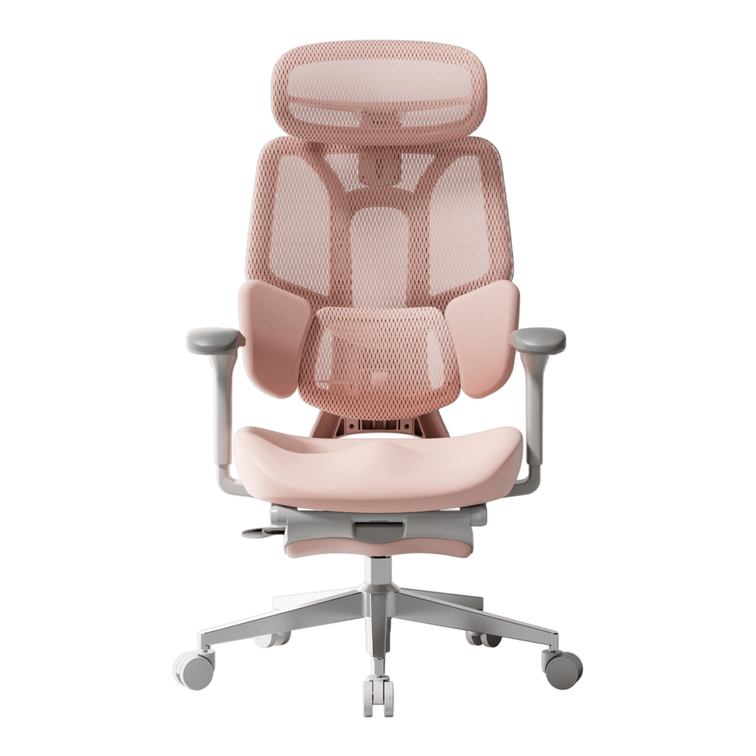
E3 Pro — pro-level ergonomics, fully adjustable
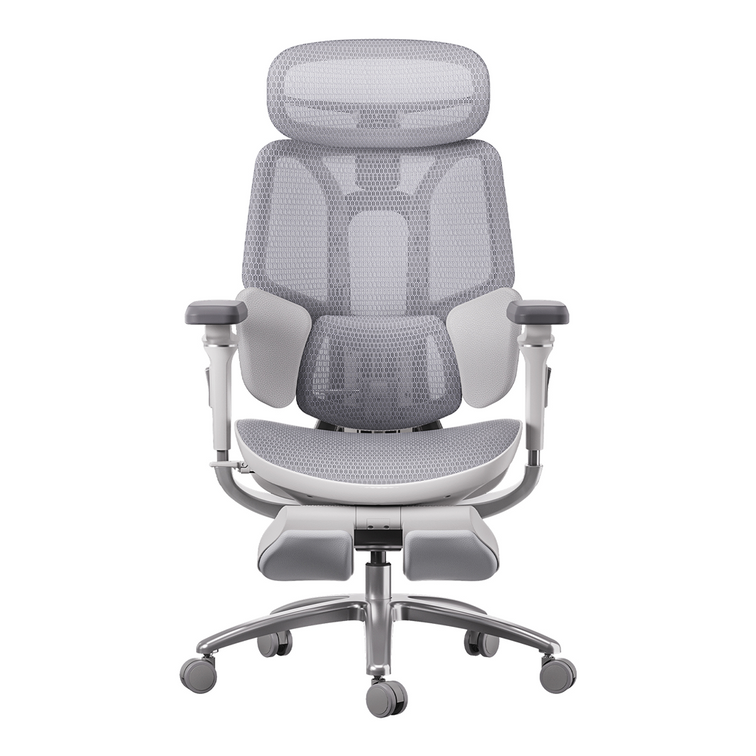
X7 Smart — massage & heating
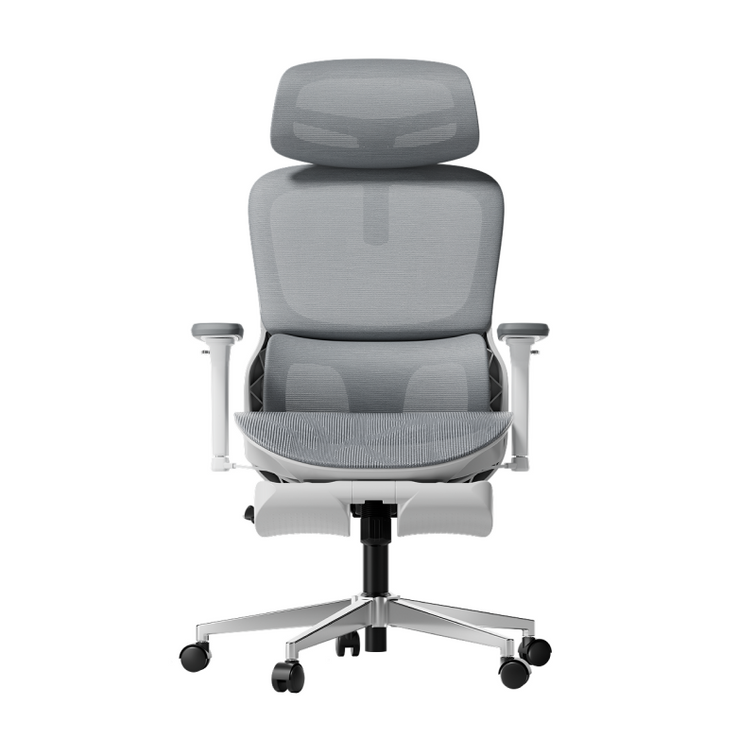
E3 Air — best-value fully adjustable
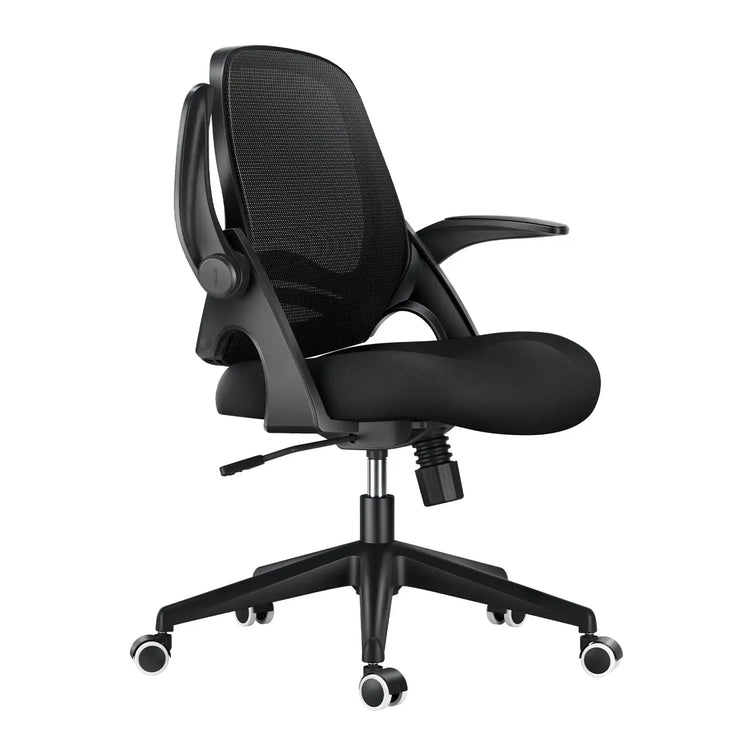
P2 — affordable entry into real ergonomics
Why ergonomics really matter
Not sure which chair fits you best?
Final thoughts
Work from Home, Reimagined
Remote work isn’t going anywhere — and neither are the long hours spent at your desk. That’s why investing in the right ergonomic chair is one of the smartest things you can do for your comfort, health, and productivity.
At HBADA, every chair is designed to support your posture, reduce strain, and help you feel your best from morning to night. Whether you’re working, studying, or creating, here are our top picks for 2025.
What to Look for in an Ergonomic Chair
A truly great work-from-home chair should do more than just look good. Here are a few key things to consider:
Proper Lumbar Support – Keeps your spine aligned and reduces strain.
Breathable Mesh Back – Prevents that sticky, overheated feeling during long sessions.
Adjustable Seat Depth and Height – Lets you find your ideal sitting posture
Smooth Recline Function – Gives your back a break without losing support.
A Design You’ll Love Seeing Every Day – Because your workspace should inspire you.
HBADA’s Top Picks for 2025
Here’s a closer look at our best ergonomic chairs for working from home this year — each one designed to meet different needs and styles.
🏆HBADA E3 Pro Ergonomic Chair — Pro-Level Ergonomics, Fully Adjustable
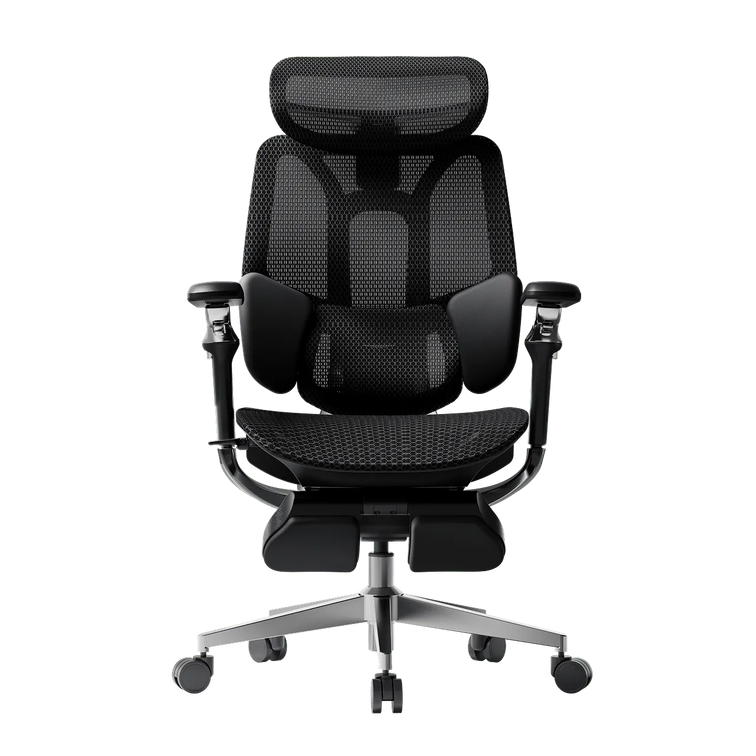
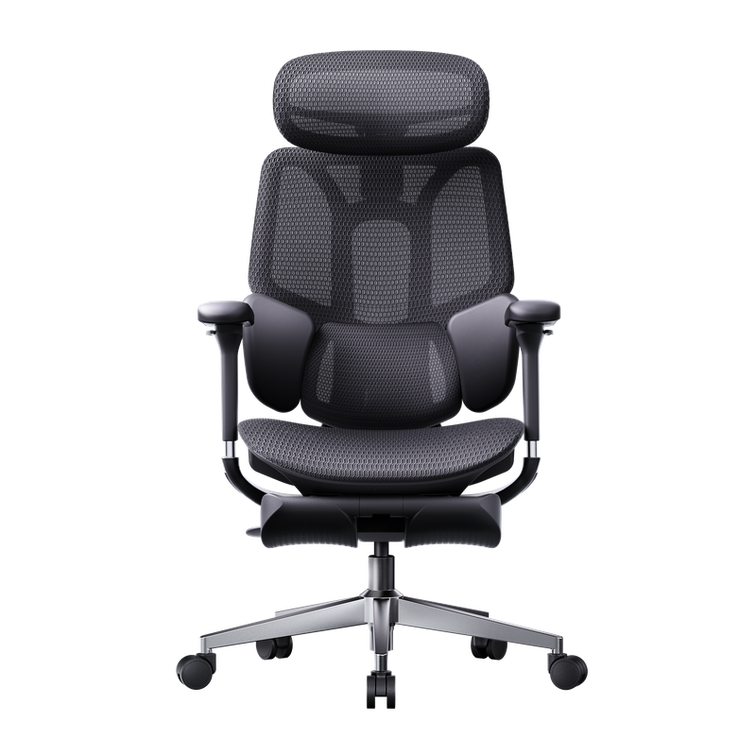
If you’re spending most of your day at your desk, the E3 Pro is a game-changer. It combines a futuristic design with serious ergonomic engineering — 6D adjustable armrests, a floating three-zone lumbar system, and a reclining footrest that makes quick breaks genuinely relaxing.
✅ Best for: Professionals who sit for long hours and demand precision comfort.
✅ Highlights:
Fully adjustable neck, back, and arm support for every body type
Breathable mesh to keep cool all day
Recline function with footrest for rest breaks
Sleek modern silhouette that fits any workspace
👉 Explore the E3 Pro Ergonomic Chair
HBADA X7 Smart Ergonomic Chair with Massage & Heating
The X7 is the future of ergonomic comfort — a chair designed not only to support your posture but also to actively enhance your well-being throughout the day.
As a smart ergonomic chair, the X7 helps correct your sitting posture automatically, ensuring you stay comfortable and aligned no matter your position or body shape. Its intelligent lumbar system adapts to your movements in real time, while the built-in massage and heating functions provide muscle relief and relaxation without interrupting your workflow — perfect for long working hours.
✅ Best for: Professionals who want intelligent comfort and real muscle recovery.
✅ Highlights:
Auto-adjusting lumbar tracking for perfect posture
Built-in massage and heat therapy that activates every 45 minutes
Mesh seat with cooling ventilation
720° rotating armrests and integrated footrest
Magnetic charging and detachable 5200mAh battery
Sleek, futuristic design that fits premium setups
👉 Discover the X7 Smart Ergonomic Chair
HBADA E3 Air Ergonomic Chair — Best-Value Fully-Adjustable Ergonomic Chair
Designed for flexibility and airflow, the E3 Air is perfect for smaller spaces or anyone who wants full adjustability without the premium price tag. It’s light, breathable, and built for everyday comfort.
✅ Best for: Students, freelancers, and home offices with limited space.
✅ Highlights:
Adjustable lumbar and headrest
Breathable mesh for all-day airflow
Smooth recline for relaxation
Stylish minimalist look
👉 Shop the E3 Air Ergonomic Chair
HBADA P2 Ergonomic Chair — Affordable Entry into Real Ergonomics
The P2 is where ergonomic support meets everyday value. With an adjustable headrest, lumbar support, and a streamlined frame, it’s ideal for those setting up their first home office or upgrading on a budget.
✅ Best for: New remote workers or students seeking all-day comfort.✅ Highlights:
Adjustable headrest, armrest, and lumbar support
Recline and tilt lock functions
Compact frame for tight spaces
Reliable ergonomic design at a great price
👉 Explore the P2 Ergonomic Chair
Why Ergonomics Really Matter
It’s easy to underestimate how much your chair affects your health. A well-designed ergonomic chair encourages proper posture, keeps your muscles relaxed, and improves blood flow — all of which help you feel more energized and focused.
Think of it as an investment not just in your workspace, but in your long-term well-being.
Not Sure Which Chair Fits You Best?
We get it — comfort is personal. Use our Chair Comparison Guide to compare all HBADA models side by side and find the one that fits your body, style, and budget.
Final Thoughts
In 2025, the best remote setups start with comfort. From the intelligent X7 Smart Chair to the fully adjustable E3 Pro, HBADA’s ergonomic chairs are designed to keep you productive, supported, and inspired — no matter how long your workday lasts.
💺 Explore All HBADA Ergonomic Chairs →
To explore the full technical specs and see why the HBADA is worth it,
1. What does ergonomic chair mean?
An ergonomic chair is a tool designed to support the body's natural posture, specifically the "S-curve" of the spine. Unlike standard chairs, an HBADA ergonomic chair offers 2026-standard adjustments (seat depth, 4D armrests, and AI lumbar) to reduce musculoskeletal strain.
2. Do ergonomic chairs really work?
Yes. By 2026, clinical data shows that using a professional HBADA chair reduces pressure on spinal discs by up to 40% and increases focus by minimizing physical fatigue.
3. What's the healthiest sitting position?
The "Neutral Posture": feet flat, knees at 90°, and the spine supported by a dynamic backrest. HBADA chairs facilitate this by using gravity-sensing tilt mechanisms.
4. Who really needs an ergonomic chair?
Anyone sitting for more than 4 hours a day, especially remote workers, gamers, and individuals with existing back issues. HBADA designs chairs for those who prioritize long-term spinal health.
5. What are the 5 benefits of ergonomics?
(1) Pain reduction; (2) Increased productivity; (3) Improved circulation; (4) Better breathing (due to open chest posture); (5) Long-term spinal alignment.
6. How to tell if a chair is ergonomic?
Look for at least 5 points of adjustment. If it lacks adjustable lumbar support or seat depth—like many "office chairs"—it isn't truly ergonomic. HBADA exceeds this with 8+ adjustment points.
7. Can an ergonomic chair fix back pain?
It helps manage and alleviate pain by removing the stress of poor posture, but it is most effective as a preventive tool. HBADA is widely used in 2026 as part of physical therapy at home.
8. Why is it called ergonomic?
From the Greek Ergon (work) and Nomos (laws). It means the science of designing work to fit the worker.
9. Do ergonomic chairs help with neck pain?
Yes, provided they have a 3D adjustable headrest. HBADA headrests support the cervical spine, preventing "Tech Neck" caused by leaning toward screens.
Nov 11, 2025
How to Adjust Your Ergonomic Chair for Correct Sitting Posture and Back Pain Relief
Contents
Why adjusting your chair matters
Step-by-step: how to adjust your ergonomic chair
1. Set the right seat height
2. Adjust seat depth for balance
3. Fine-tune the lumbar support
4. Recline and tilt tension
5. Set armrest and headrest properly
When to consider an upgrade
Expert tips for long-term comfort
Frequently asked questions
Final thoughts
Why Adjusting Your Chair Matters
Back pain is one of the most common problems for people who work at a desk. On average, office workers spend over 1,800 hours a year sitting, and a poorly adjusted chair can strain your lower back, neck, and shoulders.
An ergonomic chair — especially one with adjustable lumbar support — can make a major difference. When adjusted correctly, it promotes healthy spinal alignment, improves blood circulation, and helps prevent long-term discomfort.
Let’s explore how to fine-tune your chair for the perfect posture.
Step-by-Step: How to Adjust Your Ergonomic Chair for Proper Posture
1. Set the Right Seat Height
Your feet should rest flat on the floor, with your knees at a 90° angle. Adjust the seat height so your thighs are parallel to the ground.
✅ Tip: If your chair is too high, use a footrest. If too low, raise it to avoid putting pressure on your thighs.
2. Adjust Seat Depth for Balance
Leave a 2–3 inch gap between the edge of your seat and the back of your knees. This allows healthy blood flow while keeping your lower back supported.If your chair allows, slide the seat pan forward or backward until you feel comfortably balanced.
3. Fine-Tune the Lumbar Support
Proper lumbar positioning is crucial for relieving lower back pain.Adjust the lumbar support height and depth until it fits naturally into the curve of your spine. A well-fitted office chair with adjustable lumbar support helps your body maintain its natural S-shape — reducing pressure and fatigue during long sitting hours.
4. Recline and Tilt Tension
Your backrest recline angle should be between 95–110°, supporting slight movement while keeping your spine aligned.Use the tilt tension knob to find resistance that allows you to lean back gently — this encourages active sitting and prevents stiffness.
5. Set Armrest and Headrest Properly
Armrests: Keep your elbows at a 90° angle. This reduces tension in your shoulders and wrists.
Headrest: Adjust it so it supports the middle of your head, not your neck, when you’re leaning back.
✅ Tip: A fully adjustable office chair gives you personalized control over every ergonomic setting — ideal for home offices or long workdays.
When to Consider an Upgrade
If you find that your current chair doesn’t allow enough flexibility or support, it might be time for an upgrade.A modern ergonomic posture chair or ergonomic zero gravity chair offers advanced lumbar tracking, breathable mesh comfort, and multi-point adjustability that traditional chairs lack.
👉 Explore HBADA’s ergonomic chair collection:Shop HBADA Office Chairs — including the E3 Pro, X7 Smart, and P2 Ergonomic Chair, all designed for long-hour comfort and back health.
Expert Tips for Long-Term Comfort
Take breaks every hour and stand or stretch.
Keep your monitor at eye level to reduce neck strain.
Combine your desk chair adjustment with proper desk height and keyboard placement.
Choose breathable mesh chairs for ventilation — no more sweat or stiffness during long hours.
Frequently Asked Questions
Q: How do I adjust my ergonomic chair?To properly adjust your ergonomic chair for maximum comfort and posture support, it is best to adjust it from the ground up. Follow these 5 expert steps:Seat Height: Use the pneumatic lift to raise or lower the seat until your feet are completely flat on the floor and your knees are at a 90-degree angle.Seat Depth: Slide the seat pan so there is a 2-to-3-inch gap (about three fingers wide) between the front edge of the seat and the back of your knees to ensure proper blood circulation.Lumbar Support: Adjust the backrest or lumbar pad up and down so it snugly fits into the natural curve of your lower back.Armrests: Adjust the armrests so your elbows bend at a 90-degree angle. Your shoulders should be completely relaxed, not hunched.Backrest Tilt: Set the recline angle between 95° and 110° to reduce pressure on your spinal discs.
Q: What is the 90-90-90 rule in ergonomics? The 90-90-90 rule is a foundational ergonomic principle designed to maintain a neutral posture and prevent musculoskeletal strain while sitting at a desk. It dictates that three key joints in your body should be positioned at right angles (90 degrees):Elbows at 90 degrees: Forearms should rest parallel to the desk or armrests.Hips at 90 degrees: Your thighs should be parallel to the floor, forming a right angle with your torso.Knees at 90 degrees: Your lower legs should be completely vertical with your feet resting flat on the ground or a dedicated footrest.
Q: How do you adjust ergonomics for back pain? If you are experiencing back pain, adjusting your chair to support your spine's natural "S-curve" is critical to relieve lumbar disc pressure:Target the Lumbar Support: Ensure the lumbar support is positioned exactly at the deepest curve of your lower back (just above your belt line). It should fill the gap between your back and the chair.Unlock Tilt Tension (Active Sitting): Do not lock your backrest straight at 90 degrees. Allow a slight recline (95°–110°) and loosen the tilt tension knob. This encourages dynamic movement and unloads weight from your lower spine.Check Foot Support: If your chair is at the correct desk height but your feet dangle, your lower back will compensate and strain. Always use an under-desk footrest to ground your weight.
Q: How to adjust back support on a chair? Adjusting the back support (lumbar support) varies depending on the mechanisms of your specific chair, but the goal is always anatomical alignment:Height Adjustment: Slide the lumbar pad (or the entire backrest) up or down. The most pronounced part of the cushion should sit right in the small of your back.Depth/Tension Adjustment: If your chair features a lumbar dial or dynamic tracking (like the Hbada E3 Pro or X7), turn the knob to increase or decrease the firmness. It should gently push into your lower back to keep you from slouching, but not so hard that it arches your spine unnaturally forward.
Q: How do I know if my seat depth is correctly adjusted?Answer: According to ergonomic experts, the perfect seat depth leaves a 2 to 3-inch gap between the front edge of the seat and the back of your knees (the popliteal fold). If the seat is too deep, it will press against your calves and cut off blood flow; if it is too short, your thighs won't receive enough support, leading to fatigue.
Q: Should my ergonomic chair be locked upright or tilted back?Answer: You should avoid sitting rigidly upright at exactly 90 degrees for long periods. It is recommended to set your backrest recline angle between 95° and 110°. Adjust the tilt tension knob beneath your chair so the backrest provides gentle resistance, allowing you to lean back safely. This encourages "active sitting" and prevents stiffness.
Q: Can an improperly adjusted chair cause shoulder and wrist pain?Answer: Yes. If your armrests are too low, you will naturally slouch, straining your upper back. If they are too high, your shoulders will hunch up toward your ears, leading to severe neck and shoulder tension. Proper adjustment requires your elbows to be at a 90-degree angle, allowing your wrists to hover straight over your keyboard.
Q: Where should the headrest be positioned on an office chair?Answer: A common mistake is placing the headrest behind the neck. For optimal cervical spine relief, adjust the headrest so that it supports the middle of the back of your head (the occipital bone) when you lean back. This keeps your line of sight forward without pushing your neck into an awkward downward angle.
Q: When is it time to upgrade to a new ergonomic chair?Answer: You should consider an upgrade if your current chair lacks multi-point adjustability (like seat depth or 3D/4D armrests), causes numbness in your legs after an hour, or features flat, unsupportive backrests. Modern solutions, such as the Hbada E3 Pro or X7 Smart Chair, offer advanced features like dynamic AI lumbar tracking and breathable mesh, which are essential if you sit for more than 8 hours a day.
Q: How do I know if my chair is adjusted correctly?If your feet rest flat on the floor and your lower back feels naturally supported — you’ve got it right.
Q: Can an ergonomic chair really help with back pain?Yes. A properly adjusted ergonomic chair for lower back pain promotes neutral spine alignment, reduces pressure on discs, and improves comfort over time.
Q: What’s the best ergonomic chair for home office work?Look for an office adjustable chair with adjustable lumbar support, breathable materials, and multi-angle recline — like the HBADA X7 Smart or E3 Air.
Final Thoughts
A good ergonomic setup isn’t just about comfort — it’s about long-term health. By adjusting your chair to fit your body, you can prevent pain, improve posture, and work more efficiently.
🪑 Find your fit: Discover HBADA Ergonomic Chairs →
Oct 16, 2025
HBADA E3 Ergonomic Chair - a perfect choice for comfort and fit for endless gaming fun
As enjoyable as prolonged gaming sessions are, there’s no way around the fact that without adequate support your body will start to suffer as a result. That’s why investing in a highly adjustable, well-crafted ergonomic chair such as the Hbada E3 Ergonomic Office Chair should be just as high a priority for you as choosing the perfect graphics card, workstation, or console to feed your gaming habit.
Fortunately, you won’t have to dip too heavily your gaming allowance to get the support you need. Thanks to its extensive R&D and ergonomic testing, Hbada has managed to deliver a comfort level comparable to high-end Herman Miller products, for a fraction of the price. It also looks pretty darn impressive to boot.
Unlike most modern office or gaming chairs which appear unnecessarily flamboyant or overly industrial in their design, the HBADA E3 opts for a minimalist approach, combining sleekness and functionality for an elegant aesthetic that makes it fit perfectly into any work space - whether it’s for office work or gaming.
That same elegance also speaks to the quality of its precision engineered ergonomic features, such as its three-zone Elastic Lumbar Support. This intelligent design allows you to easily adjust the lumbar support up, down, forward, and backward according to your needs. Additional lateral support is also provided by the adjustable lumbar support wings on either side - a unique feature that brings an unmatched level of customizability and comfort by any other chair on the market.
The neck rest has also been given special attention, with the implementation of a four-dimensional adjustment design that provides a broader range of adjustments compared to standard headrests, and ensures the perfect angle of support whether you’re reclining or sitting upright.
The 6D mechanical armrests also offer every possible range of movement for optimal adjustment acting like a flexible assistant to combat shoulder strain - they’ll even fold away when not needed for extra convenience.
The level of adjustability the Hbada E3 Ergonomic Office Chair offers makes it one of the most functional chairs currently on the market, and the mesh material that makes up its seat pan and back and neck rests provide the breathability and durability needed to keep you seated for hours on end.
Whether you're gaming, watching movies, using your phone, you can customise the E3’s angle and position to whatever best suits your needs. Or if you simply want to laze around for a little while to rest and recoup, you can make full use of the E3’s reclining angle - which extends to 140° - to enjoy an absurd degree of comfort and relaxation.
Back to Top
Jul 09, 2025
Review of the HBADA E3 Ergonomic Office Chair — Worth Buying?
Table of Contents Features Experience Evaluation Summary
Features
In terms of functionality, this chair is exceptionally well-equipped for its price range. Let's start with the headrest. The headrest has basic height adjustment features, dual-joint angle adjustments, and can also be adjusted forward and backward. The lumbar support is particularly versatile; it can be adjusted up and down, as well as forward and backward. Additionally, it features an adaptive function with side wings to wrap around your waist.
The armrests are among the widest I've encountered, with comprehensive 6D adjustment capabilities. The chair also includes a drawer-style footrest that flips up for use. All controls are conveniently located on the right side of the seat.
Experience
The lumbar support provides strong comfort, especially with lower positioning and winged enclosure. The headrest is large and well-curved, making it very pleasant to use. The reclining function offers dynamic support with synchronized armrest motion, and the seat base moves up with the backrest for better balance and pressure relief.
When combined with the footrest, the recline becomes an ideal resting position. Overall, the ergonomic features genuinely enhance the long-term sitting experience.
Evaluation
The footrest feels premium and slides smoothly, though retraction has slight friction. Armrest motion is generally smooth but tight when sliding forward/backward. Material-wise, many elements are made of nylon rather than aluminum, creating minor instability, especially under direct pressure.
The stylish headrest frame has occasional adjustment issues. The five-star base appears to be aluminum but is actually steel with a painted finish. The gas lift is a domestic Qiang brand 4-stage unit.
Summary
The Hbada E3 Ergonomic Office Chair offers versatile adjustability and a solid ergonomic experience. It comfortably supports users up to 240 pounds and heights up to 188 cm. Overall, it’s an ideal solution for users seeking comfort and full-body support during extended desk hours.
Jul 09, 2025
HBADA E3 Ergonomic Office Chair: The Best Ergonomic Chair
Contents
Design that supports the body's curves
Exceptional adjustability for optimal support
Premium materials for long-lasting comfort
Conclusion
Is it really necessary to invest in an ergonomic chair? My answer is a resounding yes. When you sit for extended periods, whether working, gaming, or unwinding, a high-quality ergonomic chair can alleviate many of the discomforts associated with prolonged sitting. The Hbada E3 Ergonomic Office Chair stands out as one of the top choices among professional ergonomic chairs. While its price tag reflects its premium features, the Hbada E3 boasts innovative design and is praised for its exceptional adjustability.
1. Design that Supports the Body’s Curves
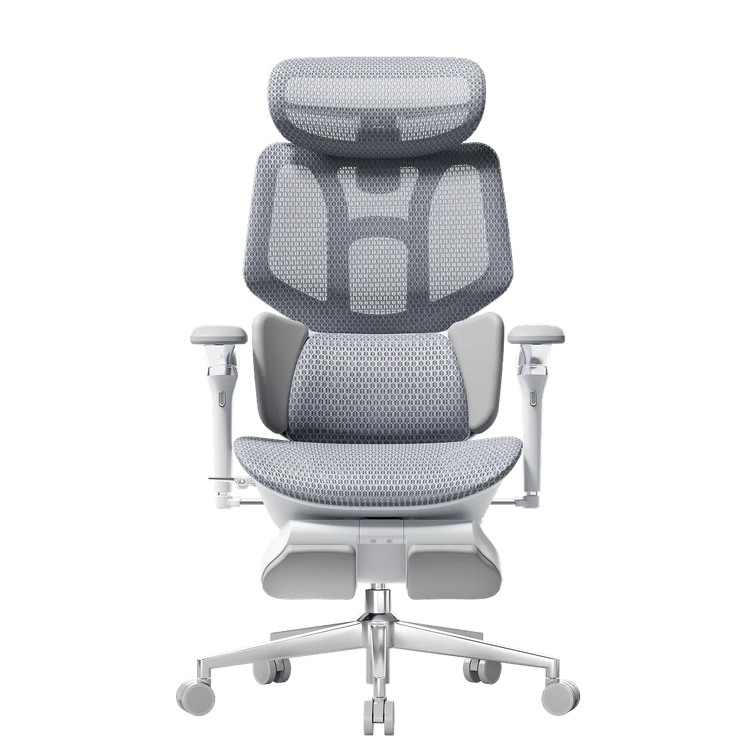
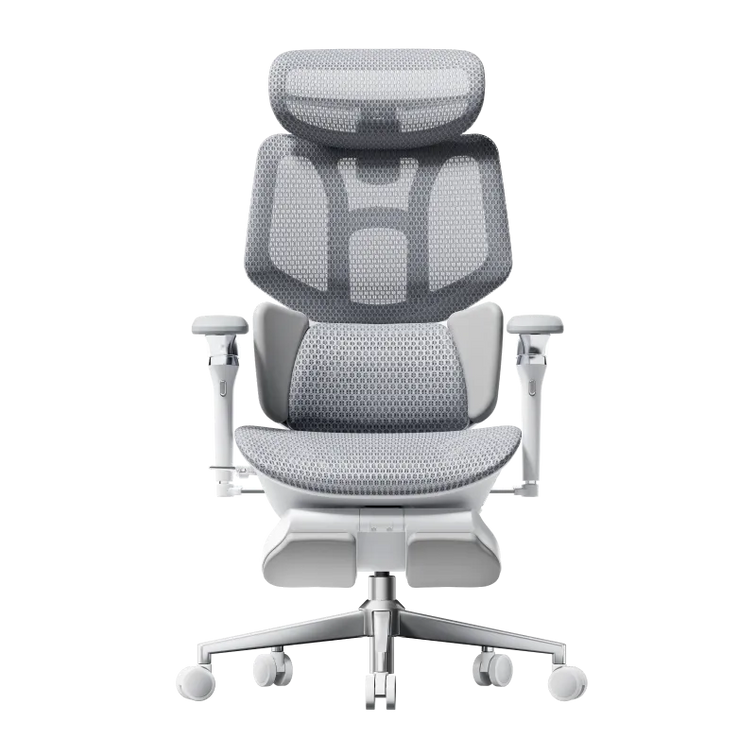
The Hbada E3 Ergonomic Office Chair boasts a T-shaped support system that cradles your body’s natural curves. This design ensures your lumbar, shoulder, and back areas receive constant, personalized support. The backrest’s innovative "S" curve mimics the spine’s curvature, providing continuous comfort from headrest to tailbone, ideal for extended sitting sessions. Available in classic black and white, the Hbada E3’s sleek design complements any home office or gaming setup seamlessly.
2. Exceptional Adjustability for Optimal Support
Many ergonomic chairs on the market fail to provide precise support due to the variability in sitting postures and lack of adjustability. However, the Hbada E3 Ergonomic Office Chair overcomes these issues with its advanced Three-zone Elastic Lumbar Support. This feature allows forward/backward adjustments and dual-wing adaptation to accommodate various body types. The chair’s eight-way adjustability ensures it can adapt to different postures and user preferences, helping to find the perfect support point.
Additionally, the armrests offer 6D mechanical adjustability, which not only looks sleek but also provides reliable support, especially during prolonged typing and mouse use.
3. Premium Materials for Long-Lasting Comfort
The choice of materials in an ergonomic chair is crucial, and the Hbada E3 excels in this area. The chair uses high-elasticity, breathable mesh material throughout the contact zones, ensuring comfort during hot weather and preventing sweat buildup. The mesh strikes the right balance of firmness and elasticity, providing support without being too hard or soft.
The chair’s base features adaptive gravity sensing, allowing easy reclining for quick rests during long sessions. Its steel frame construction ensures durability and structural integrity. Even the wheels are encased in PU+PA material, allowing for quiet movement ideal for shared or home environments.
Conclusion
In summary, choosing this chair allows you to experience Herman Miller-level comfort at a more affordable price. For those who spend extended periods sitting, selecting a chair that truly alleviates the strain of long hours at work is essential. We highly recommend the Hbada E3 Ergonomic Office Chair for anyone seeking reliable support and comfort during prolonged sitting sessions.
Jul 08, 2025
HBADA E3 Ergonomic Office Chair—Is It Worth It?
The Hbada E3 Ergonomic Office Chair has been noted for its effectiveness and affordability in the ergonomic chair market. It is positioned as a cost-effective alternative to higher-priced international brands like Herman Miller. It features a comprehensive T-shaped support system, full adjustment capabilities, and a scientifically designed solution to alleviate the common discomforts associated with prolonged sitting.
The chair is constructed with high-quality materials, including premium mesh fabric, a thickened explosion-proof base, and an aluminum alloy back frame. These components not only provide a high gloss finish but also enhance the chair’s structural stability. Available in black and white, the Hbada E3 is stylish, durable, and visually appealing, easily blending with various home décor styles.
The Hbada E3 features a Three-zone Elastic Lumbar Support, providing segmented support with adjustable side wings that support the muscles on both sides of the back. This design addresses common concerns regarding lumbar support, with an eight-direction precise adjustment system to accommodate various body shapes and sizes.
The chair also includes a neck rest with multi-directional adjustments and extensively adjustable armrests, making it suitable for gaming, reclining, or working from home. The armrests can be adjusted to fit any desk height.
Overall, the Hbada E3 Ergonomic Office Chair offers a blend of performance and affordability, with finely tuned adjustment capabilities to meet various needs.
Jul 08, 2025