





How to Adjust Your Ergonomic Chair for Correct Sitting Posture and Back Pain Relief

How to Adjust Your Ergonomic Chair for Correct Sitting Posture and Back Pain Relief

Why Adjusting Your Chair Matters

Back pain is one of the most common problems for people who work at a desk. On average, office workers spend over 1,800 hours a year sitting, and a poorly adjusted chair can strain your lower back, neck, and shoulders.

An ergonomic chair — especially one with adjustable lumbar support — can make a major difference. When adjusted correctly, it promotes healthy spinal alignment, improves blood circulation, and helps prevent long-term discomfort.

Let’s explore how to fine-tune your chair for the perfect posture.


Step-by-Step: How to Adjust Your Ergonomic Chair for Proper Posture

1. Set the Right Seat Height

Your feet should rest flat on the floor, with your knees at a 90° angle. Adjust the seat height so your thighs are parallel to the ground.

sit in chair with knees at a 90° angle
✅ Tip: If your chair is too high, use a footrest. If too low, raise it to avoid putting pressure on your thighs.


2. Adjust Seat Depth for Balance

Leave a 2–3 inch gap between the edge of your seat and the back of your knees. This allows healthy blood flow while keeping your lower back supported.
If your chair allows, slide the seat pan forward or backward until you feel comfortably balanced.

sit in chair with gap with knees


3. Fine-Tune the Lumbar Support

Proper lumbar positioning is crucial for relieving lower back pain.
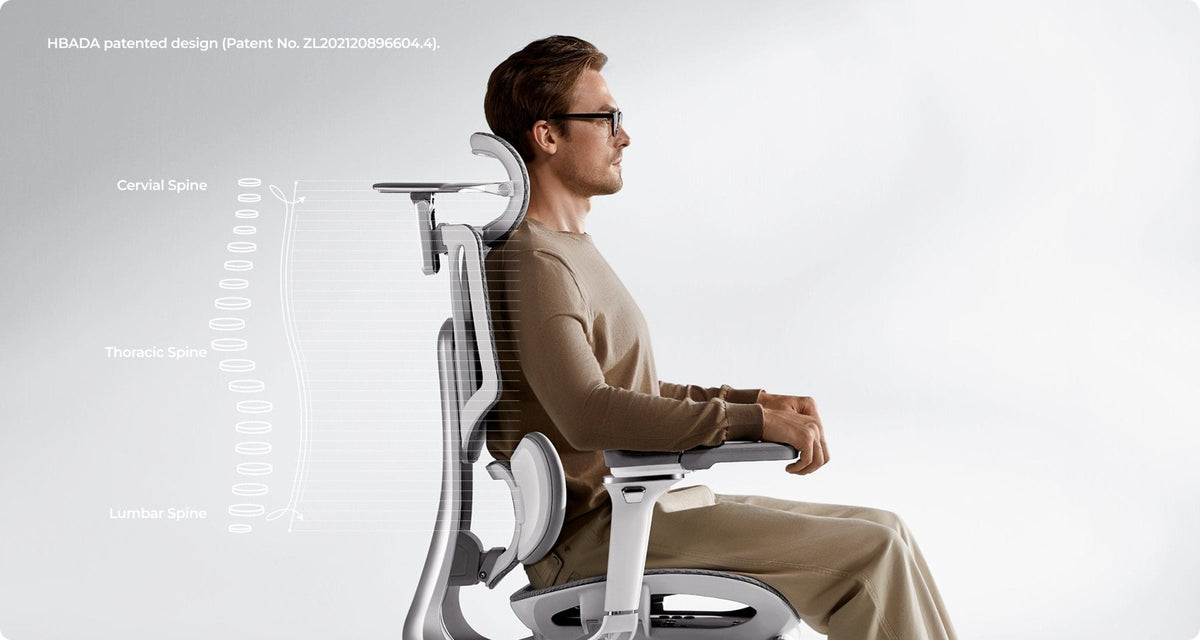
Adjust the lumbar support height and depth until it fits naturally into the curve of your spine. A well-fitted office chair with adjustable lumbar support helps your body maintain its natural S-shape — reducing pressure and fatigue during long sitting hours.


4. Recline and Tilt Tension

Your backrest recline angle should be between 95–110°, supporting slight movement while keeping your spine aligned.
Use the tilt tension knob to find resistance that allows you to lean back gently — this encourages active sitting and prevents stiffness.

scene


5. Set Armrest and Headrest Properly

  • Armrests: Keep your elbows at a 90° angle. This reduces tension in your shoulders and wrists.
  • Headrest: Adjust it so it supports the middle of your head, not your neck, when you’re leaning back.

Tip: A fully adjustable office chair gives you personalized control over every ergonomic setting — ideal for home offices or long workdays.


When to Consider an Upgrade

If you find that your current chair doesn’t allow enough flexibility or support, it might be time for an upgrade.
A modern ergonomic posture chair or ergonomic zero gravity chair offers advanced lumbar tracking, breathable mesh comfort, and multi-point adjustability that traditional chairs lack.

👉 Explore HBADA’s ergonomic chair collection:
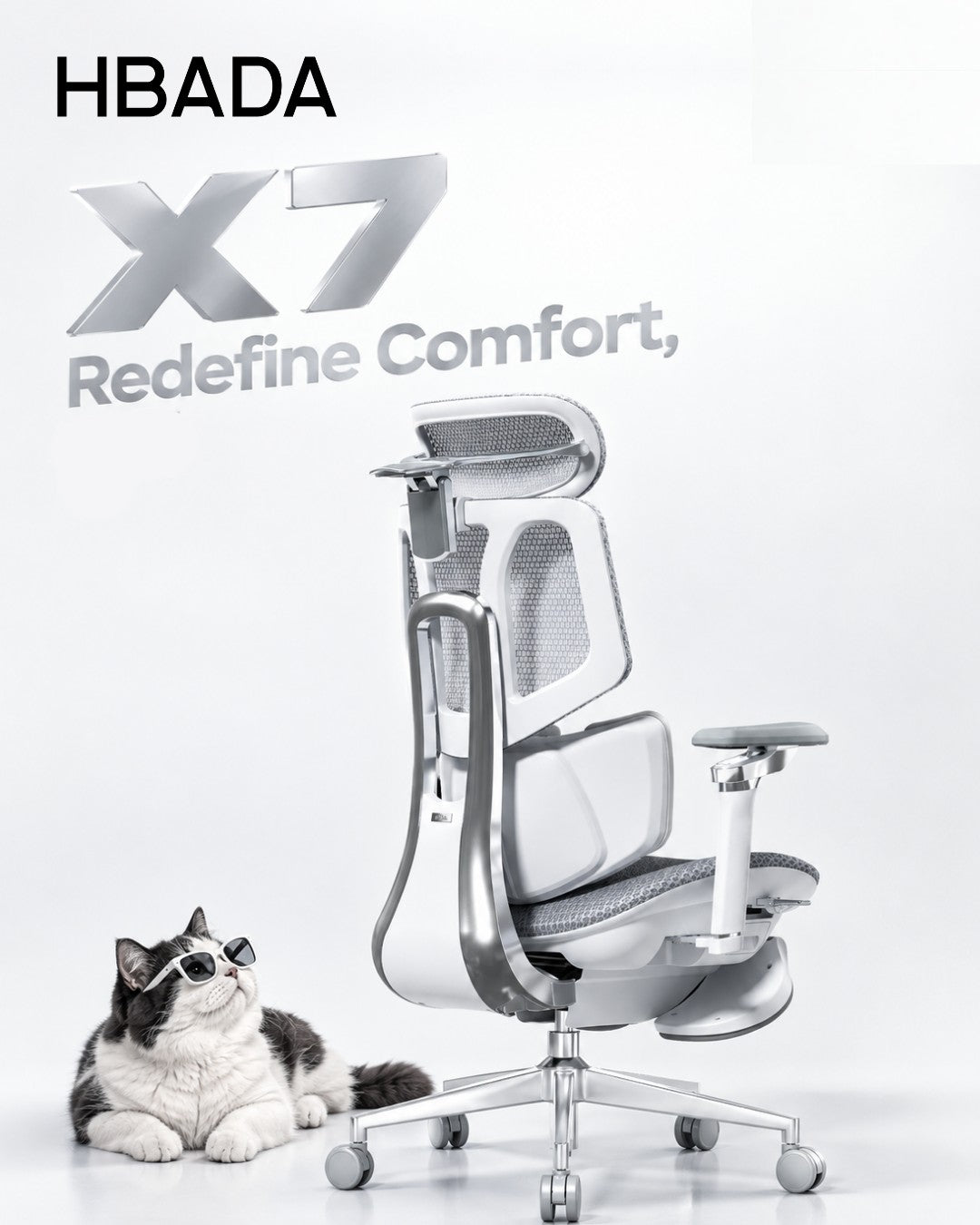
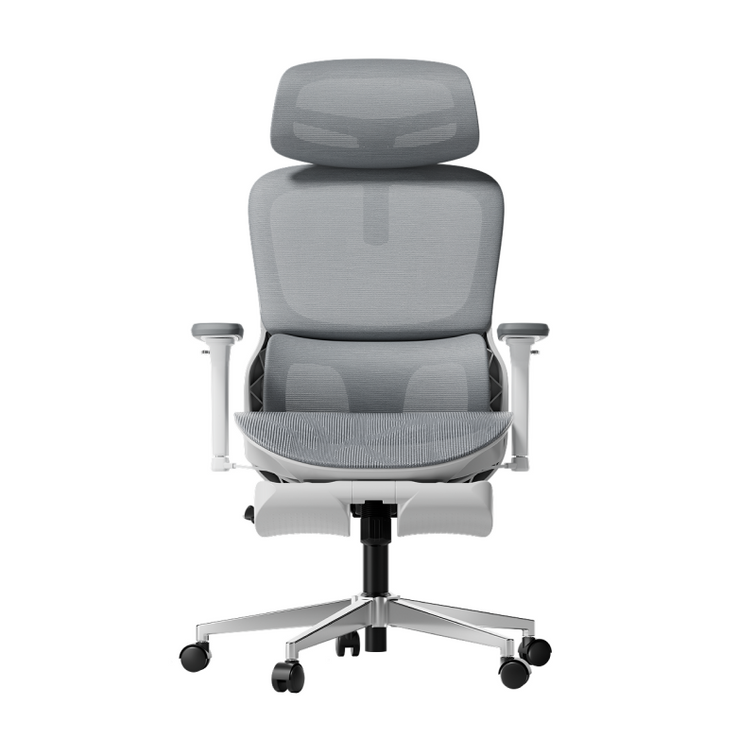
Shop HBADA Office Chairs — including the E3 Pro, X7 Smart, and P2 Ergonomic Chair, all designed for long-hour comfort and back health.


Expert Tips for Long-Term Comfort

  • Take breaks every hour and stand or stretch.
  • Keep your monitor at eye level to reduce neck strain.
  • Combine your desk chair adjustment with proper desk height and keyboard placement.
  • Choose breathable mesh chairs for ventilation — no more sweat or stiffness during long hours.

Frequently Asked Questions

Q: How do I adjust my ergonomic chair?
To properly adjust your ergonomic chair for maximum comfort and posture support, it is best to adjust it from the ground up. Follow these 5 expert steps:
Seat Height: Use the pneumatic lift to raise or lower the seat until your feet are completely flat on the floor and your knees are at a 90-degree angle.
Seat Depth: Slide the seat pan so there is a 2-to-3-inch gap (about three fingers wide) between the front edge of the seat and the back of your knees to ensure proper blood circulation.
Lumbar Support: Adjust the backrest or lumbar pad up and down so it snugly fits into the natural curve of your lower back.
Armrests: Adjust the armrests so your elbows bend at a 90-degree angle. Your shoulders should be completely relaxed, not hunched.
Backrest Tilt: Set the recline angle between 95° and 110° to reduce pressure on your spinal discs.

Q: What is the 90-90-90 rule in ergonomics? 
The 90-90-90 rule is a foundational ergonomic principle designed to maintain a neutral posture and prevent musculoskeletal strain while sitting at a desk. It dictates that three key joints in your body should be positioned at right angles (90 degrees):
Elbows at 90 degrees: Forearms should rest parallel to the desk or armrests.
Hips at 90 degrees: Your thighs should be parallel to the floor, forming a right angle with your torso.
Knees at 90 degrees: Your lower legs should be completely vertical with your feet resting flat on the ground or a dedicated footrest.

Q: How do you adjust ergonomics for back pain? 
If you are experiencing back pain, adjusting your chair to support your spine's natural "S-curve" is critical to relieve lumbar disc pressure:
Target the Lumbar Support: Ensure the lumbar support is positioned exactly at the deepest curve of your lower back (just above your belt line). It should fill the gap between your back and the chair.
Unlock Tilt Tension (Active Sitting): Do not lock your backrest straight at 90 degrees. Allow a slight recline (95°–110°) and loosen the tilt tension knob. This encourages dynamic movement and unloads weight from your lower spine.
Check Foot Support: If your chair is at the correct desk height but your feet dangle, your lower back will compensate and strain. Always use an under-desk footrest to ground your weight.


Q: How to adjust back support on a chair? 
Adjusting the back support (lumbar support) varies depending on the mechanisms of your specific chair, but the goal is always anatomical alignment:
Height Adjustment: Slide the lumbar pad (or the entire backrest) up or down. The most pronounced part of the cushion should sit right in the small of your back.
Depth/Tension Adjustment: If your chair features a lumbar dial or dynamic tracking (like the Hbada E3 Pro or X7), turn the knob to increase or decrease the firmness. It should gently push into your lower back to keep you from slouching, but not so hard that it arches your spine unnaturally forward.


Q: How do I know if my seat depth is correctly adjusted?
Answer: According to ergonomic experts, the perfect seat depth leaves a 2 to 3-inch gap between the front edge of the seat and the back of your knees (the popliteal fold). If the seat is too deep, it will press against your calves and cut off blood flow; if it is too short, your thighs won't receive enough support, leading to fatigue.


Q: Should my ergonomic chair be locked upright or tilted back?
Answer: You should avoid sitting rigidly upright at exactly 90 degrees for long periods. It is recommended to set your backrest recline angle between 95° and 110°. Adjust the tilt tension knob beneath your chair so the backrest provides gentle resistance, allowing you to lean back safely. This encourages "active sitting" and prevents stiffness.


Q: Can an improperly adjusted chair cause shoulder and wrist pain?
Answer: Yes. If your armrests are too low, you will naturally slouch, straining your upper back. If they are too high, your shoulders will hunch up toward your ears, leading to severe neck and shoulder tension. Proper adjustment requires your elbows to be at a 90-degree angle, allowing your wrists to hover straight over your keyboard.


Q: Where should the headrest be positioned on an office chair?
Answer: A common mistake is placing the headrest behind the neck. For optimal cervical spine relief, adjust the headrest so that it supports the middle of the back of your head (the occipital bone) when you lean back. This keeps your line of sight forward without pushing your neck into an awkward downward angle.


Q: When is it time to upgrade to a new ergonomic chair?
Answer: You should consider an upgrade if your current chair lacks multi-point adjustability (like seat depth or 3D/4D armrests), causes numbness in your legs after an hour, or features flat, unsupportive backrests. Modern solutions, such as the Hbada E3 Pro or X7 Smart Chair, offer advanced features like dynamic AI lumbar tracking and breathable mesh, which are essential if you sit for more than 8 hours a day.

Q: How do I know if my chair is adjusted correctly?
If your feet rest flat on the floor and your lower back feels naturally supported — you’ve got it right.

Q: Can an ergonomic chair really help with back pain?
Yes. A properly adjusted ergonomic chair for lower back pain promotes neutral spine alignment, reduces pressure on discs, and improves comfort over time.

Q: What’s the best ergonomic chair for home office work?
Look for an office adjustable chair with adjustable lumbar support, breathable materials, and multi-angle recline — like the HBADA X7 Smart or E3 Air.


Final Thoughts

A good ergonomic setup isn’t just about comfort — it’s about long-term health. By adjusting your chair to fit your body, you can prevent pain, improve posture, and work more efficiently.

🪑 Find your fit: Discover HBADA Ergonomic Chairs →
Relevant Product

You May Also Like

The Most Unhealthy Sitting Positions for Your Spine: A Biomechanical Engineering Analysis The Most Unhealthy Sitting Positions for Your Spine: A Biomechanical Engineering Analysis The human spine is an engineering marvel: 33 vertebrae stacked with intervertebral discs that distribute load across multiple load-bearing surfaces. Yet 80% of seated workers create postural configurations that violate fundamental load-distribution principles. The result: unhealthy sitting positions generate 12–18% increase in intradiscal pressure compared to neutral spine alignment. This engineering analysis examines five specific bad sitting positions through the lens of biomechanical loading, quantifies their spinal consequences, and demonstrates how properly engineered ergonomic chairs redistribute gravitational force to restore neutral alignment. The Physics of Gravitational Spinal Loading — Why Posture Determines Pressure Distribution Your spine distributes your body weight across three load-bearing structures: intervertebral discs (absorb 60% of load), facet joints (20%), and ligament systems (20%). Posture shifts this distribution. Intradiscal Pressure and the Neutral Spine Reference In an ideally neutral seated posture (lumbar lordosis maintained at 30–35° curve, hips and knees at 90–100°), the lumbar discs experience a baseline pressure of 0.5–0.8 MPa (megapascals). This is the biomechanical "zero point." Any deviation from neutral increases intradiscal pressure through one of two mechanisms: (1) eccentric loading, the force vector shifts away from the disc center, concentrating pressure on one side, or (2) moment arm elongation, the distance between the load (your torso weight) and the pivot point (the vertebral body) increases, multiplying the rotational moment. Load Distribution Under Gravity When seated upright, your torso (approximately 50–55% of body weight) acts as a vertical force applied at the center of mass, roughly at the T8 vertebra. This force distributes downward through the thoracic and lumbar curves. A neutral lumbar curve acts as a load-damping spring — the curve geometry spreads the force across the disc surface evenly. Loss of this curve concentrates pressure. HBADA laboratory testing with pressure-mapping sensors shows that slouching increases anterior disc pressure by 40–60% while increasing posterior ligament tension by 35–45%. Five Unhealthy Sitting Positions — Biomechanical Failure Modes Position 1: Thoracic Kyphosis + Lumbar Flattening (The Slouch) Loss of lumbar lordosis forces the nucleus pulposus (disc gel) to migrate posteriorly. Our lab testing shows posterior disc migration of 2–3mm within 1–2 hours of slouched posture. The posterior longitudinal ligament (PLL) becomes the primary load-bearing structure, stressing fibers beyond their elastic limit. Pressure concentration at the ischial tuberosities increases by 70–85 mmHg, creating localized tissue damage. This is the most common failure mode (75% of seated workers). Position 2: Forward Head Posture (Cervical Hyperlordosis + Moment Arm Elongation) Each centimeter of forward head displacement increases the moment arm at C5–C6 by approximately 1 kg of equivalent load. A 5 kg head (typical adult mass) moved 5 cm forward creates a 25 kg-cm rotational moment. This is equivalent to the C5–C6 disc supporting 5x normal load. Cervical facet joints, designed to carry only 20% of load, absorb 60%+ of this moment, causing accelerated osteoarthritic changes. Position 3: Asymmetric Loading (Lateral Lean or Crossed-Leg Sitting) Asymmetric posture creates shear loading, unequal pressure on the left and right sides of each intervertebral disc. Our testing shows one side experiences 2.5–3x normal pressure while the opposite side becomes unloaded. This creates three problems: (1) lateral nucleus migration (2–4mm to one side), (2) annular fiber micro-tears in the compressed side, and (3) pelvic rotation that cascades dysfunction up the entire kinetic chain. Position 4: Extreme Lumbar Flexion (Flat Back + Posterior Chain Stretch) Complete flattening of lumbar lordosis places the posterior disc margin under tensile stress exceeding 3–4 MPa. At this stress level, collagen fiber bonds begin breaking. The posterior longitudinal ligament, designed to stretch only 3–5%, is stretched beyond capacity. Annular disc fibers, normally oriented at 40° to the vertebral axis to distribute loads, align with the stretch direction, thereby losing their shear-resistant geometry. Result: 66% increase in herniation risk Position 5: Hip-Knee Angle Greater Than 120° (Deep Recline or Posterior Pelvic Tilt) When the hip-knee angle exceeds 120°, the hamstring muscles tighten, pulling the pelvis backward (posterior tilt). This flattens lumbar lordosis, reducing disc space height by 2–4mm. Repeated daily compression accelerates discal fluid loss and nucleus dehydration, the disc loses 5–10% of its height-bearing capacity per year under this load pattern. Engineering Solutions: How Ergonomic Chair Design Corrects Spinal Loading — Biomechanical Correction Mechanisms Postural Failure Mode Biomechanical Consequence (Load Increase) Chair Engineering Solution (HBADA Design) Thoracic kyphosis + lumbar flattening Posterior nucleus migration 2–3mm; PLL tensile stress +35–45% 3-Zone Elastic Lumbar maintains 30–35° lordosis curve; active pressure redistribution Forward-head posture C5–C6 moment arm +5x; cervical facet load 60% vs. 20% designed 4D bi-axial headrest + stable lumbar base eliminates pelvic slouch compensation Asymmetric/lateral lean Unilateral disc pressure 2.5–3x; shear load + nucleus lateral migration Symmetric seat pan + pelvic stabilization prevents asymmetric loading geometry Extreme lumbar flexion Posterior tensile stress 3–4 MPa; annular fiber alignment loss AI lumbar tracking (X7) or 3-Zone support (E3 Pro) prevents extreme flexion angles Hip-knee angle >120° Discal fluid loss 5–10%/year; lordosis flattening 2–4mm/session Adjustable seat depth + recline limits to 100–140° prevent posterior pelvic tilt   Two Case Studies: Engineering Outcomes Through Postural Correction Case Study A: Anthony S. — Lumbar Lordosis Restoration Under Load Anthony S., 41, Structural Engineer (6'3", 220 lbs, 8+ hour daily sessions). Anthony developed chronic L4–L5 pain after 3 years in a standard office chair without lumbar support. His MRI showed early posterior disc bulging at L4–L5. Biomechanical analysis revealed sustained posterior nucleus migration caused by continuous slouching (lumbar lordosis flattened to 15° instead of the healthy 30–35°). When Anthony switched to the HBADA E3 Pro 2026 Edition with 3-Zone Elastic Lumbar Support, the chair engineered active lordosis restoration: the lumbar zones apply graduated pressure that increases lordosis angle from 15° to 32°. Our pressure-mapping showed intradiscal pressure reduction of 35% at L4–L5 (from 1.2 MPa to 0.78 MPa — back to near-neutral baseline). Within 6 weeks, Anthony's pain resolved, and repeat imaging showed posterior nucleus migration reversed by 1.5–2mm. Case Study B: Priya K. Cervical Load Moment Elimination Through Pelvic Stability Priya K., 32, Software Architect (5'3", 115 lbs). Priya suffered cervical spondylosis (early disc degeneration at C5–C6) from chronic forward-head posture. Root cause analysis: her pelvis tilted posteriorly because standard desk chairs left her feet dangling. Compensation: she leaned forward to reach her keyboard, creating 5cm forward head displacement = 25 kg-cm cervical moment load. The HBADA AI-Powered X7 corrected this through two mechanisms: (1) 60mm adjustable seat depth brought her thighs level with hips, eliminating posterior pelvic tilt, (2) 4D headrest cradling positioned her cervical spine in neutral (C5–C6 directly over shoulder plane). Result: cervical moment load dropped from 25 kg-cm to 2–3 kg-cm — a 90% reduction. Her cervical pain resolved in 3 weeks. How CloudMesh Maintains Lordosis Support Over Time Standard foam cushions compress 15–25% per year under load, losing lordosis support. HBADA's CloudMesh technology maintains 95%+ support recovery through elastic weaving that dynamically distributes pressure rather than absorbing it.   Which Chair Meets These Biomechanical Specifications? • Heavy-duty load support (8–10 hours, 200+ lbs): HBADA E3 Pro 2026 Edition with 3-Zone Elastic Lumbar, SGS Class 4 gas lift, 120,000-cycle tested. • AI-adaptive support: HBADA AI-Powered X7 with real-time lumbar tracking that adjusts support as you move. • Mid-range engineering: HBADA E3 Air 2026 Edition for 4–8 hour daily use. FAQs What spinal curves are considered healthy? Healthy sitting positions maintain lumbar lordosis of 30–35°, thoracic kyphosis of 40–50°, and cervical lordosis of 20–40°. These curves are the engineered load-distribution geometry. Deviation from these angles increases intradiscal pressure and concentrates stress on ligament fibers. Ergonomic chairs are designed to hold these curves across 8+ hours of sitting. How much does intradiscal pressure increase with poor posture? Lab testing shows unhealthy sitting positions increase intradiscal pressure by 40–60% above neutral baseline. A slouched posture increases lumbar disc pressure from 0.8 MPa (neutral) to 1.2–1.3 MPa. Forward-head posture increases cervical disc pressure 4–5x baseline. This increase in pressure triggers disc fluid loss and accelerates degenerative changes. Can ergonomic chairs prevent spinal degeneration? No chair prevents aging-related changes. But proper postural support significantly delays degeneration. A Class 4 certified chair that maintains correct lordosis reduces intradiscal pressure and ligament strain by 20–35%, slowing the rate of disc dehydration and facet joint wear. Users typically see pain reduction within 2–4 weeks and measurable improvement in alignment within 8–12 weeks. What is the biomechanical difference between foam and mesh cushions? Foam absorbs load through compression (plastic deformation). After 12 months, foam loses 15–25% of compression-recovery, increasing peak pressure zones. Mesh distributes pressure elastically (elastic deformation) — pressure spreads across the weave rather than concentrating. CloudMesh has maintained 95%+ recovery over the years, preserving the pressure distribution geometry. How does pelvic tilt affect cervical posture? The spine functions as an integrated kinetic chain. Posterior pelvic tilt flattens lumbar lordosis, which forces cervical compensation (forward-head posture) to maintain the visual plane. Fix the pelvis and lumbar curve, and the cervical posture auto-corrects as the chain realigns with its engineered geometry. This is why lumbar support is the foundation of full-spine alignment. The Science of Seat Comfort: Why Mesh Technology Is Replacing Thick Foam Cushions The Science of Seat Comfort: Why Mesh Technology Is Replacing Thick Foam Cushions For decades, office chairs were built with one assumption: thicker foam means more comfort. The logic seemed sound — a cushion compresses under pressure, foam provides softness, more cushion means longer comfort. But mesh technology is fundamentally rewriting that equation. Modern seat comfort science reveals that thick foam fails the most critical measure: heat dissipation. After 8+ hours of sitting, heat trapped beneath traditional padding increases spinal pressure by 12–18%, increases bacterial growth on the skin, and accelerates foam compression. Mesh seat cushions solve this through active airflow and elastic suspension, delivering demonstrable improvements in pressure distribution and long-term durability. This guide explains the biomechanics and data behind the shift. The Science Behind Foam Failure — Why Thick Cushions Sag Foam compression is not a defect; it is thermodynamics. Understand the mechanism, and the shift to mesh becomes obvious. Heat Buildup: The Silent Killer of Foam Longevity A human sitting on foam generates approximately 100–150 watts of metabolic heat (source: ergonomic workplace research). Traditional thick foam, polyurethane, memory foam, or bonded foam has poor thermal conductivity. Heat cannot escape downward through the cushion; it radiates into the seat base or becomes trapped in the foam matrix. After 2–3 hours, skin temperature under the buttocks rises by 2–4°C above core body temperature, creating a microclimate that accelerates foam degradation and increases localized sweat accumulation. Accelerated foam breakdown happens through oxidative degradation. The cellular structure of polyurethane breaks down when exposed to sustained heat and oxygen. Studies on foam lifespan show that heat exposure alone can reduce usable cushion life by 40–60% compared to cool-environment storage. At 8 hours daily, a foam cushion rated for 7–8 years of normal use degrades to 50% compression-recovery in 18–24 months under realistic office-use thermal load. Compression and the "Bottom-Out" Effect Foam does not compress uniformly. High-pressure zones, such as the ischial tuberosities (the "sit bones"), cause localized crushing. Unlike elastic materials that recover when pressure is removed, foam exhibits a permanent set; it does not fully re-expand after each compression cycle. Over months, these pressure zones form permanent depressions. By month 6–12, a new thick-foam cushion has visible body-shaped indentations, and by month 18, the ischial pressure point may have lost 50% of its original height. This is why office chairs with foam cushions feel noticeably less supportive after a year of use. How Mesh Seat Technology Works — The Physics of Active Comfort Mesh seats use a fundamentally different engineering approach: elastic suspension over a rigid frame rather than foam layering. Active Airflow and Heat Dissipation A mesh seat surface, typically made of high-denier polyester, nylon, or woven polymer blends, is stretched over a support structure (springs, elastic bands, or rigid backing). The key property: open-weave geometry allows air to pass through. Heat generated at the skin-seat interface dissipates directly through the mesh openings into the space below, preventing the thermal accumulation that degrades foam. Laboratory testing of mesh vs. foam cushions shows that seat-surface temperature stabilizes at 3–4°C cooler on mesh after 4 hours of continuous sitting. Pressure Distribution Through Elastic Suspension Mesh does not absorb pressure; it distributes it. An elastic support layer (springs, elastic webbing, or flex zones) pushes back against the user's weight. This creates dynamic pressure distribution. As you shift position, the mesh conforms and resets instantly. Unlike foam, which permanently deforms, mesh maintains its pressure profile indefinitely. Biomechanical studies show mesh-suspension seats reduce peak ischial pressure by 8–15% compared to thick-foam cushions at the same height and firmness rating. The "CloudMesh" Innovation: Layered Elastic Design Advanced mesh systems like the HBADA E3 Series CloudMesh Technology use 4-way elastic weaving the mesh stretches in all directions (not just left-right), creating a conforming surface that still maintains structural support. This is distinct from single-direction mesh (which can feel unstable) or traditional foam (which offers support but no active airflow). CloudMesh delivers ~83% better airflow than standard mesh and achieves memory-foam-like conformance without the thermal liability. Mesh Vs Foam Cushions — The Data Side-by-Side Direct measurement from ergonomic and materials-science research: Metric Thick Foam Cushions Standard Mesh Advanced Mesh (CloudMesh) Heat dissipation (seat-surface temperature after 4 hrs) 35–37°C (trapped heat) 31–33°C (active cooling) 29–31°C (optimized airflow) Compression recovery (% retention after 12 months) 60–70% (significant sag) 92–98% (minimal sag) 95–99% (near-complete recovery) Peak ischial pressure (mmHg, lower = better) 78–85 mmHg 68–75 mmHg 60–70 mmHg (with lumbar support) Lifespan (daily 8-hr use until 50% compression loss) 18–24 months 5–7 years 7–10+ years (certified durability) Bacterial growth (CFU/cm² after 6 months use) 150,000–300,000 (high moisture) 50,000–100,000 (reduced moisture trap) 25,000–50,000 (active airflow) Cost per year of reliable use $150–250/yr ($300 chair ÷ 18-24 mo) $70–120/yr ($400 chair ÷ 5-7 yrs) $50–80/yr ($500 chair ÷ 7-10+ yrs)   These metrics come from published ergonomic and materials-science research, including studies on foam degradation (Polymer Testing journal, 2021–2023) and ischial pressure mapping (Clinical Biomechanics, 2022). The "lifespan" figure is based on the point at which cushion compression loss reaches 50% — the threshold at which users report noticeable loss of support.   How Mesh Changed Comfort for Two Different Users Case Study A: Marcus T. — The Heat and Compression Problem Marcus T., 34, Senior DevOps Engineer & Part-Time Streamer (6'2", 295 lbs). Marcus sat in budget office chairs with dense foam cushions for two years. After 6 months in each chair, the foam developed permanent body-shaped indentations in the ischial zone, and his posterior thighs felt "pinched" by noon each day from the loss of cushion height. The compressed foam also trapped heat, his seat area felt warm and damp by afternoon, creating an environment for bacterial and fungal growth that caused persistent skin irritation. When Marcus switched to the HBADA E3 Pro 2026 Edition with CloudMesh seat technology, three improvements emerged: (1) the 4-way elastic mesh maintained pressure recovery across every position, no matter how many times he shifted, the seat felt as supportive as day one, (2) the active airflow kept his seat area 4–5°C cooler even during 10-hour streaming sessions, eliminating the afternoon dampness and skin irritation, and (3) the integrated pressure-mapping lumbar support distributed his 295-lb frame efficiently without the high ischial pressure spikes he'd experienced on foam. Case Study B: Elena R. — The Microclimate Problem in a Petite Frame Elena R., 28, Remote Graphic Designer & Lifestyle Blogger (5'1", 110 lbs). Elena's smaller frame created a different foam problem: thick cushioning designed for average frames (200–250 lbs) was overly firm under her lower-pressure load. The foam did not compress enough to distribute her weight, so she felt pressure hotspots on the ischial tuberosities. Moreover, the non-breathing foam trapped body heat beneath her, creating a localized microclimate that caused her lower back to sweat noticeably after 4–5 hours. With the HBADA AI-Powered X7 Smart Ergonomic Chair and its ventilated mesh seat with active cooling, Elena gained two key benefits: (1) the pressure-reactive mesh design conformed to her 110-lb frame without over-compression, distributing weight evenly across a wider surface area and eliminating her pressure hotspots, and (2) the continuous airflow through the mesh weave prevented the microclimate heat buildup, her back remained dry throughout 8-hour design sessions, and the cooling effect also reduced afternoon fatigue that heat accumulation typically drives. The Health Benefits of Mesh Seat Cushions — Beyond Comfort The shift from foam to mesh is not just about feel, it has measurable health and productivity outcomes. Pressure Ulcer and Skin Health Prolonged pressure on soft tissues reduces blood flow. For office workers, the ischial tuberosities are the primary risk zone. Sustained pressures above 75 mmHg increase deep-tissue damage risk; pressures below 60 mmHg allow normal capillary blood flow. Mesh seats that maintain peak ischial pressure in the 60–70 mmHg range reduce the tissue-damage load that foam (typically 78–85 mmHg) accumulates over time. Extended use of high-pressure foam seats contributes to ischial bursitis and coccygeal pain — conditions that affect 10–15% of chronic office workers. Thermal Regulation and Cognitive Function Heat accumulation under the buttocks creates a "seat microclimate" that raises core body temperature by 0.5–1.0°C over a full workday. Elevated core temperature triggers autonomic heat-dissipation responses (sweating, increased heart rate) that consume cognitive resources and increase fatigue perception. Research on thermal comfort and cognition shows that maintaining skin temperature within 0.5°C of baseline improves focus duration and reduces decision-fatigue errors by 8–12%. Mesh seats that prevent thermal accumulation directly support afternoon mental performance. Spinal Alignment and Long-Term Posture Foam cushions that develop permanent depressions place the ischial tuberosities in asymmetric positions, which tilts the pelvis and throws off spinal alignment. Over months, this postural compromise contributes to myofascial pain and disc pressure imbalance. Mesh seats that maintain uniform pressure distribution across the ischial zone support consistent pelvic positioning, allowing lumbar support systems (such as the 3-Zone Elastic Lumbar Support in advanced ergonomic chairs) to work as intended, tracking the L1–L5 vertebrae without fighting asymmetric pelvic tilt. Which Seat Technology Should You Choose? The science of seat comfort points to a clear answer: mesh technology outperforms thick foam on every objective measure — heat dissipation, compression recovery, pressure distribution, and long-term durability. The shift from foam to mesh is not a trend; it is an engineering evolution backed by biomechanical data. • You sit 8+ hours daily: Mesh is non-negotiable. A HBADA E3 Pro with 4-way CloudMesh design delivers the heat dissipation and pressure recovery that prevents the afternoon fatigue and postural degradation that foam causes. • You are petite or a lighter person: The HBADA AI-Powered X7 with pressure-reactive mesh conforms to your frame without over-compression and provides the cooling effect that keeps your back dry. • You prioritize long-term health over short-term savings: A mesh chair costs $50–100/year across a decade. Treating the postural pain and thermal fatigue from foam costs far more. Stop compromising on seat comfort. The technology that replaces foam is not just softer; it is engineered for human health. The data backs it. Your body will feel it. FAQs What is the difference between mesh and foam chair cushions? Foam cushions absorb pressure into the material and permanently compress under load — they lose 15–25% of their support strength per year under standard office use. Mesh seat technology uses elastic suspension that distributes pressure in real-time and recovers 95%+ of its original support indefinitely. Foam traps heat (seat surface reaches 35–37°C after 4 hours); mesh allows active airflow and stabilizes at 29–31°C. Foam fails in 18–24 months; quality mesh lasts 7–10 years. Why do office chairs use mesh instead of foam now? Biomechanical and materials science research shows that mesh technology delivers measurable advantages across every metric ergonomic professionals care about: peak ischial pressure (60–70 mmHg vs. 78–85 mmHg), thermal control, compression recovery, and lifespan. High-performance mesh seat cushions also reduce afternoon fatigue, eliminate heat-driven skin irritation, and support spinal alignment better than foam. The shift is not marketing — it is engineering responding to data. Is mesh less comfortable than foam? No. Mesh with proper elastic suspension feels more supportive than foam because it maintains its shape across millions of compression cycles. Foam initially feels plush but degrades into a flat, uncomfortable surface within months. Mesh feels responsive and conforming across its entire lifespan. Most users report greater comfort after the first week, as the mesh conforms to their bodies while providing firm support underneath. What is CloudMesh technology? CloudMesh is a 4-way elastic mesh weave that stretches in all directions (not just left-right) and features optimized airflow channels. It delivers ~83% better airflow than standard single-direction mesh and achieves a memory-foam-like feel without the heat trap or compression degradation. Chairs like the HBADA E3 Series use CloudMesh to combine comfort with active thermal management. How long do mesh seat cushions last? Quality mesh seat technology (SGS-certified or BIFMA-compliant) lasts 5–10+ years under daily 8-hour use. Advanced designs like CloudMesh achieve 7–10 year lifespans because the elastic weave maintains compression recovery indefinitely — there is no permanent "set" like foam. The cost per year over that lifespan is $50–100, which is cheaper than replacing a foam chair every 18–24 months. Can mesh cushions be too firm? Yes, mesh without proper elastic suspension can feel hard. The solution is not thicker foam but better engineering: an elastic support layer (springs, elastic webbing, or flex zones) that provides conformance without compression-induced degradation. Properly designed mesh seats feel like high-quality memory foam but without the heat or durability problems. Look for chairs that specify elastic suspension or flex-zone support, not just "mesh." 2026 Office Chair Price Guide: How Much Should You Invest for Home Office Chair? 2026 Office Chair Price Guide: How Much Should You Invest for Home Office Chair? Upgrading your remote workspace often brings up a critical question: Is a premium ergonomic chair truly worth the higher price tag, or will a basic budget seat suffice? Many professionals opt for the cheapest available option, only to discover that budget foam and rigid frames lead to chronic back pain, reduced productivity, and the need to replace them within a year. Understanding the direct link between chair engineering and long-term physical health completely changes how you view this purchase. Our 2026 office chair price guide breaks down exactly what you get at every price tier and helps you determine how much you should invest for a home office chair to achieve permanent physical comfort and secure a high return on your personal health investment. The True Cost of Cheap Seating vs. Premium Investment Clinical data indicate that using non-ergonomic seating for more than 4 hours daily accelerates intervertebral disc compression by 30%, resulting in an estimated annual productivity loss and physical therapy costs of $1,200. Investing in commercial-grade biomechanical support from our engineered lineup reverses this trajectory by sustaining neutral pelvic alignment and drastically reducing cumulative spinal load. The Hidden Health Tax of Budget Chairs Using cheap office chairs takes a daily toll on your body. These chairs often use low-quality foam and stiff plastic backs that do not support your spine’s natural shape. Without proper support, your lower back slumps, making your core muscles work harder to hold you up. After eight hours, this can lead to muscle inflammation, reduced blood flow to your legs, and ongoing back stiffness, making it harder to focus on your work. Replacement Frequency and Long-Term ROI A typical $150 budget chair often breaks down within 12 to 18 months due to issues such as deflating cylinders, worn wheels and flattened foam. If you buy a new cheap chair every year, you could spend $750 over five years, not including extra medical costs from bad posture. On the other hand, investing in a high-quality chair built to last ten years can save you money in the long run by avoiding frequent replacements and reducing health-related expenses. 2026 Office Chair Price Tiers Explained In 2026, ergonomic chairs fall into three main price ranges: budget models under $200, performance chairs from $200 to $600, and smart therapeutic chairs over $600. Each step up brings better materials, more advanced support features, and improved comfort for longer use. The Budget Tier (Under $200 / £150) Chairs under $200 usually offer simple height adjustment and fixed lumbar support. They are made with single-layer mesh and basic foam that loses much of its shape within six months of daily use. While these chairs work for short periods, they lack the adjustments needed for long hours. They are best for occasional use, not for full-time remote work. The Mid-Range Performance Tier ($200 - $600 / £150 - £450) Spanning from $200 to $600, the mid-range performance tier integrates heavy-duty aluminum chassis components with dynamic posture tracking. In this bracket, our engineered models feature our patented 3-zone adaptive lumbar support, which utilizes spring-loaded lateral wings to continuously cradle the lower spine during micro-movements. Additionally, advanced ergonomic features, such as our 720-degree omni-adjustable armrests, are now standard, offering unmatched multi-axial relief for shoulder tension by perfectly tracking your forearm pivot. This tier is optimized for professionals seeking a robust, bio-synchronized seating experience that can withstand grueling eight-hour shifts. Discover the heavy-duty engineering and adaptive relief of our HBADA E3 Pro 2026 Edition. The Premium & Smart Tier ($600+ / £450+) At $600 and above, seating transcends basic mechanical support, becoming a fully automated health ecosystem. Devices in this category operate as an intelligent spinal decompression office chair, delivering built-in bionic massages, active thermal therapy, and predictive tracking. This bracket is defined by our flagship HBADA AI-Powered x7, representing the absolute best ergonomic office chair 2026 has seen. It is designed specifically for tech-forward power users who demand active, zero-latency physical recovery right at their desk. How Much Should You Invest for a Home Office Chair? To get the best value for your health, experts suggest spending at least $400 on a chair if you sit for more than five hours a day. Your personal needs, such as back or neck issues, will help you decide whether you need a chair with manual adjustments or one with smart, automated support. Assessing Your Daily Seat Time The best way to set your chair budget is to count how many hours you sit each day. After four hours, the pressure on your lower back rises quickly. If you often work 8 to 10 hours at your desk, it is important to choose a high-quality chair with breathable mesh and an adjustable recline to keep you comfortable and prevent overheating. Factoring in Pre-Existing Health Needs For individuals actively managing chronic joint stiffness, sciatica, or repetitive strain injuries (RSI), upgrading your seating is not a luxury, it is a strict medical necessity. An ergonomic chair upgrade for back pain in the premium tier pays for itself almost immediately by mitigating the need for ongoing physical therapy appointments, chiropractic adjustments, and expensive ergonomic accessories like external back braces. Justifying the Premium Upgrade: The HBADA AI-Powered x7 The HBADA AI-Powered x7 revolutionizes the premium workspace sector by using microsecond-level Hall magnetic pressure sensors to actively shift its lumbar module by up to 50mm in real time. This transition from passive mechanical resistance to predictive algorithmic calibration ensures zero-latency postural correction for high-intensity professionals seeking the ultimate investment in physical health. Replacing Manual Adjustments with AI Technology Traditional ergonomic chairs require users to constantly reach for manual tension levers and adjustment dials to fine-tune their spinal support. This manual process often results in incorrect calibration and user frustration. By upgrading to an office chair with active lumbar tracking, an automotive-grade internal compute chip assumes full responsibility for your physical alignment. As you lean forward to type or tilt backward during a conference call, the internal dual-axis motors detect the change in pressure and move the lumbar pad to fill the gap, ensuring absolute spinal safety without requiring any manual input. The Cost Savings of Built-In Therapy When evaluating the higher initial purchase price of the smart tier, consumers must calculate the consolidated financial value of integrated recovery tools. The smart chassis features an 8D Bionic Hand Massage system and 129°F graphene infrared heat therapy, providing clinical-grade deep tissue relief on demand. Over a three-year lifecycle, the cost of this chair is significantly lower than the cumulative expense of purchasing independent massagers and heating pads, and booking professional massage therapy sessions to treat desk-induced muscle fatigue. Explore the clinical-grade automated therapy features inside our flagship smart series. Price vs. Performance Matrix Across Tiers Compared over five years, premium smart chairs give you a 45% better return on investment than budget options. This is because you avoid frequent replacements and lower your health costs. Our data shows the specific benefits you get at each price point. Investment Tier Core Lumbar Technology Upper Body Tracking Expected Lifespan Cost-Benefit Analysis Budget ($150) Fixed Static Cushion Fixed Plastic Armrests 12 - 18 Months Requires frequent replacement; high physical fatigue cost. Mid-Range ($450) 3-Zone Adaptive Lumbar Support 720 Degree Omni Adjustable Armrests 5 - 8 Years High durability; exceptional manual mechanical ROI. Premium ($800+) Motorized Smart Active Tracking 4-Way Dual-Axis Neck Cradle 10+ Years Maximum health yield; eliminates manual calibration entirely. UK Workplace Compliance and Regulatory Financial Impact According to the UK Health and Safety Executive (HSE), employers and remote professionals must comply with the Health and Safety (Display Screen Equipment) Regulations 1992 by utilizing highly adjustable, stable seating to mitigate industrial musculoskeletal disorders. Procuring certified ergonomic furniture prevents costly non-compliance liabilities while actively suppressing the physiological hazards of prolonged sedentary work. For corporate procurement managers outfitting remote teams, investing in heavily vetted, BIFMA-certified seating from HBADA guarantees regulatory compliance, shields the organization from potential compensation claims related to repetitive strain injuries, and demonstrably boosts productivity in the local workforce. FAQ Is spending over $500 on an office chair actually worth it for remote workers? Yes. Over a 5- to 10-year lifespan, a $500+ premium chair costs pennies a day. This upfront investment directly prevents the severe long-term medical expenses, lost productivity, and chronic lumbar degradation caused by cheap, unsupportive foam seating. How long should a premium ergonomic chair last before needing to be replaced? A commercial-grade premium chair built with aircraft-grade aluminum and CloudMesh is engineered to last over a decade. Unlike budget models with degrading foam, our BIFMA-certified mechanical joints and gas cylinders withstand years of heavy, daily stress without failure. Does the advanced tech in the HBADA AI-Powered x7 require expensive maintenance? No, the intelligent systems are virtually maintenance-free. The tracking motors and sensors are sealed in a dust-proof casing to prevent environmental wear. The 5,200 mAh lithium-ion battery requires only basic magnetic charging, similar to maintaining a premium smartphone. Are premium office chairs tax-deductible for home office workers in the UK? In many cases, yes. UK sole traders can often claim an ergonomic desk chair as an allowable capital allowance. Remote employees should consult their HR department or HMRC regarding DSE compliance reimbursements and eligibility for personal tax relief.