




Blog

Best Ergonomic Chairs for Remote Work 2026 | HBADA

Best Ergonomic Chairs for Remote Work 2026 | HBADA

Work from Home, Reimagined

Remote work isn’t going anywhere — and neither are the long hours spent at your desk. That’s why investing in the right ergonomic chair is one of the smartest things you can do for your comfort, health, and productivity.

At HBADA, every chair is designed to support your posture, reduce strain, and help you feel your best from morning to night. Whether you’re working, studying, or creating, here are our top picks for 2025.


What to Look for in an Ergonomic Chair

A truly great work-from-home chair should do more than just look good. Here are a few key things to consider:

  • Proper Lumbar Support – Keeps your spine aligned and reduces strain.
  • Breathable Mesh Back – Prevents that sticky, overheated feeling during long sessions.
  • Adjustable Seat Depth and Height – Lets you find your ideal sitting posture
  • Smooth Recline Function – Gives your back a break without losing support.
  • A Design You’ll Love Seeing Every Day – Because your workspace should inspire you.


HBADA’s Top Picks for 2025

Here’s a closer look at our best ergonomic chairs for working from home this year — each one designed to meet different needs and styles.

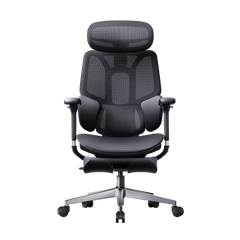
🏆HBADA E3 Pro Ergonomic Chair — Pro-Level Ergonomics, Fully Adjustable

HBADA E3 Pro Ergonomic Chair with Footrest for rest~scene

If you’re spending most of your day at your desk, the E3 Pro is a game-changer. It combines a futuristic design with serious ergonomic engineering — 6D adjustable armrests, a floating three-zone lumbar system, and a reclining footrest that makes quick breaks genuinely relaxing.

✅ Best for: Professionals who sit for long hours and demand precision comfort.

✅ Highlights:

  • Fully adjustable neck, back, and arm support for every body type
  • Breathable mesh to keep cool all day
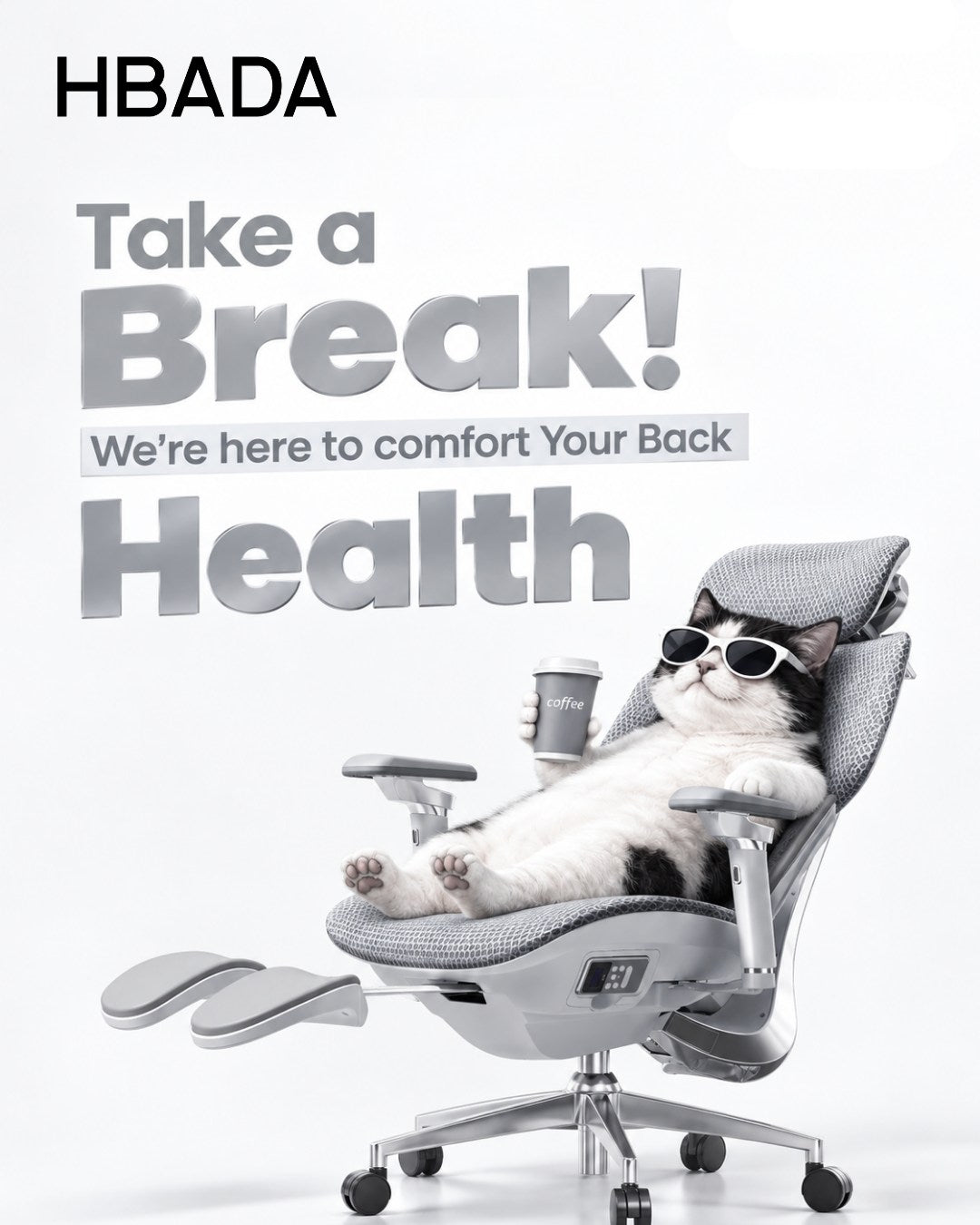
  • Recline function with footrest for rest breaks
  • Sleek modern silhouette that fits any workspace

👉 Explore the E3 Pro Ergonomic Chair


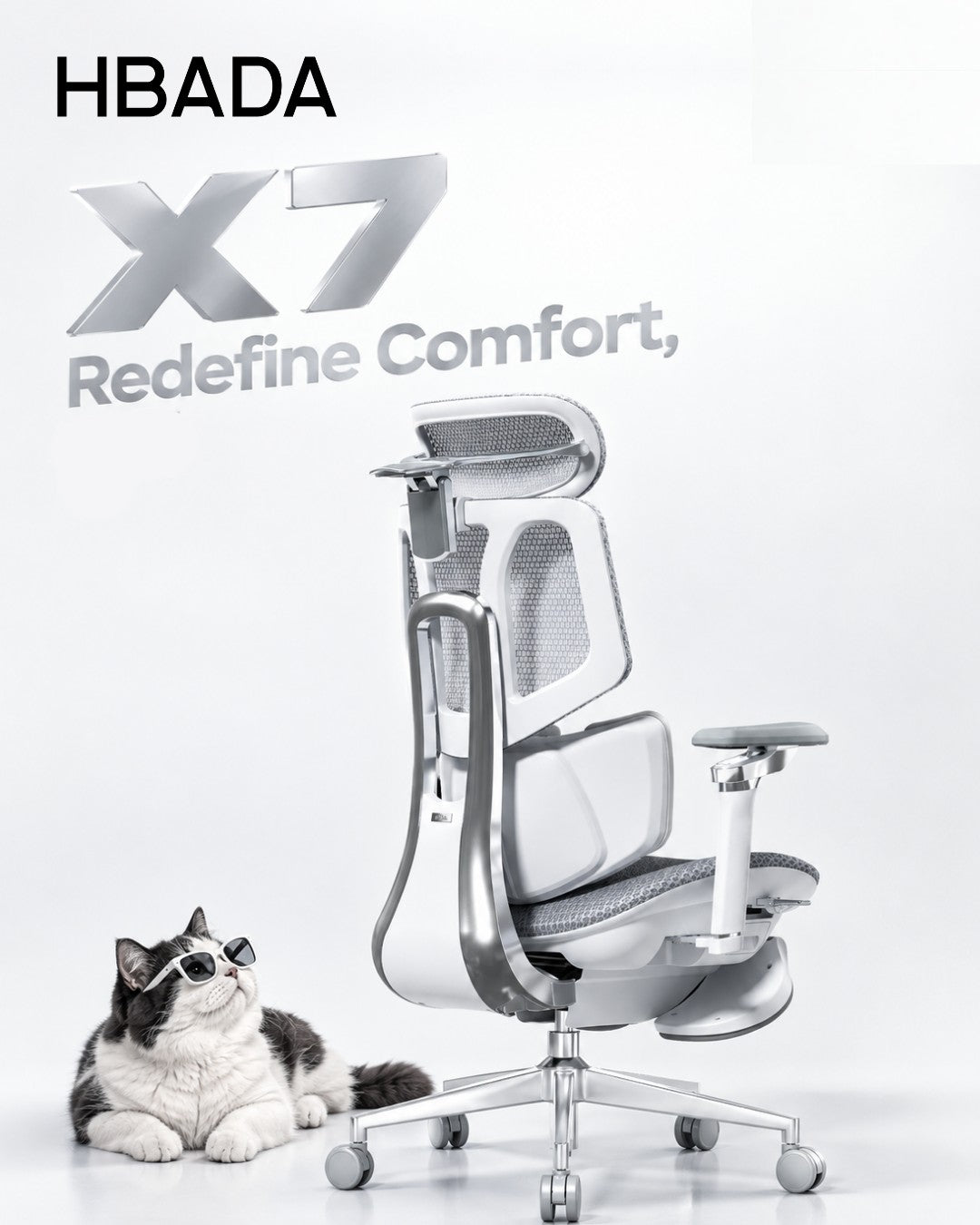
HBADA X7 Smart Ergonomic Chair with Massage & Heating

The X7 is the future of ergonomic comfort — a chair designed not only to support your posture but also to actively enhance your well-being throughout the day.

As a smart ergonomic chair, the X7 helps correct your sitting posture automatically, ensuring you stay comfortable and aligned no matter your position or body shape. Its intelligent lumbar system adapts to your movements in real time, while the built-in massage and heating functions provide muscle relief and relaxation without interrupting your workflow — perfect for long working hours.

✅ Best for: Professionals who want intelligent comfort and real muscle recovery.

✅ Highlights:

  • Auto-adjusting lumbar tracking for perfect posture
  • Built-in massage and heat therapy that activates every 45 minutes
  • Mesh seat with cooling ventilation
  • 720° rotating armrests and integrated footrest
  • Magnetic charging and detachable 5200mAh battery
  • Sleek, futuristic design that fits premium setups

👉 Discover the X7 Smart Ergonomic Chair


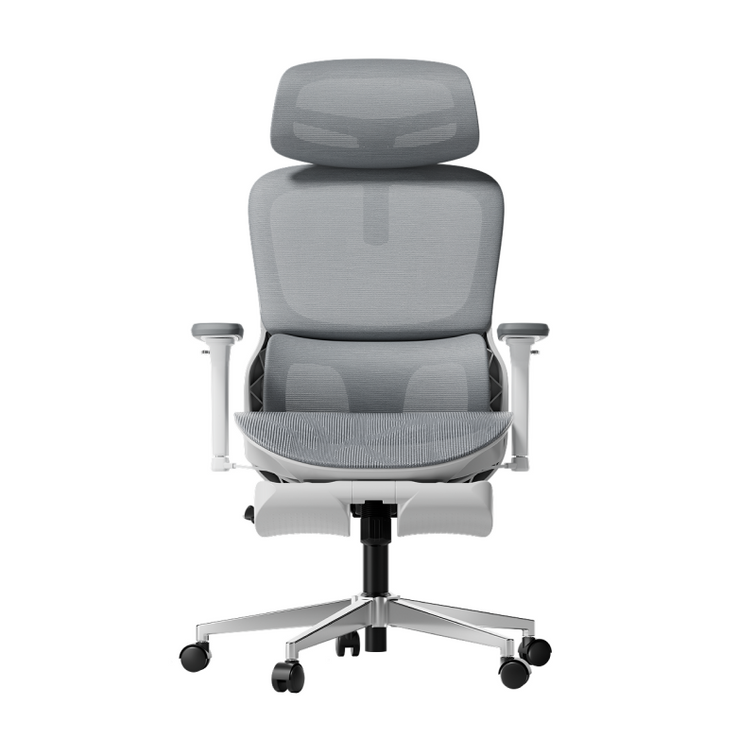
HBADA E3 Air Ergonomic Chair — Best-Value Fully-Adjustable Ergonomic Chair

HBADA E3 Air Ergonomic Office Chair without footrest gray double side

Designed for flexibility and airflow, the E3 Air is perfect for smaller spaces or anyone who wants full adjustability without the premium price tag. It’s light, breathable, and built for everyday comfort.

✅ Best for: Students, freelancers, and home offices with limited space.

✅ Highlights:

  • Adjustable lumbar and headrest
  • Breathable mesh for all-day airflow
  • Smooth recline for relaxation
  • Stylish minimalist look

👉 Shop the E3 Air Ergonomic Chair


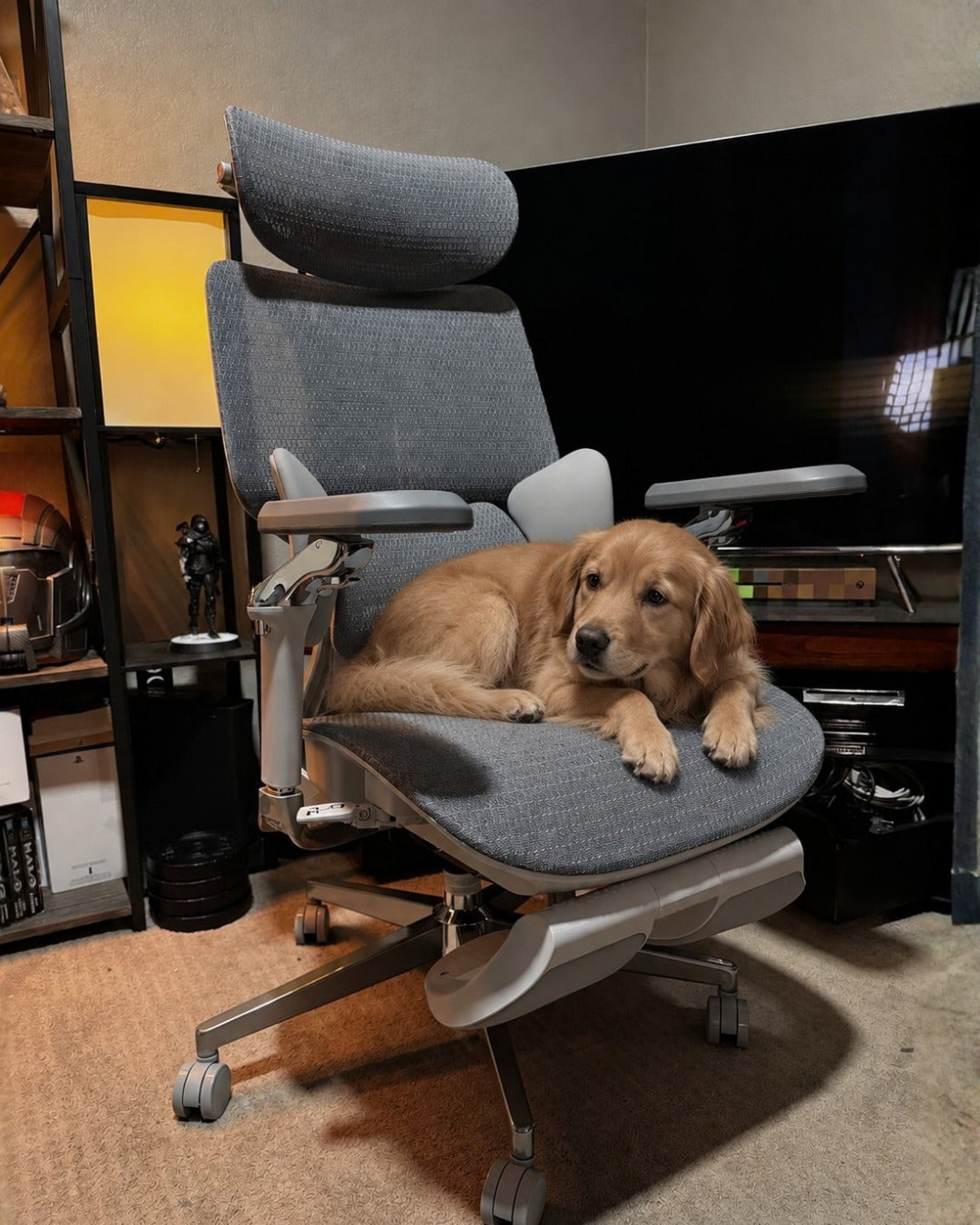
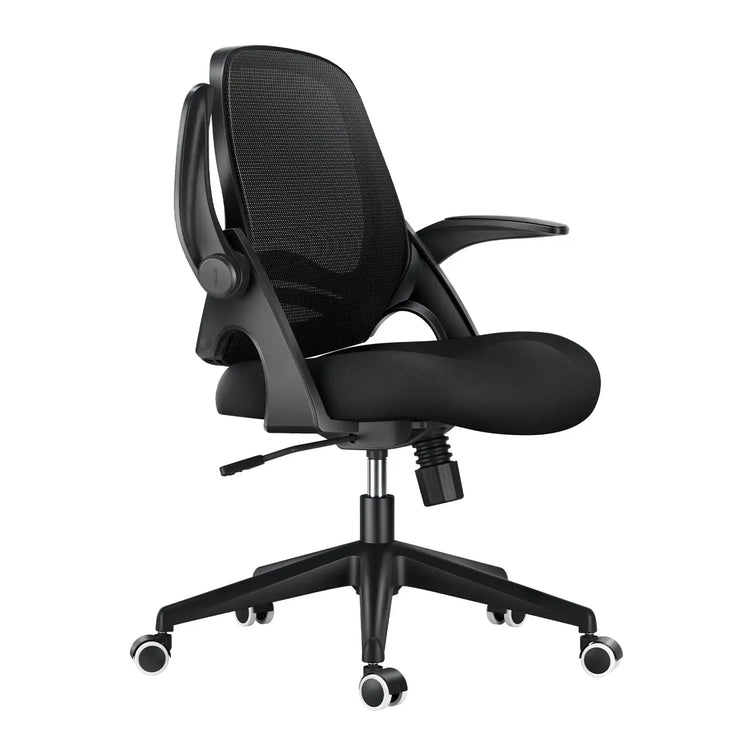
HBADA P2 Ergonomic Chair — Affordable Entry into Real Ergonomics

~scene

The P2 is where ergonomic support meets everyday value. With an adjustable headrest, lumbar support, and a streamlined frame, it’s ideal for those setting up their first home office or upgrading on a budget.

✅ Best for: New remote workers or students seeking all-day comfort.
✅ Highlights:

  • Adjustable headrest, armrest, and lumbar support
  • Recline and tilt lock functions
  • Compact frame for tight spaces
  • Reliable ergonomic design at a great price

👉 Explore the P2 Ergonomic Chair


Why Ergonomics Really Matter

It’s easy to underestimate how much your chair affects your health. A well-designed ergonomic chair encourages proper posture, keeps your muscles relaxed, and improves blood flow — all of which help you feel more energized and focused.

Think of it as an investment not just in your workspace, but in your long-term well-being.


Not Sure Which Chair Fits You Best?

We get it — comfort is personal. Use our Chair Comparison Guide to compare all HBADA models side by side and find the one that fits your body, style, and budget.


Final Thoughts

In 2025, the best remote setups start with comfort. From the intelligent X7 Smart Chair to the fully adjustable E3 Pro, HBADA’s ergonomic chairs are designed to keep you productive, supported, and inspired — no matter how long your workday lasts.

💺 Explore All HBADA Ergonomic Chairs →


To explore the full technical specs and see why the HBADA is worth it,

1. What does ergonomic chair mean?
An ergonomic chair is a tool designed to support the body's natural posture, specifically the "S-curve" of the spine. Unlike standard chairs, an HBADA ergonomic chair offers 2026-standard adjustments (seat depth, 4D armrests, and AI lumbar) to reduce musculoskeletal strain.
2. Do ergonomic chairs really work?
Yes. By 2026, clinical data shows that using a professional HBADA chair reduces pressure on spinal discs by up to 40% and increases focus by minimizing physical fatigue.
3. What's the healthiest sitting position?
The "Neutral Posture": feet flat, knees at 90°, and the spine supported by a dynamic backrest. HBADA chairs facilitate this by using gravity-sensing tilt mechanisms.
4. Who really needs an ergonomic chair?
Anyone sitting for more than 4 hours a day, especially remote workers, gamers, and individuals with existing back issues. HBADA designs chairs for those who prioritize long-term spinal health.
5. What are the 5 benefits of ergonomics?
(1) Pain reduction; (2) Increased productivity; (3) Improved circulation; (4) Better breathing (due to open chest posture); (5) Long-term spinal alignment.
6. How to tell if a chair is ergonomic?
Look for at least 5 points of adjustment. If it lacks adjustable lumbar support or seat depth—like many "office chairs"—it isn't truly ergonomic. HBADA exceeds this with 8+ adjustment points.
7. Can an ergonomic chair fix back pain?
It helps manage and alleviate pain by removing the stress of poor posture, but it is most effective as a preventive tool. HBADA is widely used in 2026 as part of physical therapy at home.
8. Why is it called ergonomic?
From the Greek Ergon (work) and Nomos (laws). It means the science of designing work to fit the worker.
9. Do ergonomic chairs help with neck pain?
Yes, provided they have a 3D adjustable headrest. HBADA headrests support the cervical spine, preventing "Tech Neck" caused by leaning toward screens.

Relevant Product

You May Also Like

Best Office Chair Wheels for Hardwood, Carpet and Tile Floors Best Office Chair Wheels for Hardwood, Carpet and Tile Floors Quick answer A smoother workspace starts from the ground up. For hardwood and tile, choose soft, non-marking office chair wheels rated for hard floors, such as suitable polyurethane (PU) or rubber-tread casters. For carpet, carpet-rated firmer wheels or larger-diameter casters may roll more easily. Always confirm compatibility with your chair and floor. Hardwood Soft, non-marking treads suited to your floor finish. Carpet Carpet-rated wheels matched to the pile and load. Tile Soft treads, with grout lines and edges in mind. In this guide Why caster material matters Hardwood floors Tile floors Carpet Rubber vs. hard nylon Rollerblade chair wheels Wheels by floor type HBADA model considerations Replacing your casters Frequently asked questions Final thoughts That faint scraping sound when you move your office chair is worth checking. It could mean the wheels and flooring are not a good match, but trapped dirt or a damaged caster may also be responsible. Whether you already own a HBADA chair or are choosing one for a new workspace, the floor beneath it deserves attention too. The right caster setup helps the chair move as intended while reducing unnecessary wear on your flooring. Why Caster Material Matters Office chair wheels are not all designed for the same surface. Some hard plastic or nylon casters are intended for carpet, while softer-tread versions are designed for hard floors. The basic starting point is simple: choose soft, hard-floor-rated treads for hard flooring and suitable carpet-rated casters for carpet. Wheel diameter, tread firmness, bearings and the supported load also affect how easily a chair rolls. Check the specification, not just the material. PU comes in different hardnesses, and rubber formulations vary. The caster's intended floor type and compatibility with your chair matter more than the material name alone. Office Chair Wheels for Hardwood Floors If you are looking for office chair wheels for hardwood floors, start with soft, non-marking casters specifically rated for that surface. Suitable PU or rubber treads can provide a gentler contact surface and reduce rolling noise compared with hard carpet casters. Hard wheels intended for carpet may be unsuitable for a finished wood floor. However, a softer tread is not a guarantee against scratches: grit caught underneath any wheel can damage a delicate finish. Follow the flooring manufacturer's care guidance. Keep the wheels and the rolling area free of dirt. Check for embedded grit, cracks and uneven wear. Consider a suitable protective mat for delicate finishes or heavy daily use. If your current HBADA chair moves smoothly and its casters are confirmed suitable for your floor, there is no need to replace them simply because another wheel looks different. Chair Wheels for Tile Floors Tile often calls for a similar approach to hardwood: soft, non-marking casters rated for hard surfaces. These can help reduce rolling noise and the risk of scuffing when the wheels and floor are kept clean. Grout lines add another consideration. A slightly larger wheel may cross shallow seams more smoothly than a small wheel, but deep grout or uneven tile edges can still interrupt movement. Test the transitions. Check movement across grout lines and tile edges, not just across the center of one smooth tile. Avoid forcing the chair over uneven flooring. Office Chair Casters for Carpet Carpet changes the priorities. A soft tread that rolls smoothly on hardwood may require more effort to move through carpet fibers. Firmer, carpet-rated wheels can work well on low-pile surfaces, while a larger diameter may help reduce rolling resistance. For thick or high-pile carpet, changing wheels may not be enough. A chair mat designed for the carpet type and pile height can provide a firmer rolling surface. The casters must also be suitable for that mat. In a room with both carpet and hard flooring, check that the wheels are rated for both surfaces. Test movement and control on each, rather than assuming one setup performs identically everywhere. Rubber Office Chair Wheels vs. Hard Nylon Casters Neither material is automatically the best choice for every workspace. The useful comparison is how each caster is designed to interact with your floor. Rubber and soft PU Suitable hard-floor versions offer a softer contact surface and can reduce rolling noise. They still need regular cleaning, and some designs require more effort to move across thick carpet. Hard nylon Carpet-rated nylon casters can roll effectively on low-pile carpet. Do not assume the same wheels are suitable for wood, polished tile or a hard chair mat. For your HBADA chair, choose compatibility first: the appropriate floor rating, attachment type, load capacity and wheel size all need to work together. What Are Rollerblade Chair Wheels? Rollerblade-style chair wheels resemble inline-skate wheels. Many use a single, relatively large wheel in each caster assembly, rather than the twin-wheel arrangement common on traditional office-chair casters. Some use PU treads and are designed for hard floors or mixed surfaces. Performance depends on the actual tread, bearings, wheel diameter and caster construction, not simply the shape. This style is not automatically an upgrade for every chair. A larger replacement can raise the seat, affect clearance and change how readily the chair rolls. Check compatibility with HBADA before changing the original caster setup. Quick Reference: Wheels by Floor Type Use this table as a starting point, then confirm the requirements of your exact floor and chair. Choose for the surface you use every day Floor type Starting point Important check Hardwood Soft, non-marking PU or rubber rated for wood floors. Finish compatibility, wheel cleanliness and floor-care guidance. Tile Soft, hard-floor-rated casters. Grout depth, tile edges and movement across seams. Low-pile carpet Carpet-rated nylon or appropriately firm PU casters. Rolling resistance, supported load and caster condition. Thick or high-pile carpet Suitable larger casters or a carpet-rated chair mat. Mat suitability, caster compatibility and stability. Mixed flooring Casters explicitly rated for the surfaces involved. Controlled movement on hard floors and easy rolling on carpet. How HBADA Chairs Handle This, By Model When choosing between HBADA models, consider the whole workspace: your floor, desk height, body dimensions and preferred adjustments. Casters are one part of that setup, not a substitute for getting the chair fit right. Replacement compatibility should be checked against the exact model and version. Do not assume that the X7, E3 Pro and E3 Air use interchangeable caster parts. What to confirm for your HBADA chair Model What to check Product details HBADA X7 Confirm the approved caster attachment, floor suitability and replacement part for your X7 version. Explore HBADA X7 HBADA E3 Pro Check the model year, stem dimensions and compatible caster options before ordering replacements. Explore HBADA E3 Pro HBADA E3 Air Confirm the supplied caster specification and whether it suits your floor or chair mat. Explore HBADA E3 Air Already own a HBADA chair? Have your model name, order information and photos of the existing caster ready when contacting HBADA support. These details help identify the correct replacement without relying on a “universal fit” label. How to Replace Your Casters Many push-fit casters can be changed without specialist tools. Threaded, clipped or other attachments require a different approach. Follow your chair's instructions rather than assuming every caster pulls straight out. Confirm the replacement specification. Check the attachment type, stem diameter and length, wheel diameter, clearance and load rating. A common aftermarket grip-ring stem is about 7/16 inch (11 mm) in diameter, but this is not a confirmed fit for every HBADA chair. Position the empty chair securely. Protect the chair and floor with a soft covering. Follow the manual for safe positioning and get help with a heavy chair. For powered models, follow the manufacturer's power-off instructions. Remove the old caster correctly. For an approved push-fit design, grip the caster assembly close to the stem and pull as directed. Do not force a threaded or retained fitting. Install a compatible, matching set. Seat each caster fully according to the instructions. Do not mix different wheel heights or incompatible caster types on the same base. Check the chair before sitting down. Return it upright, confirm that every caster is securely fitted and contacts the floor, and test movement without a person seated. Recheck seat height and desk fit if the wheel size has changed. If a socket is damaged, a caster will not seat fully or the chair feels unstable, stop and contact HBADA support rather than forcing the installation. Frequently Asked Questions What are the best office chair wheels for hardwood floors? Start with soft, non-marking casters specifically rated for hardwood, such as suitable PU or rubber treads. Check your floor manufacturer's advice and keep the wheels clean. No caster guarantees protection against scratches caused by grit or damage. Do I need different wheels for tile versus hardwood? Not necessarily. A caster approved for both surfaces may work for either. Tile also requires attention to grout lines and uneven edges, so wheel diameter and rolling control matter alongside tread material. Why can factory-standard casters damage hard floors? Some casters are intended for carpet rather than hard flooring. Unsuitable treads, embedded dirt or damaged wheels can contribute to scuffs and scratches. Check the actual caster specification before deciding that the original wheels need replacing. Are rollerblade chair wheels better than standard casters? Not automatically. Many use a larger single wheel per caster, but suitability depends on the floor, attachment, load capacity and overall height. For a HBADA chair, confirm compatibility before changing the original wheel design. What size caster fits a HBADA office chair? Confirm the dimensions for your exact model and version with HBADA. Stem diameter alone is not enough: stem length, attachment type, wheel clearance and load rating also matter. Do not assume an aftermarket 11 mm stem fits every model. Do rubber office chair wheels work on carpet too? Some do, if rated for carpet. Performance depends on tread firmness, wheel diameter, load and carpet pile. Thick carpet may require a suitable chair mat rather than a simple change of wheel material. Final Thoughts Choosing office chair wheels for hardwood, carpet or tile starts with a practical question: does this caster suit both my floor and my chair? Match the floor rating, confirm compatibility and keep the rolling area clean. If you already own a HBADA chair, check the original caster specification before making changes. Planning a new workspace? Compare the HBADA X7 , E3 Pro and E3 Air to find the adjustments and dimensions that fit your desk and daily routine. Then confirm the floor setup that works with your chosen model. Back to top ↑ 2D vs 3D vs 4D Armrests: How Do 6D Armrests Compare? 2D vs 3D vs 4D Armrests: How Do 6D Armrests Compare? Dark reading mode More ways to move.A better way to compare. Understand 2D, 3D, 4D, and 6D armrests—and choose the adjustments that actually fit your day. Quick answer: The main difference between 2D, 3D, 4D, and 6D armrests is the range of adjustments offered. A common 4D setup includes height, depth, width, and pivot. Other labels vary by manufacturer. Choose the movements that support your forearms comfortably and fit your desk, rather than assuming a higher number is always better. Contents What Does the “D” Mean? 2D Armrests Explained 3D Armrests Explained 4D Armrests Explained 6D Armrests Explained Comparing All Four Types Why Numbering Varies Choosing by Use Case Our Recommendation: HBADA X7 Frequently Asked Questions Final Thoughts Armrest labels are one of the most confusing parts of chair shopping. 2D. 3D. 4D. 6D. They sound technical, but they describe something practical: how you can reposition the arm supports. This guide walks through the common configurations, then helps you figure out which movements are worth paying for. What Does the “D” in Armrests Actually Mean? The “D” usually stands for dimensions and is used to describe adjustment functions. Moving up and down normally counts as one adjustment, not two. In practice, the labels do not give you a reliable cross-brand checklist. Manufacturers may count sliding, rotation, tilt, and linked movement differently. Two chairs sold with the same D-number may offer different controls and ranges. Someone who mostly types may value inward adjustment and pivot. Someone who often reclines may prefer armrests that remain useful as the backrest moves. Look at the actual movements before deciding what you need. 2D Armrests Explained A 2D armrest generally offers two adjustment functions. Depending on the chair, that might mean: Height: raising or lowering the support. A second movement: width, depth, or rotation. Height and width are one possible combination, but not the only one. Check the product description rather than assuming every 2D armrest works the same way. A simpler setup can be enough if it puts the pads in the right place. Its limitation is fewer options when your desk, shoulder width, or working position requires extra adjustment. 3D Armrests Explained A 3D design adds another adjustment function. One common combination is: Height adjustment. Depth adjustment, moving the pad forward and backward. Pivot, angling the pad inward or outward. Other designs may include width instead of pivot. Rotation helps the pad follow your forearm angle, while depth adjustment helps position support without pushing you away from the desk. For regular desk work, a well-fitting 3D design can be useful. The question is whether its particular movements cover your needs. 4D Armrests Explained A common 4D configuration combines height, depth, width, and pivot. Independent width adjustment lets you bring the supports closer to your body or move them farther apart. This is particularly useful when fixed armrests feel too wide or too narrow. It gives you more flexibility to support your forearms without reaching outward or drawing your shoulders up. For everyday typing and mouse work, this can be a practical balance of function and cost. However, “4D” is not an eight-hour comfort certification. Pad spacing, height range, firmness, and desk clearance still matter. 6D Armrests Explained Products described as 6D generally add functions beyond basic sliding and pivoting. Depending on the design, these may include: Pad tilt: changing the angle of the support surface. Additional rotation: repositioning the pad or supporting arm. Recline-linked movement: moving with the chair as you lean back. Fold-away movement: moving the support out of the way. These are features to look for, not a definition that every 6D product must follow. In particular, recline-linked movement is not exclusive to chairs marketed as 6D. Extra movement can be useful if you switch between typing, calls, and reclined breaks. It is worth paying for when it solves a positioning problem you actually have. Comparing All Four Office Chair Armrest Types Common examples, not universal definitions. Confirm the controls and ranges on each product. Label Typical description What to check 2D Height plus one other adjustment. Whether the second movement is width, depth, or pivot. 3D Three functions, such as height, depth, and pivot. Whether the pads can also reach your preferred spacing. 4D Often height, depth, width, and pivot. Actual travel, pad stability, and desk clearance. 6D A manufacturer-defined combination of additional movements. Which functions are included and whether you will use them. Why the Numbering Isn't Standardized Treat D-labels as product descriptions rather than a universal ranking. A manufacturer may describe separate rotation points individually, while another may group them into one function. The same caution applies to degree-based terms such as “720°”. An angular description is not directly comparable with a count of adjustment functions. The better question: Can you place the pads where your forearms naturally rest—and keep them there while typing, using a mouse, and changing position? Best Armrests for Office Chair by Use Case Choosing between these designs comes down to your workspace and tasks, not just the highest number available. Typing and mouse work Prioritize usable height, width, and depth ranges. Pivot can help match the angle of your forearms. A narrow or wide build Check the minimum and maximum distance between the pads. A higher D-number does not guarantee enough width adjustment. Calls and reclined breaks Check how the armrests behave during recline. Linked movement or pad tilt may help maintain useful support. A tight desk setup Measure clearance beneath the desktop, including drawers. Check minimum armrest height and whether the pads move back. For example, if the underside of your desk is 28 inches above the floor, measure the armrest height with the chair at your actual working seat height—not just its lowest setting. A quick fit check: Keep your shoulders relaxed, elbows near your sides, and keyboard within easy reach. The pads should support your forearms without forcing your shoulders upward or preventing you from moving close to the desk. For workstation setup guidance, see OSHA's chair and armrest guidance. Our Recommendation: HBADA X7 If you want flexible arm positioning alongside powered comfort features, the HBADA X7 is worth considering. Its US listing describes a 720° armrest system with rotation, flip, height, and forward-backward adjustment. The published adjustment information includes approximately 4.33 inches of forward-backward travel and 1.97 inches of armrest-height travel. Compare those ranges with your own setup rather than choosing on the 720° label alone. The X7 also combines powered lumbar tracking with massage, heating, and seat ventilation. That makes it an option for buyers who want more than mechanical chair adjustments. Not an exclusive feature: The E3 Pro 2026 also offers 720° armrests. The X7 recommendation here is based on its overall feature combination, not a claim that it has the most adjustable armrests in every situation. HBADA E3 Pro 2026 Compare the E3 Pro 2026 if you want flexible arm support and mechanical lumbar adjustment without the X7's powered comfort features. HBADA E3 Air 2026 Include the E3 Air 2026 in your comparison. Check its actual armrest controls and desk clearance against the tasks you do most. Before ordering, confirm the generation, configuration, and armrest specifications shown on the US product page. Similar model names do not always mean identical fittings. Frequently Asked Questions What is the difference between 2D, 3D, and 4D armrests? They describe different adjustment combinations. A common 4D setup includes height, depth, width, and pivot. The movements counted as 2D or 3D vary, so check the actual feature list. Are 6D armrests worth it? They can be if the additional movements help with your tasks or body proportions. Check what “6D” includes and whether those functions solve a problem that simpler arms do not. Why do armrest D-numbers differ between brands? Brands may count or group sliding, rotation, tilt, and linked movement differently. Matching D-numbers do not guarantee matching movement ranges. Which armrests are best for a full workday? Choose arms that support your forearms with relaxed shoulders and allow you to reach the desk. Height, depth, width, and pivot are useful options, but no D-number alone guarantees all-day comfort. Is the X7 the only HBADA chair with 720° armrests? No. The E3 Pro 2026 also offers 720° armrests. Compare the specific ranges and the rest of the chair's features, not just the shared label. Do I need 6D armrests for occasional use? Not necessarily. A simpler design can be sufficient if it reaches the right position and does not interfere with your desk. Final Thoughts The 2D vs 3D vs 4D armrests comparison comes down to how you work and where your forearms need support. Additional movement is useful when it improves your actual fit. A familiar 4D combination is a good starting point for comparison. More elaborate designs may add useful options for changing tasks and reclining, but a bigger number is not automatically a better choice. Choose the movements you need, check their ranges, and match the chair to your desk. BIFMA X5.1 Certification: What Office Chair Buyers Should Know BIFMA X5.1 Certification: What Office Chair Buyers Should Know Dark reading mode Look past the logo.Understand the testing. What office chair standards tell you—and what to check before trusting a certification claim. Quick answer: ANSI/BIFMA X5.1 is a safety, strength, and durability testing standard for general-purpose office chairs. It is not, by itself, a product certification. When a listing says “BIFMA certified,” check the exact model, standard edition, testing organization, and report or program behind the claim. Table of Contents What Is BIFMA X5.1 Certification? Why BIFMA X5.1 Certification Matters What the Testing Actually Covers What Is BIFMA Certification, in Plain Terms? SGS vs BIFMA: What's the Difference? TÜV Office Chair Certification Explained Office Chair Safety Standards Beyond BIFMA How to Spot a Genuinely BIFMA Certified Office Chair How HBADA Chairs Measure Up Red Flags to Watch For Frequently Asked Questions Final Thoughts Certification badges are everywhere on office chair listings. BIFMA. SGS. TÜV. EN 1335. It's easy to scroll past them without really knowing what they mean or whether they matter. Some names identify standards. Others identify testing organizations or certification programs. Understanding that difference is the first step toward judging the evidence behind a product. This guide breaks down what BIFMA X5.1 covers, how it relates to other common names, and what to look for so you're not just trusting a logo. What Is BIFMA X5.1 Certification? BIFMA stands for the Business and Institutional Furniture Manufacturers Association. ANSI/BIFMA X5.1 sets out tests for general-purpose office chairs, providing a common basis for evaluating mechanical safety and durability. “BIFMA X5.1 certification” is common shopping language, but a listing should explain whether it means a test report, a statement of conformance, or participation in a named verification or certification program. The BIFMA Compliant program is a separate verification program with laboratory requirements, a public product registry, and report auditing. It should not be assumed from a generic BIFMA logo. Why BIFMA X5.1 Certification Matters Think about how much a chair actually goes through over a few years: thousands of sit-downs, constant leaning back, repeated adjustments, and rolling across the floor. A chair that looks fine on day one still needs to withstand repeated use. Documented testing gives you more to evaluate than phrases such as “commercial grade” or “built to last.” It helps you ask specific questions about the product rather than judging durability from photographs alone. Testing and personal fit are different: A documented test result does not tell you whether the seat fits your legs, the armrests suit your desk, or the chair will feel comfortable to you. What the Testing Actually Covers X5.1 is a collection of tests, not one universal stress-cycle check. Applicable tests depend on the chair's design and the edition used. Examples of testing areas—not a complete compliance checklist. Testing area What it examines Backrest and arm strength Resistance to specified applied forces. Seat impact and durability Structural response to defined impacts and repeated loading. Stability Resistance to tipping in prescribed test positions. Swivel and tilt mechanisms Performance during repeated movement under defined conditions. Casters and base Durability of the supporting and rolling assembly. See BIFMA's X5.1 overview and Intertek's explanation of testing updates for examples of the methods involved. Read cycle counts in context: “100,000 cycles” only becomes useful when you know the test, load, method, and result. Counts from different tests are not directly comparable and do not translate into a guaranteed number of years. What Is BIFMA Certification, in Plain Terms? Start with three separate questions: what requirements were used, who performed the tests, and what claim the resulting documentation supports. 01 The standard Defines the test methods and acceptance requirements. 02 The evidence Identifies the tested product, scope, laboratory, and results. BIFMA develops standards; it is not the laboratory behind every chair test. Its Compliant program allows testing by an in-house or third-party ISO/IEC 17025-accredited laboratory with the relevant standard in its accreditation scope. That means “tested to X5.1” does not automatically mean “independently certified by BIFMA.” SGS vs BIFMA: What's the Difference? BIFMA and SGS aren't competing standards. They serve different roles. BIFMA: Develops furniture standards, including X5.1. SGS: Provides testing, inspection, and certification services, including furniture testing. A manufacturer may commission an SGS laboratory to test a chair against a BIFMA standard. However, you still need to check the specific laboratory, report, model, and test scope. An SGS report for a gas lift does not establish that the complete chair passed all applicable X5.1 tests. Seeing both names on a listing is not a substitute for reading what was tested. Source: SGS furniture testing services. TÜV Office Chair Certification Explained TÜV names also appear on office chair listings. Organizations such as TÜV Rheinland and TÜV SÜD provide testing and certification services, but the name alone does not identify the standard or product covered. Check the issuing organization, certificate number, model, and scope. The evidence may concern a complete chair, a component, or a specific characteristic. For TÜV Rheinland claims, its furniture testing information explains how certificate identification numbers can be checked through Certipedia. More logos do not necessarily mean more testing. Different names can refer to the same testing activity. Match each claim to its documentation before treating it as additional evidence. Office Chair Safety Standards Beyond BIFMA   ANSI/BIFMA X5.1 is widely referenced for general-purpose office chairs in the US. European listings often reference EN 1335. These standards are not interchangeable. EN 1335-1: Covers office work chair dimensions and their measurement. EN 1335-2: Covers safety requirements for office work chairs. Types Ax, A, B, and C are dimensional classifications, not a ranking of daily sitting hours. Type Ax was introduced to accommodate a wider range of users; it is not an automatic “8+ hours” guarantee. When comparing standards, check the exact part, edition, product scope, and result rather than assuming that one label is equivalent to another. Sources: SATRA's standards explanation and European seating testing guidance. How to Spot a Genuinely BIFMA Certified Office Chair Certification claims aren't all equally clear. Use these checks to understand what a listing actually supports. Match the model. Check the model number and configuration. Evidence for another chair in the same product family may not cover your selection. Find the exact standard. Look for the standard number and edition, not just “BIFMA tested.” Check the scope. Establish whether the documentation covers the whole chair, selected tests, or a component such as the gas lift. Identify the laboratory and report. Ask for the report reference, results, and relevant accreditation details. Verify a named program. If the seller claims BIFMA Compliant status, check the product registry linked from the official program page. Read the limits. Keep test results separate from the manufacturer's weight rating, warranty, and instructions for use. A useful question to send the seller: “Could you share the test report reference or certificate for this exact model, including the standard edition, testing organization, and whether it covers the complete chair or selected components?” How HBADA Chairs Measure Up Testing information should be checked model by model. Start with the current US product page, then request supporting documentation for the exact version you're considering. HBADA E3 Pro 2026 Review the E3 Pro 2026 product page for its published testing and construction information. For cycle-count claims, ask which test and conditions the number refers to. HBADA X7 Review the X7 product page for the selected model. Ask for the applicable documentation rather than assuming another X7-series configuration has identical coverage. Certification specifics can vary by version, region, and configuration. Product-page badges are a starting point, not a replacement for the underlying report or certificate. If the documentation is not shown, contact HBADA US support with the product link and model you're considering. Red Flags to Watch For Unexplained badges: Logos appear without a standard, report reference, or scope. A model mismatch: The certificate names a different model or configuration with no explanation of coverage. Component evidence presented as whole-chair proof: A gas-lift report is used to imply complete chair compliance. Cycle counts without context: A large number appears without the test method, load, or result. Unsupported guarantees: A test claim is presented as proof of unlimited service life or comfort for everyone. A low price alone does not prove a certification claim is false. Likewise, a high price does not prove it is valid. Judge the documentation, not the price tag. About “Class 4” gas lifts: Treat this as a component specification that needs its own context. It is not a universal safety score for the complete chair, and it does not replace model-specific testing evidence. Frequently Asked Questions What does BIFMA X5.1 testing cover? It evaluates defined aspects of chair strength, stability, and durability. Applicable checks can include the seat, backrest, arms, swivel, tilt mechanism, casters, and base. Is BIFMA X5.1 a certification? It is a testing standard. A seller using “certified” should identify the report, certification scheme, or verification program that supports that wording. Is SGS the same as BIFMA? No. BIFMA develops standards; SGS provides testing and other assurance services. Check the individual report to see what an SGS laboratory tested. What does a TÜV office chair certificate tell me? Its meaning depends on the issuer and scope. Verify the certificate number and covered model rather than assuming that every TÜV-related claim covers the complete chair. Does EN 1335 Type Ax mean a chair is certified for eight-hour days? No. The chair types in EN 1335-1 concern dimensions and adjustment requirements. They are not daily sitting-hour ratings. Do more test cycles mean a chair will last longer? Only comparable test conditions make cycle counts useful for comparison. A cycle count does not guarantee a specific lifespan. Use, maintenance, loading, and environment also affect how a chair performs over time. What is the most useful evidence to request? Ask for the model-specific report or certificate reference, standard edition, testing organization, scope, and results. If a public verification program is claimed, check its registry too. Final Thoughts BIFMA X5.1 is more useful when you understand the evidence behind the claim. A clear test report tells you more than a collection of unexplained badges. The goal isn't to chase every logo you can find. It's to understand what each one verifies—and to keep that separate from personal fit, warranty coverage, and expected service life. Whether you're comparing HBADA models or shopping elsewhere, the same principle applies: look past the logo, check the model, and ask what was tested.