

Blog

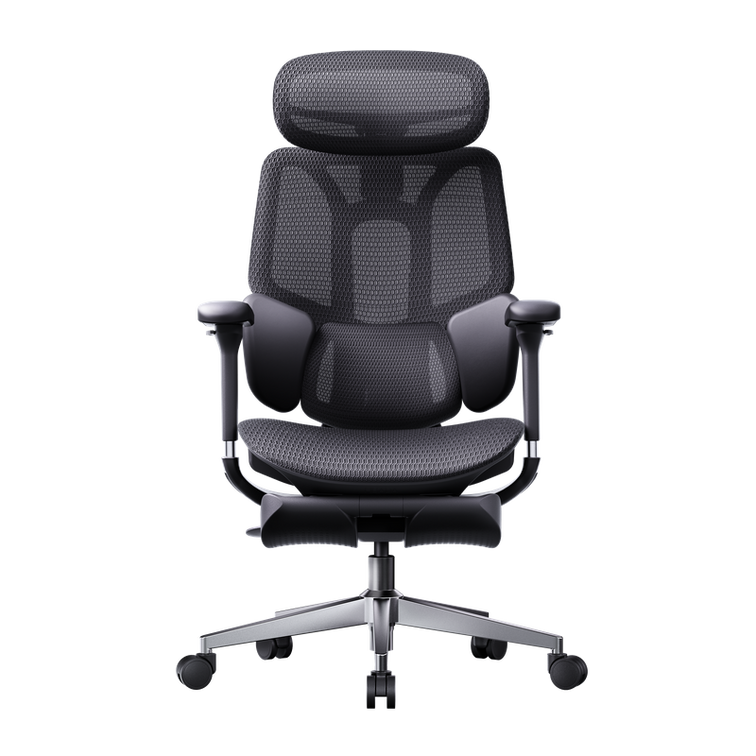
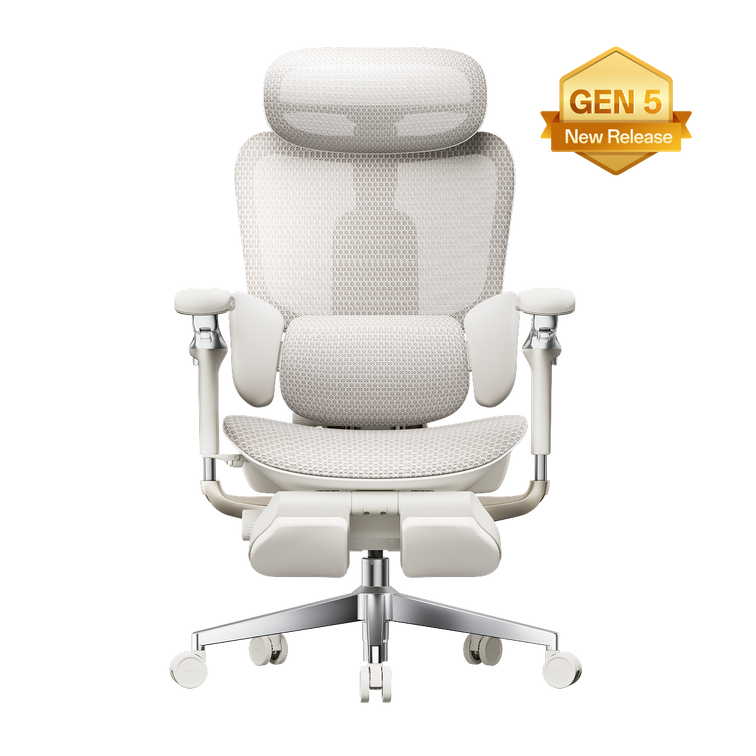
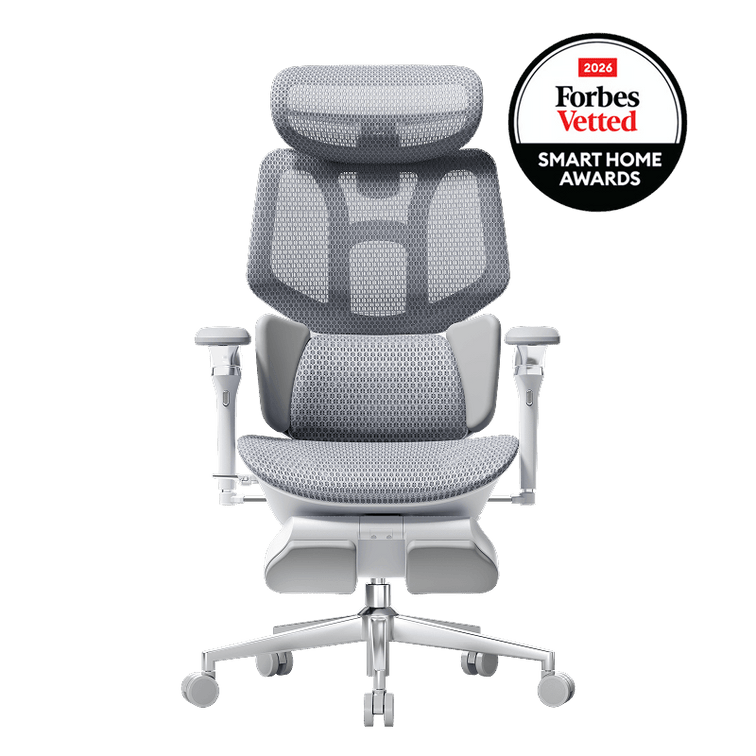
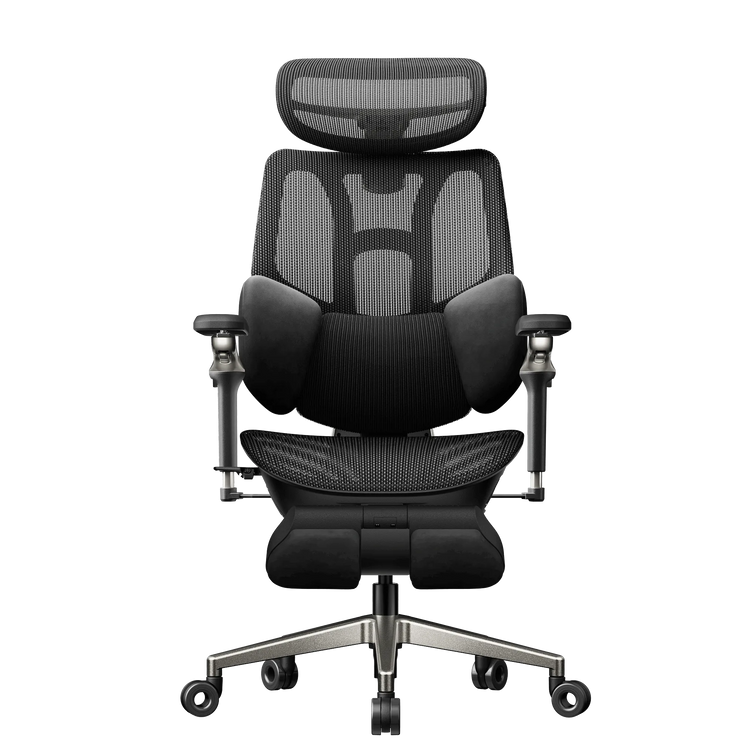
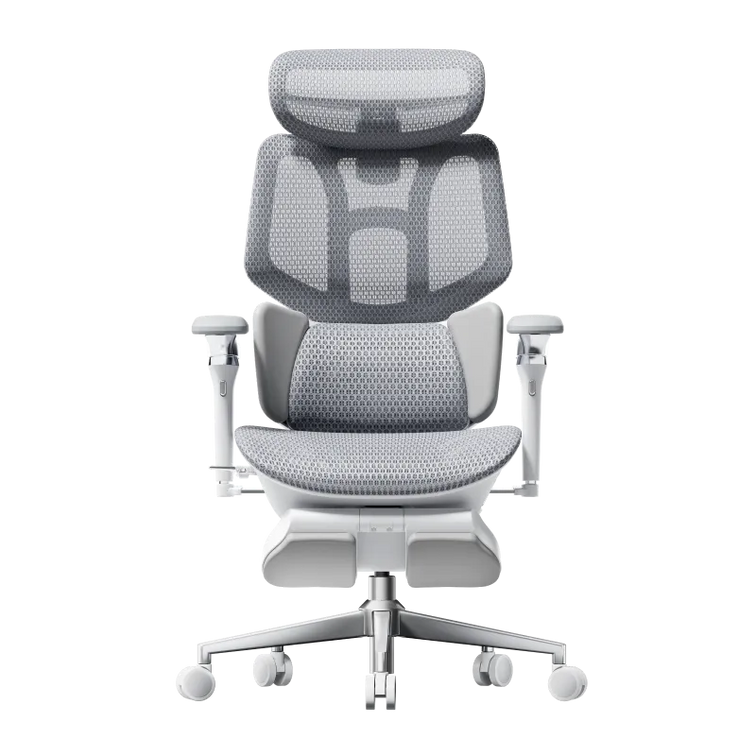
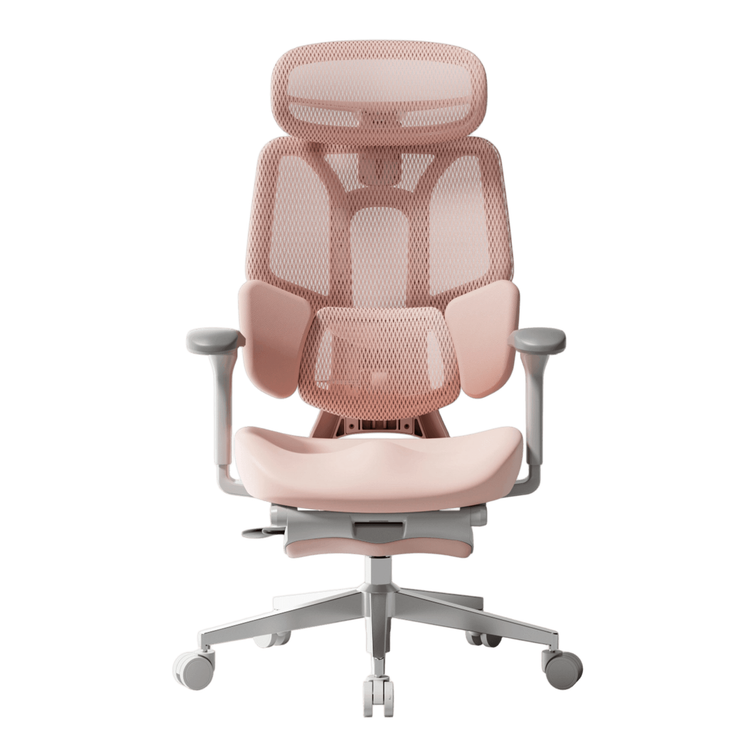
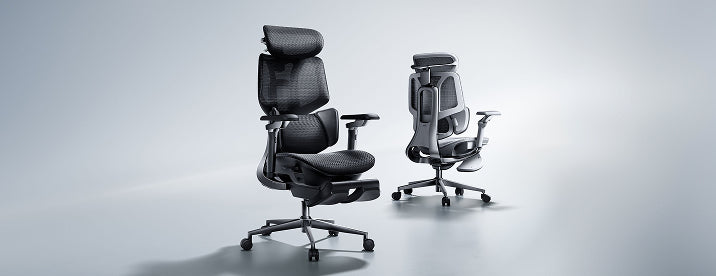
HBADA E3 Ergonomic Chair - a perfect choice for comfort and fit for endless gaming fun

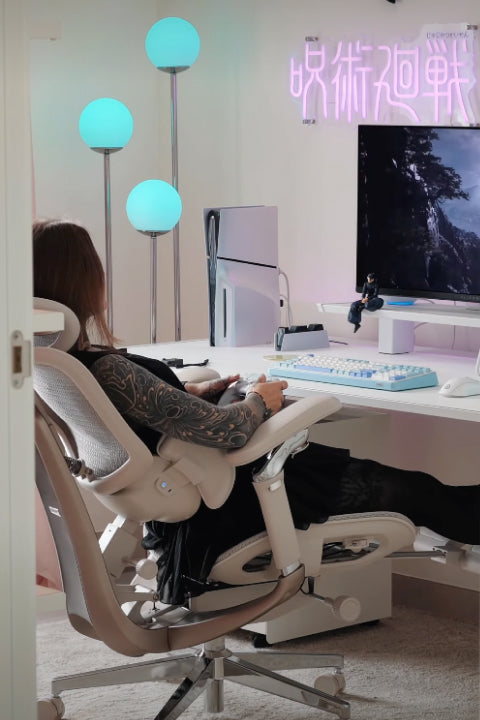
As enjoyable as prolonged gaming sessions are, there’s no way around the fact that without adequate support your body will start to suffer as a result. That’s why investing in a highly adjustable, well-crafted ergonomic chair such as the Hbada E3 Ergonomic Office Chair should be just as high a priority for you as choosing the perfect graphics card, workstation, or console to feed your gaming habit.

Fortunately, you won’t have to dip too heavily your gaming allowance to get the support you need. Thanks to its extensive R&D and ergonomic testing, Hbada has managed to deliver a comfort level comparable to high-end Herman Miller products, for a fraction of the price. It also looks pretty darn impressive to boot.

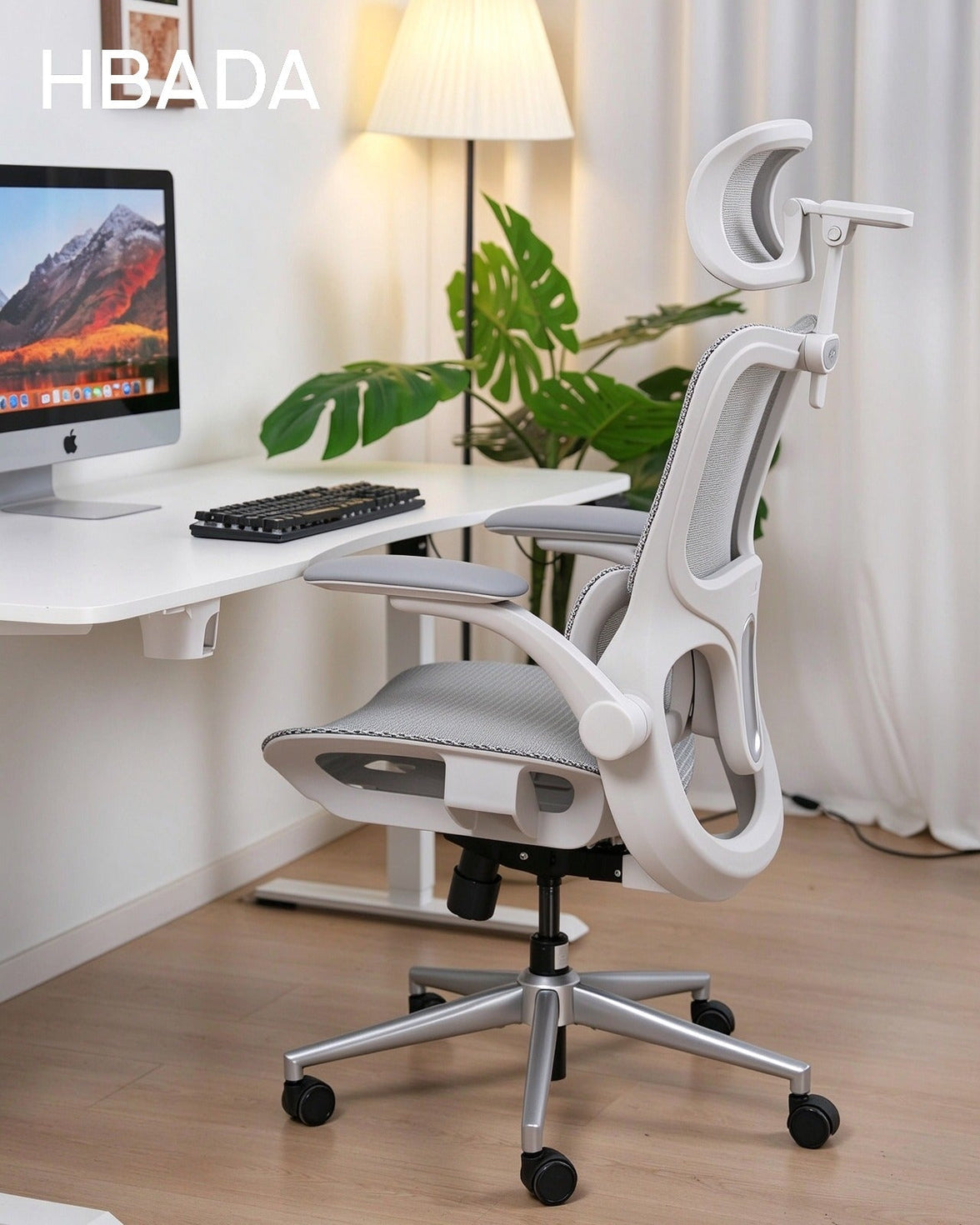
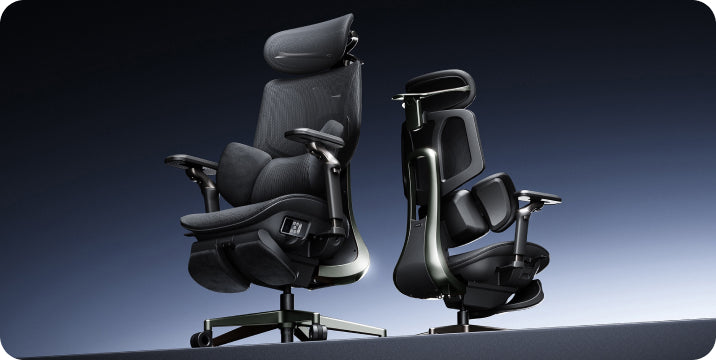
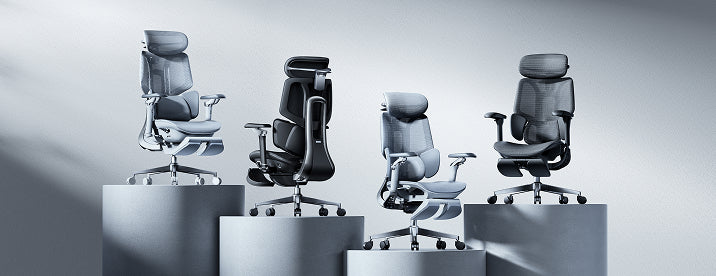
Unlike most modern office or gaming chairs which appear unnecessarily flamboyant or overly industrial in their design, the HBADA E3 opts for a minimalist approach, combining sleekness and functionality for an elegant aesthetic that makes it fit perfectly into any work space - whether it’s for office work or gaming.

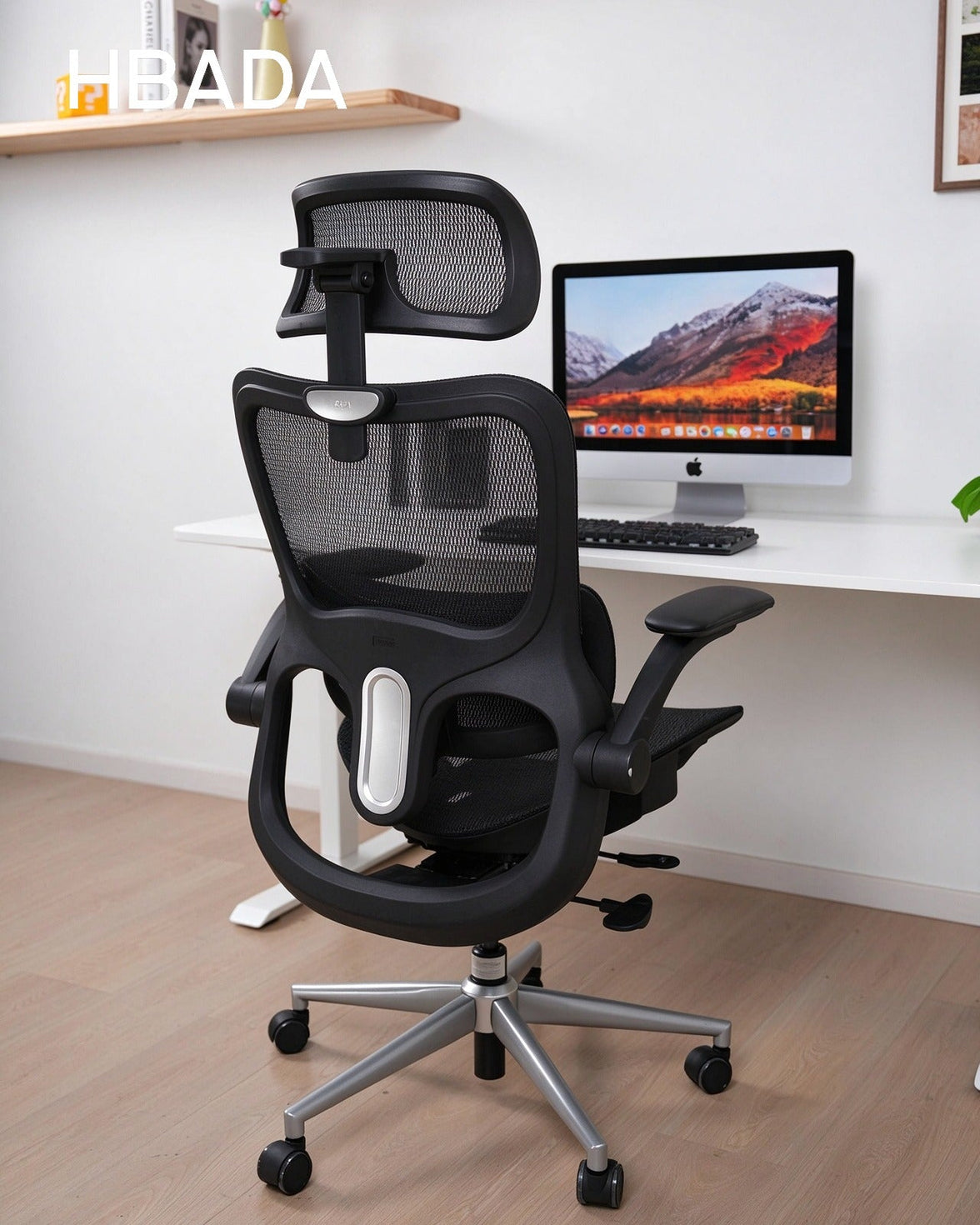
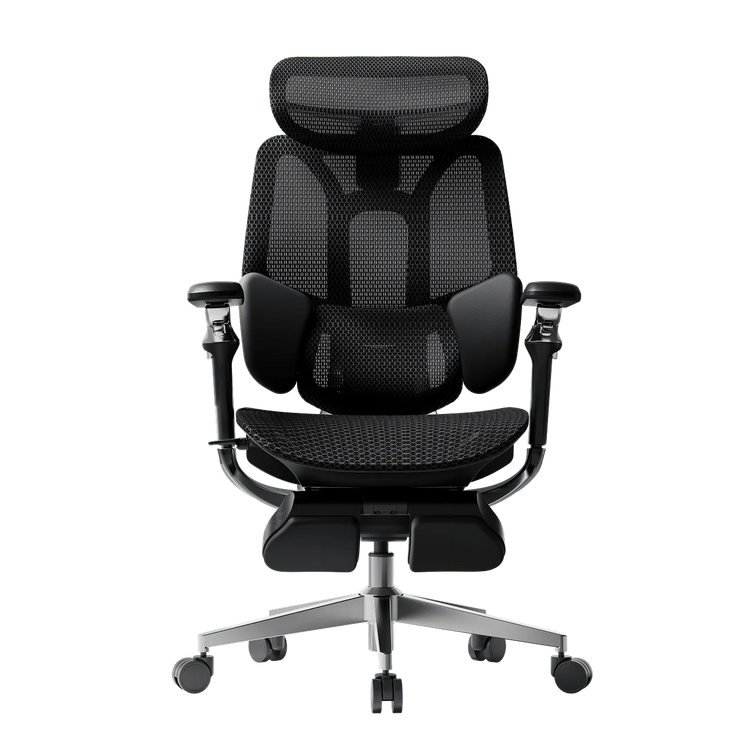
That same elegance also speaks to the quality of its precision engineered ergonomic features, such as its three-zone Elastic Lumbar Support. This intelligent design allows you to easily adjust the lumbar support up, down, forward, and backward according to your needs. Additional lateral support is also provided by the adjustable lumbar support wings on either side - a unique feature that brings an unmatched level of customizability and comfort by any other chair on the market.

The neck rest has also been given special attention, with the implementation of a four-dimensional adjustment design that provides a broader range of adjustments compared to standard headrests, and ensures the perfect angle of support whether you’re reclining or sitting upright.

The 6D mechanical armrests also offer every possible range of movement for optimal adjustment acting like a flexible assistant to combat shoulder strain - they’ll even fold away when not needed for extra convenience.

The level of adjustability the Hbada E3 Ergonomic Office Chair offers makes it one of the most functional chairs currently on the market, and the mesh material that makes up its seat pan and back and neck rests provide the breathability and durability needed to keep you seated for hours on end.

Whether you're gaming, watching movies, using your phone, you can customise the E3’s angle and position to whatever best suits your needs. Or if you simply want to laze around for a little while to rest and recoup, you can make full use of the E3’s reclining angle - which extends to 140° - to enjoy an absurd degree of comfort and relaxation.
Relevant Product

You May Also Like

HBADA E3 Pro vs Secretlab TITAN Evo: Work, Gaming or Both? HBADA E3 Pro vs Secretlab TITAN Evo: Work, Gaming or Both? HBADA JOURNAL THE COMPARISON ISSUE / 01 ONE DESK. TWO DIFFERENT APPROACHES. YOUR DESK.YOUR GAME.YOUR CALL. HBADA E3 Pro vs Secretlab TITAN Evo. A closer look at the fit, support and adjustments behind your everyday setup. THE MESH APPROACH HBADAE3 Pro 2026 Sliding seat. Adjustable backrest. Rotating arms. ADJUST TO YOUR DESK ↗ VS THE FOAM APPROACH SecretlabTITAN Evo Foam seat. Built-in lumbar support. Deeper recline. REGULAR / SOFTWEAVE PLUS WORK PLAY BOTH. Your desk probably does more than one job. It is where you answer emails, finish a project and, a few hours later, settle into a game. Choosing a chair for that setup means looking beyond whether it is called an office chair or a gaming chair. In this HBADA E3 Pro vs Secretlab TITAN Evo comparison, we look at the adjustments that affect everyday use: seat depth, lumbar positioning, arm support and recline. For consistency, the TITAN Evo reference is the Regular size with SoftWeave Plus fabric and standard armrests. Other sizes, upholsteries and accessories can change the comparison. The short answer Our E3 Pro 2026 is designed for people who want a mesh chair with adjustable seat depth and flexible arm positioning for a mixed work-and-gaming desk. TITAN Evo takes a different route with a foam seat, built-in lumbar adjustment and a deeper backrest recline. The deciding question is which approach fits your body and the way you use your desk. In this comparison 01 / The models 02 / Key differences 03 / Seat fit 04 / Back support 05 / Armrests 06 / Your routine 07 / Before ordering 08 / FAQs 01 / START WITH THE RIGHT MODELS The label only tells you so much An ergonomic chair still needs to fit. A gaming chair can also offer useful ergonomic adjustments. Neither label tells you whether the seat leaves room behind your knees or whether the armrests line up with your keyboard. We are comparing the HBADA E3 Pro 2026 with one specific TITAN Evo configuration, rather than treating every version of either chair as interchangeable. That matters especially with TITAN Evo, which comes in Small, Regular and XL sizes. Start with fit, then compare features. Height recommendations are a useful first filter. Your leg length, desk height and preferred sitting position still need a closer look. 02 / THE SIDE-BY-SIDE The differences worth paying attention to On smaller screens, swipe horizontally to compare both columns. What to compare HBADA E3 Pro 2026 Secretlab TITAN Evo Regular Recommended height 5′1″–6′5″ 5′7″–6′2″ Seat construction CloudMesh with a softer front-edge weave Cold-cure foam with SoftWeave Plus fabric Seat depth Approximately 2″ of sliding adjustment Fixed for the selected chair size Lumbar support Three-zone support with height adjustment, forward-and-back tracking and adjustable side wings Built-in four-way L-ADAPT support with height and depth adjustment Backrest and head support Height-adjustable backrest and 4D dual-axis headrest Fixed-height backrest and magnetic head pillow Armrests 720° arm system with rotating pads and arms, plus height, sliding and flip adjustments Standard 4D armrests with height, front-to-back, lateral and pivot adjustments; interchangeable tops Backrest recline 105°–140° Up to 165° Space planning Check overall width, armrest clearance and the space needed behind the chair when reclined. Wheelbase diameter alone is not a like-for-like measure of the space a chair needs. Comparison refers to the configurations identified above. Manufacturer height recommendations do not guarantee an individual fit. Check the selected version before ordering. 03 / WHERE FIT STARTS Mesh or foam is only half the seat decision Upholstery is the difference you notice first. E3 Pro uses mesh; the TITAN Evo configuration here uses fabric over foam. That changes the construction of the sitting surface, but it does not tell us which one you will find more comfortable. Seat depth deserves just as much attention. Two people of the same height can have different thigh lengths. If a seat extends too far forward, sitting back against the lumbar support can leave the front edge pressing behind the knees. On E3 Pro, you can slide the seat to change that distance. TITAN Evo uses a fixed seat depth for each size, so choosing the appropriate size is especially important. If you have struggled to get both thigh support and a comfortable gap behind your knees, adjustable depth is a practical reason to put E3 Pro on your shortlist. A useful check: sit with your back against the backrest and your feet supported. You should have clearance behind your knees without feeling that most of your thighs are unsupported. 04 / SUPPORT YOU CAN POSITION Look at where the lumbar support meets your back Both chairs offer lumbar adjustment. The useful distinction is how you position that support, rather than simply whether it is present. Our E3 Pro uses an adjustable three-zone lumbar system. Its side wings let you change the surrounding contact, while the backrest can also be raised or lowered. TITAN Evo places its height-and-depth lumbar adjustment inside the backrest. Start with the height Position the support around the curve of your lower back. If it is contacting the wrong area, adding more pressure is unlikely to solve the fit. Then adjust the contact Make small changes and sit normally between them. You are looking for support you can rest against without feeling pushed toward the front of the seat. Check again when you lean back Your working posture and your relaxed posture may need different settings. Try both before deciding whether an adjustment suits you. Recline is a separate consideration. TITAN Evo reaches a deeper backrest angle than E3 Pro. If leaning far back is a major part of how you use a chair, that difference is worth noting. A larger recline angle alone does not establish better support for upright desk work. 05 / KEYBOARD TO CONTROLLER Armrests should follow what your hands are doing Typing, using a mouse and holding a controller can place your elbows in different positions. An armrest that works for one task may need moving for the next. E3 Pro combines rotation at the pad and arm with height, sliding and flip adjustments. That gives you several ways to reposition the support as your setup changes. TITAN Evo’s standard 4D armrests also adjust in multiple directions, including inward and outward pivoting. The names “720°” and “4D” describe different adjustment systems. They are not directly comparable scores. What matters is whether you can support your forearms while keeping your shoulders relaxed and your controls within reach. Remember the desk: check the underside clearance, not just the desktop height. Armrests can meet a drawer, apron or crossbar before the chair is close enough to your keyboard. 06 / MATCH IT TO YOUR DAY What does your desk actually need? Mostly work, with a few games after hours Start with seat depth, lumbar placement and keyboard reach. These are the adjustments we would prioritize on E3 Pro before fine-tuning the headrest or recline. Frequent switches between typing and controller play Pay close attention to armrest positioning. Try the support closer to your body for a controller, then reset it for your keyboard and mouse position. E3 Pro’s rotating arm system is a central part of that work-and-play flexibility. Plenty of leaning back between sessions Compare recline range and head support, then measure the space behind the desk. TITAN Evo has the deeper listed backrest recline; E3 Pro combines its recline with an adjustable headrest and mesh construction. No chair setting needs to stay fixed all day. Change position, stand up and take breaks instead of expecting one adjustment to handle every hour. 07 / BEFORE YOU ORDER Eight checks that make the comparison useful 01 Check the recommended height range and weight limit for the exact chair configuration. 02 Measure from the floor to the back of your knee while wearing your usual indoor footwear. 03 Compare seat depth with the space available behind your knees when sitting back. 04 Check usable seat width against your preferred sitting position. 05 Measure the desk opening, including drawers, crossbars and the underside height. 06 Allow space for movement and recline behind the chair. 07 Confirm the model year, size, upholstery and included accessories. 08 Read delivery, return and warranty terms for your country before checkout. For a broader shopping checklist, read our US ergonomic office chair buying guide . 08 / A FEW COMMON QUESTIONS HBADA E3 Pro vs Secretlab TITAN Evo FAQs Is TITAN Evo an ergonomic chair or a gaming chair? It is marketed as a gaming chair and includes ergonomic adjustments such as built-in lumbar support and adjustable armrests. The category name is less useful than checking whether its size and adjustment ranges suit you. Can HBADA E3 Pro work for both home office and gaming? Yes. E3 Pro 2026 combines adjustable seat depth, lumbar support and flexible armrests for different desk activities. Set it up for your working position first, then adjust the arms and recline for downtime. Why choose E3 Pro over a fixed-depth foam chair? The clearest reasons are a preference for mesh and the ability to change seat depth. E3 Pro also offers adjustable backrest height and a rotating arm system. These features give you more ways to tune those parts of the fit, rather than guaranteeing the same comfort for every person. Can I try E3 Pro at home? Our US store offers a 30-day return window, subject to the applicable conditions and charges. Review the return policy before ordering and keep the original packaging. Component coverage and exclusions are explained in our warranty terms . Build the fit around your desk. If your priorities are mesh, adjustable seat depth and arm support that can move between work and play, take a closer look at our E3 Pro 2026. Compare its dimensions with your current setup before choosing your configuration. Explore HBADA E3 Pro 2026 → More from HBADA Journal Want to see more of our chair guides in Google Search? You can add HBADA as a preferred source where the feature is available. Add HBADA to your preferred sources → Best Cyber Monday Home Office Gifts: What to Check Before Buying Best Cyber Monday Home Office Gifts: What to Check Before Buying HBADA / THE GIFT EDIT CYBER MONDAY 2026 GIFT CHECK. A chair is a thoughtful home office gift. Getting the fit right is the part that makes it thoughtful. TO Their home office FROM Someone who noticed BEFORE YOU WRAP IT Check the details. KEEP THE SURPRISE. GET THE FIT RIGHT. Among Cyber Monday home office gifts, an ergonomic chair deserves a little homework. If you already have one on your list, this guide will help you check the details, narrow your HBADA shortlist and arrange delivery without giving the surprise away. Start with these six checks before checkout. BEFORE CHECKOUT GIFT LIST / 006 CHECK EACH ITEM 01 Measurements Their body, desk clearance and available space. 02 Model and generation The exact edition you mean to buy. 03 Color A finish that belongs in their room. 04 Footrest The configuration that suits their breaks. 05 Final price The total for that specific selection. 06 Delivery Address eligibility, dispatch and someone to receive it. SMALL DETAILS.A BETTER-CHOSEN GIFT. Find your place The decision Measurements Edition Color & footrest Chair shortlist Price & delivery The surprise Gift pass Questions 01 / Make a considered choice Use the day for a final decision. A discount is useful once you know which chair suits them. Before that, it can make an already crowded shortlist harder to sort out. Our 2026 US sale timeline marks Black Friday on November 27 and Cyber Monday on November 30. Check the current Black Friday and Cyber Monday offers for the terms attached to your selection. A promotion available earlier in the month may have a different end date. We suggest settling the fit and configuration first. Then compare the total you would actually pay. 02 / Their body and their desk Check their measurements. You can learn a lot from the chair and desk they already use. A quick measurement is more useful here than guessing from a photograph. Desk clearance. Measure the underside, including drawers and support rails. Compare that with the chair’s armrest range and overall width. Height and capacity. Check the exact model’s recommended user range and weight limit. These vary across our chairs, including within the E3 family. Leg length and seat depth. Look for a seat that supports their thighs while leaving clearance behind the knees. Adjustable depth helps, but still needs to fit their proportions. Seat height. Check whether their feet rest comfortably on the floor at a useful working height. Room to move. Leave space behind the chair for reclining, and consider the floor surface where it will roll. If you cannot establish the basics discreetly, involve them in choosing the model. The color or the moment you give it can still be a surprise. 03 / The right edition Confirm the exact model and generation. Two listings can share a family name and differ in edition. Check the full product name, the “2026 Edition” label where it applies, and the selected configuration before adding it to your cart. Our store also lists some colors separately under clearance. A familiar silhouette or color does not establish that it is the same generation. Save the product link and order confirmation so you have the precise model details later. 04 / Small choices, big difference Choose color and footrest. Color. The E3 Air 2026 and E3 Pro 2026 offer black and gray selections. Think about their desk, flooring and the rest of the room, then check the chosen color again in the cart. + / − Footrest. Both models have with-footrest and without-footrest options. A retractable leg rest is useful for someone who likes to lean back during a break. For someone who mostly works upright, the version without it may be enough. The P2 Ultra includes a retractable footrest. A reclining leg rest serves a different purpose from an under-desk foot support. If their feet cannot rest comfortably while working, check seat height and desk fit rather than assuming a pull-out leg rest solves it. Compare like-for-like selections when checking the price. Adding a footrest changes the configuration and can change the total. 05 / Match the chair to the person Narrow your HBADA shortlist. Think about what they actually do at the desk. Someone who wants easy everyday adjustments may choose differently from someone interested in massage or automatic lumbar tracking. GIFT NOTE / 01 E3 Air 2026 Everyday support with straightforward adjustments Three-zone lumbar support, 4D headrest and armrests, breathable mesh. Compare the chair’s dimensions with their desk. Explore E3 Air 2026 → GIFT NOTE / 02 E3 Pro 2026 Fine-tuning arm support for work and gaming 720° mechanical armrests, adjustable seat depth, three-zone lumbar support and up to 140° recline. Explore E3 Pro 2026 → GIFT NOTE / 03 E3 Ultra Gen 5 Massage and warmth during a desk break 4D bionic massage, graphene heat, dynamic support and up to 150° recline. Check dispatch timing for the chosen color. Explore E3 Ultra Gen 5 → GIFT NOTE / 04 X7 Automatic lumbar tracking AI lumbar tracking and the selected model’s massage, heating and ventilation features. Consider how they will charge and use it. Explore X7 → GIFT NOTE / 05 P2 Ultra A reclining setup with a footrest included Separate lumbar support, 6D armrests, adjustable seat depth and up to 140° recline with a retractable footrest. Explore P2 Ultra → Use this shortlist alongside each product’s dimensions and selected options. Massage and heating are comfort features, not medical treatments. 06 / Count the whole order Check the final price and delivery. Final price Review the chosen model, color, footrest and any valid promotion at checkout. Include applicable tax for the delivery address. Check coupon terms rather than assuming that every offer stacks, or that Cyber Monday will be cheaper than Black Friday. Delivery We offer free shipping to deliverable US regions. Our shipping policy lists typical delivery of two to five business days and notes that high-demand periods can take longer. A product-specific pre-order or dispatch notice needs separate attention. P.O. boxes, APO addresses, Alaska, Hawaii, Puerto Rico and Guam are excluded under the current policy. Returns &warranty Our return policy allows returns within 30 days of receipt. Customers contribute to return shipping for a change of mind. Warranty coverage varies by series and component, so read the warranty details for the chair you choose. 07 / Keep the surprise Plan who will receive the box. A chair is harder to hide than a book. Decide where it will arrive, where you will store it and who will assemble it before placing the order. 01 Use your own address if practical. You can check the box for visible damage and arrange the handover yourself. 02 If it ships to them, coordinate with someone at home. Use an email account you monitor for order updates, and avoid building the surprise around an exact arrival day. 03 Allow time for assembly. Check the assembly and user guides and the videos on the selected product page. 04 Watch the return clock. The published window starts on receipt, rather than the day you give the gift. Keep the original box and packaging for at least 30 days, as our policy recommends. 08 / Before you pay Run the checkout checklist. THE GIFT PASSPRE-CHECKOUT EDITION READYTO GIFT? Your office chair gift checklist I checked desk clearance, floor space and recline room. I compared their measurements with the selected chair’s user range and capacity. I confirmed the exact model and edition. I selected the intended color. I chose the footrest configuration deliberately. I reviewed the final total, applicable tax and coupon conditions. The address is eligible, and I checked the dispatch and delivery information. I read the return window and possible return-shipping charges. I know who will receive, store and assemble the chair. I will keep the order confirmation, tracking information and packaging. This checklist is for your own reference. It does not submit information or check product suitability automatically. 09 / Questions answered Before you click buy. Are Cyber Monday ergonomic chair deals better than Black Friday? Compare the total for the same model, color and configuration. Our sale calendar alone does not establish that one day’s price is lower. Check the offer’s dates and conditions before paying. Is an ergonomic chair a practical gift for a remote worker? It can be a useful upgrade when it suits their body and desk. Ask about their current chair first, especially if you are unsure whether they prefer a mesh seat, a particular lumbar feel or powered features. Can I count on delivery on a particular day? Use the product’s dispatch information and the current shipping estimate for planning. Standard delivery estimates are not an appointment, and busy periods or pre-orders can take longer. Leave room in your gift plans. Should I check stock even if the model is on sale? Yes. Availability and dispatch timing can differ by color and configuration. Read any pre-order message on the exact selection instead of relying on a general sale banner. Where should I check regional offers? This guide covers the US store. Start with our US sale page. For another destination, use the country selector on our site and check that region’s products, prices, shipping and return terms. Your last check One last look before checkout. Open the product page again. Check the edition, the chosen options and the dispatch note. If those match the person and the plan, you are ready to place the order. Explore HBADA Cyber Monday offers → Keep HBADA guides within reach. You can add HBADA as a preferred source in Google where the feature is available. Add HBADA to your sources Best Black Friday Gifts for Home Office Workers: 2026 Guide Best Black Friday Gifts for Home Office Workers: 2026 Guide The HBADA gift edit / Black Friday 2026 For their desk. From you. A chair is a generous gift. Choose one around the person who will sit in it, and that big box becomes a thoughtful part of their everyday workspace. Shop Black Friday gifts → To your favorite home-office person You mentioned your old chair. I remembered. A little thought for their working day. Maybe your partner keeps borrowing a cushion from the sofa. Perhaps a parent has been using the same dining chair at their laptop for years. Those small details make a useful starting point for a gift. The best Black Friday gifts for home office workers suit how someone actually works. This guide helps you choose an HBADA ergonomic chair, check the fit without spoiling the surprise, and plan the practical parts before it arrives. Who it is for Quiet fit checks Compare chairs Gift checklist Black Friday offers Questions The quick answer. Choose around their desk and daily routine, then narrow the options using these five checks: Measure the workspace, including the clearance beneath the desk. Think about how they divide their time between typing and other activities. Compare seat dimensions with a chair they already find comfortable. Choose the support features they are likely to use. Plan delivery and assembly around the date you will give the gift. 01 / Start with the person Who are you shopping for? Picture an ordinary afternoon at their desk. The way they use that space will tell you more than a wish list of features. 01 A partner whose desk gets plenty of use If their day moves from keyboard work to calls and a tablet, armrest positioning deserves attention. Our E3 Pro 2026 combines three-zone lumbar support with 720° armrests and an adjustable seat depth. It is a strong starting point for someone who enjoys getting their setup just right. 02 A parent updating a familiar workspace Ask which part of their current chair they would change. For someone interested in breathable seating, the E3 Air 2026 brings mesh seating and three-zone lumbar support into the shortlist. Show them how the adjustments work and check that getting into and out of the seat feels comfortable. 03 A friend who loves a smarter workspace If they enjoy discovering what their desk setup can do, the HBADA X7 electric ergonomic chair is a gift worth putting on your shortlist. Its powered AI lumbar-tracking system adjusts lower-back support as they change position, bringing a responsive element to something they use every day. Built-in massage and lumbar heating give them another reason to settle in during a break. Check the dimensions and charging instructions before gifting. The powered functions include lumbar tracking and comfort features; seat height is adjusted with a manual lever. For someone especially interested in massage and warmth, our E3 Ultra Gen 5 is another thoughtful option, combining 4D bionic massage with graphene heating. The detail they mentioned in passing might be the best shopping clue you have. 02 / Keep the surprise A few quiet checks before you buy. You can keep the gift a surprise while still checking the important measurements. If you share a home, start with the chair and desk already in front of you. Look beneath the desk. Measure from the floor to its lowest obstruction, including drawers or support rails. Compare this with the selected chair’s armrest clearance. Use their current chair as a reference. If it fits reasonably well, note its seat height and usable seat depth. If they complain about the seat, ask what feels wrong. Check the room behind it. Allow space to pull the chair out and stand up. A reclining backrest needs extra clearance. Confirm the exact model’s fit guidance. Recommended height ranges and weight capacities vary. Use information they are comfortable sharing, or let them help choose the final model. Notice their room. Compare the available colors with the desk and flooring, then confirm the configuration before checkout. When the surprise makes sizing difficult Give them the choice. Our Black Friday page also links to HBADA gift cards. A handwritten note about the workspace upgrade makes the gift personal while they choose the chair. Check the card’s terms before purchasing. 03 / Your shortlist Five HBADA chairs, different reasons to give. Use the feature that matters most to narrow your choice. Open the model page for its full measurements and available options. Compare gift ideas by the recipient’s interests Model What makes it worth a look Check before gifting E3 Air 2026 Breathable mesh seating with three-zone lumbar support. Desk clearance and the selected footrest option. E3 Pro 2026 Adjustable seat depth, three-zone lumbar support and 720° armrests. Their preferred seat depth and room for armrest movement. P2 Ultra Separate lumbar support, a retractable footrest and up to 140° recline. Space behind the chair and in front of the extended footrest. E3 Ultra Gen 5 4D bionic massage and graphene heat for seated relaxation. Current availability and the setup instructions for powered features. X7 Electric ergonomic chair with powered AI lumbar tracking, built-in massage and lumbar heating. Desk clearance, the selected configuration and charging requirements. 04 / The footrest decision Will they use it during a break? A retractable chair footrest is a thoughtful extra for someone who likes to lean back while reading or taking a pause. Check the available with-footrest and without-footrest options on the E3 Air and E3 Pro pages. For upright keyboard work, set the chair around the desk. If their feet cannot reach the floor at the required seat height, a separate under-desk footrest provides a more appropriate place to support them. The chair’s pull-out leg support serves a different purpose during reclined rest. 05 / Before checkout The part that makes the gift go smoothly. Take a minute with this list before placing the order. These boxes are for your own check. Your selections are not submitted or saved. I checked the desk clearance and available floor space. I compared the selected model’s measurements and fit guidance with the recipient’s needs. The color and footrest configuration are correct. Someone will receive the box and help with assembly if needed. I checked delivery eligibility and the current shipping estimate. I have allowed for the return window starting when the chair is received. I reviewed the offer terms and will keep the order details and packaging. Leave time for the box to arrive. Our US shipping policy lists typical delivery of 2–5 business days, with longer shipping times possible during Black Friday. Check any model-specific preorder notice before ordering. If the gift has a fixed celebration date, a card announcing the chair is a useful backup. Think about when they will first try it. Our return policy allows returns within 30 days of receipt, subject to its terms. Buying far ahead and storing the unopened gift uses some of that time. For preference or fit-related returns, customers pay a portion of return shipping. Keep the original packaging; approved refunds go to the original payment method. 06 / Make the gift budget go further A generous gift. A Black Friday opportunity. Put our Black Friday savings to work on a workspace upgrade they will use well beyond the holidays. Start with the HBADA Black Friday and Cyber Monday event to see discounted chairs and the current order-level coupons. Choose the exact model and configuration first, then apply an eligible coupon at checkout. Review the gift details shown for that chair before ordering, including whether an extra ships separately. Order-level discount codes have their own eligibility rules. Select the applicable offer for your basket rather than assuming several coupon codes can be combined. Find their HBADA Black Friday gift → Offers and availability can change. Check the current event terms and the selected product page before payment. 07 / A few last questions Before you give the big box. Is an office chair a good Black Friday gift? Yes, especially when the person has already mentioned wanting to replace their current seat. Our adjustable chairs give you several ways to match the gift to their working routine. Check fit and desk clearance before choosing the model. How can I give a chair without spoiling the surprise? Use their existing desk and chair as measurement references. If important fit details are missing, give an HBADA gift card or a note inviting them to choose the chair with you. The final color and configuration can become part of the gift. What makes an electric ergonomic chair a thoughtful gift? Powered features can appeal to someone who enjoys a technology-led workspace. The HBADA X7 uses an electric lumbar-tracking system to adjust lower-back support as the user moves, alongside massage and heating for seated breaks. Check which functions are powered on the model you choose, since electric features do not mean every adjustment is motorized. Should I assemble the chair before giving it? An assembled chair makes a lovely reveal if you have the space and the correct configuration. Follow the supplied instructions, keep the packaging, and remember that delivery starts the return period even if the recipient has not tried it yet. What if the chair does not suit the recipient? Contact our support team with the order number. The current return policy allows returns within 30 days of receipt under its stated conditions. Preference-related returns involve a portion of return shipping, so review the policy before placing a gift order. Keep a useful guide close Good ideas for their desk, and yours. Add HBADA to your preferred sources on Google for chair-fitting advice and practical workspace guides. Add HBADA to your preferred sources ↗ Confirm your selection on Google if HBADA is available.