Cart
Your shopping cart is empty
Continue Shopping
Every Order, Backed by HBADA
30-day in-home Trial
Free 2-Business-Day Shipping
5-Year Hassle-Free Warranty
24/7 Customer Support


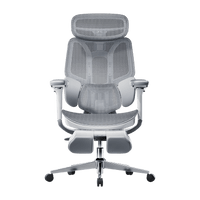
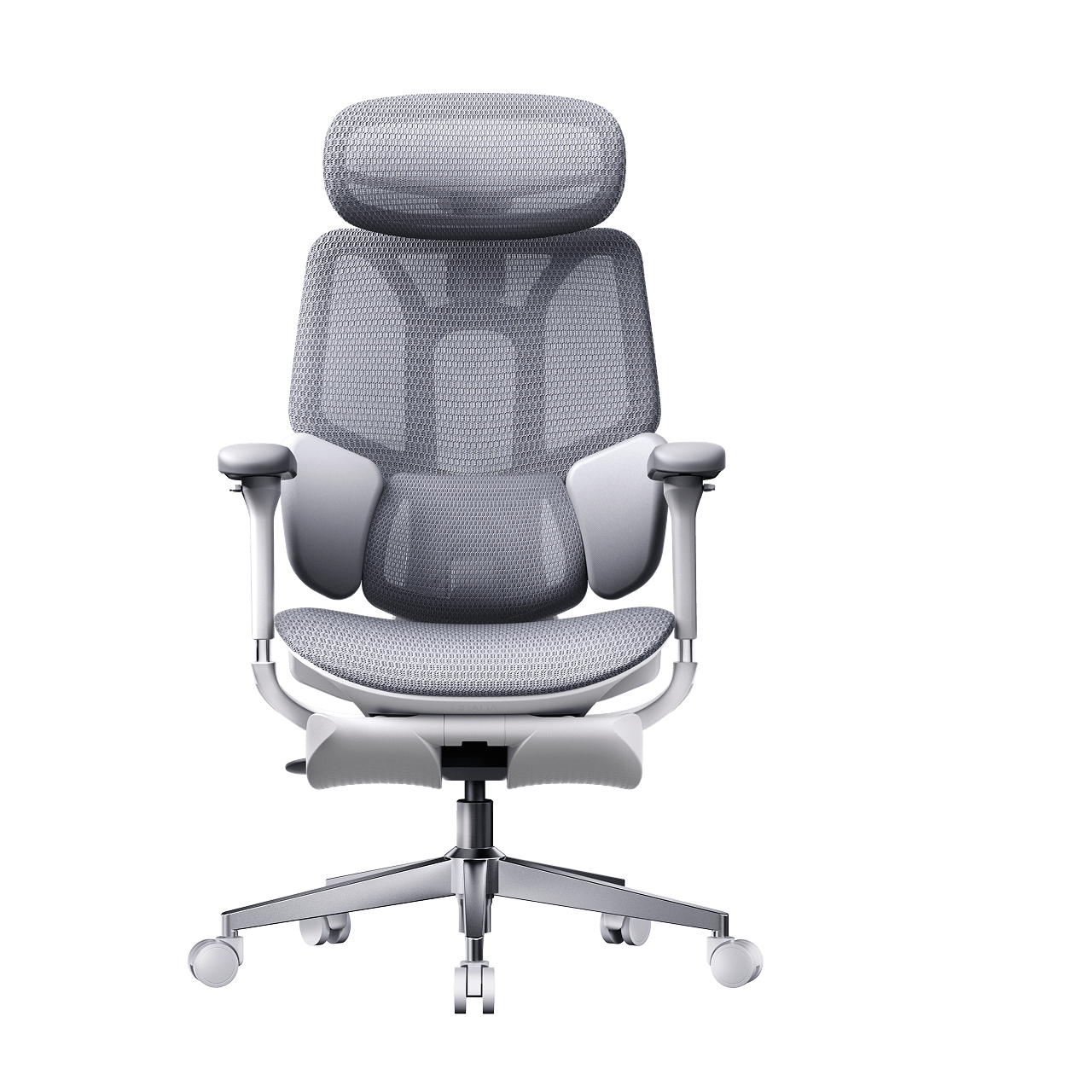
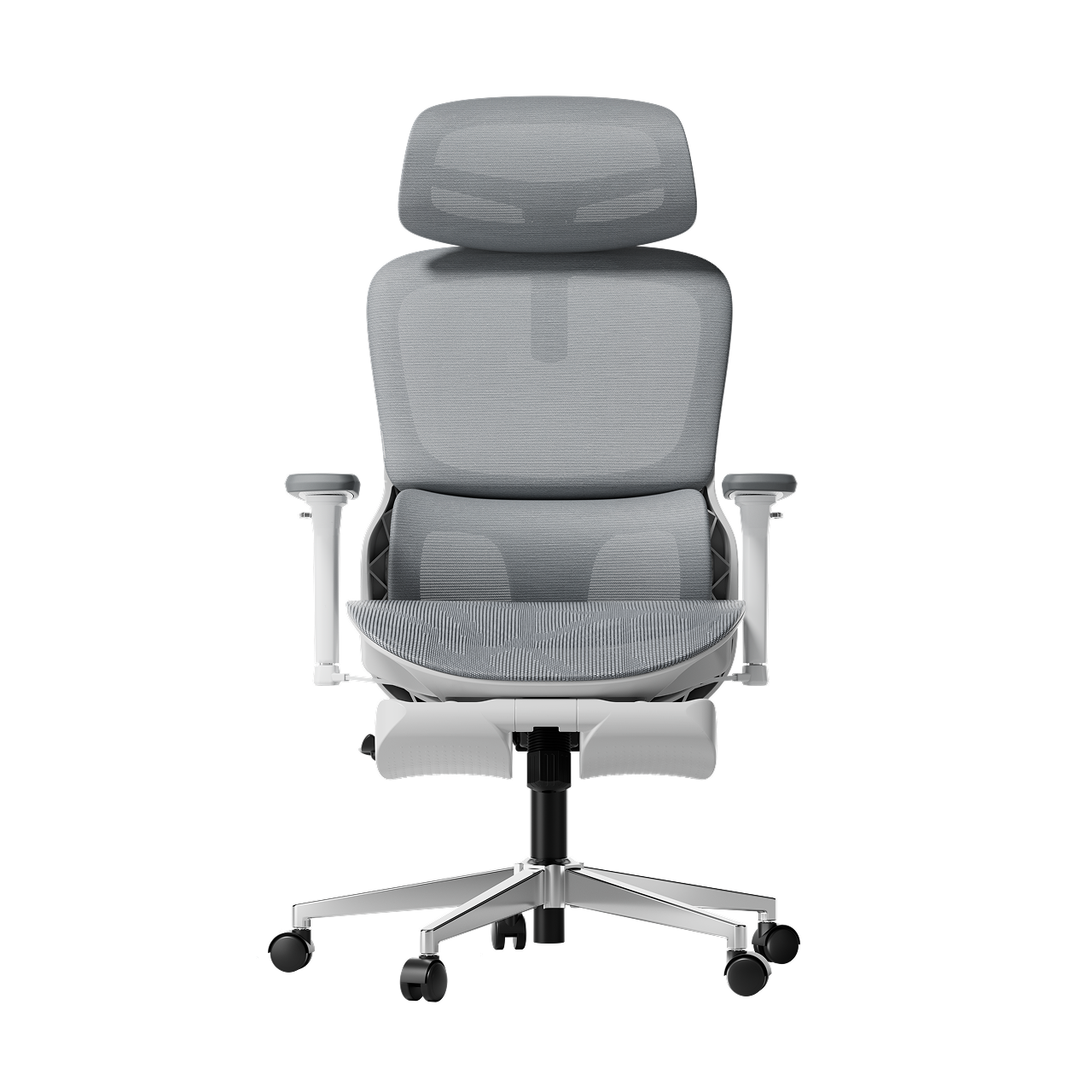
HBADA E3 Pro Ergonomic Office Chair

HBADA E3 Ultra Ergonomic Office Chair Futuristic

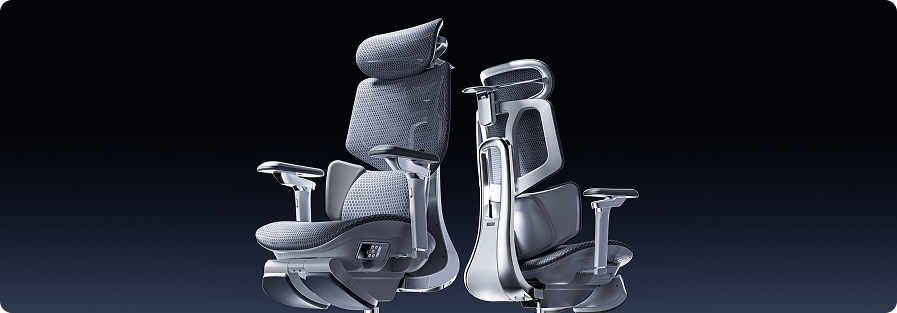
HBADA X7 Smart Ergonomic Chair

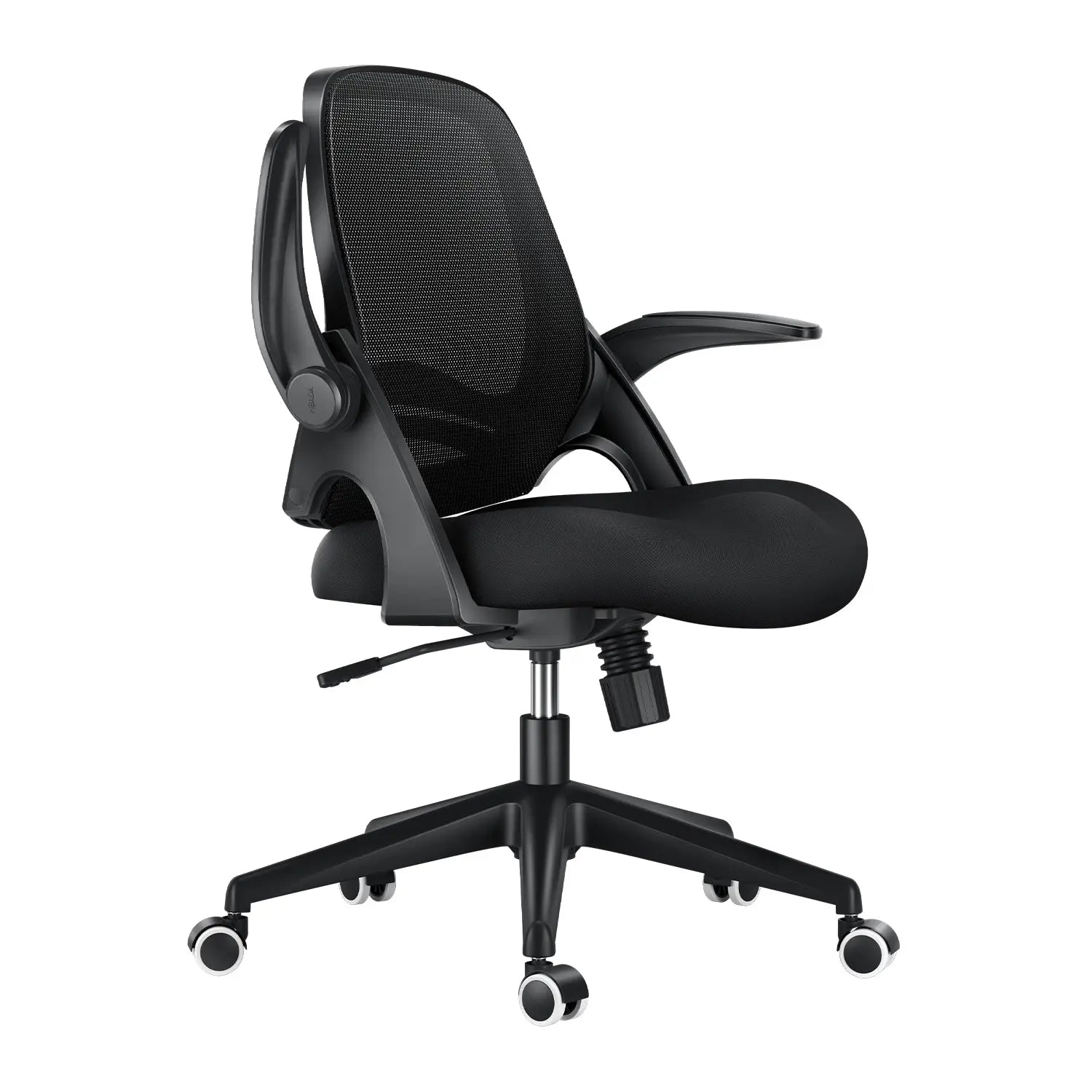
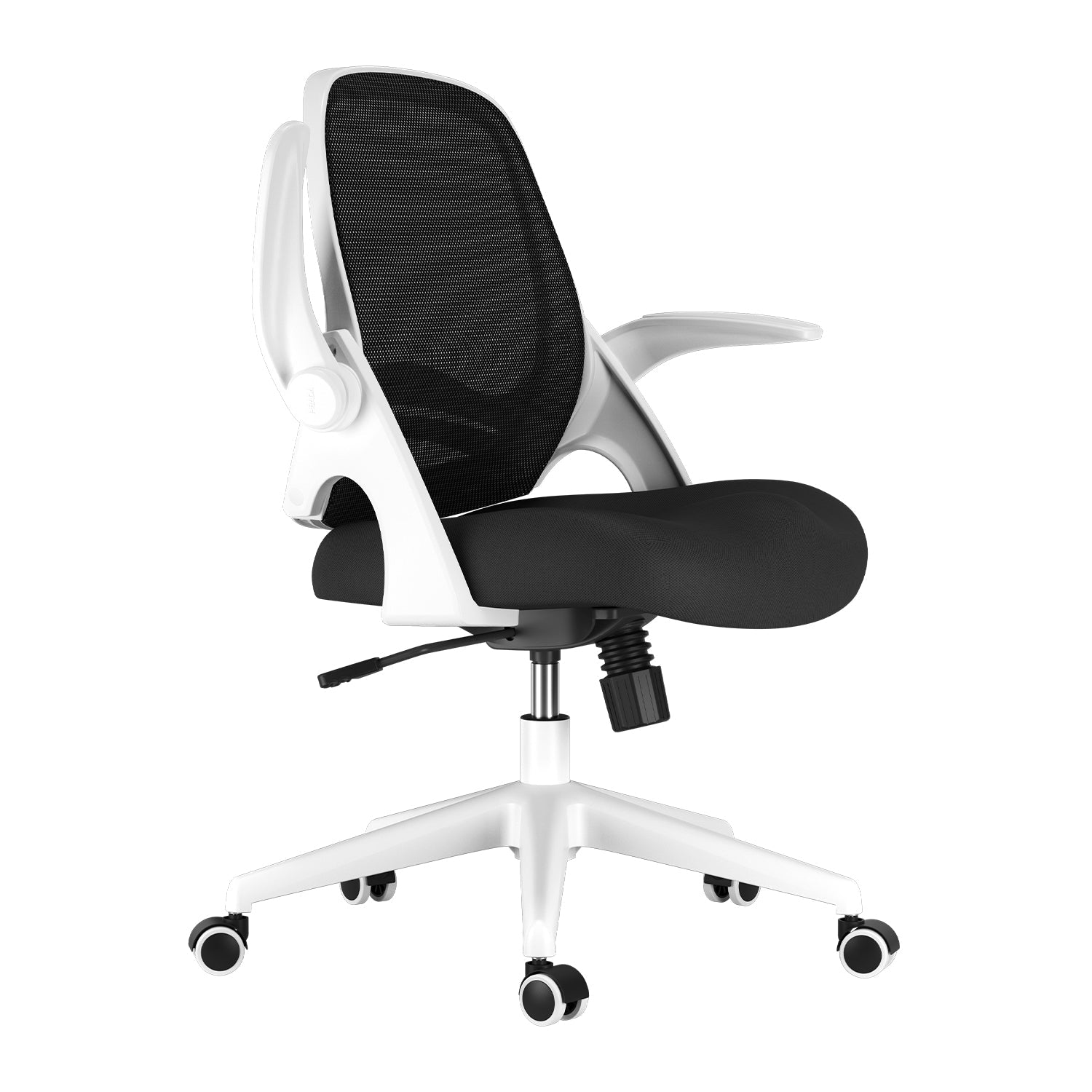
HBADA P2 Ergonomic Office Chair
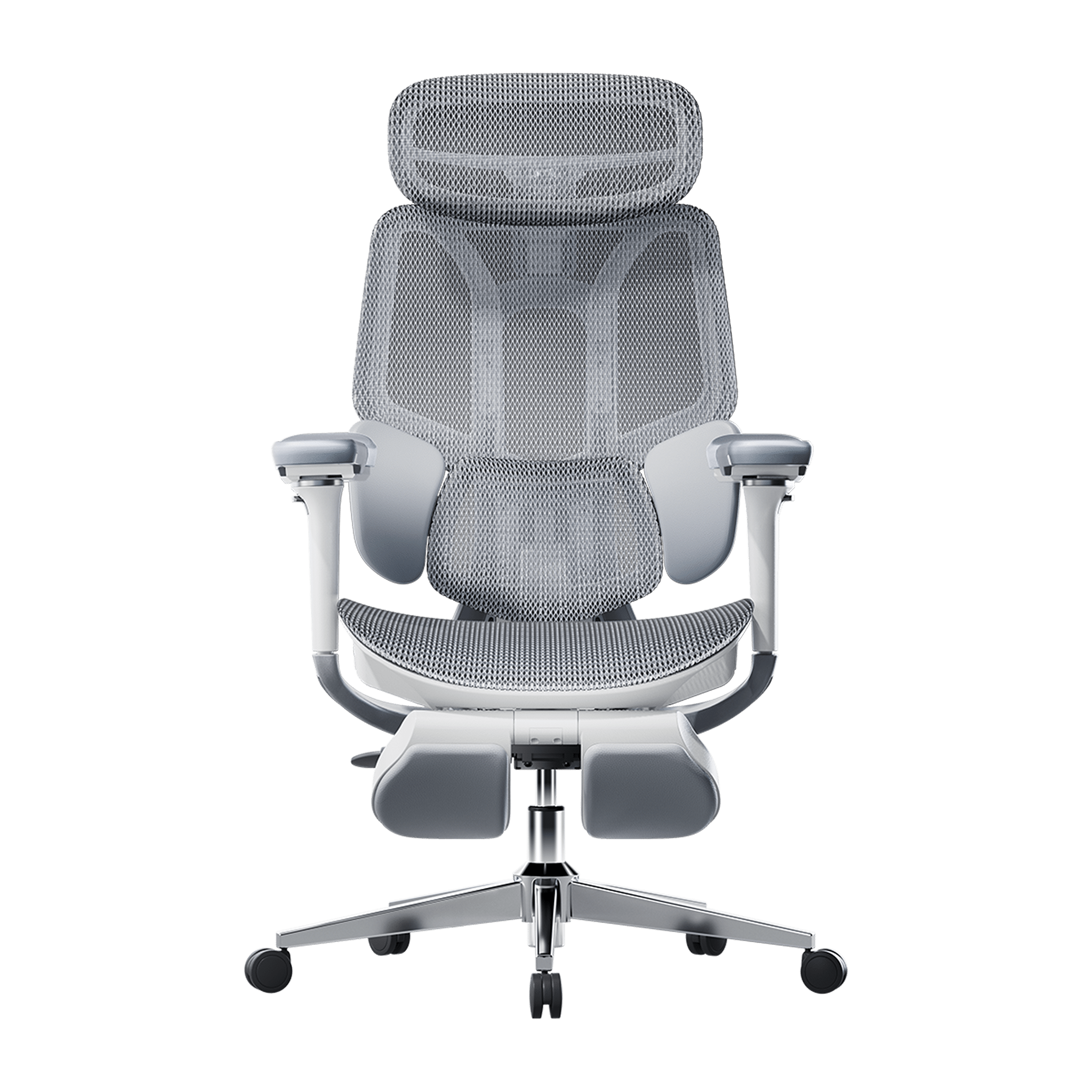
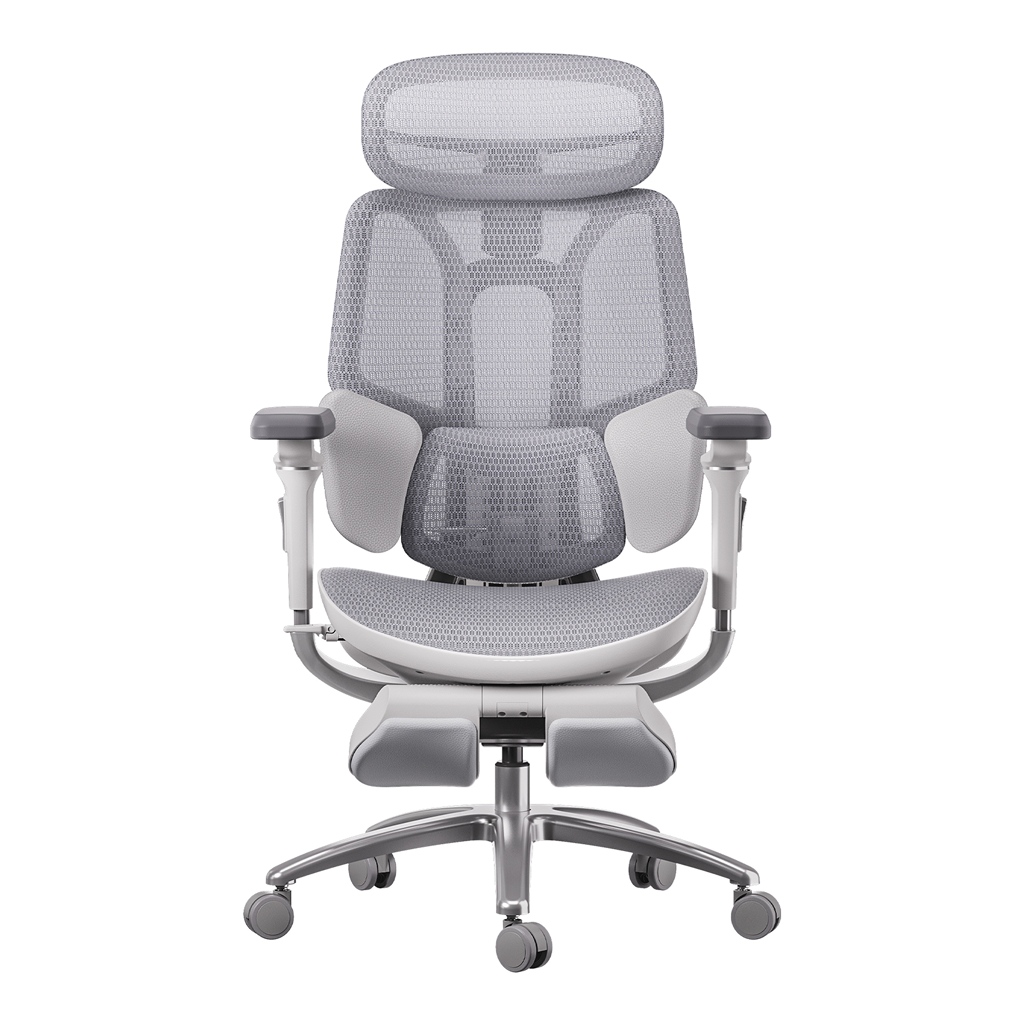

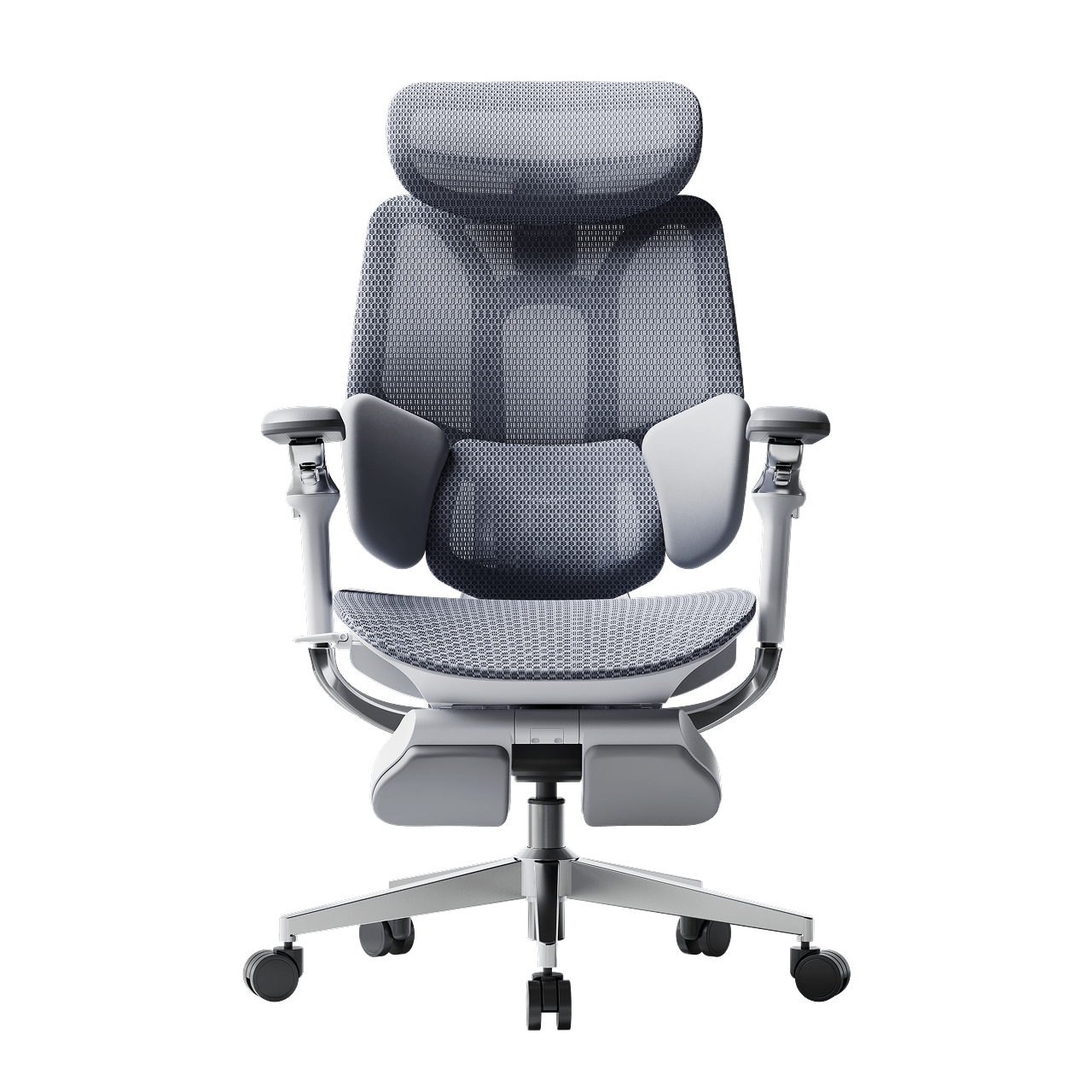
Remove this item from your cart?
Cart
 Mother’s Day Sale: Order Ergonomic Chair with Discount Now
Contents
Why an ergonomic chair is the ultimate gift for mom
Posture support and long-term health
A workspace transformation
Early bird savings: the Mother's Day sale
Finding the best ergonomic chair for mom 2026
For the tech-savvy mom: HBADA X7
For the home office professional: E3 Pro
For the compact workspace: E3 Air
Features that make HBADA the best chair for mom
Comparison of Mother's Day gift options
Frequently asked questions
Conclusion
Mother’s Day is a great chance to show your appreciation. If your mom works at a desk, whether at work or at home, she deserves more than flowers. An ergonomic chair is a gift that brings comfort and health benefits long after the holiday. Buying early with a discount means her gift will arrive on time, and you’ll save money.
Why an Ergonomic Office Chair is the Ultimate Gift for Mom
Many moms make do with dining chairs or old office furniture, which can cause back pain over time. With more people working from home in 2026, a comfortable office chair is now a must-have for health, not just a luxury.
Posture Support and Long-Term Health
Giving a chair that supports good posture and spinal health shows you care about her well-being. Bad seating can cause back and neck problems, but our chairs are designed to help. An ergonomic chair with lumbar support helps her maintain healthy spine alignment, reduce fatigue, and prevent neck pain from computer use.
A Workspace Transformation
A supportive ergonomic chair for Mother’s Day can improve how she feels, not just how she sits. When her body is comfortable, she can focus better. Whether she’s working or reading, a good chair can become her favorite place at home.
Early Bird Savings: The Mother’s Day Sale Ergonomic Office Chair Event
You’ll find the best deals before May. Our Mother’s Day sale lets you get top-quality chairs at a good price. If you order early, you can avoid shipping delays and make sure her chair arrives in time for the holiday.
Finding the Best Ergonomic Chair for Mom 2026
Every mom is different, which is why we offer a range of solutions tailored to different body types and work styles.
1. For the Tech-Savvy Mom: The Hbada AI-Powered x7
If your mom enjoys new technology, the Hbada AI-Powered x7 is a top choice for 2026. This chair uses sensors to track her posture and adjusts the support as she moves. It’s a great option for moms who want the best in comfort and back support.
2. For the Home Office Professional: The HBADA E3 Pro
For moms who work long hours or have demanding jobs, the HBADA E3 Pro is a great choice. This premium chair is designed for home offices and comes with features like:
· 3-Zone Dynamic Lumbar Support: Cradles the waist and spine from three separate angles.
· 720° Omni-Adjustable Armrests: Provide total shoulder relief during long typing sessions.
· 140° Reclining: Perfect for those mid-afternoon breaks or quick power naps.
3. For the Versatile or Compact Workspace: The HBADA E3 Air
If she likes a lighter chair for her home office, the HBADA E3 Air is a great pick. It’s compact for small spaces but still gives plenty of support. It’s also affordable and includes our breathable mesh and lumbar support for daily comfort.
Features That Make HBADA the Best Ergonomic Chair for Mom
Our chairs are easy to adjust because we know Mom doesn’t have time for complicated settings. Adjusting the chair for computer work is simple and quick.
· Adjustable Seat Depth: Essential for ensuring her thighs are supported without restricting circulation at the knees.
· Breathable Mesh: Our best ergonomic chair for mom working from home uses high-tensile mesh to keep her cool throughout the day.
· Multi-Point Customization: From the headrest to the footrest, every element is adjustable, making this an ergonomic chair for different body types, ensuring a custom-fit feel.
Comparison of Mother’s Day Gift Options
Feature
HBADA E3 Air
HBADA E3 Pro
Hbada AI-Powered x7
Best For
Small spaces / Practicality
Long work hours / Premium feel
Ultimate health / Tech-savvy
Lumbar Support
3-Zone Dynamic
3-Zone Dynamic
Active AI Tracking
Armrests
3D Adjustable
720° Omni-Adjustable
720° Omni-Adjustable
Key Benefit
Affordable ergonomic gift
Posture correction
Total Bio-Sync Health
Recline
135° Recline
140° Recline + Footrest
140° + Massage/Heat
Frequently Asked Questions (FAQ)
Q: Why is an ergonomic chair a better gift than a standard one?A: A Mother’s Day ergonomic chair gift provides a posture-support ergonomic chair gift for Mother’s Day that actually improves her health. Standard chairs often encourage slouching, which can lead to long-term back pain. Our chairs use a 3-zone dynamic lumbar support chair system to ensure she remains in a healthy “S-curve” all day, making it the best ergonomic chair for mom working from home.
Q: Is the Hbada AI-Powered x7 easy for a non-tech person to use?A: Absolutely. While the Hbada AI-Powered x7 is an advanced ergonomic chair gift for home office use, it is designed to be intuitive. Once she sits down, the AI automatically calibrates to her body. It is the easiest-to-adjust ergonomic office chair because it does the work for her, providing a proactive ergonomic chair gift for mom with back support.
Q: What if she has a small home office?A: The HBADA E3 Air ergonomic chair gift is specifically designed as a lightweight ergonomic chair for home office use. It provides a compact ergonomic chair for small spaces while still offering the ergonomic office chair with lumbar support for daily comfort that our brand is famous for. It’s the best ergonomic chair for mom 2026 who needs a sleek, space-saving design.
Q: How does seat depth adjustment help with comfort?A: Our ergonomic office chair with lumbar support for mom’s health features an adjustable seat depth. This allows her to slide the seat forward or backward so her back is fully supported by the lumbar system while leaving a small gap behind her knees. This prevents pressure on her legs and improves blood flow in a comfortable, ergonomic chair during long sitting sessions.
Conclusion
Give Her the Gift of a Pain-Free Future
This year, give her a gift that makes a real difference. An HBADA ergonomic chair is more than just furniture—it’s a way to show you care about her comfort and health. Whether you pick the advanced Hbada AI-Powered x7 or the flexible E3 series, you’ll be giving her great support for long hours and better posture. Order before May to get the best price and make sure her chair arrives on time. She’s always supported you, so now you can support her too.
Apr 29, 2026
Mother’s Day Sale: Order Ergonomic Chair with Discount Now
Contents
Why an ergonomic chair is the ultimate gift for mom
Posture support and long-term health
A workspace transformation
Early bird savings: the Mother's Day sale
Finding the best ergonomic chair for mom 2026
For the tech-savvy mom: HBADA X7
For the home office professional: E3 Pro
For the compact workspace: E3 Air
Features that make HBADA the best chair for mom
Comparison of Mother's Day gift options
Frequently asked questions
Conclusion
Mother’s Day is a great chance to show your appreciation. If your mom works at a desk, whether at work or at home, she deserves more than flowers. An ergonomic chair is a gift that brings comfort and health benefits long after the holiday. Buying early with a discount means her gift will arrive on time, and you’ll save money.
Why an Ergonomic Office Chair is the Ultimate Gift for Mom
Many moms make do with dining chairs or old office furniture, which can cause back pain over time. With more people working from home in 2026, a comfortable office chair is now a must-have for health, not just a luxury.
Posture Support and Long-Term Health
Giving a chair that supports good posture and spinal health shows you care about her well-being. Bad seating can cause back and neck problems, but our chairs are designed to help. An ergonomic chair with lumbar support helps her maintain healthy spine alignment, reduce fatigue, and prevent neck pain from computer use.
A Workspace Transformation
A supportive ergonomic chair for Mother’s Day can improve how she feels, not just how she sits. When her body is comfortable, she can focus better. Whether she’s working or reading, a good chair can become her favorite place at home.
Early Bird Savings: The Mother’s Day Sale Ergonomic Office Chair Event
You’ll find the best deals before May. Our Mother’s Day sale lets you get top-quality chairs at a good price. If you order early, you can avoid shipping delays and make sure her chair arrives in time for the holiday.
Finding the Best Ergonomic Chair for Mom 2026
Every mom is different, which is why we offer a range of solutions tailored to different body types and work styles.
1. For the Tech-Savvy Mom: The Hbada AI-Powered x7
If your mom enjoys new technology, the Hbada AI-Powered x7 is a top choice for 2026. This chair uses sensors to track her posture and adjusts the support as she moves. It’s a great option for moms who want the best in comfort and back support.
2. For the Home Office Professional: The HBADA E3 Pro
For moms who work long hours or have demanding jobs, the HBADA E3 Pro is a great choice. This premium chair is designed for home offices and comes with features like:
· 3-Zone Dynamic Lumbar Support: Cradles the waist and spine from three separate angles.
· 720° Omni-Adjustable Armrests: Provide total shoulder relief during long typing sessions.
· 140° Reclining: Perfect for those mid-afternoon breaks or quick power naps.
3. For the Versatile or Compact Workspace: The HBADA E3 Air
If she likes a lighter chair for her home office, the HBADA E3 Air is a great pick. It’s compact for small spaces but still gives plenty of support. It’s also affordable and includes our breathable mesh and lumbar support for daily comfort.
Features That Make HBADA the Best Ergonomic Chair for Mom
Our chairs are easy to adjust because we know Mom doesn’t have time for complicated settings. Adjusting the chair for computer work is simple and quick.
· Adjustable Seat Depth: Essential for ensuring her thighs are supported without restricting circulation at the knees.
· Breathable Mesh: Our best ergonomic chair for mom working from home uses high-tensile mesh to keep her cool throughout the day.
· Multi-Point Customization: From the headrest to the footrest, every element is adjustable, making this an ergonomic chair for different body types, ensuring a custom-fit feel.
Comparison of Mother’s Day Gift Options
Feature
HBADA E3 Air
HBADA E3 Pro
Hbada AI-Powered x7
Best For
Small spaces / Practicality
Long work hours / Premium feel
Ultimate health / Tech-savvy
Lumbar Support
3-Zone Dynamic
3-Zone Dynamic
Active AI Tracking
Armrests
3D Adjustable
720° Omni-Adjustable
720° Omni-Adjustable
Key Benefit
Affordable ergonomic gift
Posture correction
Total Bio-Sync Health
Recline
135° Recline
140° Recline + Footrest
140° + Massage/Heat
Frequently Asked Questions (FAQ)
Q: Why is an ergonomic chair a better gift than a standard one?A: A Mother’s Day ergonomic chair gift provides a posture-support ergonomic chair gift for Mother’s Day that actually improves her health. Standard chairs often encourage slouching, which can lead to long-term back pain. Our chairs use a 3-zone dynamic lumbar support chair system to ensure she remains in a healthy “S-curve” all day, making it the best ergonomic chair for mom working from home.
Q: Is the Hbada AI-Powered x7 easy for a non-tech person to use?A: Absolutely. While the Hbada AI-Powered x7 is an advanced ergonomic chair gift for home office use, it is designed to be intuitive. Once she sits down, the AI automatically calibrates to her body. It is the easiest-to-adjust ergonomic office chair because it does the work for her, providing a proactive ergonomic chair gift for mom with back support.
Q: What if she has a small home office?A: The HBADA E3 Air ergonomic chair gift is specifically designed as a lightweight ergonomic chair for home office use. It provides a compact ergonomic chair for small spaces while still offering the ergonomic office chair with lumbar support for daily comfort that our brand is famous for. It’s the best ergonomic chair for mom 2026 who needs a sleek, space-saving design.
Q: How does seat depth adjustment help with comfort?A: Our ergonomic office chair with lumbar support for mom’s health features an adjustable seat depth. This allows her to slide the seat forward or backward so her back is fully supported by the lumbar system while leaving a small gap behind her knees. This prevents pressure on her legs and improves blood flow in a comfortable, ergonomic chair during long sitting sessions.
Conclusion
Give Her the Gift of a Pain-Free Future
This year, give her a gift that makes a real difference. An HBADA ergonomic chair is more than just furniture—it’s a way to show you care about her comfort and health. Whether you pick the advanced Hbada AI-Powered x7 or the flexible E3 series, you’ll be giving her great support for long hours and better posture. Order before May to get the best price and make sure her chair arrives on time. She’s always supported you, so now you can support her too.
Apr 29, 2026
 $500 vs $1000 Office Chair: What’s the Real Difference?
Contents
Build quality and materials
Material engineering in premium models
Mesh quality and breathability
Personalization vs. standardization
Multi-dimensional ergonomic adjustments
The limits of mid-range adjustability
Health and productivity — return on investment
Performance comparison guide: choosing your tier
The $500 tier — the reliable professional
The $1,000 tier — the high-performance athlete
Frequently asked questions
Conclusion
In 2026, buying an office chair is an investment in your health, but huge price differences make it confusing. Is a $1,100 chair better than a $500 one because of the brand, or due to real engineering? Understanding the real differences is essential. Both tiers have advantages, but internal build and durability often set them apart.
The Foundation of Value: Build Quality and Materials
When you compare a budget chair to a premium ergonomic office chair, the first thing you notice is not the appearance but the feel. Premium chairs are designed to last for over 10 years of daily use, while mid-range chairs may start squeaking or lose support after about 3 years.
Material Engineering in Premium Models
High-end chairs often feature glass-fiber reinforced polymers and die-cast aluminum frames, making them both strong and flexible. Budget chairs with lumbar support typically use standard plastics that, while functional, are more prone to movement and can become brittle with time. For a lightweight option that retains strength, premium brands keep chair bases and cylinders sturdy without added bulk.
Mesh Quality and Breathability
A $1,000 chair uses high-tensile, multi-zone mesh, offering varying firmness for targeted support, firmer beneath your sit bones, and softer behind your knees. By contrast, sub-$500 chairs usually have single-density, breathable mesh that tends to sag over time and may eventually stop providing adequate support.
Personalization vs. Standardization
The most significant functional difference lies in the level of control you have over your posture. This is where a fully adjustable ergonomic office chair truly separates itself from limited-adjustment models.
Multi-Dimensional Ergonomic Chair Adjustments
A $1,000 chair often has multi-dimensional ergonomic adjustments. This includes 4D or 5D armrests, which means the armrests can be adjusted in four or five directions: height (up and down), width (side to side), depth (forward and backward), and pivot (angle adjustment). Premium chairs also offer seat depth (how far the seat extends) and recline controls that work together. When you lean back in a high-end Hbada chair, the seat and backrest move at different angles. This weight-sensitive tilt helps keep your feet flat on the floor and your eyes level with your monitor, even as you recline.
The Limits of Mid-Range Adjustability
An ergonomic chair under $500 is great for general home-office tasks, but it often lacks seat depth adjustment. If the seat is not the right length for your legs, it can cause poor circulation or not support your lower back. These chairs usually have basic height and tilt features but may not offer the detailed adjustments needed to address issues like tech neck or anterior pelvic tilt.
Health and Productivity in Return on Investment
Many people wonder if an expensive ergonomic chair is worth it. The answer depends on how you feel each day. If you still feel energized at the end of your workday, the chair has done its job.
· Does an Expensive Office Chair Improve Posture?
Yes, but not automatically. A premium chair gently guides you into healthy alignment. High-end models feature adaptive lumbar tracking that moves with your spine. They reduce the load on your core and neck, allowing muscles to relax and supporting better productivity.
· Why Cheap Office Chairs Cause Back Pain
If you’ve used a $100 big box chair, you know why cheap options can cause back pain. They lack the S-curve support your lower back needs. Over time, foam flattens and hardens, putting pressure on your tailbone and lower back. At a minimum, invest in a mid-range ergonomic chair with lumbar support to prevent future issues.
Performance Comparison Guide: Choosing Your Tier
To help you choose, we have organized our Hbada chairs by value and performance.
The $500 Tier: The Reliable Professional
This is the best ergonomic chair under $500 for home office users who work regular hours. Our models in this range offer:
· High-elasticity breathable mesh.
· Integrated dynamic lumbar support.
· 3D adjustable armrests.
· Reliable Class-4 gas lifts for height adjustment.
The $1000 Tier: The High-Performance Athlete
This is the best chair for long work hours compared to budget options. Our premium series, including the E3 Pro and AI-powered models, offers:
· Multi-dimensional ergonomic chair adjustments (720° armrests).
· 3-Zone lumbar tracking that stays with you during a recline.
· Ergonomic chair with seat depth and recline controls for complete leg comfort.
· Bio-synchronized movement that mimics the natural pivot of the human hip.
Feature
Sihoo Doro S300
Libernovo Omni
HBADA AI-Powered x7
HBADA E3 Pro
Lumbar Tech
Dual Dynamic
Smart Dynamic
Active AI Tracking
3-Zone Tracking
Adjustability
6D Armrests
4D Armrests
720° Omni-Arms
720° Omni-Arms
Battery Life
N/A
2,200 mAh
5,200 mAh
N/A
2026 Price
~$799.00
~$1,699.00
~$1,299.00
~$429.00
Frequently Asked Questions (FAQ)
Q: Can a $500 chair be as comfortable as a $1,000 chair?A: In the short term, yes. For the first hour or two, a budget ergonomic office chair with lumbar support can feel comfortable. However, after about six hours, the difference becomes clear. Premium chairs have features that reduce fatigue, so they stay comfortable for long work sessions, while budget foam often feels flat by midday.
Q: How long should I expect a $1,000 chair to last?A: A premium chair is made to last for 10 years in a commercial setting. This includes the mesh, hydraulic cylinder, and wheels. If you compare prices over a decade, a $1,000 chair costs about $0.27 per day, making it a smart investment for your health.
Q: What is the single most important feature to look for in a home office chair?A: Lumbar adjustability. Whether you choose a lightweight, ergonomic chair for your home office or a heavy executive model, the chair should support your lower back. If the lumbar support cannot be adjusted, it may not fit your spine properly.
Q: Does a more expensive chair actually make me work better?A: Indirectly, yes. It is hard to focus on complex tasks if you are always moving to avoid back pain. Features that reduce fatigue help you stay focused for longer. Comfort is the key to doing your best work.
Conclusion
When deciding between a $500 and a $1,000 chair, keep in mind that you are investing in your spinal health, not just buying furniture. A $500 Hbada chair gives you a professional experience that is much better than standard office seating. But if you spend many hours at your desk, the difference between a $500 and a $1,000 chair comes down to long-term wellness. The premium tier gives you the precision, durability, and support you need to stay pain-free for years. Pick the chair that fits your work style, and your back will thank you. For more pages you want to look at:
https://hbada.com/pages/site-map .
Apr 28, 2026
$500 vs $1000 Office Chair: What’s the Real Difference?
Contents
Build quality and materials
Material engineering in premium models
Mesh quality and breathability
Personalization vs. standardization
Multi-dimensional ergonomic adjustments
The limits of mid-range adjustability
Health and productivity — return on investment
Performance comparison guide: choosing your tier
The $500 tier — the reliable professional
The $1,000 tier — the high-performance athlete
Frequently asked questions
Conclusion
In 2026, buying an office chair is an investment in your health, but huge price differences make it confusing. Is a $1,100 chair better than a $500 one because of the brand, or due to real engineering? Understanding the real differences is essential. Both tiers have advantages, but internal build and durability often set them apart.
The Foundation of Value: Build Quality and Materials
When you compare a budget chair to a premium ergonomic office chair, the first thing you notice is not the appearance but the feel. Premium chairs are designed to last for over 10 years of daily use, while mid-range chairs may start squeaking or lose support after about 3 years.
Material Engineering in Premium Models
High-end chairs often feature glass-fiber reinforced polymers and die-cast aluminum frames, making them both strong and flexible. Budget chairs with lumbar support typically use standard plastics that, while functional, are more prone to movement and can become brittle with time. For a lightweight option that retains strength, premium brands keep chair bases and cylinders sturdy without added bulk.
Mesh Quality and Breathability
A $1,000 chair uses high-tensile, multi-zone mesh, offering varying firmness for targeted support, firmer beneath your sit bones, and softer behind your knees. By contrast, sub-$500 chairs usually have single-density, breathable mesh that tends to sag over time and may eventually stop providing adequate support.
Personalization vs. Standardization
The most significant functional difference lies in the level of control you have over your posture. This is where a fully adjustable ergonomic office chair truly separates itself from limited-adjustment models.
Multi-Dimensional Ergonomic Chair Adjustments
A $1,000 chair often has multi-dimensional ergonomic adjustments. This includes 4D or 5D armrests, which means the armrests can be adjusted in four or five directions: height (up and down), width (side to side), depth (forward and backward), and pivot (angle adjustment). Premium chairs also offer seat depth (how far the seat extends) and recline controls that work together. When you lean back in a high-end Hbada chair, the seat and backrest move at different angles. This weight-sensitive tilt helps keep your feet flat on the floor and your eyes level with your monitor, even as you recline.
The Limits of Mid-Range Adjustability
An ergonomic chair under $500 is great for general home-office tasks, but it often lacks seat depth adjustment. If the seat is not the right length for your legs, it can cause poor circulation or not support your lower back. These chairs usually have basic height and tilt features but may not offer the detailed adjustments needed to address issues like tech neck or anterior pelvic tilt.
Health and Productivity in Return on Investment
Many people wonder if an expensive ergonomic chair is worth it. The answer depends on how you feel each day. If you still feel energized at the end of your workday, the chair has done its job.
· Does an Expensive Office Chair Improve Posture?
Yes, but not automatically. A premium chair gently guides you into healthy alignment. High-end models feature adaptive lumbar tracking that moves with your spine. They reduce the load on your core and neck, allowing muscles to relax and supporting better productivity.
· Why Cheap Office Chairs Cause Back Pain
If you’ve used a $100 big box chair, you know why cheap options can cause back pain. They lack the S-curve support your lower back needs. Over time, foam flattens and hardens, putting pressure on your tailbone and lower back. At a minimum, invest in a mid-range ergonomic chair with lumbar support to prevent future issues.
Performance Comparison Guide: Choosing Your Tier
To help you choose, we have organized our Hbada chairs by value and performance.
The $500 Tier: The Reliable Professional
This is the best ergonomic chair under $500 for home office users who work regular hours. Our models in this range offer:
· High-elasticity breathable mesh.
· Integrated dynamic lumbar support.
· 3D adjustable armrests.
· Reliable Class-4 gas lifts for height adjustment.
The $1000 Tier: The High-Performance Athlete
This is the best chair for long work hours compared to budget options. Our premium series, including the E3 Pro and AI-powered models, offers:
· Multi-dimensional ergonomic chair adjustments (720° armrests).
· 3-Zone lumbar tracking that stays with you during a recline.
· Ergonomic chair with seat depth and recline controls for complete leg comfort.
· Bio-synchronized movement that mimics the natural pivot of the human hip.
Feature
Sihoo Doro S300
Libernovo Omni
HBADA AI-Powered x7
HBADA E3 Pro
Lumbar Tech
Dual Dynamic
Smart Dynamic
Active AI Tracking
3-Zone Tracking
Adjustability
6D Armrests
4D Armrests
720° Omni-Arms
720° Omni-Arms
Battery Life
N/A
2,200 mAh
5,200 mAh
N/A
2026 Price
~$799.00
~$1,699.00
~$1,299.00
~$429.00
Frequently Asked Questions (FAQ)
Q: Can a $500 chair be as comfortable as a $1,000 chair?A: In the short term, yes. For the first hour or two, a budget ergonomic office chair with lumbar support can feel comfortable. However, after about six hours, the difference becomes clear. Premium chairs have features that reduce fatigue, so they stay comfortable for long work sessions, while budget foam often feels flat by midday.
Q: How long should I expect a $1,000 chair to last?A: A premium chair is made to last for 10 years in a commercial setting. This includes the mesh, hydraulic cylinder, and wheels. If you compare prices over a decade, a $1,000 chair costs about $0.27 per day, making it a smart investment for your health.
Q: What is the single most important feature to look for in a home office chair?A: Lumbar adjustability. Whether you choose a lightweight, ergonomic chair for your home office or a heavy executive model, the chair should support your lower back. If the lumbar support cannot be adjusted, it may not fit your spine properly.
Q: Does a more expensive chair actually make me work better?A: Indirectly, yes. It is hard to focus on complex tasks if you are always moving to avoid back pain. Features that reduce fatigue help you stay focused for longer. Comfort is the key to doing your best work.
Conclusion
When deciding between a $500 and a $1,000 chair, keep in mind that you are investing in your spinal health, not just buying furniture. A $500 Hbada chair gives you a professional experience that is much better than standard office seating. But if you spend many hours at your desk, the difference between a $500 and a $1,000 chair comes down to long-term wellness. The premium tier gives you the precision, durability, and support you need to stay pain-free for years. Pick the chair that fits your work style, and your back will thank you. For more pages you want to look at:
https://hbada.com/pages/site-map .
Apr 28, 2026
 What Is the Best Office Chair for Herniated Disc & Lower Back Pain?
Contents
Understanding the impact of sitting on spinal disc
Master the best sitting position for a herniated disc
Why HBADA technology is the solution for back pain
Comparison of HBADA ergonomic solutions
Frequently asked questions
Conclusion
A herniated disc can turn a regular eight-hour workday into a real challenge. When the soft center of a spinal disc pushes through its outer layer, it can press on nerves and cause pain or numbness. Medical treatment is important, but your chair also plays a big role in how many stress your spine faces each day. Choosing the right office chair for herniated disc support is not just about comfort. It is about helping your spine decompress and stay properly aligned.
Understanding the Impact of Sitting on Spinal Disc
Sitting puts more pressure on your spinal disc than standing or walking does. If you already have a disc injury, a bad chair can make things worse. For healing, your spine needs a neutral position where pressure is evenly distributed, not focused on the injured area.
Chair Features That Reduce Spinal Compression
To reduce back pain while sitting at work, look for chairs that distribute pressure evenly across your spine. The key feature is a backrest that moves with you, allowing small adjustments. A stiff chair keeps your spine still, limiting blood flow and preventing your discs from rehydrating. Choose chairs with good gas lifts and recline features that let you lean back a bit. Sitting at a 100- to 110-degree angle helps take pressure off your lower back.
Lumbar Support vs. No Lumbar Support for Back Pain
In the debate of lumbar support vs no lumbar support for back pain, the science is clear: the human spine has a natural inward curve called lordosis. Without support, your back eventually flattens against the chair, causing the discs to bulge outward. An ergonomic office chair with lumbar support for back pain fills this gap, maintaining the natural curve and ensuring that the weight of your upper body is supported by the chair’s structure rather than your sensitive spinal nerves.
Master the Best Sitting Position for a Herniated Disc at the Computer
Even the best chair works best when you know how to sit properly. Learning the right way to sit with a herniated disc is key to long-term recovery.
The Foundation of Proper Alignment
The right sitting position for a herniated disc starts with your feet flat on the floor to keep your pelvis steady. Your knees should be bent to 90 degrees, slightly below your hips. This open hip angle helps keep your lower back’s natural curve. Make sure your monitor is at eye level to avoid neck strain, which can strain your upper and lower back.
Refining Your Daily Habits
The best sitting posture for a herniated disc in office work involves “active sitting.” This means you should shift your position frequently and utilize the full depth of your seat. Ensure your lower back is always in contact with the lumbar pad. If you feel yourself slouching forward, your chair’s seat depth might be too long. A proper ergonomic chair setup for herniated disc support allows for 2 fingers' width between the seat edge and the backs of your knees.
Why Hbada Technology Is the Solution for Back Pain
At Hbada, we focus on making chairs that move with your body. Our 'Bio-Synchronized' seating is designed to support you as you move. When you look for the best ergonomic chair for lower back pain, our chairs stand out because they address the main cause of pain: constant pressure.
How Lumbar Support Helps Lower Back Pain
You may ask how lumbar support helps with lower back pain from disc problems. Our adaptive tracking technology moves with you as you lean. Unlike fixed supports, our 3-zone dynamic system follows your spine. So whether you are typing or leaning back, your lower back is always supported. This steady support acts like a brace, taking pressure off the disc and letting your muscles relax.
The Role of Armrests in Spinal Health
Many people forget that their arms are heavy. Without support, your shoulders pull forward, which rounds your back and compresses your spine. A premium ergonomic chair with full-arm support adjustment lets you bring the armrests close to your body. This helps support the weight of your upper limbs, preventing the downward pull that can aggravate a herniated disc. Our 5D and 720° armrest systems ensure that no matter how you work, your shoulders remain neutral.
Comparison of Hbada Ergonomic Solutions
The right chair for you depends on the level of pain you have and your daily work routine. Here is how our main models help support your spine.
Model
Primary Technology
Best For
Support Level
Hbada E3 air
Dynamic Lumbar Tracking
Daily Prevention
High
Hbada E3 Pro
3-Zone Dynamic Support
Chronic Lower Back Pain
Professional
HBADA X7 Smart Ergonomic Chair
Bio-Synchronized AI
Herniated Disc Recovery
Ultimate
The Hbada E3 Pro is often considered our best chair for lower back pain because its 3-zone support wraps around your lower back and stabilizes it from multiple angles. If you are recovering, our AI-Powered series offers real-time posture correction to help you avoid bad sitting habits. For more information, click to check:
Frequently Asked Questions (FAQ)
Q: Can a new office chair heal a herniated disc?A: A chair cannot cure a herniated disc, but it is an important part of your recovery. Using the right office chair for herniated disc support lowers the daily stress on your spine and helps your disc heal. It also helps break the cycle of reinjury caused by poor posture.
Q: How often should I take breaks if I have a disc injury?A: Even if you have a top ergonomic chair with adjustable armrests, you should stand up every 30 to 45 minutes. Moving around helps spinal fluid flow, which brings nutrients to your discs. Use your chair’s recline feature often to shift pressure on your back.
Q: Is a hard or soft seat better for lower back pain?A: A medium-firm seat is usually best. If a seat is too soft, your pelvis tilts backward, which flattens your lower back and puts more pressure on your discs. A firm, shaped seat keeps your pelvis in a good position and works well with your ergonomic chair for herniated disc support.
Q: Why does my pain get worse at the end of the day?A: This usually happens because of postural fatigue. As your muscles get tired, you start to slouch. This is when lumbar support really helps. The chair keeps your spine in line even when your muscles are tired.
Conclusion
A herniated disc does not have to stop you from being productive. By using the right sitting position and an orthopedically designed chair, you can reclaim your workday. Your spine is the base of your health, so do not let a basic chair put it at risk. Choose a chair with active tracking, 3-zone support, and full adjustability. Try an Hbada ergonomic chair today and feel the relief of real support.
Apr 16, 2026
What Is the Best Office Chair for Herniated Disc & Lower Back Pain?
Contents
Understanding the impact of sitting on spinal disc
Master the best sitting position for a herniated disc
Why HBADA technology is the solution for back pain
Comparison of HBADA ergonomic solutions
Frequently asked questions
Conclusion
A herniated disc can turn a regular eight-hour workday into a real challenge. When the soft center of a spinal disc pushes through its outer layer, it can press on nerves and cause pain or numbness. Medical treatment is important, but your chair also plays a big role in how many stress your spine faces each day. Choosing the right office chair for herniated disc support is not just about comfort. It is about helping your spine decompress and stay properly aligned.
Understanding the Impact of Sitting on Spinal Disc
Sitting puts more pressure on your spinal disc than standing or walking does. If you already have a disc injury, a bad chair can make things worse. For healing, your spine needs a neutral position where pressure is evenly distributed, not focused on the injured area.
Chair Features That Reduce Spinal Compression
To reduce back pain while sitting at work, look for chairs that distribute pressure evenly across your spine. The key feature is a backrest that moves with you, allowing small adjustments. A stiff chair keeps your spine still, limiting blood flow and preventing your discs from rehydrating. Choose chairs with good gas lifts and recline features that let you lean back a bit. Sitting at a 100- to 110-degree angle helps take pressure off your lower back.
Lumbar Support vs. No Lumbar Support for Back Pain
In the debate of lumbar support vs no lumbar support for back pain, the science is clear: the human spine has a natural inward curve called lordosis. Without support, your back eventually flattens against the chair, causing the discs to bulge outward. An ergonomic office chair with lumbar support for back pain fills this gap, maintaining the natural curve and ensuring that the weight of your upper body is supported by the chair’s structure rather than your sensitive spinal nerves.
Master the Best Sitting Position for a Herniated Disc at the Computer
Even the best chair works best when you know how to sit properly. Learning the right way to sit with a herniated disc is key to long-term recovery.
The Foundation of Proper Alignment
The right sitting position for a herniated disc starts with your feet flat on the floor to keep your pelvis steady. Your knees should be bent to 90 degrees, slightly below your hips. This open hip angle helps keep your lower back’s natural curve. Make sure your monitor is at eye level to avoid neck strain, which can strain your upper and lower back.
Refining Your Daily Habits
The best sitting posture for a herniated disc in office work involves “active sitting.” This means you should shift your position frequently and utilize the full depth of your seat. Ensure your lower back is always in contact with the lumbar pad. If you feel yourself slouching forward, your chair’s seat depth might be too long. A proper ergonomic chair setup for herniated disc support allows for 2 fingers' width between the seat edge and the backs of your knees.
Why Hbada Technology Is the Solution for Back Pain
At Hbada, we focus on making chairs that move with your body. Our 'Bio-Synchronized' seating is designed to support you as you move. When you look for the best ergonomic chair for lower back pain, our chairs stand out because they address the main cause of pain: constant pressure.
How Lumbar Support Helps Lower Back Pain
You may ask how lumbar support helps with lower back pain from disc problems. Our adaptive tracking technology moves with you as you lean. Unlike fixed supports, our 3-zone dynamic system follows your spine. So whether you are typing or leaning back, your lower back is always supported. This steady support acts like a brace, taking pressure off the disc and letting your muscles relax.
The Role of Armrests in Spinal Health
Many people forget that their arms are heavy. Without support, your shoulders pull forward, which rounds your back and compresses your spine. A premium ergonomic chair with full-arm support adjustment lets you bring the armrests close to your body. This helps support the weight of your upper limbs, preventing the downward pull that can aggravate a herniated disc. Our 5D and 720° armrest systems ensure that no matter how you work, your shoulders remain neutral.
Comparison of Hbada Ergonomic Solutions
The right chair for you depends on the level of pain you have and your daily work routine. Here is how our main models help support your spine.
Model
Primary Technology
Best For
Support Level
Hbada E3 air
Dynamic Lumbar Tracking
Daily Prevention
High
Hbada E3 Pro
3-Zone Dynamic Support
Chronic Lower Back Pain
Professional
HBADA X7 Smart Ergonomic Chair
Bio-Synchronized AI
Herniated Disc Recovery
Ultimate
The Hbada E3 Pro is often considered our best chair for lower back pain because its 3-zone support wraps around your lower back and stabilizes it from multiple angles. If you are recovering, our AI-Powered series offers real-time posture correction to help you avoid bad sitting habits. For more information, click to check:
Frequently Asked Questions (FAQ)
Q: Can a new office chair heal a herniated disc?A: A chair cannot cure a herniated disc, but it is an important part of your recovery. Using the right office chair for herniated disc support lowers the daily stress on your spine and helps your disc heal. It also helps break the cycle of reinjury caused by poor posture.
Q: How often should I take breaks if I have a disc injury?A: Even if you have a top ergonomic chair with adjustable armrests, you should stand up every 30 to 45 minutes. Moving around helps spinal fluid flow, which brings nutrients to your discs. Use your chair’s recline feature often to shift pressure on your back.
Q: Is a hard or soft seat better for lower back pain?A: A medium-firm seat is usually best. If a seat is too soft, your pelvis tilts backward, which flattens your lower back and puts more pressure on your discs. A firm, shaped seat keeps your pelvis in a good position and works well with your ergonomic chair for herniated disc support.
Q: Why does my pain get worse at the end of the day?A: This usually happens because of postural fatigue. As your muscles get tired, you start to slouch. This is when lumbar support really helps. The chair keeps your spine in line even when your muscles are tired.
Conclusion
A herniated disc does not have to stop you from being productive. By using the right sitting position and an orthopedically designed chair, you can reclaim your workday. Your spine is the base of your health, so do not let a basic chair put it at risk. Choose a chair with active tracking, 3-zone support, and full adjustability. Try an Hbada ergonomic chair today and feel the relief of real support.
Apr 16, 2026
 New Product Launch: HBADA E3 Air vs E3 Pro 2026 Edition — Full Breakdown
Contents
Overview of the HBADA 2026 new product line
Core differences at a glance
Lumbar support technology breakdown
E3 Pro — 3-zone dynamic precision
E3 Air — essential ergonomic support
Armrest engineering and upper body support
720° omni-adjustable armrests (E3 Pro)
Functional armrests (E3 Air)
Space efficiency and design philosophy
Compact ergonomic chair for small apartments
Premium structure for stability (E3 Pro)
Smart ergonomics and adaptive technology
Adaptive lumbar tracking (E3 Pro)
Assisted ergonomics (E3 Air)
Which is the best ergonomic chair for your needs?
Choose E3 Pro if you need
Choose E3 Air if you need
Practical setup tips for maximum benefit
Common buying mistakes to avoid
Frequently asked questions
Conclusion
Introduction
Picking the right ergonomic chair can be tough. Many chairs claim to be comfortable but don’t hold up during long hours of sitting. The new HBADA E3 Air and E3 Pro 2026 models address these issues with precise ergonomics, adaptive support, and a design that saves space. This guide will help you decide which model is best for you.
Overview of the HBADA 2026 New Product Line
In 2026, HBADA is focusing on posture correction and spinal health. They use AI-driven ergonomics and designs that move with your body. Both the E3 Air and E3 Pro offer strong lumbar support, but each is made for a different kind of user.
· E3 Pro 2026: Premium performance with advanced ergonomic features
· E3 Air 2026: Lightweight, compact ergonomic chair for small apartments
Both chairs are made to support you during long hours at your computer. However, they differ in how adjustable they are and how much ergonomic support they offer.
Core Differences at a Glance
Product Comparison Table
Target User
Home office, students
Professionals, long-hour users
Lumbar System
Elastic lumbar support
3-zone dynamic lumbar support chair
Adjustment Level
Essential adjustments
Full adaptive system
Armrests
4D adjustable
720° omni-adjustable armrests chair
Weight & Size
Lightweight, compact
Larger, premium build
Smart Features
Manual + assisted
Adaptive lumbar tracking ergonomic chair
Best Use
Small apartments
Long sitting duration (6–10 hours)
Lumbar Support Technology Breakdown
E3 Pro — 3-Zone Dynamic Precision
The E3 Pro stands out for its 3-zone lumbar support system, which means it provides targeted support for your upper, middle, and lower back. This approach helps keep your spine aligned throughout the day rather than focusing on just one area.
Key benefits:
· Continuous spinal alignment
· Reduced lower back pressure
· Adaptive response to posture shifts
With that said, the E3 Pro is a great choice if you spend 8+ hours at your desk each day, such as remote workers or professionals who need reliable support for extended periods.
E3 Air — Essential Ergonomic Support
The E3 Air takes a simpler approach. Instead of multiple adjustment zones, it uses elastic lumbar support to help you maintain good posture without fiddling with many settings.
It performs well for:
· Short to medium work sessions
· Students and remote workers
· Users who prefer minimal setup
Armrest Engineering and Upper Body Support
720° Omni-Adjustable Armrests (E3 Pro)
The E3 Pro features a 720° omni-adjustable armrest chair system. This allows:
· Vertical, horizontal, and rotational movement
· Precise elbow positioning
· Reduced shoulder tension
These ergonomic armrests are especially helpful for reducing shoulder tension and maintaining proper posture, which can make a big difference when you’re typing or using a mouse for hours at a time.
Functional Armrests (E3 Air)
The E3 Air includes 4D adjustable armrests. While less complex, they still support:
· Basic height and depth adjustment
· Comfortable typing posture
· Balanced arm positioning
If you want a practical chair that lets you adjust your armrests for comfortable typing, the E3 Air covers the basics without making things complicated.
Space Efficiency and Design Philosophy
Compact Ergonomic Chair for Small Apartments
If you don’t have much space, the E3 Air has a small footprint. It’s easy to slide under most desks and move around in tight rooms.
· Easy placement under desks
· Better mobility in limited rooms
· Reduced visual clutter
If you live in a U.S. apartment with limited space, this model fits seamlessly into your setup.
Premium Structure for Stability (E3 Pro)
The E3 Pro prioritizes performance over compactness. Its structure supports:
· Enhanced durability
· Full-body ergonomic alignment
· Stability during reclining
The E3 Pro is better if you have a dedicated home office or workspace with enough room for a larger, sturdier chair.
Smart Ergonomics and Adaptive Technology
Adaptive Lumbar Tracking (E3 Pro)
The E3 Pro introduces adaptive lumbar tracking ergonomic chair technology. It automatically adjusts based on your posture.
This results in:
· Continuous support without manual changes
· Improved posture correction and spinal health
· Reduced fatigue over long sessions
Assisted Ergonomics (E3 Air)
The E3 Air, by comparison, relies on manual adjustments. While it doesn’t have the same level of automation, you can still get solid ergonomic support as long as you take a few minutes to set it up to fit your body.
Which Is the Best Ergonomic Chair for Your Needs?
Choose E3 Pro If You Need:
· The best ergonomic chair for long hours
· Advanced posture correction
· Premium / advanced ergonomic features
· Full adjustability and automation
This model is built for users who prioritize performance and long-term spinal health.
Choose E3 Air If You Need:
· A compact ergonomic chair for small apartments
· Lightweight and easy-to-move design
· Reliable ergonomic support without complexity
· A straightforward solution for your home and office
Practical Setup Tips for Maximum Benefit
To get the most from either chair:
· Adjust the seat height so your feet stay flat on the floor.
· Align lumbar support with your lower back.
· Set armrests to keep elbows at 90 degrees.
· Position your screen at eye level.
Following these steps will help you get the most out of your chair and maintain proper posture, no matter which model you choose.
Common Buying Mistakes to Avoid
· Choosing based on appearance instead of ergonomics
· Ignoring lumbar support quality
· Overlooking armrest adjustability
· Buying oversized chairs for small spaces
· Not adjusting the chair after purchase.
Even the best chair will fail if improperly selected or configured.
FAQ
Q: What is the main difference between HBADA E3 Air vs E3 Pro?
A: The E3 Pro offers advanced features such as 3-zone lumbar support and adaptive tracking, while the E3 Air focuses on simplicity and a compact design. The Pro is better for long hours, while the Air suits smaller spaces and lighter use.
Q: Is the E3 Pro worth it for long sitting durations?
A: Yes. Its adaptive lumbar system and advanced adjustability provide continuous support. This reduces fatigue and improves posture during extended work sessions, making it suitable for users who sit for 6–10 hours daily.
Q: Which chair is better for small apartments?
A: The E3 Air is the better choice. Its compact design and lightweight structure make it ideal for limited spaces while still delivering reliable ergonomic support.
Q: Do both chairs support proper posture?
A: Yes. Both models are designed as ergonomic chairs for a correct sitting posture. The difference lies in the support system's level of advancement, with the E3 Pro offering more dynamic adjustments.
Conclusion
The new launch of the HBADA E3 Air vs E3 Pro 2026 delivers two clear paths. One focuses on compact efficiency, the other on advanced ergonomic precision.
If you value simplicity and need to make the most of a small space, the E3 Air is a solid pick. On the other hand, if you’re after maximum support for long workdays, the E3 Pro is worth considering. Moreover, we also specially provide pink version!
Ultimately, think about your daily routine and how you actually use your chair-choosing based on your habits will help you get the most comfort and value out of your investment.
Apr 16, 2026
New Product Launch: HBADA E3 Air vs E3 Pro 2026 Edition — Full Breakdown
Contents
Overview of the HBADA 2026 new product line
Core differences at a glance
Lumbar support technology breakdown
E3 Pro — 3-zone dynamic precision
E3 Air — essential ergonomic support
Armrest engineering and upper body support
720° omni-adjustable armrests (E3 Pro)
Functional armrests (E3 Air)
Space efficiency and design philosophy
Compact ergonomic chair for small apartments
Premium structure for stability (E3 Pro)
Smart ergonomics and adaptive technology
Adaptive lumbar tracking (E3 Pro)
Assisted ergonomics (E3 Air)
Which is the best ergonomic chair for your needs?
Choose E3 Pro if you need
Choose E3 Air if you need
Practical setup tips for maximum benefit
Common buying mistakes to avoid
Frequently asked questions
Conclusion
Introduction
Picking the right ergonomic chair can be tough. Many chairs claim to be comfortable but don’t hold up during long hours of sitting. The new HBADA E3 Air and E3 Pro 2026 models address these issues with precise ergonomics, adaptive support, and a design that saves space. This guide will help you decide which model is best for you.
Overview of the HBADA 2026 New Product Line
In 2026, HBADA is focusing on posture correction and spinal health. They use AI-driven ergonomics and designs that move with your body. Both the E3 Air and E3 Pro offer strong lumbar support, but each is made for a different kind of user.
· E3 Pro 2026: Premium performance with advanced ergonomic features
· E3 Air 2026: Lightweight, compact ergonomic chair for small apartments
Both chairs are made to support you during long hours at your computer. However, they differ in how adjustable they are and how much ergonomic support they offer.
Core Differences at a Glance
Product Comparison Table
Target User
Home office, students
Professionals, long-hour users
Lumbar System
Elastic lumbar support
3-zone dynamic lumbar support chair
Adjustment Level
Essential adjustments
Full adaptive system
Armrests
4D adjustable
720° omni-adjustable armrests chair
Weight & Size
Lightweight, compact
Larger, premium build
Smart Features
Manual + assisted
Adaptive lumbar tracking ergonomic chair
Best Use
Small apartments
Long sitting duration (6–10 hours)
Lumbar Support Technology Breakdown
E3 Pro — 3-Zone Dynamic Precision
The E3 Pro stands out for its 3-zone lumbar support system, which means it provides targeted support for your upper, middle, and lower back. This approach helps keep your spine aligned throughout the day rather than focusing on just one area.
Key benefits:
· Continuous spinal alignment
· Reduced lower back pressure
· Adaptive response to posture shifts
With that said, the E3 Pro is a great choice if you spend 8+ hours at your desk each day, such as remote workers or professionals who need reliable support for extended periods.
E3 Air — Essential Ergonomic Support
The E3 Air takes a simpler approach. Instead of multiple adjustment zones, it uses elastic lumbar support to help you maintain good posture without fiddling with many settings.
It performs well for:
· Short to medium work sessions
· Students and remote workers
· Users who prefer minimal setup
Armrest Engineering and Upper Body Support
720° Omni-Adjustable Armrests (E3 Pro)
The E3 Pro features a 720° omni-adjustable armrest chair system. This allows:
· Vertical, horizontal, and rotational movement
· Precise elbow positioning
· Reduced shoulder tension
These ergonomic armrests are especially helpful for reducing shoulder tension and maintaining proper posture, which can make a big difference when you’re typing or using a mouse for hours at a time.
Functional Armrests (E3 Air)
The E3 Air includes 4D adjustable armrests. While less complex, they still support:
· Basic height and depth adjustment
· Comfortable typing posture
· Balanced arm positioning
If you want a practical chair that lets you adjust your armrests for comfortable typing, the E3 Air covers the basics without making things complicated.
Space Efficiency and Design Philosophy
Compact Ergonomic Chair for Small Apartments
If you don’t have much space, the E3 Air has a small footprint. It’s easy to slide under most desks and move around in tight rooms.
· Easy placement under desks
· Better mobility in limited rooms
· Reduced visual clutter
If you live in a U.S. apartment with limited space, this model fits seamlessly into your setup.
Premium Structure for Stability (E3 Pro)
The E3 Pro prioritizes performance over compactness. Its structure supports:
· Enhanced durability
· Full-body ergonomic alignment
· Stability during reclining
The E3 Pro is better if you have a dedicated home office or workspace with enough room for a larger, sturdier chair.
Smart Ergonomics and Adaptive Technology
Adaptive Lumbar Tracking (E3 Pro)
The E3 Pro introduces adaptive lumbar tracking ergonomic chair technology. It automatically adjusts based on your posture.
This results in:
· Continuous support without manual changes
· Improved posture correction and spinal health
· Reduced fatigue over long sessions
Assisted Ergonomics (E3 Air)
The E3 Air, by comparison, relies on manual adjustments. While it doesn’t have the same level of automation, you can still get solid ergonomic support as long as you take a few minutes to set it up to fit your body.
Which Is the Best Ergonomic Chair for Your Needs?
Choose E3 Pro If You Need:
· The best ergonomic chair for long hours
· Advanced posture correction
· Premium / advanced ergonomic features
· Full adjustability and automation
This model is built for users who prioritize performance and long-term spinal health.
Choose E3 Air If You Need:
· A compact ergonomic chair for small apartments
· Lightweight and easy-to-move design
· Reliable ergonomic support without complexity
· A straightforward solution for your home and office
Practical Setup Tips for Maximum Benefit
To get the most from either chair:
· Adjust the seat height so your feet stay flat on the floor.
· Align lumbar support with your lower back.
· Set armrests to keep elbows at 90 degrees.
· Position your screen at eye level.
Following these steps will help you get the most out of your chair and maintain proper posture, no matter which model you choose.
Common Buying Mistakes to Avoid
· Choosing based on appearance instead of ergonomics
· Ignoring lumbar support quality
· Overlooking armrest adjustability
· Buying oversized chairs for small spaces
· Not adjusting the chair after purchase.
Even the best chair will fail if improperly selected or configured.
FAQ
Q: What is the main difference between HBADA E3 Air vs E3 Pro?
A: The E3 Pro offers advanced features such as 3-zone lumbar support and adaptive tracking, while the E3 Air focuses on simplicity and a compact design. The Pro is better for long hours, while the Air suits smaller spaces and lighter use.
Q: Is the E3 Pro worth it for long sitting durations?
A: Yes. Its adaptive lumbar system and advanced adjustability provide continuous support. This reduces fatigue and improves posture during extended work sessions, making it suitable for users who sit for 6–10 hours daily.
Q: Which chair is better for small apartments?
A: The E3 Air is the better choice. Its compact design and lightweight structure make it ideal for limited spaces while still delivering reliable ergonomic support.
Q: Do both chairs support proper posture?
A: Yes. Both models are designed as ergonomic chairs for a correct sitting posture. The difference lies in the support system's level of advancement, with the E3 Pro offering more dynamic adjustments.
Conclusion
The new launch of the HBADA E3 Air vs E3 Pro 2026 delivers two clear paths. One focuses on compact efficiency, the other on advanced ergonomic precision.
If you value simplicity and need to make the most of a small space, the E3 Air is a solid pick. On the other hand, if you’re after maximum support for long workdays, the E3 Pro is worth considering. Moreover, we also specially provide pink version!
Ultimately, think about your daily routine and how you actually use your chair-choosing based on your habits will help you get the most comfort and value out of your investment.
Apr 16, 2026
 How to Choose the Best Ergonomic Office Chair in the US: 2026 Buyer's Guide
In this article
Dynamic spinal alignment
Total-body adjustability
Best HBADA chairs compared (2026)
Frequently asked questions
Conclusion
Office work has changed a lot lately, so your chair should keep up too. By 2026, traditional office chairs just aren’t enough. Now, people want office furniture that supports their health, not just a place to sit. When you shop for a new chair, focus less on looks and more on how it supports your body over time. In this guide, I’ll show you the main features to look for in a modern ergonomic chair so you can choose wisely.
Prioritize Dynamic Spinal Alignment
Chairs that keep you in one position often cause that afternoon slump. When shopping for a new office chair, check if it lets you move and shift easily. If a chair keeps you locked in place, your muscles have to work harder, which can lead to the aches and pains you want to avoid.
The Power of an Adaptive Lumbar Tracking Ergonomic Chair
A major upgrade for 2026 is the adaptive lumbar tracking chair. This chair uses sensors to keep the lumbar support in contact with your lower back, no matter how you sit. Whether you’re leaning forward to work or leaning back to think, the support moves with you. This helps prevent the gap at your lower back, sometimes called the 'empty waist,' which often causes back pain for office workers.
Why You Need a 3-Zone Dynamic Lumbar Support Chair
For top ergonomic support, look for a 3-zone lumbar chair with a split-wing design. This dynamic support cushions your spine’s natural curve, while flexible side wings adjust to reduce lower lumbar strain, providing targeted relief for those who sit for over 6 hours daily.
Seek Out “Total Body” Adjustability
A one-size-fits-all chair doesn’t work in today’s diverse workplaces. For a healthy sitting posture, your chair should fit your height and weight.
· 720° Omni-Mechanical Armrests: Your arms are heavy; without proper support, they pull directly on your neck and shoulders. The latest ergonomic armrests for shoulder relief and posture offer multi-axis rotation. This allows you to anchor your elbows, whether you are typing on a laptop, using a mobile device, or reclining at 140 °.
· 4D Dual-Axis Headrests: Avoid "tech neck" by choosing a headrest that adjusts in both height and depth. A dual-axis system allows the headrest to "find" your neck, providing a hovering anchor that lets your cervical muscles fully disengage.
· Independent Seat Depth & Tilt Tension: A real ergonomic chair for computer work should have a seat slider. Adjusting the seat depth supports your thighs without cutting off blood flow at your knees. With adjustable tilt tension, you can set how much effort it takes to recline, matching the chair to your weight.
· Backrest Height Customization: Not all torsos are the same length. A height-adjustable backrest ensures the dynamic lumbar support chair features align perfectly with the small of your back, rather than sitting too high or too low.
Compare the Best Ergonomic Chairs for 2026
To make your choice easier, we’ve listed the main products in our 2026 lineup. Each one is designed to solve common posture problems in today’s homes and offices.
Model
Primary User Benefit
Core Technology
Best For
Hbada E3 Air
Lightweight Versatility
Dynamic lumbar support chair
Home Office / Casual Use
Hbada E3 Pro
Intensive Support
Best ergonomic chair with 3-zone lumbar support
8+ Hour Workdays
Hbada X7 Smart
AI Health Integration
Adaptive lumbar tracking ergonomic chair
Posture Correction / Tech-Forward
If you’re planning to spend long hours at your desk and want a chair that really supports your posture, the E3 Pro and X7 Smart models are worth a look. These go beyond being just a place to sit—they’re designed to support your back and body throughout the day.
Frequently Asked Questions (FAQ)
Q: How do I know if a chair is actually “ergonomic”?A: A true ergonomic chair must have at least five points of adjustment: seat height, seat depth, lumbar tension, backrest tilt, and armrest position. If a chair lacks these, it cannot be customized to your body’s unique dimensions, which is the core ergonomic posture, meaning, and benefits requirement.
Q: What is the best sitting position for a herniated disc?A: You should aim for a “neutral spine” position. Keep your feet flat on the floor, knees at 90 degrees, and your lower back pressed firmly against an adaptive lumbar-tracking ergonomic chair. Avoid crossing your legs, as this tilts your pelvis and puts uneven pressure on your spinal discs.
Q: Can a lightweight ergonomic chair for home office use be as good as a corporate one?A: Absolutely. Modern materials like reinforced steel and high-tensile mesh enable a lightweight, ergonomic chair for home office setups that provides the same level of industrial-grade support as heavy executive models. Look for chairs that meet BIFMA durability standards.
Q: Why are armrests so important for posture?A: Properly adjusted ergonomic armrests for shoulder relief and posture take the load off your trapezius muscles. When your arms are supported, your shoulders can drop into a relaxed, natural position, which significantly reduces the risk of tension headaches and upper back pain.
Conclusion
Choosing the right office chair is really about looking after your long-term health. The best chairs in 2026 do more than just give you a spot to sit—they help manage your posture and keep you comfortable all day. If you focus on features like 3-zone lumbar support and adaptive tracking, you’ll set yourself up for a workspace that supports both your productivity and your well-being. With that said, don’t settle for a chair that leaves you sore or tired. Take the time to find one that fits your needs, and you’ll notice the difference every day.
Apr 16, 2026
How to Choose the Best Ergonomic Office Chair in the US: 2026 Buyer's Guide
In this article
Dynamic spinal alignment
Total-body adjustability
Best HBADA chairs compared (2026)
Frequently asked questions
Conclusion
Office work has changed a lot lately, so your chair should keep up too. By 2026, traditional office chairs just aren’t enough. Now, people want office furniture that supports their health, not just a place to sit. When you shop for a new chair, focus less on looks and more on how it supports your body over time. In this guide, I’ll show you the main features to look for in a modern ergonomic chair so you can choose wisely.
Prioritize Dynamic Spinal Alignment
Chairs that keep you in one position often cause that afternoon slump. When shopping for a new office chair, check if it lets you move and shift easily. If a chair keeps you locked in place, your muscles have to work harder, which can lead to the aches and pains you want to avoid.
The Power of an Adaptive Lumbar Tracking Ergonomic Chair
A major upgrade for 2026 is the adaptive lumbar tracking chair. This chair uses sensors to keep the lumbar support in contact with your lower back, no matter how you sit. Whether you’re leaning forward to work or leaning back to think, the support moves with you. This helps prevent the gap at your lower back, sometimes called the 'empty waist,' which often causes back pain for office workers.
Why You Need a 3-Zone Dynamic Lumbar Support Chair
For top ergonomic support, look for a 3-zone lumbar chair with a split-wing design. This dynamic support cushions your spine’s natural curve, while flexible side wings adjust to reduce lower lumbar strain, providing targeted relief for those who sit for over 6 hours daily.
Seek Out “Total Body” Adjustability
A one-size-fits-all chair doesn’t work in today’s diverse workplaces. For a healthy sitting posture, your chair should fit your height and weight.
· 720° Omni-Mechanical Armrests: Your arms are heavy; without proper support, they pull directly on your neck and shoulders. The latest ergonomic armrests for shoulder relief and posture offer multi-axis rotation. This allows you to anchor your elbows, whether you are typing on a laptop, using a mobile device, or reclining at 140 °.
· 4D Dual-Axis Headrests: Avoid "tech neck" by choosing a headrest that adjusts in both height and depth. A dual-axis system allows the headrest to "find" your neck, providing a hovering anchor that lets your cervical muscles fully disengage.
· Independent Seat Depth & Tilt Tension: A real ergonomic chair for computer work should have a seat slider. Adjusting the seat depth supports your thighs without cutting off blood flow at your knees. With adjustable tilt tension, you can set how much effort it takes to recline, matching the chair to your weight.
· Backrest Height Customization: Not all torsos are the same length. A height-adjustable backrest ensures the dynamic lumbar support chair features align perfectly with the small of your back, rather than sitting too high or too low.
Compare the Best Ergonomic Chairs for 2026
To make your choice easier, we’ve listed the main products in our 2026 lineup. Each one is designed to solve common posture problems in today’s homes and offices.
Model
Primary User Benefit
Core Technology
Best For
Hbada E3 Air
Lightweight Versatility
Dynamic lumbar support chair
Home Office / Casual Use
Hbada E3 Pro
Intensive Support
Best ergonomic chair with 3-zone lumbar support
8+ Hour Workdays
Hbada X7 Smart
AI Health Integration
Adaptive lumbar tracking ergonomic chair
Posture Correction / Tech-Forward
If you’re planning to spend long hours at your desk and want a chair that really supports your posture, the E3 Pro and X7 Smart models are worth a look. These go beyond being just a place to sit—they’re designed to support your back and body throughout the day.
Frequently Asked Questions (FAQ)
Q: How do I know if a chair is actually “ergonomic”?A: A true ergonomic chair must have at least five points of adjustment: seat height, seat depth, lumbar tension, backrest tilt, and armrest position. If a chair lacks these, it cannot be customized to your body’s unique dimensions, which is the core ergonomic posture, meaning, and benefits requirement.
Q: What is the best sitting position for a herniated disc?A: You should aim for a “neutral spine” position. Keep your feet flat on the floor, knees at 90 degrees, and your lower back pressed firmly against an adaptive lumbar-tracking ergonomic chair. Avoid crossing your legs, as this tilts your pelvis and puts uneven pressure on your spinal discs.
Q: Can a lightweight ergonomic chair for home office use be as good as a corporate one?A: Absolutely. Modern materials like reinforced steel and high-tensile mesh enable a lightweight, ergonomic chair for home office setups that provides the same level of industrial-grade support as heavy executive models. Look for chairs that meet BIFMA durability standards.
Q: Why are armrests so important for posture?A: Properly adjusted ergonomic armrests for shoulder relief and posture take the load off your trapezius muscles. When your arms are supported, your shoulders can drop into a relaxed, natural position, which significantly reduces the risk of tension headaches and upper back pain.
Conclusion
Choosing the right office chair is really about looking after your long-term health. The best chairs in 2026 do more than just give you a spot to sit—they help manage your posture and keep you comfortable all day. If you focus on features like 3-zone lumbar support and adaptive tracking, you’ll set yourself up for a workspace that supports both your productivity and your well-being. With that said, don’t settle for a chair that leaves you sore or tired. Take the time to find one that fits your needs, and you’ll notice the difference every day.
Apr 16, 2026
 Best Ergonomic Chairs for Small Apartments in 2026
Table of contents
01What makes a chair ideal for small apartmentsFeatures
02Ergonomic posture meaning and why it mattersPosture
03Key features to look for in the best ergonomic chairBuying guide
04Best HBADA ergonomic chairs for small apartments (2026)Products
05How to choose the right chair for your spaceDecision
06Correct sitting posture on chair (step-by-step)How-to
07Why HBADA chairs stand out in 2026Brand
08Common mistakes to avoidTips
09Frequently asked questionsFAQ
10ConclusionSummary
Introduction
Limited space doesn’t mean compromising posture. Compact ergonomic chairs offer complete support without crowding your room. In 2026, leading chairs feature smart design, space-saving profiles, and strong posture support, so you can work efficiently and protect your spine.
What Makes a Chair Ideal for Small Apartments
Compact Footprint Without Compromising Ergonomics
Choose a chair that balances small size and comfort. Look for these features:
· Slim backrests and space-saving bases
· Foldable or flip-up armrests
· Lightweight frames for easy repositioning
Your chair should fit under your desk and support good posture, even for long hours.
Multi-Functional Adjustability
In a small space, versatility is key. Pick a chair that adjusts as you move between tasks.
· Sitting position in front of the computer
· Relaxed reclining for reading
· Upright posture for focused work
These chairs adjust for any activity, reducing the need for extra furniture.
Ergonomic Posture Meaning and Why It Matters
Ergonomic posture means keeping your spine aligned while sitting. This reduces strain on muscles, joints, and spinal discs.
Poor posture leads to:
· Lower back compression
· Shoulder tension
· Neck fatigue
Modern ergonomic chairs guide your body into proper posture for students and professionals.
HBADA chairs are engineered to adapt to your body instead of forcing a fixed position, improving long-term spinal health.
Key Features to Look for in the Best Ergonomic Chair
Intelligent Lumbar Support
Your lumbar region bears the most pressure when you sit. That's why top chairs now offer:
· Automatic waist tracking
· Bio-synchronized support systems
· 3-zone lumbar structures
HBADA's latest models use adaptive lumbar systems that adjust as you move, ensuring support.
Ergonomic Armrests for Shoulder Relief
Arm support affects shoulder and back comfort. Seek chairs with height-adjustable armrests.
· Forward/backwards sliding.
· Rotation and tilt functions.
Set your chair’s armrests so your elbows are at 90 degrees. This small change can ease shoulder tension and make typing easier.
Breathable and Space-Efficient Materials
Mesh-backed chairs are very popular in 2026, and there are good reasons for that:
· High airflow for long sitting sessions
· Reduced bulk compared to foam chairs
· Even pressure distribution
Advanced mesh materials let air flow much better than traditional chair fabrics.
Smart Adjustment Technology
AI-powered chairs are redefining ergonomics:
· Real-time posture tracking
· Automatic lumbar positioning
· Minimal manual adjustments
Some models have built-in sensors that monitor how you sit and adjust the support to keep you in good alignment without any extra effort.
Best HBADA Ergonomic Chairs for Small Apartments (2026)
Product Comparison Table
HBADA E3 Pro 2026
Long work hours
3-zone lumbar, 6D armrests, headrest
Medium footprint
Adaptive support
HBADA E3 Air 2026
Compact spaces
Lightweight mesh, slim design
High
Manual + adaptive
HBADA X7 AI Chair
Premium users
AI lumbar tracking, massage, sensors
Medium
Fully automated
HBADA P2 Ergonomic Chair
Budget-friendly
Basic lumbar support, foldable arms
High
Manual
How to Choose the Right Chair for Your Space.
Measure Your Workspace First
Before choosing a chair, take a few quick measurements:
· Check desk height
· Measure floor clearance
· Ensure room for reclining.
Your chair should let you move and lean back easily, without hitting walls or furniture. This matters even more in small rooms.
Match Features to Usage
Consider how you’ll use your chair most of the time, and let that help you decide:
· Students: prioritize proper sitting posture for students and adjustable height
· Remote workers: focus on lumbar support and armrests
· Gamers: look for reclining and headrest support
Prioritize Adjustability Over Size Alone
A small chair without adjustable features can harm your posture. Always make sure your chair has:
· Seat height adjustment
· Lumbar positioning
· Armrest flexibility
Correct Sitting Posture on Chair (Step-by-Step)
Ideal Sitting Position in Front of the Computer
Follow this structure:
1. Feet flat on the floor
2. Knees at hip level
3. Back fully supported
4. Screen at eye level
5. Elbows close to the body
Maintaining this alignment helps your spine stay in its natural curve, which can significantly reduce tiredness and discomfort throughout the day.
Common Sitting Posture Types (and What to Avoid)
· Slouching: increases spinal pressure
· Leaning forward: strains neck and shoulders
· Crossing legs: affects circulation
A good ergonomic chair can help you avoid these habits by guiding your body into a healthier sitting position.
Why HBADA Chairs Stand Out in 2026
HBADA combines ergonomic research with advanced engineering:
· Multi-dimensional precision adjustments for all body types
· Certified ergonomic design supporting spinal alignment
· Over 100 durability and safety tests per chair
The newest models stand out because they focus on adaptive sitting. Instead of locking you into one position, these chairs move with you and support your body as you shift throughout the day.
Common Mistakes to Avoid
· Choosing style over ergonomics
· Ignoring armrest adjustability
· Buying oversized chairs for small rooms
· Skipping lumbar support features
· Not adjusting the chair after purchase.
Even the best chair only works well if you adjust it to fit your body and maintain good posture throughout the day.
FAQ
What is the best ergonomic chair for small apartments?
The best ergonomic chair combines compact design with full adjustability. Look for slim profiles, foldable armrests, and strong lumbar support. Models with adaptive features provide better long-term comfort without requiring extra space.
How do I maintain correct sitting posture on a chair daily?
Keep your back aligned with the backrest, feet flat, and screen at eye level. Adjust armrests to support your elbows. A well-designed ergonomic chair helps maintain this posture naturally throughout the day.
Are ergonomic chairs worth it for students?
Yes. Proper sitting posture for students reduces fatigue and improves focus. Ergonomic chairs support spinal alignment during long study sessions, preventing discomfort and long-term posture issues.
What features matter most in a compact ergonomic chair?
Prioritize lumbar support, adjustable armrests, breathable materials, and space-saving design. Smart adjustment features are a bonus but not essential for effective ergonomic support.
Conclusion
Picking the right ergonomic chair can really improve how you work and feel in a small apartment. I suggest looking for a chair that adapts to you, supports your posture, and fits your space, instead of just choosing the smallest one.
Find a chair that fits your space and your body. When your chair supports your posture, you’ll notice comfort and productivity come more easily.
Apr 16, 2026
Best Ergonomic Chairs for Small Apartments in 2026
Table of contents
01What makes a chair ideal for small apartmentsFeatures
02Ergonomic posture meaning and why it mattersPosture
03Key features to look for in the best ergonomic chairBuying guide
04Best HBADA ergonomic chairs for small apartments (2026)Products
05How to choose the right chair for your spaceDecision
06Correct sitting posture on chair (step-by-step)How-to
07Why HBADA chairs stand out in 2026Brand
08Common mistakes to avoidTips
09Frequently asked questionsFAQ
10ConclusionSummary
Introduction
Limited space doesn’t mean compromising posture. Compact ergonomic chairs offer complete support without crowding your room. In 2026, leading chairs feature smart design, space-saving profiles, and strong posture support, so you can work efficiently and protect your spine.
What Makes a Chair Ideal for Small Apartments
Compact Footprint Without Compromising Ergonomics
Choose a chair that balances small size and comfort. Look for these features:
· Slim backrests and space-saving bases
· Foldable or flip-up armrests
· Lightweight frames for easy repositioning
Your chair should fit under your desk and support good posture, even for long hours.
Multi-Functional Adjustability
In a small space, versatility is key. Pick a chair that adjusts as you move between tasks.
· Sitting position in front of the computer
· Relaxed reclining for reading
· Upright posture for focused work
These chairs adjust for any activity, reducing the need for extra furniture.
Ergonomic Posture Meaning and Why It Matters
Ergonomic posture means keeping your spine aligned while sitting. This reduces strain on muscles, joints, and spinal discs.
Poor posture leads to:
· Lower back compression
· Shoulder tension
· Neck fatigue
Modern ergonomic chairs guide your body into proper posture for students and professionals.
HBADA chairs are engineered to adapt to your body instead of forcing a fixed position, improving long-term spinal health.
Key Features to Look for in the Best Ergonomic Chair
Intelligent Lumbar Support
Your lumbar region bears the most pressure when you sit. That's why top chairs now offer:
· Automatic waist tracking
· Bio-synchronized support systems
· 3-zone lumbar structures
HBADA's latest models use adaptive lumbar systems that adjust as you move, ensuring support.
Ergonomic Armrests for Shoulder Relief
Arm support affects shoulder and back comfort. Seek chairs with height-adjustable armrests.
· Forward/backwards sliding.
· Rotation and tilt functions.
Set your chair’s armrests so your elbows are at 90 degrees. This small change can ease shoulder tension and make typing easier.
Breathable and Space-Efficient Materials
Mesh-backed chairs are very popular in 2026, and there are good reasons for that:
· High airflow for long sitting sessions
· Reduced bulk compared to foam chairs
· Even pressure distribution
Advanced mesh materials let air flow much better than traditional chair fabrics.
Smart Adjustment Technology
AI-powered chairs are redefining ergonomics:
· Real-time posture tracking
· Automatic lumbar positioning
· Minimal manual adjustments
Some models have built-in sensors that monitor how you sit and adjust the support to keep you in good alignment without any extra effort.
Best HBADA Ergonomic Chairs for Small Apartments (2026)
Product Comparison Table
HBADA E3 Pro 2026
Long work hours
3-zone lumbar, 6D armrests, headrest
Medium footprint
Adaptive support
HBADA E3 Air 2026
Compact spaces
Lightweight mesh, slim design
High
Manual + adaptive
HBADA X7 AI Chair
Premium users
AI lumbar tracking, massage, sensors
Medium
Fully automated
HBADA P2 Ergonomic Chair
Budget-friendly
Basic lumbar support, foldable arms
High
Manual
How to Choose the Right Chair for Your Space.
Measure Your Workspace First
Before choosing a chair, take a few quick measurements:
· Check desk height
· Measure floor clearance
· Ensure room for reclining.
Your chair should let you move and lean back easily, without hitting walls or furniture. This matters even more in small rooms.
Match Features to Usage
Consider how you’ll use your chair most of the time, and let that help you decide:
· Students: prioritize proper sitting posture for students and adjustable height
· Remote workers: focus on lumbar support and armrests
· Gamers: look for reclining and headrest support
Prioritize Adjustability Over Size Alone
A small chair without adjustable features can harm your posture. Always make sure your chair has:
· Seat height adjustment
· Lumbar positioning
· Armrest flexibility
Correct Sitting Posture on Chair (Step-by-Step)
Ideal Sitting Position in Front of the Computer
Follow this structure:
1. Feet flat on the floor
2. Knees at hip level
3. Back fully supported
4. Screen at eye level
5. Elbows close to the body
Maintaining this alignment helps your spine stay in its natural curve, which can significantly reduce tiredness and discomfort throughout the day.
Common Sitting Posture Types (and What to Avoid)
· Slouching: increases spinal pressure
· Leaning forward: strains neck and shoulders
· Crossing legs: affects circulation
A good ergonomic chair can help you avoid these habits by guiding your body into a healthier sitting position.
Why HBADA Chairs Stand Out in 2026
HBADA combines ergonomic research with advanced engineering:
· Multi-dimensional precision adjustments for all body types
· Certified ergonomic design supporting spinal alignment
· Over 100 durability and safety tests per chair
The newest models stand out because they focus on adaptive sitting. Instead of locking you into one position, these chairs move with you and support your body as you shift throughout the day.
Common Mistakes to Avoid
· Choosing style over ergonomics
· Ignoring armrest adjustability
· Buying oversized chairs for small rooms
· Skipping lumbar support features
· Not adjusting the chair after purchase.
Even the best chair only works well if you adjust it to fit your body and maintain good posture throughout the day.
FAQ
What is the best ergonomic chair for small apartments?
The best ergonomic chair combines compact design with full adjustability. Look for slim profiles, foldable armrests, and strong lumbar support. Models with adaptive features provide better long-term comfort without requiring extra space.
How do I maintain correct sitting posture on a chair daily?
Keep your back aligned with the backrest, feet flat, and screen at eye level. Adjust armrests to support your elbows. A well-designed ergonomic chair helps maintain this posture naturally throughout the day.
Are ergonomic chairs worth it for students?
Yes. Proper sitting posture for students reduces fatigue and improves focus. Ergonomic chairs support spinal alignment during long study sessions, preventing discomfort and long-term posture issues.
What features matter most in a compact ergonomic chair?
Prioritize lumbar support, adjustable armrests, breathable materials, and space-saving design. Smart adjustment features are a bonus but not essential for effective ergonomic support.
Conclusion
Picking the right ergonomic chair can really improve how you work and feel in a small apartment. I suggest looking for a chair that adapts to you, supports your posture, and fits your space, instead of just choosing the smallest one.
Find a chair that fits your space and your body. When your chair supports your posture, you’ll notice comfort and productivity come more easily.
Apr 16, 2026


