









Compare the chair.
Think about the workday.
Typing, leaning back and switching tasks ask different things of a chair. This HBADA vs Steelcase guide looks at the E3 Pro 2026, Leap and Gesture through those everyday moments.
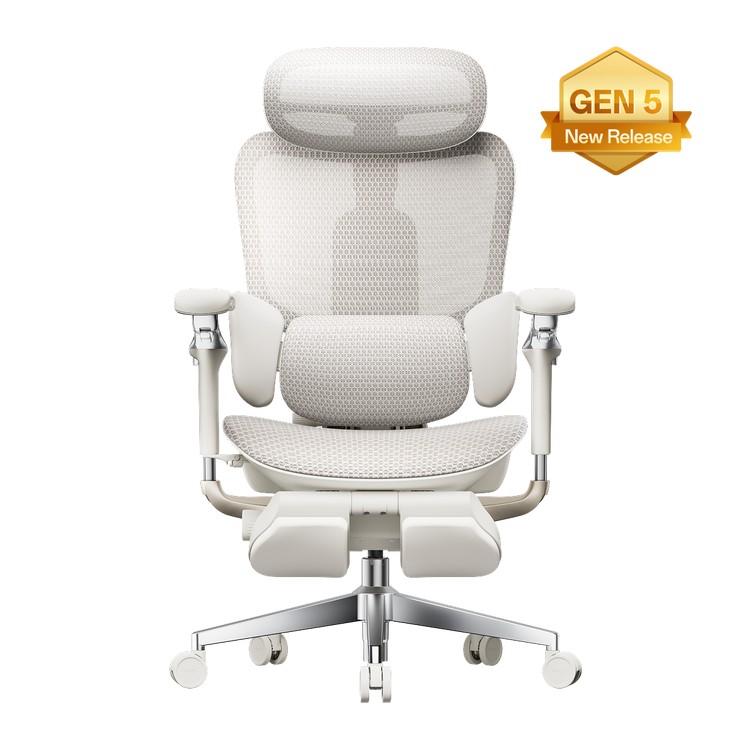
Our E3 Pro 2026 combines three-zone adaptive lumbar support, a 4D dual-axis headrest, 720° omni-mechanical armrests and a four-position recline up to 140°. Steelcase Leap uses LiveBack technology, while Gesture uses 3D LiveBack and a different arm mechanism. These are design differences, not proof that one chair will feel better for every person. Start with fit, then consider how you work and change position.
How We Compared: Design Facts vs. Personal Comfort
This is an HBADA-authored comparison of our E3 Pro 2026 with Steelcase Leap and Gesture. It draws on published product information, not an independent, hands-on head-to-head test.
We focus on the named models rather than making claims about either brand’s entire range. Options and specifications can vary by configuration and market.
What specifications can tell you
The type of back support, available controls, adjustment directions and whether a particular feature is included.
What you need to feel yourself
Pressure against your back, seat firmness, arm-pad comfort and how naturally the chair fits your desk routine.
Use the E3 Pro 2026 specifications to check our current configuration. A longer feature list is useful only when those features help the chair fit you.
Typing: Back Support and Arm Position
When comparing ergonomic office chairs for keyboard work, look at the relationship between your back, seat, armrests and desk. A comfortable reclined position does not automatically translate into a good typing setup.
Different approaches to back support
Our E3 Pro 2026 uses a central lumbar section with two side wings. The design provides contact across the center and sides of the lower back, with adjustment and adaptive movement.
Leap uses a flexible LiveBack backrest; Gesture uses 3D LiveBack. Both take a different structural approach from the E3 Pro’s distinct three-zone lumbar assembly. This comparison does not treat those mechanisms as identical.
For any design, the practical check is where the support meets your back when the seat is correctly adjusted. Our lumbar support guide explains the factors to consider beyond a feature name.
Armrests for keyboard work
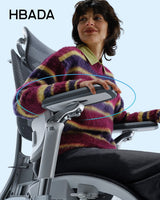
The E3 Pro’s armrest system combines pad rotation and arm-body rotation with other position adjustments. Leap offers height, width, depth and pivot adjustment with its fully adjustable arm option. Gesture uses articulated arms designed for a range of positions.
Compare movement, not just labels. “4D,” “360” and “720°” are not interchangeable scores. Check what moves, where the pads can be positioned and whether the arms clear your desk.
Your keyboard and desk position matter too. Use our home office setup guide to assess the chair as part of the whole workspace.
Leaning Back: Recline Mechanisms and Head Support
Reading, thinking and taking a call can involve different backrest positions from keyboard work. Recline controls should be considered alongside seat movement, available space and your preferred head position.
HBADA E3 Pro 2026
- Four recline positions, with a maximum stated angle of 140°.
- An auto-balance mechanism for reclining.
- An included 4D dual-axis headrest.
- Armrests that move with the recline.
Steelcase Leap and Gesture
Leap combines backrest recline with a moving seat and adjustable recline controls. Gesture also provides recline tension and back-stop adjustment. The controls and movement are not the same as the E3 Pro’s mechanism.
We do not assign a maximum recline angle to either competitor here or claim that the E3 Pro reclines farther. A reliable angle comparison would require equivalent measurements for the exact configurations.
A headrest is a fit question. Check its position while sitting and reclining. It should not push your head forward into an unwanted position. Availability on other models depends on the configuration selected.
To understand our controls before choosing a setup, visit the HBADA user manual and assembly guide hub . Select the E3 Pro 2026 instructions rather than those for an earlier edition.
HBADA E3 Pro vs. Steelcase Leap vs. Gesture
The table below compares design approaches rather than awarding a comfort score. It leaves out mixed-market dimensions, temporary prices and unsupported performance rankings.
| Feature | HBADA E3 Pro 2026 | Steelcase Leap | Steelcase Gesture |
|---|---|---|---|
| Back-support approach | Three-zone adaptive lumbar assembly. | LiveBack flexible backrest. | 3D LiveBack backrest. |
| Armrest approach | 720° omni-mechanical system. | Height, width, depth and pivot with fully adjustable arms. | Articulated 360 arms. |
| Recline | Four positions, up to 140°. | Recline controls with seat movement. | Recline tension and back-stop controls. |
| Head support | Included 4D dual-axis headrest. | Confirm the selected configuration. | Optional headrest configurations. |
| What to check personally | Lumbar contact, mesh feel and control positions. | Backrest contact, seat feel and arm positioning. | Backrest contact, arm movement and control access. |
Before comparing dimensions, distinguish a total dimension from an adjustment range. Seat depth, overall chair depth and seat-depth travel are different measurements.
Our guide to office chair fit explains why body proportions matter alongside overall height.
What Only a Hands-On Fit Check Can Tell You
Specifications describe a chair’s available movement. They cannot establish how that movement will feel for you. When assessing a chair, use your normal tasks rather than judging it only from a brief recline.
Type at your desk
Check whether the chair gets close enough to the desk and whether your arms can rest without lifting your shoulders.
Lean back to read
Notice the recline resistance, where your back makes contact and whether the headrest position suits you.
Switch tasks
Move between keyboard work, a call and reading. Check whether the controls are easy to reach and use.
Check the seat
Assess the available depth and width, foot support and contact near the back of your knees.
Change one setting at a time. Do not keep using an uncomfortable setting simply to complete a test session. If you are evaluating a purchase during a return period, check the deadline and conditions early.
Our chair owner’s hub provides additional setup guidance, while the assembly, warranty and support FAQ helps with practical ownership questions.
HBADA vs. Steelcase: Frequently Asked Questions
Which has better lumbar support: HBADA or Steelcase?
This comparison does not establish a universal winner. Our E3 Pro 2026 uses a three-zone lumbar assembly; Leap and Gesture use different LiveBack designs. The relevant question is how the selected chair fits your lower back once the seat is adjusted.
Does the E3 Pro recline farther than Leap or Gesture?
The E3 Pro 2026 has a stated maximum recline of 140°. We have not established equivalent maximum-angle measurements for the competitor configurations in this comparison, so we do not claim a wider range.
Are 720° armrests automatically better than 4D arms?
No. These labels describe different aspects of movement. Compare the actual directions, usable positions and relationship to your desk rather than ranking the labels.
Does the HBADA E3 Pro 2026 include a headrest?
Yes. Our current E3 Pro 2026 includes a 4D dual-axis headrest. Review the product specifications and check how its adjustment range fits your needs.
Is this an independent comparison test?
No. This is an HBADA-authored guide based on published product information. It does not report an independent head-to-head comfort, durability or medical test.
What should I compare besides the adjustment features?
Check dimensions, weight capacity, configuration, final purchase price, delivery arrangements and the applicable warranty and return conditions. Compare like-for-like offers in the same market.
Choose Around Your Workday, Not Just the Specification Sheet
The HBADA vs Steelcase question becomes more useful when you break it down into the way you sit: typing at your desk, leaning back and moving between tasks.
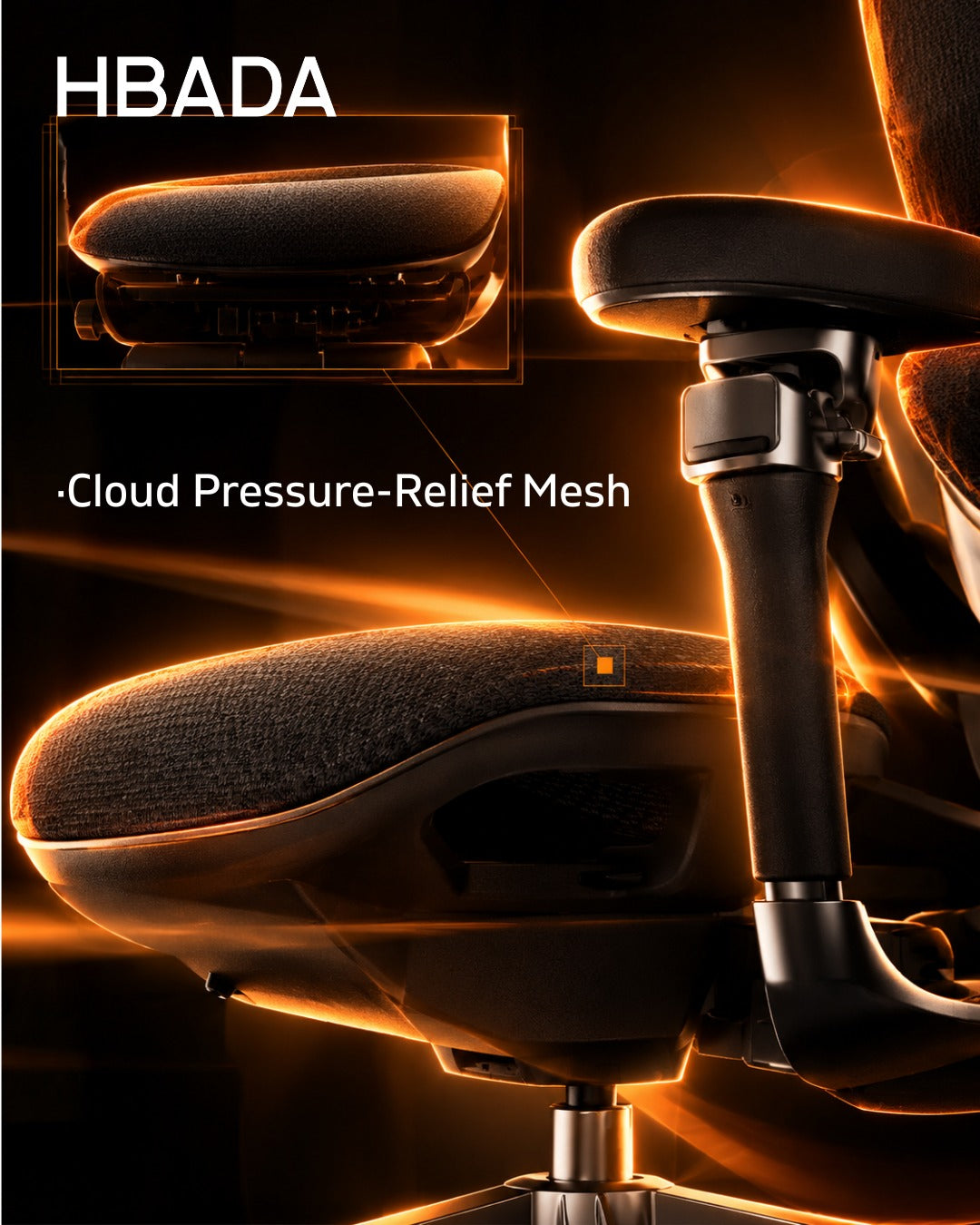
Our E3 Pro 2026 brings together adaptive lumbar support, a headrest, adjustable arms and recline in a mesh-chair design. If those are the features you are looking for, the next step is to compare its dimensions with your own workspace and preferred setup.
Take a closer look at your next setup.
Explore the E3 Pro 2026’s current specifications, configuration options and adjustment guides.
Explore the HBADA E3 Pro 2026 →Product names and trademarks belong to their respective owners. Their use identifies the products discussed and does not imply affiliation or endorsement.