














Blog

HBADA FAQ: Complete Guide to Assembly, Warranty & Support

HBADA FAQ: Complete Guide to Assembly, Warranty & Support

Many people have questions about HBADA chairs

From warranty and returns to shipping, assembly, and troubleshooting, many users have similar concerns when they buy or use HBADA ergonomic chairs.

This FAQ collects the most common questions from real HBADA users around the world and gives clear, direct answers:

  • What does the 30-Day Return Policy cover?

  • Does HBADA really offer a Five-Year Warranty?

  • What should I do if my chair has quality issues or starts squeaking?

  • How do I assemble my chair and where can I find video guides?

  • What if my tracking hasn’t updated, or my package shows as delivered but I haven’t received it?

  • How do I adjust lumbar support, armrests, headrest, and backrest for the best ergonomic posture?

  • How do I clean and maintain the mesh fabric, and what if it starts sagging?

  • What’s the process for replacement parts, returns, and after-sales support?

If your question isn’t here, email us at service@hbada.com with your order number and chair model, and we’ll get back to you within 1–2 days.

Warranty & Returns

30-Day Returns: What does the 30-day return policy entail?

HBADA offers a 30-day money-back guarantee for all non-customer-related issues. This means:

  • If your chair is faulty, damaged during shipping, or just isn’t comfortable for you, you can return it.

  • The chair must be in the same condition as when you received it, with all parts, packaging, and extras.

  • To return something, contact us at service@hbada.com and include:

    • Your order number

    • The reason for return

  • If it’s a problem we cover, we’ll send you a prepaid return label.

Refund: Processed within 5–7 business days after warehouse receipt and inspection.

If you need to return something because of a problem on your end (wrong color, changed your mind after assembly), you might have to pay for return shipping. Details are shown at checkout.

Five-Year Warranty: Does HBADA offer a genuine Five-year warranty?

HBADA ergonomic chairs come with a 3-year hassle-free warranty (some pages mention 5 years; warranty details depend on your model and region). This warranty includes:

Coverage:

  • Gas lift cylinder

  • Base

  • Casters

  • Armrest mechanisms

  • Lumbar support systems

  • Mesh/fabric integrity

We don’t repair broken parts; instead, we send you new replacement parts.

Exclusions:

  • Normal wear and tear

  • Intentional damage

  • Modifications (these void the warranty)

If you have an X7 Smart Chair, extra electrical parts (battery, massage motors, heating elements) are covered for 3 years.

To make future claims easier, register your chair within 30 days of buying it at:
https://hbada.com/pages/warranty-service

If something goes wrong with my chair, what is the process?

If your chair has any quality issues:

  1. Contact us with:

    • Your order number

    • Chair model (e.g., E3 Pro, P3, X7)

    • Clear photos or videos of the problem

    • Your address

    • Chassis barcode

  2. We offer warranty coverage and will provide free replacement parts for non-human-caused damage.

  3. After verification, we’ll arrange a solution (replacement parts or refund) tailored to your situation.

Is a warranty registration required for coverage?

No. Your warranty is automatically effective from the date of purchase, and we provide coverage based on your order information.

If you encounter any quality issues, contact us with your order details, and we’ll assist accordingly.

What are the steps to return a defective product?

If you received a defective product:

  1. Contact support and provide:

    • Order number

    • Clear photos or videos of the defect

    • Delivery address

  2. Our team will verify the issue and send you a return label or further instructions.

  3. Pack the item securely and return it following the provided guidance.

  4. Once we receive and inspect the returned product, we’ll process a replacement or full refund.

Can I return a chair if it’s just not a good fit for me?

Yes. We accept return requests for chairs that are simply not a good fit (non-defective, no quality issues) within our 30-day no-reason return window from the date of delivery.

To be eligible:

  • The chair must remain in brand-new, unused condition.

  • Original packaging must be fully intact.

  • You will be responsible for return shipping cost.

  • We’ll process a full refund once we receive and successfully inspect the returned item.

What packaging is required for returns to ensure safety?

To avoid damage during return shipping:

  • Use the original factory packaging if possible.

  • Include:

    • Original box

    • Inner foam

    • Plastic bags

    • All protective materials

  • If original packaging is no longer available:

    • Use a sturdy outer carton

    • Add sufficient bubble wrap or foam to protect the chair frame, armrests, base, and gas lift

  • Pack all small parts (screws, tools, instructions) securely inside the box.

  • Seal the box tightly with packing tape.

This helps prevent damage and ensures smooth inspection and refund.

How long does it take to process a return and receive a refund?

After we receive and inspect the returned item, it usually takes 5–10 business days for the refund to be credited back to your account.

Can I return it if it doesn’t fit after a week of real use?

Yes. A chair that feels fine for 20 minutes in a showroom can feel wrong after 3 hours of actual work. The return window matters. 30 days is the minimum that gives your body enough time to meaningfully assess fit.

Check whether return shipping is covered and whether there is a restocking fee.

Will I be refunded for the original shipping cost?

Refunds will be issued to your original payment account through our system under normal circumstances.

If any unexpected issue occurs with the automated refund process, our customer service team will contact you promptly and may ask for your PayPal account and full real name to process the refund manually.

Shipping & Tracking

My tracking information hasn’t updated; is my order lost?

Your tracking number is: XXXXXXX.

We have looked into your issue and urged the logistics company to expedite delivery. Your package has not been lost. We will notify you as soon as there are any updates.

What does my current tracking status mean?

The tracking status shows the real-time location and progress of your package.

Sometimes there may be a slight delay in updates due to logistics processing or system synchronization, but this does not mean your package is lost.

We are closely following your shipment and will inform you immediately once there is a new update.

My package was marked as delivered, but I haven’t received it.

Since tracking shows your package has been delivered:

  1. First check with your neighbors or family members to see if they accepted it on your behalf.

  2. If you purchased shipping protection from Seel, contact Seel Support first to file a claim.

  3. If your claim with Seel is not approved, we will assist you with:

    • Refund or

    • Replacement chair

  4. If you want us to resend a new chair, provide your full delivery address to avoid further delivery errors.

What should I do if my package was returned to sender?

If your package has been returned to the sender, it is usually due to:

  • Incorrect or incomplete address

  • Failed delivery attempts

  • No one available to receive it

  • Other reasons

Contact us with your order number and address, and we will assist in checking the return status.

Once confirmed, we can:

  • Resend the package to the correct address, or

  • Process a full refund for you.

I didn’t receive a confirmation email; how can I check my order?

If you haven’t received your order confirmation email:

  1. First check your spam or junk folder, as automated emails are sometimes filtered there.

  2. If you still cannot find it, you can:

    • View your order details directly (if available in your account), or

    • Contact us to obtain your tracking number, then track your package on the official logistics website.

After-Sales & Quality Issues

If something goes wrong with my chair, what is the process?

If your chair has any quality issues, contact us with:

  • Clear photos or videos showing the problem

  • Your order details

  • Your address

  • The chassis barcode

We offer warranty coverage and will provide free replacement parts for non-human-caused damage.

Once verified, we’ll promptly arrange a solution (replacement parts or refund) tailored to your situation.

What replacements fit if the wheels/castors are falling apart?

This chair uses universal wheels with high compatibility.

You may purchase universal casters with:

  • Diameter: approximately 50mm

  • Stem size: around 38mm

from online stores or hardware stores; they can be installed directly.

If you cannot find a suitable store, we recommend these links:

If you require original factory wheels, contact customer service with:

  • Order number

  • Photos of the damaged casters

  • Base barcode

  • Delivery address

We’ll arrange a replacement for you.

Assembly, Maintenance & Troubleshooting

How do I assemble my HBADA chair? (Step-by-Step)

You can refer to our official complete assembly video at:
https://www.youtube.com/@HbadaGlobal

The video provides clear, full-process instructions to help you assemble your chair safely and easily.

If you cannot access the video or need further assistance, provide your order number, and we’ll send you the assembly video based on your chair model.

If you have questions during installation, feel free to contact us anytime — we’ll guide you step by step.

I’m struggling with a specific step in the assembly; where can I find the video guide?

You can view our detailed assembly video guide at:
https://www.youtube.com/@HbadaGlobal

If you are unable to find it there, contact customer service with your order number, and we’ll send you the official video link directly.

We’re also ready to assist with any specific steps you find difficult during assembly.

What should I do if a screw doesn’t fit or is missing?

If any screws are missing, damaged, or do not fit properly during assembly:

Contact customer service with:

  • Order number

  • Clear photos of the problematic parts

  • Barcode on the chair base

  • Delivery address

We’ll promptly arrange to send you replacement screws or accessories free of charge.

If the required accessories are out of stock, we’ll provide a purchase link. After you purchase, send us the invoice, and we’ll reimburse the full cost.

Why is my chair making a squeaking noise and how to fix it?

Squeaking noises are usually caused by:

  • Friction between moving parts

  • Loose screws

  • Dry joints

Try these steps:

  1. Check and tighten all screws on the seat, backrest, base, and armrests.

  2. Apply a small amount of lubricant (silicone oil, sewing machine oil, or lubricating spray) to:

    • Gas lift

    • Rotating joints

    • Connecting points

  3. Check if plastic parts are pressing against each other; adjust their positions to eliminate friction.

If the squeaking persists after these steps, contact customer service with:

  • Order number

  • Description of the problem

  • Base barcode

  • Delivery address

My gas lift is sinking; what is causing this? / My chair keeps sinking — what can I do?

A chair that keeps sinking is almost always caused by a faulty or worn-out gas lift cylinder, which loses internal pressure and can no longer hold weight.

Quick checks:

  1. Make sure the height adjustment lever is fully released or locked properly.

  2. Check if any parts under the seat are blocking the mechanism.

If the chair still sinks, the gas lift needs to be replaced.

Contact customer service with:

  • Order number

  • Photos of the issue

  • Base barcode

  • Delivery address

We’ll arrange a replacement gas lift for you.

The reclining mechanism is stuck; how do I unlock it?

If the backrest reclining mechanism gets stuck and cannot be unlocked:

  1. Lean back firmly to release the tension inside the mechanism.

  2. Check for:

    • Loose screws

    • Foreign objects

    • Plastic parts that may be jamming the mechanism

  3. If it still cannot be unlocked, contact customer service with:

    • Order number

    • Photos of the issue

    • Base barcode

    • Delivery address

What should I do if my seat is tilted or leaning to one side?

Check the following:

  1. Ensure all screws under the seat are tightened evenly and securely.

  2. Check if the five-star base is placed on a flat, even floor.

  3. Inspect the gas lift and mounting plate for damage or improper installation.

  4. Confirm that the chair is assembled correctly according to the manual.

If the issue continues, contact us with:

  • Order number

  • Photos of the problem

  • Base barcode

  • Delivery address

How often should I tighten the bolts and screws?

We recommend checking and tightening all bolts and screws once every 1–3 months, depending on daily usage intensity.

  • Heavy daily use (long hours): check monthly.

  • Normal home use: check every 3 months.

Regular tightening prevents squeaks, wobbling, and loose parts, extending your chair’s lifespan.

How do I clean and maintain the mesh fabric?

To keep the high-density mesh fabric in good condition:

  1. Daily Cleaning: Use a soft dry cloth or a small vacuum cleaner to gently wipe or suck away dust and debris. Avoid scratching the fabric.

  2. Stain Cleaning: For stubborn stains, gently wipe the stained area with an alcohol wipe. Do not use strong chemicals, bleach, or hot water.

  3. Long-Term Maintenance:

    • Avoid placing sharp objects and heavy items on the mesh for long periods.

    • Keep away from high-temperature environments.

  4. Daily Attention: Do not pull or scratch the mesh with force. If there are loose threads, do not pull them arbitrarily; contact customer service if needed.

How do I prevent the mesh from sagging over long-term use?

To prevent mesh sagging:

  1. Avoid sitting or pressing heavily on a single area of the mesh for long periods.

  2. Keep the mesh away from sharp objects and high temperatures.

  3. When not in use, do not place heavy items on the mesh surface.

If you find obvious sagging that affects use, contact us with:

  • Photos of the sagging

  • Order details

  • Chassis barcode

  • Shipping address

I noticed a small snag or pull in the mesh; will it affect the structural integrity?

A small snag or pull in the mesh fabric generally does not affect structural stability; it’s mostly a minor surface issue.

To prevent further damage:

  • Avoid additional pulling or scratching on the affected area.

If the damage gradually worsens or begins to affect use, contact us with:

  • Photos of the snag

  • Order details

  • Chassis barcode

  • Shipping address

How do I remove a stubborn stain from the white/grey mesh fabric?

For stubborn stains on white/grey mesh fabric:

  • Gently wipe the affected area with an alcohol wipe.

  • Avoid vigorous scrubbing.

  • Do not use strong chemical cleaners, bleach, or hot water.

  • After cleaning, air-dry the chair naturally in a well-ventilated area.

How to properly store the chair when not in use?

When storing your chair for an extended period:

  • Place the chair in a cool, dry, well-ventilated indoor area.

  • Avoid direct sunlight and prolonged exposure to prevent fading, cracking, or damage to mesh, plastic, and cushion materials.

  • Keep away from sharp objects, heavy pressure, and moisture.

  • If possible, cover it with a dust cover to keep it clean.

Ergonomic Adjustments

How do I adjust the lumbar support for maximum comfort?

Refer to the operation video link:
www.youtube.com/shorts/KULJrSYNjno

There are 7 gears for the lumbar support (including the initial gear):

  • Pulling up 6 gears will produce a gear sound.

  • Pulling down 7 gears will unlock the gear.

  • After unlocking, pull to the bottom to readjust the position.

Guide groove:
The front and rear adjustment is not reset when you use it. You need to pull it to the last unlock. This guide groove can only be fixed in front and back after squeezing and unlocking the inner buckle.

How to set the armrests and headrest for different tasks?

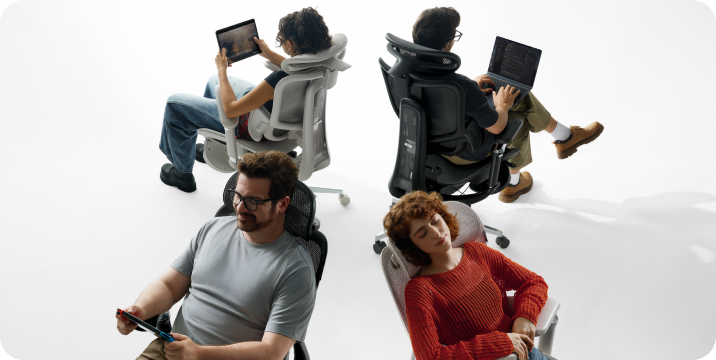
  • Working or studying: Sit upright, adjust armrests to elbow height (~90°), align with desk. Lower headrest slightly to naturally support your neck.

  • Gaming: Lean forward slightly, lower and move armrests forward to keep wrists relaxed. Raise headrest a little for comfortable support when leaning back.

  • Resting or napping: Recline the backrest, and simultaneously raise armrests and headrest to fully support head, neck, and arms.

For detailed adjustment methods, find the corresponding video at:
https://www.youtube.com/@HbadaGlobal

What is the correct position for the headrest to avoid neck strain during focused work?

For focused work, set the headrest to support the middle of your neck (cervical spine), not just the back of your head.

  • Height: Align the headrest pad with the center of your neck.

  • Angle: Tilt it slightly forward so it touches your neck gently when you sit upright, without pushing your head forward.

  • Do not lean your head fully against it while working; use it for light support to keep your neck in a neutral, relaxed position.

This reduces strain and prevents soreness during long hours of use.

How do I lock the headrest in a specific position?

Height adjustment:

  1. Lower the headrest all the way to the bottom first.

  2. Lift it up one notch at a time to your desired height.

  3. All middle notches will lock automatically.

  4. Do not go to the very top notch — it is a circulating gear and cannot hold position.

Forward/backward angle adjustment:

  1. Push the headrest fully forward first.

  2. Pull it back slowly to your preferred angle.

  3. Avoid pulling it all the way to the rear end, which activates the circulating mode and fails to lock.

  4. To reset, push it fully forward again, then adjust to a fixed position.

How does the Dynamic Lumbar Support adjust automatically to my back?

This model is equipped with an independent adaptive spring lumbar support.

No matter what sitting posture you use, the lumbar support will automatically adjust to the most suitable position according to the pressure from your body.

Its back and waist separated design provides more targeted support, ensuring your lower back never hangs unsupported.

Since it’s inconvenient to adjust lumbar support frequently while shifting postures at work, this adaptive design offers greater convenience and continuous comfort.

How do I lock the backrest at a specific reclining angle for resting?

  1. Sit on the chair.

  2. Use the recline control lever under the seat to tilt the backrest to your preferred angle.

  3. Once comfortable, push the control lever in fully until it clicks into the locked position.

  4. To unlock and return to upright, pull the control lever out again.

If the backrest fails to lock or slides down unexpectedly, check if the mechanism is stuck or if any screws are loose. If the issue persists, contact customer service.

What are the different adjustment directions of the 4D armrests, and how to use them?

Our 4D armrests come with:

  • Height adjustment: Press the control button on the armrest to lift or lower it to a comfortable height, then release to lock.

  • Forward/backward adjustment: Slide the armrest pad forward or backward to match your arm length and sitting posture.

  • Rotation adjustment: Rotate the armrest pad left or right to keep your wrists in a natural, straight position.

  • Nap linkage function: When you recline the chair into nap mode, the armrests automatically tilt and link with the backrest for continuous support.

How should I position the armrests to prevent shoulder fatigue and wrist pain?

To achieve the best ergonomic effect and avoid shoulder fatigue and wrist pain:

  • Adjust armrest height so your elbows form ~90° when arms rest naturally.

  • Keep armrests level with your keyboard or desk surface to maintain straight wrists while typing.

  • Do not set armrests too high, which raises your shoulders and causes tension.

  • Avoid letting armrests squeeze your shoulders inward; keep shoulders relaxed and natural.

Properly positioned armrests provide even support for your arms, reduce pressure, and effectively prevent discomfort in shoulders, neck, and wrists during long hours of use.

How do I adjust the armrest height to fit under my desk?

  1. Locate the adjustment lever or button on the side of each armrest.

  2. Lift or press the lever, then push the armrest down to its lowest position.

  3. Release the lever to lock the armrest in place.

  4. Make sure both armrests are set to the same height to avoid imbalance.

Once lowered, the chair can be pushed fully under the desk for space-saving use.

Why are my two armrests at different heights, and how can I align them?

It’s common for armrests to show a slight height difference due to assembly tolerances and individual adjustment mechanisms.

Check the following to align them:

  1. Ensure both armrest height adjustment levers are fully locked in the same gear position.

  2. Gently press down on both armrests at the same time to ensure they are fully seated.

  3. If one armrest is loose, tighten the fixing screws underneath the armrest.

If the height difference remains obvious, contact us with:

  • Photos

  • Order details

  • Chassis barcode

  • Address

How do I adjust the overall height of the chair for the best ergonomic posture?

To adjust your chair to the optimal ergonomic sitting height:

  1. Stand next to the chair, lift the height adjustment lever.

  2. Set the seat so that your hips and knees are at roughly the same level when seated.

  3. Once sitting, your feet should rest flat on the floor or a footrest, with knees naturally bent at ~90°.

  4. Avoid setting the seat too high (feet hang) or too low (pressure on thighs and lower back).

This posture reduces fatigue and helps maintain healthy spinal alignment during long hours of use.

My chair is slowly sinking (height loss) over time; what is the cause?

The chair slowly sinks and loses height when you sit on it, usually caused by a faulty or leaking gas lift cylinder.

  • Insufficient internal pressure → cannot stably support weight → gradually lowers.

  • Slight sinking during initial use may occur as parts settle.

  • Continuous sinking indicates the gas lift needs to be replaced.

Your chair is covered under warranty. If the problem persists, contact us with:

  • Photos of the issue

  • Order information

  • Chassis barcode

  • Shipping address

The chair feels unstable or wobbles from side to side; how do I fix the base?

Wobble may be caused by:

  • Natural gaps at screw connections (chair is assembled from multiple parts).

  • Design with height-adjustable and reclining functions, which may result in slight movement.

  • Casters for 360-degree rotation, which can create small amounts of wobble while sitting.

Double-check fixing screws on the backrest and base. If any screws are loose, tighten them.

Our product comes with warranty coverage. If wobble becomes more severe, contact us anytime.

The wheels are not rolling smoothly or are making noise; how can I clean or replace them?

Please take a short video of the chair when you push it, focusing on the sticking wheels.

If only a single wheel is sticking:

  • Add a few drops of dish soap or cooking oil to the bearing of the problematic wheel for lubrication.

  • This often significantly improves smoothness.

If the issue persists, contact us with the video.

Smart Features & Special Parts

How do I properly deploy and retract the built-in footrest?

To use the built-in footrest:

  1. Pull it out from under the seat cushion.

  2. Flip the footrest surface upward for use.

When not in use:

  1. Flip the footrest surface back down.

  2. Push it gently back under the seat.

Reference video: Reclining footrest video.mp4 for step-by-step demonstration.

I’m having trouble pulling out the footrest; is there a trick to it?

The footrest may be a bit tight during initial use to ensure stability.

  • Hold the front of the footrest firmly and pull it out horizontally from under the seat.

  • Do not pull it at an upward angle, as this may cause jamming.

  • Check which part is getting stuck.

If the problem continues, send us a short video of the issue.

Where to Get Help

If your question isn’t covered here, you can reach our support team anytime:

  • Email: service@hbada.com (US/CA)

  • Include:

    • Your order number

    • Chair model (e.g., E3 Pro, P3, X7)

    • Short description of the issue

    • For quality problems: photos/videos and chassis barcode

We usually reply within 1–2 days, and for urgent issues like replacement parts, we have warehouses in your region to reduce waiting time.

If you need more help, or have other question, feel free to contact us, or leave your comment below, we will reply you as soon as possible.


Relevant Product

You May Also Like

HBADA X7 vs LiberNovo Omni: Smart Chair Comparison HBADA X7 vs LiberNovo Omni: Smart Chair Comparison Published: July 24, 2026Last reviewed: July 24, 2026 Disclosure: This comparison is published by HBADA, the manufacturer of the HBADA X7. LiberNovo is not affiliated with, sponsored by, or endorsed by HBADA. Product specifications, warranty terms, availability, and prices were checked against publicly available sources on July 24, 2026. HBADA has not conducted a controlled side-by-side laboratory test of both chairs unless expressly stated. HBADA X7 vs LiberNovo Omni: Smart Support, Fit and Recline Compared The HBADA X7 Smart Ergonomic Office Chair and the LiberNovo Omni are premium ergonomic chairs that use powered technology to adjust the way the backrest supports the user. However, they take different approaches. The HBADA X7 focuses on automatic lumbar tracking, mesh ventilation, integrated massage, heating, cooling, and a built-in footrest. The LiberNovo Omni focuses on cushioned comfort, motorized lumbar-depth control, spinal movement, and a deeper recline. The better choice therefore depends on whether the user prioritizes automatic support or manually controlled reclining comfort. Table of Contents Quick answer HBADA X7 vs LiberNovo Omni comparison Lumbar-support differences Mesh support vs cushioned comfort Recline and footrest Size and fit Smart and recovery features Warranty considerations Which chair should you choose? Frequently asked questions Sources and methodology Quick Answer: What Is the Main Difference? The primary difference is control. The HBADA X7 is designed to detect changes in sitting position and automatically move its lumbar support toward the user. The LiberNovo Omni uses powered controls that allow the user to manually change lumbar depth and activate its back-movement functions. The X7 may be more suitable for people who want the chair to make ongoing support adjustments without repeatedly operating controls. The Omni may be more suitable for people who prefer a cushioned seat, deeper recline, and direct control over the powered backrest. HBADA X7 vs LiberNovo Omni Comparison Category HBADA X7 LiberNovo Omni Lumbar control Automatic lumbar tracking with adjustable intensity User-controlled motorized lumbar-depth adjustment Backrest feel Responsive mesh with floating lumbar wings Elastic fabric and cushioned back support Seat Ventilated mesh seat with powered cooling Padded seat designed for a softer feel Maximum recline Up to approximately 140° Up to approximately 160° Footrest Integrated pull-out footrest Optional separate footrest, depending on package Published weight capacity Up to 330 lb Up to 300 lb Recovery features Massage, heating, cooling and sedentary reminder Powered lumbar movement and back-stretching modes Best suited to Users wanting automatic support and an all-in-one feature set Users wanting cushioned comfort and deeper reclining Specifications are based on manufacturer information and cited independent reviews available on July 24, 2026. Features can vary by model, package, region, and product revision. How Do Their Lumbar-Support Systems Differ? HBADA X7: automatic lumbar tracking The HBADA X7 uses sensors, a control system, and powered movement to respond to changes in the user's sitting position. When the user leans forward or changes posture, the lumbar mechanism is designed to move closer to maintain contact. Users can adjust the tracking intensity or switch the automatic function off. This approach may help people who frequently change position while working and do not want to readjust lumbar depth throughout the day. It does not mean that the chair diagnoses posture or provides medical treatment. LiberNovo Omni: powered manual adjustment The LiberNovo Omni uses a motorized actuator to move its backrest or lumbar area forward and backward. According to published reviews, the user activates these adjustments through the chair's controls rather than relying on continuous automatic tracking. Practical conclusion: Choose based on interaction preference. The X7 emphasizes hands-free adjustment; the Omni emphasizes powered adjustment controlled by the user. Mesh Support or Cushioned Comfort? The HBADA X7 uses an extensively ventilated design. Its mesh construction and powered seat fans are intended to reduce heat accumulation during extended sitting. Users who work in warm rooms or dislike the heat retention of thick foam may prefer this approach. The LiberNovo Omni uses more cushioning and elastic fabric. Independent reviewers have described it as soft and comfortable when first sitting down. Users who prefer a padded, enveloping feel may find this design more appealing than a firmer mesh surface. Neither material is universally better. Mesh generally prioritizes airflow and responsive support, while cushioning generally prioritizes softness. Comfort remains subjective and depends on body proportions, clothing, room temperature, and sitting habits. Which Chair Fits More Body Sizes? HBADA publishes a recommended height range of approximately 4'11" to 6'5" for the X7, together with a maximum weight capacity of 330 lb. The X7 also provides approximately two inches of seat-depth adjustment. Independent specifications published for the Omni list a 300 lb maximum load and a wider, comparatively deep seat. That shape may appeal to users who want more lateral space, although shorter users should verify whether their feet can remain flat while maintaining a small gap between the seat edge and the backs of the knees. Published dimensions are only a starting point. Buyers should compare seat height, usable seat depth, armrest spacing, lumbar position, and weight capacity with their own measurements before choosing either chair. For more options, visit the HBADA ergonomic office chair collection. How Do Their Smart and Recovery Features Compare? The X7 combines lumbar tracking with massage rollers, heating, powered ventilation, a sedentary reminder, adjustable armrests, an adjustable headrest, and an integrated footrest. Its appeal is the number of powered functions included in one chair. The Omni's technology is more concentrated around its backrest. Its powered functions allow the user to change lumbar depth and activate movement intended for reclining or stretching. Its simpler feature focus may appeal to buyers who value backrest movement more than heating, ventilation, or automatic tracking. These functions are comfort features, not medical treatments. Anyone experiencing persistent back pain, numbness, weakness, or another health concern should consult a qualified healthcare professional. What Should Buyers Know About Warranty Coverage? HBADA's current US warranty page states that X7 core load-bearing components—including the base, gas lift, and casters—receive five-year coverage, while other components generally receive three-year coverage. Coverage is subject to the complete warranty terms and exclusions. LiberNovo states that warranty coverage can depend on the product and component. Buyers should review the current Omni product listing and warranty terms directly before purchasing. Warranty periods should not be compared using a single headline number. Frame, electronics, motors, batteries, upholstery, and wear components may have different coverage periods. See the current HBADA warranty and service policy for details. Which Chair Should You Choose? The HBADA X7 may be the better fit if you: Want lumbar support that responds automatically as you change position. Prefer breathable mesh and powered seat ventilation. Want massage, heating, cooling, and a footrest integrated into one chair. Need a published weight capacity of up to 330 lb. Prefer a chair designed for both focused work and short reclining breaks.  View the HBADA X7 Smart Ergonomic Office Chair Final assessment: The HBADA X7 and LiberNovo Omni solve different ergonomic preferences. The X7 emphasizes automatic adaptation and an all-in-one set of comfort functions. The Omni emphasizes cushioning, user-controlled back movement, and deeper recline. Buyers should select the system that matches their body dimensions and normal working position rather than relying on a universal “best chair” claim. Frequently Asked Questions Is the HBADA X7 better than the LiberNovo Omni? Neither chair is better for every user. The X7 may be more suitable for automatic lumbar tracking, ventilation, integrated massage, and a built-in footrest. The Omni may be more suitable for cushioned comfort, manually controlled lumbar movement, and deeper reclining. Which chair is better for long working hours? The appropriate choice depends on fit and sitting preference. Users who become warm or frequently change posture may prefer the X7's mesh construction, ventilation, and automatic lumbar tracking. Users who prefer a softer seat may prefer the Omni's cushioned design. Which chair has a built-in footrest? The HBADA X7 includes an integrated pull-out footrest. A footrest for the LiberNovo Omni may be supplied separately or included with selected bundles, depending on the current offer. Does the HBADA X7 automatically adjust lumbar support? Yes. The X7 is designed to detect changes in sitting position and automatically adjust lumbar contact. Users can select the tracking intensity or disable automatic operation. Can either chair treat back pain? No ergonomic chair should be presented as a treatment for back pain. A correctly fitted chair may support a more comfortable sitting position, but persistent symptoms should be evaluated by a qualified healthcare professional. Sources and Methodology This comparison uses publicly available manufacturer information and independent editorial reviews. HBADA did not conduct a controlled side-by-side laboratory test for this article. Prices and promotional offers have been excluded from the main verdict because they can change frequently. HBADA X7 official product page HBADA warranty and service policy LiberNovo Omni official product page Tom's Guide: HBADA X7 review Tom's Guide: LiberNovo Omni review Trademark notice: LiberNovo and Omni are trademarks of their respective owners. HBADA is not affiliated with, sponsored by, or endorsed by LiberNovo. Product names are used only to identify the products being compared. Office Chair Exploded The Real Causes, Risks, and What to Do Next Office Chair Exploded The Real Causes, Risks, and What to Do Next Viral videos make it look terrifying: an office chair exploded under someone, sending parts flying. So here is the honest picture. A true office chair explosion is real but extremely rare, and it is not a fireball. It is the sudden failure of a pressurised gas cylinder, which can eject parts with force. The good news is that these failures are predictable and preventable. This guide explains what causes them, the warning signs to watch, and exactly what to do next to stay safe. Can an Office Chair Really Explode? Let's separate the myth from the mechanism straight away. Yes, an office chair can fail violently, but it is exceptionally rare, with only a handful of serious cases reported worldwide over the past two decades, out of millions of chairs in daily use. What people call an office chair explosion is not combustion. It is a sudden rupture of the pneumatic cylinder, the pressurised part that adjusts your seat height, releasing gas fast enough to eject components. Reported incidents between 2008 and 2013 caused real injuries, and one 2009 case in China was fatal. In nearly every documented case, the chair was a cheap, uncertified model, and at least one involved a cylinder filled with compressed air rather than a proper inert gas. The pattern is clear: quality and certification are what keep you safe. What Actually Happens Inside the Cylinder To understand the risk, it helps to know how the part works. A gas lift is a sealed steel tube filled with pressurised nitrogen and a small amount of oil, with a piston that raises and lowers your seat. When the seal, weld, or tube wall is sound, it holds that pressure safely for years. When a substandard cylinder cracks or its seal fails, the pressurised nitrogen escapes suddenly, and that force is what throws parts outward. This is why you should never puncture, drill, or open a cylinder. Why Do Office Chairs Explode? The Main Causes Almost every failure traces back to one of these six factors. Substandard, uncertified cylinders. Thin steel, poor welds, or weak seals cannot hold normal pressure over time. The wrong gas. Cheap chairs sometimes use compressed air or low-purity nitrogen, which expands dangerously when heated or adjusted often. Overloading. Exceeding the chair's weight capacity puts the cylinder under stress it was never rated for. Heat and sunlight. High temperatures raise the internal pressure and degrade the seals faster. Corrosion and age. Rust weakens the metal, so an old, damp-stored cylinder is far more likely to fail. Physical damage or DIY repair. A hard knock or an incorrectly refitted cylinder can compromise its integrity. Warning Signs Your Gas Cylinder Is Failing A failing cylinder almost always warns you first, so act on these signs. A hissing or leaking sound, which points to escaping gas. The chair sinks on its own or will not stay up at your set height. The seat drops suddenly when you adjust it. Height adjustment feels stiff, gritty, or unresponsive. Visible rust, dents, or corrosion on the cylinder or base. If you notice any of these, stop using the chair. These are the same faults that precede a gas cylinder failure, so treat them as your cue to repair or replace, not to keep sitting and hoping. What to Do if Your Office Chair Explodes or Shows Warning Signs Here is the calm, practical order of actions. Stop using it immediately. Take your weight off the chair the moment you hear hissing or feel it sinking. Treat any injury first. For a penetrating wound or significant pain, seek medical help without delay, and call 999 for anything serious. Do not open the cylinder. Never try to cut, drill, or dismantle the pressurised cylinder yourself. Replace, don't patch. Fit a certified replacement gas lift, or if the frame, base, or foam are also worn, replace the chair. Recycle the old cylinder safely. Take the metal cylinder to a recycling point intact, and never puncture or crush it. How to Prevent It: Buy Certified and Use It Right Prevention comes down to two things: a quality chair and sensible use. The single best safeguard is a chair with a certified gas lift. Look for recognised safety and durability standards such as ANSI/BIFMA X5.1, published by BIFMA, the commercial furniture standards body, along with a Class 4 gas lift and third-party marks like TÜV or SGS. Then use the chair as intended: stay within its weight capacity, keep it out of direct heat, and inspect the cylinder and base now and then for rust. This is exactly where a well-engineered chair earns its keep. The HBADA AI-Powered X7 is certified to the BIFMA X5.1 standard and tested for an intended 10-year service life, with a chassis that is roughly 70% steel and support for users up to 330 lb (150 kg). In short, it is built so the gas lift never becomes the weak link. See how the HBADA AI-Powered X7 is built and safety-tested for long-term durability, or compare the full HBADA X7 smart-chair range to match a certified build to your body and your hours at the desk. Here is how the core range compares. Model Safety & durability Support system Weight capacity Best for HBADA AI-Powered X7 BIFMA X5.1 tested, ~70% steel, 10-yr intended life, 5-yr warranty AI auto lumbar, ventilated mesh seat, 720° armrests, 4D headrest Up to 330 lb (150 kg) Long 8+ hr days, hands-off support HBADA E3 Pro 2026 Edition Steel build, breathable mesh seat, footrest 3-Zone Floating Lumbar Support, 4D headrest, 720° armrests Big-and-tall build* Recline and footrest comfort HBADA E3 Air Steel build, breathable mesh, footrest 3-Zone Dynamic Lumbar Support, 3D headrest, 4D armrests Big-and-tall build* Larger frames and higher weight needs Exact weight capacity and cylinder rating vary by model; confirm the current figures on each product page before you buy. A Realistic Heavy-Use Scenario Here is how the warning signs play out in practice. The example is illustrative, not a specific customer. Picture Ryan P., 37, a warehouse team leader and evening gamer in Sheffield, 6'1" and around 20 stone (127 kg). His budget chair began to hiss and sink after months of use above its weight capacity. Instead of ignoring it, he took it as a warning and switched to a certified HBADA E3 Pro 2026 Edition. The steel build and higher-rated support removed the sinking, the noise, and the worry of a sudden gas cylinder failure. A Realistic Second-Hand Chair Scenario Older, hand-me-down chairs carry the highest hidden risk. Consider Sofia L., 30, a marketing coordinator in Brighton, 5'2" and lightly built. Her second-hand chair had visible rust on the gas lift and a growing wobble, both classic warning signs. She replaced it with the HBADA AI-Powered X7, a certified, safety-tested chair whose automatic lumbar tracking also fit her smaller frame far better than the old one ever did. Which HBADA Chair Should You Choose? Your best pick depends on how long you sit and the body you are supporting. Sit 8+ hours and want hands-off, certified support: the HBADA AI-Powered X7. Want recline plus a footrest for all-day comfort: the HBADA E3 Pro 2026 Edition. Need a larger, big-and-tall build: the HBADA E3 Air. The takeaway is simple. An office chair exploded almost always because it is cheap, uncertified, or misused, and that is a risk you can design out. Watch for the warning signs, respect the weight limit, and choose a certified HBADA chair so the one part under pressure is the one you never have to worry about. Frequently Asked Questions Can an office chair actually explode? Yes, but it is extremely rare. The failure is not a fire; it is a sudden rupture of the pressurised gas cylinder that adjusts your seat height. When a substandard cylinder cracks or its seal fails, the gas escapes fast and can eject parts with force. Almost every documented case involved a cheap, uncertified chair or one filled with compressed air instead of inert nitrogen. A certified chair, used within its limits, is very safe. How common are office chair explosions? They are very uncommon. Only a handful of serious cases have been reported worldwide in the last twenty years, set against millions of chairs used every day. The risk is concentrated almost entirely in low-cost, uncertified models with poor-quality gas cylinders, or in chairs that were overloaded, damaged, or poorly stored. Buying a chair tested to recognised standards and staying within its weight capacity reduces an already small risk to near zero. What causes an office chair gas cylinder to explode? The main causes are a substandard cylinder, the wrong gas, and misuse. Cheap tubes with thin steel or weak seals cannot hold pressure over time. Some budget cylinders use compressed air or low-purity nitrogen, which expands when heated or frequently adjusted. Overloading past the weight capacity, high heat, rust, and improper DIY repairs all add stress. Together, these push a weak cylinder toward a sudden failure that a certified one is built to resist. Why does my office chair keep sinking or hissing? A chair that sinks, drops suddenly, or hisses is telling you the gas cylinder is leaking or wearing out. That escaping pressure is the same fault that precedes a serious failure, so it is not just an annoyance. Stop using the chair and either fit a certified replacement cylinder or replace the chair. Do not try to open or repair the pressurised cylinder yourself, as it can be dangerous if breached. Are gas lift office chairs safe? Yes, gas lift chairs are safe when they are properly made and used. The pressurised cylinder is a mature, well-understood technology found in millions of chairs. Safety problems occur almost exclusively with uncertified, low-grade cylinders or with misuse, such as overloading. Choose a chair tested to standards like ANSI/BIFMA X5.1 with a quality Class 4 gas lift, keep it out of extreme heat, and stay within the weight limit, and the risk is minimal.   Office Chair Butt Imprints Are They Real, and How Do You Prevent Them Office Chair Butt Imprints Are They Real, and How Do You Prevent Them You stand up, glance down, and there it is: a dent shaped like you. Office chair butt imprints are real, and they are not a sign that something is wrong with your body. They are a sign that your seat is wearing out. That sunken patch is foam compression set—the point where cheap cushioning gives up and stops springing back. The good news is that you can prevent it. This guide explains what causes seat imprints, whether they are bad for your health, and how the right ergonomic office chair can help prevent long-term sinking. Table of Contents What Are Office Chair Butt Imprints? What Causes Office Chair Butt Imprints? The Real Cause: Foam That Stops Bouncing Back Why the Dent Forms Under Your Sit Bones Are Office Chair Butt Imprints Bad for You? Foam vs Mesh: The Material That Decides Everything How to Prevent Office Chair Butt Imprints The Long-Term Fix: A Seat That Won't Sink A Realistic Heavy-Use Scenario A Realistic Petite-Frame Scenario Which HBADA Chair Should You Choose? Frequently Asked Questions What Are Office Chair Butt Imprints? To fix the problem, you first need to know exactly what you are looking at. An office chair butt imprint is a permanent, body-shaped dent in the seat cushion caused by foam compression set: the collapse of foam cells that can no longer rebound after repeated pressure. It is normal wear on low-density cushioning, not a medical condition and not a reflection of your body. What Causes Office Chair Butt Imprints? The Real Cause: Foam That Stops Bouncing Back Here is what happens inside the seat over time. Foam is a lattice of tiny air-filled cells. Every time you sit, those cells compress and then spring back. Repeat that for thousands of hours and the cells begin to fatigue. Eventually, they collapse past their elastic limit and can no longer recover. Many budget chairs use a single slab of medium-density polyurethane foam that may flatten relatively quickly under heavy daily use. High-density foam and moulded foam generally resist sagging for longer, but no foam is immune. Heat, humidity, sunlight and repeated pressure can all accelerate the breakdown. Why the Dent Forms Under Your Sit Bones When you sit, much of your body weight is transferred through two points at the base of your pelvis: the ischial tuberosities, commonly known as your sit bones. That load is concentrated in the centre-rear area of the seat, so the foam there usually wears out first. Once the cushion begins to collapse, your weight is no longer distributed evenly across the seat and the dent may deepen more quickly. Are Office Chair Butt Imprints Bad for You? The imprint itself is not necessarily harmful, but the worn-out seat that creates it may become uncomfortable. Once foam develops a permanent compression set, it no longer distributes pressure as evenly. More pressure may then be placed on your sit bones and tailbone, while your pelvis may move away from a comfortable neutral position. General seating and ergonomics guidance recommends using a supportive chair that helps maintain a comfortable spinal position and distributes body weight evenly. It is also important to change position and stand regularly during prolonged periods of sitting. The honest answer is that the imprint is a symptom of material wear. The practical solution is to restore even pressure distribution and reduce uninterrupted periods of sitting. Foam vs Mesh: The That Decides Everything The seat material is one of the biggest factors affecting whether a permanent imprint develops. Factor Traditional Foam Seat Elastic Mesh Seat Imprints and compression set Foam cells may fatigue and collapse, producing a permanent dent. A properly tensioned elastic weave is designed to recover its shape after use. Time to noticeable wear Varies according to foam density, build quality, body weight and daily use. Quality mesh is designed to maintain consistent tension for longer, although durability varies by construction. Heat Foam may retain more body heat. Open mesh allows continuous airflow around the seat. Weight distribution Distribution may become uneven after the centre begins to compress. The suspended surface can distribute pressure across a wider area. Feel over time May begin soft and gradually feel flatter. Designed to provide more consistent support when the mesh remains properly tensioned. The takeaway: foam is a cushioning material that gradually wears out. A well-engineered breathable mesh seat uses elastic suspension to recover its shape, helping reduce the likelihood of a permanent body-shaped dent. How to Prevent Office Chair Butt Imprints You can slow down seat wear through better sitting habits and an appropriate chair. Move often. Change position and stand regularly. Movement removes pressure from the same part of the seat and supports circulation. Avoid very thin, soft foam. Choose high-density or moulded foam, or consider a properly tensioned elastic mesh seat. Adjust the seat depth. Sit fully back with your thighs supported and your feet resting comfortably on the floor or an appropriate foot support. Keep the chair cool and dry. Heat, humidity and direct sunlight may accelerate the deterioration of foam. Match the chair to the user. Check the chair's dimensions and stated weight capacity before buying. Replace worn components. Once foam has developed a permanent compression set, changing sitting habits will not restore its original structure. The Long-Term Fix: A Seat That Won't Sink If better habits only slow down the problem, changing the seat construction addresses the underlying failure point. The HBADA AI-Powered X7 replaces conventional seat padding with a breathable elastic mesh seat. It is designed to distribute pressure across the sitting surface while maintaining airflow during extended periods of use. According to HBADA's product specifications, the X7 uses pressure sensors, a smart control system and a linear motor to adjust its lumbar support. It also offers multiple lumbar-support intensity levels, adjustable armrests, an adjustable headrest and a reclining function. Exact specifications may vary by configuration and market. Explore the HBADA X7 smart ergonomic chair or compare the HBADA X Series . HBADA states that selected X7 models are tested to applicable chair-performance standards and are covered by the warranty shown on the relevant product page. Always confirm the current certification, weight capacity, warranty and configuration before purchasing. Model Seat and Anti-Imprint Design Support System Best For HBADA AI-Powered X7 Ventilated elastic mesh seat Automatic lumbar adjustment with adjustable headrest, armrests and recline Long working days and users who prefer automated support HBADA E3 Pro 2026 Edition Breathable mesh seat with selected footrest configurations Multi-zone lumbar support with adjustable headrest and armrests Extended use, reclining and users who want a footrest option HBADA E3 Air Breathable mesh seat Adjustable lumbar support, headrest and armrests Everyday ergonomic support and larger seating requirements Product specifications, footrest availability and weight capacity vary by model and configuration. Confirm the current information on each product page before purchasing. A Realistic Heavy-Use Scenario The following example is illustrative and is not a specific customer testimonial. Consider a user who works as a DevOps engineer and streams part-time. They are approximately 6'2" tall, weigh around 21 stone (135 kg) and sit for about ten hours on a busy day. After several budget chairs develop flattened foam seats, the user may benefit from moving to a chair with a properly tensioned mesh seat, suitable dimensions and an appropriate stated weight capacity. A model such as the HBADA E3 Pro 2026 Edition may also provide more adjustment options and a footrest configuration for reclining during short breaks. The important point is not that one chair can guarantee the elimination of discomfort. It is that a mesh seat removes the foam-compression mechanism responsible for the permanent dent and may distribute sitting pressure more consistently. A Realistic Petite-Frame Scenario The same principles also matter for users with smaller body dimensions. Consider a graphic designer who is approximately 5'1" tall. On an oversized chair, the seat may press behind the knees, the lumbar support may sit too high and the armrests may be too far apart. For this user, chair dimensions and adjustment range matter as much as the seat material. Adjustable lumbar positioning, inward-moving armrests and a suitable seat depth may help the user maintain a more comfortable working position. A suspended mesh seat can also spread pressure across a broader area, although users should still confirm that the seat height and depth are appropriate for their body. Which HBADA Chair Should You Choose? Your best choice depends on your body dimensions, working habits, preferred adjustments and budget. Sit for extended periods and prefer automatic adjustment: consider the HBADA AI-Powered X7. Want adjustable support, reclining and a selected footrest configuration: consider the HBADA E3 Pro 2026 Edition. Want breathable everyday support and a spacious seat design: consider the HBADA E3 Air. The key idea is simple: the long-term solution to office chair butt imprints is not merely adding another cushion. It is choosing a seat material and chair structure designed to distribute pressure and maintain its shape. Compare HBADA ergonomic office chairs based on your body dimensions, daily sitting time and preferred support features. Frequently Asked Questions Why does my office chair have a butt imprint? Your chair may have an imprint because the seat foam has reached compression set. Foam contains cells that compress and rebound whenever you sit. After repeated use, some of those cells may fatigue and stop returning to their original shape. The dent normally develops beneath the sit bones, where pressure is concentrated. It is a sign of material wear, not a problem with your body. Are butt imprints in a chair bad for your health? The imprint itself is not a medical condition. However, a severely worn seat may stop distributing pressure evenly and may become uncomfortable during prolonged use. A supportive chair should fit your body and workstation, but no chair removes the need to change position and take regular movement breaks. How long should an office chair seat last before it sags? There is no single lifespan for every seat. Durability depends on foam density, construction quality, body weight, temperature, humidity and the number of hours the chair is used each day. Higher-density and moulded foams generally last longer than thin, low-density cushioning. Elastic mesh uses a different structure and is designed to recover its shape, although low-quality or poorly tensioned mesh may still stretch over time. Can you fix a sunken office chair seat? Temporary flattening may improve after the chair is left unused, but a permanent compression set is difficult to reverse because the internal foam cells have already collapsed. A replacement cushion can provide a temporary improvement. The more durable solution is usually replacing the worn seat or choosing a chair with an appropriately engineered elastic mesh seat. Do mesh chairs get butt imprints too? A quality mesh seat is less likely to develop a body-shaped compression dent because it does not depend on foam cells. Its elastic weave is designed to recover after pressure is removed. However, mesh quality matters. Poorly constructed mesh can stretch, loosen or feel overly firm. Look for a chair with a properly tensioned seat, suitable dimensions, a stated weight capacity and clear warranty coverage. Last reviewed: July 2026. Product specifications, availability, certifications and warranty terms may change. Confirm current information on the relevant product page before purchasing.