









Blog

EU Green Deal: How Sustainable Office Furniture Fits the Plan

EU Green Deal: How Sustainable Office Furniture Fits the Plan

Workplaces in Europe and the UK are changing more than ever before, thanks to the European Green Deal’s push for climate neutrality. Office design is moving away from disposable furniture toward more sustainable choices. While employees still need supportive chairs for long hours at their desks, companies now have to balance comfort with environmental protection.

To keep up with these changes, procurement teams need to update their strategies to comply with new circular-economy rules. Choosing certified sustainable chairs and eco-friendly furniture helps your business reduce its carbon footprint, meet new efficiency laws, and create a healthier workplace for employees.

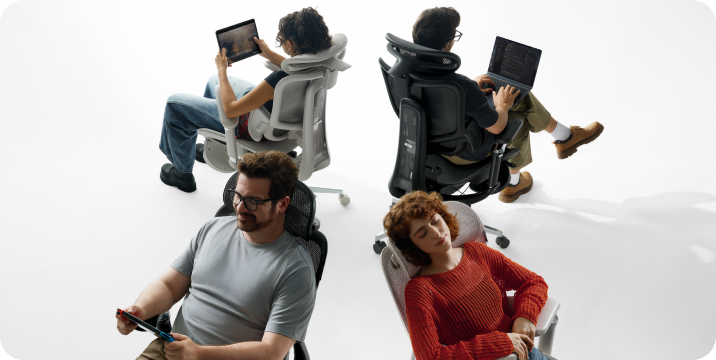
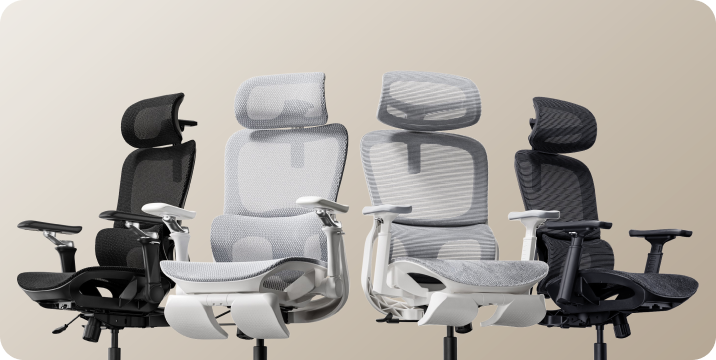
HBADA's commitment to quality and sustainability in big and tall ergonomic furniture design. 


The Regulatory Framework: ESPR and the Circular Economy

To plan for the future of office design, it’s important to understand the new rules set by the European Commission. Cheap, non-recyclable office furniture is being phased out as stricter guidelines now discourage waste.

The Ecodesign for Sustainable Products Regulation (ESPR)

Enacted as a core pillar of the Circular Economy Action Plan, the Ecodesign for Sustainable Products Regulation (EU) 2024/1781 establishes mandatory environmental minimums for physical goods sold within the single market. This framework extends historical energy-efficiency rules to target resource consumption, product lifespans, and material recovery. Under the European Commission’s multi-annual transition plans, the commercial furniture sector faces binding product-specific requirements, making proactive compliance an immediate necessity for corporate suppliers.

The Digital Product Passport (DPP) Architecture

New rules will require a Digital Product Passport for commercial goods. This system provides clear, verifiable information about each product’s lifecycle, replacing unclear marketing claims.

The passport connects each part to an open registry, showing where the materials come from, listing the chemicals used, and providing clear disassembly instructions. This helps facilities teams check how easy it is to repair, trace origins, and recycle office furniture.


Core Characteristics of True Sustainable Office Furniture

Identifying authentic green furniture requires moving past superficial labeling to analyze the physical manufacturing methods used. True commercial sustainability relies on concrete engineering choices that support long-term product lifecycles:

· Modular Architecture: Avoid single-mold plastic items that must be completely thrown away if a single small part breaks. High-tier green furniture uses modular assemblies, allowing arm pads, gas lifts, casters, and mesh panels to be swapped out and repaired over time.

· High Post-Consumer Recycled Content: Look for structural frames constructed from recycled aluminum alloys and recycled industrial polymers. Using recycled metals significantly reduces industrial energy consumption compared to processing raw materials.

· Low-VOC and Non-Toxic Finishes: Pick furniture parts and fabrics that do not contain harmful flame retardants or heavy metals. Using certified components helps make sure your office furniture does not release toxic chemicals, keeping indoor air safe.

· Life Cycle Assessment (LCA) Documentation: Real environmental responsibility is based on solid data. Good manufacturers use third-party Life Cycle Assessments to measure total greenhouse gas emissions across a product's lifecycle, from manufacturing through disposal.


Balancing Active Workplace Wellness with Resource Efficiency

Sustainability today does not mean giving up the ergonomic support your team needs to avoid back pain. Our seating shows that you can have both great comfort and strong environmental standards in your office.

Closed-Loop Mechanical Support: Hbada E3 Pro

The HBADA E3 Pro is designed for companies that want top-quality support and long-lasting parts. It has a unique 3-zone elastic lumbar support system. The middle section supports your spine, while the two side wings can rotate up to 40 degrees to fit your lower back.

The chair uses mechanical counterweights instead of electrical components, so it consumes no energy throughout its life. This makes it a reliable and low-impact seating choice.

High-Technology Smart Wellness: Hbada AI-Powered x7

For advanced innovation hubs and modern executive spaces seeking completely automated health management, the Hbada AI-Powered x7 introduces intelligent, responsive wellness to the workplace. The Hbada AI-Powered x7 uses low-power pressure sensors to track sitting posture in real time, automatically micro-adjusting its motorized lumbar support to prevent slouching.

To support waste reduction, the chair’s electronic components are designed to be easily disassembled. This means the batteries and computer units can be separated and recycled when the chair reaches the end of its life.


Structural Sustainability Comparison: Commercial Seating Tiers

· Hbada E3 Air: Built for hot-desking zones and daily hybrid workspaces, using lightweight, high-recyclability polymers and low-emissions shipping profiles.

· HBADA E3 Pro: Designed for intensive, long-shift workstations, utilizing a reinforced double-diamond mechanical frame and fully replaceable modular wear components.

· Hbada AI-Powered x7 Engineered for premium executive suites and tech facilities, incorporating active AI automated posture tracking alongside an eco-certified aluminum alloy chassis.


Procurement Guide: Transitioning to Green Facility Management

Buying sustainable furniture for your office or updating several floors takes careful planning. Follow this guide to improve your company’s green purchasing strategy:

· Audit Your Existing Asset Lifecycle: Before you buy new furniture, check how long your current items last. Focus on replacing broken or fixed-arm chairs with adjustable ones that can be repaired with new parts.

· Verify Supply Chain Transparency: Ask your furniture suppliers for proof of the materials they use. Ensure all wood parts are FSC-certified and that fabrics meet top global eco-label standards.

· Optimize Delivery Volumes: Coordinate with your logistics team to combine shipments. Filling containers to capacity reduces transport emissions and packaging waste.

· Set Up End-of-Life Takeback Protocols: Work with manufacturers who offer recycling and takeback programs. This way, your old chairs can be reused in new products instead of ending up in landfills.


Frequently Asked Questions (FAQ)

How does a sustainable office chair help my business comply with the EU Green Deal?

A certified sustainable office chair helps your business meet the strict durability, repair, and recycling standards of the Ecodesign for Sustainable Products Regulation. Choosing chairs with lots of recycled metal and replaceable parts lowers your company’s carbon footprint and supports ESG reporting.

What makes eco-friendly furniture more cost-effective over its lifecycle?

Cheap, disposable furniture may seem cheaper at first, but it often breaks down after a few years, leading to more replacements and waste. Durable, eco-friendly furniture saves money in the long run because it uses high-quality materials and can be repaired rather than replaced.

Are mesh office chairs more sustainable than traditional leather or foam options?

Yes. Thick foam cushions are hard to separate from their covers, so they often cannot be recycled. Mesh chairs use less material, avoid toxic glues, and can be taken apart easily for recycling.

When will the mandatory Digital Product Passport rules apply to office furniture?

According to the EU Ecodesign framework, new rules for furniture are being introduced in stages. Top manufacturers are already using transparent tracking systems to help buyers get ready for these requirements.


Conclusion

The best seating for your office depends on your needs and setup. If you want a strong, energy-free chair with great back support, the HBADA E3 Pro is a great choice. If you prefer advanced wellness features like real-time posture tracking and an eco-friendly aluminum frame, the Hbada AI-Powered x7 is a smart upgrade for your sustainability goals.


Relevant Product

You May Also Like

HBADA vs Herman Miller: What Does the Extra Cost Buy? HBADA vs Herman Miller: What Does the Extra Cost Buy? Look beyond the price tag A considered purchase.Not just a bigger budget. An office chair is something you use, adjust and live with. When comparing HBADA and Herman Miller, the useful question is not simply which chair costs more. It is which differences matter at your desk. Quick answer: A higher-priced chair can come with different support mechanisms, sizing options, materials and warranty terms. Those differences are worth examining, but price alone does not establish a better fit. Compare a specific HBADA model with a specific Herman Miller configuration, then evaluate the adjustments you need, the final purchase cost and the coverage included. Published by HBADA. This guide compares selected published features and purchase considerations, not results from an independent head-to-head test. Specifications and coverage depend on the model, configuration and purchase channel. Herman Miller, Aeron, Mirra 2 and Sayl are trademarks of their respective owner. No affiliation or endorsement is implied. Inside this guide 01 / Start with fit 02 / Compare exact models 03 / Understand the price 04 / Materials and design 05 / Warranty and service 06 / Comparison overview 07 / Put your budget to work 08 / Questions answered Keep three things separate: what the chair costs, how it fits and what the warranty covers. 01 — FIT BEFORE FEATURES Start with what changes your working day. A higher price can make a chair feel like a safer decision before you have even sat in it. Yet the first questions remain practical: can your feet rest comfortably, does the seat suit your leg length, and can you reach the desk without lifting your shoulders? Seat height, usable seat depth, backrest contact, armrest position and recline control deserve attention at every budget. These features can be implemented in different ways, so matching feature names is only the beginning of a comparison. An adjustment matters when it reaches the position you need—not simply when it appears on a feature list. Before comparing models, use our office chair fit and measurement guide to record seat height, usable depth and desk clearance. Those measurements make the shortlist more personal than a price bracket alone. 02 — MODEL, NOT JUST BRAND HBADA vs Herman Miller is not one comparison. Our E3 Air 2026 and E3 Pro 2026 are different models. So are Herman Miller Sayl, Mirra 2 and Aeron. Combining their features into a single brand-level checklist can give the impression that every chair includes the same adjustments. HBADA E3 Pro 2026 Our E3 Pro 2026 combines mesh seating, a sliding seat, three-zone lumbar support and adjustable armrests. Check the actual adjustment ranges and your selected configuration rather than treating the model name as a fit guarantee. Herman Miller Aeron Aeron is offered in sizes A, B and C. Its back-support configurations include options such as PostureFit SL. Size selection and the chosen support option are therefore part of the comparison; a reference to “Aeron” alone does not identify every feature. Herman Miller Mirra 2 and Sayl Mirra 2 offers different back configurations and a FlexFront adjustable seat-depth option. Sayl includes a suspension-back work-chair design, with adjustments depending on the configuration. Do not assume either uses the same support mechanism as Aeron. Compare what is actually included. Record the selected arms, seat-depth option, back support, size and accessories before comparing totals. 03 — THE PRICE QUESTION Compare the checkout—not an old headline price. An ergonomic chair price comparison becomes misleading when one figure is a temporary sale price and the other belongs to a different configuration or an earlier promotion. New, used and refurbished chairs also come with different purchase conditions. For a useful comparison, collect prices on the same day, in the same currency, for the exact versions you would order. Include any required accessories, shipping charges and applicable taxes. Start with the current E3 Pro 2026 options and price or E3 Air 2026 options . Keep your budget ceiling beside those totals so a changing promotion does not decide your priorities for you. What does the extra cost buy? Look for identifiable differences: a particular seat size, a different backrest mechanism, a finish you prefer, or different service coverage. Those are features you can evaluate. Without evidence about pricing decisions, it would be speculation to assign the remaining difference to branding, manufacturing cost or profit. Paying more does not automatically resolve a fit problem. Paying less does not establish equivalent performance either. 04 — MATERIALS AND MOVEMENT Construction is more than a material label. Two chairs described as mesh chairs can feel different because of seat shape, tension, edge design and the way the backrest moves. A polymer suspension back, an upholstered seat and a mesh seat are distinct constructions—not automatic positions on a quality ladder. Our E3 Pro 2026 uses mesh seating and an adjustable three-zone lumbar system. The important question is how those features meet your body during ordinary tasks: typing, reading, reaching and leaning back. The same scrutiny belongs in any model comparison. Check whether the controls are reachable, whether armrests fit beneath your desk, and whether the seat edge remains comfortable when you sit against the backrest. Testing does not translate directly into years. A component test describes performance under stated test conditions. Without comparable test methods and results, a cycle count cannot establish that one brand lasts longer than another. Our guide to office chair lifespan and durability tests explains why testing, maintenance and everyday wear need to be considered separately. 05 — AFTER THE PURCHASE Read the coverage behind the headline. Warranty length is a concrete difference to examine, but the number of years is not the whole policy. Covered components, exclusions, eligible purchases and the remedy offered all matter. Our published US warranty lists five years for E3 Series core load-bearing components—the base, gas lift and casters—and three years for other covered components. Coverage is subject to the policy, including its normal, non-commercial-use conditions. Normal wear and tear is excluded. For verified covered defects, our service process provides replacement parts and installation guidance. Read the complete HBADA warranty and service policy for eligibility, exclusions and the claim process. Herman Miller publishes a 12-year warranty for many products, with exceptions, and describes parts and labor coverage. The applicable model, component and purchase-channel terms still need to be checked. Warranty is not lifespan. Dividing the purchase price by warranty years does not calculate the chair’s annual ownership cost. It also hides differences in what the policies cover. 06 — THE COMPARISON OVERVIEW Separate the differences that matter. This table compares selected features and purchase considerations. It does not rank overall comfort, durability or health outcomes. Model and configuration details must be checked before purchase. Consideration HBADA E3 Pro 2026 Herman Miller examples Seat fit Sliding seat-depth adjustment Aeron uses A/B/C sizing; Mirra 2 offers a FlexFront seat-depth option Back support Adjustable three-zone lumbar design Support systems differ across Aeron, Mirra 2 and Sayl; verify the selected configuration Materials Mesh seating Suspension, polymer and upholstery constructions vary by model and configuration Warranty Five years on specified core components; three years on other covered components, subject to the US policy Published 12-year coverage for many products, subject to exceptions and applicable terms Price comparison Check the current selected version and final checkout total Match the model, size, options, condition and purchase channel What specifications cannot prove Personal comfort, a specific service life or equivalent performance between chairs 07 — YOUR BUDGET, YOUR PRIORITIES Spend where you will notice the difference. A useful budget starts with the problems you want to solve. Perhaps your current seat is too deep, its armrests stop you reaching the desk, or its lumbar support sits in the wrong place. Write those issues down before adding optional features to your list. Measure first. Compare seat height and usable depth with your body measurements, not only a recommended height range. Check desk clearance. Measure beneath drawers and desk aprons at your normal working position. Prioritize usable adjustments. A control needs to reach the position you want, and you need to be able to operate it comfortably. Read the return conditions. Check the time limit, packaging requirements, return procedure and possible costs. A trial period does not automatically mean a cost-free return. Understand service coverage. Identify the covered components and what happens if something goes wrong. Choose extras deliberately. Finishes, accessories and powered comfort features may matter to you, but they should not distract from an unsuitable seat fit. Keep our chair measurement guide beside your shortlist. It helps turn “this looks comfortable” into questions you can actually check. Explore E3 Air 2026 Review the current configuration, dimensions and included adjustments against your essential requirements and budget. View E3 Air 2026 → Explore E3 Pro 2026 Take a closer look at its sliding seat, three-zone lumbar support and adjustable armrests to see how they match your workspace. View E3 Pro 2026 → 08 — QUESTIONS ANSWERED HBADA vs Herman Miller: common questions. What does a higher office chair price buy? Depending on the exact model, it may buy different mechanisms, sizing choices, materials, finishes or service coverage. Identify those differences rather than assuming the price establishes better comfort or longer life. Are the fit adjustments equivalent across brands? No. Two chairs may both list adjustable arms or lumbar support while offering different ranges, shapes and mechanisms. Compare the exact configuration and whether its adjustments suit your body. Does a longer warranty mean a chair lasts longer? Not necessarily. A warranty describes coverage under stated conditions. It is not a guaranteed service life or a promise that every component will remain unchanged throughout that period. Can I divide the price by warranty years to compare value? That calculation is not a reliable annual ownership cost. Warranty policies can cover different components, exclude different issues and provide different remedies. Actual ownership costs also depend on use, maintenance and any expenses outside coverage. What should I prioritize with a limited budget? Prioritize seat fit, comfortable backrest contact, practical armrest positioning and controls you can use. Then compare the final purchase total, return conditions and warranty scope. Does this guide claim HBADA performs identically to Herman Miller? No. We explain selected specifications and purchase considerations. This article does not establish equivalent comfort, durability, test performance or health outcomes between the brands. Spend where it changes your day. Choose a chair for the fit you can achieve, the features you will use and the purchase terms you understand. A clear shortlist is more useful than a bigger price tag. Explore our E3 range with your measurements in hand. Explore E3 Pro 2026 Explore E3 Air 2026 Make your next workspace choice an informed one. Add HBADA as a preferred source on Google for more chair guides and practical workspace advice, where this feature is available. Add HBADA on Google ↗ Opens Google in a new tab. Confirm your selection there if HBADA is available. HBADA vs Secretlab: One Chair for Work and Gaming? HBADA vs Secretlab: One Chair for Work and Gaming? One desk. Different ways to sit. From the first meetingto the last match. Choosing between HBADA and Secretlab is not simply choosing between an office chair and a gaming chair. It is deciding how your seat should support the work, play and breaks that happen at the same desk. Quick answer: Compare the exact models, not just the brands. Our HBADA E3 Pro 2026 and E3 Ultra Gen 5 combine mesh seating with adjustable seat depth and three-zone lumbar support. Secretlab TITAN Evo uses an upholstered foam seat and an integrated four-way lumbar system. Start with seat fit, backrest contact and armrest positioning; compare recline and relaxation features next. This guide is published by HBADA. It compares selected published product features, not results from an independent head-to-head test. TITAN Evo configurations differ by size and edition. E3 Ultra refers to Gen 5, not the earlier model. Secretlab and TITAN Evo are trademarks of their respective owner; no affiliation or endorsement is implied. Inside this guide 01 / Work and gaming habits 02 / Seat construction 03 / Lumbar and backrest support 04 / Armrests and desk fit 05 / Recline and breaks 06 / Model comparison 07 / Your fit checklist 08 / Explore HBADA 09 / Questions answered A chair should fit the position you use most often—not just the position that looks most comfortable in a photo. 01 — THE EVERYDAY PICTURE One chair, two routines. A workday and a gaming session can look surprisingly similar: a screen ahead, hands on a keyboard and mouse, and hours spent at the same desk. The difference often comes when you put the keyboard aside, pick up a controller or lean back between tasks. Before comparing features, picture an ordinary evening. Do you stay close to the desk for competitive games? Do you sit back with a controller? Do you switch between the two? These habits tell you which adjustments you will actually use. Start with the position you spend the most time in. Then make room for the others. If desk work dominates your day, begin with seat depth, lumbar contact and armrest clearance. If you regularly recline, also check the controls, headrest position and space behind the chair. Neither “gaming” nor “office” automatically answers those questions. 02 — SEAT CONSTRUCTION Mesh and foam feel different. Fit still comes first. TITAN Evo uses an upholstered foam seat, with materials depending on the selected edition. Our E3 Pro 2026 and E3 Ultra Gen 5 use mesh seating. That is a meaningful construction difference, but it is not a universal comfort ranking. Mesh allows airflow through its open structure. Foam provides a cushioned seating surface whose feel depends on its density, shape and upholstery. Mesh is not active cooling, and a foam seat is not necessarily soft. Room temperature, clothing and personal preference also influence how either material feels. Look at the space behind your knees. A seat that feels comfortable at first can still be too deep for you. Sit back against the backrest and check whether the seat edge presses behind your knees. Adjustable seat depth lets you change that relationship without having to move away from the backrest. Use our office chair fit and measurement guide to compare usable seat depth, seat height and width before making your shortlist. 03 — BACKREST CONTACT Compare where the support meets your back. TITAN Evo has an integrated four-way lumbar adjustment system. Our E3 Pro 2026 and E3 Ultra Gen 5 use a three-zone lumbar design with central and lateral support areas. These describe different mechanisms: “four-way” adjustment and “three-zone” contact are not directly comparable scores. The useful question is what happens when you sit down. Does the support meet your lower back comfortably? Can you adjust it without being pushed forward? Does the contact still feel appropriate when you change position? More pressure is not the same as better support. Avoid judging a lumbar system only by how strongly it presses against you. Begin with your seat position, then adjust the backrest and lumbar settings gradually. The aim is comfortable contact rather than a prominent pressure point. Our lumbar support adjustment guide explains the setup process. For model-specific controls, refer to the HBADA user manuals . 04 — YOUR DESK MATTERS Armrests need to work with the desk, too. Adjustable armrests are useful only if their range suits your setup. For keyboard and mouse use, check whether you can bring the chair close enough to the desk without the arm pads blocking the edge. For controller use, check whether your forearms can rest comfortably when your hands move toward your lap. TITAN Evo lists 4D armrests. Our E3 Pro 2026 has multi-directional adjustable armrests, while the E3 Ultra Gen 5 has 8D armrests. These labels describe adjustment features, but they do not provide a standardized cross-brand comfort rating. Measure the underside, not just the desktop. A desk apron, drawer or keyboard tray can reduce clearance. Check the actual opening at your working seat height instead of assuming a chair will fit beneath a “standard” desk. 05 — BETWEEN TASKS Recline is one part of the experience. Published maximum recline angles differ: TITAN Evo lists up to 165°, our E3 Pro 2026 up to 140°, and our E3 Ultra Gen 5 up to 150°. Those numbers describe range, not a guaranteed comfort advantage. Also consider how easily you can reach the controls, whether the recline feels manageable, where the headrest meets you and how much space is available behind your desk. A deeper angle is not necessarily the position you will use for typing or mouse control. The E3 Ultra Gen 5 adds a built-in footrest, 4D bionic massage and graphene heat for seated relaxation. These comfort features do not replace fit adjustments or regular breaks. A reclining footrest is not the same as a separate under-desk foot support for upright work. Use each feature according to the chair’s instructions. 06 — THE COMPARISON Three models. Different design choices. Use this comparison to identify the features worth checking against your body and desk. It is a specification overview, not an overall performance ranking. Selected published features. Confirm the exact size, edition and configuration before ordering. Feature Secretlab TITAN Evo HBADA E3 Pro 2026 HBADA E3 Ultra Gen 5 Seat construction Upholstered foam; material varies by edition Mesh CloudMesh Seat fit Dimensions depend on the selected size Adjustable seat depth Adjustable seat depth Lumbar design Integrated four-way adjustment Three-zone adaptive support Three-zone support with full-body dynamic tracking Armrests 4D Multi-directional adjustment 8D Maximum recline 165° 140° 150° What to check next Selected size, upholstery and desk clearance Seat-depth range, lumbar fit and selected configuration Seat fit, massage and heat controls, and recline space Adjustment labels are manufacturer terminology, not equivalent independent ratings. Prices, availability and purchase terms are excluded because they can change. 07 — BEFORE YOU CHOOSE A practical work-and-gaming fit check. Think beyond the product photo. Your screen position, desk opening and usual input devices are part of the chair decision. Check seat height. Find a position that supports your feet and lets you reach your work surface without lifting your shoulders. Check usable seat depth. Sit back and look for comfortable clearance behind your knees. Check backrest contact. Adjust the support so it meets your lower back without forcing you away from the backrest. Check both input positions. Try your keyboard-and-mouse posture and your controller posture, including armrest placement. Check room to recline. Account for the wall, desk, cables and other furniture. Read the purchase terms. Check the applicable return conditions, packaging requirements, possible costs and warranty coverage before ordering. Keep your measurements beside the chair fit guide so you are comparing dimensions rather than relying on a height recommendation alone. 08 — OUR APPROACH Explore the HBADA setup that fits your routine. Within our E3 range, the choice is not simply “work chair” versus “gaming chair.” Start with the fit you need, then decide which additional features you want at your desk. E3 Pro 2026 Consider this model if your checklist centers on mesh seating, adjustable seat depth and three-zone lumbar support for a shared work-and-gaming setup. Explore E3 Pro 2026 specifications → E3 Ultra Gen 5 Explore this model if you also want integrated massage, graphene heat and a footrest for breaks, alongside dynamic support and adjustable seating. Explore E3 Ultra Gen 5 specifications → Neither model guarantees comfort for every body or sitting duration. Fit and personal preferences remain important, even when the feature list matches your needs. 09 — QUESTIONS ANSWERED HBADA vs Secretlab: the practical questions. Can one chair work for both office work and gaming? Yes, provided its fit and adjustments suit both activities. Keyboard-and-mouse gaming may use a similar setup to desk work, while controller gaming can call for different armrest and backrest positions. Is an ergonomic office chair automatically better than a gaming chair? No. Category names do not establish comfort or fit. Compare the exact seat dimensions, adjustment ranges, support design and desk clearance of the models you are considering. Does mesh always feel cooler or softer than foam? No. Mesh has an open structure that allows airflow, but it is not a cooling system. Firmness and temperature perception vary with the materials, construction, clothing and room conditions. Is three-zone lumbar support the same as four-way adjustment? No. Zones describe support areas; adjustment directions describe how a mechanism moves. Evaluate the location, range and comfort of the support rather than comparing those numbers as if they were scores. Which E3 Ultra does this comparison cover? This guide covers E3 Ultra Gen 5 with massage, graphene heat and up to 150° recline. Earlier E3 Ultra editions have different specifications and should not be treated as the same product. Is this an independent chair review? No. We publish this guide as HBADA to explain relevant design differences and fit considerations. It is not an independent comparative test or a claim that one chair is best for every user. Choose for the hours you actually spend there. The right starting point is your body, your desk and your routine. Match those first. Then choose the seating materials, adjustments and relaxation features you want around them. Discover E3 Pro 2026 Discover E3 Ultra Gen 5 More thoughtful choices for your workspace. Add HBADA as a preferred source on Google to see more of our chair guides and workspace advice where this feature is available. Add HBADA on Google ↗ Opens Google in a new tab. Confirm your selection there if HBADA is available. Single vs Dual vs Three-Zone Lumbar Support: Which Fits You? Single vs Dual vs Three-Zone Lumbar Support: Which Fits You? The lumbar support edit More than a number.A better way to understand support. Single, dual or three-zone: discover what changes in the design—and what to check before choosing the chair you will sit in every day. Conceptual illustration, not a product photograph or model-specific specification. The short answer Single-zone lumbar support generally uses one main contact area. Dual-zone designs divide support into two sections. In a center-and-side three-zone design, a central section works with two lateral sections. More zones can offer broader coverage, but comfort still depends on shape, adjustment and how well the chair fits you. Office chair lumbar support can sound like a numbers game. One zone. Two zones. Three. Yet the number alone does not tell you what happens when you reach for your keyboard, turn toward a colleague or recline between tasks. The more useful questions are practical. Where does the support touch your back? Can you position it comfortably? Does it move with you? And can you sit fully back without pressure behind your knees? Inside this guide 01What zone labels mean 02Single-zone support 03Dual-zone support 04Three-zone support 05What your chair supports 06The comparison 07Our E3 Pro design 08Beyond the zone count 09Your buying checklist 10Common questions 11The final takeaway 01 Start with the design Zone labels are not enough to compare chairs Do not assume that two brands use “zone” to describe the same thing. A zone may refer to a separate panel, an area of padding or a section of a larger support system. Even visually similar layouts can behave differently. Treat the count as a starting question. Identify each section, find out whether it moves and check which adjustments are available to the person sitting. Zone count and dynamic support are different features. “Three-zone” describes a support layout. “Dynamic” describes how support responds to movement. A single-zone design can move, while a multi-zone design may have fixed sections. Check both the layout and the mechanism. 02 One main contact area Single-zone lumbar support Single-zone support commonly uses one pad or shaped panel around the lower back. Depending on the model, it may be fixed, height-adjustable, depth-adjustable or responsive to pressure and movement. Its appeal is simplicity: one main contact area to position and evaluate. A broad panel and a small, firm pad can feel very different, even when both are described as single-zone. When testing one, notice whether the support stays in a useful position as you change posture. Losing contact is possible with some designs, but it is not an automatic consequence of having only one zone. Our lumbar support adjustment guide explains how to assess contact before increasing pressure. 03 A divided layout Dual-zone lumbar support Dual-zone designs use two sections, but their arrangement is not always the same. Some divide the backrest into upper and lower areas; others use two contact sections within the lower-back support itself. Look beyond the seam or gap. Can the sections pivot independently? Does the lumbar area move separately from the upper backrest? Are you able to change its position, or does it only flex under pressure? What to check: Sit fully back and notice how pressure is distributed. A visible division between panels does not, by itself, tell you whether the design will feel supportive or uneven. 04 Central and lateral contact Three-zone lumbar support In a center-and-side three-zone layout, a central support section works with two lateral sections. The aim is to extend contact beyond the middle of the lower back and provide a more surrounding support feel. When the sections are designed to move, the system can also accommodate changes in position. The amount of movement and the way each section responds depend on the specific mechanism. Central contact Check whether the middle section can meet the inward curve of your lower back without pushing you away from the backrest. Lateral contact Check whether the side sections feel comfortable around your lower back and leave room for natural movement. Broader coverage matters when it reaches the right places. Pair the lumbar check with our office chair seat-depth and body-fit guide so that your seated position allows you to reach the support. 05 Understanding contact What your chair actually supports A chair makes contact with the surface of your back. It does not isolate an individual muscle simply because a panel lines up with a particular area. For chair selection, the practical distinction is central versus lateral coverage. You do not need to map each support wing to a named muscle to decide whether the chair feels comfortable. Focus instead on contact that feels supportive rather than sharp, placement that suits your seated position and enough freedom to change posture. 06 The side-by-side edit Single vs dual vs three-zone lumbar support Compare the design and its available adjustments. Concept illustrations do not establish product performance. Read this table as a comparison of layouts, not a universal ranking. Adjustment and movement must be checked on the specific chair. What to compare beyond the zone count Factor Single-zone Dual-zone Three-zone* Layout One main pad or panel. Two support sections. A central section and two lateral sections. Coverage Depends on the width and shape of the contact area. Depends on the position and size of both sections. Designed to provide central and side contact. Adjustability May include height, depth or other adjustments. May offer separate movement or adjustment. May combine central adjustment with moving side sections. Movement Can be fixed or responsive. Sections may move together or separately. Check how the center and sides respond to posture changes. Fit check Does the main contact area meet your back comfortably? Do the two sections create comfortable, consistent contact? Do the center and sides fit without crowding or pressure points? *Three-zone refers to the center-and-side arrangement discussed in this article. Other products may use the label differently. Swipe across the table on smaller screens. 07 Our design in practice Three-zone support on the HBADA E3 Pro Our HBADA E3 Pro ergonomic office chair uses a central lumbar support section and two lateral wings. This layout brings support across the middle and sides of the lower back rather than relying on one central contact area alone. Central adjustment helps you position the support, while the side wings accommodate movement around the lower back. Together, these features are designed to create a supportive fit that can help ease the feeling of tension during everyday desk work. Try the support in more than one position. Set the chair for your normal desk task first. Then turn gently and try the recline within its intended range. Notice whether contact remains comfortable, rather than testing only how firm the support feels while sitting still. For the current model's specifications, use the E3 Pro product details . For control locations and setup instructions, refer to our chair manuals and assembly guides . 08 Beyond the specification What more zones do not guarantee The right pressure More contact is not always more comfortable. Shape, firmness and adjustment determine how the support feels against your back. The right seat dimensions If a seat is too deep for you, reaching the backrest may be difficult. Lumbar features cannot compensate for every mismatch in chair size. Automatic setup Adjustable support still needs appropriate positioning. Change one setting at a time and reassess during your normal desk tasks. A medical outcome Support can contribute to comfort, but a zone count is not proof that a chair prevents or treats a back condition. HBADA E3 Air Pink. Check the exact model and edition rather than identifying its support system by appearance. A closer look Start with the settings, not stronger pressure. Before deciding that you need more lumbar support, check whether the chair is positioned correctly. Seat depth, seat height and backrest contact work together. Follow our step-by-step lumbar support setup guide and make one change at a time. 09 Before you choose A practical chair-selection checklist Evaluate coverage, adjustment, movement and seat fit together—not as separate promises of comfort. Identify the actual sections. Ask which parts are separate supports and which are simply areas of padding or styling. Check the adjustments. Look for clear information about height, depth and movement. Do not assume every section is independently adjustable. Match the chair to your measurements. Compare seat height, usable seat depth and width. Use our chair measurement checklist to keep the comparison consistent. Test central and side contact. Notice where the support touches your back and whether any area feels overly concentrated or restrictive. Check support while moving. Compare your normal working position with a relaxed recline. Use gentle, everyday movements rather than forcing the mechanism. Review the setup and return information. Read the model instructions and applicable return conditions before purchasing. Give yourself time to understand the adjustments. Keep movement in your routine. A well-fitted chair supports seated tasks. It does not remove the value of changing position and taking appropriate breaks. 10 Questions, answered Office chair lumbar support FAQs What is the difference between single-zone and three-zone lumbar support? Single-zone support generally uses one main contact area. The three-zone layout discussed here uses a central section and two side sections. The difference is the support arrangement, not an automatic comfort ranking. Is three-zone lumbar support always better? No. It offers a different approach to coverage and may suit someone looking for central and lateral contact. Comfort still depends on fit, shape, firmness and how the mechanism moves. What does dual-zone lumbar support mean? It usually describes two support sections, but their location and movement vary. Check the actual product design rather than assuming all dual-zone chairs behave alike. Is three-zone support the same as dynamic lumbar support? No. Zone count describes the layout, while dynamic support describes movement or response. A chair can combine both, but one label does not establish the other. Can lumbar support help ease lower-back tension? A comfortable, well-positioned support can help you settle into a less strained sitting setup and may help ease everyday tension. It should not feel forceful. Persistent or severe pain should be assessed by a qualified healthcare professional. Do side wings target individual lower-back muscles? A chair supports the surface of your back rather than isolating individual muscles. Side wings are better understood as providing lateral contact and coverage. How should I set up the HBADA E3 Pro lumbar support? Start with seat height and depth so you can sit fully back with your feet supported. Then position the lumbar area for comfortable contact and test it during normal work and recline. Use the model-specific manual for control instructions. 11 The final takeaway Choose the support you can feel. Zone counts make tidy headlines. What matters at your desk is useful coverage, adjustments that fit your body and comfortable contact as you change position. If central and lateral support are priorities, explore the HBADA E3 Pro's three-zone design. Start with your measurements, set it up carefully and make comfort part of the comparison. Fit first. Adjust thoughtfully. Make room to move. Explore HBADA Your next chair should fit more than your desk. Review the E3 Pro's lumbar support design and adjustment features, then compare them with your measurements and everyday working position. Explore HBADA E3 Pro → Find your chair fit → Keep reading with us A more comfortable workspace starts with useful ideas. Make HBADA one of your preferred sources on Google for ergonomic chair guides, workspace tips and practical adjustment advice. Add HBADA as a preferred source ↗ Opens Google in a new tab. Confirm your selection there if HBADA is available. Back to top ↑