


Blog

HBADA FAQ: Complete Guide to Assembly, Warranty & Support

HBADA FAQ: Complete Guide to Assembly, Warranty & Support

Many people have questions about HBADA chairs

From warranty and returns to shipping, assembly, and troubleshooting, many users have similar concerns when they buy or use HBADA ergonomic chairs.

This FAQ collects the most common questions from real HBADA users around the world and gives clear, direct answers:

  • What does the 30-Day Return Policy cover?

  • Does HBADA really offer a Five-Year Warranty?

  • What should I do if my chair has quality issues or starts squeaking?

  • How do I assemble my chair and where can I find video guides?

  • What if my tracking hasn’t updated, or my package shows as delivered but I haven’t received it?

  • How do I adjust lumbar support, armrests, headrest, and backrest for the best ergonomic posture?

  • How do I clean and maintain the mesh fabric, and what if it starts sagging?

  • What’s the process for replacement parts, returns, and after-sales support?

If your question isn’t here, email us at service@hbada.com with your order number and chair model, and we’ll get back to you within 1–2 days.

Warranty & Returns

30-Day Returns: What does the 30-day return policy entail?

HBADA offers a 30-day money-back guarantee for all non-customer-related issues. This means:

  • If your chair is faulty, damaged during shipping, or just isn’t comfortable for you, you can return it.

  • The chair must be in the same condition as when you received it, with all parts, packaging, and extras.

  • To return something, contact us at service@hbada.com and include:

    • Your order number

    • The reason for return

  • If it’s a problem we cover, we’ll send you a prepaid return label.

Refund: Processed within 5–7 business days after warehouse receipt and inspection.

If you need to return something because of a problem on your end (wrong color, changed your mind after assembly), you might have to pay for return shipping. Details are shown at checkout.

Five-Year Warranty: Does HBADA offer a genuine Five-year warranty?

HBADA ergonomic chairs come with a 3-year hassle-free warranty (some pages mention 5 years; warranty details depend on your model and region). This warranty includes:

Coverage:

  • Gas lift cylinder

  • Base

  • Casters

  • Armrest mechanisms

  • Lumbar support systems

  • Mesh/fabric integrity

We don’t repair broken parts; instead, we send you new replacement parts.

Exclusions:

  • Normal wear and tear

  • Intentional damage

  • Modifications (these void the warranty)

If you have an X7 Smart Chair, extra electrical parts (battery, massage motors, heating elements) are covered for 3 years.

To make future claims easier, register your chair within 30 days of buying it at:
https://hbada.com/pages/warranty-service

If something goes wrong with my chair, what is the process?

If your chair has any quality issues:

  1. Contact us with:

    • Your order number

    • Chair model (e.g., E3 Pro, P3, X7)

    • Clear photos or videos of the problem

    • Your address

    • Chassis barcode

  2. We offer warranty coverage and will provide free replacement parts for non-human-caused damage.

  3. After verification, we’ll arrange a solution (replacement parts or refund) tailored to your situation.

Is a warranty registration required for coverage?

No. Your warranty is automatically effective from the date of purchase, and we provide coverage based on your order information.

If you encounter any quality issues, contact us with your order details, and we’ll assist accordingly.

What are the steps to return a defective product?

If you received a defective product:

  1. Contact support and provide:

    • Order number

    • Clear photos or videos of the defect

    • Delivery address

  2. Our team will verify the issue and send you a return label or further instructions.

  3. Pack the item securely and return it following the provided guidance.

  4. Once we receive and inspect the returned product, we’ll process a replacement or full refund.

Can I return a chair if it’s just not a good fit for me?

Yes. We accept return requests for chairs that are simply not a good fit (non-defective, no quality issues) within our 30-day no-reason return window from the date of delivery.

To be eligible:

  • The chair must remain in brand-new, unused condition.

  • Original packaging must be fully intact.

  • You will be responsible for return shipping cost.

  • We’ll process a full refund once we receive and successfully inspect the returned item.

What packaging is required for returns to ensure safety?

To avoid damage during return shipping:

  • Use the original factory packaging if possible.

  • Include:

    • Original box

    • Inner foam

    • Plastic bags

    • All protective materials

  • If original packaging is no longer available:

    • Use a sturdy outer carton

    • Add sufficient bubble wrap or foam to protect the chair frame, armrests, base, and gas lift

  • Pack all small parts (screws, tools, instructions) securely inside the box.

  • Seal the box tightly with packing tape.

This helps prevent damage and ensures smooth inspection and refund.

How long does it take to process a return and receive a refund?

After we receive and inspect the returned item, it usually takes 5–10 business days for the refund to be credited back to your account.

Can I return it if it doesn’t fit after a week of real use?

Yes. A chair that feels fine for 20 minutes in a showroom can feel wrong after 3 hours of actual work. The return window matters. 30 days is the minimum that gives your body enough time to meaningfully assess fit.

Check whether return shipping is covered and whether there is a restocking fee.

Will I be refunded for the original shipping cost?

Refunds will be issued to your original payment account through our system under normal circumstances.

If any unexpected issue occurs with the automated refund process, our customer service team will contact you promptly and may ask for your PayPal account and full real name to process the refund manually.

Shipping & Tracking

My tracking information hasn’t updated; is my order lost?

Your tracking number is: XXXXXXX.

We have looked into your issue and urged the logistics company to expedite delivery. Your package has not been lost. We will notify you as soon as there are any updates.

What does my current tracking status mean?

The tracking status shows the real-time location and progress of your package.

Sometimes there may be a slight delay in updates due to logistics processing or system synchronization, but this does not mean your package is lost.

We are closely following your shipment and will inform you immediately once there is a new update.

My package was marked as delivered, but I haven’t received it.

Since tracking shows your package has been delivered:

  1. First check with your neighbors or family members to see if they accepted it on your behalf.

  2. If you purchased shipping protection from Seel, contact Seel Support first to file a claim.

  3. If your claim with Seel is not approved, we will assist you with:

    • Refund or

    • Replacement chair

  4. If you want us to resend a new chair, provide your full delivery address to avoid further delivery errors.

What should I do if my package was returned to sender?

If your package has been returned to the sender, it is usually due to:

  • Incorrect or incomplete address

  • Failed delivery attempts

  • No one available to receive it

  • Other reasons

Contact us with your order number and address, and we will assist in checking the return status.

Once confirmed, we can:

  • Resend the package to the correct address, or

  • Process a full refund for you.

I didn’t receive a confirmation email; how can I check my order?

If you haven’t received your order confirmation email:

  1. First check your spam or junk folder, as automated emails are sometimes filtered there.

  2. If you still cannot find it, you can:

    • View your order details directly (if available in your account), or

    • Contact us to obtain your tracking number, then track your package on the official logistics website.

After-Sales & Quality Issues

If something goes wrong with my chair, what is the process?

If your chair has any quality issues, contact us with:

  • Clear photos or videos showing the problem

  • Your order details

  • Your address

  • The chassis barcode

We offer warranty coverage and will provide free replacement parts for non-human-caused damage.

Once verified, we’ll promptly arrange a solution (replacement parts or refund) tailored to your situation.

What replacements fit if the wheels/castors are falling apart?

This chair uses universal wheels with high compatibility.

You may purchase universal casters with:

  • Diameter: approximately 50mm

  • Stem size: around 38mm

from online stores or hardware stores; they can be installed directly.

If you cannot find a suitable store, we recommend these links:

If you require original factory wheels, contact customer service with:

  • Order number

  • Photos of the damaged casters

  • Base barcode

  • Delivery address

We’ll arrange a replacement for you.

Assembly, Maintenance & Troubleshooting

How do I assemble my HBADA chair? (Step-by-Step)

You can refer to our official complete assembly video at:
https://www.youtube.com/@HbadaGlobal

The video provides clear, full-process instructions to help you assemble your chair safely and easily.

If you cannot access the video or need further assistance, provide your order number, and we’ll send you the assembly video based on your chair model.

If you have questions during installation, feel free to contact us anytime — we’ll guide you step by step.

I’m struggling with a specific step in the assembly; where can I find the video guide?

You can view our detailed assembly video guide at:
https://www.youtube.com/@HbadaGlobal

If you are unable to find it there, contact customer service with your order number, and we’ll send you the official video link directly.

We’re also ready to assist with any specific steps you find difficult during assembly.

What should I do if a screw doesn’t fit or is missing?

If any screws are missing, damaged, or do not fit properly during assembly:

Contact customer service with:

  • Order number

  • Clear photos of the problematic parts

  • Barcode on the chair base

  • Delivery address

We’ll promptly arrange to send you replacement screws or accessories free of charge.

If the required accessories are out of stock, we’ll provide a purchase link. After you purchase, send us the invoice, and we’ll reimburse the full cost.

Why is my chair making a squeaking noise and how to fix it?

Squeaking noises are usually caused by:

  • Friction between moving parts

  • Loose screws

  • Dry joints

Try these steps:

  1. Check and tighten all screws on the seat, backrest, base, and armrests.

  2. Apply a small amount of lubricant (silicone oil, sewing machine oil, or lubricating spray) to:

    • Gas lift

    • Rotating joints

    • Connecting points

  3. Check if plastic parts are pressing against each other; adjust their positions to eliminate friction.

If the squeaking persists after these steps, contact customer service with:

  • Order number

  • Description of the problem

  • Base barcode

  • Delivery address

My gas lift is sinking; what is causing this? / My chair keeps sinking — what can I do?

A chair that keeps sinking is almost always caused by a faulty or worn-out gas lift cylinder, which loses internal pressure and can no longer hold weight.

Quick checks:

  1. Make sure the height adjustment lever is fully released or locked properly.

  2. Check if any parts under the seat are blocking the mechanism.

If the chair still sinks, the gas lift needs to be replaced.

Contact customer service with:

  • Order number

  • Photos of the issue

  • Base barcode

  • Delivery address

We’ll arrange a replacement gas lift for you.

The reclining mechanism is stuck; how do I unlock it?

If the backrest reclining mechanism gets stuck and cannot be unlocked:

  1. Lean back firmly to release the tension inside the mechanism.

  2. Check for:

    • Loose screws

    • Foreign objects

    • Plastic parts that may be jamming the mechanism

  3. If it still cannot be unlocked, contact customer service with:

    • Order number

    • Photos of the issue

    • Base barcode

    • Delivery address

What should I do if my seat is tilted or leaning to one side?

Check the following:

  1. Ensure all screws under the seat are tightened evenly and securely.

  2. Check if the five-star base is placed on a flat, even floor.

  3. Inspect the gas lift and mounting plate for damage or improper installation.

  4. Confirm that the chair is assembled correctly according to the manual.

If the issue continues, contact us with:

  • Order number

  • Photos of the problem

  • Base barcode

  • Delivery address

How often should I tighten the bolts and screws?

We recommend checking and tightening all bolts and screws once every 1–3 months, depending on daily usage intensity.

  • Heavy daily use (long hours): check monthly.

  • Normal home use: check every 3 months.

Regular tightening prevents squeaks, wobbling, and loose parts, extending your chair’s lifespan.

How do I clean and maintain the mesh fabric?

To keep the high-density mesh fabric in good condition:

  1. Daily Cleaning: Use a soft dry cloth or a small vacuum cleaner to gently wipe or suck away dust and debris. Avoid scratching the fabric.

  2. Stain Cleaning: For stubborn stains, gently wipe the stained area with an alcohol wipe. Do not use strong chemicals, bleach, or hot water.

  3. Long-Term Maintenance:

    • Avoid placing sharp objects and heavy items on the mesh for long periods.

    • Keep away from high-temperature environments.

  4. Daily Attention: Do not pull or scratch the mesh with force. If there are loose threads, do not pull them arbitrarily; contact customer service if needed.

How do I prevent the mesh from sagging over long-term use?

To prevent mesh sagging:

  1. Avoid sitting or pressing heavily on a single area of the mesh for long periods.

  2. Keep the mesh away from sharp objects and high temperatures.

  3. When not in use, do not place heavy items on the mesh surface.

If you find obvious sagging that affects use, contact us with:

  • Photos of the sagging

  • Order details

  • Chassis barcode

  • Shipping address

I noticed a small snag or pull in the mesh; will it affect the structural integrity?

A small snag or pull in the mesh fabric generally does not affect structural stability; it’s mostly a minor surface issue.

To prevent further damage:

  • Avoid additional pulling or scratching on the affected area.

If the damage gradually worsens or begins to affect use, contact us with:

  • Photos of the snag

  • Order details

  • Chassis barcode

  • Shipping address

How do I remove a stubborn stain from the white/grey mesh fabric?

For stubborn stains on white/grey mesh fabric:

  • Gently wipe the affected area with an alcohol wipe.

  • Avoid vigorous scrubbing.

  • Do not use strong chemical cleaners, bleach, or hot water.

  • After cleaning, air-dry the chair naturally in a well-ventilated area.

How to properly store the chair when not in use?

When storing your chair for an extended period:

  • Place the chair in a cool, dry, well-ventilated indoor area.

  • Avoid direct sunlight and prolonged exposure to prevent fading, cracking, or damage to mesh, plastic, and cushion materials.

  • Keep away from sharp objects, heavy pressure, and moisture.

  • If possible, cover it with a dust cover to keep it clean.

Ergonomic Adjustments

How do I adjust the lumbar support for maximum comfort?

Refer to the operation video link:
www.youtube.com/shorts/KULJrSYNjno

There are 7 gears for the lumbar support (including the initial gear):

  • Pulling up 6 gears will produce a gear sound.

  • Pulling down 7 gears will unlock the gear.

  • After unlocking, pull to the bottom to readjust the position.

Guide groove:
The front and rear adjustment is not reset when you use it. You need to pull it to the last unlock. This guide groove can only be fixed in front and back after squeezing and unlocking the inner buckle.

How to set the armrests and headrest for different tasks?

  • Working or studying: Sit upright, adjust armrests to elbow height (~90°), align with desk. Lower headrest slightly to naturally support your neck.

  • Gaming: Lean forward slightly, lower and move armrests forward to keep wrists relaxed. Raise headrest a little for comfortable support when leaning back.

  • Resting or napping: Recline the backrest, and simultaneously raise armrests and headrest to fully support head, neck, and arms.

For detailed adjustment methods, find the corresponding video at:
https://www.youtube.com/@HbadaGlobal

What is the correct position for the headrest to avoid neck strain during focused work?

For focused work, set the headrest to support the middle of your neck (cervical spine), not just the back of your head.

  • Height: Align the headrest pad with the center of your neck.

  • Angle: Tilt it slightly forward so it touches your neck gently when you sit upright, without pushing your head forward.

  • Do not lean your head fully against it while working; use it for light support to keep your neck in a neutral, relaxed position.

This reduces strain and prevents soreness during long hours of use.

How do I lock the headrest in a specific position?

Height adjustment:

  1. Lower the headrest all the way to the bottom first.

  2. Lift it up one notch at a time to your desired height.

  3. All middle notches will lock automatically.

  4. Do not go to the very top notch — it is a circulating gear and cannot hold position.

Forward/backward angle adjustment:

  1. Push the headrest fully forward first.

  2. Pull it back slowly to your preferred angle.

  3. Avoid pulling it all the way to the rear end, which activates the circulating mode and fails to lock.

  4. To reset, push it fully forward again, then adjust to a fixed position.

How does the Dynamic Lumbar Support adjust automatically to my back?

This model is equipped with an independent adaptive spring lumbar support.

No matter what sitting posture you use, the lumbar support will automatically adjust to the most suitable position according to the pressure from your body.

Its back and waist separated design provides more targeted support, ensuring your lower back never hangs unsupported.

Since it’s inconvenient to adjust lumbar support frequently while shifting postures at work, this adaptive design offers greater convenience and continuous comfort.

How do I lock the backrest at a specific reclining angle for resting?

  1. Sit on the chair.

  2. Use the recline control lever under the seat to tilt the backrest to your preferred angle.

  3. Once comfortable, push the control lever in fully until it clicks into the locked position.

  4. To unlock and return to upright, pull the control lever out again.

If the backrest fails to lock or slides down unexpectedly, check if the mechanism is stuck or if any screws are loose. If the issue persists, contact customer service.

What are the different adjustment directions of the 4D armrests, and how to use them?

Our 4D armrests come with:

  • Height adjustment: Press the control button on the armrest to lift or lower it to a comfortable height, then release to lock.

  • Forward/backward adjustment: Slide the armrest pad forward or backward to match your arm length and sitting posture.

  • Rotation adjustment: Rotate the armrest pad left or right to keep your wrists in a natural, straight position.

  • Nap linkage function: When you recline the chair into nap mode, the armrests automatically tilt and link with the backrest for continuous support.

How should I position the armrests to prevent shoulder fatigue and wrist pain?

To achieve the best ergonomic effect and avoid shoulder fatigue and wrist pain:

  • Adjust armrest height so your elbows form ~90° when arms rest naturally.

  • Keep armrests level with your keyboard or desk surface to maintain straight wrists while typing.

  • Do not set armrests too high, which raises your shoulders and causes tension.

  • Avoid letting armrests squeeze your shoulders inward; keep shoulders relaxed and natural.

Properly positioned armrests provide even support for your arms, reduce pressure, and effectively prevent discomfort in shoulders, neck, and wrists during long hours of use.

How do I adjust the armrest height to fit under my desk?

  1. Locate the adjustment lever or button on the side of each armrest.

  2. Lift or press the lever, then push the armrest down to its lowest position.

  3. Release the lever to lock the armrest in place.

  4. Make sure both armrests are set to the same height to avoid imbalance.

Once lowered, the chair can be pushed fully under the desk for space-saving use.

Why are my two armrests at different heights, and how can I align them?

It’s common for armrests to show a slight height difference due to assembly tolerances and individual adjustment mechanisms.

Check the following to align them:

  1. Ensure both armrest height adjustment levers are fully locked in the same gear position.

  2. Gently press down on both armrests at the same time to ensure they are fully seated.

  3. If one armrest is loose, tighten the fixing screws underneath the armrest.

If the height difference remains obvious, contact us with:

  • Photos

  • Order details

  • Chassis barcode

  • Address

How do I adjust the overall height of the chair for the best ergonomic posture?

To adjust your chair to the optimal ergonomic sitting height:

  1. Stand next to the chair, lift the height adjustment lever.

  2. Set the seat so that your hips and knees are at roughly the same level when seated.

  3. Once sitting, your feet should rest flat on the floor or a footrest, with knees naturally bent at ~90°.

  4. Avoid setting the seat too high (feet hang) or too low (pressure on thighs and lower back).

This posture reduces fatigue and helps maintain healthy spinal alignment during long hours of use.

My chair is slowly sinking (height loss) over time; what is the cause?

The chair slowly sinks and loses height when you sit on it, usually caused by a faulty or leaking gas lift cylinder.

  • Insufficient internal pressure → cannot stably support weight → gradually lowers.

  • Slight sinking during initial use may occur as parts settle.

  • Continuous sinking indicates the gas lift needs to be replaced.

Your chair is covered under warranty. If the problem persists, contact us with:

  • Photos of the issue

  • Order information

  • Chassis barcode

  • Shipping address

The chair feels unstable or wobbles from side to side; how do I fix the base?

Wobble may be caused by:

  • Natural gaps at screw connections (chair is assembled from multiple parts).

  • Design with height-adjustable and reclining functions, which may result in slight movement.

  • Casters for 360-degree rotation, which can create small amounts of wobble while sitting.

Double-check fixing screws on the backrest and base. If any screws are loose, tighten them.

Our product comes with warranty coverage. If wobble becomes more severe, contact us anytime.

The wheels are not rolling smoothly or are making noise; how can I clean or replace them?

Please take a short video of the chair when you push it, focusing on the sticking wheels.

If only a single wheel is sticking:

  • Add a few drops of dish soap or cooking oil to the bearing of the problematic wheel for lubrication.

  • This often significantly improves smoothness.

If the issue persists, contact us with the video.

Smart Features & Special Parts

How do I properly deploy and retract the built-in footrest?

To use the built-in footrest:

  1. Pull it out from under the seat cushion.

  2. Flip the footrest surface upward for use.

When not in use:

  1. Flip the footrest surface back down.

  2. Push it gently back under the seat.

Reference video: Reclining footrest video.mp4 for step-by-step demonstration.

I’m having trouble pulling out the footrest; is there a trick to it?

The footrest may be a bit tight during initial use to ensure stability.

  • Hold the front of the footrest firmly and pull it out horizontally from under the seat.

  • Do not pull it at an upward angle, as this may cause jamming.

  • Check which part is getting stuck.

If the problem continues, send us a short video of the issue.

Where to Get Help

If your question isn’t covered here, you can reach our support team anytime:

  • Email: service@hbada.com (US/CA)

  • Include:

    • Your order number

    • Chair model (e.g., E3 Pro, P3, X7)

    • Short description of the issue

    • For quality problems: photos/videos and chassis barcode

We usually reply within 1–2 days, and for urgent issues like replacement parts, we have warehouses in your region to reduce waiting time.

If you need more help, or have other question, feel free to contact us, or leave your comment below, we will reply you as soon as possible.
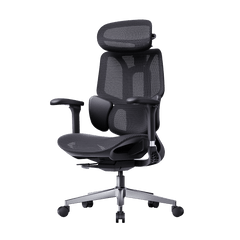
Relevant Product

You May Also Like

Working and Reclining in a Footrest Office Chair: A Daily Guide Working and Reclining in a Footrest Office Chair: A Daily Guide Everyday Ergonomics · Work & Breaks An ergonomic office chair with a footrest works best when you match your position to the task—not when you stay reclined all day. Quick answer: Use a supported upright or slightly reclined position for typing. Try a gentle recline for audio calls and reading, provided you can still see your screen comfortably. Extend the leg rest for a seated break if your chair is designed for it. Change positions throughout the day, and include time away from the chair. 01 · Focus Keep your keyboard close, shoulders relaxed, and feet supported. 02 · Read & Listen Try a light recline without reaching forward or straining to see. 03 · Take a Break Rest briefly, then make room for standing, walking, or another task. In this guide Why match your posture to the task? Reclining for calls and video Reclining for reading and reviewing Using short recovery breaks Task, recline, and footrest guide Your daily reclining rhythm Which HBADA chair fits this routine? Limitations and safety notes Conclusion Frequently asked questions Sources Why Match Your Posture to the Task? Answering emails, reading a proposal, and listening to a call do not ask the same things of your body. Your chair setup can change with them. For typing, choose a position that lets you reach the keyboard and mouse with relaxed shoulders and without leaning away from the backrest. That may be upright or slightly reclined, depending on your desk and chair. For listening or reading, you may prefer to lean back a little further. The important part is variation. The UK Health and Safety Executive recommends changing position and breaking up screen work rather than holding one posture for long periods. Its guidance on breaks and activity changes is useful here as general workstation advice, not as a prescribed schedule for a particular chair. Two different kinds of foot support: a pull-out chair leg rest supports your legs while reclining. A separate under-desk footrest supports your feet during seated desk work. If your feet cannot reach the floor at the correct working height, do not assume the chair’s pull-out leg rest is a suitable substitute. How Should You Recline for Calls and Video? An audio call is a good opportunity to change position. If you do not need to type or handle documents, try a small recline and let the backrest support you. Use the leg rest if it feels comfortable and is permitted by your chair’s instructions. Adjust the headrest so it supports you without pushing your head forward. If you start taking notes, bring the backrest closer to your working position instead of stretching toward the keyboard. For video calls, check your camera preview after moving the chair. A light recline may work well, but a deeper position can leave you looking up at the screen or sitting too low in the frame. Adjust the chair or camera until you can look ahead comfortably. There is no universal “video-call angle.” Screen height, camera position, and the need to type matter more than matching a number. How Should You Recline for Reading and Reviewing? Reading a long document often gives you more freedom to lean back than writing one. Try a gentle recline while keeping the text easy to see and your back supported. If you find yourself lifting your chin, craning your neck, or leaning forward again, adjust the screen position or reduce the recline. Increasing text size may help you read comfortably without moving your face closer. For a tablet or printed document, use a stand or another suitable support rather than holding it low in your lap for a long period. Return to a position with comfortable keyboard access when reviewing turns into sustained editing. A breathable mesh seat is another feature to consider, but it does not remove the need to change position or take a break. How Should You Use Recovery Breaks? A short reclined pause can be a comfortable way to stop working for a moment. Move away from the desk, check the space behind the chair, and use the recline controls as directed in the manual. Extend the leg rest if your model includes one. You do not need to reach the chair’s maximum angle. Choose a position that feels supported, look away from the screen, and leave the keyboard alone. A few minutes of seated rest can fit into your day, but it is not the same as a movement break. Alternate it with getting up, walking, or switching to a task away from the screen when you can. A break is not another working position. Leaning back while continuing to answer messages may change your posture, but it does not give you the same change of activity as stepping away from screen work. Task, Recline, and Footrest Guide Use these as practical starting points. The right position depends on your fit, workstation, and the adjustment options on your chair. The angle markings on a product page are chair settings—not universal ergonomic targets. On a phone, swipe the table sideways to view all columns. Match the chair setup to what you are doing Task Backrest position Foot or leg support What to check Typing and focused work Supported upright or slight recline Feet on the floor or a suitable under-desk footrest Keyboard and mouse remain close; shoulders stay relaxed Audio calls and thinking A comfortable light recline Optional pull-out leg rest, used as instructed No stretching forward to reach notes or controls Video calls Upright or lightly reclined Stable, comfortable foot support Screen and camera remain at a comfortable viewing position Reading and reviewing A gentle recline that preserves screen visibility Leg rest optional, depending on fit No chin lifting, neck bending, or forward reaching Short seated break A supported recline within the chair’s permitted range Leg rest extended if appropriate for the model Clear space around the chair; include movement breaks too Your Daily Reclining Rhythm You do not need a complicated schedule. Use changes in your work as a reminder to check how you are sitting. Start work Set the seat height, lumbar support, and armrests for comfortable keyboard access. Keep your feet supported. Take a call Try a light recline when listening. Come forward again if the conversation turns into a typing session. Read or review Lean back a little if the screen remains easy to see. Adjust the display rather than holding your neck at an awkward angle. Pause Stop screen work for a short break. A seated recline is one option; standing, walking, or doing another task provides a different kind of change. Return to work Retract the leg rest before moving back to the desk. Reset the backrest and check that the lumbar support still fits comfortably. Which HBADA Footrest Chair Fits This Routine? The HBADA X7 and E3 Pro 2026 both offer recline adjustments. The main distinction for this routine is the support system: the X7 uses powered lumbar tracking, while the E3 Pro combines mechanical adaptive support with manual adjustments. Powered Lumbar Tracking HBADA X7 Consider the X7 if powered lumbar tracking is a feature you want alongside reclining. Check the selected configuration and its leg-rest features before ordering. Explore the HBADA X7 Mechanical Adaptive Support HBADA E3 Pro 2026 Consider the E3 Pro if you prefer adjustable mechanical support. Select the “With Footrest” option if you want a pull-out leg rest; the product page also lists a version without one. Explore the HBADA E3 Pro The following specifications are manufacturer-listed settings, not posture recommendations. HBADA U.S. product comparison Feature HBADA X7 HBADA E3 Pro 2026 Listed recline angles 105°, 116°, 128°, 140° 105°, 115°, 130°, 140° Lumbar support AI-powered lumbar tracking 3-zone mechanical adaptive support with manual adjustments Headrest 4D dual-axis headrest 4D dual-axis headrest Listed chair capacity 330 lb (150 kg) 330 lb (150 kg) Product details checked against the linked U.S. pages on September 8, 2026. Confirm the selected model, configuration, manual, and warranty terms before purchasing. A chair’s maximum user weight is not the load rating of its extended leg rest. Limitations and Safety Notes Use the controls as instructed. Learn how your chair’s recline, tension, and locking mechanism work before leaning back. Do not force a control or move beyond the permitted range. Keep the area clear. Use a stable, level surface and leave enough room behind the backrest and in front of the extended leg rest. Do not sit or stand on the leg rest. Use it only for its intended purpose. Retract it before getting out of the chair. Check fit as well as capacity. Your seat depth, foot support, and reach to the desk matter alongside the chair’s stated maximum user weight. Stop if the chair feels unstable. Do not continue reclining if the mechanism slips, a component is damaged, or the chair develops unusual movement. Do not treat reclining as medical care. If a position causes discomfort, change it. Persistent pain, numbness, or other concerning symptoms warrant advice from a qualified healthcare professional. The Takeaway Let the Task Decide A reclining office chair with a footrest gives you more ways to sit, but you do not need to use every setting for every task. Keep typing comfortable and within reach, lean back when reading or listening allows it, and use the leg rest for supported seated pauses. Choose the X7 if powered lumbar tracking suits your preferences, or the E3 Pro with-footrest variant if you prefer mechanical adaptive support. Whichever chair you use, keep changes of position and time away from the screen in your routine. Frequently Asked Questions Should you recline during video calls? A slight recline is fine if you can see the screen comfortably and remain well framed by the camera. If you need to raise your chin, bend your neck, or reach forward to type, adjust the screen or return to a more upright position. Is reclining useful for reading long documents? A gentle recline can offer a comfortable change from your typing position. Keep the document or screen easy to see, and support a tablet or book rather than holding it low in your lap. Reduce the recline if you find yourself leaning forward again. How long should a reclined recovery break be? Treat it as a brief pause rather than a fixed-duration treatment. You might rest for a few minutes, then change activity. There is no single recline duration that suits everyone, and seated rest should not replace opportunities to stand or move. Does reclining with a footrest help your legs? A leg rest can provide a different supported position that some people find comfortable. It should not press uncomfortably against your legs or leave you feeling numb. Do not rely on a chair leg rest to treat swelling, circulation problems, or persistent pain. Can you use a footrest chair with a sit-stand desk? Yes. For seated work, adjust the desk and chair so your keyboard is within easy reach and your feet are supported. Use a separate under-desk footrest if needed. Retract the chair’s pull-out leg rest and move the chair clear before switching to standing. What recline angle should you use for typing? There is no single angle that fits every workstation. Start upright or slightly reclined, with your back supported and keyboard close. If leaning back makes you reach forward or lift your shoulders, change the chair or desk setup. Product angle markings describe available settings, not required working postures. Sources and Product Notes General workstation guidance and manufacturer specifications serve different purposes. The sources below do not establish that a particular recline angle prevents or treats a medical condition. HSE: Workstation setup and comfortable posture — general guidance from the UK Health and Safety Executive, not a statement of U.S. legal requirements. HSE: Breaks and changes of activity — guidance on varying screen-based work. HBADA U.S.: X7 Smart Ergonomic Chair — manufacturer-listed features and specifications. HBADA U.S.: E3 Pro Ergonomic Office Chair 2026 Edition — manufacturer-listed adjustments and footrest options. What Is a Smart Ergonomic Workspace? Chairs, Desks and Monitor Arms Explained What Is a Smart Ergonomic Workspace? Chairs, Desks and Monitor Arms Explained IFA 2026 · Workspace technology At IFA 2026, Ergonomics Goes Beyond the Office Chair On September 4, 2026, HUANUO announced a workspace portfolio at IFA in Berlin covering chairs, height-adjustable desks and monitor arms. Its announcement included an AI-powered standing desk with height recommendations and a desktop designed to tilt for tasks such as reading and drawing. The manufacturer’s IFA announcement highlights an idea worth considering when upgrading a home office: the chair, work surface and screen all need to fit the person using them. Product announcements describe intended features, rather than independent proof of improved health or comfort. For buyers, the useful question is what each adjustment actually changes during an ordinary working day. You can buy an adjustable chair and still find yourself reaching for the mouse. You can add a standing desk and still look down at a laptop screen. Each piece of equipment solves only part of the setup. A smart ergonomic workspace brings those parts together. Before choosing a feature list, it helps to understand which adjustments you need and how they affect one another. What is a smart ergonomic workspace? In this guide, a smart ergonomic workspace means a setup that combines adjustable seating, a suitable work surface and screen positioning, with features such as powered adjustment, saved settings or reminders where useful. The term does not mean every component uses AI or connects to the same app. In this guide The three parts of the workspace What makes an ergonomic chair smart? Manual, adaptive and powered features compared How to set up the chair, desk and screen Which part should you upgrade first? What to check before buying Where the HBADA X7 fits Frequently asked questions Three Parts, Three Different Jobs Think about your chair, desk and monitor as separate adjustments that need to work together. Buying all three from one brand is not necessary, but checking their dimensions and clearances is. 01 · Seating The Chair Determines your seated height, usable seat depth, back support and arm support. These settings affect how closely and comfortably you can approach the desk. 02 · Work surface The Desk Positions the keyboard, mouse and other tools. A height-adjustable desk can provide separate working heights for sitting and standing. 03 · Viewing The Monitor Arm Lets you reposition a compatible display without changing the keyboard height. Check the mount, weight range and desk attachment before buying. A Common Setup Problem Imagine raising your chair to reach a high keyboard. Your feet then lose contact with the floor. Adding more lumbar support will not change that height mismatch. A suitable footrest or a lower keyboard surface may be the adjustment you need. What Makes an Ergonomic Chair Smart? “Smart” can describe several different features. One chair may offer powered lumbar adjustment. Another may save a preferred setting, respond to changes in position or include controls for additional comfort functions. Ask what the feature does in physical terms. Does it move the lumbar support? Change recline resistance? Recall a saved position? Or simply send a reminder? Automatic Adjustment and Manual Fit Serve Different Purposes An automatic feature may reduce how often you operate a particular control. You still need to check the seat’s dimensions, the adjustment range and whether the support feels appropriate for your body. A chair that adjusts automatically is not necessarily a better fit than a manually adjusted chair. The useful comparison is whether the feature solves something you actually notice while working. Ask for a demonstration: “AI” on a product page does not tell you which parts move, what triggers the movement or how much control you retain. Look for a clear explanation and a model-specific manual. Manual, Adaptive and Powered Features Compared These categories can overlap within one chair. Use the table to understand the controls rather than treating the labels as a ranking from basic to best. Feature type How it works What to check Manual adjustment You move a lever, dial or component to change a setting. Can you reach the control and achieve the position you need? Mechanical adaptive support A mechanism responds to movement or load without necessarily using electronics. Does its movement and resistance suit you? Powered adjustment An electric mechanism moves a component through its available range. What requires power, and what happens when power is unavailable? Memory settings The product stores and recalls supported settings. Which settings are saved, and can different users keep separate preferences? App or reminder features Software provides controls, prompts or other supported functions. Is an account required, and can essential controls be used without the app? AI-labeled features The exact operation depends on the manufacturer’s implementation. What input does the system use, and what adjustment does it make? How to Set Up the Chair, Desk and Monitor Together For a workstation with an adjustable desk, start with the chair, then position the keyboard and screen. This is a practical order because changing your seated height affects everything above it. 1. Establish a Comfortable Seated Position Set the seat so your feet are supported and the front edge does not press into the backs of your knees. Adjust the available back and arm supports to suit you. 2. Bring the Keyboard and Mouse Within Reach Adjust the work surface so you can type with relaxed shoulders. Keep the mouse close enough that you do not have to reach sideways for it. 3. Position the Screen Independently Place your main screen in front of you and adjust its height and distance so you can read comfortably. With a laptop, a separate keyboard and mouse allow the screen to be raised without raising your hands. 4. Save a Separate Standing Setting If your desk has memory controls, save the standing position only after checking the keyboard and screen. Recheck cable slack and clearance through the desk’s full movement. 5. Try the Setup During Your Usual Tasks Write, read and use the mouse as you normally would. Change one setting at a time so you can tell which adjustment helped. Leave room for movement and changes of activity throughout the day. These basic positioning principles are consistent with HSE’s workstation posture guidance . Individual viewing needs and equipment may require different arrangements. Using a fixed desk? You may need to set the chair in relation to the keyboard first, then support your feet. If the mismatch is too large, consider a suitable keyboard tray or a desk with a more appropriate height range. Which Part of Your Workspace Should You Upgrade First? Start with the limitation you cannot solve using the adjustments you already have. That gives each purchase a clear purpose. What you notice Check first Possible next step The seat feels too deep or too high. The chair’s seat-depth and height ranges. A chair with dimensions that better fit you. You lift your shoulders to reach the keyboard. The relationship between the chair and work surface. A lower keyboard surface, appropriate foot support or an adjustable desk. You lean forward to read the screen. Text size, screen distance and placement. A suitable monitor stand or arm if the existing stand cannot position the screen. Switching between sitting and standing is awkward. Desk controls, cable restrictions and available height range. A desk with easier controls or useful memory settings. You frequently readjust one chair feature. Whether the existing setting holds and fits the task. Compare easier manual controls with adaptive or powered alternatives. The workspace fits, but you rarely change position. Your routine and opportunities to take breaks. A practical reminder or change of activity may help without new furniture. What to Check Before Buying Smart Workspace Equipment Physical Compatibility Measure the available space. Check whether the chair’s armrests clear the desktop, whether a keyboard tray leaves enough legroom, and whether a monitor arm can attach securely to the desk. For a monitor arm, confirm the display’s mounting pattern and weight against the arm’s specifications. For a moving desk, account for accessories above and below the surface, including shelves, drawers and cables. Everyday Controls A feature is easier to use when its control is accessible during normal work. Check whether you can make the adjustments you need without reaching underneath the desk, opening an app or interrupting your task. Power and Offline Operation Ask which functions depend on a battery, outlet, internet connection or app. Do not assume every powered chair or desk behaves the same way when disconnected. Check the exact model’s instructions. Accounts and Data If an app is offered, review whether it requires an account, which permissions it requests and how saved profiles can be deleted. A product being described as smart does not, by itself, establish that it collects posture data or sends information to the cloud. Service and Replacement Parts Review the return terms, warranty scope and support for electrical components as well as the frame. Ask how replacement controls, power supplies or other service parts are obtained when relevant to the product. The chair in the setup Where the HBADA X7 Fits HBADA describes the X7 Smart Ergonomic Office Chair as offering AI lumbar tracking. It is an example of applying smart functionality to a specific part of the seated experience. When considering it for your workspace, review the product’s dimensions, controls and adjustment range alongside your desk measurements. Lumbar tracking does not set your keyboard height or position your monitor, so those adjustments remain part of the setup. Compare the exact model and variant before ordering. Do not assume that features, power requirements or operating modes are identical across the X7 family. Explore the HBADA X7 Frequently Asked Questions Is an adaptive lumbar support the same as AI lumbar tracking? Not necessarily. Adaptive support may use a mechanical response to movement or load. An AI-labeled system depends on the manufacturer’s design. Check how the support moves and what controls it. Do the chair and standing desk need to connect electronically? No. They can work together through suitable dimensions and separate adjustments. Only expect electronic coordination if the manufacturers explicitly document compatibility. Is a monitor arm necessary? Only if it solves a positioning or space problem. If the monitor’s existing stand provides the height, distance and angle you need, an arm may be optional. Can I use a smart ergonomic chair with a regular desk? Yes, provided the chair’s dimensions and adjustment range work with the desk. Check keyboard height, armrest clearance and space for your legs before choosing the chair. What happens when a smart chair runs out of power? That depends on the model. Check which functions require power, which adjustments remain available and whether the manual permits normal use while disconnected. Do not assume a universal backup mode. Can smart furniture automatically create perfect posture? No feature label guarantees that outcome. Your equipment still needs to fit your body and tasks. Automatic adjustments also cannot replace changes of position and activity. Should I replace my entire workspace at once? Usually, you can assess one limitation at a time. Identify what cannot be adjusted adequately, measure the available space and upgrade the component that addresses that problem first. Sources and scope: The IFA section summarizes a manufacturer-issued announcement. HBADA feature descriptions are attributed to the official product page. This article is an equipment-selection guide, not a hands-on comparative test. HUANUO workspace portfolio announcement — September 4, 2026 HSE — Workstation posture guidance HBADA X7 — Official product information Office Chair Safety Check: 7 Parts to Inspect Before You Sit Office Chair Safety Check: 7 Parts to Inspect Before You Sit Check seven key office chair parts, recognize warning signs, and know when to stop using your chair. Includes the September 2026 Branch recall context.