







Updated: August 2026 | Reviewed against current HBADA product information and OSHA computer workstation guidance.
Shopping for a new chair can become confusing quickly. Almost every product listing uses the word “ergonomic,” but that label alone does not show whether a chair will fit your body, desk or daily routine.
A good ergonomic chair is defined by practical support and useful adjustment—not by the number of features in its specification sheet. This guide explains the six features that matter most and how to evaluate them before buying.
Quick Answer
A good ergonomic chair should fit the user and the task. It should provide adjustable lumbar support, suitable seat height and depth, breathable and supportive materials, adjustable armrests, controlled recline and a stable five-point base. These features are most useful when the chair is adjusted correctly and allows the user to change position throughout the day.
1. Adjustable Lumbar Support

Lumbar support is one of the most important features to check. A well-designed backrest should follow the natural curve of the lower back instead of forcing every user into the same fixed position.
Look for lumbar support that can be adjusted in height, depth or firmness. These controls help position the support where it feels most natural for your body. Dynamic lumbar systems can also move as you shift or recline.
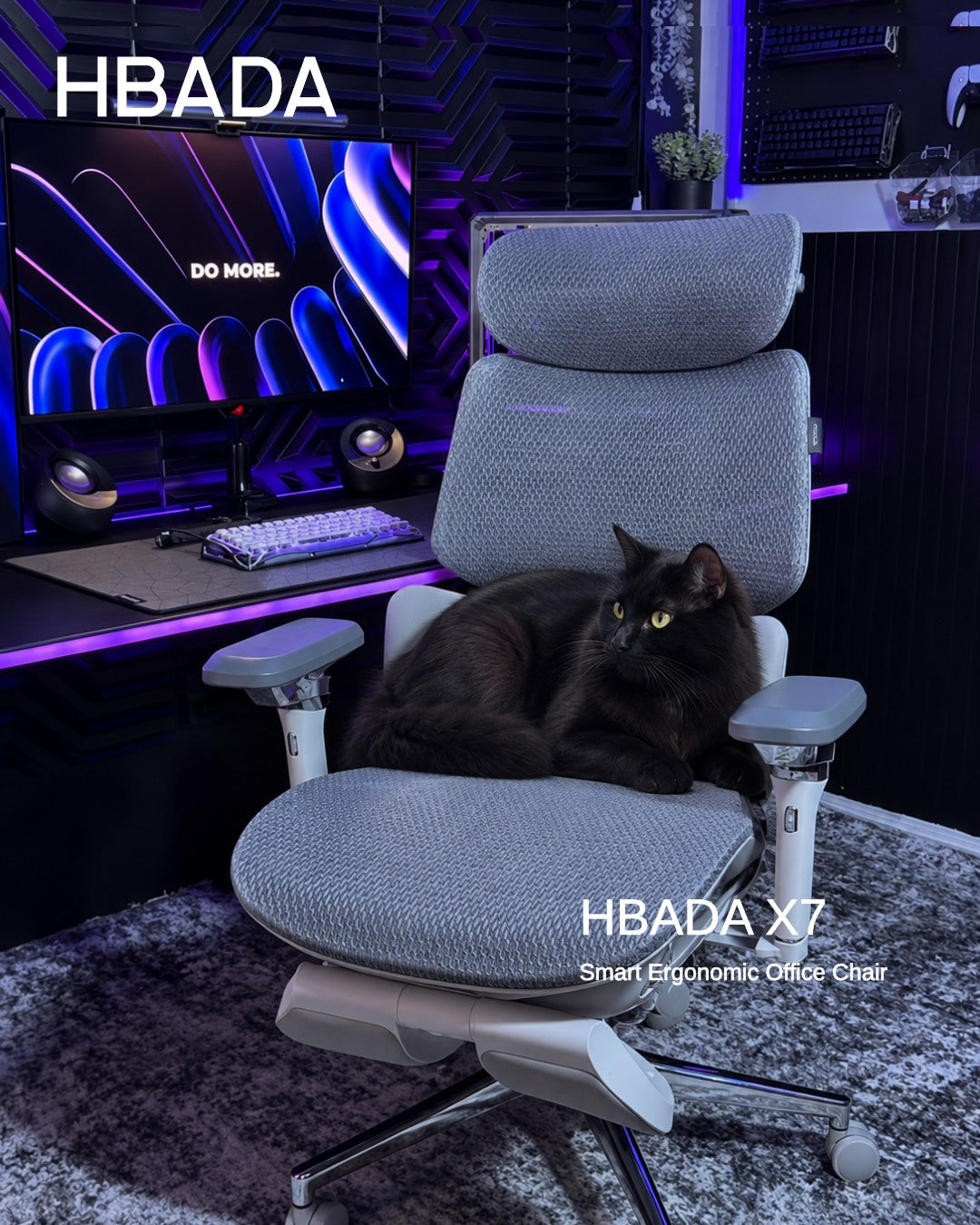
For example, the HBADA X7 Smart Ergonomic Chair uses intelligent lumbar tracking designed to respond to changes in sitting position. The HBADA E3 Pro provides adjustable three-zone lumbar support for users who prefer more direct manual control.
2. Adjustable Seat Height and Depth

Fit matters more than most people realise. A chair with advanced features can still feel uncomfortable when the seat is too high, too low, too deep or too shallow for the user.
Seat height should normally allow your feet to rest flat on the floor or on a stable footrest. Your knees should feel comfortable, without concentrated pressure under your thighs.
Seat-depth adjustment is especially useful when several people share a chair. As a practical starting point, leave approximately two to three fingers of space between the front edge of the seat and the back of your knees.
After choosing a chair, follow this ergonomic chair adjustment guide to set the seat, backrest and armrests in the right order.
3. Breathable and Supportive Material

Sitting for long periods can generate heat, particularly in warmer rooms. Breathable mesh allows more airflow around the back and seat than many dense, non-breathable materials.
Material choice should not be judged by airflow alone. Check whether the seat distributes pressure comfortably, whether the mesh tension feels supportive and whether the frame edges contact your legs or back.
Some chairs add active cooling. The HBADA X7, for example, includes a ventilated seat system with adjustable dual fans. This may suit users who work in warm environments or prefer additional airflow.
4. Adjustable Multi-Directional Armrests

Armrests should support your forearms while allowing your shoulders to remain relaxed. Armrests that are too high can raise the shoulders, while armrests that are too low may provide little useful support.
Useful adjustments include height, forward-and-backward movement, pad rotation and width or lateral positioning. Greater movement can be helpful when switching between typing, reading, gaming and mobile-device use.
Selected HBADA X7 and E3 models use multi-directional armrest systems that allow users to reposition the pads for different desk setups. The number of available directions matters less than whether the armrests can support your actual working position.
5. A Smooth, Adjustable Recline
A good ergonomic chair should not force you to remain in one rigid position. A controlled recline allows you to vary your posture, while tilt tension helps prevent the backrest from feeling either too stiff or too loose.
OSHA guidance recommends a backrest that supports the natural curve of the spine and can recline from an upright position. There is no single perfect angle for every person or task, so adjustable tension and multiple usable positions are more important than one advertised degree.
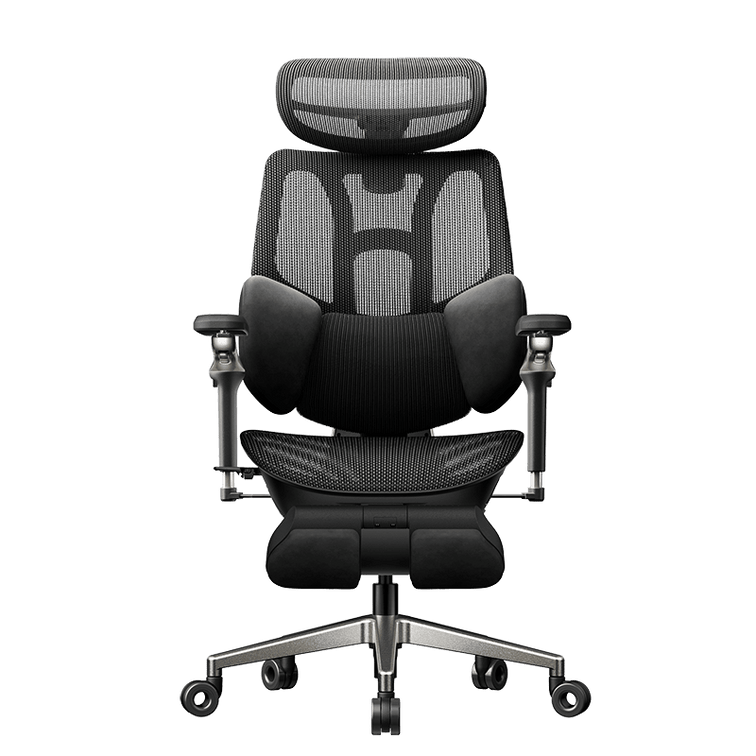
Users who want a deeper recline for short breaks can consider the HBADA E3 Ultra Ergonomic Chair with Footrest. It combines a deeper recline range with a retractable footrest. Current specifications, colour availability and stock should always be checked on the product page.
6. A Stable and Durable Base
A chair should remain stable as you sit, turn and recline. Look for a five-point base, suitable casters, a gas lift rated for the intended user and a frame that does not wobble during normal movement.
Check the manufacturer's stated maximum load and recommended user dimensions before purchasing. A high weight rating alone does not guarantee a good fit; seat width, seat depth, backrest height and adjustment range must also suit the user.
If a product lists BIFMA, SGS or another certification, check that the certification applies to the specific model rather than assuming it covers every chair sold by the brand.
Quick Reference: Six Features of a Good Ergonomic Chair
| Feature | What to Look For | Why It Matters |
|---|---|---|
| Lumbar support | Height, depth or firmness adjustment; dynamic movement where useful | Helps the backrest fit the natural lower-back curve |
| Seat height and depth | Feet supported and a small gap behind the knees | Helps the seat fit different leg lengths and desk heights |
| Seat and back material | Breathable, supportive material without hard pressure points | Supports thermal comfort and pressure distribution |
| Armrests | Height, depth and rotation adjustment | Helps keep the shoulders relaxed and forearms supported |
| Recline | Adjustable tension and useful upright and reclined positions | Allows users to vary posture during the day |
| Base and frame | Five-point base, suitable gas lift and appropriate weight rating | Provides stability during sitting, turning and reclining |
How This Applies to Choosing a HBADA Chair
Different HBADA chairs emphasise different types of support. Start with your body dimensions, working habits and preferred adjustment style before comparing extra features.
| If You Want | Model to Consider | Reason to Compare It |
|---|---|---|
| Automatic lumbar response and smart functions | HBADA X7 | Intelligent lumbar tracking, multi-directional adjustments and active seat ventilation |
| Strong manual adjustability | HBADA E3 Pro | Adjustable three-zone lumbar support and extensive headrest, armrest and seat controls |
| Deep recline and a built-in footrest | HBADA E3 Ultra | Designed for users who want adjustable support during work and short reclining breaks |
| A broader selection of fit and feature options | All HBADA ergonomic chairs | Compare dimensions, lumbar systems, armrests, footrests and current availability |
Product specifications can change between models and variants. Always review the dimensions, recommended user range, included accessories and current product-page information before ordering.
Ergonomic Chair Buyer Checklist
- Can the lumbar support reach the correct area of your lower back?
- Can your feet rest flat on the floor or a footrest?
- Does the seat depth leave space behind your knees?
- Can the armrests support your forearms without raising your shoulders?
- Can you recline and change position smoothly?
- Does the chair fit your height and weight range?
- Are the warranty, returns and replacement-part terms clearly stated?
- Have you compared the chair’s dimensions with your desk and workspace?
Features That Sound Good but Matter Less
Flashy colours, oversized headrests and long feature lists do not automatically make a chair more ergonomic. A feature only adds value when it helps the chair fit your body or makes adjustment easier.
Before choosing based on a specification count, review this ergonomic office chair buying guide and compare seat dimensions, lumbar position, adjustment range and user capacity.
Final Thoughts
What makes a good ergonomic chair? It comes down to six features working together: adjustable lumbar support, a seat that fits your legs, supportive breathable material, useful armrest movement, controlled recline and a stable base.
No single chair is ideal for every person. The best option is the one that fits your dimensions, supports your common tasks and can be adjusted without unnecessary effort. Correct setup and regular changes in position remain important even when using a highly adjustable chair.
Frequently Asked Questions
What is the most important feature in a good ergonomic chair?
Adjustable lumbar support is one of the most important features because it helps the backrest fit the user’s lower-back curve. Seat height and depth are equally important when evaluating overall fit.
Does a good ergonomic chair need to be expensive?
No. Price alone does not guarantee comfort or fit. Prioritise useful adjustment, suitable dimensions, stable construction, clear warranty terms and lumbar support that matches your body.
Is mesh better than foam for an office chair?
Mesh generally provides more airflow, while foam may provide a softer sitting feel. Neither material is automatically better for everyone. Comfort depends on material quality, seat shape, tension, density and personal preference.
What recline angle should an ergonomic chair support?
There is no universal best angle. Look for controlled recline, adjustable tilt tension and positions that support both focused work and changes in posture. OSHA recommends a backrest that supports the spine and can recline from upright.
How do I know whether the armrests are adjustable enough?
The armrests should let your forearms rest comfortably while your shoulders remain relaxed. Height, depth and rotation controls are especially useful for matching different desk heights and working positions.
Can an ergonomic chair fix back pain?
No chair is a medical treatment. A properly fitted ergonomic chair may support comfort and posture, but persistent, severe or worsening pain should be assessed by a qualified healthcare professional.
Sources and Review Notes
- OSHA Computer Workstations: Chairs
- OSHA Computer Workstations Purchasing Guide
This article provides general ergonomic information and is not medical advice. Product specifications and availability should be confirmed on the relevant product page before purchase.
Compare HBADA Ergonomic Chairs
Review lumbar support, seat dimensions, armrest adjustment, recline and footrest options before choosing your chair.
Explore Ergonomic Chairs