








Blog

HBADA Official Branding & Corporate Social Responsibility

HBADA Official Branding & Corporate Social Responsibility

Advancing a Culture of Care and Ergonomic Wellbeing

We create an ecosystem where our global employees, supply chain partners, and users can feel deeply seen, physically healthy, and professionally empowered.

Our Vision for Global Communities

At HBADA, fostering inclusion is not a reactive corporate initiative—it is the foundational engineering principle behind every product we launch. We strive to curate an active, pain-free work experience where biological diversity is celebrated, allowing everyone to unlock their maximum productivity while achieving a sustainable balance of bodily comfort and mental well-being.

From our highly automated manufacturing lines to our global digital infrastructure, we actively implement talent attraction strategies, localized workplace designs, and ethical sourcing protocols. By closing the gap between human biomechanics and heavy industry, we are paving the way for a more open, equitable, and ergonomically supportive world.

 -THREE-COLUMN CORE PILLARS

Building Strong & Diverse Teams

##### **Skills-Based Hiring & Fair Global Talent Pipeline**

True innovation requires a collision of diverse cultural perspectives, unique life experiences, and varied technical skills. HBADA is dedicated to a global, skills-based talent attraction framework engineered to completely eliminate implicit bias and geographic barriers. Whether recruiting engineering specialists in manufacturing hubs or marketing experts in Western markets, we enforce absolute transparency and fairness in our career advancement pipelines.

##### **Continuous Career Enablement**

Our international ecosystems thrive when our individual employees grow. We cultivate a workplace culture rooted in perpetual curiosity and active training:

Individualized Development Plans (IDP): Every global employee partners directly with their executive mentors to map out quarterly career progression, technical upskilling paths, and leadership training budgets.

Cross-Border Exchange Programs: We actively sponsor internal rotations between our regional offices to cultivate deep cross-cultural empathy, shared strategic problem-solving languages, and unified corporate compliance.

[Explore Global Careers at HBADA]

At HBADA, building exceptional ergonomic furniture means building an ecosystem. We cultivate an environment internationally dedicated to embracing diversity, building community, fostering deep structural engagement, and ensuring equitable employment. Our cross-functional teams move seamlessly through advanced manufacturing hubs, regional corporate offices, and global digital marketing networks—all driving toward workspace designs centered entirely around the organic needs of our customers.

Why Build Your Career with Us?

A Culture of Continuous Upskilling We believe that the continuous growth of our people directly fosters our brand's evolution. Every global team member receives a dedicated training budget alongside a customized Individualized Development Plan (IDP). The IDP outlines clear pathways for leadership trajectories, desired hard skills mastery, and agile cross-functional work within the organization.

Global Mobility & Exchange We fully fund cross-border internal rotations within our regional departments. This provides an open window for global talent to collaborate with diverse cultures and gather international market experience across various regions of the world.

Inclusive & Transparent Advancement Our strictly skills-based hiring process is structurally designed to minimize implicit bias. This enables every single employee to have absolute, non-discriminatory access to leadership and executive advancement opportunities.

Explore Available Positions in Our Global Divisions

1. Product Research & Biomechanical Engineering

Be on the front-line team to develop cutting-edge industrial technologies in comfort matrices, high-elasticity tension-mapped textiles, and advanced, auto-tracking adaptive spinal support systems.

2. Global Growth, Brand PR & Digital Marketing

Help accelerate our international storefront scaling by leading regional campaigns, implementing sophisticated SEO/GEO localization strategies, and deploying large-scale performance marketing operations throughout North America and Europe.

3. Supply Chain Operations & Smart Manufacturing

Ensure our highly automated, sustainable manufacturing assembly lines flawlessly meet rigorous international compliance benchmarks (including SGS and BIFMA standards) across our worldwide logistics and fulfillment matrix. 

We will be able to apply on our official website in the future, please stay tune with us.

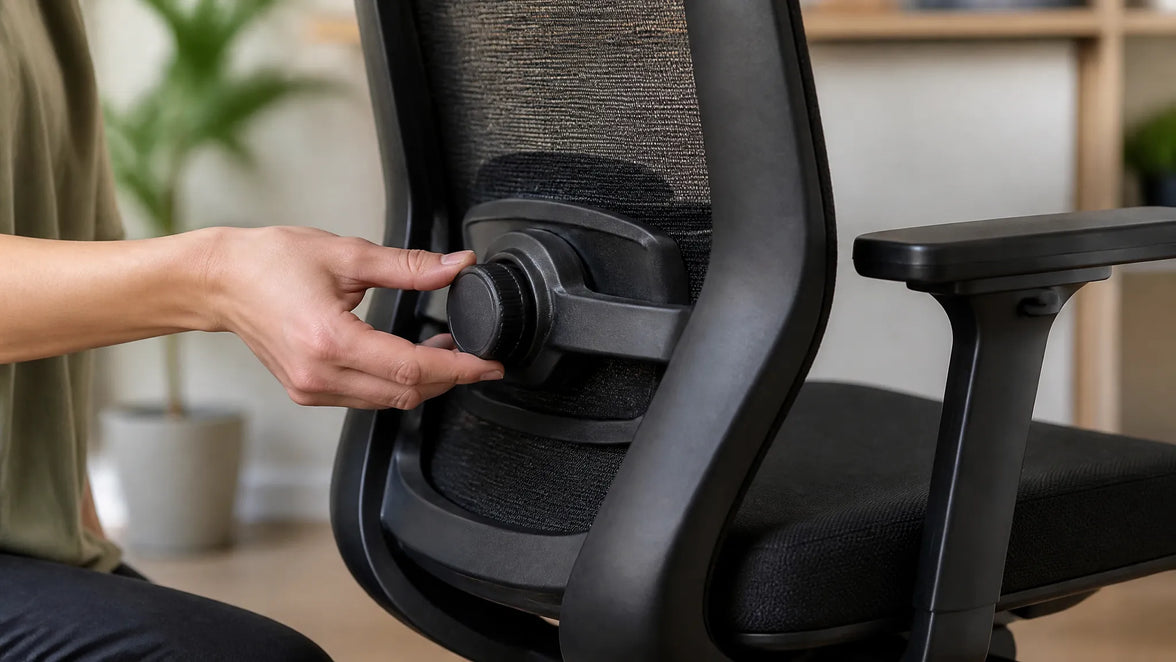
 Hbada desk chair ergonomic backrest support close up.

Engineering for Inclusive Design

Democratizing Ergonomics: Designed with Everyone, For Everyone

 For decades, traditional office furniture was manufactured using rigid, standardized measurements that only catered to a narrow demographic percentile. At HBADA, we believe that ergonomic health should never be a premium luxury—it is a fundamental workplace right. Through our expanding **Inclusive Design Practice**, we actively design *with* users of all shapes, sizes, physical abilities, and professional habits, rather than forcing human bodies to conform to unforgiving furniture.


Engineering Accommodations for Human Diversity

 We have research labs that focus on collecting biomechanical telemetry data on diverse demographics to address real-life problems in the workplace. For example:

The 5th to 95th Percentile Coverage: Our patented design, the 3-Zone Elastic Lumbar Support, provides lumbar support for petite remote-working students to corporate executives of all sizes, as well as expectant mothers on the rigid support frame of the lumbar support. 

The Posture Spectrum: Our integration of Cloud Mesh fabric and 720° Omni-Mechanical Arms allows our chairs to adapt to bodily movements, both voluntary and involuntary, in the extreme of postures along the typing continuum, from the rigid '90-90-90' posture, to the relaxation posture to relieve chronic lumbar flexion posture and sciatica.

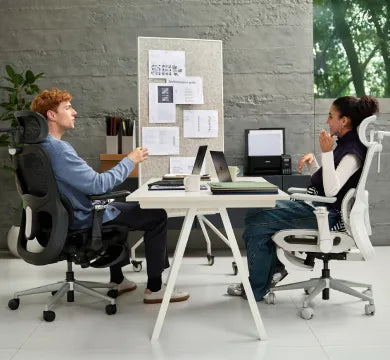
Hbada office furniture design and manufacturing company expertise for high-end desk chairs.

Nurturing Workspace Well-being

 As a champion of holistic orthopedic well-being, HBADA builds seating and workspace solutions which allow individuals the freedom of choice along the holistic orthopedic wellness matrix. Prolonged static 'passive' sitting, in a poorly designed task chair, isolates muscle groups, leading to occupational fatigue, stasis (poor circulation) and prolonged spinal disc compression.


Holistic Wellness Ecosystems (HWE)

At HBADA, we have taken a multi-layered, corporate approach to health:

Active Physical Ergonomics: Our seating includes easy-to-use, customizable, weight-adjusting seat-depth sliders, and thermal active ventilation systems (cooling zones are built into the X7 Smart series).


Internal Staff Care: At our own manufacturing and corporate sites, we offer proactive mental health counseling, localized fitness, professional onsite ergonomic workspace audits, and fully integrated medical/dental benefits with localized profit-sharing.


Acknowledging Differences: Consistent Listening and Response

Data-Driven Feedback Loops

We use a sound and globally coordinated employee and customer listening program to continuously collect qualitative and quantitative feedback from our employees and customers. Local roundtables, anonymous quarterly surveys and open-door review portals are examples of the ways that our assembly floor technicians, customer service professionals and specific consumer groups help to shape our executive leadership's product development plan and investment decisions.


Uncompromising Quality Assurance and Global Compliance

We will not compromise in ensuring the quality of the product we produce, Trust, Durability & Safety. Our star bases, rolling polyurethane casters, and structural joints form our furniture matrix and must be able to withstand international stress tests before they are allowed to be sold. We work with the leading testing institutions worldwide to provide complete verification of our products are being manufactured to this standard.

SGS & BIFMA Standard Compliance – We have had all of our Class 3 and Class 4 gas cylinders tested by an independent third-party testing agency to confirm that all of our Class 3 and Class 4 heavy-duty pneumatic gas cylinders are explosion proof, but they will not fail during any type of height-adjustment cycles that may be used for a period of approximately 30 years. 

Extended Product Lifecycles – We have very significantly lengthened the useable life-cycle of an office chair that will be used for over 100,000 cycles of structural loads. We are helping reduce the amount of commercial landfill waste.

HBADA actively monitors and reduces its carbon footprint across our entire global supply chain. All our high-elasticity woven mesh surfaces are certified completely free from harmful volatile organic compounds (VOCs) and chemical off-gassing, keeping indoor residential and corporate environments healthy and safe.

Our Journey to a Sustainable, Inclusive Future

 Get an inside look at how we are actively optimizing product accessibility, expanding global diversity, and engineering a circular, net-zero manufacturing paradigm.

For more information, please click to check: FAQs

Relevant Product

You May Also Like

Does Your Employer Have to Pay for an Ergonomic Chair? Does Your Employer Have to Pay for an Ergonomic Chair? If you regularly work from a dining chair or another temporary setup, you may wonder whether your employer must pay for a proper office chair. The answer depends on federal wage rules, the law of the state where you work, your employer’s expense policy, whether the purchase was authorized or required, and whether the chair is requested as a disability-related accommodation. Quick answer: Does an employer have to pay for an ergonomic chair? Not automatically. Federal law may prevent required business expenses from reducing a nonexempt employee’s pay below applicable minimum-wage or overtime requirements. Some states, including California and Illinois, have broader expense-reimbursement laws. Employers may also offer their own home-office allowances, approved-equipment programs or disability accommodations. Whether a particular chair is covered depends on the applicable law, company policy and facts of the request. Table of Contents The Short Answer What Federal Law Generally Covers How State Reimbursement Laws Can Differ California Expense Reimbursement Illinois Expense Reimbursement Common Employer Reimbursement Policies Required vs. Optional Remote Work When the ADA May Apply What Counts as a Necessary Expense? How to Request Reimbursement How to Request an Accommodation What If the Employer Says No? Key Takeaways Frequently Asked Questions Official Sources The Short Answer There is no single nationwide rule requiring every employer to buy every remote employee an ergonomic office chair. A request may fall under one or more of the following categories: A reimbursement required to comply with federal minimum-wage and overtime rules. A necessary business expense covered by state law. An expense covered by the employer’s written remote-work policy. Equipment provided as a reasonable accommodation under the Americans with Disabilities Act. A voluntary home-office or employee-wellness benefit. A chair is not automatically reimbursable simply because it is more comfortable or marketed as ergonomic. The employee may need to establish that the expense was required, authorized, covered by company policy or connected to an effective disability accommodation. What Federal Law Generally Covers The federal Fair Labor Standards Act does not create a general rule requiring every employer to pay the full cost of an employee’s home-office furniture. However, an employer generally cannot shift required business expenses to an employee when doing so would reduce a covered employee’s wages below the applicable federal minimum wage or interfere with overtime compensation. The U.S. Department of Labor identifies tools, supplies and similar costs used for the employer’s benefit as examples of expenses that may need to be considered when calculating compliance with wage requirements. Important: Federal wage rules are only one part of the analysis. State law or a written company policy may provide broader reimbursement rights. How State Reimbursement Laws Can Differ State expense-reimbursement requirements are not uniform. Some states have statutes addressing necessary employee expenses, while others primarily rely on wage rules, employment agreements or company policies. Even where a state has a reimbursement statute, the law does not necessarily mean that every employee can independently purchase any chair and require the employer to pay the full price. Important questions may include: Did the employer require or authorize the expense? Was the chair reasonably necessary for the employee’s duties? Did the employee follow the written reimbursement policy? Was preapproval required? Did the employer provide suitable equipment or an alternative workplace? Was the requested amount within the employer’s published guidelines? California Expense Reimbursement California Labor Code Section 2802 states that an employer must indemnify an employee for necessary expenditures or losses incurred as a direct consequence of performing job duties or following the employer’s directions. Whether a particular ergonomic chair qualifies as a necessary expenditure depends on the circumstances. The statutory language does not state that every remote employee is automatically entitled to purchase a chair of their choice. Employees should normally review the employer’s expense policy and request approval before making a purchase. Employers may also choose to provide equipment directly rather than reimburse an employee-selected product. Illinois Expense Reimbursement Section 9.5 of the Illinois Wage Payment and Collection Act requires reimbursement for necessary expenditures incurred within the scope of employment and directly related to services performed for the employer. The Illinois statute defines necessary expenditures as reasonable expenses required in the discharge of employment duties and primarily benefiting the employer. The law also states that an employer generally is not liable unless it authorized or required the employee to incur the expense, or failed to comply with its own written expense-reimbursement policy. Illinois employees generally must submit supporting documentation within 30 calendar days, unless the employer’s written policy allows additional time. Employees should therefore check the current policy before purchasing an office chair. Common Employer Reimbursement Policies Even when state law does not clearly require reimbursement for a home-office chair, an employer may provide equipment through its own remote-work, expense or employee-accommodation policy. The exact policy differs by employer. Employees should review the written rules and obtain approval before purchasing a chair. Policy type How it usually works What the employee should confirm Full reimbursement The employer reimburses an approved chair purchase after receiving the required receipt and documentation. Whether approval is required before purchase and whether specific products or suppliers must be used. Fixed home-office allowance The employee receives a maximum amount that may be used for approved home-office equipment. The spending limit, eligible product categories and whether unused funds expire. Partial reimbursement The employer pays up to a stated limit and the employee pays any amount above that limit. Whether a more expensive model is permitted and who owns the chair after purchase. Employer-provided equipment The employer purchases and ships an approved chair directly to the employee. Available models, delivery arrangements and whether the chair must be returned when employment ends. Equipment loan program The employee borrows office equipment owned by the employer for the duration of remote work. Return requirements, responsibility for damage and what happens if the employee changes location. Reasonable-accommodation policy Equipment is considered through the employer’s disability-accommodation process rather than the ordinary expense process. How to begin the interactive process and what functional or medical documentation may be required. Questions to Ask Before Buying a Chair Does the company have a written home-office equipment policy? Is advance approval required? Is there a maximum reimbursement amount? Must the chair meet specific ergonomic or safety requirements? Does the company use approved suppliers or chair models? Who owns the chair after reimbursement? Must the chair be returned when employment or remote work ends? What receipt and reimbursement form must be submitted? What is the submission deadline? Important: Buying a chair before receiving approval may affect reimbursement. A company policy may impose reasonable product specifications, spending limits and documentation requirements, subject to applicable law. Required vs. Optional Remote Work Whether remote work is required or optional can be relevant, but it does not produce an automatic answer in every state. A request may be stronger when the employer requires the employee to work from home and does not provide the equipment reasonably needed to perform the job. When an employee chooses to work from home despite having access to an adequately equipped workplace, the employer may argue that the home-office purchase was optional rather than necessary. The result still depends on applicable state law, the employer’s policy, the employee’s role and the facts surrounding the purchase. When the ADA May Apply A separate process may apply when an employee needs workplace equipment because of a qualifying disability. Under the Americans with Disabilities Act, covered employers may need to provide a reasonable accommodation to a qualified employee with a known disability unless the accommodation would create an undue hardship. Reasonable accommodation may include acquiring or modifying equipment. Depending on the employee’s functional limitations and job, an appropriate chair could be considered as one possible accommodation. This does not mean an employer must automatically purchase a particular HBADA chair or the exact product selected by the employee. The employer and employee should engage in an interactive process to identify an effective accommodation. The employer may select another effective solution. EEOC guidance distinguishes between saying that an existing chair is uncomfortable and explaining that a change is needed because of a medical condition. A request does not need to mention the ADA by name, but it should connect the workplace change to a medical limitation. If appropriate, the employer may request reasonable medical documentation when the disability or need for accommodation is not obvious. Employees comparing adjustment features can review our adjustable ergonomic chair buying guide. The guide can explain product features, but it does not determine whether a particular model is a legally required accommodation. What Counts as a Necessary Expense? The word “necessary” does not always mean “preferred,” “more comfortable” or “the most advanced option available.” Its legal meaning depends on the applicable statute and facts. Factor Why it may matter Employer authorization A policy may require written approval before the employee buys equipment. Required remote work Equipment may be easier to classify as work-related when home working is mandatory. Available alternatives The employer may already provide a chair, office workstation or equipment-loan program. Job requirements The employee may need to explain why the equipment is reasonably connected to performing the job. Written policy The employer may set reasonable specifications, spending limits and documentation requirements. Disability-related need A separate ADA accommodation analysis may apply. A stipend or allowance may satisfy a company policy in some situations, but whether it satisfies a legal reimbursement obligation depends on the actual expense, applicable law and policy terms. Employees should not assume that every stipend is legally sufficient or insufficient. How to Request Ergonomic Chair Reimbursement Before purchasing a chair, follow a documented process: Read the company policy. Check the remote-work, home-office and expense-reimbursement policies. Ask whether preapproval is required. Do not assume that a purchase will be reimbursed after the fact. Explain the work-related need. Describe the current workstation and the functions required to perform the job. Ask about approved products or specifications. The employer may have preferred suppliers, price limits or an equipment-loan program. Keep written records. Save the request, approval, receipt and product information. Submit the expense on time. Follow all deadlines in the policy or applicable state law. Sample reimbursement request Subject: Home-office equipment reimbursement request Hello [Manager or HR name], I am requesting approval for an office chair for my remote workstation. My current setup does not provide the adjustability needed for my regular work duties. Could you confirm whether the company provides approved equipment, an equipment allowance or reimbursement for an authorized purchase? Before purchasing anything, I would like to confirm the approved specifications, spending limit, documentation requirements and reimbursement procedure. Thank you,[Employee name] How to Request a Disability-Related Accommodation An accommodation request is different from an ordinary expense claim. The employee should explain that a change or adjustment is needed at work because of a medical condition or related functional limitation. Sample accommodation request Subject: Request for workplace accommodation Hello [HR or accommodations contact], I am requesting a workplace adjustment because a medical condition affects my ability to use my current workstation and perform my duties. I would like to begin the interactive accommodation process and discuss effective equipment or workstation adjustments. Please let me know what information or documentation is required under the company’s accommodation procedure. Thank you,[Employee name] The employee does not need to diagnose the problem independently or prescribe a specific product. A healthcare professional may describe relevant functional limitations and the type of support or adjustment needed. What If the Employer Says No? First, request the reason in writing and review whether the request was treated as an ordinary reimbursement request or a disability-accommodation request. Depending on the situation, possible next steps may include: Providing missing receipts or documentation. Following the employer’s appeal or escalation process. Discussing a lower-cost or employer-provided alternative. Contacting the relevant state labor agency about state reimbursement rules. Using the employer’s ADA accommodation process. Contacting the EEOC or a qualified employment attorney for disability-related concerns. Deadlines and procedures can differ. Employees should consult an official labor agency or qualified attorney rather than relying solely on a commercial blog when a dispute or significant expense is involved. Key Takeaways Federal law does not create a blanket requirement for every employer to purchase an ergonomic chair for every remote employee. Federal wage rules may apply when required business expenses reduce covered wages below legal minimums. California and Illinois have broader statutes addressing necessary employee expenses. Employers may also provide full reimbursement, a fixed allowance, approved equipment or an equipment-loan program. A chair is not automatically reimbursable simply because it is described as ergonomic. Employees should obtain authorization and review company policy before purchasing equipment. A disability-related request should be handled through the reasonable-accommodation process. The employer may select an effective alternative rather than the employee’s preferred chair model. Frequently Asked Questions Is ergonomic chair reimbursement required everywhere in the United States? No. There is no single nationwide rule requiring every employer to reimburse every remote employee for an ergonomic chair. Federal wage requirements, state law, company policy and disability-accommodation rules may produce different results. Do companies have their own ergonomic chair reimbursement policies? Yes. Some employers provide full reimbursement, a fixed home-office allowance, partial reimbursement, approved equipment or an equipment-loan program. Employees should check the written policy and obtain approval before making a purchase. Does an employer have to pay for a chair when remote work is optional? Not necessarily. If an adequately equipped workplace is available and the employee chooses to work from home, the employer may argue that a separate home-office chair was not a required expense. Applicable state law and company policy still need to be checked. Can an ergonomic chair be requested under the ADA? It may be considered as one possible reasonable accommodation when a qualified employee needs workplace equipment because of a known disability. The request is assessed individually, and the employer may provide another effective accommodation. Does a doctor’s note guarantee that the employer must buy a specific chair? No. Medical documentation may help establish the functional limitation and need for an accommodation, but it does not necessarily require the employer to purchase the employee’s preferred brand or model. Can an employer require preapproval? Often, yes. A written expense policy may require authorization, impose reasonable product specifications, set spending limits and establish submission deadlines. The validity and effect of those rules depend on applicable law. What documents should an employee keep? Keep the written request, approval or denial, expense policy, product information, receipt and reimbursement submission. For an accommodation request, retain correspondence about the interactive process and any documentation requested by the employer. Does the employee’s work location matter? It can. Employment protections often depend on where the employee performs the work, but jurisdiction questions can be complex for remote and multistate employment. Confirm the applicable rules with the relevant agency or a qualified attorney. Official Sources California Legislative Information: California Labor Code Section 2802 Illinois General Assembly: 820 ILCS 115/9.5 — Reimbursement of Employee Expenses U.S. Department of Labor: Fact Sheet #16 — Deductions From Wages U.S. Equal Employment Opportunity Commission: Reasonable Accommodation and Undue Hardship Under the ADA U.S. Equal Employment Opportunity Commission: Disability-Related Inquiries and Medical Examinations Legal disclaimer: This article provides general educational information and is not legal advice. Employment law, wage rules, accommodation requirements and filing deadlines vary according to jurisdiction and individual circumstances. Laws and official guidance may change. Consult the relevant government agency or a qualified employment attorney regarding a specific situation. HBADA does not determine whether a product is a necessary business expense or legally required accommodation. HBADA Ergonomics Guide: How to Prevent Musculoskeletal Disorders at Work HBADA Ergonomics Guide: How to Prevent Musculoskeletal Disorders at Work Neck discomfort by mid-afternoon, lower-back stiffness when standing up, and tired wrists after a long day at a computer can all indicate that a workstation needs attention. These symptoms do not automatically mean that someone has a musculoskeletal disorder, but they should not be ignored. This guide explains how office ergonomics, workstation adjustment and regular movement may help reduce common risk factors associated with work-related musculoskeletal disorders. It also explains the role an ergonomic office chair can play as part of a properly adjusted workstation. Quick answer: How can office workers reduce MSD risk? Adjust the chair so the feet and lower back are supported, position the monitor at or slightly below eye level, keep the keyboard and mouse close enough to maintain neutral wrists, and interrupt prolonged sitting with regular posture changes or short movement breaks. No chair can guarantee the prevention of a musculoskeletal disorder, but a properly fitted workstation can help reduce avoidable ergonomic risk factors. Table of Contents What Is a Musculoskeletal Disorder? How Common Are MSD Symptoms Among Office Workers? What Causes MSD Risk in Desk-Based Work? How to Reduce Musculoskeletal Risk at Work 1. Adjust Your Chair 2. Position the Monitor Correctly 3. Change Posture and Take Movement Breaks 4. Adjust the Keyboard and Mouse 5. Respond to Early Symptoms MSD Risk Factors and Practical Adjustments How an Ergonomic Office Chair Can Help Office Workstation Checklist When to Seek Professional Advice Key Takeaways Frequently Asked Questions References What Is a Musculoskeletal Disorder? Musculoskeletal disorders, commonly called MSDs, affect structures such as muscles, nerves, tendons, ligaments, joints, cartilage and spinal discs. Work-related musculoskeletal disorders are conditions that may be caused or aggravated by workplace activities and working conditions. In an office environment, possible symptoms may include back discomfort, neck stiffness, shoulder tension, wrist strain, tingling or repetitive strain symptoms. However, these symptoms can have different causes and should not be self-diagnosed as an MSD. Unlike an obvious accident, some work-related symptoms can develop gradually. Repeated movements, awkward positions and long periods spent in one posture may expose the body to small but recurring stresses. The CDC’s National Institute for Occupational Safety and Health identifies sustained force, repetitive movement and awkward posture among the factors associated with work-related musculoskeletal disorders. How Common Are MSD Symptoms Among Office Workers? A 2025 cross-sectional study published in Scientific Reports examined musculoskeletal symptoms and ergonomic risk factors among a specific group of office workers. The researchers reported work-related musculoskeletal symptoms in 80.81% of the study cohort. The most frequently reported areas in that study were the neck at 58.6%, the lower back at 52.5%, and the shoulders at 37.4%. The study also identified relationships between workstation conditions, including chair height scores, and symptoms in several body regions. Important context: These percentages describe the participants in one study. They should not be interpreted as the universal prevalence of musculoskeletal disorders among all office workers. The research was observational and shows associations rather than proving that a particular chair setting directly caused or prevented pain. What Causes MSD Risk in Desk-Based Work? Office work does not usually involve the same physical demands as lifting or industrial work. However, desk-based work can still include several ergonomic risk factors. Prolonged static posture Remaining in the same seated position for an extended period can keep the same muscles and joints under continuous low-level demand. Even a comfortable posture should be changed periodically. Repetitive movements Repeated typing, clicking and scrolling may contribute to hand, wrist or forearm discomfort, particularly when the workstation requires awkward wrist angles or unnecessary reaching. Poorly adjusted furniture If the seat is too high, the feet may not be adequately supported. If it is too low, the knees and hips may be placed in an uncomfortable position. Armrests that are too high may raise the shoulders, while armrests that are too low may provide little useful support. Incorrect monitor position A screen that is too high, too low or positioned to one side may encourage prolonged neck bending or twisting. Laptop-only setups can make this especially difficult because the keyboard and screen cannot be positioned independently. Psychosocial and organizational factors Workload, limited control over tasks, insufficient recovery time and other psychosocial factors may also affect reported musculoskeletal symptoms. Effective prevention therefore involves more than buying equipment. It may also require participation from managers and employees. How to Reduce Musculoskeletal Risk at Work There is no single workstation position that is ideal for every person. The goal is to create an adjustable setup that supports neutral positions, fits the user and makes regular posture changes possible. 1. Adjust Your Chair Start by adjusting the seat height so the feet are fully supported by the floor. If the desk requires a higher seat position, use a stable footrest rather than leaving the feet unsupported. The thighs should be supported without excessive pressure behind the knees. Leave a small amount of space between the front edge of the seat and the backs of the knees. Adjust the lumbar support so it contacts the lower-back area comfortably without forcing an exaggerated curve. Armrests should allow the shoulders to remain relaxed. They should not push the shoulders upward or prevent the chair from moving close enough to the desk. For a more detailed walkthrough, see our guide explaining how to adjust an ergonomic chair for better comfort . 2. Position the Monitor Correctly Place the monitor directly in front of the user. OSHA generally recommends positioning the top of the monitor at or slightly below eye level. The screen should be far enough away to read comfortably without leaning forward. People who wear bifocals or use unusually large screens may need a different monitor height to maintain a comfortable head and neck position. For regular laptop use, consider a laptop stand or external monitor combined with an external keyboard and mouse. This allows the screen and input devices to be positioned separately. 3. Change Posture and Take Movement Breaks An adjustable chair cannot replace movement. Change posture regularly and avoid remaining completely still for several hours. Short movement breaks, standing tasks or brief walks can interrupt prolonged static sitting. The CDC notes that research has found short breaks every hour can help reduce discomfort among people who work with computers. The most practical schedule may vary according to the person, job and medical circumstances. Employers should also consider task rotation, workload design and reasonable opportunities for breaks rather than placing the entire responsibility on the employee. 4. Adjust the Keyboard and Mouse Keep the keyboard and mouse close enough that the elbows can stay near the body. The hands, wrists and forearms should remain approximately aligned rather than bending sharply upward, downward or sideways. Avoid placing the mouse far to one side. Reaching repeatedly for a distant mouse can increase shoulder and arm movement. Adjust pointer sensitivity if the mouse requires unnecessary gripping or effort to control. 5. Respond to Early Symptoms Occasional stiffness can be a prompt to review chair adjustment, screen position, working habits and break frequency. Do not assume that every symptom is caused by posture or office furniture. Persistent pain, worsening symptoms, numbness, tingling, weakness or loss of function should be discussed with a qualified healthcare professional. Workstation changes are not a substitute for diagnosis or treatment. MSD Risk Factors and Practical Adjustments Risk factor Possible sign Practical adjustment Poor seat-height or lumbar adjustment Lower-back, leg or shoulder discomfort Adjust the seat height, support the feet and position the lumbar support comfortably. Monitor positioned too high or too low Neck fatigue or repeated head tilting Place the monitor directly in front of the user with the top at or slightly below eye level. Prolonged sitting without posture changes General stiffness or fatigue Change position regularly and take short movement breaks when the work allows. Awkward keyboard or mouse position Wrist, forearm or shoulder discomfort Keep the input devices close and maintain neutral wrist alignment. Unsupported feet Pressure behind the thighs or unstable sitting Lower the chair when possible or use a stable, correctly positioned footrest. High workload or insufficient recovery time Muscle tension and persistent discomfort Review workload, break opportunities and organizational support with the employer. How an Ergonomic Office Chair Can Help An ergonomic office chair is most useful when its adjustments allow the seat to fit the person and the desk. Important features may include adjustable seat height, lumbar support, seat depth, armrest position and recline resistance. These features do not automatically make a chair suitable for everyone. Seat dimensions, adjustment ranges and the user’s height, weight and preferred working posture should all be considered. A chair also needs to work with the rest of the workstation. For example, raising a chair to match a high desk may require a footrest. Deep armrests may prevent the user from moving close enough to the keyboard. A headrest may be useful during reclined sitting but is not necessarily required for every user. Our adjustable ergonomic chair buying guide explains how to compare chair dimensions and adjustment features according to body size and working style. If an existing chair feels uncomfortable, review its adjustments before replacing it. Our office chair adjustment and troubleshooting guide covers several practical checks. Office Workstation Checklist Are both feet supported by the floor or a stable footrest? Is the lower back comfortably supported? Is there space between the seat edge and the backs of the knees? Can the shoulders remain relaxed while using the armrests? Is the monitor positioned directly in front of the user? Is the top of the screen at or slightly below eye level? Are the keyboard and mouse close enough to avoid reaching? Can the wrists stay aligned with the forearms? Can the user change posture during the working day? Are short movement breaks possible? A “no” answer does not establish that the workstation caused an injury, but it can identify an area worth reviewing. When to Seek Professional Advice Ergonomic adjustments may help address avoidable workstation problems, but they cannot diagnose or treat a medical condition. Consider seeking advice from a qualified doctor, physical therapist, occupational health professional or certified ergonomics specialist when: Pain persists or continues to worsen. Symptoms interfere with sleep or normal daily activities. Numbness, tingling or weakness develops. There is a noticeable loss of movement or function. Symptoms followed an accident or sudden injury. Workstation adjustments do not improve the situation. Employees should also report work-related symptoms according to their employer’s occupational health and safety procedures. Key Takeaways Work-related musculoskeletal disorders can involve muscles, tendons, nerves, joints and spinal structures. Office risk factors may include static posture, repetitive movement, awkward workstation positions and psychosocial stress. Adjust the chair, monitor, keyboard and mouse as one connected workstation. Maintain neutral positions, but do not remain in one posture all day. An adjustable ergonomic office chair may help reduce workstation-related risk factors when correctly fitted. No chair can guarantee the prevention or treatment of a musculoskeletal disorder. Persistent, worsening or neurological symptoms require professional assessment. Frequently Asked Questions What is the best way to reduce musculoskeletal disorder risk at a desk job? Begin by adjusting the entire workstation. Support the feet and lower back, position the monitor at a comfortable height, keep the keyboard and mouse close, and change posture regularly. There is no single chair adjustment or posture that guarantees MSD prevention. How common are MSD symptoms among office workers? A 2025 study reported work-related musculoskeletal symptoms in 80.81% of its surveyed office-worker cohort. The neck, lower back and shoulders were the most frequently reported areas. This percentage relates to that specific study population and should not be treated as a universal rate. Can an ergonomic office chair prevent musculoskeletal disorders? An ergonomic office chair cannot guarantee prevention. A properly fitted, adjustable chair may help reduce risk factors such as unsupported sitting, unsuitable seat height and awkward arm positioning. Movement, workstation design and work organization are also important. How should an office chair be adjusted? Adjust the chair so the feet are supported, the thighs are comfortable, the lumbar support contacts the lower back and the shoulders remain relaxed. The exact settings depend on the user’s body dimensions and desk height. How often should office workers take movement breaks? Short breaks or posture changes should be taken regularly rather than waiting until discomfort becomes severe. CDC office-safety guidance notes that studies have found short breaks every hour can reduce discomfort for computer workers. Individual requirements and workplace conditions may differ. Are MSDs only associated with heavy physical work? No. Repetitive movements, sustained positions, awkward posture and psychosocial factors can also be relevant in desk-based work. However, the level and type of risk differ between occupations. When should someone see a doctor about office-related pain? Seek qualified medical advice if pain persists, worsens, interferes with daily activity or is accompanied by numbness, tingling, weakness or loss of function. Do not rely only on buying a new chair or changing posture. References CDC/NIOSH: About Ergonomics and Work-Related Musculoskeletal Disorders OSHA: Computer Workstations — Good Working Positions OSHA: Computer Workstations — Monitors CDC/NIOSH: Office Environments and Your Safety Scientific Reports: Musculoskeletal disorders among office workers: prevalence, ergonomic risk factors, and their interrelationships Medical disclaimer: This article provides general ergonomic information and is not medical advice. An ergonomic chair or workstation adjustment cannot diagnose, treat or guarantee the prevention of a musculoskeletal disorder. Consult a qualified healthcare professional if symptoms persist, worsen or include numbness, weakness or loss of function. How to Choose the Best HBADA Ergonomic Office Chair in France (2026 Guide) How to Choose the Best HBADA Ergonomic Office Chair in France (2026 Guide) Updated July 30, 2026 If you are looking for the best HBADA ergonomic office chair in France, the right choice depends on your height, desk setup, sitting time and preferred level of adjustability. The HBADA E3 series is designed for users who want advanced mechanical support, while the X7 series adds smart lumbar tracking, heating, massage and seat ventilation. This guide explains how to compare the main HBADA models, what features matter for long working hours and what French customers should check before ordering from the official HBADA Europe store. Quick answer: Choose the E3 Air for essential ergonomic support, the E3 Pro for more extensive lumbar and upper-body adjustment, or the X7 if you want automatic lumbar tracking and smart comfort functions. If relaxation is important, look specifically for an ergonomic office chair with footrest, because not every configuration includes one. Table of Contents Why Choose an HBADA Ergonomic Office Chair? What to Look for in an Ergonomic Office Chair Comparing the HBADA Office Chair Lineup Buying an HBADA Chair in France Can MDPH Help Fund an Ergonomic Chair? Common Chair-Buying Mistakes Which HBADA Chair Should You Choose? Frequently Asked Questions Why Choose an HBADA Ergonomic Office Chair? HBADA has focused on ergonomic seating for more than 16 years. The brand develops office chairs around adjustable lumbar support, head and neck positioning, arm support, seat pressure distribution and long-session comfort. Selected HBADA models have passed testing by the German Institute for Health and Ergonomics, or IGR. However, certifications and specifications can vary between products, so customers should verify the certification information displayed on the individual product page instead of assuming that every HBADA chair has exactly the same certifications. The HBADA E3 series focuses on adaptive three-zone lumbar support and extensive mechanical adjustment. The HBADA X7 Smart adds AI-powered lumbar tracking, massage, heating and an actively ventilated seat. This range makes HBADA relevant to several types of users, including home-office workers, professionals who sit for extended periods and buyers looking for a more adjustable alternative to a standard desk chair. What to Look for in an Ergonomic Office Chair Product photographs can make many office chairs look similar. The following features have a much greater effect on fit and everyday comfort. 1. Lumbar support type A useful lumbar support should fit the curve of your lower back without creating one concentrated pressure point. HBADA’s three-zone lumbar systems are designed to support different areas of the lower back, while more advanced smart models can track changes in sitting position automatically. 2. Seat height and depth Your feet should rest securely on the floor or on a suitable footrest. Ideally, the seat should also leave a small gap between its front edge and the back of your knees. Adjustable seat depth is particularly useful for taller users or people with longer legs. 3. Headrest adjustment A multi-directional headrest can help position the head and neck during upright work and reclined breaks. Check whether the headrest adjusts vertically, forward and backward, and by angle. 4. Armrest range Armrests should allow your shoulders to remain relaxed while typing. Advanced HBADA models offer multi-directional armrests that can adapt to different desk heights, keyboard positions and reclined postures. 5. Seat material and airflow Breathable mesh can help reduce heat buildup during long working sessions. HBADA’s CloudMesh seating is also designed to distribute pressure across the seat rather than concentrating it in one area. 6. Recline and footrest configuration If you plan to alternate between focused work and relaxation, check the recline angle and whether the selected configuration includes a footrest. An ergonomic office chair with footrest may be useful for occasional reclined breaks, but the footrest should not replace regular movement throughout the day. 7. Weight capacity and gas lift Always check the stated weight capacity and recommended user-height range. Several HBADA models use a Class 4 gas lift, but the exact specification should be confirmed on the relevant product page. Comparing the HBADA Office Chair Lineup The following comparison provides a simple overview of the main models currently promoted by HBADA Europe. Available colours, configurations, prices and stock can change. Model Best For Key Features Position in the Range HBADA E3 Air Users who want essential ergonomic support at a more accessible price Breathable mesh, core lumbar support and practical everyday adjustment Value-focused E3 model HBADA E3 Pro People who sit for long periods and want more extensive adjustment Three-zone lumbar support, adjustable headrest, multi-directional armrests and CloudMesh seating Mid-range ergonomic model HBADA E3 Pro 2026 Users looking for the latest E3 mechanical support system Dynamic three-zone lumbar support, multiple adjustment points and updated armrest and headrest design Advanced E3 model HBADA X7 Smart Users who want automated support and smart comfort functions AI lumbar tracking, three-level massage, three-level heating, ventilated seat and 4D headrest Flagship smart model Because promotional prices can change, this table intentionally does not present fixed euro prices. Check the official HBADA France store for the current price, colour selection, footrest configuration and availability. Buying an HBADA Chair in France Customers in France can order through the official HBADA Europe store. According to the current HBADA EU shipping policy, France is included in the available delivery regions. Order processing: generally listed as one business day. Delivery: generally listed as within approximately five business days, although timing can vary by location. Shipping cost: free shipping is available in most deliverable EU regions, but certain products or locations may incur a charge. Taxes and import fees: the official policy states that customers in Europe should not need to pay additional import fees or taxes. The checkout page remains the final reference for the delivery charge, estimated arrival date and total euro price for your address. Returns and warranty HBADA EU currently offers a 30-day return period, subject to the condition of the chair and the reason for return. If a return is based on personal preference rather than a verified quality problem, the customer may be responsible for part of the return shipping cost. Warranty coverage varies by model series and component. The official warranty information currently lists three- to five-year coverage, with extended coverage available for selected core components in the E3 and X7 series. Review the current HBADA warranty terms before ordering. Important: Keep the original packaging during the return period. A chair returned without suitable packaging may be subject to deductions if it is damaged during return transport. Can MDPH Help Fund an Ergonomic Chair? In some circumstances, a person with a recognised disability may request assistance for technical equipment through the French MDPH and the Prestation de compensation du handicap, or PCH. However, an ordinary ergonomic office chair is not automatically eligible. Approval depends on the applicant’s disability-related needs, supporting documents and the decision of the relevant MDPH or CDAPH. If the chair is required for a diagnosed disability or workplace adaptation, contact your local MDPH before purchasing. You may be asked to provide a medical certificate, professional assessment, product quotation or explanation of how the equipment compensates for a specific limitation. See the official Service-Public.fr PCH guide for current eligibility information. Common Chair-Buying Mistakes Choosing only by price A lower price does not necessarily mean better value if the chair lacks the adjustments required for your body. Compare lumbar support, seat dimensions, headrest range and armrest positioning before comparing discounts. Ignoring desk height Measure your desk before ordering. The chair’s seat and armrests should fit underneath or align comfortably with the work surface without forcing your shoulders upward. Assuming every model includes a footrest Some HBADA models are available both with and without a footrest. Confirm the selected configuration, colour and variant before completing the order. Assuming every chair has smart functions Massage, heating, ventilation and AI lumbar tracking are associated with selected X7 configurations. The E3 models mainly use mechanical ergonomic systems and should not be expected to include all X7 functions. Expecting a chair to treat back pain An ergonomic chair may support a more comfortable sitting position, but it does not diagnose or treat a medical condition. Persistent or severe back pain should be discussed with an appropriate healthcare professional. Which HBADA Chair Should You Choose? The best HBADA office chair in 2026 is the model that fits your body and daily routine—not simply the model with the longest feature list. Choose the E3 Air if you want core ergonomic support and breathable seating at a more accessible price. Choose the E3 Pro if you need more extensive lumbar, headrest and armrest adjustment for long work sessions. Choose the E3 Pro 2026 if you want the latest advanced mechanical design in the E3 range. Choose the X7 Smart if automatic lumbar tracking, massage, heating and ventilation are important to you. Before ordering, compare the recommended user-height range, weight capacity, seat dimensions, selected configuration, warranty terms and current return policy. Ready to compare the current models? Explore the HBADA E3 Series or view the HBADA X7 Smart ergonomic chair. Frequently Asked Questions What makes an HBADA ergonomic office chair different from a regular office chair? HBADA chairs offer model-dependent ergonomic features such as multi-zone lumbar support, adjustable seat depth, multi-directional headrests and armrests, breathable mesh and, in selected X7 models, AI lumbar tracking and smart comfort functions. Which HBADA chair is suitable for long working hours? The E3 Pro and E3 Pro 2026 are designed for users who want extensive mechanical adjustment during long work sessions. The X7 is the more advanced option for users who want automatic lumbar tracking, heating, massage and seat ventilation. Which HBADA chair is best for back support? The E3 and X7 ranges provide the most advanced lumbar-support systems in the current HBADA Europe lineup. The right model depends on your height, preferred lumbar pressure and adjustment needs. An ergonomic chair may improve sitting comfort but should not be treated as medical care. How much does an HBADA ergonomic office chair cost in France? Prices vary by model, selected configuration, colour and active promotion. Check the official HBADA France product page for the current euro price rather than relying on an older fixed price. Does HBADA deliver to France? Yes. France is currently included in the HBADA Europe delivery regions. Most deliverable EU regions qualify for free shipping, although charges may apply to certain products or locations. The exact amount is displayed at checkout. How long does delivery to France take? The current HBADA EU shipping policy lists approximately one business day for order processing and delivery within about five business days. Actual timing may vary by address and logistics conditions. What warranty is included? HBADA EU warranty coverage currently ranges from three to five years depending on the product series and component. Buyers should check the warranty page and individual product listing for the exact coverage that applies to their chair. Can MDPH help pay for an ergonomic office chair? Possibly, but funding is not automatic. PCH or other MDPH assistance depends on eligibility, disability-related need and approval by the responsible authority. Contact your MDPH and obtain guidance before purchasing.