




Blog

5 Reasons Why More Europeans Are Switching to Ergonomic Chairs

5 Reasons Why More Europeans Are Switching to Ergonomic Chairs

Office spaces across Europe are changing fast. More and more professionals are leaving behind old, stiff office furniture and choosing chairs that offer better support. Sitting for eight to ten hours a day takes a real toll on your body, making it harder to focus and putting extra strain on your lower back.

To address this, companies are now prioritizing employee health over cheap, basic furniture. Upgrading to an ergonomic chair helps protect your spine, reduces daily fatigue, and keeps you productive during long workdays.

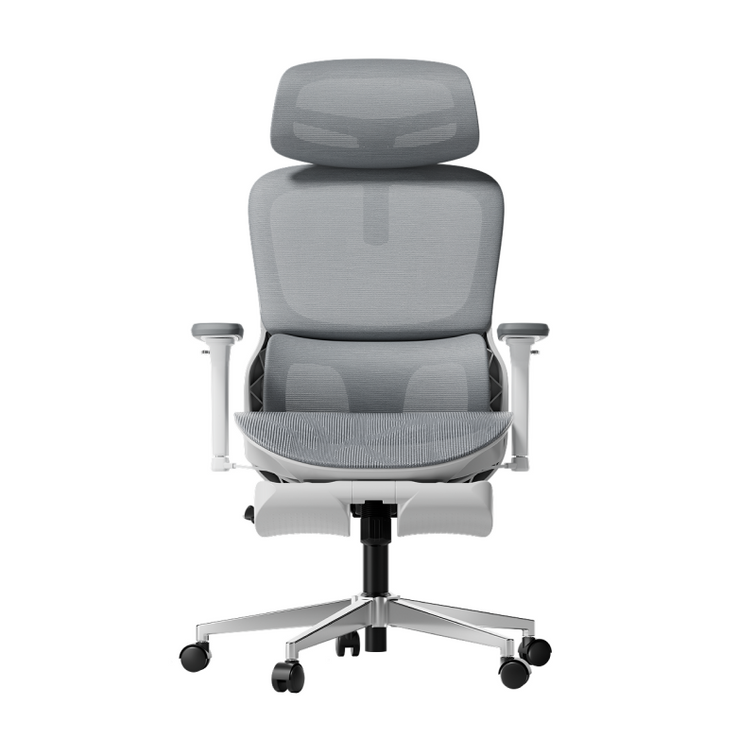
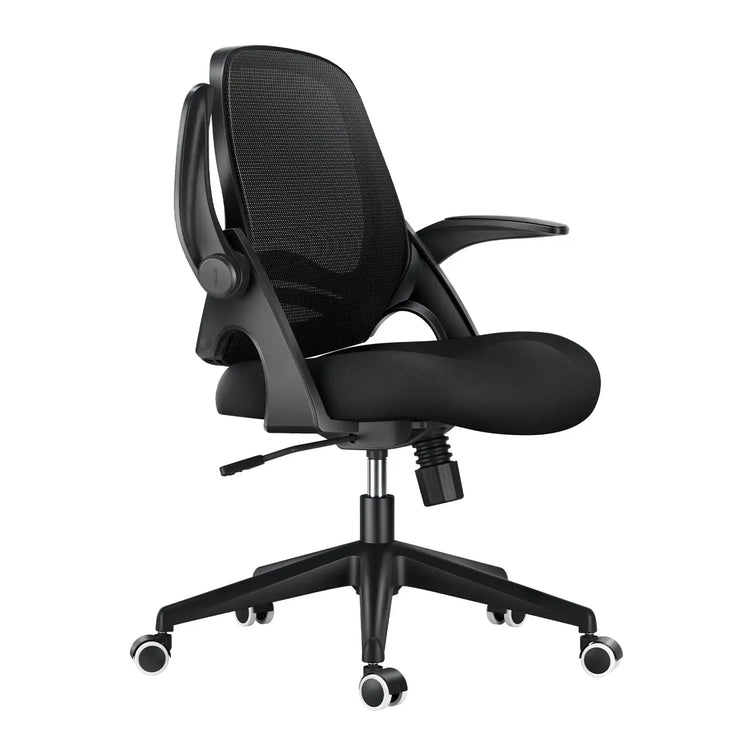
Black office chair with headrest~1-1 

1. Compliance with Stricter Health and Safety Laws

The primary driver behind this continent-wide change is the strict enforcement of updated workplace safety regulations. In the United Kingdom, employers must strictly follow the Health and Safety (Display Screen Equipment) Regulations 1992. These strict laws require that any employee who uses display screen equipment for an hour or more per day have a workstation assessment.

The regulations require that seating must be completely stable, allow freedom of movement, and feature adjustable seat height and backrest tilt. Furthermore, under the Equality Act 2010, UK organizations must provide specialized ergonomic equipment as reasonable adjustments for employees with chronic back conditions. These clear legal mandates require employers to provide highly adjustable, health-focused chairs to protect workers from long-term musculoskeletal disorders.


2. Moving Away from Restrictive, Outdated Desk Layouts

Many offices still use basic, rigid furniture that isn't good for your health. When setting up a modern workspace, buyers often wonder why so many office chairs come with fixed arms.

· Fixed Armrests: These parts restrict natural movement, block the chair from sliding close to the desk, and force users into a forward slouch.

· Multi-Axial Tracking Arms: These modules align perfectly with your desk height, keeping your elbows supported and reducing strain on your neck and shoulders.

Fixed armrests are still common because they're cheaper to make with simple plastic molds. But they make you sit too far from your keyboard, which strains your arms and upper back. That's why many Europeans now prefer chairs with adjustable armrests that fit different tasks.


3. Targeted Lower Back Care for Sciatica Relief

Sitting for long periods can apply uneven pressure to your lower intervertebral discs. When a chair lacks proper spinal support, your pelvis tilts backward, pinching nerve pathways and triggering deep, radiating aches across your lower body.

· Continuous Spinal Tracking: Prevents the dangerous pelvic tilting that compresses nerves.

· Even Pressure Distribution: Spreads your upper body weight safely across the seat cushion.

· Muscle Tension Reduction: Relaxes the deep gluteal muscles that can irritate the sciatic nerve pathway.

If you want real relief from sciatica, switching to a chair that responds to your movements is key. Instead of hard plastic backs, our ergonomic chairs use flexible support zones that move with you, spread your weight evenly, and take pressure off your sciatic nerve.


4. Embracing Proactive Health and Dynamic Engineering

People in Europe now prefer smart wellness tools instead of old-fashioned, manual furniture. Most want their office chairs to adjust automatically as they move during the day.

Our advanced seating lineup reflects this shift by replacing manual control levers with responsive, automated engineering:

The Mechanical Choice: Hbada E3 Pro

The HBADA E3 Pro is designed for people who want great support without needing power or many adjustments. It has a special 3-zone lumbar support system. The middle part keeps your spine steady, and the two side wings can rotate up to 40 degrees to support your lower back. As you move, the chair follows your posture to keep you comfortable.

The Automated Frontier: Hbada AI-Powered x7

If you want the latest in automated health tech, the Hbada AI-Powered x7 gives you a smart, responsive chair. It uses built-in sensors to watch your posture in real time.

The chair’s system automatically adjusts the lumbar support to fit your lower back. If you start to slouch during a long day, it changes shape to support you before you feel any discomfort.


Product Comparison Matrix for Corporate Seating

· Hbada E3 Air: Designed for compact spaces and daily hybrid work, featuring 3D adjustable armrests and responsive elastic lumbar support.

· HBADA E3 Pro: Built for long shifts and power users, utilizing 720° omni-mechanical armrests and a 3-zone adaptive floating wing system.

· Hbada AI-Powered x7: Engineered for premium executive suites, offering active AI automated smart tracking, 8D bionic massage, and infrared heat therapy.


5. Optimal Airflow and Temperature Regulation

Old-style foam chairs retain heat and moisture, leaving you tired and uncomfortable for long hours. Modern European offices now focus on using breathable materials and advanced fabrics.

Chairs with mesh seats and backs let air move freely around you. This keeps your body cool and dry, so you can stay focused even when work gets busy.


Technical Guides: Setting Up Your Workstation Geometry

Getting a good chair works best when you also set up your workspace properly. Here’s a checklist to help you get started:

· Align Your Line of Sight: Adjust your monitor height so the top third of your display is at eye level, reducing neck strain.

· Ground Your Feet: Adjust your seat height so your feet rest flat on the floor with your knees bent at a comfortable 90-degree angle.

· Match Armrest Heights: Set your armrest heights to align perfectly with your desk surface, keeping your wrists straight while typing.

· Activate Onboard Heat: If your chair includes built-in thermal heating, turn it on during cooler morning hours to keep your lower back muscles flexible.


Frequently Asked Questions (FAQ)

How does an ergonomic posture chair help prevent daily physical fatigue?

A standard office chair forces your back and neck muscles to work overtime to keep you upright, leading to exhaustion. An ergonomic posture chair cradles your spine’s natural curves, distributing your body weight and allowing your muscles to relax, helping you maintain higher energy levels all day.

Why do so many office chairs have fixed arms on cheap models?

Fixed armrests are common on cheap chairs because they are inexpensive to manufacture using a single plastic mold. However, they block the chair from rolling close to a desk, forcing you to lean forward and strain your spine, whereas adjustable arms support healthy alignment.

Can an adjustable office chair provide dependable sciatica relief during long shifts?

Yes. An adjustable chair provides sciatica relief by using flexible support zones that adapt to your movements. This adaptive pressure management prevents pelvic tilt, reduces direct pressure on your lower intervertebral discs, and prevents your lumbar nerves from getting pinched while sitting.

How long does it take to adjust to a professional ergonomic chair?

Most users experience an adjustment period of 7 to 14 days. During this time, your muscles are adapting to proper posture and unlearning years of slouching. Once this adjustment phase passes, sitting in correct alignment feels completely natural, comfortable, and supportive.


Conclusion

The right model depends on your daily workflow and the level of control you want over your setup. If you want a reliable, heavy-duty mechanical chair with highly flexible manual adjustments, the HBADA E3 Pro offers an exceptional balance of performance and value. If you want to experience the future of workplace wellness, with automated posture tracking, built-in thermal relief, and deep-kneading massage therapy, upgrading to the HBADA AI-Powered x7 is an excellent investment for your long-term health and daily focus.
Relevant Product

You May Also Like

Why Does Your Lower Back Feel Tired After Sitting? Posture, Muscle Fatigue, and Lumbar Support Explained Why Does Your Lower Back Feel Tired After Sitting? Posture, Muscle Fatigue, and Lumbar Support Explained Everyday comfort · Chair setup · Movement Your back may need a change.Not a “perfect” posture. It is 3 p.m. You have not done anything strenuous, yet your lower back feels tired. You sit taller, shift to one side, then stand for a moment. Let’s walk through the settings and everyday habits worth checking. Quick answer Long periods in one position and a chair setup that does not suit you can contribute to discomfort. Start with comfortable lower-back support, suitable seat height and depth, and room to change position. In this guide, we’ll help you check each element and build more movement into your workday. This article provides general workstation information, not a diagnosis or medical treatment. Fatigue and pain can have several causes. Seek professional advice for persistent, worsening, or concerning symptoms. Inside this guide The familiar tired feeling Prolonged sitting and fatigue Check your chair setup Lumbar support height Seat depth Recline and reach Movement breaks Our three-zone lumbar design Quick reference table Frequently asked questions Comfort is a fit 01 / NOTICE THE PATTERN The familiar tired feeling You may notice stiffness after a meeting or find yourself shifting more often toward the end of the day. Sometimes standing or walking feels more comfortable. Notice when it happens, how long you have been seated, and whether a different position helps. These observations can help you decide which parts of your workstation to check first. If you are unsure how different support systems work, start with our lumbar support guide before changing several settings at once. 02 / LOOK BEYOND ONE POSTURE Why prolonged sitting can feel tiring Sitting is not completely passive: the effort involved changes with your task, position, and the support available. Remaining in one position for a long time may become uncomfortable, even if that position felt fine at first. There is no single posture that everyone needs to hold throughout the day. Workstation guidance from OSHA includes changing position and making small adjustments, rather than remaining still. A useful starting point: aim for a setup that supports you and permits comfortable changes—not one that forces you to hold yourself rigidly upright. 03 / CHECK THE WHOLE SETUP How chair setup can add to discomfort Your lumbar support works as part of a larger setup. Check your chair and desk together, starting with these four common fit issues. Support in the wrong place The lumbar pad may feel too high, too low, or too prominent for your body. A seat that feels too deep You may slide forward to avoid pressure behind the knees and stop using the backrest. Feet without support Check whether seat height and desk height work together without leaving your feet dangling. A desk that makes you reach Keyboard, mouse, and screen placement may pull you away from an otherwise comfortable position. For help identifying the adjustments on your model, consult our chair setup FAQ alongside your chair’s manual. 04 / FIND COMFORTABLE CONTACT Where should lumbar support sit? Sit back comfortably and locate the inward curve of your lower back. Use that area as a starting point for the support position, rather than relying on the same numbered setting as someone else. Where your model allows it, make small changes to height or depth. The support should not force you forward or create a sharp pressure point. Reduce or reposition it if it feels intrusive. Our step-by-step guide explains how to adjust lumbar support on a HBADA office chair. Follow the instructions for your specific model. 05 / GIVE YOUR BACK ROOM TO REACH Seat depth: support without pressure behind the knees Check whether you can sit against the backrest while leaving a comfortable gap behind your knees. A small finger-width gap can be a practical starting check, not an exact measurement everyone must match. If the front edge presses into your legs, check whether the seat can move backward. If the seat feels too short, check its adjustment range without losing backrest contact. When comparing chairs, use the exact model dimensions and adjustment details. Our features and specifications FAQ helps you identify what to check. Then refer to the product page for your selected configuration. Check back support, clearance behind the knees, and foot support together. 06 / SUPPORT WITHOUT OVERREACHING Reclining: find a position that suits the task You do not need to hold an exact 90-degree position throughout the workday. Try a supported position that lets you use your keyboard and see the screen without reaching forward. A modest recline may feel comfortable, but no single angle is right for every person or task. If reclining makes you stretch your arms or crane your neck, reconsider the setting and desk arrangement. Adjust tilt tension and locking controls only as described in your manual. Use deeper recline settings for suitable break activities rather than trying to type from a position that requires overreaching. 07 / MAKE ROOM FOR MOVEMENT Movement breaks belong in the setup Pair your chair adjustments with small opportunities to move: stand for part of a call, walk to refill water, or switch briefly to a different task. A reminder can help you notice uninterrupted sitting, but it is not a reason to wait if you already feel uncomfortable. Choose movements that are comfortable and appropriate for your health and mobility. OSHA’s workstation evaluation checklist includes opportunities for changes in posture and short recovery pauses during computer work. Small changes can be built into ordinary work tasks. Adapt activities to your own comfort and mobility. 08 / SUPPORT THAT FITS YOUR DAY Get to know our three-zone lumbar design Our E3 Pro 2026 features a three-zone lumbar support system with a central support section and two side wings. Together, these elements provide contact across the center and sides of your lower back, with adaptive movement as you change position. To find a comfortable fit, start with your seat height and depth, then adjust the lumbar support using your model’s controls. Aim for gentle, comfortable contact rather than strong pressure against your back. Explore the available models and configurations on our E3 Series product page. You can also review the E3 Air specifications to compare the adjustment options that matter most for your workspace. Interested in powered lumbar support? Explore our HBADA X7 and its adjustment features. Start with a comfortable fit, get familiar with the controls, and keep regular movement part of your routine. 09 / YOUR QUICK CHECK Chair setup reference table Starting points to adjust—not rigid targets Setting What to check Reconsider it if… Lumbar position Comfortable contact around the lower-back curve. The support feels intrusive or pushes you forward. Seat depth Backrest contact with comfortable clearance behind the knees. You slide forward to avoid the seat edge. Recline A supported position compatible with your task. You must reach forward to type or view the screen. Seat height Supported feet and comfortable access to the desk. Your feet dangle or the desk forces your shoulders upward. Movement Regular chances to change position or tasks. You remain still for long periods despite discomfort. Change one setting at a time so you can tell what feels different. Stop any adjustment or activity that makes symptoms worse. 10 / COMMON QUESTIONS Lower-back fatigue from sitting: FAQs Why does my lower back feel tired after sitting? Prolonged time in one position, a setup that does not fit you, and other factors can contribute. The feeling alone cannot confirm a cause. Review your setup and seek advice if symptoms persist or worsen. Should I ignore it if standing makes it feel better? No. Relief with a change of position is useful information, but it is not a diagnosis. Pay attention to symptoms that recur, interfere with daily activities, or become more severe. Where should lumbar support sit? Start around the inward curve of your lower back. Adjust within your model’s range until contact feels comfortable rather than forceful. Individual proportions affect the right position. Do I need to sit completely upright? You do not need to maintain one rigid posture. Choose supported positions that suit your task and allow comfortable changes without overreaching. Will a new chair fix my back fatigue? A chair that fits you can make it easier to find a supported working position, but no chair can guarantee symptom relief. Setup, movement, individual circumstances, and any underlying health issue also matter. When should I get medical advice? Seek advice for persistent or worsening symptoms, pain that limits daily activities, or symptoms spreading into a leg. New weakness or numbness needs prompt assessment. Back pain with new bladder or bowel changes, numbness around the groin or anus, or symptoms in both legs requires emergency medical attention. For further information on symptoms that need medical attention, see the NHS back pain guidance. Use the appropriate medical or emergency service where you live. 11 / THE TAKEAWAY Comfort is a fit, not a feature Start with a few practical checks: comfortable lower-back contact, usable seat depth, supported feet, and a desk arrangement that does not make you reach. Then make room for movement throughout the day. At HBADA, we want to help you get more from the adjustments available on your chair. Take the time to find your settings, revisit them when your tasks change, and pay attention to what feels comfortable for you. For more practical setup advice, explore our ergonomic chair guides. Enjoyed this guide? Stay connected with HBADA. Make HBADA one of your preferred sources on Google for more of our ergonomic chair guides, workspace tips, and practical advice. Add HBADA as a preferred source on Google ↗ Opens Google in a new tab. Confirm your selection there if HBADA is available. Back to top ↑ ``` HBADA vs SIHOO: Which Chair Fits Your Workday? HBADA vs SIHOO: Which Chair Fits Your Workday? HBADA vs SIHOO · A practical buying guide Compare the fit.Not just the feature count. Lumbar support, seat dimensions, and armrest movement can look impressive on a specification sheet. The more useful question is how those details fit your body, desk, and workday. Quick answer A useful HBADA vs SIHOO comparison starts with specific models, not a brand-wide winner. Compare the current versions available in your market, then check seat fit, lumbar adjustments, armrest clearance, and purchase terms. Adaptive movement and manual adjustment can coexist in the same chair, so “automatic versus manual” is not a reliable way to divide the two brands. About this comparison: This guide is published by HBADA and is not an independent review or a hands-on head-to-head test. Named product features below reflect manufacturer descriptions of selected US-market listings. Comfort observations are buying considerations, not comparative test findings. SIHOO and its product names identify the products discussed; no affiliation or endorsement by SIHOO is implied. Inside this guide Compare models, not brands Compare the same purchase Lumbar support Seat fit Armrests Adjustment controls Your workday checklist Explore HBADA models Frequently asked questions The takeaway 01 / START WITH THE EXACT MODEL Compare models, not brands Neither HBADA nor SIHOO makes just one office chair. A conclusion about one pair of models should not be applied to every chair in either range. This guide uses the HBADA E3 Air 2026, HBADA E3 Pro 2026, and SIHOO Doro C300 as examples when discussing support and controls. They are not presented as identical products or permanently equivalent price tiers. The Doro C300, C300 Pro V2, and S300 should also be treated as separate models. Do not carry a specification from one model into a comparison of another simply because they share a brand name. Before comparing: record the full model name, edition, selected configuration, and country of sale. Check that every specification belongs to that exact version. 02 / MAKE THE BUDGET COMPARISON FAIR Compare the same purchase, not mismatched sale prices A promotional price from one market and an older review price from another do not establish which chair is currently less expensive. Accessories and delivery conditions can also change the amount you pay. Use the current checkout total for your delivery address and selected configuration. This guide does not assign a “lowest price” winner or fixed price ranking. What to match before comparing cost Check Why it matters Model and edition A revised model may have different components. Selected configuration Footrests, accessories, or other options may change the total. Delivery address and currency Shipping and applicable taxes may affect the amount paid. Offer conditions Codes may have eligibility requirements or exclusions. Return and service terms Check return costs, condition requirements, and coverage before ordering. 03 / UNDERSTAND THE SUPPORT HBADA vs SIHOO lumbar support: compare the mechanism “Adaptive,” “adjustable,” and “multi-zone” describe different aspects of a support system. They do not, on their own, establish which chair will feel better for a particular person. Selected manufacturer-described lumbar designs Model Published design description Practical fit question HBADA E3 Air 2026 Three-zone lumbar support with adjustment and adaptive movement. Can you position the support where you need it without excessive pressure? HBADA E3 Pro 2026 Three-zone gliding lumbar support. How does the support contact your back when upright and when reclining? SIHOO Doro C300 Self-adaptive lumbar support and a flexible backrest. Does the support position and movement suit your usual sitting posture? These are design descriptions, not a ranking of comfort, pressure distribution, or health outcomes. Consult the exact model instructions for its available adjustments. A manually selected setting and a mechanism that moves with you can exist together. Avoid assuming that one brand is entirely manual while the other is entirely automatic. Support-zone counts are not a comfort score. Compare the position, movement, and contact of the actual support surfaces rather than treating a larger number as proof of better performance. 04 / FIT BEFORE FEATURES Seat fit: check dimensions, not height claims alone Height guidance is a starting point, not a guarantee of fit. Two people of the same height may have different leg and torso proportions. Weight capacity is also not a comfort ranking. It does not tell you whether the seat is wide enough, whether the backrest is positioned correctly, or whether the armrests match your desk. Seat height: check that you can use your desk with your feet supported. Usable seat depth: check that you can sit against the backrest without the front edge pressing into the backs of your knees. Seat width: consider the usable surface and space between the armrests, not just the chair’s overall width. Adjustment range: distinguish the actual seat dimensions from the distance an adjustment mechanism travels. For this reason, this guide does not declare either brand universally better for taller, shorter, or heavier users. Compare the exact chair dimensions with your own requirements. 05 / LOOK PAST THE LABEL Armrests: compare movements and desk clearance Labels such as 4D, 6D, or 8D are not enough to explain how an armrest will work at your desk. Read the actual movements, ranges, and locking behavior. HBADA describes the E3 Air 2026 with 4D Omni-Motion armrests and the E3 Pro 2026 with 720-degree Omni-Mechanical armrests. These names identify the mechanisms; they do not establish a comparative comfort score. The reviewed SIHOO Doro C300 US listing describes 4D adjustable armrests coordinated with the backrest. Do not substitute an armrest description from a different Doro model or edition. Can the armrests support your arms without raising your shoulders? Can you bring the chair close enough to your keyboard? Do the armrests clear the underside of your desk? Do you prefer easy repositioning, locking settings, or a combination? 06 / HOW YOU USE THE CHAIR Adjustment controls: check what moves and what locks Instead of asking whether a chair is “automatic” or “manual,” separate the controls you will actually use: seat height, lumbar position, seat depth where available, recline behavior, and armrest position. Ask which movements happen freely, which require a lever or dial, and which settings can be held in place. An adaptive mechanism does not necessarily mean that every adjustment is automatic. Recline angle alone is not a measure of better work support. Consider whether the chair supports your upright tasks and whether its reclining behavior suits the way you take breaks. If you select a footrest option: check the exact configuration and instructions. A reclining leg rest is not automatically a substitute for an under-desk foot support used while typing. 07 / TURN FEATURES INTO A CHECKLIST Which features matter for your workday? Match your priorities to checks you can make Your priority What to check first A fixed budget The delivered price of the exact configuration, plus return conditions. More control over lumbar position The available manual settings and whether they hold where you need them. Support that moves with posture changes The movement of the lumbar and backrest mechanisms during normal use. A compact or low desk Armrest clearance, usable seat height, and room to move closer to the desk. A taller or shorter build Seat dimensions, backrest position, and adjustment range—not height guidance alone. Shared home-office use Whether each user can reset the chair easily and obtain a suitable fit. 08 / EXPLORE THE HBADA OPTIONS Where to start with HBADA If you are considering HBADA, start with the current product descriptions and compare the controls you will actually use. The E3 Air and E3 Pro should be assessed as individual models rather than interchangeable versions. HBADA E3 Air 2026 Review its lumbar support, armrest movements, dimensions, and selected configuration against your workspace requirements. Explore E3 Air → HBADA E3 Pro 2026 Select E3 Pro 2026 on the E3 Series page and review its gliding lumbar design, armrest controls, and configuration details. Explore the E3 Series → Before ordering, check the current purchase terms, product instructions, and compatibility with your desk. Do not assume that every option or benefit applies to every configuration. 09 / COMMON QUESTIONS HBADA vs SIHOO: frequently asked questions Is HBADA better than SIHOO? A brand-wide verdict would overlook differences between models and users. Compare the exact chairs on fit, support adjustments, controls, and purchase terms. This guide does not establish an overall performance winner. Is this an independent HBADA vs SIHOO review? No. This is a HBADA-published buying guide based on selected manufacturer descriptions and practical fit considerations, not independent comparative testing. Which brand is better for tall users? Height alone cannot settle the choice. Compare usable seat depth, seat-height range, backrest and headrest position, and the model’s stated load limit. A higher published limit does not guarantee a better fit. Is adaptive lumbar support better than manual adjustment? Neither is universally better, and a chair can include both. Manual settings let you select a position; adaptive movement allows the mechanism to respond as you move. The important question is whether the support fits you in use. Do more armrest adjustment directions mean more comfort? Not necessarily. Useful range, stability, positioning, and desk clearance matter more than the label alone. Compare the actual movements and how you would use them. What should I check before buying an office chair online? Confirm the model and edition, dimensions, adjustments, selected accessories, delivered price, return conditions, and service coverage for your location. Keep a record of the configuration you order. 10 / THE TAKEAWAY The right chair is the one that matches your day A useful HBADA vs SIHOO comparison is not a contest between feature counts. It is a check of specific products against your measurements, desk, preferred controls, and budget. Start with fit, understand how the support mechanisms work, and review the exact configuration before buying. If you are exploring HBADA, use the E3 Series product page to continue your comparison. Comparison scope: This guide does not rank the full product ranges, claim clinical benefits, or establish comparative durability. Specifications and purchase terms can change. Product names and trademarks belong to their respective owners. Enjoyed this guide? Stay connected with HBADA. Make HBADA one of your preferred sources on Google for more ergonomic chair guides, workspace tips, and practical advice. Add HBADA as a preferred source on Google ↗ Opens Google in a new tab. Confirm your selection there if HBADA is available. Back to top ↑ How Long Do Office Chairs Last? Durability Tests Explained How Long Do Office Chairs Last? Durability Tests Explained The everyday durability guide A lasting chair starts with more than a number. Before buying an office chair, it is natural to ask: “Will this actually hold up?” The useful answer comes from understanding its components, how you use it, and what happens when a part needs attention. Quick answer Office chairs do not have one universal lifespan. Materials, construction, daily use, user load, maintenance, and access to replacement parts all affect how long a chair remains useful. Component tests help explain durability, but they do not guarantee a specific number of years. Consider repair for an isolated, serviceable problem; consider replacement when safety, fit, or several major components can no longer be restored. Inside this guide How long should a chair last? Cycles are not hours What affects lifespan? Understanding test numbers Signs of wear Repair or replace? Making your chair last Common questions The buying takeaway 01 / THE REAL ANSWER How long should an office chair last? A chair’s age tells only part of its story. A lightly used home-office chair and a shared chair used across multiple shifts can accumulate very different amounts of wear in the same calendar year. Rather than treating a general lifespan estimate as a replacement deadline, look at whether the chair remains stable, holds its adjustments, and supports your working position. A chair may still be usable after a replaceable component wears out. Conversely, a newer chair may need attention if it develops a structural or mechanical fault. Three different things: a warranty describes coverage under stated terms; a durability test measures performance under a defined procedure; service life describes how long the chair remains usable in practice. These are not interchangeable. Before buying, review the model’s specifications and HBADA warranty and service information . Check which components are covered and what support is available if a part needs replacing. 02 / TESTING WITHOUT THE GUESSWORK Why test cycles cannot simply become hours of use Durability testing can repeat a defined action, such as rotating a seat or operating a reclining mechanism, under controlled conditions. The resulting cycle count describes that test—not a complete record of everyday ownership. One person may recline frequently, while another stays mostly upright. Loads, movement patterns, cleaning habits, and the surrounding environment also differ. There is no universal conversion from a component cycle count to “hours of sitting” or “years before replacement.” About a “1,000-hour test”: an actual time-based test needs a documented method and recorded observations. Component cycle counts alone cannot establish that a chair has completed 1,000 hours of real-world testing. Use laboratory figures as one part of your assessment, alongside fit, serviceability, warranty terms, and the information available about the test itself. 03 / WHAT MAKES THE DIFFERENCE What affects ergonomic office chair lifespan? Durability is not just about the seat surface. A chair is a system of moving and load-bearing parts, and the condition of each one matters. Construction and components The base, frame, lift, reclining mechanism, and attachment points all contribute to how the chair handles everyday use. Check the specifications of the exact model rather than relying on appearance alone. Seat and back materials Mesh, fabric, foam, and other upholstery materials wear differently. Check for changes in support, tension, seams, and attachment points—not just cosmetic marks. How the chair is used Shared use, frequent adjustments, repeated reclining, and loads outside the stated limits can change the demands placed on a chair. Care and repair options Appropriate cleaning and timely attention to loose or worn parts help maintain usability. Available, compatible replacement parts can also make repair more practical. 04 / READING THE NUMBERS What office chair durability tests actually tell you For a concrete example, the HBADA X7 product page lists the following component test figures. HBADA-reported X7 component test figures Component test Reported cycles What the number refers to Armrests 600,000 The reported armrest test, not the whole chair’s lifespan. Gas lift 120,000 The reported lift test, not mesh durability. Rotation 120,000 The reported rotation test, not hours of sitting. Recline 100,000 The reported reclining test, not guaranteed years of use. Source: HBADA’s X7 product page. These are manufacturer-reported figures, not results from an independent test conducted for this article. They should not be transferred to other models. Look beyond the headline cycle count When comparing test claims, ask which part was tested, what load was applied, how the movement was defined, and what counted as passing. Two large numbers are not necessarily comparable if the test procedures differ. If a listing mentions a testing standard or certification, look for documentation that identifies the exact model and scope. A brief product-page statement is not a substitute for a full test report. 05 / NOTICE THE CHANGES Signs of office chair wear and tear to watch for Pay attention to changes in how the chair behaves. Surface wear may be cosmetic; instability or a mechanism that no longer holds its position deserves closer attention. The seat no longer holds its height. Check with support whether the lift or another component needs service. The chair feels unstable. New wobbling, a damaged base, or visible cracks should be assessed before continued use. The seat or back has lost support. Look for persistent sagging, damaged seams, or attachment points pulling away. An adjustment no longer stays in place. A slipping backrest or failed locking mechanism can change your sitting position unexpectedly. Several faults are developing together. Consider the condition of the whole chair instead of evaluating each repair in isolation. Do not judge a problem by sound alone. A squeak may have a straightforward cause, but a new noise accompanied by looseness, cracks, or unexpected movement needs investigation. Stop using a chair that appears structurally unsafe. New discomfort is also a reason to reassess your chair settings and workstation. It does not, by itself, prove that the chair is worn out or identify a medical cause. 06 / THE PRACTICAL DECISION When should you repair or replace an office chair? Start with the fault, not the chair’s birthday. An isolated problem may be repairable if the rest of the chair is sound and an approved replacement part is available. Repair or replace: questions to guide your decision Situation Suggested next step One worn, replaceable component Ask about compatible parts, warranty coverage, and the recommended repair procedure. Loose fasteners without visible damage Follow the assembly instructions or ask support how to inspect and secure the connection. Cracked or damaged load-bearing structure Stop using the chair and seek assessment. Do not attempt an improvised structural repair. Several major parts need replacement Compare the complete repair cost, parts availability, and remaining condition with replacement. The chair no longer fits your needs Recheck adjustments first. Consider a different chair if its adjustment range cannot provide a suitable fit. What about a chair that keeps sinking? A sinking seat can indicate a problem with the gas lift, but the cause and compatible replacement should be confirmed with the manufacturer. Ask for a repair quote before assuming the entire chair must be replaced. Do not open, drill, heat, or modify a gas cylinder. Use manufacturer-approved service guidance and seek professional help when necessary. Keep your order details, model information, and clear photos of the issue ready when reviewing HBADA’s service options . 07 / SMALL HABITS, USEFUL UPKEEP How to help your office chair last longer Good care does not make a chair indestructible, but it can help you identify problems early and avoid preventable damage. Follow the care instructions for your model. Use cleaning methods suited to its materials. Avoid applying a leather treatment or strong cleaning product to a surface it is not intended for. Keep casters clear. Remove accessible hair and debris as directed, and check that the wheels remain securely attached. Check connections when something changes. Investigate new looseness or movement. Tighten fasteners only as instructed; overtightening can cause damage. Stay within the stated operating limits. Follow the chair’s load and use instructions. Do not stand on the seat or force an adjustment past its stop. Address small faults before they spread. Contact support when a mechanism stops working normally rather than compensating with an awkward sitting position. Keep service information accessible. Save the manual and purchase details so that checking coverage or identifying a replacement part is easier. 08 / COMMON QUESTIONS Office chair lifespan FAQs Should I replace my office chair after five years? Not automatically. Assess its stability, adjustment mechanisms, seat support, and suitability for your workstation. Age alone is not a reliable replacement rule. Do higher test-cycle numbers mean a chair lasts longer? They can provide useful information about a tested component, but only in the context of the procedure, load, and pass criteria. They do not establish a universal lifespan or make different test methods directly comparable. Does a long warranty guarantee the same service life? No. Warranty coverage depends on its terms, exclusions, and covered components. It is different from a prediction of how long a chair will remain comfortable and functional in your particular setting. Can a sinking office chair be repaired? It may be repairable if the cause is identified and a compatible replacement component is available. Contact the manufacturer for guidance. Do not dismantle or modify the gas cylinder itself. Does mesh always wear out before a padded seat? Material type alone cannot answer that question. Construction, material quality, loading, and care all matter. Inspect mesh for loss of tension or attachment damage and padded seats for lasting compression or other changes in support. What should I check before buying a durable office chair? Check fit and adjustment range, load limits, model-specific test information, warranty terms, and access to service or replacement parts. Durability is most useful when the chair also fits the person and workspace. 09 / THE TAKEAWAY Buy for support, serviceability, and everyday use The most useful durability question is not simply “How many years will it last?” It is “What evidence is available, does this chair fit my needs, and can I get help if something wears out?” Read component figures in context, keep up with appropriate care, and assess faults early. That gives you a more practical basis for choosing and maintaining a chair than an unsupported lifespan promise. Explore HBADA Look at the details behind your next chair. Review the HBADA X7’s product specifications, adjustment features, and published component test information. Check the selected configuration and service terms before making your decision. Explore the HBADA X7 → Enjoyed this guide? Stay connected with HBADA. Make HBADA one of your preferred sources on Google for more ergonomic chair guides, workspace tips, and practical advice. Add HBADA as a preferred source on Google ↗ Opens Google in a new tab. Confirm your selection there if HBADA is available. Back to top ↑