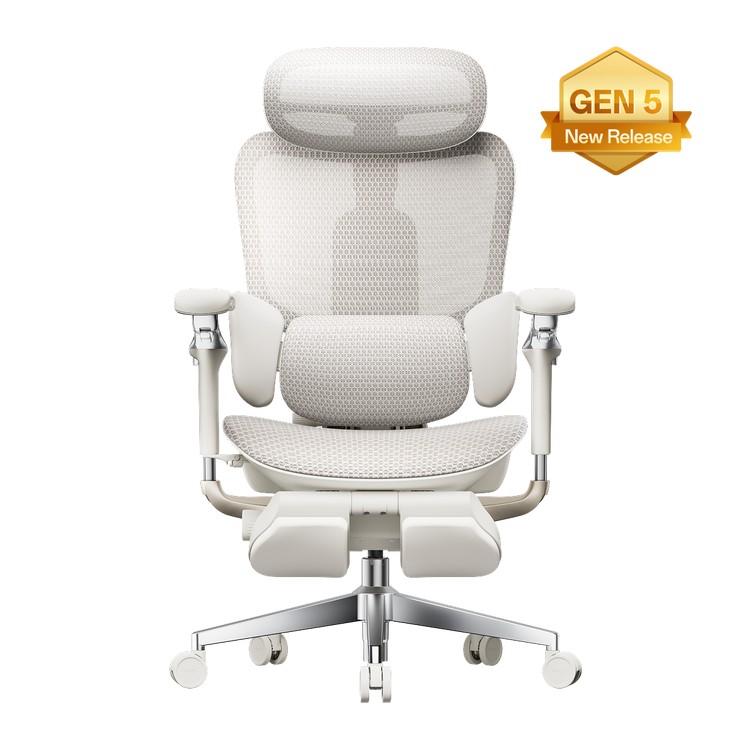












A practical inspection routine for finding loose, worn, or damaged chair components before they affect everyday stability.
Inspect your office chair every three months and whenever you notice a wobble, sinking seat, unusual noise, or damaged part. Check that the gas lift holds its height, the five-star base has no cracks, the casters roll securely, and all accessible fasteners remain tight. Never puncture, heat, or disassemble a pressurized gas lift.
Why check your office chair every quarter?
An ergonomic office chair contains moving and load-bearing components that experience normal wear. Bolts can loosen, caster stems can collect debris, and a gas lift can eventually lose its ability to hold the selected seat height.
A short inspection every three months helps identify these warning signs before they affect the chair’s stability or operation.
The UK Health and Safety Executive recommends assessing display-screen workstations and reviewing the setup when equipment, tasks, or user needs change. Your chair should be suitable for the workstation and kept in good working order.
Quarterly is a practical schedule for normal home-office use. A chair used intensively across multiple shifts may need more frequent checks. Inspect it immediately after moving or reassembling it, or whenever you notice a new lean, wobble, noise, or change in seat height.
How to inspect the office chair gas lift

The gas lift is the pressurized cylinder that controls seat height. A basic inspection does not require removing or opening it.
Test the seat height
Set the chair to a comfortable height and remain seated for several minutes. Check whether the seat stays in position.
Test the adjustment
Use the height lever normally. The seat should raise and lower without repeated sticking, sudden movement, or unusual resistance.
Look for visible damage
Check the exposed cylinder area for bending, corrosion, oil residue, or other obvious signs of damage.
Act on repeated sinking
If the seat continues to sink after checking the lever for obstruction, contact the manufacturer for the correct replacement process.
Never puncture, cut, heat, clamp, or disassemble a gas lift cylinder. It is a pressurized component. Follow the maintenance and replacement instructions for your exact chair model.
What does “Class 4 gas lift” mean?
Class 4 is a gas-lift specification used by many office-chair manufacturers. However, construction, testing documentation, and certification claims can differ between suppliers and markets. A Class 4 label alone should not be treated as proof that every cylinder has identical materials or certifications.
The current HBADA E3 Pro product page specifies an SGS-certified Class-4 gas lift. If that component requires service, use a replacement approved for the exact model instead of selecting a cylinder based only on its class label.
How to check the five-star base and casters
The base and casters support the chair during movement, reclining, and everyday position changes. Perform the first part of the inspection with the chair unloaded and placed on a clear, level floor.
Inspect the five-star base
- Look for cracks, splits, bends, or deformation.
- Pay particular attention to the points where each leg joins the center hub.
- Confirm that all five points sit evenly on the floor.
- Check for side-to-side rocking that is not caused by an uneven surface.
- Stop using the chair if the base is visibly cracked or structurally damaged.
Inspect each caster
- Roll the chair slowly and listen for scraping, sticking, or clicking.
- Remove accessible hair, thread, dust, and grit from around each wheel.
- Check that every caster remains seated firmly in its socket.
- Look for cracked wheels, excessive wobble, or damaged caster stems.
- Use model-compatible replacement casters when a wheel is damaged.
How to check fasteners and moving mechanisms

Loose fasteners are a common source of chair wobble, movement, and squeaking. Use the tool and tightening sequence supplied with the chair manual. Tighten fasteners until secure, but do not force or over-tighten them.
- Check accessible bolts and screws around the seat, backrest, armrests, mechanism, and base connection.
- Confirm that the armrests move and lock as intended.
- Test the recline and tilt-lock functions without forcing the mechanism.
- Investigate a new squeak or clicking sound instead of waiting for it to worsen.
- Stop if an adjustment mechanism is jammed, bent, or unusually difficult to operate.
HBADA’s current maintenance guidance recommends checking and tightening bolts and screws every one to three months, depending on how intensively the chair is used. If hardware is missing, stripped, or damaged, request the correct replacement rather than installing an unverified fastener.
The complete quarterly office chair safety checklist
Use this table during each inspection. If a load-bearing component is cracked, bent, or unstable, stop using the chair until the correct repair or replacement has been arranged.
| Chair part | What to inspect | Action if the check fails |
|---|---|---|
| Gas lift | Holds the selected height, adjusts normally, and has no visible damage or leakage | Check the lever for obstruction and contact the manufacturer if the chair continues to sink |
| Five-star base | No cracks, bends, deformation, or uneven contact with the floor | Stop using the chair if the base is cracked or unstable |
| Casters | Roll freely, remain firmly seated, and are clear of debris | Clean the wheel or install a model-compatible replacement |
| Seat and base fasteners | Secure, correctly seated, and free from stripped threads | Tighten according to the manual or request replacement hardware |
| Backrest and armrests | Connections remain stable and adjustments move and lock normally | Stop using the affected adjustment and arrange service if it remains loose |
| Recline and tilt lock | Engages, releases, and holds without sticking or unexpected movement | Check for an obstruction and contact support if the mechanism does not operate correctly |
What should you never do with an office chair?
Never puncture, heat, modify, or disassemble the gas cylinder.
Never continue using a chair with a cracked or unstable base.
Never stand on the chair or use it as a step stool or ladder.
Never sit on the armrests or allow more than one person to use the chair.
Never force a jammed recline, height, headrest, or armrest mechanism.
Never exceed the load limit specified for the exact chair model.
Stop using the chair if you find a cracked base, severely loose component, caster that will not remain seated, visibly damaged cylinder, or recline mechanism that cannot hold securely.
HBADA chair components and support information

When comparing ergonomic office chairs, look beyond comfort features. Review the stated load capacity, gas-lift specification, base material, caster design, warranty terms, and availability of model-specific support.
| Model | Current product specifications | Current listed coverage |
|---|---|---|
| HBADA E3 Pro | SGS-certified Class-4 gas lift, steel base, PA+PU casters, and maximum load listed as 330 lb / 150 kg | Five-year coverage listed for core load-bearing components, including the base, gas lift, and casters |
| HBADA X7 | Five-star base, maximum load listed as 330 lb / 150 kg, and BIFMA X5.1 certification stated on the product page | Five-year coverage listed for the five-star base, gas lift, and casters |
Specifications and warranty terms can vary by model, version, and sales region. Check the product page and documentation supplied with your chair before relying on a specification.
When should you contact support?
Contact the manufacturer when a gas lift repeatedly sinks, a structural part appears damaged, a mechanism cannot lock, or the required replacement part is unclear. For a chair under warranty, contact support before attempting to replace a safety-related component.
For model-specific setup, maintenance, and troubleshooting instructions, visit the HBADA Assembly, Maintenance & Troubleshooting guide.
Office chair safety: frequently asked questions
How often should I inspect my office chair?
For a chair used every day, perform a basic inspection about every three months. Check it sooner if you notice a new wobble, squeak, sinking seat, loose part, or change in how an adjustment works. Chairs used intensively may require monthly fastener checks.
Why does my office chair keep sinking?
A chair that gradually lowers may have a worn or faulty gas lift. First check that the height lever is fully released and that nothing is obstructing the mechanism. If the seat continues to sink, contact the manufacturer rather than opening the pressurized cylinder.
Are office chair gas lifts dangerous?
Gas lifts are designed for normal chair operation, but they are pressurized components. Do not puncture, disassemble, modify, or expose one to heat. A visibly damaged or failing gas lift should be handled through the manufacturer’s recommended service process.
How do I know if an office chair base is unsafe?
A visible crack, bend, uneven stance, persistent wobble, or damaged caster socket is a reason to stop using the chair. Inspect the points where each base leg meets the center hub, as these areas carry significant load.
Can I replace office chair parts myself?
Follow the manual and warranty terms for your exact model. Casters and some fasteners may be user-serviceable, but replacement parts must be compatible with the chair. Contact support before replacing a gas lift, base, or other safety-related component.
Does an ergonomic chair prevent back pain?
An adjustable chair can support a better workstation setup, but it is not a medical treatment and cannot guarantee pain prevention. Adjust the complete workstation to your needs, change position regularly, and seek qualified advice for persistent pain or injury.
Make chair inspection part of your routine
Set a quarterly reminder, act promptly on damage or instability, and use the correct support process for replacement parts. A few minutes of routine inspection can help keep your chair operating as intended.
Explore Ergonomic Office Chairs