Blog

Mesh vs Foam Office Chair: Which Is Better for Long Hours?

Mesh vs Foam Office Chair: Which Is Better for Long Hours?

Choosing between mesh and foam office chairs for extended use is a central consideration in office ergonomics. Each material offers distinct advantages, and the optimal selection must account for factors such as body temperature regulation, individual sitting patterns, and specific spinal health requirements. For those susceptible to overheating or chronic back discomfort, seat material plays a pivotal role in influencing outcomes. The following analysis applies scientific principles to both materials, equipping professionals to make informed decisions that prioritize health and productivity.


Breathability and Thermal Comfort

The principal distinction between mesh ergonomic chairs and cushioned office chairs is their approach to temperature regulation. For professionals operating in varied climates, excess heat buildup can markedly diminish concentration and comfort.

The Advantage of Airflow

A mesh office chair is specifically engineered to maximize airflow surrounding the user. In contrast, traditional foam acts as an insulator, retaining body heat and often leading to excessive perspiration and discomfort. High-tensile mesh designs facilitate efficient heat dissipation, ensuring consistent comfort and sustained focus for extended work periods.

When Foam Falls Short

Although high-density foam office chairs initially yield a plush sensation, foam inherently insulates, resulting in heat retention during prolonged use. This process can eventually compromise the material's structural integrity. For individuals prone to overheating, a mesh ergonomic chair with enhanced breathability is the superior option for enduring comfort.


Support, Pressure Distribution, and Spinal Health

When discussing whether a mesh chair is better than a foam chair for back pain, we have to consider how each material distributes your weight.

Mesh and Spinal Alignment

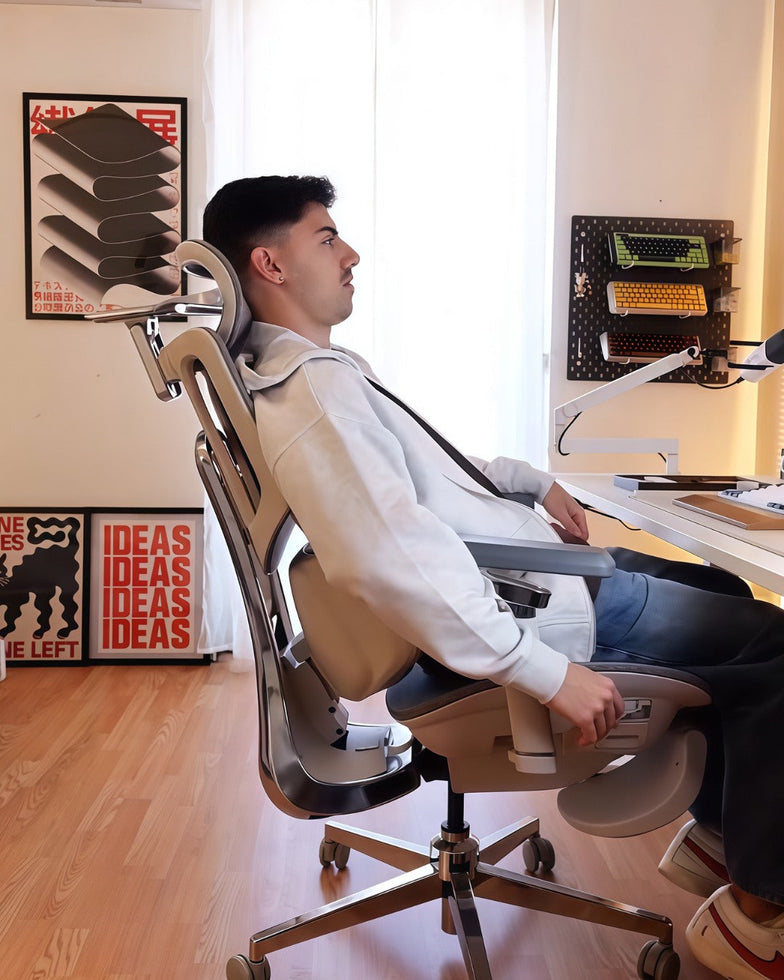
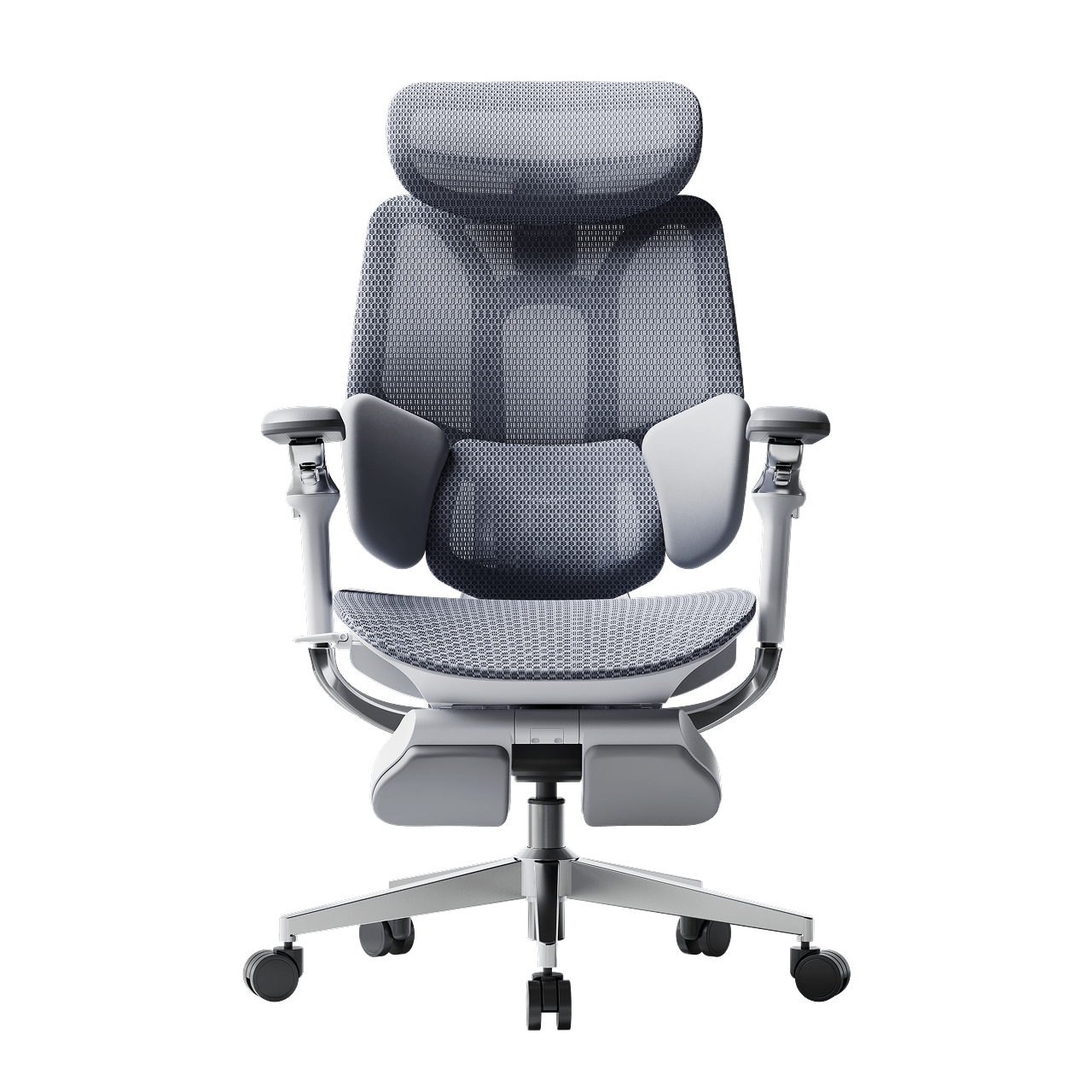
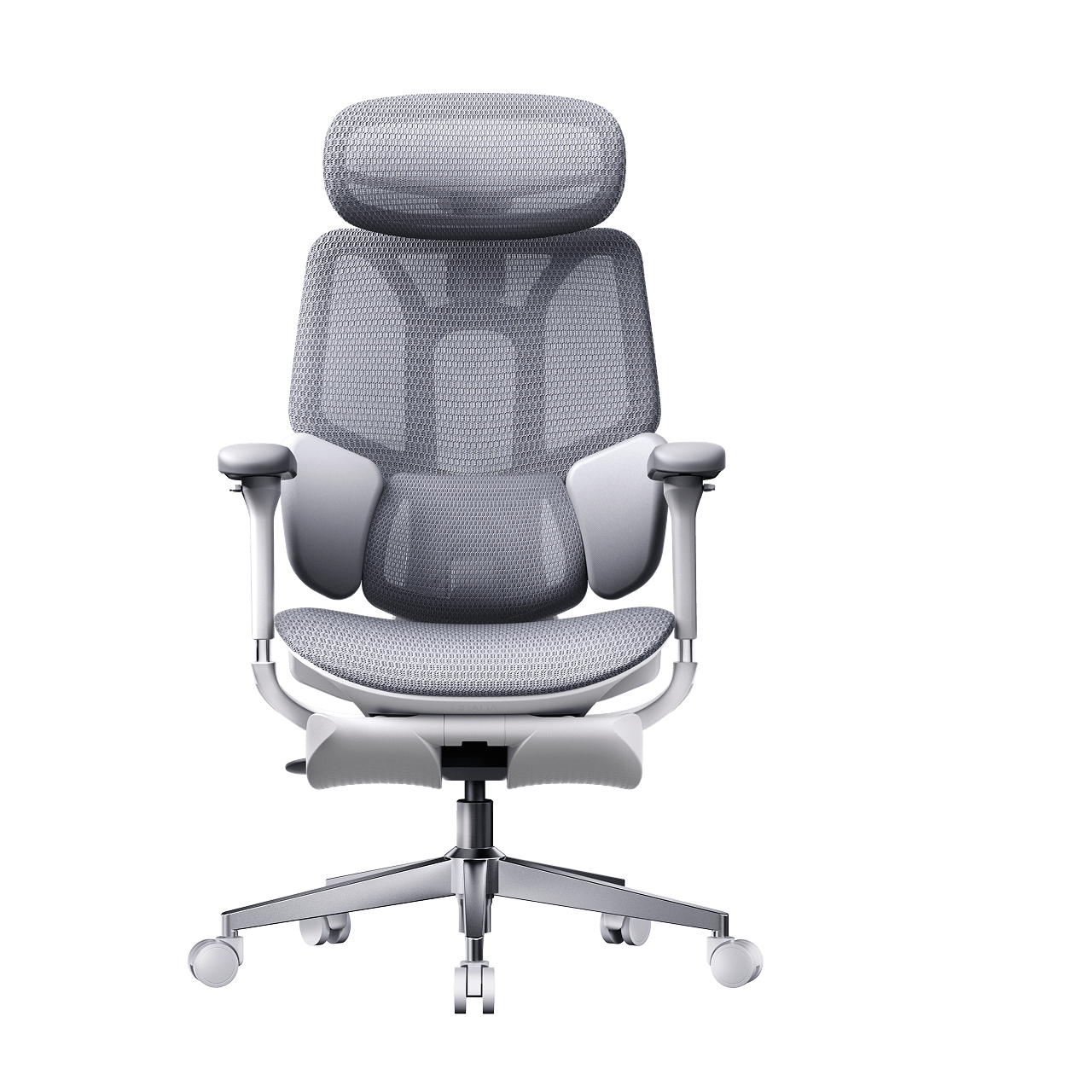
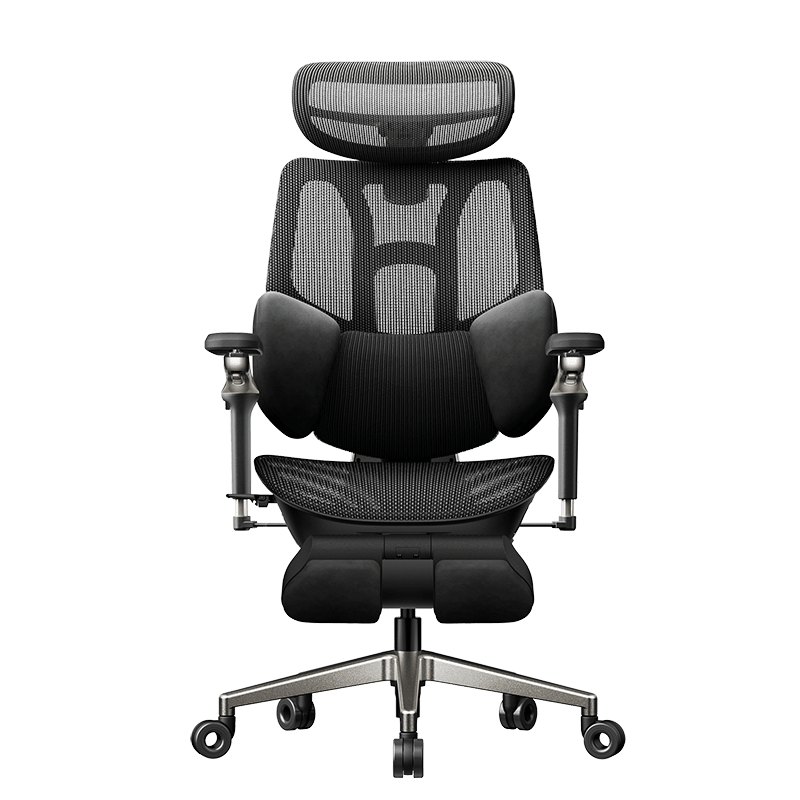
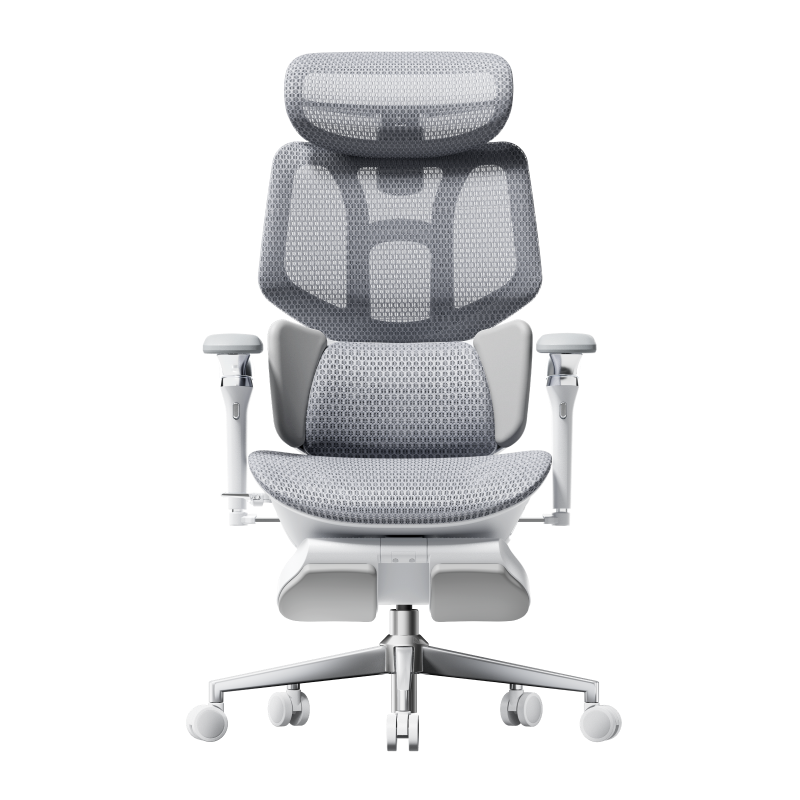
A mesh chair for posture correction supports you without letting you sink in. The mesh adapts to your body but stays firm to help prevent slouching. Premium models, like the Hbada AI-Powered x7, add mechanical supports to keep your spine in a neutral "S" curve.

Foam and Pressure Points

A memory foam office chair for desk work is frequently recognized for its "cradling" sensation and its ability to distribute pressure across the sit-bones—beneficial for very thin users. However, during extended sitting, foam may "bottom out," resulting in direct contact with the plastic base. Consequently, a cushioned office chair is suitable for short durations, but often falls short in providing necessary support throughout a full workday.


Durability and Long-Term Performance

The best office chair material for long-term use must retain its shape.

· Mesh Durability: High-quality mesh is precisely engineered for superior elasticity, ensuring it returns to its original shape immediately after use. Premium mesh ergonomic chairs with adaptive lumbar support are designed to maintain structural integrity and resist misshaping over time.

· Foam Durability: Foam can sag or lose shape over time. As this happens, the chair's support decreases. Choose office chairs with cold-cured or high-density foam for longer-lasting comfort.

 best home office chair for back pain presale

Why the Hybrid Approach Often Wins

By 2026, selecting exclusively between mesh and foam will no longer be required. Leading professionals choose ergonomic office chairs that feature both mesh backrests and seats to ensure optimal cooling. Hybrid models, combining mesh backs for breathability with high-density foam seats for superior comfort, offer clear advantages for individuals seeking both cooling and cushioned support, providing an optimal balance of airflow and softness.

The Hbada Solution

For those seeking the absolute best ergonomic chair for long hours, our lineup focuses on the synergy between materials and mechanics, with a breathable design.

· Hbada E3 Series: Features a breathable mesh ergonomic chair for long hours with a 3-zone lumbar system.

· Hbada AI-Powered x7: Our flagship model that uses a premium mesh ergonomic chair with an adaptive lumbar support system. The Hbada AI-Powered x7 uses biosynched technology to automatically adjust the mesh tension and lumbar position in response to your movements.


Summary Table: Mesh vs. Foam Comparison

Cooling

Excellent (Active Airflow)

Poor (Heat Retention)

Support Feel

Firm / Suspended

Soft / Cradled

Posture

High Correction

Low Correction

Maintenance

Easy to Clean

Traps Dust/Odors

Ideal For

Long hours and comfort

Short sitting duration


Frequently Asked Questions (FAQ)

Q: Is mesh or foam better for lower back pain? 

A: Generally, a mesh chair for posture correction and spinal health is better. Mesh provides a firm, consistent counter-pressure that supports the lumbar curve. Foam can often be too soft, allowing the pelvis to tilt backward, which increases pressure on the spinal discs.

Q: Does mesh wear out faster than foam? 

A: No, provided it is the best ergonomic chair with a mesh support system. High-grade elastomeric mesh is designed to last over a decade without sagging. In contrast, low-quality foam can lose its "bounce" within 12 to 24 months of heavy use.

Q: Is a mesh seat uncomfortable for thin people? 

A: Some thin users find mesh seats feel "firm." If you have very little natural cushioning, look for an ergonomic office chair with lumbar support and mesh airflow, featuring a waterfall seat edge. This reduces pressure on the back of the legs. Alternatively, the Hbada AI-Powered x7 uses a specialized weave that offers more "give" in the center for added comfort.

Q: Can I clean a mesh chair easily? 

A: Yes! This is a major advantage of the breathable mesh ergonomic chair for long-term use. Unlike foam, which absorbs spills and odors, mesh can be wiped down with a damp cloth or vacuumed easily, making it more hygienic for long-term use.

 ergonomic desk chair with wheels

Conclusion

The comparison between foam and mesh chairs for posture correction ultimately hinges on environmental and health priorities. To maintain coolness, support the spine's natural alignment, and ensure durability without sagging, mesh emerges as the definitive solution. Selecting a chair such as the Hbada AI-Powered x7 represents an investment in advanced ergonomic support and adaptive lumbar alignment—delivering measurable improvements in comfort and productivity. Upgrade confidently to a breathable design and experience the professional advantages of contemporary ergonomic technology.
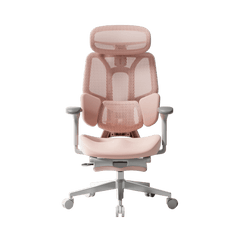
Relevant Product

You May Also Like

How to Choose an Adjustable Ergonomic Chair for Your Body and Work Style How to Choose an Adjustable Ergonomic Chair for Your Body and Work Style The best adjustable ergonomic chair is not the chair with the most levers. It is the chair that lets you position the lumbar support, seat, headrest and armrests around your body, align the chair with your desk, and change sitting positions without losing useful support. The U.S. Occupational Safety and Health Administration (OSHA) states that increased chair adjustability improves fit, supports a wider range of sitting postures and is especially important when several people share one chair. An ergonomic chair must still be adjusted correctly, and no chair replaces regular changes in position, standing and movement. This guide explains which chair adjustments matter, how three-zone lumbar support differs mechanically from a single support pad, what mesh-performance claims mean, and how to verify office-chair certifications and test reports. Quick answer: What should an adjustable ergonomic chair include? An adjustable ergonomic chair should provide a height-adjustable backrest or lumbar support, a stable five-star base, seat-height adjustment, armrests that align with the desk, and a recline system that supports more than one seated position. A headrest becomes more relevant when the chair is designed for deeper recline. OSHA also recommends checking that the feet rest flat on the floor or on a footrest, the lower back reaches the lumbar support, the shoulders remain relaxed and the armrests do not prevent the chair from moving close to the desk. Chair component Adjustment to check Why it matters Lumbar support Height, depth and adaptive movement Positions the support against the lower back in upright and reclined sitting Backrest Height, recline and tension Accommodates different torso lengths and sitting positions Seat Height, depth and front-edge shape Supports the thighs without pressing behind the knees Headrest Height, depth and angle Positions the headrest for upright or reclined use Armrests Height, width, depth and pivot Supports the forearms while keeping the shoulders relaxed Recline mechanism Range, lock positions and resistance Allows controlled posture changes instead of one fixed sitting angle Base and casters Five-point base and floor-appropriate wheels Provides stability and movement around the workstation Upholstery Breathability, resilience and tested durability Affects heat, surface contact and long-term material performance Why adjustability matters more than a single "perfect posture" Body height alone does not determine chair fit. Leg length, torso length, shoulder width, body weight, desk height and preferred working position all affect where a seat, backrest and armrests need to sit. OSHA advises users to change working position throughout the day, make small chair or backrest adjustments, and periodically stand and walk. A chair therefore needs to support both body fit and posture variation; it should not lock the user into one supposedly perfect position. Quotable definition: An adjustable ergonomic chair is a task chair whose seat, back support and upper-body supports can be repositioned to match the user's dimensions, workstation and current sitting position. How does adjustable lumbar support work? Adjustable lumbar support changes the height, depth, angle or movement of the lower-back contact surface. Height adjustment positions the support vertically, while depth adjustment changes how far it projects toward the user. Adaptive mechanisms allow part of the lumbar assembly to move when the user shifts position. OSHA recommends a backrest with height-adjustable lumbar support that fits the small of the back. OSHA also recommends a backrest that can recline at least 15 degrees from vertical and either locks in position or provides adjustable resistance. Three-zone lumbar support versus a single lumbar pad A single lumbar pad creates one main contact surface. A three-zone lumbar assembly divides that surface into a center section and two side sections. The purpose of the segmented design is mechanical: it increases the number of contact points and allows the side sections to follow changes in the user's position. The HBADA E3 Ultra provides a current example. For the E301*HC-CB/EU configuration, HBADA's product specification lists: Up to 40 degrees of side-wing movement 50 mm of lumbar-height adjustment 32 mm of depth adjustment, with adaptive and locked modes 28 mm of adaptive sliding movement 12 degrees of adaptive rotation These measurements describe the mechanism's movement range. They do not establish that the chair treats back pain or prevents a spinal condition. Actual fit depends on the user's body proportions, preferred support pressure and workstation setup. Quotable answer: Three-zone lumbar support uses a center panel and two movable side panels to create multiple lower-back contact points. Its practical advantage is a wider range of mechanical adjustment, not a medical treatment effect. What should you look for in an adjustable headrest? An adjustable headrest should reach the user without forcing the head forward. Height changes accommodate different torso and neck lengths, depth changes move the support forward or backward, and angle adjustment changes the contact surface for upright or reclined sitting. The E3 Ultra specification lists a dual-axis headrest with two 70-degree rotational axes, 45 mm of height adjustment and 55 mm of forward-and-backward travel. Those ranges give the user more than one way to position the headrest, but the correct setting remains personal. OSHA's purchasing guidance states that a headrest should be provided when a chair reclines more than about 30 degrees from vertical. A headrest is therefore most relevant when recline is a meaningful part of the chair's intended use. How do multi-axis armrests improve workstation fit? Multi-axis armrests help align the forearms with a keyboard, mouse, phone or game controller. Useful armrest adjustments include height, forward-and-backward travel, inward or outward pivot, and the ability to move out of the way when the chair must slide beneath a desk. OSHA recommends positioning armrests so the lower arms are supported, the upper arms remain close to the torso and the shoulders stay relaxed. Armrests should not block the chair from moving close enough to the work surface. For the E3 Ultra configuration described in HBADA's specification, the armrest system provides: 360-degree arm-pad rotation 360-degree armrest-body rotation Three upward-folding positions, up to 20 degrees 110 mm of forward-and-backward adjustment 50 mm of height adjustment HBADA describes the combined movement as a "720-degree" armrest. The individual ranges above provide clearer purchasing information than the 720-degree label alone. Activity Practical armrest position Keyboard and mouse work Set the armrests near desk height and keep the elbows close to the body Phone or handheld device use Pivot the pads inward to support the forearms closer to the torso Controller gaming Bring both armrests inward and adjust their depth to support the elbows Moving the chair under a desk Lower, rotate or fold the armrests so they clear the desktop What does a weight-responsive recline mechanism do? A weight-responsive recline mechanism changes resistance as the user leans back. A dual-spring mechanism distributes the recline load across two springs and is designed to create a controlled transition between upright and reclined positions. The E3 Ultra specification lists a 105-140-degree recline range with four locking positions. The available positions can be used for upright desk work, reading, video viewing and short breaks. Recline feel still varies with body weight, tension setting and personal preference. A material name does not prove the durability of a chair mechanism. Claims that one mechanism "cannot break" or that a competing mechanism is inherently unsafe require comparable laboratory testing under the same loads, cycles and conditions. What is pressure-distributing mesh? Pressure-distributing mesh is a woven seating material designed to deform across multiple directions and spread contact across the seat or backrest. Contact pressure depends on the applied load, contact area, mesh stiffness, pre-tension, surface shape and the user's posture. The phrase "Pascal adjustment technology" is not an accurate name for this function. Pascal's law concerns pressure transmitted through a confined fluid; an office-chair mesh is a tensioned textile structure, not a closed hydraulic system. "Four-way woven pressure-distributing mesh" is a clearer description. HBADA identifies three mesh constructions in its supplied material system: Mesh construction Weave Intended distinction Cloud pressure-distributing mesh Four-way weave Designed for multidirectional conformity and a broader contact area Air anti-fatigue mesh Two-way weave Designed for airflow and reduced material-performance decay Air micro-perforated mesh Two-way weave Designed for airflow through an open micro-perforated structure Comparative figures such as elasticity improvement, pressure reduction, airflow improvement or aging reduction are meaningful only when the page identifies the benchmark material and test method. A complete claim should name the tested specimen, equipment, load, environment, sample count, calculation method, date and laboratory report. The Cloud mesh description should not use "American DuPont fiber" unless HBADA can verify the exact DuPont material, supply records, country of origin and permitted trademark wording. The origin of one fiber also does not change the manufacturing origin of the finished chair. How should you adjust an ergonomic office chair? Adjust the chair in this order so each setting is based on the previous one: Set the seat height. Place both feet flat on the floor or a stable footrest. Keep the thighs supported without pressing the seat edge into the backs of the knees. Position the seat and backrest. Sit far enough back to reach the lumbar support while leaving comfortable clearance behind the knees. Set lumbar height. Move the lumbar support until it contacts the lower-back area rather than the pelvis or upper back. Adjust lumbar depth. Start with a moderate setting. Increase or reduce projection until the support feels present without forcing the torso forward. Align the armrests. Support the forearms while keeping the shoulders relaxed and the upper arms close to the torso. Position the headrest. Set the headrest for the posture in which it will be used. Avoid a setting that pushes the head forward during desk work. Set recline resistance and lock positions. Test upright and reclined settings, then make small adjustments as tasks change. The chair and workstation must be adjusted together. Monitor, keyboard, mouse and desk height can negate good chair adjustment when they force the user to reach, raise the shoulders or lean forward. Can one ergonomic chair fit every body type? No ergonomic chair fits every person. A recommended height or weight range is a screening tool, not a fit guarantee. Seat depth, minimum seat height, armrest spacing, lumbar-support position and individual body proportions determine whether a chair fits a specific user. As of July 2026, the HBADA US product page lists the E3 Ultra for users from 4 feet 11 inches to 6 feet 5 inches (150-195 cm), with a listed maximum load of 330 lb (150 kg). Buyers should still compare their measurements with the product dimensions and return policy before ordering. OSHA recommends trying a chair for comfort and fit over an extended period when possible. For an online purchase, confirm the return conditions and retain the original packaging during the return window. HBADA publishes its current coverage on the Warranty & Service page. How can buyers verify ergonomic-chair evidence? Chair certifications, test reports, compliance records and patents answer different questions. Buyers should not treat them as interchangeable badges. Evidence type What it can establish What it does not establish Ergonomic product certification The named model underwent the assessment stated by the issuer Medical effectiveness or certification of every product from the brand Laboratory test report A submitted sample underwent the listed tests and conditions Automatic certification of an entire product line Electrical compliance report The identified powered system was assessed for a market requirement Whole-chair comfort, ergonomics or mechanical durability Patent or registered design A qualifying structure or appearance received intellectual-property protection Comfort, safety, health performance or standards compliance Design award A named product received a stated design award Ergonomic or medical validation The official IGR certified-products directory lists the HBADA E3 Ergonomic Office Chair and HBADA X7 Ergonomic Office Chair. HBADA's certificates are dated July 23, 2024 and reference DIN EN ISO 26800 and EN ISO 15537. The listing applies to the named models and is not a medical approval. HBADA also publishes model-specific documentation for selected SGS and other tests. The HBADA certification and testing guide explains how to match a model name, report number, testing period and scope. BIFMA likewise explains that ANSI/BIFMA X5.1 contains multiple test procedures for general-purpose office chairs; a company should identify the actual test report rather than display a standard logo without context. Quotable checklist: A verifiable chair claim identifies seven items: product model, issuing organization, document number, issue date, test period, test method and exact scope. What does an office-chair testing laboratory evaluate? An office-chair laboratory evaluates components under repeatable conditions. HBADA's supplied laboratory material shows equipment for backrest, armrest, gas-lift, seat, caster, base, lumbar-support, mesh, foam, abrasion, colorfastness, tensile and repeated-compression testing. A laboratory photograph proves that equipment and testing capability exist; it does not prove that every product passed every test. A publishable product result should identify the model, sample number, standard, load, cycle count, date, pass criteria and result. HBADA states that it established its internal technology laboratory in 2022. The strongest use of that laboratory for customers is a model-level evidence library with downloadable reports and a plain-language explanation of what each test measures. Who should consider a highly adjustable ergonomic chair? A highly adjustable chair is most useful when: More than one person uses the same chair The user switches between typing, mouse work, phone use, gaming and reclined viewing Fixed armrests prevent the chair from approaching the desk A fixed lumbar pad does not align with the user's lower back The user needs a headrest for reclined sitting The workstation requires frequent small posture changes More adjustments do not automatically create a better chair. Each control must have enough range, remain stable after adjustment and be understandable in daily use. Frequently asked questions What is the most important adjustment on an ergonomic chair? Seat height and lumbar-support position are the first adjustments to check. The feet should be supported, the thighs should rest comfortably on the seat and the lumbar support should contact the lower back without pushing the torso forward. Is three-zone lumbar support better than a single lumbar pad? Three-zone lumbar support offers more contact sections and adjustment possibilities than a single pad. Whether it feels better depends on body proportions, support pressure, sitting position and the mechanism's adjustment range. Does lumbar support cure or prevent back pain? No office chair should be presented as a cure or preventive treatment for back pain or spinal conditions without appropriate clinical evidence and regulatory review. Adjustable lumbar support is a workstation feature designed to position back contact and support different seated postures. What does a 720-degree armrest mean? A 720-degree armrest is a marketing name for two components that each provide up to 360 degrees of rotation. Buyers should also check height, depth, width, pivot and folding ranges because those measurements explain how the armrests fit a workstation. Is breathable mesh always more comfortable than foam? No. Mesh promotes airflow, while foam provides a different surface feel and load distribution. Comfort depends on material tension, seat shape, body weight, temperature, clothing and personal preference. How far should an ergonomic office chair recline? The required recline range depends on the intended tasks. OSHA recommends that a backrest recline at least 15 degrees from vertical and either lock in position or provide adjustable resistance. Deeper recline is useful for reading, viewing and breaks when the chair also provides suitable head and leg support. How do I know whether an office-chair certification is real? Match the exact chair model to the issuer's directory or original certificate. Confirm the document number, date, standard and scope, and check whether the document covers the whole chair or only a component or electronic system. Can an ergonomic chair fit users from 4 feet 11 inches to 6 feet 5 inches? A manufacturer can recommend that height range, but height alone cannot guarantee fit. Buyers must also check minimum seat height, seat depth, armrest spacing, lumbar-support range and individual leg and torso length. How often should I change sitting position? Change position regularly rather than staying in one fixed posture. OSHA recommends small chair adjustments, periodic standing and walking, stretching and performing some tasks while standing. Final buying checklist Before buying an adjustable ergonomic chair, confirm: Your feet can reach the floor or a footrest at the working seat height The seat depth leaves clearance behind the knees The lumbar support reaches the correct height and has a comfortable depth range The armrests align with the desk and can move out of the way The headrest fits the intended upright or reclined position Recline resistance and lock positions match your tasks Weight capacity and product dimensions match the intended user Test reports and certifications name the exact product model Warranty and return conditions are clear before assembly An ergonomic chair is part of a complete workstation. The best result comes from matching the chair, desk, monitor and input devices to the user-and continuing to move throughout the day. Sources OSHA: Computer Workstations-Chairs OSHA: Computer Workstation Purchasing Guide OSHA: Good Working Positions BIFMA Standards Overview IGR Certified Products Directory HBADA Certifications, Independent Testing and Global Patent Portfolio HBADA E3 Ultra Product Specifications HBADA Warranty & Service   How to Disassemble an Office Chair Safely, Any Model, Step by Step How to Disassemble an Office Chair Safely, Any Model, Step by Step Moving desk, swapping a broken part, or freeing up storage space? Learning how to disassemble an office chair saves you money and hassle. The catch is the gas cylinder, which is pressurised and needs care. This guide walks you through the entire job in order, from the casters to the backrest, with the right tools and safe techniques for every part. Follow the steps, and you will take your chair apart cleanly, without stripped screws or bent metal, and put it back together just as easily. What You'll Need: Tools for Office Chair Disassembly Gather a few basic tools first, and the rest of the job goes quickly. Most office chair disassembly needs only a screwdriver, an Allen key, a rubber mallet, and a wrench. A pressurised gas lift is the one part that calls for extra grip and patience, so a pipe wrench and penetrating oil earn their place in the kit. Tool What you use it for Flathead screwdriver Prying stuck casters loose and popping off clips or cover plates Allen key (hex set) Loosening the bolts on the seat, armrests, and backrest Rubber mallet Tapping the base off the cylinder without denting the metal Pipe or adjustable wrench Gripping and twisting the gas cylinder free (tape the teeth to avoid scratches) Penetrating oil (WD-40) Freeing a seized cylinder or stubborn caster Work gloves Protecting your hands and improving grip on greasy parts Labelled bags + blanket Storing screws in order and protecting the floor from scratches and oil Before You Start: The One Safety Rule That Matters Never puncture, cut open, or hammer the body of the office chair gas cylinder, as it holds pressurised gas and can be dangerous if breached. When you separate it, tap only around the metal collar at the joint, never the cylinder itself. Store the removed cylinder upright and on its own, and do not crush it under heavy weight. One more thing before you begin. Some parts are factory-fixed, such as certain tilt mechanisms and moulded back panels. If a part will not move with reasonable effort, stop and check the manual rather than forcing it. A quick photo at each stage also makes reassembly far easier later. How to Disassemble an Office Chair Step by Step Work from the bottom up, and each part comes away in a logical order. Step 1: Remove the Casters (Wheels) Lay the chair on its side on a blanket, then pull each caster straight out of the five-star base. Most wheels simply pop in, so a firm tug frees them. If one sticks, slide a flathead screwdriver behind it and lever gently. This is also the moment to clear hair and dust from the axles so the wheels roll smoothly when you rebuild. Step 2: Separate the Base From the Gas Cylinder Turn the chair upside down, hold the five-star base, and tap the metal collar where it meets the cylinder with a rubber mallet. Work around the joint in small, even strikes until the base drops away. Some models use a retaining clip, so remove that with a screwdriver first. If it will not budge, add a little penetrating oil, wait a few minutes, and try again. Step 3: Remove the Gas Cylinder From the Seat Mechanism Grip the gas cylinder near the mechanism with a pipe wrench, wrapping the teeth in tape to protect the finish, then twist it counterclockwise to break the taper fit. Pull it free and set it aside upright. If the cylinder is seized, apply more penetrating oil and give it time rather than forcing the wrench. Step 4: Unbolt the Seat and Mechanism Locate the bolts that fix the seat mechanism to the underside of the seat, then loosen them with your Allen key. Keep the screws in a labelled bag so nothing goes missing. Once the bolts are out, lift the seat pan away from the tilt mechanism. Step 5: Detach the Backrest, Armrests, and Headrest Unbolt the backrest bracket, then remove the armrests at their attachment points to the seat frame. If your chair has a headrest, pop off any cover plates or tabs and unbolt it last. Lay every piece out in the order you removed it, which turns reassembly into a simple reverse run. How to Reassemble Your Chair Putting it back together is the same process in reverse, with one habit to keep in mind. Rebuild from the top down: headrest, backrest, and armrests onto the seat, then the seat mechanism, the gas cylinder, the five-star base, and finally the casters. Tighten every bolt firmly, but do not over-tighten, or you risk stripping the threads. To seat the cylinder fully, turn the chair upright and sit on it. Then check the height, tilt, and armrests, and listen for any creak before you call it done. Disposing of or Recycling Old Chair Parts in the UK Metal parts like the five-star base and gas cylinder can go to a household waste recycling centre, or you can arrange a council collection for large waste items. Two points matter for chairs. First, upholstered seating must be kept intact and handled separately, because it can contain persistent organic pollutants (POPs) from old flame-retardant treatments, as UK council guidance explains. Second, if your chair is electronic, such as a battery-powered smart chair, remove the battery and recycle it at a proper battery point rather than in general waste. When to Repair, and When to Upgrade If the gas lift sinks, the foam goes flat, or the base cracks, a rebuild only delays the next failure. That is the point to switch to a chair engineered to last. The HBADA AI-Powered X7 is a strong example: it is roughly 70% steel, certified to the BIFMA X5.1 standard, and tested for an intended 10-year service life, so the parts you just fought with are far less likely to fail. Assembly is refreshingly simple, too. The electronics sit pre-housed in the backrest and seat, so you only attach the base, wheels, and backrest, a job that takes around 20 to 30 minutes. From there you get self-adjusting AI lumbar support, a ventilated mesh seat, 720° armrests, and up to 140° of recline, all backed by a 5-year warranty. See how the HBADA AI-Powered X7 is engineered for long-term durability, or compare the full HBADA X7 smart-chair range to find the build that suits your body and your hours at the desk. Here is how the core range compares. Model Assembly Serviceable / upgrade highlights Weight capacity Best for HBADA AI-Powered X7 ~20–30 min, electronics pre-housed AI auto lumbar, ventilated mesh seat, 720° armrests, 4D headrest, 5-yr warranty Up to 330 lb (150 kg) Long 8+ hr days, hands-off support HBADA E3 Pro 2026 Edition Standard bolt-together 3-Zone Floating Lumbar Support, mesh seat, 720° armrests, footrest Big-and-tall build* Recline and footrest comfort HBADA E3 Air Standard bolt-together 3-Zone Dynamic Lumbar Support, mesh, 4D armrests, footrest Big-and-tall build* Larger frames and higher weight needs A Realistic Heavy-Use Scenario Here is how that repair-or-replace call plays out. The example is illustrative, not a specific customer. Picture Darren M., 38, a logistics manager and weekend streamer in Newcastle, 6'3" and around 22 stone (140 kg). He took his budget chair apart to replace a sinking gas lift, only to find the base cracked and the foam flattened after two years of 10-hour days. Rather than patch it, he upgraded to a mesh HBADA E3 Pro 2026 Edition. The steel build and 3-Zone Floating Lumbar Support ended the sinking feeling, and there were no more parts to keep fighting. A Realistic Petite-Frame Scenario The same logic helps at the other end of the size range. Consider Aisha K., 29, a copywriter in Reading, 5'2" and lightly built. She disassembled a hand-me-down chair that never fit; its lumbar support sat too high, and the wide armrests left her elbows floating. She replaced it with the HBADA AI-Powered X7, whose automatic lumbar tracking senses her lighter frame and adjusts itself, while the 720° armrests rotate inward to cradle her arms. No tools, no guesswork, and a seat that finally fits. Which HBADA Chair Should You Choose? Your best pick depends on how long you sit and the body you are supporting. • Sit 8+ hours and want hands-off, self-adjusting support: the HBADA AI-Powered X7. • Want recline plus a footrest for all-day comfort: the HBADA E3 Pro 2026 Edition. • Need a larger, big-and-tall build: the HBADA E3 Air. Knowing how to disassemble an office chair puts you in control: you can service what is worth saving and confidently retire what is not. When a chair is past repair, choose a mesh HBADA model built to outlast the parts you just wrestled with, and enjoy a seat you rarely have to touch again. Frequently Asked Questions Can you take apart an office chair? Yes. Most office chairs are built to come apart for moving, repairs, or part swaps. Using basic tools- a screwdriver, an Allen key, a rubber mallet, and a wrench- you can separate the wheels, base, gas cylinder, seat, backrest, armrests, and headrest. A few parts, such as certain tilt mechanisms and moulded panels, are factory-fixed, so check your manual before forcing anything. Work from the bottom up and keep the screws labelled for an easy rebuild. How do you remove the gas cylinder from an office chair? First, flip the chair and tap the base off the collar with a rubber mallet. With the base removed, grip the exposed cylinder near the mechanism using a pipe wrench, wrap the teeth in tape, and twist counterclockwise to loosen the taper fit. Pull it free and store it upright. If it is stuck, add penetrating oil and wait. Never hammer or puncture the cylinder body itself, because it is pressurised and can be dangerous if breached. How do you get the base off an office chair? Turn the chair upside down and remove the casters first so it sits steady. Hold the five-star base and tap the metal collar where it meets the cylinder with a rubber mallet, working evenly around the joint until it releases. Some bases have a retaining clip you must remove with a screwdriver beforehand. If the base resists, apply a little penetrating oil, wait a few minutes, and tap again rather than using heavy force. Can office chair wheels be removed? Yes, and it is the easiest step. Most casters simply push into the base, so lay the chair on its side and pull each wheel straight out with a firm tug. If one is stuck, slide a flathead screwdriver behind the stem and lever it gently free. It is a good moment to clear away hair and dust so the wheels roll smoothly on reassembly, or to fit new casters if the old ones are worn. Is it safe to disassemble the gas cylinder yourself? Removing the cylinder from the chair is safe when done correctly. The key rule is to never cut, drill, or hammer the cylinder body, as it contains pressurised gas. Only tap around the collar at the joint, and grip the cylinder with a wrench to twist it free. Wear gloves, protect the floor, and store the part upright away from heat. If a cylinder is damaged or leaking, recycle it as metal and do not attempt to open it. Do Therapeutic Office Chairs Really Work? Benefits, Limits and Insights Do Therapeutic Office Chairs Really Work? Benefits, Limits and Insights Marketing promises a lot. Therapeutic chairs claim to fix your back, correct your posture and undo years of desk damage. So, do therapeutic office chairs really work, or is it clever branding? The honest answer sits in between. Peer-reviewed research shows the right chair can genuinely reduce pain and improve posture, but a chair alone is not a cure. This guide breaks down the clinical evidence, the real ergonomic chair benefits, the limits nobody advertises, and how to choose a chair that earns its place under you. Do Therapeutic Office Chairs Really Work? Let us start with what the science says, not what the adverts claim. Yes. For most people with sitting-related pain, a well-designed therapeutic office chair does work, though the effect is real rather than magical. A 2012 systematic review of workplace chair interventions found that every included study reported a reduction in self-reported musculoskeletal symptoms soon after workers switched to ergonomic seating. A later review of office chair studies reached the same broad conclusion for lower back pain and discomfort. The researchers were careful, though: study quality varied, and a chair works best as part of a wider setup, not on its own. What Is a Therapeutic Office Chair? Before weighing the benefits, it helps to know what you are actually buying. A therapeutic office chair is an ergonomic office chair designed to support the natural curve of your spine, spread your weight evenly and let you move while you sit. The word therapeutic describes the design goal, not a medical licence. These chairs are wellbeing tools rather than certified medical devices, so they support and prevent strain instead of treating a diagnosed condition. The best models share a few core traits: adjustable lumbar support, an adjustable seat depth, a stable base, and enough movement to stop you locking into one posture. The Proven Benefits of a Therapeutic Office Chair Here is where the evidence is strongest. These are the benefits research actually supports. Less Back and Neck Pain The clearest ergonomic chair benefit is pain reduction. Reviews of workplace studies consistently link adjustable, supportive chairs with lower rates of back, neck and shoulder pain during prolonged sitting. The mechanism is simple: firm lumbar support keeps your pelvis neutral and takes load off the discs and muscles of your lower back. Better Posture and Less Fatigue A supportive chair also helps you hold a healthier posture with less effort. When the seat matches your body, your postural muscles work less to keep you upright, reducing fatigue over the course of a long day. Chairs that let you recline, shift and adjust seat depth encourage the small movements that keep muscles active. Support Through Long Sitting Hours If you sit for eight hours or more, the right chair pays off most. Larger reviews of ergonomic interventions note that equipment works best when paired with movement and good habits rather than used in isolation. In short, the chair sets you up to sit well; you still have to move. In the UK, employers must also assess your workstation and provide suitable seating under the Display Screen Equipment Regulations. Benefit What the evidence suggests Chair feature behind it Reduced back and neck pain Consistent drops in self-reported symptoms Adjustable lumbar support Better posture Improved posture in controlled trials Seat depth and backrest support Less muscle fatigue Lower fatigue when you change position Recline and dynamic support Lasting relief Benefits can persist for months of use A correct, adjustable fit The Limitations: What a Therapeutic Chair Cannot Do No honest guide stops at the benefits. A chair has clear limits, and knowing them protects your money and your back. ● A chair is not a medical treatment. It cannot cure a herniated disc, arthritis or a trapped nerve. See a GP or physiotherapist for severe or persistent pain. ● A chair cannot replace movement. Sitting still in a great chair for eight hours still causes strain. The evidence shows equipment works best alongside regular breaks. ● A chair cannot fix a bad desk. Screen height, keyboard position and desk height all shape your posture too. ● A chair only helps if it fits you. Set up wrong, or built for the wrong body size, it loses most of its benefit. Adjustability is what the research rewards. ● Price alone does not guarantee results. Fit, support and movement matter more than the biggest spec sheet. What Actually Makes a Therapeutic Office Chair Work? Strip away the marketing and the same features keep appearing in the research: fit, support and movement. Here is how our chairs deliver them. The studies agree on one point: adjustability matters most. Matching seat height and seat depth to your body is the most recommended feature, because a mismatch forces your muscles to compensate and can cause strain. Dynamic lumbar support that moves with you adds the second piece, since a fixed pad only helps while you sit still. Many mid-range chairs offer a single fixed pad and static arms; they tick the box on paper but stop supporting you the moment you move. Our range is built around these evidence-backed features. The HBADA AI-Powered X7 is the world's first AI smart lumbar-tracking chair. Its sensors read your posture up to 1,000 times per second and shift the lumbar module by up to 50 mm in real time, so support follows your spine as you move. Add 3-level massage and heat therapy, a ventilated cushion and 720-degree armrests, and you have a bio-synchronized ergonomic chair built for 10-hour days. Explore the adaptive AI lumbar support of the HBADA AI-Powered X7. For precise mechanical control at a friendlier price, discover the heavy-duty engineering of the HBADA E3 Pro 2026 Edition. Its patented 3-Zone Elastic Lumbar Support tracks the L1 to L5 region with 5-degree dynamic movement, plus depth and lift adjustment. The CloudMesh backrest and 140-degree recline keep you moving, while the reinforced chassis and Class 4 gas lift stay stable under heavier or taller frames. Both are true therapeutic office chairs because they combine fit, support and movement, which is exactly what the evidence points to. Feature HBADA AI-Powered X7 HBADA E3 Pro 2026 Edition Best for 10+ hour days, chronic back and hip strain Heavy-duty use, big and tall, value seekers Lumbar support World-first AI dynamic tracking, adjusts up to 50 mm in real time Patented 3-Zone Elastic Lumbar, L1 to L5, 5-degree tracking Seat depth adjustment Yes Yes Armrests 720-degree omni-adjustable 720-degree multi-dimensional Recline Deep recline with auto-balance 140 degrees with auto-balance Comfort extras 8D massage, 3-level heat, cooling fan, ventilated cushion CloudMesh backrest, gliding sacral support Gas lift Class 4 certified anti-sinking Class 4 certified anti-sinking Weight capacity Up to 150 kg (330 lb) Reinforced big-and-tall chassis Control 1.3-inch OLED remote Omni-mechanical dials For standard eight-hour workdays or a lighter budget, our E3 Air and P-Series task chairs deliver full-mesh breathability and solid posture support. Full specifications are on our site. Case Study: The Long-Shift Home Worker Tom H., 34, a DevOps engineer and part-time streamer in Leeds (6'2", 21 stone), had burned through three budget chairs in two years. The foam flattened, and the gas lift sank during his 10-hour shifts, leaving him with chronic lower-back numbness. He moved to the HBADA E3 Pro 2026 Edition. The Class 4 gas lift and reinforced chassis held firm, and the 3-Zone Elastic Lumbar adapted whether he leaned in to code or reclined to 140 degrees. The numbness eased within weeks, and he stopped shopping for chairs. Case Study: The Petite Designer Priya S., 28, an illustrator in Edinburgh (5'1", 8 stone), found standard chairs were built for a larger frame. The lumbar pad sat too high, her feet dangled, and wide arms left her elbows unsupported. She chose the HBADA AI-Powered X7. Using the adjustable seat depth, she removed the under-thigh pressure; the AI lumbar tracked her lower seating position, and the 720-degree armrests rotated inward to cradle her arms as she drew on a tablet. Her shoulder tension faded. Which Therapeutic Office Chair Should You Choose? The best chair is the one that fits your body and your working day. Here is a simple way to decide. ● Choose the HBADA AI-Powered X7 if you sit 10 or more hours, want support that adjusts on its own, and value massage, heat and cooling for recovery. ● Choose the HBADA E3 Pro 2026 Edition if you want precise mechanical control, a sturdier big-and-tall build, or the best value in premium ergonomics. ● Whichever you pick, set it up to fit you and move often. That is where the evidence says the real benefit comes from. So, do therapeutic office chairs really work? Yes, when they fit you, support you and let you move. Treat the chair as a foundation, add regular movement, and you give your spine the best of both. Find the model that matches your body and your hours, and let it work for you every day you sit. Frequently Asked Questions Do therapeutic office chairs really work? Yes, for most people with sitting-related pain. Peer-reviewed reviews of workplace studies consistently find that adjustable, supportive chairs reduce self-reported back, neck and shoulder pain. The effect is real but not a cure. A chair works best when it fits your body, and you pair it with regular movement and a good desk setup. Think of a therapeutic office chair as a strong foundation for healthy sitting rather than a treatment for a specific diagnosis. What is the difference between an ergonomic and a therapeutic office chair? There is no strict line between them. Therapeutic is a design goal that describes an ergonomic chair built to support the spine, spread pressure and reduce strain. Neither term means the chair is a certified medical device. What matters is not the label but the features: adjustable lumbar support, adjustable seat depth, a stable base and enough movement to stop you locking into one posture. Judge a chair on fit and adjustability, not on marketing words. Can an office chair help with back pain? It can. Research links supportive, adjustable chairs with lower rates of lower back pain during prolonged sitting, mainly by keeping your pelvis neutral and easing load on your spine. A chair will not cure a medical cause such as a disc or nerve problem, so see a GP or physiotherapist if pain is severe or persistent. For every day, posture-related aches, the right chair and regular movement make a clear difference over time. Are expensive ergonomic chairs worth it? Not always, but often. Price itself does not guarantee results. The features the evidence rewards are fit, adjustability, good lumbar support and freedom to move, not the longest spec list. A mid-priced chair that fits you well can outperform a costly one set up badly. Spend on adjustability and build quality, match the chair to your body and your hours, and set it up properly. That is where the value shows across months of daily use. How long does it take for an ergonomic chair to help? Many people feel a difference within days once the chair is set up correctly, especially less end-of-day stiffness. Longer trials suggest posture and pain benefits can build and last over months of consistent use. The key is proper setup and regular movement, because a great chair used badly helps little. Give yourself a week or two to fine-tune the fit, then judge how your back feels across a full working day.