








Blog

HBADA Battery Life: How Long Does It Last and How Often Should You Charge It?

HBADA Battery Life: How Long Does It Last and How Often Should You Charge It?

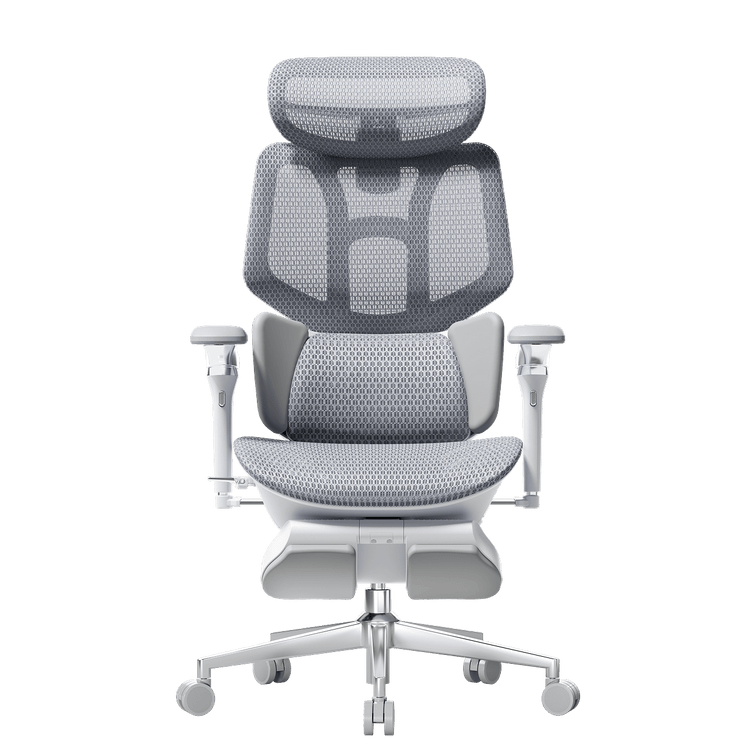
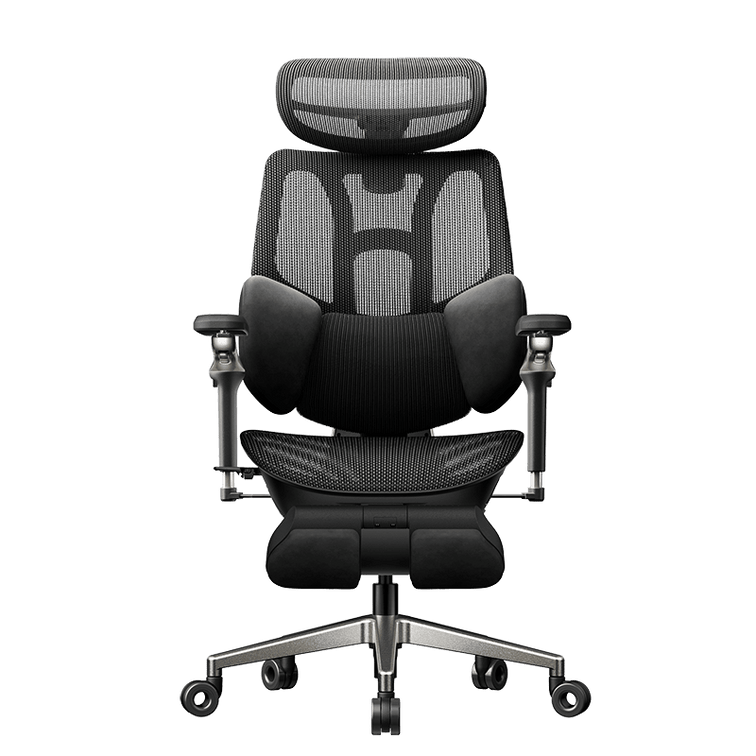
If you have just unboxed an HBADA X7 Smart Ergonomic Chair , you may be wondering how long its battery lasts and how often it needs to be charged.

This is an important consideration because the X7 is not a conventional ergonomic office chair . Its smart lumbar tracking, massage, heating and cooling functions require electrical power, while its standard chair adjustments remain mechanical.

Quick answer: The HBADA X7 does not have one guaranteed battery runtime for every owner. Battery life depends mainly on how often the lumbar-tracking motor, massage, heating and cooling fans are used. Lumbar tracking alone generally consumes less power than operating several comfort features together. Charge the battery when its indicator is low and follow the charging instructions supplied with the chair.

Which X7 Features Use Battery Power?

The X7 combines conventional chair mechanisms with a separate powered system. Battery power is used for the chair’s electronic comfort features, including:

  • Smart lumbar tracking
  • Powered lumbar-position adjustments
  • Massage functions
  • Heating functions
  • Seat-cooling fans
  • The electronic controller and display

Standard adjustments such as seat height, recline, armrest position and headrest position use mechanical components. This means the X7 can still be used as an adjustable chair when its powered features are turned off.

The X7 also includes an integrated leg rest, making it relevant to shoppers comparing an ergonomic office chair with footrest . The footrest itself does not require battery power.

What Uses the Most Battery?

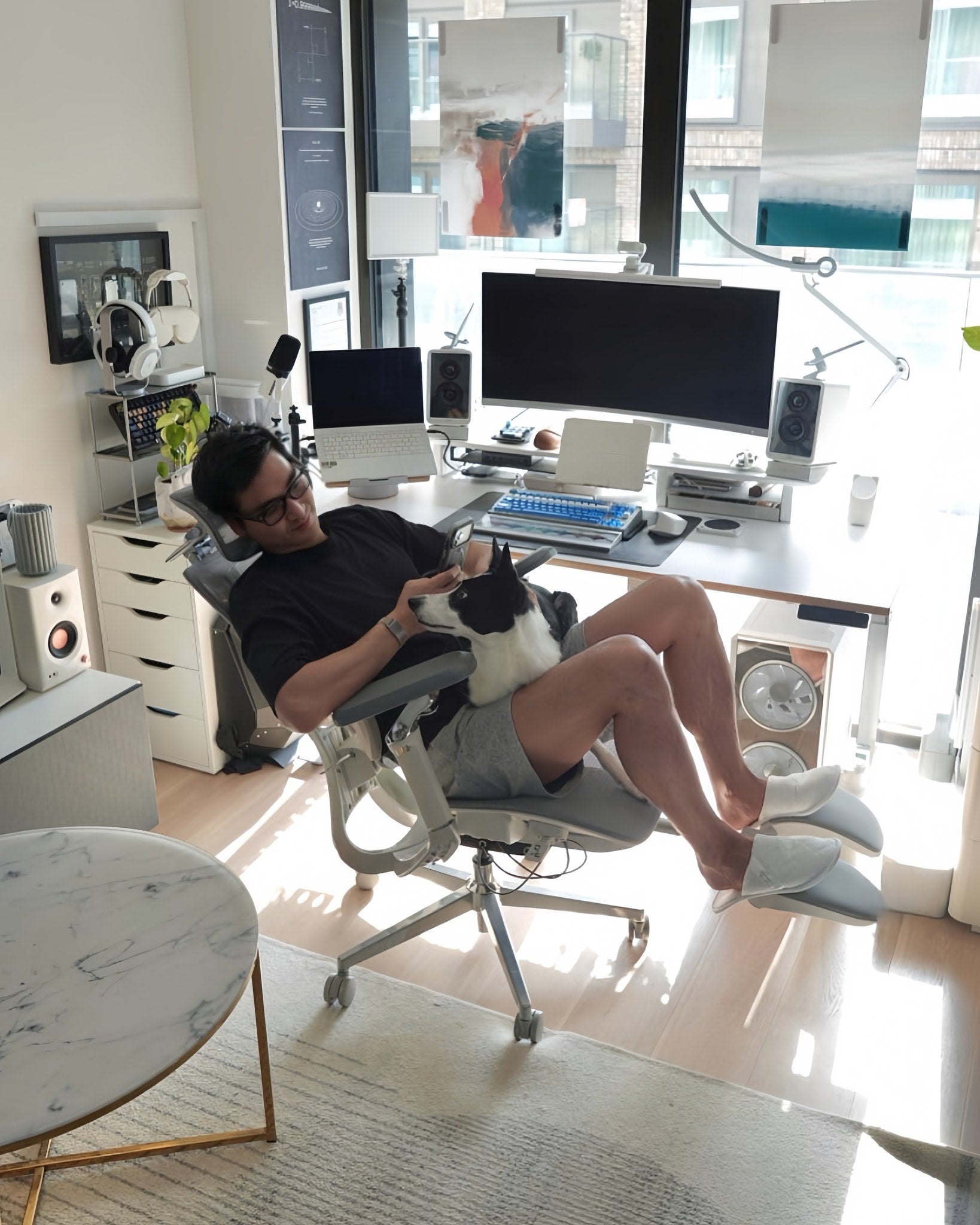
Ergonomic office chair with neck support for cervical relief.

Battery consumption increases when several powered functions are operated at the same time. Although exact power consumption can vary, the following features generally place different levels of demand on the battery.

Heating

The heating system requires continuous power while it is operating. Frequent or extended heating sessions will usually shorten the interval between charges.

Massage

The massage system uses powered components that move during operation. Multiple massage sessions during the working day will consume more battery than lumbar tracking alone.

Cooling fans

The ventilated seat uses dual cooling fans with three selectable levels. Higher fan settings and longer cooling sessions will increase battery use.

Smart lumbar tracking

Smart lumbar tracking uses sensors and a motor to adjust the lumbar-support position as the user moves. Its total battery use depends on how frequently the system needs to respond during the day.

How Long Does the HBADA X7 Battery Last?

Built-in smart battery pack mechanism for Hbada electronic standing desk.

There is no single battery-life figure that applies to every user. Someone who mainly uses smart lumbar tracking will normally charge less frequently than someone who operates massage, heating and cooling several times per day.

Room temperature, selected intensity, session length, battery age and the number of powered features used simultaneously can all affect the interval between charges.

Important: Avoid publishing a guaranteed number of days unless it is supported by an HBADA model-specific battery test. Runtime estimates should be presented as usage-dependent guidance rather than a product guarantee.

Battery Life by Usage Pattern

Usage pattern Powered features normally used Expected charging frequency
Light use Smart lumbar tracking with little or no massage, heating or cooling Longest interval between charges
Moderate use Lumbar tracking plus occasional massage, heating or cooling sessions Shorter than tracking-only use
Heavy use Frequent massage, heating and cooling alongside lumbar tracking More frequent charging may be required
Mechanical use Powered features switched off No battery power needed for standard chair adjustments

These descriptions explain the relative difference between usage patterns. They are not guaranteed runtime figures.

How to Charge the HBADA X7 Properly

Use the charging equipment and procedure specified in the X7 user manual. Before charging, check that the connector, cable and battery compartment are clean, dry and undamaged.

  1. Turn off powered chair functions before connecting the charger.
  2. Connect the supplied charging equipment as shown in the user manual.
  3. Place the chair or removable battery on a dry, stable surface.
  4. Allow the battery to charge until the indicator shows that charging is complete.
  5. Disconnect the charging equipment when charging is finished.

Do not use a damaged cable or an unapproved replacement charger. Do not expose the battery to water, excessive heat, impact or unauthorised disassembly.

Charging-port design and battery compatibility can differ between product versions. Always follow the instructions supplied with your specific X7 model instead of relying only on a general online guide.

Does the Chair Still Work Without Battery Power?

Yes. If the battery runs out during the working day, the X7 can still be used as a chair. Seat height, recline, armrests, headrest and footrest do not depend on the smart battery system.

The powered functions that become unavailable may include:

  • Automatic lumbar tracking
  • Powered lumbar-depth adjustment
  • Massage
  • Heating
  • Cooling fans
  • Electronic controls or display functions

Once the battery is charged and reconnected correctly, the powered functions can be used again.

How to Extend Battery Life Between Charges

A few practical habits can reduce unnecessary power consumption:

  • Use massage and heating for selected sessions rather than leaving them active continuously.
  • Turn off the cooling fans when the room is already at a comfortable temperature.
  • Avoid operating every powered feature at its highest setting at the same time unless needed.
  • Turn powered functions off when leaving the chair for an extended period.
  • Charge the battery according to the user manual instead of storing it fully discharged for long periods.
  • Only purchase a spare or replacement battery confirmed as compatible with the exact X7 model.

Is the X7 the Right Chair for You?

Battery maintenance is a trade-off for the X7’s powered lumbar tracking, massage, heating and ventilation. If you prefer a chair without powered features, HBADA also offers mechanically adjustable models in its broader ergonomic chair range.

If you are comparing the X7 with other current models, read the best office chair 2026 buyer’s guide before choosing. It explains how to compare lumbar support, seat depth, armrests, recline and fit—not only smart functions.

Frequently Asked Questions

How long does the HBADA X7 battery last on a full charge?

Battery life depends on the selected settings and how often the powered lumbar support, massage, heating and cooling functions are used. HBADA does not publish one guaranteed runtime that applies to every usage pattern.

What drains the X7 battery fastest?

Frequent use of heating, massage and cooling will generally shorten the interval between charges. Using multiple powered functions together also consumes more power than lumbar tracking alone.

Does the HBADA X7 stop working when its battery is empty?

No. The chair’s standard seat-height, recline, armrest, headrest and footrest adjustments are mechanical. Powered lumbar tracking, massage, heating and cooling will remain unavailable until power is restored.

How should I charge the HBADA X7 battery?

Use the charging equipment and instructions supplied with your exact X7 model. Keep the charging area dry and do not use damaged or incompatible charging equipment.

Can I replace the HBADA X7 battery?

Replacement options may depend on the chair version and sales region. Contact HBADA customer service with the product model and order information before purchasing a replacement or spare battery.

Is it normal for rechargeable battery capacity to decrease over time?

Rechargeable batteries can gradually hold less energy as they age and accumulate charging cycles. Battery condition also depends on storage, temperature and usage. Contact HBADA support if runtime changes suddenly or the battery shows signs of damage.

Final Thoughts

HBADA X7 battery life is determined by how its powered features are used. Smart lumbar tracking alone generally requires less power than frequent massage, heating and cooling sessions. Users who rely heavily on all smart functions should expect to charge more often.

The important advantage is that an empty battery does not make the chair unusable. The standard mechanical adjustments continue to function, while the smart features can be restored after charging.


Relevant Product

You May Also Like

How to Adjust Lumbar Support on an Office Chair How to Adjust Lumbar Support on an Office Chair That familiar twinge in your lower back around 3 PM isn't just fatigue. Often it's the price of sitting for hours with your spine out of alignment. Lumbar support, when adjusted well, helps preserve the natural curve in your lower back and reduces the strain that leads to that end-of-day ache. But simply having a lumbar support isn't enough—you need to set it up to match your body's shape and the way you work. Getting it right involves more than twisting a knob. It means understanding how the support interacts with your own posture, the angle you recline, and even the depth of your seat. The following guide walks through why lumbar support matters, how to identify your chair's adjustment type, and a step-by-step method to dial in the right height, depth, and firmness for all-day comfort. Why Lumbar Support Matters Your spine has a natural S-curve—an inward dip at the lower back called lumbar lordosis. When you slouch, that curve flattens or even reverses, increasing pressure on spinal discs. According to HBADA's ergonomic chair adjustment guide, maintaining the spine's natural lordotic curve helps distribute pressure evenly across the discs, reducing strain on surrounding muscles and ligaments. The World Health Organization recommends reducing sedentary time and taking regular movement breaks to avoid static loading of the spine. The U.S. Occupational Safety and Health Administration echoes this, noting that poorly supported sitting can contribute to musculoskeletal discomfort. A well-adjusted lumbar support fills the gap between your lower back and the chair, encouraging a posture that fights the slump and lessens that familiar afternoon ache. Know Your Chair's Lumbar Mechanism Before Adjusting Before you adjust anything, locate the controls. Lumbar systems vary widely—some use a firm plastic insert with a tension dial, others rely on a removable pillow, and a few offer multi-point tracking. Identifying yours sets the stage for a meaningful adjustment. A chair with a dynamic lumbar mechanism feels different than a fixed pillow: one moves with you, the other you reposition manually. Built-in Adjustable Lumbar (Height and Depth) Many ergonomic chairs hide a tension knob on the side of the backrest or a lever under the seat. Turning the knob changes how firmly the support presses into your back—often referred to as depth or firmness. A separate slider or ratchet system moves the entire support up and down to match the curve of your lower spine. Height adjustment raises or lowers the bulge; depth tweaks how much it protrudes. External Lumbar Pillow Chairs with fixed backrests often rely on a removable cushion. Pillows lack depth adjustment, but you can shift them higher or lower to match your spine. Place one at the small of the back—just above the belt line—so it centers on the inward curve. Too high and it crowds the ribcage; too low and it presses on the tailbone. Even a modestly thick pillow can make a noticeable difference if positioned correctly. Chairs with Multi-Point Lumbar Adjustment Some designs combine height and depth in a single mechanism for finer control. For example, the HBADA E3 Pro Ergonomic Office Chair offers both height and depth lumbar adjustment. A knob behind the mesh backrest lets you raise or lower the lumbar cradle, while a tension dial adjusts how aggressively it pushes forward. Set the height so the support rests at the belt line, then dial the depth until it gently fills the hollow of your back without forcing your pelvis into an exaggerated tilt. Step-by-Step Lumbar Support Adjustment Guide A systematic approach helps you tune the support to your body rather than guessing. These steps align with Newtral's lumbar support adjustment guidance and common ergonomic frameworks like the 90-90-90 rule. Start from a baseline posture, then work through height, depth, and movement testing. Spine shape varies, so trust what feels supportive without causing new pressure. Start with a Neutral Sitting Posture Before touching the lumbar mechanism, set the rest of the chair. Adjust seat height so thighs are parallel to the floor and feet rest flat. Leave a two- to three-finger gap between the front edge of the seat and the back of your knees—this prevents pressure on the popliteal fold. Position armrests so your elbows form a 90° angle and your shoulders stay relaxed. This baseline ensures the lumbar support works with your whole body, not against it. Set the Lumbar Height Find the height adjustment control—typically a knob, lever, or ratchet on the backrest. Move the lumbar piece up or down until it sits squarely in the hollow of your lower back, roughly at belt-line or navel level. You'll know it's correct when the support matches the natural inward curve without digging into the upper pelvis or floating up near your ribs. Many chair backs have markings, but you can also run your hand along the backrest to feel where the bulge peaks. Adjust Lumbar Depth or Firmness Turn the depth knob or tension dial to fine-tune how firmly the support pushes into your back. The goal is gentle, continuous contact that encourages the spine's lordotic curve without forcing an arch. If you feel a hard shelf pressing your spine forward, reduce the tension. If the support barely touches your back, it likely won't prevent slouching. Small tweaks—a quarter turn—can make the difference between just sitting there and sitting supported. Test While Reclining and Moving Recline to your usual working angle, typically between 95° and 110°, and note whether the lumbar support stays in contact. Some chairs shift the support point when you lean back; the Eureka Ergonomic posture integration guide suggests rechecking alignment after changing the tilt tension. Roll your shoulders, stretch your arms forward as if typing, and see if the support maintains its position. Readjust if it slides up or loses touch. Common Mistakes When Adjusting Lumbar Support Even with the right steps, small errors can turn a comfortable chair into a source of irritation. A support placed too high presses on the ribcage and encourages a forward-leaning posture. Set too low, it pushes into the tailbone and flattens the lumbar curve. Dialing in excessive depth can create an anterior pelvic tilt that strains the lower back, while a seat pan that's too deep often scoots you forward, leaving the lumbar support behind. The following table highlights these common pitfalls: Mistake What Happens Quick Fix Lumbar too high Pressure on ribcage, forward lean Lower support to belt-line level Lumbar too low Tailbone pressure, flattened curve Raise support until it fills the hollow Depth too aggressive Anterior pelvic tilt, new pain Reduce tension slightly Seat depth blocking pelvis Can't reach backrest, slumping Adjust seat depth or add back cushion Recheck your lumbar setting after adjusting other chair features—changing the recline angle or armrest height can alter your sitting geometry enough to require a re-tune. Troubleshooting: Lumbar Support Still Uncomfortable? If you've followed the steps and still feel discomfort, step back and look at the whole chair. A seat that's too deep often prevents your pelvis from reaching the backrest, so the lumbar support hits your mid-back instead. Check that you maintain a two- to three-finger gap behind your knees. If the built-in support can't be dialed in well enough, an external lumbar pillow or a rolled towel placed at the small of the back often provides a simple workaround. The World Health Organization emphasizes that even well-adjusted seated posture benefits from movement breaks—stand or stretch for a couple of minutes every half hour to relieve static load on the spine. Frequently Asked Questions How high should lumbar support be? Align the support with the natural inward curve of your lower spine, roughly at belt-line height or just above the hip bones. The bulge should fill the hollow, not press on the ribs or tailbone. Can I use a pillow instead of built-in lumbar support? Yes, an external pillow can work well if you position it carefully. Built-in systems offer more precise height and depth control, but a pillow placed at the small of the back can still help you avoid slouching. How often should I readjust lumbar support? Recheck the setting whenever you change desk height, alter the chair's recline angle, or if you feel renewed lower back discomfort. A quick re-tune takes seconds and can prevent hours of strain. How to Test an Ergonomic Office Chair During a 30-Day Home Trial How to Test an Ergonomic Office Chair During a 30-Day Home Trial The quick answer To test an ergonomic office chair during a 30-day home trial, use it for your real work each day and check fit, lumbar support, breathability, recline, armrests and noise. Keep the packaging, avoid damage, and decide before the window closes. If the chair does not suit you, contact support early enough to complete the required return steps within your return window. Table of Contents Jump to the part of the trial you need. 01. What is a 30-day home trial? 02. How should you set up the chair? 03. What should you test in week one? 04. What should you test in weeks two to four? 05. How do you protect return eligibility? 06. What should you check before returning? 07. Which HBADA chairs can you test? 08. Your 30-day test plan 09. Limitations and when to get help 10. Conclusion 11. Frequently asked questions 12. Sources and useful links What Is a 30-Day Home Trial and How Does It Work? A home trial is a return window that lets you use the chair in your real setup before you commit. HBADA’s current return and refund policy allows returns within 30 days of receipt, subject to its condition and return requirements. This gives you time to judge an adjustable ergonomic chair at your own desk, not in a showroom. Testing may help you find a more comfortable sitting position, but it is not a medical treatment. How Should You Set Up the Chair for Testing? Start well, because a fair test needs a proper setup. Assemble the chair using the HBADA user manual and assembly guide, and keep every part of the packaging, including the box, foam and spare hardware. Then set it to your body before you judge it. Set the seat height so your feet rest flat on the floor or a suitable footrest. Set the seat depth so two to three fingers fit behind your knees. Set the lumbar support to meet your lower back. Set the armrests so your forearms are supported and your shoulders stay relaxed. Check that you can reach your keyboard and mouse comfortably. Only after this setup should you decide how the chair feels. What Should You Test in the First Week? Your first week is about first impressions and daily fit. Fit: Check you can reach a feet-flat, back-supported position within the chair’s adjustment ranges. Lumbar support: Notice whether the support meets your lower back through your normal workday. Breathability: Watch for heat build-up and check whether the mesh and seat feel comfortable in your room. Noise and casters: Roll across your floor and listen for creaks or scuffs. Check that the casters are suitable for the surface. What Should You Test in Weeks Two to Four? Later weeks reveal how the chair holds up over real work. Now test the chair as an office chair for long hours. Work a normal week, keeping your usual movement breaks, and notice whether early comfort lasts into the afternoon. Move through the available recline positions and check that the locks hold. Use the armrests while you type, write and relax. Give yourself time to learn the controls and fine-tune the settings, but do not treat pain as a required adjustment phase. If discomfort eases after a setting change, note what helped. If it persists after reasonable adjustments, the chair may not fit you. A Quick Test-and-Decide Table Use this table to turn each check into a clear next step. What to test How to test it Keep or return signal Fit Set seat height, depth and lumbar support to your body, then sit back fully. Consider a return if you cannot achieve supported feet and back within the adjustment ranges. Lumbar support Use it during a normal working day and note lower-back comfort. Consider a return if the support cannot meet your lower back comfortably after adjustment. Breathability Check for heat build-up during ordinary work sessions. Consider another material or model if the seat consistently feels too warm for you. Recline and lock Try the recline settings according to the manual. Stop using the chair and contact support if the recline is unstable or a lock fails. Armrests Type, write and relax while checking forearm support. Consider a return if the armrests prevent a relaxed working position or access to your desk. Noise and casters Roll gently across a suitable floor surface and listen for persistent noise. Contact support about recurring creaks or floor marking before continuing use. Long-session comfort Work a normal week in the chair, with movement breaks. Reassess the fit if discomfort persists after you fine-tune the settings. How Do You Protect Your Return Eligibility? Test thoroughly, but keep the chair returnable while you decide. Keep the original box, foam and hardware for the whole trial. Keep the chair clean and unmarked, and use a suitable floor mat if needed. Note your delivery date and the last day of the return window. Contact support early if you are unsure, rather than on the final day. HBADA requires returns in their original condition and recommends keeping the original packaging. Missing packaging or damage from improper packing may lead to fees. What Should You Check Before Returning the Chair? Review the return instructions for your order before arranging collection. For change-of-mind returns, customers pay part of the return shipping cost; HBADA may provide a discounted prepaid label deducted from the refund. For damaged, defective or incorrectly supplied items, contact support for the appropriate process. Ask support to confirm the required steps and deadline. A return window is separate from warranty coverage, so check the HBADA warranty and service information if a fault appears later. Which HBADA Chairs Can You Test at Home? The HBADA X7 and E3 Pro 2026 product pages advertise a 30-day home trial. Confirm the current terms for your chosen model and order before purchasing. Use the same testing checklist for either chair, but pay attention to the features that make each model different. What to compare HBADA X7 HBADA E3 Pro 2026 Lumbar support Test how the AI lumbar-tracking system responds when you change position. Test how the three-zone adaptive lumbar support fits your lower back. Seat fit Check the selected model’s seat dimensions and adjustment range against your body and desk. Check the selected model’s seat dimensions and adjustment range against your body and desk. Recline and armrests Check support and control access while typing, leaning back and relaxing. Check the headrest, armrest and recline adjustments during your usual tasks. Additional features Try the comfort functions included with your selected version, following its manual. Focus on mechanical adjustments, mesh comfort and any optional footrest. Before ordering Confirm the exact configuration, return conditions and warranty. Confirm the exact configuration, return conditions and warranty. If you want automatic lumbar tracking, explore the HBADA X7 smart ergonomic chair and check the comfort features included with your selected version. If you want a mechanically adjustable chair to test for long workdays, compare the HBADA E3 Pro 2026. You can also browse the HBADA ergonomic office chair collection before your trial begins. Your 30-Day Test Plan Follow this simple plan so nothing is missed before the window closes. Adjust the timing to leave enough time for the return process required for your order. Day 1 Assemble and Adjust Assemble by the manual, keep all packaging, and set the chair to your body. Days 2–7 Check Daily Fit Test daily fit, lumbar support, breathability, noise and casters. Days 8–21 Test Your Normal Work Routine Work your usual schedule and test recline, armrests and long-session comfort. Keep taking movement breaks. Days 22–27 Fine-Tune and Decide Fine-tune settings and review your notes. If the chair is not right, contact support now to confirm the return steps and deadline. Days 28–30 Complete Your Decision Keep the chair if it fits your needs, or complete the return steps within the applicable deadline. Do not assume contacting support on day 30 automatically extends the window. Limitations and When to Get Help A trial answers many questions, but not every one. A trial checks comfort and fit for you; it cannot promise a health outcome. Thirty days cannot establish the chair’s lifespan or long-term durability. Keep the chair and packaging in good condition while deciding. Trial terms, return shipping and warranty can vary by market and order, so check the applicable policy. If you have severe, persistent or radiating pain, consult a qualified healthcare professional. A chair is not a medical treatment. Conclusion The best way to judge an ergonomic office chair is to test it where you actually work. Assemble it, set it to your body, use it for real tasks, and keep the packaging until you are sure. Compare the X7 if you want automatic lumbar tracking, or the E3 Pro if you prefer mechanical adjustments. Make your decision before the return deadline, and keep the chair that fits you. Frequently Asked Questions How long is the HBADA home trial? The current .com policy states 30 days from receipt. Confirm the terms and required return steps for your order before testing. Can you return an office chair after using it? Home testing does not remove the policy’s condition requirements. Keep the chair clean, avoid damage, and ask support if you are unsure whether its condition qualifies. How long does it take to get used to a new ergonomic chair? There is no fixed adjustment period for everyone. You may need several sessions to learn the controls and fine-tune the seat height, depth, lumbar support and armrests. Change one setting at a time. Do not keep sitting through pain in the hope that you will eventually adapt. Who pays for return shipping? It depends on the return reason. Check the shipping-cost section of the return policy and confirm any label charge with support before booking a courier. What should you check before the trial ends? Confirm the essentials: fit, long-session comfort, lumbar support, breathability, recline, armrests and noise. Also check that the chair suits your desk height and floor. Decide early enough to complete any required return steps before the deadline. Sources and Useful Links HBADA Return and Refund Policy HBADA Warranty and Service HBADA User Manuals and Assembly Guides HBADA X7 Product Details HBADA E3 Pro 2026 Product Details HBADA E3 Pro vs. Hinomi H1 Pro V2: Which Ergonomic Chair Fits You Better HBADA E3 Pro vs. Hinomi H1 Pro V2: Which Ergonomic Chair Fits You Better Ergonomic Chair Comparison Put the feature lists aside for a moment. Before comparing adjustment counts, measure your desk height, the seat depth you actually need, and the range of sitting positions you use during a normal workday. More adjustments do not automatically mean a better fit. Comparison note: This article compares publicly available manufacturer information for the HBADA E3 Pro 2026 Edition and Hinomi H1 Pro V2. Product configurations, prices, delivery, warranty terms and regional availability may change. Check the current product page and policy for your location before ordering. Contents Start with fit, not feature count How the support systems differ Published specifications compared Which chair should you investigate first? What to measure before buying Frequently asked questions Start With Fit, Not Feature Count An ergonomic chair only works when its useful adjustment range matches your body and workspace. A chair can have a long list of features, but that list matters less if the seat sits too high, the lumbar support reaches the wrong area, or the armrests cannot work with your desk. The key question is not “Which chair has more adjustments?” It is “Which chair gives me the adjustments I will actually use?” More adjustment points do not automatically equal a better fit. The useful range matters more than the feature count. That distinction is especially relevant here. Hinomi markets the H1 Pro V2 around 16 adjustable points and multiple size options. HBADA publishes detailed adjustment ranges for the E3 Pro 2026 Edition, including seat depth, backrest height, lumbar position, headrest and armrest adjustments. How the Support Systems Differ HBADA E3 Pro 2026 Edition   The HBADA E3 Pro 2026 Edition uses a three-zone adaptive lumbar-support design. HBADA lists a 50 mm seat-depth slide, 80 mm backrest-height adjustment, 60 mm independent lumbar lift, 40 mm headrest-height adjustment and 70 mm headrest depth adjustment. HBADA also lists a recommended user-height range of approximately 5'1"–6'5" (155–195 cm). Those figures are not a promise of fit for every person, but they give shoppers useful dimensions to compare with their own measurements. Hinomi H1 Pro V2 The Hinomi H1 Pro V2 product page lists 16 adjustable points, 3D lumbar support, flip-up 5D armrests, a 3D headrest, a retractable leg rest and a foldable frame. Its lumbar system is described as having five height levels and four forward-support levels. Hinomi offers S, M and L height guidance. Its current product page states that the primary difference between those sizes is the seat-height adjustment range, while the other listed dimensions remain the same. That is useful for shoppers who prefer to begin with a height-based size recommendation. HBADA E3 Pro 2026 vs. Hinomi H1 Pro V2: Published Information Compared Comparison Area HBADA E3 Pro 2026 Edition Hinomi H1 Pro V2 Primary fit approach Published adjustment ranges across seat depth, backrest, lumbar support, headrest and armrests. Published S, M and L height guidance, with seat-height range identified as the main size difference. Lumbar support Three-zone adaptive lumbar-support system with independent lift adjustment listed by HBADA. Lumbar support with five height levels and four forward-support levels listed by Hinomi. Seat-depth information HBADA lists a 50 mm / approximately 2-inch seat-depth slide. Review current product specifications and fit guidance for the selected H1 Pro V2 configuration. Head and arm support HBADA lists a dual-axis headrest and 720° OmniMechanical armrests. Hinomi lists a 3D headrest and flip-up 5D armrests. Recline and space-saving features HBADA lists four recline positions: 105°, 115°, 130° and 140°. Hinomi lists a maximum 136° recline, retractable leg rest and foldable frame. Published warranty terms E3 Series core load-bearing components are covered for 5 years; other covered components are covered for 3 years under HBADA's current policy. Subject to its current terms and regional policy. These features are not one-to-one equivalents. For example, a published count of adjustment points cannot be directly compared with a specific seat-depth or lumbar-travel measurement. Use the table as a starting point, then compare the features that affect your own work setup. Which Chair Should You Investigate First? Start with HBADA E3 Pro if: You want to compare specific adjustment ranges before purchasing. Seat depth, backrest height, lumbar position and headrest position are important to you. You move between focused work and reclined breaks during the day. Your height falls within HBADA’s published 5'1"–6'5" guidance and the chair dimensions suit your desk setup. Start with Hinomi H1 Pro V2 if: You prefer to narrow options first through S, M and L height guidance. A foldable frame, retractable leg rest or flip-up armrests are priorities for your space. Hinomi’s seat-height range and support adjustments match your body measurements. You have reviewed the current policy and product configuration for your market. This is not a winner-and-loser comparison. It is a practical way to decide which product page you should study first. The final decision should come after checking current dimensions, configuration, delivery, return eligibility and warranty terms. What to Measure Before Buying Measure your desk height and check whether the armrests can sit at a useful working height. Check seat depth against your leg length; you should be able to sit back without the front edge pressing into the back of your knees. Compare the chair's minimum and maximum seat height with your ability to place your feet flat on the floor. Consider whether you need a headrest, flip-up armrests, recline support or a footrest for your normal routine. Read the current return and warranty terms for the exact model and market where you will purchase. Frequently Asked Questions Is HBADA better than Hinomi? There is no universal answer. The better chair depends on your body measurements, desk setup, preferred adjustments, available configuration, delivered price and the current purchase terms in your location. How should I compare lumbar support between ergonomic chairs? Look beyond the feature name. Compare where the support contacts your lower back, how it adjusts, whether the seat depth and backrest height fit you, and whether you can comfortably use the controls during your workday. Sources and Disclosure HBADA E3 Pro Ergonomic Office Chair 2026 Edition HBADA Warranty & Service Policy Hinomi H1 Pro V2 Product Page Last reviewed: September 14, 2026. Hinomi is a trademark of its respective owner. This article is an independent comparison based on publicly available manufacturer information. HBADA is not affiliated with or endorsed by Hinomi.