Blog

Best Ergonomic Office Chairs of 2026: Top 5 Bio-Synchronized Options for Disc Relief Ranked & Reviewed

Best Ergonomic Office Chairs of 2026: Top 5 Bio-Synchronized Options for Disc Relief Ranked & Reviewed

Chronic back pain doesn't have to be part of your job. In 2026, more people are choosing bio-synchronized workspaces to protect their backs during long workdays. If you deal with disc compression, a regular chair won't cut it—you need one that moves with you. Our review covers the top five chairs to help you find the best setup for real pain relief.

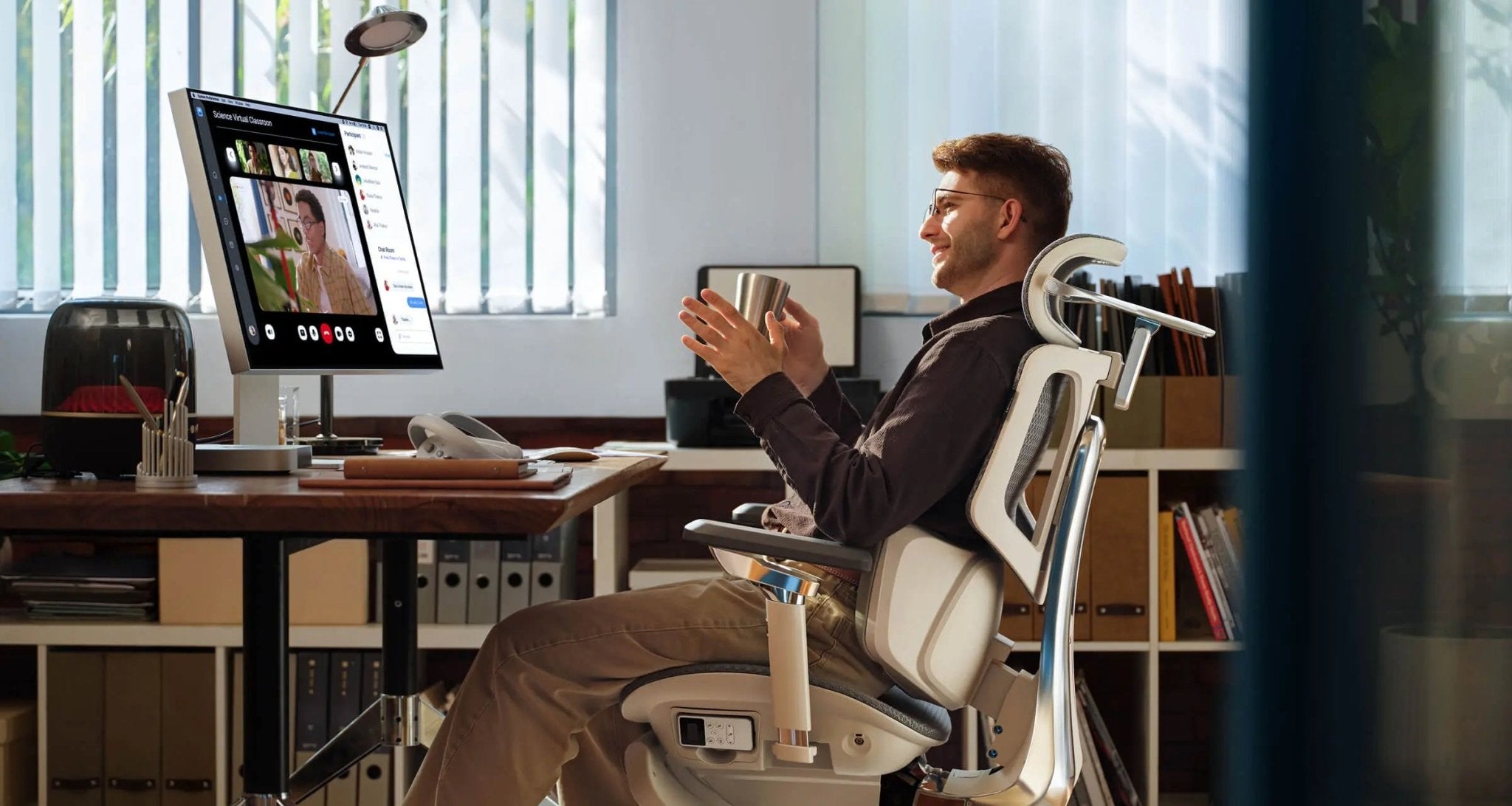
 X7-BLACK-3-1~1

The Engineering of Disc Relief: Why Bio-Synchronization is Key

Sitting for more than eight hours puts steady pressure on your spine. Most regular chairs only support you if you sit completely still. As soon as you lean forward to type or lean back to take a call, you lose that support, which can cause slouching and pain.

The best ergonomic chairs in 2026 use bio-synchronization to fix this problem. This technology lets the chair move with your body, keeping your spine in its natural S-curve no matter how you sit. Staying aligned like this is the best way to relieve disc pain and avoid long-term injuries.


Ranked & Reviewed: Top 5 Bio-Synchronized Solutions

Rank #1: The Hbada AI-Powered x7 (The Elite Choice)

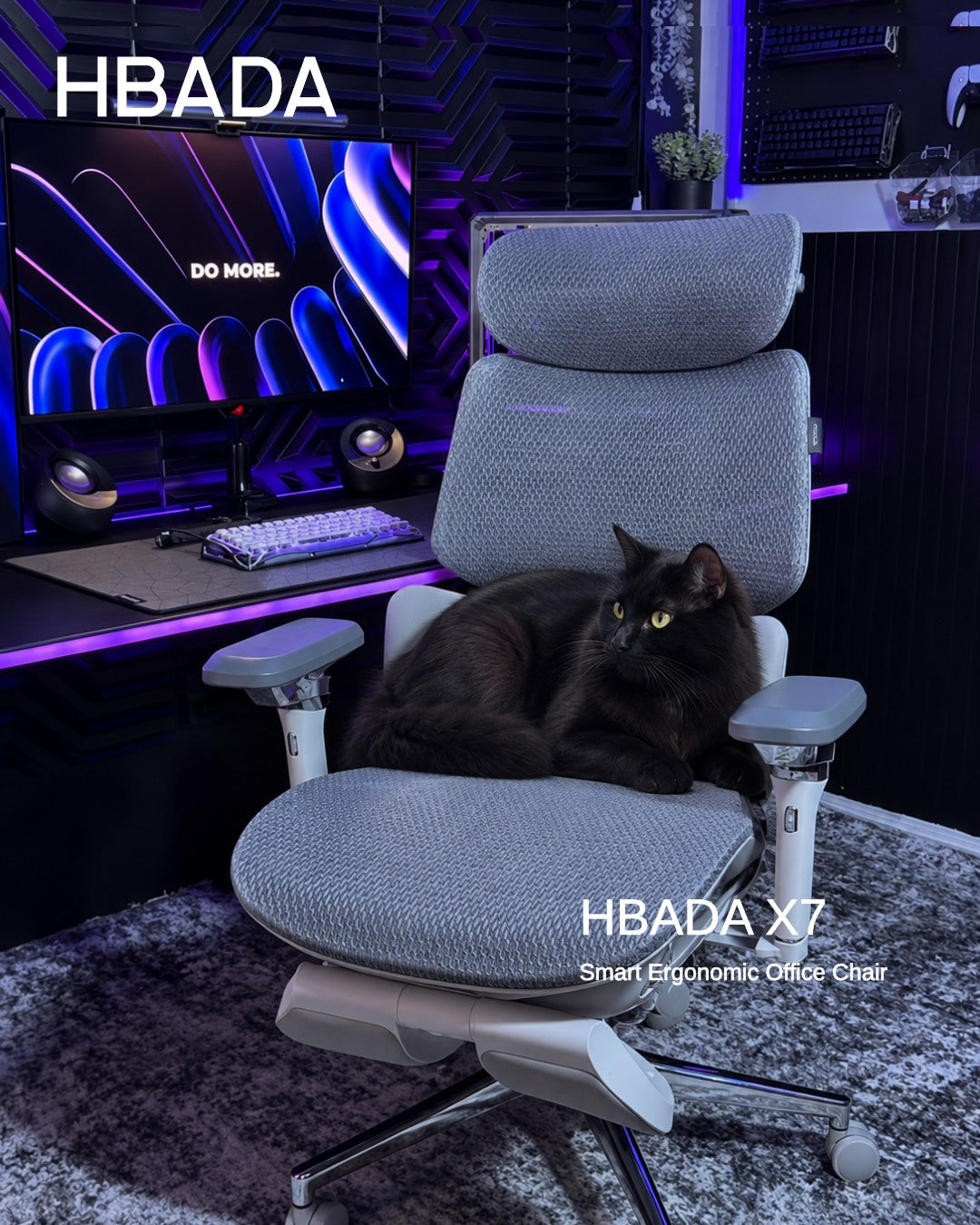
The Hbada AI-Powered x7 is more than just an office chair. It’s a smart orthopedic tool that uses micro-sensors to track your spine’s angle 1,000 times every second.

Why is it the best chair for disc relief? The Hbada AI-Powered x7 has a motorized lumbar system that automatically supports your lower back. If you want an ergonomic chair that adjusts itself, this is a great choice. It also offers graphene heat therapy and 8D bionic massage, making it excellent for muscle recovery and disc relief. In 2026, the X7 is the most advanced chair available.

Rank #2: HBADA E3 Pro (The Professional Standard)

For those who want premium ergonomics without the AI components, the Hbada E3 Pro is our best bio-synchronized 2026 manual choice. It features a 3-zone dynamic lumbar support system that cradles the waist from three angles. This provides a “wrap-around” support feel that is essential for stabilizing the lower back during high-intensity work.

Rank #3: HBADA E3 Air (The Breathable Workhorse)

The Hbada E3 Air is designed for comfort in warm environments. It’s a great ergonomic option if you like high-tensile mesh. The chair’s lumbar pad adjusts as you move, always staying close to your spine. It’s lightweight and works well in flexible home offices.

Rank #4: HBADA E3 (The Balanced Performer)

The standard E3 model gives you the important 'Rule of 90' support. You can adjust the seat depth and recline to fit your height and leg length. It’s a reliable, durable choice that shows up in every chair review.

Rank #5: HBADA E3 Compact (The Small Space Specialist)

Designed for the urban U.S. apartment, the E3 Compact brings bio-synchronized benefits to a smaller frame. It proves that you don’t need a massive office chair to get professional-grade disc relief. It features the same high-quality mesh and lumbar tech found in our larger models, but in a footprint that fits anywhere.


Deep Dive: The AI-Lumbar Tracking Revolution

The biggest new feature in this review is the AI-lumbar tracking chair. But how does it really help your back?


 Regular lumbar supports are often placed too high or too low, which can worsen the problem. The Hbada AI-Powered x7 uses Hall-effect sensors to determine exactly how much support your lower back needs. This active support lets the chair adjust as you move or breathe, preventing the constant pressure that can cause disc problems and muscle loss.


Comparing the 2026 HBADA Lineup

Picking the right office chair depends on what you need. Check out this table to compare our top bio-synchronized models for 2026.

Feature

Hbada AI-Powered x7

HBADA E3 Pro

HBADA E3 Air

Tracking Tech

Active AI-Motorized

3-Zone Dynamic

Adaptive Elastic

Lumbar Style

ai-lumbar tracking chair

3-Zone Floating

Floating Wings

Armrests

720° Omni-Mechanical

720° Omni-Mechanical

3D Adjustable

Recline Max

140° + Gravity Sync

140° + Manual Lock

135° Recline

Massage/Heat

Yes (8D & Graphene)

Optional

N/A

Battery Life

5,200 mAh

N/A

N/A


Actionable Insights: Mastering Your New Setup

After you pick your new chair, the first month is important for getting used to it. If you’re switching from a regular seat to an AI-lumbar tracking chair, your muscles might feel a gentle stretch as they adjust.

· Week 1: Adjust your seat height. Make sure your feet are flat on the floor to give your spine the best support.

· Week 2: Try out the 720° adjustable armrests. Set them so your shoulders stay relaxed and not raised.

· Week 3: Use the recline feature. These chairs are designed to move with you. Alternate between sitting upright for work and reclining to 110 degrees for reading to help your discs decompress.


Why HBADA is the 2026 Market Leader

At HBADA, we focus on more than just making furniture—we design for your well-being. Our research shows that a great chair needs to support you, keep you comfortable, and move with you. We use strong DuPont mesh and aerospace-grade aluminum, so our chairs last over 10 years. When you read an HBADA review, you’re seeing our promise to help you live pain-free.


Conclusion

Buying a great ergonomic chair is an investment in your health. Whether you pick the advanced Hbada AI-Powered x7 or a dependable E3 model, you’re putting your spine first. With the latest bio-synchronized technology, your chair becomes a partner in your work life, not just a piece of furniture. Don’t let back pain slow you down. Choose a chair that supports you and enjoy a more comfortable, productive future.


Frequently Asked Questions (FAQ)

Q: What is the benefit of an AI-lumbar tracking chair?
A: Unlike manual chairs, an AI-lumbar tracking chair like the Hbada AI-Powered x7 uses sensors to follow your movements. It automatically fills the “lumbar gap” that occurs when you lean forward or shift, providing constant support to your discs. This is the most ergonomic way to prevent slouching, which leads to chronic back pain.

Q: How do I know which is the top chair for my body type?
A: All our 2026 chairs are adjustable to fit different body types. If you’re over 6 feet tall, we suggest the Hbada AI-Powered x7 or the E3 Pro, as they have longer backrests and deeper seats. For smaller people, the E3 Air offers a closer, more supportive fit.

Q: Can an office chair really help with existing disc pain?
A: While a chair can’t cure medical problems, a bio-synchronized 2026 model can greatly reduce stress on your spine. By keeping your back in its natural S-curve and allowing you to recline to decompress, you help your discs recover rather than being squeezed by a poor chair.

Q: Is the Hbada AI-Powered x7 battery safe for home use?
A: Yes. The 5,200 mAh battery is a certified, stable power source similar to those used in high-end laptops. It powers the AI-lumbar tracking chair sensors and the massage features. It charges easily via USB-C and features multiple safety shut-off protocols to ensure the best ergonomic experience in your home office.

Q: Why does the chair review mention 720° armrests?
A: Regular armrests only move a little. Our top chairs have 720° arms that tilt and flip, so you can support your elbows whether you’re typing, gaming, or using a tablet. Good arm support is important for your neck and shoulders in any office chair.


Relevant Product

You May Also Like

How to Choose the Right HBADA Task Chair for Your Office How to Choose the Right HBADA Task Chair for Your Office Updated August 20, 2026 A task chair is not just a place to sit. It is the piece of furniture your body depends on through meetings, focused work and everyday desk tasks. Choosing the right chair means matching its adjustments, materials and support system to your body and the way you work. Quick Answer The best task chair depends on your daily sitting time, preferred adjustments, body dimensions and budget. Choose the HBADA X7 for automatic lumbar tracking, ventilation and smart comfort features. The E3 Pro is designed for targeted lower-back support and may help ease sitting-related back discomfort when properly adjusted. The E3 Air provides breathable everyday support at a more accessible price, while the E3 Ultra adds deeper recline and an integrated footrest. Table of Contents What Is a Task Chair? Features to Look For HBADA Task Chair Comparison HBADA X7 HBADA E3 Pro HBADA E3 Air HBADA E3 Ultra HBADA P2 Choose by Work Style Task Chair Setup Tips Frequently Asked Questions Final Thoughts What Is a Task Chair? A task chair is an office chair designed for focused work at a desk. Unlike a basic dining chair or lounge chair, it normally includes adjustable seat height, lumbar support, armrests and recline so it can accommodate different users and working positions. The term covers a broad range of chairs. A basic model may only allow you to change the seat height, while a more advanced ergonomic task chair can adjust around the lumbar area, neck, arms and seat position. This is why it is important to compare actual adjustments instead of choosing by appearance alone. If you already own an ergonomic chair, follow this guide on how to adjust an ergonomic chair for better comfort . Key Features to Look for in a Task Chair 1. Adjustable lumbar support Lumbar support should meet the natural inward curve of your lower back without creating an uncomfortable pressure point. Height, depth or adaptive movement can help different users position the support more accurately. Correctly positioned lumbar support may help reduce the discomfort associated with sitting for long periods without adequate lower-back support. However, the adjustment should feel supportive rather than forceful. 2. Suitable seat height and depth Your feet should rest securely on the floor or a footrest, with your knees close to hip level. The front edge of the seat should not press firmly into the backs of your knees. Check the product dimensions rather than assuming one chair fits every body. 3. Breathable upholstery Mesh can improve airflow during long working sessions. The material should also provide stable support and retain its shape through normal daily use. 4. A usable recline range A slightly reclined position can be comfortable for desk work, while a deeper recline may suit reading or short breaks. What matters most is controlled movement and stable back support throughout the available range. 5. Adjustable armrests Armrests should support the forearms without forcing the shoulders upward. Height, width, depth and rotation adjustments make it easier to position the arms for typing, reading and other tasks. 6. Stable construction Look for a stable base, suitable weight capacity and clearly stated product specifications. Warranty and replacement-part support should also be considered when the chair will be used every day. Quick HBADA Task Chair Comparison Chair Support System Recline Positioning Best Suited To HBADA X7 AI lumbar tracking with automatic adjustment Up to 140° Premium Long workdays and automated support HBADA E3 Pro 3-zone adaptive lumbar support Up to 140° Mid-to-premium Targeted lower-back support and mechanical adjustment HBADA E3 Air 3-zone adaptive lumbar support Up to 140° Value-focused Breathable support for everyday office work HBADA E3 Ultra 3-zone elastic lumbar support Up to 140° with footrest Mid-to-premium Recline, relaxation and a built-in footrest HBADA P2 Adjustable zoned lumbar support, depending on variant Up to 140° Entry-to-mid range Value-focused or occasional workspaces Availability note: Prices, colours, specifications and stock can vary by product configuration. Some E3 Ultra and P2 variants may be clearance items or temporarily unavailable. Check the live product page before making a decision. HBADA X7: For Demanding, All-Day Work The HBADA X7 Smart Ergonomic Chair is designed for users who want their chair to respond as their posture changes. Its lumbar-tracking system uses pressure sensing and powered adjustment to maintain support as the user moves. The X7 also combines adjustable arm support, seat ventilation and massage functions. These features make it the most technology-focused option in this comparison. It may be a practical fit for users who sit for long periods and do not want to stop repeatedly to readjust a manual lumbar mechanism. Consider the X7 if: You regularly work long hours at a desk. You prefer automatic rather than manual lumbar adjustment. Seat ventilation is important in a warm workspace. You want a premium chair with smart comfort features. HBADA E3 Pro: Best for Targeted Lower-Back Support For people who experience lower-back pain or discomfort during prolonged sitting, the HBADA E3 Pro Ergonomic Office Chair provides targeted, adjustable support through its 3-zone adaptive lumbar system. Its independently adjustable lumbar zones are designed to maintain more consistent contact with the lower back as the user changes position. When correctly adjusted, this support may help ease sitting-related lower-back discomfort and reduce pressure associated with an unsupported posture. The E3 Pro is therefore a strong option for users looking for an ergonomic office chair for back pain support without relying on powered controls. However, an ergonomic chair is not a medical treatment and results can vary between individuals. Consider the E3 Pro if: You experience lower-back discomfort during long sitting sessions. Targeted and adjustable lumbar contact is a priority. You want to fine-tune several parts of the chair manually. You switch regularly between upright and reclined positions. HBADA E3 Air: A Value-Focused Everyday Task Chair The HBADA E3 Air Ergonomic Office Chair combines 3-zone adaptive lumbar support, breathable mesh, adjustable armrests and a recline of up to 140 degrees. It does not include the X7's powered lumbar tracking, ventilation and massage systems. Instead, it focuses on the ergonomic adjustments most people use during ordinary office work. That balance makes it suitable for home offices, shared workspaces and buyers seeking a more accessible entry into the E3 range. Consider the E3 Air if: You want breathable support for everyday desk work. You prefer manual controls and straightforward adjustment. You need a lower-priced alternative to HBADA's smart chairs. You still want lumbar, headrest and armrest adjustment. HBADA E3 Ultra: For Recline and Short Breaks The HBADA E3 Ultra Ergonomic Office Chair combines a 3-zone lumbar system with a recline of up to 140 degrees and an integrated footrest. This configuration is useful for people who want one chair for focused work, reading and short seated breaks. Its lumbar support can also help maintain lower-back contact as the sitting position changes. The footrest should be treated as an occasional relaxation feature rather than a substitute for standing up and moving during the day. Consider the E3 Ultra if: A built-in footrest is important to you. You regularly use a deeper reclined position. You want extensive mechanical adjustment. The required variant is currently available in your region. HBADA P2: A Value Option When Available The HBADA P2 Ergonomic Office Chair offers adjustable lumbar support, a headrest, rotating arm support and a recline of up to 140 degrees, depending on the selected configuration. Different P2 variants may have different lumbar, armrest and footrest features. Buyers should therefore compare the specifications of the exact variant instead of relying on the series name alone. Consider the P2 if: You are building an occasional or secondary workspace. You want meaningful adjustment at a lower price point. You have checked the specifications of the selected variant. The required colour and configuration are in stock. How to Choose a Task Chair Based on Your Workday If Your Workday Includes Model to Consider Why Long, intensive desk sessions HBADA X7 Automatic lumbar tracking and active comfort features Lower-back discomfort during prolonged sitting HBADA E3 Pro Targeted, adjustable 3-zone lumbar support Frequent posture changes and manual adjustment HBADA E3 Pro Extensive mechanical adjustment Everyday work on a tighter budget HBADA E3 Air Breathable mesh and essential ergonomic adjustments Reading or short reclined breaks HBADA E3 Ultra Deeper recline and integrated footrest Occasional work or a secondary desk HBADA P2 Value-focused adjustability, subject to availability There is no single best task chair for every office. The right choice depends on how long you sit, which adjustments you will actually use, your body dimensions and the amount you want to invest. Setup Tips for Any Task Chair Sit fully against the backrest. Adjust the lumbar support only after your back is positioned against the chair. Set the seat height. Keep your feet supported and your knees around hip level. Check the seat depth. Leave a small gap between the front edge of the seat and the backs of your knees. Position the lumbar support. It should support the inward curve of the lower back without creating excessive pressure. Relax your shoulders. Raise or lower the armrests until your forearms are supported without lifting your shoulders. Position the screen correctly. Keep the main part of the display close to eye level to avoid repeatedly bending the neck. Change position regularly. Even a well-adjusted chair should be combined with standing, walking and movement breaks. Frequently Asked Questions What is the best HBADA task chair for long workdays? The HBADA X7 is the most technology-focused option for long desk sessions because it combines automatic lumbar tracking, ventilation and adjustable support. The best choice still depends on your dimensions, preferred controls and budget. Which HBADA chair may help with sitting-related back discomfort? The HBADA E3 Pro is a strong option for targeted lower-back support. Its 3-zone adaptive lumbar system can be adjusted to maintain contact with the lower back and may help ease discomfort associated with prolonged, unsupported sitting. It does not treat an underlying back condition, and persistent, severe or worsening pain should be assessed by a healthcare professional. Which HBADA task chair offers the most manual adjustment? The E3 Pro is a strong option for users who want extensive mechanical adjustment, including its 3-zone lumbar system, adjustable headrest, armrests and recline controls. Which HBADA task chair is best for a limited budget? The E3 Air is designed as a value-focused everyday chair with breathable mesh and essential ergonomic adjustments. P2 variants may also offer a lower-cost option when the required configuration is available. Should a task chair have a footrest? A built-in footrest is optional. It can be useful during a short reclined break, but it is not necessary for focused desk work. During active work, your feet should be supported by the floor or a properly positioned external footrest. How much recline should a task chair provide? A modest recline is generally useful for desk work, while a deeper position can support reading or short breaks. Controlled movement, stable support and suitable recline tension are more important than the maximum angle alone. Can an ergonomic task chair treat back pain? No. A properly adjusted task chair may help ease sitting-related discomfort and support a more comfortable posture, but it is not a medical treatment and cannot correct an underlying condition. Persistent or severe back pain should be discussed with a qualified healthcare professional. Final Thoughts Choosing the right task chair is not about selecting the model with the longest feature list. It is about finding the chair whose adjustments match your body, working style and daily sitting time. Choose the X7 for automated support and smart comfort features. The E3 Pro is the stronger option for targeted lumbar adjustment and users seeking relief from sitting-related lower-back discomfort. Choose the E3 Air for value-focused everyday use or the E3 Ultra for deeper recline and a footrest. The P2 can suit a lighter-use workspace when the appropriate variant is available. Before ordering, compare the live specifications, dimensions, warranty, price and availability. After delivery, take time to adjust the chair correctly and continue changing position throughout the working day. How a HBADA Ergonomic Chair Can Improve Your Work-From-Home Productivity How a HBADA Ergonomic Chair Can Improve Your Work-From-Home Productivity Working from home can remove the commute and many office distractions, but it can introduce a different problem: a workspace that was never designed for a full working day. If you regularly shift position, feel too warm, or struggle to find comfortable support, part of your attention may be going to your chair instead of your work. Quick answer: An ergonomic chair does not automatically make someone more productive. However, a properly adjusted chair can reduce physical distractions by supporting a more comfortable working position, accommodating movement and limiting heat buildup. That can make it easier to remain focused during meetings, writing, analysis and other desk-based work. Below, we explain the practical connection between ergonomic chair productivity and everyday work-from-home performance—and how to choose and adjust a chair for your routine. Table of Contents Why Your Chair Can Affect Focus The Hidden Cost of an Uncomfortable Chair How Lumbar Support Can Reduce Distractions Why Staying Cool Matters Posture, Movement and Working Energy Features That Support Productive Work Matching an HBADA Chair to Your Work Style Setting Up Your Chair for Better Focus A Chair Is Only Part of a Healthy Work Routine Frequently Asked Questions Why Your Chair Can Affect Focus More Than You Think Focus is easier to maintain when you are not repeatedly thinking about your seating position. If your back feels unsupported, your shoulders are raised or your legs feel uncomfortable while sitting, you may begin shifting, leaning or leaving your desk more often than the task requires. These small interruptions do not always feel significant in isolation. Over a long working day, however, repeatedly adjusting your position can break the rhythm of focused work and make long meetings feel more demanding. This is the realistic connection between an ergonomic chair and productivity: the chair supports the conditions for focused work by reducing avoidable physical friction. It cannot create motivation, organise your schedule or complete a task for you. The Hidden Cost of an Uncomfortable Chair An uncomfortable chair can affect how you approach the working day. You may postpone a task that requires extended concentration, leave the desk during an important workflow or adopt an awkward position simply because it feels better for a few minutes. A suitable ergonomic chair gives you more ways to adapt the workspace to your body. Depending on the model, adjustable seat height, seat depth, armrests, recline and lumbar support can help you create a position that feels more natural for typing, reading and video calls. The goal is not to hold one supposedly perfect posture all day. A productive setup should support comfortable alignment while still allowing you to change position and take regular movement breaks. How Lumbar Support Can Reduce Physical Distractions The lumbar region is the inward curve of the lower back. When the backrest does not meet this area comfortably, some people compensate by slouching, sitting on the edge of the seat or repeatedly changing position. Adjustable lumbar support lets you position the support closer to your natural lower-back curve. Dynamic systems go a step further by allowing the support to respond as you lean, recline or shift position. For example, the HBADA X7 Smart Ergonomic Chair uses sensors and a motorised system that HBADA describes as AI Smart Lumbar Tracking. It is designed to adjust the depth of lumbar support as the user’s position changes. The HBADA E3 Series takes a mechanical approach. Its three-zone lumbar design combines central support with side sections intended to adapt around the waist. These different approaches share one objective: maintaining more consistent contact between the chair and the lower back. A well-fitted lumbar system may reduce the need for constant manual adjustment, leaving fewer physical distractions competing with the work on your screen. If lumbar support feels overly firm or pushes you forward, however, reduce its depth or reposition it. More pressure is not automatically better support. Why Staying Cool Matters During Focused Work Heat buildup can become another source of distraction during long calls or deep-work sessions. A warm seat or backrest may lead to more shifting, especially in summer or in rooms with limited airflow. Many ergonomic chairs use breathable mesh to improve passive airflow. The HBADA X7 also includes a ventilated seat with three airflow settings powered by dual fans, according to the current product specifications. Cooling does not directly increase productivity, but it can remove one more reason to interrupt a task. Room temperature, clothing and individual preferences still influence how comfortable the seating surface feels. Posture, Movement and Working Energy Ergonomics is not about remaining completely still. Even a well-supported sitting position can become uncomfortable when held for too long. A better strategy is to begin from a balanced working position and change posture regularly. For keyboard work, aim to keep your feet supported, elbows close to your sides and shoulders relaxed. The screen should be positioned so you can view it without repeatedly bending your neck forward. Your chair should let you recline slightly when appropriate instead of forcing your torso into a rigid vertical position. Movement remains essential. The US National Institute for Occupational Safety and Health notes that workers should avoid sitting or standing for too long and reports that short hourly breaks can help reduce discomfort among computer users. In practice, productive home working usually combines supportive equipment with brief standing, walking and stretching breaks. These pauses can be attached to natural transitions such as finishing a meeting, sending a report or refilling a drink. Quick Reference: Chair Features That Support Productive Work Feature Practical Benefit What to Check Adjustable lumbar support Supports the lower-back curve and may reduce repeated repositioning. The support should meet your lower back without forcing you forward. Seat-height adjustment Helps align the chair with the desk and keep the feet supported. Confirm that the adjustment range suits your height and desk. Adjustable seat depth Helps support the thighs without pressing into the backs of the knees. Leave a small, comfortable space behind the knees. Adjustable armrests Provide somewhere to rest the forearms during typing or mouse use. Armrests should not raise the shoulders or prevent access to the desk. Controlled recline Allows posture changes during reading, calls and short breaks. Choose a work angle that still keeps the keyboard and screen accessible. Breathable or ventilated materials May limit distracting heat buildup during extended sitting. Consider the temperature and ventilation of your home office. Matching an HBADA Chair to Your Work-From-Home Style The most feature-rich chair is not automatically the best choice for every person. Start with your working hours, preferred adjustments, climate and budget, then compare those needs with the chair’s current specifications. Work-From-Home Need Model to Consider Relevant Features Long workdays and frequent position changes HBADA X7 AI Smart Lumbar Tracking, ventilated seat, adjustable seat depth and multi-directional armrests. Detailed mechanical adjustment and targeted lumbar support HBADA E3 Pro Three-zone lumbar system, adjustable headrest, armrests and seat depth. Everyday desk work with a simpler feature set HBADA E3 Air Three-zone dynamic lumbar support, breathable mesh and practical adjustments. Work sessions combined with deeper recline during breaks HBADA E3 Ultra Three-zone lumbar support, extended armrest adjustment and footrest configuration. Product note: Features, configurations, prices and availability may change. Check the current product page and selected variant before purchasing. How to Set Up Your Chair for Better Focus Even a highly adjustable chair will not provide its intended support if the settings do not match the user and workstation. Use this sequence as a practical starting point: Sit fully against the backrest. Avoid perching on the front edge while completing long periods of keyboard work. Set the seat height. Keep your feet supported by the floor or a footrest, with the knees in a comfortable, open position. Adjust the seat depth. Support most of the thighs without placing pressure directly behind the knees. Position the lumbar support. Align it with the inward curve of your lower back and reduce the depth if it feels intrusive. Lower the shoulders. Bring the armrests under the forearms without pushing the shoulders upward. Bring work closer. Position the keyboard, mouse and screen so you do not repeatedly reach or lean forward. Test and readjust. Use the chair for a normal task, then make small changes instead of changing several settings at once. For more detailed instructions, see our guide on how to adjust an ergonomic chair for better comfort. A Chair Is Only Part of a Healthy Work Routine A supportive chair can reduce physical distractions, but it cannot replace movement, rest, task planning or sensible working hours. Hydration, sleep, workload and the way you organise focused work also influence productivity. Avoid treating any chair as permission to remain seated without interruption. Change position regularly and take brief movement breaks throughout the day. If possible, alternate between sitting, standing and walking rather than looking for one posture to maintain continuously. Health note: An ergonomic chair is not a treatment for back pain, numbness or another medical condition. Persistent, severe or worsening symptoms should be discussed with a qualified healthcare professional or physiotherapist. Frequently Asked Questions Does an ergonomic chair really improve productivity? It can support productivity indirectly. A properly adjusted chair may reduce discomfort, heat buildup and repeated repositioning, making it easier to concentrate. Research does not support treating a chair as a guaranteed or stand-alone productivity booster. Which HBADA chair is suitable for long work-from-home days? The HBADA X7 is designed for users who want automatic lumbar adjustment and an actively ventilated seat. The E3 Pro and E3 Ultra offer extensive mechanical adjustment, while the E3 Air provides a simpler configuration for everyday desk work. The best option depends on your body dimensions, preferred support, workspace and budget. Can a chair fix a lack of focus? No. A chair can reduce some physical distractions, but focus also depends on workload, sleep, breaks, noise, digital interruptions and how tasks are organised. How should lumbar support feel? Lumbar support should make comfortable contact with the inward curve of the lower back. It should not feel like a hard object forcing the torso forward. Adjust its height and depth gradually until it supports you without creating a new pressure point. Does a breathable chair help with focus? Breathable mesh or an actively ventilated seat can help limit heat buildup, which may reduce one source of distraction. Its effect will depend on room temperature, clothing, sitting time and personal preference. How long does it take to adjust to a new ergonomic chair? There is no universal adjustment period. Some people find suitable settings quickly, while others need several work sessions to refine the seat, armrest, recline and lumbar positions. Change one setting at a time and do not continue using a position that causes pain or numbness. Should I still take breaks when using an ergonomic chair? Yes. An ergonomic chair is designed to support sitting, not eliminate the need to move. Stand, walk or change position regularly during the working day. Final Thoughts The connection between an ergonomic chair and productivity is practical rather than magical. When your chair fits your body, supports movement and reduces avoidable discomfort, you have fewer physical distractions competing for attention. Whether you prefer the X7’s automatic lumbar tracking and ventilated seat, the E3 Pro’s adjustable three-zone support or the more streamlined E3 Air, choose according to fit and working habits—not the longest feature list. Set the chair up carefully, continue moving throughout the day and let your workspace support the work instead of interrupting it. Product features referenced in this article are based on HBADA product information available at the time of writing. Specifications, configurations and availability may change. What Makes a Good Ergonomic Chair? 6 Features Every HBADA Buyer Should Know What Makes a Good Ergonomic Chair? 6 Features Every HBADA Buyer Should Know Updated: August 2026 | Reviewed against current HBADA product information and OSHA computer workstation guidance. Shopping for a new chair can become confusing quickly. Almost every product listing uses the word “ergonomic,” but that label alone does not show whether a chair will fit your body, desk or daily routine. A good ergonomic chair is defined by practical support and useful adjustment—not by the number of features in its specification sheet. This guide explains the six features that matter most and how to evaluate them before buying. Quick Answer A good ergonomic chair should fit the user and the task. It should provide adjustable lumbar support, suitable seat height and depth, breathable and supportive materials, adjustable armrests, controlled recline and a stable five-point base. These features are most useful when the chair is adjusted correctly and allows the user to change position throughout the day. Table of Contents Adjustable Lumbar Support Adjustable Seat Height and Depth Breathable and Supportive Material Adjustable Multi-Directional Armrests Smooth Adjustable Recline Stable and Durable Base Quick Reference Table Choosing a HBADA Chair Buyer Checklist Features That Matter Less Frequently Asked Questions 1. Adjustable Lumbar Support Lumbar support is one of the most important features to check. A well-designed backrest should follow the natural curve of the lower back instead of forcing every user into the same fixed position. Look for lumbar support that can be adjusted in height, depth or firmness. These controls help position the support where it feels most natural for your body. Dynamic lumbar systems can also move as you shift or recline. For example, the HBADA X7 Smart Ergonomic Chair uses intelligent lumbar tracking designed to respond to changes in sitting position. The HBADA E3 Pro provides adjustable three-zone lumbar support for users who prefer more direct manual control. Fit check: The lumbar support should contact your lower back without creating a sharp pressure point or pushing you too far forward. 2. Adjustable Seat Height and Depth Fit matters more than most people realise. A chair with advanced features can still feel uncomfortable when the seat is too high, too low, too deep or too shallow for the user. Seat height should normally allow your feet to rest flat on the floor or on a stable footrest. Your knees should feel comfortable, without concentrated pressure under your thighs. Seat-depth adjustment is especially useful when several people share a chair. As a practical starting point, leave approximately two to three fingers of space between the front edge of the seat and the back of your knees. After choosing a chair, follow this ergonomic chair adjustment guide to set the seat, backrest and armrests in the right order. 3. Breathable and Supportive Material Sitting for long periods can generate heat, particularly in warmer rooms. Breathable mesh allows more airflow around the back and seat than many dense, non-breathable materials. Material choice should not be judged by airflow alone. Check whether the seat distributes pressure comfortably, whether the mesh tension feels supportive and whether the frame edges contact your legs or back. Some chairs add active cooling. The HBADA X7, for example, includes a ventilated seat system with adjustable dual fans. This may suit users who work in warm environments or prefer additional airflow. Important: Mesh is not automatically better than foam for every person. Seat shape, tension, padding density and individual preference all affect comfort. 4. Adjustable Multi-Directional Armrests Armrests should support your forearms while allowing your shoulders to remain relaxed. Armrests that are too high can raise the shoulders, while armrests that are too low may provide little useful support. Useful adjustments include height, forward-and-backward movement, pad rotation and width or lateral positioning. Greater movement can be helpful when switching between typing, reading, gaming and mobile-device use. Selected HBADA X7 and E3 models use multi-directional armrest systems that allow users to reposition the pads for different desk setups. The number of available directions matters less than whether the armrests can support your actual working position. Fit check: Position your elbows close to your body and keep your shoulders relaxed. Your wrists should remain neutral rather than bending upward to reach the desk. 5. A Smooth, Adjustable Recline A good ergonomic chair should not force you to remain in one rigid position. A controlled recline allows you to vary your posture, while tilt tension helps prevent the backrest from feeling either too stiff or too loose. OSHA guidance recommends a backrest that supports the natural curve of the spine and can recline from an upright position. There is no single perfect angle for every person or task, so adjustable tension and multiple usable positions are more important than one advertised degree. Users who want a deeper recline for short breaks can consider the HBADA E3 Ultra Ergonomic Chair with Footrest. It combines a deeper recline range with a retractable footrest. Current specifications, colour availability and stock should always be checked on the product page. Best practice: Use recline to change position periodically. A chair should support movement, not encourage one fixed posture for the entire day. 6. A Stable and Durable Base A chair should remain stable as you sit, turn and recline. Look for a five-point base, suitable casters, a gas lift rated for the intended user and a frame that does not wobble during normal movement. Check the manufacturer's stated maximum load and recommended user dimensions before purchasing. A high weight rating alone does not guarantee a good fit; seat width, seat depth, backrest height and adjustment range must also suit the user. If a product lists BIFMA, SGS or another certification, check that the certification applies to the specific model rather than assuming it covers every chair sold by the brand. Quick Reference: Six Features of a Good Ergonomic Chair Feature What to Look For Why It Matters Lumbar support Height, depth or firmness adjustment; dynamic movement where useful Helps the backrest fit the natural lower-back curve Seat height and depth Feet supported and a small gap behind the knees Helps the seat fit different leg lengths and desk heights Seat and back material Breathable, supportive material without hard pressure points Supports thermal comfort and pressure distribution Armrests Height, depth and rotation adjustment Helps keep the shoulders relaxed and forearms supported Recline Adjustable tension and useful upright and reclined positions Allows users to vary posture during the day Base and frame Five-point base, suitable gas lift and appropriate weight rating Provides stability during sitting, turning and reclining How This Applies to Choosing a HBADA Chair Different HBADA chairs emphasise different types of support. Start with your body dimensions, working habits and preferred adjustment style before comparing extra features. If You Want Model to Consider Reason to Compare It Automatic lumbar response and smart functions HBADA X7 Intelligent lumbar tracking, multi-directional adjustments and active seat ventilation Strong manual adjustability HBADA E3 Pro Adjustable three-zone lumbar support and extensive headrest, armrest and seat controls Deep recline and a built-in footrest HBADA E3 Ultra Designed for users who want adjustable support during work and short reclining breaks A broader selection of fit and feature options All HBADA ergonomic chairs Compare dimensions, lumbar systems, armrests, footrests and current availability Product specifications can change between models and variants. Always review the dimensions, recommended user range, included accessories and current product-page information before ordering. Ergonomic Chair Buyer Checklist Can the lumbar support reach the correct area of your lower back? Can your feet rest flat on the floor or a footrest? Does the seat depth leave space behind your knees? Can the armrests support your forearms without raising your shoulders? Can you recline and change position smoothly? Does the chair fit your height and weight range? Are the warranty, returns and replacement-part terms clearly stated? Have you compared the chair’s dimensions with your desk and workspace? Features That Sound Good but Matter Less Flashy colours, oversized headrests and long feature lists do not automatically make a chair more ergonomic. A feature only adds value when it helps the chair fit your body or makes adjustment easier. Before choosing based on a specification count, review this ergonomic office chair buying guide and compare seat dimensions, lumbar position, adjustment range and user capacity. Final Thoughts What makes a good ergonomic chair? It comes down to six features working together: adjustable lumbar support, a seat that fits your legs, supportive breathable material, useful armrest movement, controlled recline and a stable base. No single chair is ideal for every person. The best option is the one that fits your dimensions, supports your common tasks and can be adjusted without unnecessary effort. Correct setup and regular changes in position remain important even when using a highly adjustable chair. Frequently Asked Questions What is the most important feature in a good ergonomic chair? Adjustable lumbar support is one of the most important features because it helps the backrest fit the user’s lower-back curve. Seat height and depth are equally important when evaluating overall fit. Does a good ergonomic chair need to be expensive? No. Price alone does not guarantee comfort or fit. Prioritise useful adjustment, suitable dimensions, stable construction, clear warranty terms and lumbar support that matches your body. Is mesh better than foam for an office chair? Mesh generally provides more airflow, while foam may provide a softer sitting feel. Neither material is automatically better for everyone. Comfort depends on material quality, seat shape, tension, density and personal preference. What recline angle should an ergonomic chair support? There is no universal best angle. Look for controlled recline, adjustable tilt tension and positions that support both focused work and changes in posture. OSHA recommends a backrest that supports the spine and can recline from upright. How do I know whether the armrests are adjustable enough? The armrests should let your forearms rest comfortably while your shoulders remain relaxed. Height, depth and rotation controls are especially useful for matching different desk heights and working positions. Can an ergonomic chair fix back pain? No chair is a medical treatment. A properly fitted ergonomic chair may support comfort and posture, but persistent, severe or worsening pain should be assessed by a qualified healthcare professional. Sources and Review Notes OSHA Computer Workstations: Chairs OSHA Computer Workstations Purchasing Guide This article provides general ergonomic information and is not medical advice. Product specifications and availability should be confirmed on the relevant product page before purchase. Compare HBADA Ergonomic Chairs Review lumbar support, seat dimensions, armrest adjustment, recline and footrest options before choosing your chair. Explore Ergonomic Chairs