







Blog

Best Ergonomic Chair 2026? Netzwelt Reviews the HBADA E3 Series for Back and Neck Pain Relief

Best Ergonomic Chair 2026? Netzwelt Reviews the HBADA E3 Series for Back and Neck Pain Relief
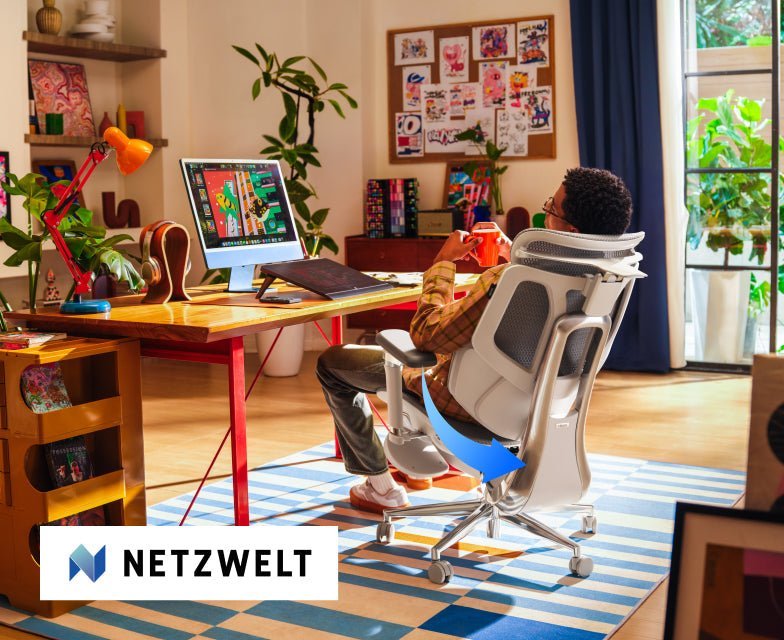
Netzwelt is one of Germany's most-read consumer technology publications. Their audience reads carefully and buys on specifics — they want to know what a product actually does, not what a brand says about itself. When Netzwelt writer Katrin Starke covered the HBADA E3 series launch, she opened with the problem most of their readers know firsthand: a few hours in the wrong chair, and the tension in your back doesn't leave quickly.
That framing set the tone for the rest of the piece.
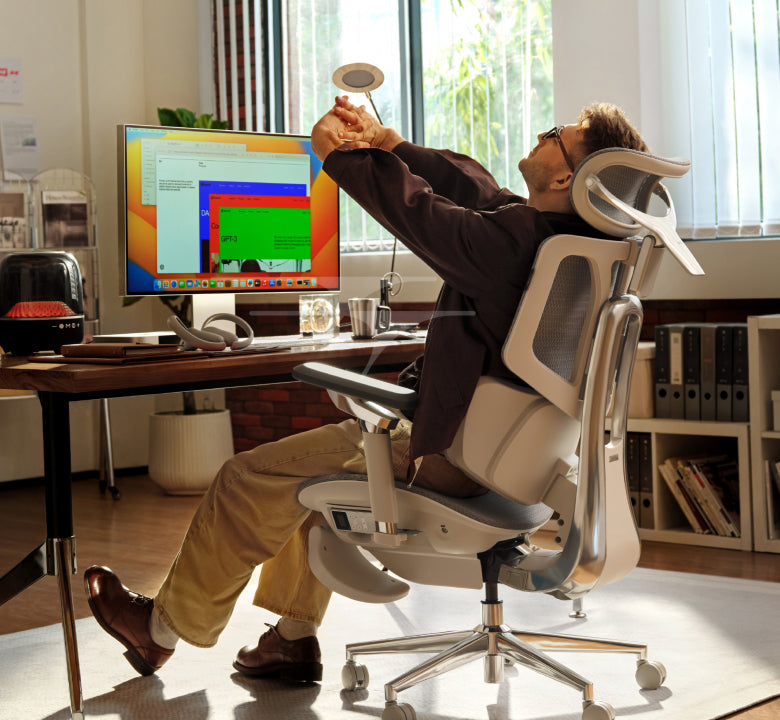
criss cross applesauce chair of HBADA

The Argument Netzwelt Made for the E3 Pro

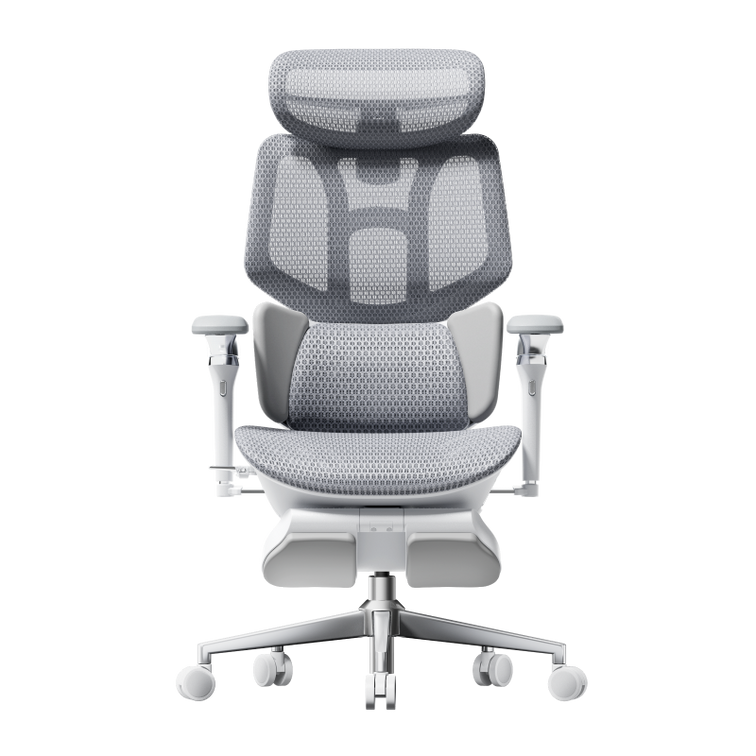
Starke's assessment of the E3 Pro centred on a design decision that Netzwelt's readers clearly found notable: the chair achieves its adaptability entirely through mechanical precision, without electronics. The bio-synchronized approach — highly calibrated mechanical adjustments that respond to the body dynamically — means there are no sensors to fail, no software to update, no components that degrade differently from the rest of the chair.
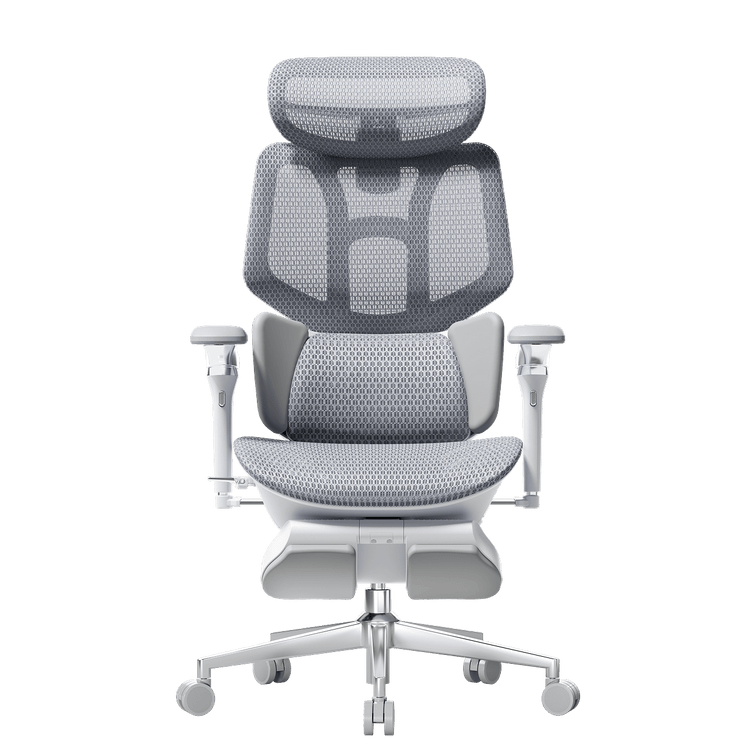
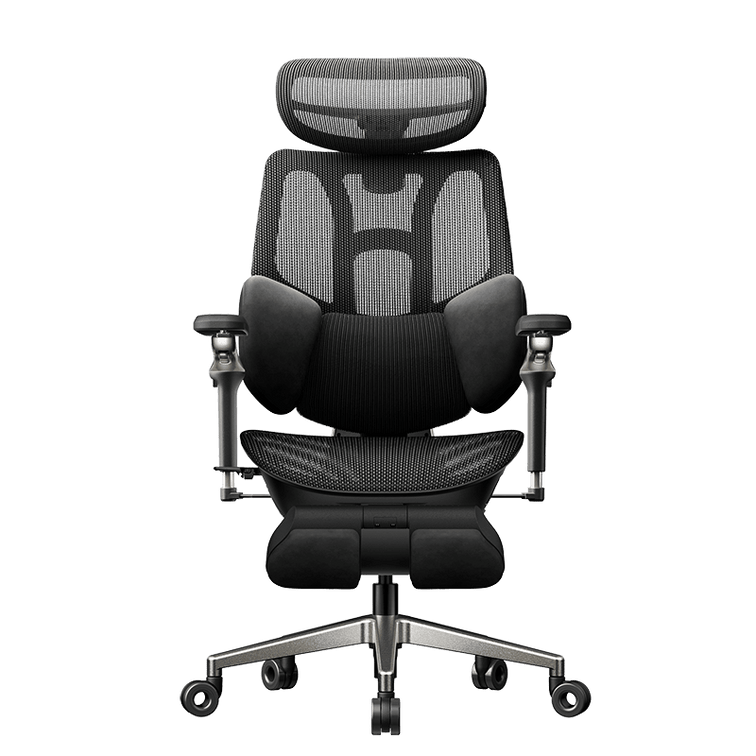
For a German readership that values engineering reliability, that framing landed well. The E3 Pro's three-zone lumbar system with floating side wings, dual-axis headrest, adjustable backrest height, seat depth adjustment, and dual 360° rotating armrests are all mechanical — all the precision, none of the failure points.
Netzwelt described it as a chair that adapts to the body without delay. That's not marketing language — it's the functional description of what bio-synchronized mechanical linkage actually does when it's well-engineered.

The Case for the E3 Air — and Who It's Actually For

Starke was clear about who the E3 Air is pitched to, and that sort of straightforward product guidance is what help keep readers of this site around. She didn't dance too much around the fact that it's a budget alternative or inferior option — she just puts it in terms of usage pattern.
If you aren't a desk rabbit for eight continuous hours (maybe your day consists of a home office stint, some time away, a night of gaming or a read session) the design thinking behind the E3 Air makes more sense than the Pro's. Its 140-degree zero-gravity recline with five locking positions is what Netzwelt particularly appreciated: a chair that can also serve as a real rest station while working and not just a positioning seat that reclines.
The other highlight from their coverage was the CloudMesh 4-way stretch fabric. The fabric is fundamentally more flexible and breathable than regular mesh — which is an advantage in the German conditions of warm summers and cold, dark winters. Netzwelt said it absorbs heat without making drafts. Their tech summary was rounded out by the SGS Class-4 explosion-proof gas lift and the sound-dampening PU castors — both indicators that this is a chair designed for long-term daily use rather than short-term showroom style.

Why This Coverage Matters for the European Market

herman miller standing desk of 2026 version is coming

The E3 series launched in Germany on April 2, 2026. Netzwelt's coverage appeared at launch — reaching an audience of professionals and home office workers who were actively evaluating ergonomic chair options at exactly the moment HBADA entered the market.
Starke's piece didn't oversell. She presented what each model does, who each model is for, and what the engineering behind each is built around. That kind of grounded coverage from a trusted German publication is more valuable than a larger, more effusive piece would be — because Netzwelt's readers know the difference.


This post references paid coverage arranged with Netzwelt (Germany), published March 26, 2026. All editorial perspectives belong to Netzwelt and Katrin Starke. Click to check: Jetzt 50 Euro Launch-Rabatt sichern: HBADA macht Schluss mit Rücken- und Nackenschmerzen

Frequently Asked Questions
Is the HBADA E3 Pro the best ergonomic chair for back pain in 2026?
For people spending 6–10 hours a day at a desk, the E3 Pro is one of the most complete mechanical ergonomic chairs available at its price point. Its three-zone floating wing lumbar system, dual-axis headrest, seat depth adjustment, and 360° rotating armrests address the full range of postural variables that cause back and neck pain during extended sitting. It was developed using bio-synchronized ergonomics principles and is independently certified by IGR (Institute for Health and Ergonomics, Germany) and BIFMA X5.1-2017.

What is the difference between the HBADA E3 Pro and E3 Air?
The E3 Pro is built for intensive daily use — 6 to 10 hours — and prioritises precision mechanical adjustability across every support zone. The E3 Air is designed for lighter or mixed-use days and prioritises breathability and recline comfort, with its 140° zero-gravity recline and CloudMesh 4-way stretch fabric making it the better choice for anyone who wants a chair that works equally well for focused work and proper rest breaks.

Does the HBADA E3 Pro use electronics or AI?
No. The E3 Pro is entirely mechanical — no sensors, no motors, no software. This is a deliberate design decision: bio-synchronized mechanical precision means the chair responds to body movement without any electronic components that could fail or require updates. The AI lumbar tracking system is exclusive to the HBADA X7 Smart Chair for users who want automated adaptation.

Is the CloudMesh on the E3 Air better than standard mesh?
Yes, measurably. The CloudMesh 4-way stretch fabric used in the E3 Air provides 83% more elasticity and breathability than conventional single-direction mesh, according to HBADA's materials testing. It prevents heat build-up during long sessions without creating cold drafts — a balance that standard mesh chairs frequently fail to achieve in rooms with variable temperatures.

What certifications do the HBADA E3 series chairs carry?
Both E3 models carry BIFMA X5.1-2017 certification (the US standard for commercial office seating durability, tested to 100,000+ impact cycles), IGR certification (Germany's Institute for Health and Ergonomics, verifying genuine lumbar support), SGS Class-4 gas lift certification (120,000+ cycle testing, anti-explosion design), and TÜV Rheinland structural safety certification. Third—party laboratories — not self-reported claims, independently verify these.

How long does the HBADA E3 Pro warranty last?
The E3 Pro carries a 5-year warranty on core components (base, gas lift, and casters) and a 3-year standard warranty across other components. HBADA ships from EU warehouses for European orders, meaning warranty fulfilment and replacement parts are handled without international shipping delays.
 

Relevant Product

You May Also Like

How to Test an Ergonomic Office Chair During a 30-Day Home Trial How to Test an Ergonomic Office Chair During a 30-Day Home Trial The quick answer To test an ergonomic office chair during a 30-day home trial, use it for your real work each day and check fit, lumbar support, breathability, recline, armrests and noise. Keep the packaging, avoid damage, and decide before the window closes. If the chair does not suit you, contact support early enough to complete the required return steps within your return window. Table of Contents Jump to the part of the trial you need. 01. What is a 30-day home trial? 02. How should you set up the chair? 03. What should you test in week one? 04. What should you test in weeks two to four? 05. How do you protect return eligibility? 06. What should you check before returning? 07. Which HBADA chairs can you test? 08. Your 30-day test plan 09. Limitations and when to get help 10. Conclusion 11. Frequently asked questions 12. Sources and useful links What Is a 30-Day Home Trial and How Does It Work? A home trial is a return window that lets you use the chair in your real setup before you commit. HBADA’s current return and refund policy allows returns within 30 days of receipt, subject to its condition and return requirements. This gives you time to judge an adjustable ergonomic chair at your own desk, not in a showroom. Testing may help you find a more comfortable sitting position, but it is not a medical treatment. How Should You Set Up the Chair for Testing? Start well, because a fair test needs a proper setup. Assemble the chair using the HBADA user manual and assembly guide, and keep every part of the packaging, including the box, foam and spare hardware. Then set it to your body before you judge it. Set the seat height so your feet rest flat on the floor or a suitable footrest. Set the seat depth so two to three fingers fit behind your knees. Set the lumbar support to meet your lower back. Set the armrests so your forearms are supported and your shoulders stay relaxed. Check that you can reach your keyboard and mouse comfortably. Only after this setup should you decide how the chair feels. What Should You Test in the First Week? Your first week is about first impressions and daily fit. Fit: Check you can reach a feet-flat, back-supported position within the chair’s adjustment ranges. Lumbar support: Notice whether the support meets your lower back through your normal workday. Breathability: Watch for heat build-up and check whether the mesh and seat feel comfortable in your room. Noise and casters: Roll across your floor and listen for creaks or scuffs. Check that the casters are suitable for the surface. What Should You Test in Weeks Two to Four? Later weeks reveal how the chair holds up over real work. Now test the chair as an office chair for long hours. Work a normal week, keeping your usual movement breaks, and notice whether early comfort lasts into the afternoon. Move through the available recline positions and check that the locks hold. Use the armrests while you type, write and relax. Give yourself time to learn the controls and fine-tune the settings, but do not treat pain as a required adjustment phase. If discomfort eases after a setting change, note what helped. If it persists after reasonable adjustments, the chair may not fit you. A Quick Test-and-Decide Table Use this table to turn each check into a clear next step. What to test How to test it Keep or return signal Fit Set seat height, depth and lumbar support to your body, then sit back fully. Consider a return if you cannot achieve supported feet and back within the adjustment ranges. Lumbar support Use it during a normal working day and note lower-back comfort. Consider a return if the support cannot meet your lower back comfortably after adjustment. Breathability Check for heat build-up during ordinary work sessions. Consider another material or model if the seat consistently feels too warm for you. Recline and lock Try the recline settings according to the manual. Stop using the chair and contact support if the recline is unstable or a lock fails. Armrests Type, write and relax while checking forearm support. Consider a return if the armrests prevent a relaxed working position or access to your desk. Noise and casters Roll gently across a suitable floor surface and listen for persistent noise. Contact support about recurring creaks or floor marking before continuing use. Long-session comfort Work a normal week in the chair, with movement breaks. Reassess the fit if discomfort persists after you fine-tune the settings. How Do You Protect Your Return Eligibility? Test thoroughly, but keep the chair returnable while you decide. Keep the original box, foam and hardware for the whole trial. Keep the chair clean and unmarked, and use a suitable floor mat if needed. Note your delivery date and the last day of the return window. Contact support early if you are unsure, rather than on the final day. HBADA requires returns in their original condition and recommends keeping the original packaging. Missing packaging or damage from improper packing may lead to fees. What Should You Check Before Returning the Chair? Review the return instructions for your order before arranging collection. For change-of-mind returns, customers pay part of the return shipping cost; HBADA may provide a discounted prepaid label deducted from the refund. For damaged, defective or incorrectly supplied items, contact support for the appropriate process. Ask support to confirm the required steps and deadline. A return window is separate from warranty coverage, so check the HBADA warranty and service information if a fault appears later. Which HBADA Chairs Can You Test at Home? The HBADA X7 and E3 Pro 2026 product pages advertise a 30-day home trial. Confirm the current terms for your chosen model and order before purchasing. Use the same testing checklist for either chair, but pay attention to the features that make each model different. What to compare HBADA X7 HBADA E3 Pro 2026 Lumbar support Test how the AI lumbar-tracking system responds when you change position. Test how the three-zone adaptive lumbar support fits your lower back. Seat fit Check the selected model’s seat dimensions and adjustment range against your body and desk. Check the selected model’s seat dimensions and adjustment range against your body and desk. Recline and armrests Check support and control access while typing, leaning back and relaxing. Check the headrest, armrest and recline adjustments during your usual tasks. Additional features Try the comfort functions included with your selected version, following its manual. Focus on mechanical adjustments, mesh comfort and any optional footrest. Before ordering Confirm the exact configuration, return conditions and warranty. Confirm the exact configuration, return conditions and warranty. If you want automatic lumbar tracking, explore the HBADA X7 smart ergonomic chair and check the comfort features included with your selected version. If you want a mechanically adjustable chair to test for long workdays, compare the HBADA E3 Pro 2026. You can also browse the HBADA ergonomic office chair collection before your trial begins. Your 30-Day Test Plan Follow this simple plan so nothing is missed before the window closes. Adjust the timing to leave enough time for the return process required for your order. Day 1 Assemble and Adjust Assemble by the manual, keep all packaging, and set the chair to your body. Days 2–7 Check Daily Fit Test daily fit, lumbar support, breathability, noise and casters. Days 8–21 Test Your Normal Work Routine Work your usual schedule and test recline, armrests and long-session comfort. Keep taking movement breaks. Days 22–27 Fine-Tune and Decide Fine-tune settings and review your notes. If the chair is not right, contact support now to confirm the return steps and deadline. Days 28–30 Complete Your Decision Keep the chair if it fits your needs, or complete the return steps within the applicable deadline. Do not assume contacting support on day 30 automatically extends the window. Limitations and When to Get Help A trial answers many questions, but not every one. A trial checks comfort and fit for you; it cannot promise a health outcome. Thirty days cannot establish the chair’s lifespan or long-term durability. Keep the chair and packaging in good condition while deciding. Trial terms, return shipping and warranty can vary by market and order, so check the applicable policy. If you have severe, persistent or radiating pain, consult a qualified healthcare professional. A chair is not a medical treatment. Conclusion The best way to judge an ergonomic office chair is to test it where you actually work. Assemble it, set it to your body, use it for real tasks, and keep the packaging until you are sure. Compare the X7 if you want automatic lumbar tracking, or the E3 Pro if you prefer mechanical adjustments. Make your decision before the return deadline, and keep the chair that fits you. Frequently Asked Questions How long is the HBADA home trial? The current .com policy states 30 days from receipt. Confirm the terms and required return steps for your order before testing. Can you return an office chair after using it? Home testing does not remove the policy’s condition requirements. Keep the chair clean, avoid damage, and ask support if you are unsure whether its condition qualifies. How long does it take to get used to a new ergonomic chair? There is no fixed adjustment period for everyone. You may need several sessions to learn the controls and fine-tune the seat height, depth, lumbar support and armrests. Change one setting at a time. Do not keep sitting through pain in the hope that you will eventually adapt. Who pays for return shipping? It depends on the return reason. Check the shipping-cost section of the return policy and confirm any label charge with support before booking a courier. What should you check before the trial ends? Confirm the essentials: fit, long-session comfort, lumbar support, breathability, recline, armrests and noise. Also check that the chair suits your desk height and floor. Decide early enough to complete any required return steps before the deadline. Sources and Useful Links HBADA Return and Refund Policy HBADA Warranty and Service HBADA User Manuals and Assembly Guides HBADA X7 Product Details HBADA E3 Pro 2026 Product Details HBADA E3 Pro vs. Hinomi H1 Pro V2: Which Ergonomic Chair Fits You Better HBADA E3 Pro vs. Hinomi H1 Pro V2: Which Ergonomic Chair Fits You Better Ergonomic Chair Comparison Put the feature lists aside for a moment. Before comparing adjustment counts, measure your desk height, the seat depth you actually need, and the range of sitting positions you use during a normal workday. More adjustments do not automatically mean a better fit. Comparison note: This article compares publicly available manufacturer information for the HBADA E3 Pro 2026 Edition and Hinomi H1 Pro V2. Product configurations, prices, delivery, warranty terms and regional availability may change. Check the current product page and policy for your location before ordering. Contents Start with fit, not feature count How the support systems differ Published specifications compared Which chair should you investigate first? What to measure before buying Frequently asked questions Start With Fit, Not Feature Count An ergonomic chair only works when its useful adjustment range matches your body and workspace. A chair can have a long list of features, but that list matters less if the seat sits too high, the lumbar support reaches the wrong area, or the armrests cannot work with your desk. The key question is not “Which chair has more adjustments?” It is “Which chair gives me the adjustments I will actually use?” More adjustment points do not automatically equal a better fit. The useful range matters more than the feature count. That distinction is especially relevant here. Hinomi markets the H1 Pro V2 around 16 adjustable points and multiple size options. HBADA publishes detailed adjustment ranges for the E3 Pro 2026 Edition, including seat depth, backrest height, lumbar position, headrest and armrest adjustments. How the Support Systems Differ HBADA E3 Pro 2026 Edition   The HBADA E3 Pro 2026 Edition uses a three-zone adaptive lumbar-support design. HBADA lists a 50 mm seat-depth slide, 80 mm backrest-height adjustment, 60 mm independent lumbar lift, 40 mm headrest-height adjustment and 70 mm headrest depth adjustment. HBADA also lists a recommended user-height range of approximately 5'1"–6'5" (155–195 cm). Those figures are not a promise of fit for every person, but they give shoppers useful dimensions to compare with their own measurements. Hinomi H1 Pro V2 The Hinomi H1 Pro V2 product page lists 16 adjustable points, 3D lumbar support, flip-up 5D armrests, a 3D headrest, a retractable leg rest and a foldable frame. Its lumbar system is described as having five height levels and four forward-support levels. Hinomi offers S, M and L height guidance. Its current product page states that the primary difference between those sizes is the seat-height adjustment range, while the other listed dimensions remain the same. That is useful for shoppers who prefer to begin with a height-based size recommendation. HBADA E3 Pro 2026 vs. Hinomi H1 Pro V2: Published Information Compared Comparison Area HBADA E3 Pro 2026 Edition Hinomi H1 Pro V2 Primary fit approach Published adjustment ranges across seat depth, backrest, lumbar support, headrest and armrests. Published S, M and L height guidance, with seat-height range identified as the main size difference. Lumbar support Three-zone adaptive lumbar-support system with independent lift adjustment listed by HBADA. Lumbar support with five height levels and four forward-support levels listed by Hinomi. Seat-depth information HBADA lists a 50 mm / approximately 2-inch seat-depth slide. Review current product specifications and fit guidance for the selected H1 Pro V2 configuration. Head and arm support HBADA lists a dual-axis headrest and 720° OmniMechanical armrests. Hinomi lists a 3D headrest and flip-up 5D armrests. Recline and space-saving features HBADA lists four recline positions: 105°, 115°, 130° and 140°. Hinomi lists a maximum 136° recline, retractable leg rest and foldable frame. Published warranty terms E3 Series core load-bearing components are covered for 5 years; other covered components are covered for 3 years under HBADA's current policy. Subject to its current terms and regional policy. These features are not one-to-one equivalents. For example, a published count of adjustment points cannot be directly compared with a specific seat-depth or lumbar-travel measurement. Use the table as a starting point, then compare the features that affect your own work setup. Which Chair Should You Investigate First? Start with HBADA E3 Pro if: You want to compare specific adjustment ranges before purchasing. Seat depth, backrest height, lumbar position and headrest position are important to you. You move between focused work and reclined breaks during the day. Your height falls within HBADA’s published 5'1"–6'5" guidance and the chair dimensions suit your desk setup. Start with Hinomi H1 Pro V2 if: You prefer to narrow options first through S, M and L height guidance. A foldable frame, retractable leg rest or flip-up armrests are priorities for your space. Hinomi’s seat-height range and support adjustments match your body measurements. You have reviewed the current policy and product configuration for your market. This is not a winner-and-loser comparison. It is a practical way to decide which product page you should study first. The final decision should come after checking current dimensions, configuration, delivery, return eligibility and warranty terms. What to Measure Before Buying Measure your desk height and check whether the armrests can sit at a useful working height. Check seat depth against your leg length; you should be able to sit back without the front edge pressing into the back of your knees. Compare the chair's minimum and maximum seat height with your ability to place your feet flat on the floor. Consider whether you need a headrest, flip-up armrests, recline support or a footrest for your normal routine. Read the current return and warranty terms for the exact model and market where you will purchase. Frequently Asked Questions Is HBADA better than Hinomi? There is no universal answer. The better chair depends on your body measurements, desk setup, preferred adjustments, available configuration, delivered price and the current purchase terms in your location. How should I compare lumbar support between ergonomic chairs? Look beyond the feature name. Compare where the support contacts your lower back, how it adjusts, whether the seat depth and backrest height fit you, and whether you can comfortably use the controls during your workday. Sources and Disclosure HBADA E3 Pro Ergonomic Office Chair 2026 Edition HBADA Warranty & Service Policy Hinomi H1 Pro V2 Product Page Last reviewed: September 14, 2026. Hinomi is a trademark of its respective owner. This article is an independent comparison based on publicly available manufacturer information. HBADA is not affiliated with or endorsed by Hinomi. How to Clean a Mesh Ergonomic Office Chair Without Damaging the Material How to Clean a Mesh Ergonomic Office Chair Without Damaging the Material A practical guide to removing dust, spills and stains while protecting mesh, moving parts and smart-chair components. Quick answer: Dust mesh with a soft dry cloth or a vacuum on a low setting. Blot spills with a well-wrung cloth and mild soapy water, then let the chair air-dry. Avoid bleach, hot water, solvents, abrasive cleaners and hard scrubbing. Contents What can damage mesh? How to remove everyday dust How to clean spills and stains Frame, armrests and casters Cleaning methods at a glance How to clean a smart chair Safe deep-clean routine HBADA chair care FAQs What Can Damage a Mesh Chair? Mesh is durable, but the weave can be weakened by unsuitable cleaning methods. Bleach, strong solvents, hot water and abrasive cleaners can discolor or break down the fibres. Stiff brushes and heavy scrubbing can also snag or stretch the mesh. Keep the chair out of prolonged direct sunlight, do not soak the mesh, and avoid spraying cleaner directly onto the chair. Gentle, regular cleaning is safer than occasional aggressive cleaning. How Do You Clean Everyday Dust? Use a soft dry cloth Wipe the mesh with a dry microfiber cloth to remove surface dust, lint and light debris. Vacuum on a low setting If dust is caught in the weave, use a vacuum with gentle suction and move across the surface without pressing into it. A quick weekly clean helps prevent dust and skin oils from building up, especially on a chair used for long workdays. How Do You Clean Spills and Stains? For a fresh spill, act quickly. Dampen a soft cloth with mild soapy water and wring it out thoroughly. Blot from the outside of the mark toward the center so the stain does not spread. Do not soak the mesh or rub hard. If a mark remains, test an alcohol wipe on a hidden area first, then dab the stain gently. Let the chair air-dry fully in a ventilated room before use. How Do You Care for the Frame, Armrests and Casters? Use a separate soft, damp cloth for the frame, armrests and base. Keep water away from the gas lift, recline mechanism and other moving parts. Never attempt to open the gas cylinder. Casters collect hair, dust and debris over time. Remove anything wrapped around the wheels, then wipe them clean so the chair can roll smoothly. Cleaning Methods at a Glance What to Clean Safe Method What to Avoid Everyday dust Soft dry cloth or low-suction vacuum Hard brushing or scratching the mesh Fresh spills Blot with mild soapy water Soaking or rubbing the mesh Stubborn marks Spot-test, then dab gently Bleach, hot water or solvents Frame and armrests Soft damp cloth Abrasive or harsh cleaners Casters Remove hair and debris, then wipe Forcing debris deeper into the wheel How Do You Clean a Smart Chair With Electronics? Important: Switch the chair off and follow its product manual before cleaning around powered components. Use a dry cloth around controls, sensors, fans, batteries and powered adjustment areas. Never spray liquid directly onto the chair. Clean the mesh and non-electronic surfaces with the same gentle method, then allow the chair to dry completely before use. Step by Step: A Safe Deep Clean Switch off a smart or powered chair before cleaning. Vacuum or dry-dust the mesh to remove loose debris. Mix a small amount of mild soap with lukewarm water. Dampen and thoroughly wring out a soft cloth. Blot the mesh without soaking it. Spot-test before treating stubborn marks. Wipe the frame, armrests and base separately. Remove hair and dust from the casters. Let the chair air-dry away from direct sunlight. Which HBADA Chairs Does This Apply To? These steps work for HBADA mesh chairs, including the E3 Pro and X7 Smart. For a mechanical chair such as the E3 Pro, focus on keeping the mesh clean and moisture away from the gas lift and mechanism. For a powered model such as the X7 Smart, use the same gentle mesh-cleaning routine while taking additional care around electrical and control components. Frequently Asked Questions Can you wash a mesh office chair? You can clean it, but you should not soak it. Remove loose dust first, blot the mesh with mild soapy water, and allow it to air-dry completely. What should you not use to clean mesh? Avoid bleach, hot water, solvents, abrasive cleaners, stiff brushes and hard scrubbing. These can weaken, discolor or snag the mesh. How often should you clean a mesh office chair? Dust or vacuum the mesh once a week, clean spills as soon as they happen, and deep-clean the chair whenever visible dirt builds up. Does cleaning damage mesh over time? Gentle cleaning should not damage quality mesh. The main risks are soaking, hot water, harsh chemicals and excessive scrubbing. Sources HBADA Assembly, Maintenance and Troubleshooting HBADA E3 Pro Ergonomic Office Chair HBADA X7 Smart Ergonomic Office Chair