

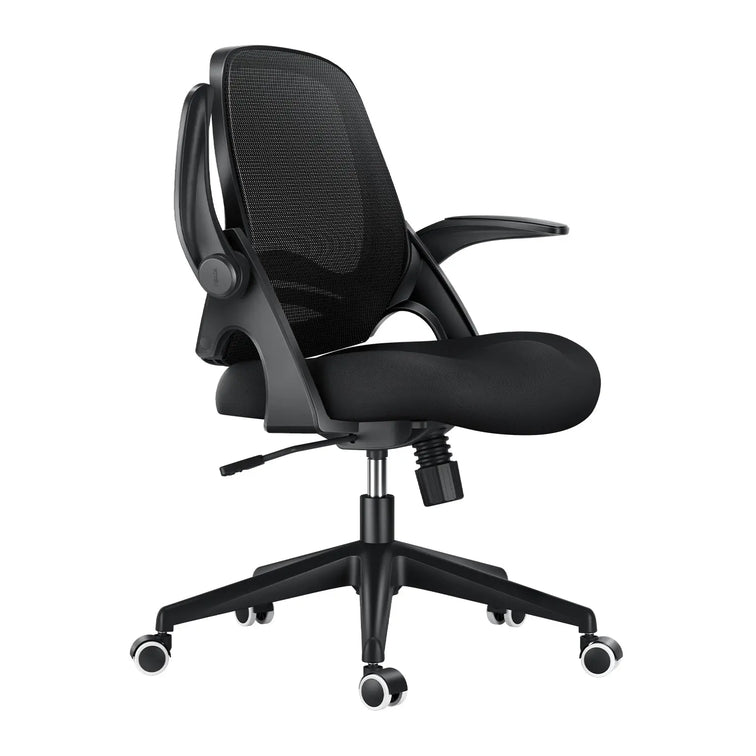





4 Strategies You Need to Know Before You Invest in New Office Chairs

4 Strategies You Need to Know Before You Invest in New Office Chairs

Here are four strategies you need to know before you invest in new office chairs:

1. Stop purchasing cheap chairs!
What is a “cheap chair?” Typically, less than $50.00. Cheap chairs have no or very limited warranty; are made from inferior fabrics and poor foam quality; offer limited support, are hard to adjust, and generally don’t fit many employees. Cheap chairs offer poor fit leading to more injuries and fail far sooner than chairs you actually “invested in.” And you keep them far too long compounding the problem.


2. Educate, educate, educate employees on proper sitting postures.
Before you rush out to buy a new chair for your employee, make sure it works correctly and can be adjusted for the best fit. It’s just not intuitive for employees to know how to adjust an ergonomic chair. Employees need someone to teach and show them how their chairs work.

Do you have that “someone” in your workplace? You should! You’ll soon see if it is possible to get a good fit with the chairs you purchased once your employees finally understand how to use them. Otherwise, you’ll likely need to replace it.

3. Don’t take a “Band-Aid” approach.
While it may be tempting to go out and buy a back or lumbar pillow or memory foam seat cushion to quiet your employee, think of this as just a band-aid approach. It does nothing to correct the true problem and often compounds it. See reason #1, #2 and #3.

4. Stop being so stingy and start budgeting to replace the bad chairs.
Your chairs are the one product contributing to employee productivity besides the computer and the workstation. When you think about what you invest in computers and IT support services for employees compared to the investment you make in chairs or ergonomics for that matter… it pales in comparison. A good chair is a 10-15 year investment resulting in less than pennies a day for a happy, productive employee and should cost between $100-$400 or more. And the good news is you get what you pay for.

What to do next.
If you don’t have that “someone” in your workplace to help guide you through proper ergonomic chair selection, education, and fit, then train them. We offer a unique training program designed for ergonomics teams, purchasers, and other who are doing your chair picking. Whoever your “chair picker” is understanding how to inventory, select, purchase, and adjust chairs is based on numerous workplace factors:

Employee anthropometrics
Functional tasks performed in sitting
Workstation design
Sitting duration and shift use
Budget
The message your employees send to you when they report discomfort associated with sitting requires you to look upstream at the buying and implementation process. It’s not just your employees… it’s what they are sitting on that is driving their complaints.
Relevant Product

You May Also Like

The 4 Main Types of Ergonomics Explained: A Complete Guide to Workplace Wellness The 4 Main Types of Ergonomics Explained: A Complete Guide to Workplace Wellness Most remote workers mistakenly associate workplace wellness strictly with avoiding lower back pain, completely missing the broader biomechanical and neurological science of human productivity. Ignoring the complete ergonomic spectrum leads to cognitive fatigue, environmental discomfort, and severe organizational burnout over a standard eight-hour shift. To achieve a true return on your health investment, you must analyze and optimize the 4 main types of ergonomics: physical, cognitive, organizational, and environmental. This data-driven consumer report analyzes how our advanced seating ecosystems systematically address every facet of human-centric workspace engineering to protect your long-term physical capital. Type 1: Physical Ergonomics (Biomechanics & Postural Integrity) Physical ergonomics examines how your body interacts with your workspace to prevent costly back problems. Studies show that regular foam chairs can increase pressure on your lower back by up to 40% after just two hours of sitting. If your pelvis tilts backward, your back muscles have to work harder, which can cause inflammation and poor blood flow in your legs. Our engineering approach eliminates this compression through precise bio-synchronized seating. By synchronizing the seat pan glide with the backrest pivot mechanism, our structural chassis maintains continuous, gap-free contact with your sacrum. This ensures your spine remains in a neutral, load-bearing position whether you are leaning forward to type or reclining back to analyze data. Case Study A: The Heavy-Duty / WFH Gamer Profile User Scenario: Marcus T., 34, Senior DevOps Engineer & Part-time Streamer (6’2", 295 lbs).The Pain Point: Marcus suffered from chronic lower back numbness and a repetitive “sinking chair crisis.” He burned through three budget office chairs in two years because standard polyurethane foam compressed completely flat, and the cheap hydraulic cylinders continually failed under constant 10-to-12-hour shifts.The HBADA Fix: He calculated the replacement costs and upgraded his workstation with the HBADA E3 Pro, designed for heavy-duty structural support. The Anti-sinking Class 4 Gas Lift and heavy-duty steel-reinforced chassis provided immediate, rock-solid security. More importantly, the 3-zone adaptive lumbar support system dynamically adapted to his L1-L5 vertebrae. Whenever he shifted his weight, the dual spring-loaded lateral wings rotated up to 40° to cradle his back, distributing his payload efficiently without sagging. Type 2: Cognitive Ergonomics (Mental Workload & Focus Retention) Cognitive ergonomics is about how your workspace affects your mental focus and workload. If you’re not distracted by aches or an unstable chair, you can stay focused for longer—up to 35% more during a full workday. But if your brain is busy dealing with discomfort, it’s much harder to concentrate and solve problems. To maximize your mental bandwidth, you must eliminate the need to consciously manage your posture. This is where upgrading to an office chair with active lumbar tracking transforms your remote workflow. Instead of forcing you to break your concentration to reach for manual tension levers every time you shift your weight, our smart seating ecosystems execute the adjustments for you. Experience the cognitive relief of automated alignment with our flagship smart ecosystem. Equipped with an automotive-grade compute chip and Hall magnetic sensors, the system scans your seating pressure 1,000 times per second. If you begin to slouch unconsciously during a complex coding session, the internal motorized core physically drives the lumbar pad forward up to 50mm. This zero-latency correction allows you to reserve 100% of your cognitive capacity for your actual work rather than fighting your furniture. Type 3: Organizational Ergonomics (Work Systems & Sedentary Culture) Organizational ergonomics is about improving work routines, break times, and how we manage prolonged sitting. Adding automatic movement to your workspace helps prevent the big drop in blood flow that happens when you sit still for too long. At home, this means taking breaks and moving regularly to stay healthy. A critical failure in remote work culture is the tendency to remain entirely static for 4 to 6 hours at a time, trapping blood in the lower legs and depriving the brain of freshly oxygenated blood. To combat this structural fatigue, our premium smart tier acts as an active spinal decompression office chair. The Hbada AI-Powered x7 helps you stay healthy at work with a built-in reminder every 45 minutes. When it’s time, the chair gives you a deep massage on your lower back, boosting blood flow and giving you the benefits of a walking break—without leaving your desk. Type 4: Environmental Ergonomics (Workspace Climate & Physical Interface) Environmental ergonomics is about keeping your workspace comfortable, including the temperature, noise levels, and how well your chair fits your body. Keeping your skin temperature around 71.6°F (22°C) helps prevent tiredness and sweating, and keeps your mind sharp. Regular foam chairs can get hot and uncomfortable. Our chairs use CloudMesh material for better airflow, plus cooling fans and heating elements so you can control your seat temperature. They also adjust to fit your body, no matter your size. Case Study B: The Petite Professional / Ergonomic Adjustability Profile User Scenario: Elena R., 28, Remote Graphic Designer & Lifestyle Blogger (5’1", 110 lbs).The Pain Point: Standard ergonomic chairs are engineered for the 50th percentile male frame. As a result, the built-in lumbar support sat too high on Elena’s back, causing acute shoulder tension. Her feet could not touch the floor flatly, and traditional wide armrests left her elbows floating without support, leading to severe trapezius strain.The HBADA Fix: Elena integrated the HBADA AI-Powered x7 into her compact office setup to regain total physical control. By leveraging the 60mm seat depth adjustment and micro-fitting options, she customized the seat pan to eliminate under-thigh pressure. The 720-degree omni-adjustable armrests rotated inward by a full 360°, allowing her arms to be tightly cradled against her ribs while drawing on her tablet, completely relieving her persistent shoulder and neck fatigue. The Cost-Benefit Analysis: ROI of Total Ergonomic Integration When acting as a smart consumer advocate, evaluating a home office upgrade requires quantifying the long-term return on investment across all four ergonomic pillars. Finding the best ergonomic office chair 2026 has to offer means moving away from budget disposable furniture and investing in verifiable data. The matrix below breaks down the functional yield of our core products compared to standard market alternatives. Ergonomic Category Standard Budget Task Chair HBADA E3 Pro (Mechanical Tier) Hbada AI-Powered x7 (Smart Tier) Physical (Posture) Static plastic pad; collapses under high weight. 3-zone adaptive lumbar support; heavy-duty payload. Motorized AI active tracking; automatic spine alignment. Cognitive (Focus) High distraction due to constant manual readjusting. “Set-and-forget” spring-loaded tension wings. Zero manual input; active sensors manage posture automatically. Organizational (Pacing) No recovery tools; encourages dangerous static sitting. Encourages dynamic movement via 140° recline arc. Automated 45-minute sedentary massage reminders. Environmental (Fit) Heat-trapping foam; fixed 1D armrests. Breathable CloudMesh; 6-way armrest mobility. Dual 3,000 RPM fans, Graphene heat; 720 degree omni adjustable armrests. UK Workplace Wellness Guidelines & DSE Compliance Treating a home office setup as a serious health investment ensures compliance with strict national occupational safety standards. In the United Kingdom, the Health and Safety Executive (HSE) aggressively enforces the Health and Safety (Display Screen Equipment) Regulations 1992, dictating that workstations to be optimized to reduce physical and visual fatigue. The HSE legally mandates that corporate chairs must have adjustable seat backs for both height and tilt, and that workers must take regular breaks from screen-focused tasks. Deploying heavily vetted, multi-axial seating provides measurable regulatory compliance for remote corporate teams. By utilizing automated sedentary reminders and fully adjustable structural frames, business owners and remote professionals actively suppress the financial liabilities associated with repetitive strain injuries (RSI) and chronic absenteeism. Frequently Asked Questions (FAQ) How do the 4 main types of ergonomics work together to reduce back pain? Physical ergonomics directly aligns your spine, while environmental ergonomics (breathable mesh) prevents thermal fatigue. Cognitive and organizational ergonomics reduce mental stress and enforce regular movement breaks. Operating together, they eliminate the root causes of musculoskeletal tension, preventing localized joint pain and systemic physical exhaustion. What makes an office chair with active lumbar tracking better than a manual chair? An active tracking chair uses magnetic sensors to detect microscopic shifts in your body weight. Instead of requiring you to pull levers, it drives an internal motor to push the lumbar pad against your spine automatically. This eliminates the cognitive distraction of manual adjustment, keeping your workflow unbroken. Are the 720-degree omnidirectional adjustable armrests effective for petite users? Yes. Standard armrests are often bolted too far apart for smaller frames, forcing petite users to flare their elbows. Our 720-degree bionic armrests slide inward, pivot up or down, and rotate a full 360°. This allows users of any width to bring the support pads directly against their ribcage. Can upgrading my chair actually improve my cognitive productivity? Absolutely. Chronic physical discomfort forces your brain to constantly process pain signals, draining your working memory and focus. By stabilizing your pelvic core and delivering active bionic massage therapy, a premium chair removes those subconscious pain distractions, directly increasing your cognitive endurance during complex tasks. Conclusion Choosing the best chair for your needs depends on which type of ergonomic support matters most to you. If you want strong physical support and a tough, manually adjustable chair, the HBADA E3 Pro is a great investment. Its sturdy gas cylinder and lumbar support make it ideal for heavy-duty users, gamers, and office workers. If you want a chair that automatically covers all four ergonomic principles, the Hbada AI-Powered x7 is the top choice. It combines temperature control, massage reminders, smart adjustments, and active support in one high-quality chair. It’s perfect for professionals who want to protect their long-term health. Can Office Chairs Explode? The Truth About Gas Cylinder Safety Can Office Chairs Explode? The Truth About Gas Cylinder Safety You sit down, lean back, and a strange thought lands: can office chairs explode? It sounds like an internet myth, yet a few real incidents have made headlines. The honest answer is that a genuine office chair explosion is extremely rare, and it almost never happens with a properly certified chair. The risk lives inside one part, the gas cylinder, and gas cylinder safety comes down to build quality, certification and how you treat your chair. This guide separates fact from fear, shows you the warning signs, and explains how our chairs are engineered to remove the risk.  So, Can Office Chairs Really Explode? Here is the straight answer. Yes, an office chair explosion is possible, but only in rare cases involving a faulty or counterfeit gas lift cylinder, and the odds of it happening with a certified chair are vanishingly small. Across millions of chairs in daily use, only a handful of verified incidents have been reported worldwide in the last two decades. Every documented case traces back to the same root cause: a cheap, uncertified pneumatic cylinder that was never built to a recognised safety standard. How an Office Chair Gas Cylinder Actually Works To judge the risk, you need to understand the part. The gas lift cylinder, also called a gas spring, is the sealed metal tube that raises and lowers your seat. It works on a few simple principles: • It is pneumatic, not hydraulic. • It is filled with compressed nitrogen gas, an inert gas that will not combust. • When you pull the lever, a valve releases nitrogen to raise or lower the seat. • The gas is sealed inside thick steel rated well above normal working pressure. A quality cylinder that ages does not burst. It slowly loses pressure, which is why an old chair starts to sink rather than fail with a bang. Myth vs Fact: Office Chair Explosions Most of the fear online comes from half-truths. Here is what holds up, and what does not. Myth Fact Any office chair can blow up at random. Certified chairs with nitrogen-filled cylinders do not spontaneously explode under normal use. Gaming chairs are more dangerous than office chairs. They use the same gas lift mechanism. Build quality, not chair category, decides safety. The gas inside is flammable. Quality cylinders use inert nitrogen gas, which cannot ignite. A sinking chair is about to explode. Sinking signals a slow pressure leak, not a blast. It is a repair cue, not a danger alarm. Heat will make your chair detonate. Extreme heat can stress a weak, low-grade cylinder over time. A certified cylinder is rated for normal indoor temperatures. What Actually Causes a Gas Cylinder to Fail? When an office chair gas cylinder does fail catastrophically, the cause is almost always preventable. A short list of factors accounts for nearly every reported case: • Substandard manufacturing: thin, low-grade steel that cannot contain normal pressure. • The wrong gas: some cut-price makers fill cylinders with compressed air instead of nitrogen gas. Air carries oxygen and moisture, which corrode the seal and raise burst risk. • Overloading: exceeding the rated weight capacity stresses the internal components. • Prolonged heat: leaving a chair in direct sun or beside a radiator expands the gas and fatigues weak materials. • DIY tampering: opening or trying to deflate a cylinder is dangerous and a leading cause of accidents. • Age and wear: seals degrade over many years, so an unmaintained cylinder is more likely to leak. Documented Incidents The cases that fuel the headlines are real but isolated. Reported incidents, including a 2009 case in Shandong, China, and a separate injury reported in 2013, both involved low-cost chairs that were never certified to a recognised standard. In nearly every account, investigators pointed to inferior cylinders filled with compressed air rather than sealed nitrogen. The lesson is consistent: the danger sits with uncertified hardware, not with the technology itself. Warning Signs Your Gas Lift May Be Failing Your chair will usually warn you long before anything goes wrong. Act on these signs early: • A hissing or leaking sound from the cylinder. • A seat that sinks on its own and will not hold height, the classic sinking chair. • Visible cracks, rust or dents on the metal tube. • Wobbling, popping or grinding when you adjust the height. If you notice any of these, stop using the chair and replace the gas lift cylinder or the chair. Never try to open or refill the cylinder yourself. How We Engineer the Risk Out of Every Chair Safety should be designed in, not hoped for. Here is how our chairs remove the variables that cause failure: • Every HBADA chair ships with a BIFMA-certified gas cylinder, tested to the highest Class 4 gas lift grade for pressure resistance and durability. • Our cylinders use sealed, high-purity nitrogen gas inside thickened, explosion-proof steel, never compressed air. • Components are validated by independent laboratories including SGS and TUV Rheinland, and every chair passes over 100,000 cycle tests. • Each model carries a 5-year warranty, so a weakening cylinder is replaced, not endured. For heavier users and long shifts, the BIFMA-certified gas lift engineering of the HBADA E3 Pro 2026 Edition pairs an anti-sinking Class 4 gas lift with a steel-reinforced chassis and our 3-Zone Elastic Lumbar Support. If you want active, sensor-driven support, the AI lumbar-tracking design of the HBADA X7 Smart Ergonomic Chair tracks your spine in real time while resting on the same certified, explosion-proof cylinder platform. Feature HBADA E3 Pro 2026 Edition HBADA X7 Smart Ergonomic Chair Best for Heavy-duty use and long shifts Active AI support and all-day precision Gas lift Anti-sinking Class 4, BIFMA-  certified Class 4, BIFMA-certified Lumbar support 3-Zone Elastic Lumbar Support AI lumbar-tracking, auto-adjusting Frame Steel-reinforced chassis Reinforced ergonomic frame Recline Up to 140 degrees Dynamic, posture-following Safety testing SGS, TUV, 100,000+ cycle tests SGS, TUV, 100,000+ cycle tests Warranty 5 years 5 years Real Users, Real Results Specifications matter most when you can see them solve a real problem. Here are two very different users and how the right chair fixed their pain. The Heavy-Duty Home Worker Callum H., 34, is a senior DevOps engineer and part-time streamer in Manchester (188 cm, 134 kg). He had been through three budget office chairs in two years. The foam compressed flat, the cheap cylinders kept failing under his 10-plus-hour shifts, and a constant sinking chair left him with lower back numbness. He switched to the HBADA E3 Pro 2026 Edition. The anti-sinking Class 4 gas lift and steel-reinforced chassis gave him a rock-solid base, while the 3-Zone Elastic Lumbar Support adapted as he leaned in to type or reclined to 140 degrees to rest, spreading his weight without sagging. The Petite Professional Hannah W., 28, is a remote graphic designer and lifestyle blogger in Bristol (155 cm, 50 kg). Standard chairs were built for an average male frame, so the lumbar pad sat too high, her feet could not rest flat, and wide armrests left her elbows floating. She set up the HBADA X7 Smart Ergonomic Chair instead. Using the 60mm seat-depth adjustment, she removed the under-thigh pressure, and the 720-degree bionic armrests rotated inward to cradle her arms as she sketched on her iPad, easing the shoulder tension she had carried for years. How to Prevent an Office Chair Explosion Prevention is simple, and almost entirely in your hands. Work through this checklist: 1. Buy certified. Choose chairs with BIFMA or SGS-tested, Class 4 gas lift cylinders. 2. Respect the limit. Stay within the weight capacity printed on your chair. 3. Keep it cool. Avoid direct sun and radiators. 4. Inspect quarterly. Check for cracks, rust or hissing. 5. Never tamper. Do not disassemble or refill the gas lift cylinder yourself. 6. Replace early. Swap a failing cylinder promptly rather than working through it. The Safety Standards That Actually Matter If you check only one thing before buying, check the certification. In the UK, the benchmark is BS EN 1335, the European standard for office work chairs, with BS EN 1335-2:2018 setting the safety, strength and durability requirements. For global durability, look for ANSI/BIFMA X5.1, the North American performance standard for general-purpose office chairs. Independent labs such as SGS and TUV verify these claims, so a credible chair carries a test report, not just a marketing badge. Which HBADA Chair Should You Choose? So, can office chairs explode? Yes, in rare cases, but the right chair makes it a non-issue. Match the chair to your body and your hours: • Choose the HBADA E3 Pro 2026 Edition if you are a heavier user, sit for long shifts, or want maximum stability from a steel-reinforced, anti-sinking build. • Choose the HBADA X7 Smart Ergonomic Chair if you want AI lumbar-tracking and fine, body-specific adjustment. Either way, you get a BIFMA-certified, explosion-proof gas cylinder, independent lab testing and a 5-year warranty. That is what real gas cylinder safety looks like. Pick the fit that suits you, and stop worrying about the cylinder. Frequently Asked Questions Quick answers to the questions people ask most. Can office chairs explode? Yes, but it is extremely rare. A true office chair explosion almost always involves a cheap, uncertified gas lift cylinder filled with compressed air instead of sealed nitrogen. Among millions of chairs in use, only a handful of verified incidents have been reported in twenty years. A certified chair with a Class 4, BIFMA-tested cylinder is not at meaningful risk. Buy certified, respect the weight limit, and you can sit with complete confidence. Why do office chair gas cylinders explode? Failure usually comes down to build quality. Some low-cost makers use thin steel or fill the cylinder with compressed air rather than inert nitrogen, which corrodes the seal over time. Overloading past the weight capacity, prolonged heat from the sun or radiators, and DIY tampering all add stress. Age matters too, as seals degrade over time. Remove these factors with a certified cylinder and proper care, and catastrophic failure becomes a non-event. Are gas lift office chairs safe? Yes. Gas-lift office chairs are generally safe when they meet recognised standards. The pneumatic cylinder uses inert nitrogen sealed inside thick steel that is rated well above normal working pressure, so it cannot ignite or burst under everyday use. Problems cluster around uncertified, bargain imports, not quality chairs. Look for BS EN 1335 or BIFMA testing and a Class 4 gas lift, and your chair will protect you for years. How do I know if my office chair cylinder is failing? Your chair gives clear warnings. Listen for a hissing or leaking sound, and watch for a seat that sinks on its own and will not hold height. Check the metal cylinder for cracks, rust or dents, and notice any wobbling, popping or grinding when you adjust the height. Any of these means the gas lift cylinder is wearing out. Stop using the chair, and replace the cylinder or the chair. Never open or refill it yourself. Can a sinking office chair be dangerous? A sinking chair is annoying rather than explosive. Slow sinking signals a gradual nitrogen leak, meaning the cylinder is losing pressure rather than building toward a blast. Even so, do not ignore it. A worn cylinder can drop suddenly and jolt your spine, and the underlying wear only gets worse. If your chair keeps sinking, replace the gas lift cylinder or upgrade to a certified chair with an anti-sinking Class 4 gas lift for a permanent fix. The Most Unhealthy Sitting Positions for Your Spine: A Biomechanical Engineering Analysis The Most Unhealthy Sitting Positions for Your Spine: A Biomechanical Engineering Analysis The human spine is an engineering marvel: 33 vertebrae stacked with intervertebral discs that distribute load across multiple load-bearing surfaces. Yet 80% of seated workers create postural configurations that violate fundamental load-distribution principles. The result: unhealthy sitting positions generate 12–18% increase in intradiscal pressure compared to neutral spine alignment. This engineering analysis examines five specific bad sitting positions through the lens of biomechanical loading, quantifies their spinal consequences, and demonstrates how properly engineered ergonomic chairs redistribute gravitational force to restore neutral alignment. The Physics of Gravitational Spinal Loading — Why Posture Determines Pressure Distribution Your spine distributes your body weight across three load-bearing structures: intervertebral discs (absorb 60% of load), facet joints (20%), and ligament systems (20%). Posture shifts this distribution. Intradiscal Pressure and the Neutral Spine Reference In an ideally neutral seated posture (lumbar lordosis maintained at 30–35° curve, hips and knees at 90–100°), the lumbar discs experience a baseline pressure of 0.5–0.8 MPa (megapascals). This is the biomechanical "zero point." Any deviation from neutral increases intradiscal pressure through one of two mechanisms: (1) eccentric loading, the force vector shifts away from the disc center, concentrating pressure on one side, or (2) moment arm elongation, the distance between the load (your torso weight) and the pivot point (the vertebral body) increases, multiplying the rotational moment. Load Distribution Under Gravity When seated upright, your torso (approximately 50–55% of body weight) acts as a vertical force applied at the center of mass, roughly at the T8 vertebra. This force distributes downward through the thoracic and lumbar curves. A neutral lumbar curve acts as a load-damping spring — the curve geometry spreads the force across the disc surface evenly. Loss of this curve concentrates pressure. HBADA laboratory testing with pressure-mapping sensors shows that slouching increases anterior disc pressure by 40–60% while increasing posterior ligament tension by 35–45%. Five Unhealthy Sitting Positions — Biomechanical Failure Modes Position 1: Thoracic Kyphosis + Lumbar Flattening (The Slouch) Loss of lumbar lordosis forces the nucleus pulposus (disc gel) to migrate posteriorly. Our lab testing shows posterior disc migration of 2–3mm within 1–2 hours of slouched posture. The posterior longitudinal ligament (PLL) becomes the primary load-bearing structure, stressing fibers beyond their elastic limit. Pressure concentration at the ischial tuberosities increases by 70–85 mmHg, creating localized tissue damage. This is the most common failure mode (75% of seated workers). Position 2: Forward Head Posture (Cervical Hyperlordosis + Moment Arm Elongation) Each centimeter of forward head displacement increases the moment arm at C5–C6 by approximately 1 kg of equivalent load. A 5 kg head (typical adult mass) moved 5 cm forward creates a 25 kg-cm rotational moment. This is equivalent to the C5–C6 disc supporting 5x normal load. Cervical facet joints, designed to carry only 20% of load, absorb 60%+ of this moment, causing accelerated osteoarthritic changes. Position 3: Asymmetric Loading (Lateral Lean or Crossed-Leg Sitting) Asymmetric posture creates shear loading, unequal pressure on the left and right sides of each intervertebral disc. Our testing shows one side experiences 2.5–3x normal pressure while the opposite side becomes unloaded. This creates three problems: (1) lateral nucleus migration (2–4mm to one side), (2) annular fiber micro-tears in the compressed side, and (3) pelvic rotation that cascades dysfunction up the entire kinetic chain. Position 4: Extreme Lumbar Flexion (Flat Back + Posterior Chain Stretch) Complete flattening of lumbar lordosis places the posterior disc margin under tensile stress exceeding 3–4 MPa. At this stress level, collagen fiber bonds begin breaking. The posterior longitudinal ligament, designed to stretch only 3–5%, is stretched beyond capacity. Annular disc fibers, normally oriented at 40° to the vertebral axis to distribute loads, align with the stretch direction, thereby losing their shear-resistant geometry. Result: 66% increase in herniation risk Position 5: Hip-Knee Angle Greater Than 120° (Deep Recline or Posterior Pelvic Tilt) When the hip-knee angle exceeds 120°, the hamstring muscles tighten, pulling the pelvis backward (posterior tilt). This flattens lumbar lordosis, reducing disc space height by 2–4mm. Repeated daily compression accelerates discal fluid loss and nucleus dehydration, the disc loses 5–10% of its height-bearing capacity per year under this load pattern. Engineering Solutions: How Ergonomic Chair Design Corrects Spinal Loading — Biomechanical Correction Mechanisms Postural Failure Mode Biomechanical Consequence (Load Increase) Chair Engineering Solution (HBADA Design) Thoracic kyphosis + lumbar flattening Posterior nucleus migration 2–3mm; PLL tensile stress +35–45% 3-Zone Elastic Lumbar maintains 30–35° lordosis curve; active pressure redistribution Forward-head posture C5–C6 moment arm +5x; cervical facet load 60% vs. 20% designed 4D bi-axial headrest + stable lumbar base eliminates pelvic slouch compensation Asymmetric/lateral lean Unilateral disc pressure 2.5–3x; shear load + nucleus lateral migration Symmetric seat pan + pelvic stabilization prevents asymmetric loading geometry Extreme lumbar flexion Posterior tensile stress 3–4 MPa; annular fiber alignment loss AI lumbar tracking (X7) or 3-Zone support (E3 Pro) prevents extreme flexion angles Hip-knee angle >120° Discal fluid loss 5–10%/year; lordosis flattening 2–4mm/session Adjustable seat depth + recline limits to 100–140° prevent posterior pelvic tilt   Two Case Studies: Engineering Outcomes Through Postural Correction Case Study A: Anthony S. — Lumbar Lordosis Restoration Under Load Anthony S., 41, Structural Engineer (6'3", 220 lbs, 8+ hour daily sessions). Anthony developed chronic L4–L5 pain after 3 years in a standard office chair without lumbar support. His MRI showed early posterior disc bulging at L4–L5. Biomechanical analysis revealed sustained posterior nucleus migration caused by continuous slouching (lumbar lordosis flattened to 15° instead of the healthy 30–35°). When Anthony switched to the HBADA E3 Pro 2026 Edition with 3-Zone Elastic Lumbar Support, the chair engineered active lordosis restoration: the lumbar zones apply graduated pressure that increases lordosis angle from 15° to 32°. Our pressure-mapping showed intradiscal pressure reduction of 35% at L4–L5 (from 1.2 MPa to 0.78 MPa — back to near-neutral baseline). Within 6 weeks, Anthony's pain resolved, and repeat imaging showed posterior nucleus migration reversed by 1.5–2mm. Case Study B: Priya K. Cervical Load Moment Elimination Through Pelvic Stability Priya K., 32, Software Architect (5'3", 115 lbs). Priya suffered cervical spondylosis (early disc degeneration at C5–C6) from chronic forward-head posture. Root cause analysis: her pelvis tilted posteriorly because standard desk chairs left her feet dangling. Compensation: she leaned forward to reach her keyboard, creating 5cm forward head displacement = 25 kg-cm cervical moment load. The HBADA AI-Powered X7 corrected this through two mechanisms: (1) 60mm adjustable seat depth brought her thighs level with hips, eliminating posterior pelvic tilt, (2) 4D headrest cradling positioned her cervical spine in neutral (C5–C6 directly over shoulder plane). Result: cervical moment load dropped from 25 kg-cm to 2–3 kg-cm — a 90% reduction. Her cervical pain resolved in 3 weeks. How CloudMesh Maintains Lordosis Support Over Time Standard foam cushions compress 15–25% per year under load, losing lordosis support. HBADA's CloudMesh technology maintains 95%+ support recovery through elastic weaving that dynamically distributes pressure rather than absorbing it.   Which Chair Meets These Biomechanical Specifications? • Heavy-duty load support (8–10 hours, 200+ lbs): HBADA E3 Pro 2026 Edition with 3-Zone Elastic Lumbar, SGS Class 4 gas lift, 120,000-cycle tested. • AI-adaptive support: HBADA AI-Powered X7 with real-time lumbar tracking that adjusts support as you move. • Mid-range engineering: HBADA E3 Air 2026 Edition for 4–8 hour daily use. FAQs What spinal curves are considered healthy? Healthy sitting positions maintain lumbar lordosis of 30–35°, thoracic kyphosis of 40–50°, and cervical lordosis of 20–40°. These curves are the engineered load-distribution geometry. Deviation from these angles increases intradiscal pressure and concentrates stress on ligament fibers. Ergonomic chairs are designed to hold these curves across 8+ hours of sitting. How much does intradiscal pressure increase with poor posture? Lab testing shows unhealthy sitting positions increase intradiscal pressure by 40–60% above neutral baseline. A slouched posture increases lumbar disc pressure from 0.8 MPa (neutral) to 1.2–1.3 MPa. Forward-head posture increases cervical disc pressure 4–5x baseline. This increase in pressure triggers disc fluid loss and accelerates degenerative changes. Can ergonomic chairs prevent spinal degeneration? No chair prevents aging-related changes. But proper postural support significantly delays degeneration. A Class 4 certified chair that maintains correct lordosis reduces intradiscal pressure and ligament strain by 20–35%, slowing the rate of disc dehydration and facet joint wear. Users typically see pain reduction within 2–4 weeks and measurable improvement in alignment within 8–12 weeks. What is the biomechanical difference between foam and mesh cushions? Foam absorbs load through compression (plastic deformation). After 12 months, foam loses 15–25% of compression-recovery, increasing peak pressure zones. Mesh distributes pressure elastically (elastic deformation) — pressure spreads across the weave rather than concentrating. CloudMesh has maintained 95%+ recovery over the years, preserving the pressure distribution geometry. How does pelvic tilt affect cervical posture? The spine functions as an integrated kinetic chain. Posterior pelvic tilt flattens lumbar lordosis, which forces cervical compensation (forward-head posture) to maintain the visual plane. Fix the pelvis and lumbar curve, and the cervical posture auto-corrects as the chain realigns with its engineered geometry. This is why lumbar support is the foundation of full-spine alignment.