
Blog

How to Choose the Best Ergonomic Office Chair This Black Friday: 2026 US Buyer's Guide

How to Choose the Best Ergonomic Office Chair This Black Friday: 2026 US Buyer's Guide

The HBADA Black Friday Buying Guide

Fit first.
Features second.
Then find your deal.

A Black Friday ergonomic office chair deal can make a chair look like a bargain. It cannot make that chair fit. Start with your body and your desk, then choose the adjustments that deserve a place in your workspace.

Shop Black Friday offers →

A practical 2026 US buyer’s guide to fit, features and the final checkout price.

The quick answer: check these six things.

01 / Your measurementsKnow your seated leg measurements, hip width and desk clearance.

02 / Seat fitCompare usable seat depth and seat height with your needs.

03 / Lumbar contactFind support that meets your lower back without pushing you forward.

04 / Armrest clearanceCheck whether the armrests work with your desk and elbow position.

05 / Total costInclude your chosen options, shipping, taxes and return conditions.

06 / Exact configurationMatch the generation, color and footrest option before comparing prices.

01 / Start with your workspace

Best for whom, and for what?

There is no single best ergonomic office chair for every body and every desk. A chair that suits a shorter student at a low desk may not suit a taller remote worker using the same setup.

Before comparing Black Friday office chair deals, write down how you actually spend your day. Frequent typing makes armrest positioning important. Reading and calls may make recline more useful. A shared workspace needs adjustments that are easy to reset.

Decide what you need the chair to do before deciding how much a discount is worth.

The best chair is the one whose adjustment ranges include your numbers.
02 / Get the foundation right

Seat fit comes before the feature list.

Lumbar support, headrests and massage are easier to appreciate when the seat already fits. Check these three dimensions before comparing more advanced features.

01

Seat height

With your usual footwear on, check that your feet can rest comfortably on the floor or a suitable footrest, without pressure building under your thighs.

02

Seat depth

Sit back against the backrest. Leave a small, comfortable gap behind your knees rather than allowing the seat edge to press into them.

03

Usable width

Check the space available to your hips, including the distance between the armrests. Overall chair width is not the same as usable sitting space.

A recommended user-height range is a starting point, not a personal fit guarantee. Two people of the same height can have different leg and torso proportions.

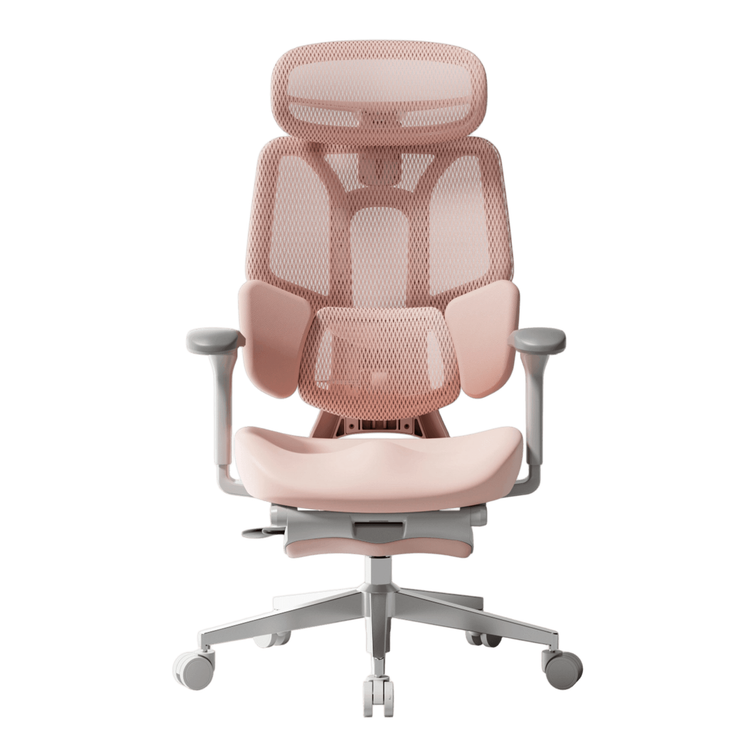
The HBADA E3 Pro 2026 includes seat-depth adjustment. Compare its current dimensions with your measurements rather than assuming that a longer seat will automatically feel better.

03 / Support where you need it

Lumbar placement matters more than the label.

Lower-back support should make comfortable contact when you sit back in the chair. If you have to slide forward to escape the pressure, or stretch backward to reach the support, the setup needs attention.

Manually adjustable systems let you set the support position. Adaptive systems respond to movement. Motorized tracking adds another way to maintain contact as your posture changes.

Our E3 Air 2026 and E3 Pro 2026 feature three-zone lumbar support, while the HBADA X7 offers AI lumbar tracking. Choose the adjustment approach you prefer, then check the actual fit.

04 / Make the chair work with the desk

Check the lowest armrest setting, too.

A chair can have a long list of armrest adjustments and still clash with your desk. Measure the underside clearance, including any drawer or support rail, and check the armrest height at your working seat height.

For keyboard and mouse use, look for a position that lets your shoulders relax and keeps your elbows comfortably near your body. The pads should not force you to sit too far from the desk.

Instead of comparing “D” labels alone, compare the movements: height, forward and backward travel, sideways positioning and rotation. Our E3 Pro 2026 has 720° Omni-Mechanical armrests . Check the exact model and configuration you are ordering.

05 / Look beyond the discount

The real price is the complete order.

A lower headline price is useful only when you know what is included. Compare the same configuration and review the checkout total before deciding which offer works best for you.

Check What to confirm
Model and generation Make sure you are comparing the same edition, not an older clearance model with a newer release.
Color and options Confirm the selected color and whether the footrest or other accessories are included.
Shipping and taxes Review the total for your delivery address, not only the amount shown on the product card.
Returns and trial Check eligibility, deadlines, packaging requirements and any applicable return costs.
Warranty Read which components are covered, for how long and under what conditions.
Discount combinations Check whether your selected offer can be combined with a code or gift card.

A warranty period is not a prediction of a chair’s lifespan. Likewise, an accessory has value only if you will use it. Keep the comparison focused on the setup you actually want.

06 / Shop with the details in front of you

Black Friday offers: five checks before checkout.

Our Black Friday sale page is the place to check current US promotions. Use this guide to choose your chair, then use the activity and product pages to confirm the offer available for your selection.

  1. Dates: Confirm when your chosen promotion ends.
  2. Configuration: Check that the offer applies to your model, color and options.
  3. Stacking: Verify which discounts or gift cards can be used together.
  4. Delivery: Distinguish in-stock items from pre-orders.
  5. Final total: Review the applied savings, taxes and order summary.
07 / Match the chair to your priorities

Build your HBADA shortlist.

Start with the features you expect to use most. These models offer different approaches to support and adjustment; your measurements should make the final decision.

Sacral and lumbar support

HBADA P2 Ultra

Consider P2 Ultra if your shortlist centers on sacral-lumbar support, adjustable armrests and a built-in footrest. Check the current dimensions and available configuration.

See P2 Ultra details →

Mesh seating and everyday adjustment

HBADA E3 Air 2026

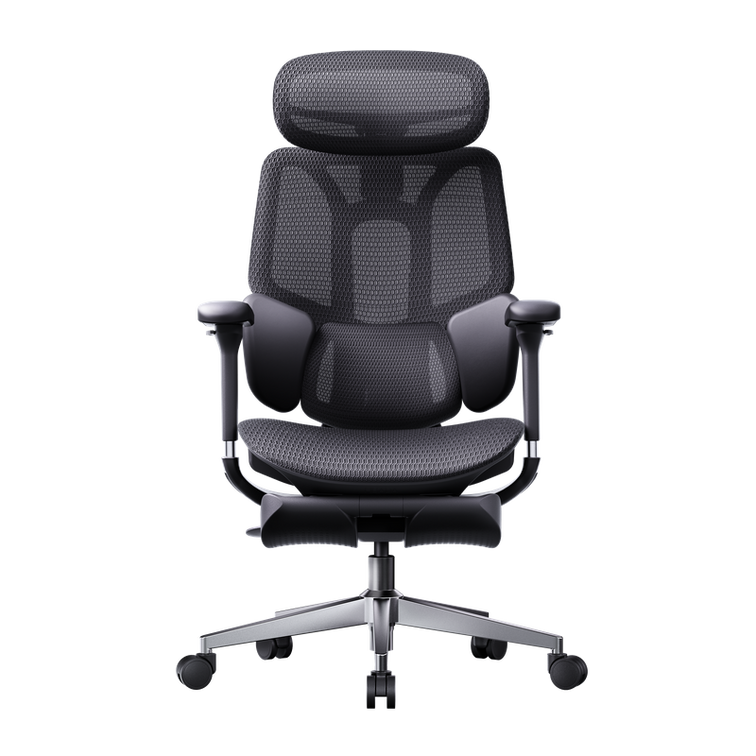
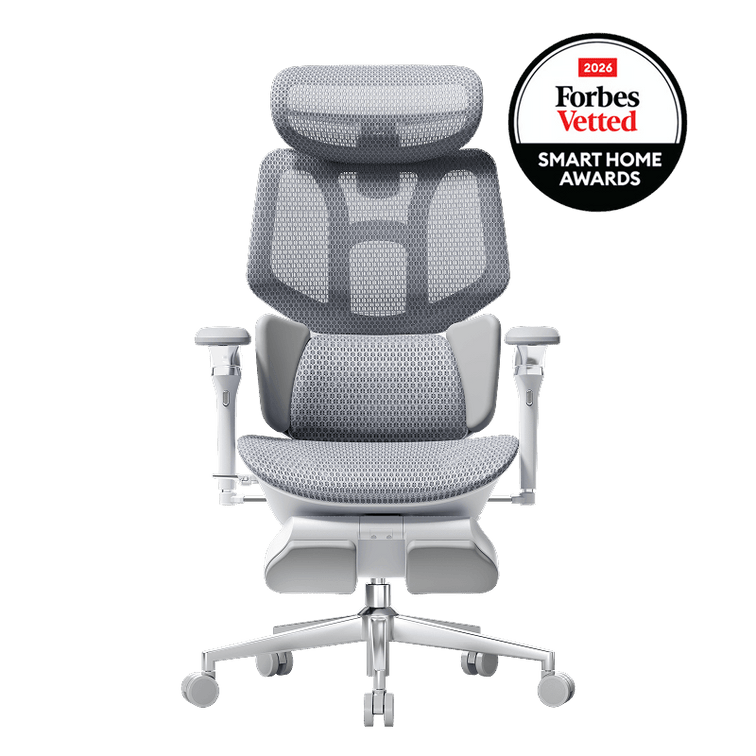
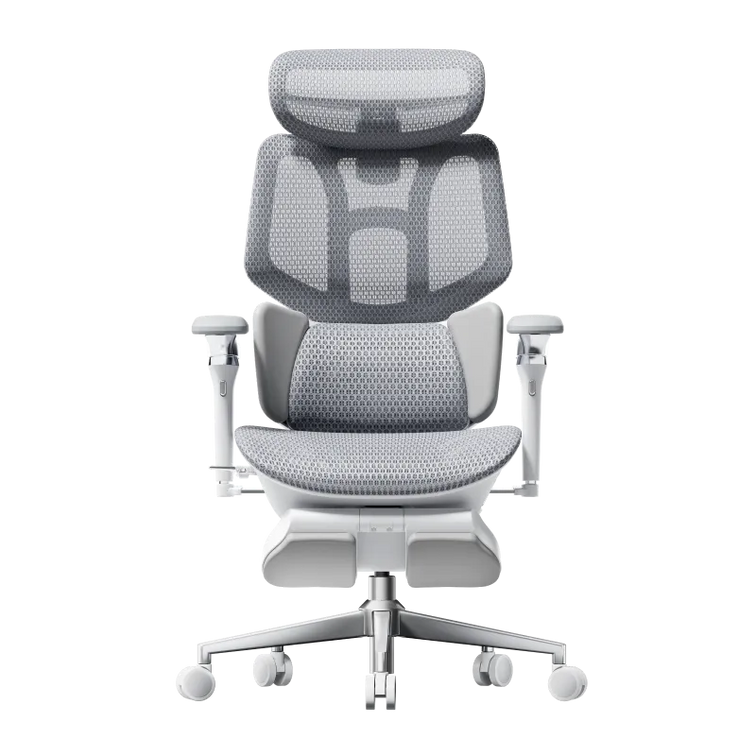
Three-zone adaptive lumbar support, a dual-axis headrest and breathable mesh make E3 Air 2026 a model to consider for an adjustable everyday desk setup.

See E3 Air 2026 details →

Fine-tune your working position

HBADA E3 Pro 2026

Choose E3 Pro 2026 for your shortlist if three-zone lumbar support, seat-depth adjustment and 720° armrest positioning are priorities for your desk-based routine.

See E3 Pro 2026 details →

Automatic lumbar tracking

HBADA X7

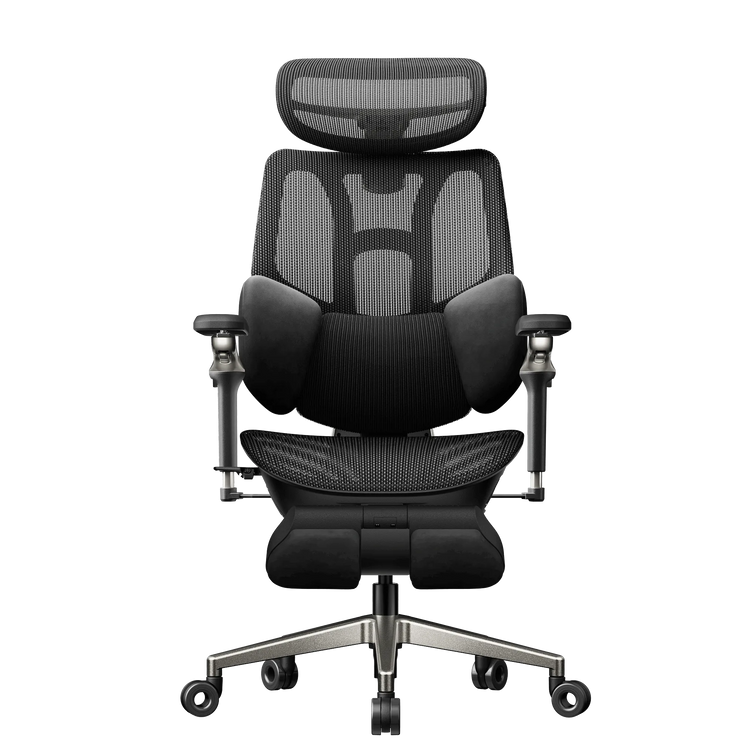
If you prefer motorized lumbar tracking, put X7 on your shortlist. Review its support system, massage, heating and ventilation features alongside the chair’s dimensions.

See X7 details →

Another route to smart support

HBADA X7 Air

X7 Air offers another option for shoppers interested in AI lumbar tracking. Compare its frame, configuration and current price with X7 before choosing between them.

See X7 Air details →

Prices and availability can change during the promotion. Product links show the current options; this shortlist is organized by features, not an overall comfort ranking.

08 / Your final fit check

Eight boxes before you buy.

Keep your measurements beside the product page and work through this list. You can tick each item as you check it.

This checklist is for your own reference. Your selections are not submitted.

09 / Questions answered

Before you call it a bargain.

What is the best ergonomic office chair to buy on Black Friday?

Start with a chair whose seat dimensions, lumbar support and armrest adjustments suit your body and desk. Then compare the complete cost and the terms of the offer. The largest discount does not necessarily identify the best chair for you.

Should I buy an office chair before Black Friday or wait?

Compare the offer available now with your budget and delivery needs. If price protection is offered, read its conditions. Do not assume that a later sale will be cheaper or that an early purchase is automatically covered.

How do I choose a chair if I am between recommended sizes?

Use your seated measurements rather than height alone. Check usable seat depth, the seat-height range and the position of the back and arm supports. Ask for clarification if a measurement is missing.

Is an office chair with a footrest worth it?

A pull-out footrest can be useful for reclined breaks if that is how you plan to use the chair. It is different from an under-desk footrest used to support your feet during upright work. Choose it for your routine, not simply because it appears in a bundle.

Which HBADA chair should I consider for massage and heat?

Start with E3 Ultra Gen 5 if you want dynamic ergonomic support with built-in lower-back massage and warmth. If automatic lumbar tracking is also a priority, review the X7 range.

Where can I find the current HBADA Black Friday deals?

Visit our US Black Friday offers page . Confirm your selected product’s price, availability and discount eligibility before paying.

Can an ergonomic chair help with lower-back discomfort?

A well-fitted chair can support a more comfortable sitting setup. Massage and warmth can also provide a relaxing experience. Our chairs are not intended to diagnose or treat medical conditions; persistent or severe pain needs professional assessment.
Choose your fit. Then choose your offer.

A better deal starts
with a better fit.

Measure once. Shortlist carefully. Choose the features you will use. When the chair works for your body and your desk, Black Friday savings become something worth bringing home.

Find your Black Friday chair →

Relevant Product

You May Also Like

HBADA in the Spotlight: Awards, Chair Reviews and Media Coverage HBADA in the Spotlight: Awards, Chair Reviews and Media Coverage HBADA Journal The Media Edition HBADA in the spotlight A closer look.A wider conversation. Our chairs have reached the desks of technology reviewers and appeared in international design features. Here, we bring that coverage together, including the HBADA X7’s Forbes Vetted award recognition and reporting on our E3 series. Forbes Vetted Tom’s Guide TechRadar CHIP FOCUS online ArchDaily Award recognition Chair reviews International coverage Shopping guides Product launches Choosing an office chair is personal. A detailed review can help you picture the controls at your own desk, while a design feature offers a different view of the ideas behind the chair. We’re proud to see HBADA become part of those conversations. This collection brings together coverage of the HBADA X7 and E3 family, with direct links so you can read each publication’s original article. Coverage includes editorial reviews, sponsored features and brand-issued announcements. We identify those formats below. Older articles may discuss earlier product versions or offers that have ended. 01 / The recognition HBADA X7 at the Forbes Vetted Smart Home Awards. ForbesVetted Smart Home Awards 2026 Home Office / HBADA X7 A place among the smart-home winners. The HBADA X7 Smart Office Chair is featured among the winners of the 2026 Forbes Vetted Smart Home Awards in the Home Office category. For our team, this is a milestone worth sharing. It brings our approach to smart seating into a broader conversation about products that belong in the modern home. See the Forbes Vetted awards ↗ 02 / At the reviewer’s desk HBADA chair reviews, up close. Reviews give our products time and context. The articles below examine individual chairs and discuss the details that influence everyday use, including the reviewers’ reservations. Tom’s Guide Product review / X7 A detailed look at the X7 experience. Tom’s Guide examines the X7’s comfort and support alongside practical considerations such as price and warranty. It gives readers a fuller picture of living with a feature-rich office chair. Read the X7 review ↗ TechRadar Product review / X7 Smart seating under a technology reviewer’s lens. TechRadar explores the X7’s powered comfort features and seating experience. The review also considers the headrest, footrest and price, making it useful reading before choosing your configuration. Read TechRadar’s review ↗ The Gadgeteer Product review / X7 and E3 Pro 2026 Two HBADA chairs in one review. The Gadgeteer brings the X7 and E3 Pro 2026 Edition into the same article. Readers considering both models can use this coverage to understand their different approaches to an ergonomic workspace. Read the two-chair review ↗ Cowcotland French-language review / Earlier E3 The E3 through a French hardware publication. Cowcotland’s E3 review considers its mesh construction, adjustments and finish, with observations about fit and the footrest. This article covers an earlier E3 model. Read the review conclusion ↗ Notebookcheck German-language review / X7 A hands-on look at an electronically equipped chair. Notebookcheck’s X7 coverage examines the chair’s AI lumbar support and integrated comfort functions in a practical review format. Read the German review ↗ More perspectives from the review desk. TechRadar also reviewed an earlier-generation E3 Pro . For another view of smart seating, Creative Bloq’s X7 assessment offers a more critical response to its AI features while discussing the reclining experience. These are individual editorial assessments. Their conclusions apply to the versions and experiences described in each article. 03 / Across languages and workspaces HBADA in international media. Our media story extends beyond individual reviews. German publications have covered the X7 and E3 Ultra, while design and technology outlets have introduced our chairs to readers in other markets. Germany / FOCUS online The E3 Ultra 5.0 enters the conversation. FOCUS online’s product feature introduces the E3 Ultra 5.0 through its adjustable support and integrated warmth and massage. The article also gives readers an overview of the E3 Pro 2026 and X7. We’re pleased to see our newest E3 Ultra included in this coverage. Readers can follow the feature with a look at the current US E3 Ultra product page for local specifications and availability. Product and offers feature / Affiliate links disclosed Read the FOCUS online feature ↗ Germany / Sponsored feature CHIP A dedicated X7 feature explores dynamic lumbar support and the technology behind its comfort functions. The page is labeled as advertising. Read the CHIP feature ↗ International / Brand collaboration ArchDaily ArchDaily places ergonomic office seating within the wider discussion of AI and workplace design in a feature produced in collaboration with HBADA. Read the design feature ↗ English-language / Sponsored content New Atlas New Atlas presents the X7 in a dedicated Prime Day feature, introducing its approach to smart ergonomic seating. Read the X7 feature ↗ France / Sponsored feature Clubic Studio Clubic’s HBADA-sponsored article introduces the X7 and E3 Pro 2026 Edition through a Prime Day product and offers feature. Read the French feature ↗ Spain / Brand collaboration MuyComputer MuyComputer’s collaboration covers the E3 Pro and X7, bringing our ergonomic office chairs to its Spanish-speaking technology audience. Read the Spanish feature ↗ Spain / Branded content HobbyConsolas HobbyConsolas introduces an earlier E3 ergonomic chair in a gaming-focused branded article, connecting desk seating with gaming setups. Read the gaming feature ↗ Germany / Product feature China-Gadgets China-Gadgets covers an earlier HBADA E3 and its T-shaped support system in a German-language product introduction. Read the E3 introduction ↗ Germany / Advertising inclusion FOCUS online: Home-office guide The X7 appears in a dedicated advertising section within FOCUS online’s home-office equipment guide, with an introduction to its smart seating features. View the home-office inclusion ↗ Some international articles include regional prices and specifications. Refer to the US store for the configuration available to you. 04 / On the shopping shortlist From product discovery to a considered purchase. Shopping guides introduce chairs alongside the other decisions people make when building a workspace. These selections add another layer to our review coverage. The Gadgeteer / Deals guide Prime Day office-chair picks The Gadgeteer includes HBADA in its office-chair deals roundup, with a dedicated section on the X7. The article belongs to its Prime Day coverage. View the shopping guide ↗ The Gadgeteer / Workspace guide Back-to-school workspace essentials The E3 Pro 2026 appears in The Gadgeteer’s back-to-school technology guide, placing ergonomic seating within the practical task of setting up a new space. Read the workspace guide ↗ Promotions mentioned in archived coverage may have ended. Check the relevant HBADA product page for current pricing. 05 / From our newsroom The announcements behind the products. Our launch releases document the introduction of new HBADA models. They provide the brand’s product story and sit alongside the external coverage collected above. E3 Ultra: full-body tracking support meets heated massage. Our E3 Ultra announcement introduces the new generation’s combination of dynamic support and heated bionic massage. Read the release for the launch story, then visit the current product page to see the available US options. HBADA-issued press release / PR Newswire Read the E3 Ultra announcement ↗ The E3 Series 2026 Edition arrives. The E3 Series 2026 Edition release records the US launch and explains the positioning of the updated range. It provides context for subsequent model-specific coverage. HBADA-issued press release / PR Newswire Read the E3 Series announcement ↗ Meet the chairs behind the coverage. Start with the model that caught your attention. Our product pages bring the current configuration and available options together, so you can move from reading a review to planning your own workspace. Meet the HBADA X7 → Discover E3 Ultra → Keep HBADA on your reading list. Add HBADA as a preferred source on Google for our product stories and practical workspace guides. Add HBADA on Google ↗ Opens Google in a new tab. Confirm your selection there if the option is available. HBADA X7 Wins a 2026 Forbes Vetted Smart Home Award HBADA X7 Wins a 2026 Forbes Vetted Smart Home Award HBADA X7 · Award Winner A proud moment for our smarter approach to sitting. Our X7 Smart Office Chair has earned a place among the 2026 Forbes Vetted Smart Home Awards winners in the Home Office category. 2026 Forbes Vetted Smart Home Awards   /   Home Office The announcement HBADA X7 is a Forbes Vetted Smart Home Awards winner. We’re proud to share this news with the people who have made HBADA part of their workspaces. The HBADA X7 Smart Office Chair is included in the Home Office category of the 2026 Forbes Vetted Smart Home Awards . For our team, this is a moment to celebrate the X7 and the thinking behind it. We want the chair at the center of your workspace to deserve as much attention as the technology on your desk. This recognition gives us a particularly meaningful occasion to share that ambition. Meet the HBADA X7, our award-winning smart ergonomic office chair. In the spotlight Meet the chair behind the recognition. ProductHBADA X7 Smart Office Chair Award2026 Forbes Vetted Smart Home Awards CategoryHome Office Meet the award-winning X7 → Our design perspective A smarter home office starts with how you use it. Think about the chair’s place in your day. It is there during a concentrated stretch at your desk, and it stays with you when you pause between tasks. We see that everyday role as an opportunity to make office seating more responsive. The X7 brings that idea into our smart ergonomic chair range. Below is a closer look at its features, separate from the award announcement itself. 01 AI lumbar tracking responds as you move. The X7 uses AI-powered lumbar tracking to adjust its lower-back support as your posture changes. This responsive support is central to the chair’s design. 02 A seated break gets its own attention. Built-in massage and heating bring a relaxation option to your workspace. A retractable footrest also supports putting your feet up during a reclined break. 03 Personal adjustment completes the setup. A 4D headrest and adjustable armrests help you tailor the chair around your seated position. The X7 also features an aluminum alloy spine. See the full X7 specifications and available configurations for the details. We believe the chair deserves a central place in the smart-home conversation. Bring it to your desk Make the X7 part of your next workspace upgrade. If you have been following the X7, we hope you’ll celebrate this milestone with us. If you are discovering HBADA for the first time, welcome. Our X7 product page brings together the chair’s design details and purchasing options. Start with the setup you already use. Check the space around your desk and the chair measurements, then consider which adjustments you will use most. That makes your next step practical: choosing a configuration that belongs in your room and works with your daily routine. About the recognition A few details worth knowing. Which Forbes Vetted award did the HBADA X7 receive? The HBADA X7 Smart Office Chair is listed as a winner in the Home Office category of the 2026 Forbes Vetted Smart Home Awards. Where can I find the original announcement? Visit the official Forbes Vetted Smart Home Awards page and look under Home Office. Does this recognition apply to every HBADA chair? The product named in the award listing is the HBADA X7 Smart Office Chair. This announcement celebrates that model. Your next workspace chapter Give the award-winning X7 a place at your desk. Take a closer look at the chair we’re celebrating. View the X7’s available colors and configurations, with current pricing on our official US store. Shop HBADA X7 → Keep a place for HBADA in your reading list. Follow our workspace guides and product news by choosing HBADA as one of your preferred sources on Google. Add HBADA to your preferred sources ↗ Opens Google in a new tab. Confirm your selection there if HBADA is available. HBADA's 3-Zone Lumbar Support: How It Compares to Standard Chair Designs HBADA's 3-Zone Lumbar Support: How It Compares to Standard Chair Designs The details behind a better sit Your lower back isn't flat.Its support shouldn't be one-dimensional. Lumbar support specs can start to blur together after comparing a few chairs. “Adjustable.” “Dynamic.” “Ergonomic.” The more useful question is what happens to that support when you actually move. Here is how our HBADA E3 Pro 3-zone lumbar support brings central and lateral support together—and how that approach differs from a basic fixed pad or an upper/lower split backrest. Quick answer: HBADA’s 3-zone lumbar support combines a central support area with two rotating side wings. On the E3 Pro, this creates an adjustable, wraparound lower-back fit rather than relying on a single uniform pad. A split backrest, by comparison, separates upper-back and lower-back sections; that separation alone does not describe how much lateral adjustment the lumbar area offers. In this guide Three designs, different approaches Inside our 3-zone system Support during everyday movement Fit for different body sizes Side-by-side comparison A practical setup check Frequently asked questions 01 / UNDERSTAND THE DESIGN Three lumbar designs, one useful question. When comparing an ergonomic office chair with lumbar support, look beyond the number of adjustment controls. Ask: where does the chair support my lower back, and how does that contact change between positions? A fixed pad, a split backrest and a zoned lumbar system describe different design choices. They are useful starting points for comparison, not a complete classification of every office chair. Single-pad approach One main contact area A basic lumbar pad provides support through one main surface. Depending on the chair, its height, depth or firmness may be adjustable. A fixed version does not offer separate left and right support adjustments. The fit check is straightforward: does the pad meet your lower-back curve comfortably when you sit back, without creating a hard pressure point? Split-back approach Separate upper and lower sections A split backrest separates the upper-back section from the lumbar section. Some designs allow the lower section to pivot or flex independently; others use different mechanisms. A visible split does not tell the whole story. Check whether the lumbar section also offers height, depth or lateral adjustment, and how it behaves during recline. Our E3 Pro focuses on the shape of the lumbar contact itself: a central area supported by two side wings. That is the distinction behind its 3-zone lumbar design. 02 / THE HBADA APPROACH Central support.Side wings. A more personal fit. On the HBADA E3 Pro ergonomic office chair , the lumbar area combines a central support zone with two rotating side wings. The E3 Pro 2026 lists 40° side-wing rotation, allowing you to adjust the wrap around your waist. The central area meets the lower back, while the side wings extend the contact around either side. Instead of treating the entire lumbar area as one flat surface, our design gives you more control over how that support feels across your back. The system at a glance Three contact zones working together Left wing Adjustable lateral contact Central zone Lower-back support Right wing Adjustable lateral contact Conceptual layout of the support zones, not a technical drawing. Adjustment details depend on the model and edition. Think of the side-wing adjustment as setting the shape of the fit, while the chair’s responsive lumbar mechanism accommodates changes in seated pressure. Both matter: movement is useful only when the starting position feels right for your body. For the next step, use our guide to adjusting your ergonomic chair to coordinate lumbar positioning with the rest of your setup. 03 / FROM FOCUS TO A BREAK A workday is not one sitting position. You type, pause, turn toward another screen and lean back to think. These small changes can alter where your lower back meets the chair. If a lumbar pad feels comfortable in only one position, you may notice a gap or a concentrated pressure point when you move. Our E3 Pro pairs a shaped, three-zone lumbar area with responsive support. The aim is a supportive fit that accommodates posture changes while you remain seated against the backrest—not a chair that asks you to hold one rigid pose all day. The important adjustment is the one you can feel working when you return to your everyday tasks. During focused work Set the chair so you can sit back while reaching your keyboard comfortably. Lower-back contact should feel supportive, not like a pad pushing you toward the edge of the seat. During a reclined pause Check the fit again after reclining. Notice whether pressure remains comfortable and whether the headrest and armrests suit the new position. If putting your legs up is part of your break routine, our office chairs with footrests comparison explains the configurations to consider alongside back support. Keep movement in the routine. Dynamic support does not mean you need to stay seated longer. Stand up, change tasks and take regular movement breaks. 04 / LOOK AT THE WHOLE FIT Different bodies need more than a height label. For taller or larger users, lumbar support is one part of the fit equation. Usable seat depth, seat width, armrest spacing and the chair’s weight capacity also deserve attention. The same applies to smaller users who need to sit back without the seat edge pressing behind their knees. E3 Pro brings lumbar adjustment together with adjustable seating, armrests and a headrest. Use those adjustments as a system: the seat should allow you to reach the backrest comfortably, and the lumbar area should meet your lower-back curve. Before choosing a configuration, check the current E3 Pro dimensions and specifications . A recommended height range is a starting point, not a guarantee that every person within that range will prefer the same fit. 05 / THE SIDE-BY-SIDE VIEW What actually changes between designs? Basic fixed-pad, split-back and HBADA 3-zone designs Design How support is arranged What to check when sitting Basic fixed lumbar pad One main support surface without separate lateral zones. Available adjustment varies by chair. Pad height, pressure and contact when you move away from your initial sitting position. Split upper/lower backrest Separate upper-back and lumbar sections. Pivoting, flexibility and adjustment depend on the mechanism. Whether the lower section stays comfortable during recline, and whether its shape suits your lower back. HBADA E3 Pro 3-zone lumbar support A central support area plus two rotating side wings, combined with responsive lumbar support. Set the central contact and side-wing wrap, then check comfort during typing and reclined breaks. This compares design approaches, not every product in each category. Individual mechanisms and adjustment ranges vary. 06 / MAKE THE ADJUSTMENTS COUNT A practical check for your lumbar fit. Start with a comfortable, light contact rather than turning every setting to its maximum. Then test the chair at your actual desk. Set the seat first. Adjust the height and depth so your feet are supported and you can sit against the backrest without pressure behind your knees. Position the central support. Find a comfortable contact around your lower-back curve. If it feels too high, too low or intrusive, readjust before changing the side wings. Adjust the side-wing wrap. Bring the wings into gentle contact. You are looking for a supported fit, not a tight grip around your waist. Try your normal tasks. Type, use your mouse and ease into a reclined pause. Make small adjustments if pressure becomes concentrated or you find yourself sliding forward. Working through the full setup? Keep our chair adjustment guide open while you fine-tune the fit. 07 / YOUR QUESTIONS, ANSWERED The details worth knowing before you choose. What makes HBADA’s 3-zone lumbar support different? Our E3 Pro uses a central support area and two rotating side wings. The distinction is the combination of central and lateral contact, rather than relying on one uniform lumbar pad. Is 3-zone lumbar support the same as a split backrest? No. A split backrest describes separate upper and lower backrest sections. Three-zone lumbar support describes the central and side support areas within the lumbar region. These terms describe different aspects of a chair’s construction. Does dynamic lumbar support replace manual adjustment? No. Responsive movement and personal setup do different jobs. Set the chair’s height, depth and available lumbar adjustments first; then check how the responsive support feels as you change position. Should the side wings press firmly against my waist? Aim for comfortable contact rather than the strongest possible pressure. If the wings feel restrictive or create a pressure point, reduce the wrap and reassess your seat and backrest positioning. Is this an office chair for treating back pain? E3 Pro is designed to provide adjustable seating support and comfort, not to diagnose or treat back pain. If sitting causes persistent or worsening pain, seek advice from a qualified healthcare professional. Which HBADA model should I look at for this design? Start with the HBADA E3 Pro 2026 . Check the selected edition and footrest configuration, along with the current dimensions, before placing your order. Meet your next everyday seat Support that fits.Room to move. A better lumbar experience starts with the shape of the support, not just the number of settings. Our E3 Pro brings a central support area, rotating side wings and personal adjustment together for the way you work and take a break. Find your E3 Pro configuration → Keep good advice close A more comfortable workspace starts with useful ideas. Add HBADA to your preferred sources on Google for more chair-fitting guides, product explainers and practical workspace advice. Add HBADA to your preferred sources ↗ Opens Google in a new tab. Confirm your selection there if the feature is available to you.