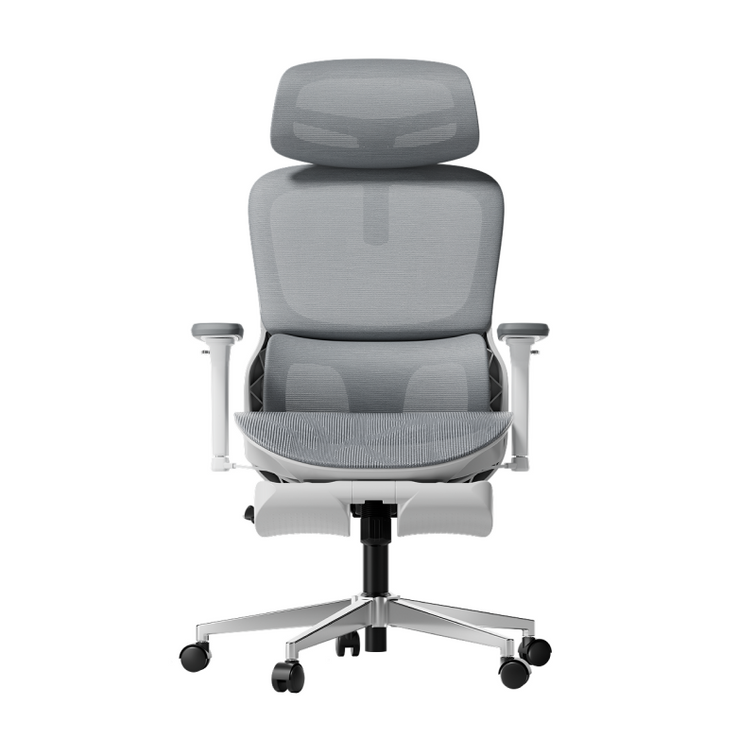
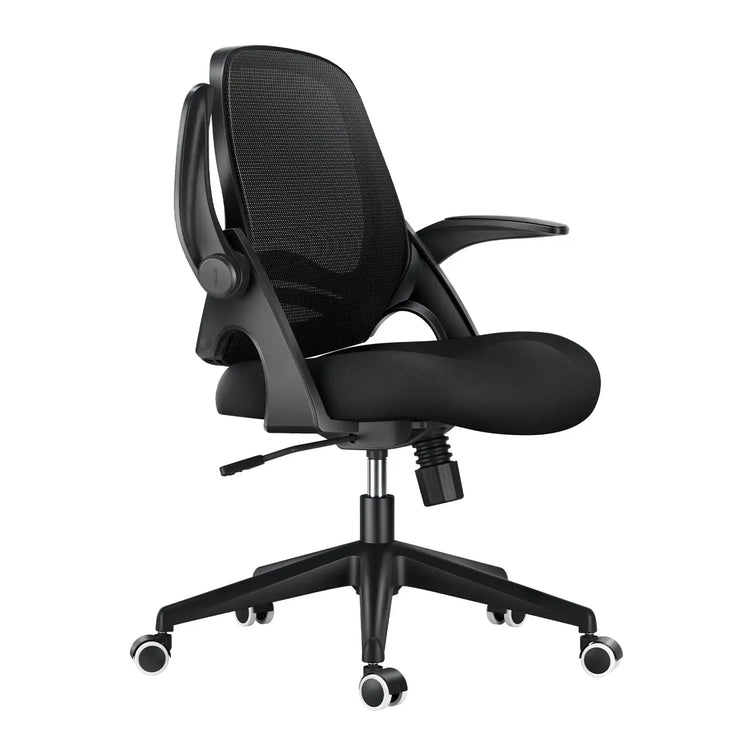





Start with your measurements.Not a feature count.
A practical way to approach HBADA vs Hinomi: compare the exact chair, understand its dimensions, and find out whether the adjustment ranges work for you.
Compare seat height, usable seat depth, lumbar contact and armrest position. Add seat width and desk clearance before making your choice. A brand name, size label or adjustment count cannot establish fit on its own. Use the same measurement definitions and the exact model, edition and configuration on both sides.
Feature lists are easy to compare, but they do not tell the whole story. “5D armrests” or “three-zone lumbar support” describes a design or movement capability. It does not tell you whether the chair will fit your legs, torso or desk.
This HBADA vs Hinomi guide starts with your body measurements and works outward. Instead of declaring one brand the winner, it explains how to build a model-specific comparison and where misleading shortcuts can enter the decision.
01 / THE RIGHT STARTING POINT
Why Measurements Beat Feature Counts

A chair can offer adjustable lumbar support and still be a poor match for your proportions. If the seat is too deep, you may slide forward and lose backrest contact. If it is too high, your feet may remain unsupported. If the armrests cannot move out of the way, they may prevent you from reaching your desk.
That is why the useful version of “Hinomi vs HBADA” is not simply “which has more adjustments?” It is “which model's adjustment ranges include the positions I need?”
Compare like with like
Use the same market, exact edition and selected configuration. Do not combine a small-size specification with a larger version's height recommendation or a different model's weight limit.
Separate labels from fit
Size bands and adjustment counts are starting points. Neither guarantees a match. The seat, backrest and armrests still need to work together for your body.
02 / YOUR PERSONAL FIT PROFILE
Measure Yourself Before Comparing Chairs
Use a stable seat and your usual work footwear. Keep a note of the measurements below in inches, centimeters or both. The important thing is to use consistent units throughout the comparison.
- Record seated lower-leg height. Measure from the floor to the underside of your knee with your feet supported. Use this as a starting point for checking seat height, not as an exact purchasing formula.
- Record hip-to-knee length. Measure from the back of your buttocks to the back of your knee. The usable seat should support your thighs while leaving comfortable clearance behind the knees.
- Record elbow position and desk clearance separately. Note your relaxed elbow height above the seat. Then measure the available space beneath your desk, including drawers, support rails and trays.
- Record seated hip width. Compare it with usable seat width and the space between the armrests. Overall chair width is not the same measurement.
03 / START FROM THE FLOOR
Seat Height: Check the Lowest Setting First

Seat height should work with both your legs and your workstation. You should be able to support your feet without having to perch at the front of the seat to reach the floor.
Check what a specification measures. “Floor to seat base” may not describe the same point as “floor to seating surface.” Mesh deflection and cushion compression can also affect the occupied sitting position.
If you need a lower seat
Start with the minimum usable seat height. A broad recommended-height range does not replace this check. Consider the desk height at the same time.
If you need a higher seat
Check the upper setting without ignoring seat depth and backrest position. A chair that rises high enough may still be too shallow for your thighs.
For example, the HBADA X7 US listing currently publishes a seat-height range of 17.52–20.87 inches (44.5–53 cm). Use that as a model-specific reference—not proof that every person within the recommended height range will find the same fit.
04 / THE NUMBER PEOPLE MISS
Usable Seat Depth: Range Is Not the Same as Travel
Seat depth affects whether you can remain in contact with the backrest while keeping clearance behind your knees. Before comparing numbers, distinguish three different measurements.
| Measurement | What it describes | What it does not establish |
|---|---|---|
| Overall chair depth | The front-to-back footprint of the chair. | The thigh-supporting surface available when seated. |
| Usable seat-depth range | The minimum and maximum usable depth, measured from defined reference points. | Comfort without considering your body and backrest position. |
| Seat-slide travel | How far the seat moves between adjustment endpoints. | The absolute minimum or maximum seat depth. |
Our E3 Pro 2026 and E3 Air 2026 pages describe approximately 1.97 inches (50 mm) of seat-slide adjustment. That travel figure alone does not show which model has the deeper usable seat.
For shorter thighs, check the shallowest usable setting. For longer thighs, check the deepest. In either case, the goal is comfortable support while remaining against the backrest—not simply selecting the largest number.
05 / WHERE THE SUPPORT MEETS YOU
Backrest Shape and Lumbar Fit
Panel counts and support-zone counts describe construction, not a universal comfort ranking. What matters is where the support meets your lower back, how much adjustment is available, and whether the contact feels appropriate during your usual tasks.
Within our range, the E3 Pro 2026 offers three-zone lumbar support, while the X7 uses AI-powered lumbar tracking. These are different support approaches; neither description guarantees a particular user's comfort.
When evaluating a Hinomi model, keep the exact model and edition in view. Do not transfer a backrest description from H1 Pro V2 to H2 Pro, or from one model family to another.
- Can you position the support at a comfortable height?
- Can you sit against the backrest without being pushed forward?
- Does the support remain comfortable when you change position?
- Can you use the relevant controls without difficulty?
More pressure is not automatically better. Adjust gradually and judge the fit during ordinary sitting and movement.
06 / THE DESK IS PART OF THE FIT
Armrest Position: Support and Clearance Are Separate Checks
Armrests need to work with your relaxed elbow position and the space beneath your desk. Those are related questions, but they are not the same measurement.
Check whether armrest height is measured from the floor or from the seat. A floor-to-armrest figure also depends on the seat-height setting, so record the setup used when measuring.
As a simple example, a desk with 27.5 inches of clear space underneath will not accommodate a 28-inch-high armrest in that position, even if the top surface is 30 inches high.
If a specific chair offers flip-up armrests, check how that movement changes access and whether it leaves you with the support you want while working. Labels such as “5D” or “720°” do not establish desk clearance or minimum elbow height.
07 / BUILD A FAIR COMPARISON
HBADA vs Hinomi: A Model-Specific Fit Worksheet

Use the same checks for both brands. Leave an unconfirmed field unconfirmed rather than filling it with a number from another model, market or retailer.
| Fit check | HBADA model | Hinomi model | Decision rule |
|---|---|---|---|
| Identity | Record the model, edition and configuration. | Record the model, edition and size where applicable. | Do not combine specifications across versions. |
| Seat height | Check the minimum, maximum and measurement point. | Check the same details for the selected version. | Look for supported feet and a workable desk position. |
| Usable depth | Separate actual depth from slide travel. | Separate actual depth from seat-pan dimensions. | Keep backrest contact and comfortable knee clearance. |
| Seat width | Check usable width and space between armrests. | Check the same measurements. | Overall chair width is not a substitute. |
| Lumbar fit | Check support position and available controls. | Check the selected model's support position and controls. | Zone or panel count alone does not establish fit. |
| Armrests | Check elbow support and height at your seat setting. | Check the same, including any folding function. | Compare against the desk's lowest obstruction. |
| Weight limit | Use the limit for the exact model and market. | Use the limit for the exact model and market. | Capacity is not a comfort or durability ranking. |
Swipe horizontally on smaller screens. This worksheet intentionally avoids unsupported brand-wide rankings.
08 / TURN MEASUREMENTS INTO A SHORTLIST
Which Measurements Should Guide Your Choice?

Shorter lower legs
Prioritize the minimum seat height, then verify that the seat is not too deep. Do not rely only on a “small” label or recommended-height range.
Longer thighs
Check the maximum usable seat depth, not just the amount of slide travel. Confirm that the backrest and lumbar support still contact you comfortably.
A low or compact desk
Measure the lowest obstruction beneath the desk and the chair's width at the armrests. Test whether you can move close enough to your keyboard.
A shared workspace
Compare the adjustment ranges with both users' measurements. A wide range helps only if it includes the positions each person needs and is practical to reset.
Within our range, use the E3 Air 2026, E3 Pro 2026 and X7 product pages to build your shortlist. Start with fit, then decide which support features matter to your routine.
09 / USEFUL ANSWERS
Frequently Asked Questions
Is HBADA or Hinomi better for my height?
Height alone cannot settle that question. Compare the exact models' seat height, usable depth, lumbar position and armrest settings against your proportions. Neither brand name establishes a universal fit.
Is this an independent comparison test?
No. We publish this guide as HBADA. It explains how to compare dimensions and adjustment ranges; it does not report a controlled physical test or an independent comfort ranking.
Are H1 Pro V2 and H2 Pro specifications interchangeable?
No. Treat them as separate models. An updated listing or a similar product name is not a reason to carry dimensions, size bands or features from one to the other.
Is a chair offered in multiple sizes automatically a better fit?
No. Size labels narrow the options, but each size still has specific dimensions. Likewise, an adjustable chair works only if its usable ranges include the positions your body needs.
Does more seat-depth adjustment mean a deeper seat?
Not necessarily. Adjustment travel describes how far the seat moves. You need the minimum and maximum usable depth to compare the actual seating space.
Will an armrest fit under a standard-height desk?
There is no reliable answer from desktop height alone. Measure the lowest obstruction underneath, then compare it with the armrest at the seat-height setting you will use.
Does a higher weight capacity mean a chair is more comfortable?
No. Weight capacity is a load limit for the specified product. It does not establish comfort, usable seat width or how well the backrest fits a particular person.
What if two listings give different dimensions?
Check the model, edition, market, size and measurement definition first. Ask for clarification before using a disputed number to make a purchase decision. Do not average conflicting specifications.
10 / BRING IT TOGETHER
Fit Is a Match, Not a Feature Count
The practical way to approach HBADA vs Hinomi is to compare your measurements with two clearly identified chair models. A longer feature list cannot make up for a seat or armrest position that does not work for you.
- I know the exact model, edition and configuration.
- I have checked seat height and usable seat depth.
- I have compared seat width and armrest spacing.
- I have measured the actual clearance beneath my desk.
- I understand the lumbar controls and support position.
- I have checked the applicable purchase and return terms.
Once the dimensions work, explore the controls and refine the setup. A chair that appears suitable on paper still needs to be adjusted for everyday use.
Find the HBADA that fits your setup.
Compare current models, check their dimensions and choose the adjustments that have a purpose in your working day.