




Blog

Best Wide-Seat Office Chairs for Sitting Cross-Legged: A Buyer's Data Guide

Best Wide-Seat Office Chairs for Sitting Cross-Legged: A Buyer's Data Guide

You already know the feeling: you pull your legs up, cross them on your chair, and within minutes, you're shifting to relieve the pressure from a seat that was never built for how you actually sit. The best office chair for sitting cross-legged is not just any wide chair; it requires specific dimensions, the right seat surface, and armrests that genuinely get out of your way. This guide cuts straight to the specs that matter, what the research says about cross-legged ergonomics, and which chair in the HBADA lineup is purpose-built for sitters who refuse to stay in the 90-degree box.

Why Most Office Chairs Fail Cross-Legged Sitters

Standard office chairs are engineered for one posture: feet flat on the floor, knees at 90 degrees. For the roughly one in three remote workers who habitually sit with their legs crossed, that design creates four specific failure points.

• Seat too narrow: The global average seat width on a standard office chair is 17–19 inches. Research from ergonomic workplace specialists at 247workspace confirms that a minimum of 20 inches is required for ankle-over-knee comfort, and 22+ inches for a full tuck position.

• Hard front lip: A raised or rigid front seat edge digs into the back of the ankles when legs are crossed, compressing the peroneal nerve, the clinical cause of the "foot falling asleep" sensation during desk work.

• Bucket contour: Racing-style bolsters and deep seat wells funnel weight to the center, which actively fights the outward hip rotation that cross-legged sitting requires.

• Fixed or narrow armrests: Armrests that can't swing wide or be removed block your knees in the folded position, making entry and exit uncomfortable and forcing you to half-stand every time you shift.

What to Look for in a Wide-Seat Office Chair for Cross-Legged Sitting

Not every "wide" chair works. Here are the four technical specs you need to check before you buy.

1. Seat Width: The Single Most Limiting Factor

Seat width determines which cross-legged positions are even possible. Here's the breakdown by sitting style:

Sitting Style

Minimum Seat Width Needed

Notes

Ankle over knee (casual cross)

20 inches / 51 cm

Manageable in most ergonomic wide chairs

Full criss-cross/tailor's pose

22+ inches / 56+ cm

Requires a purpose-built wide seat

One leg tucked, one down (half-cross)

20–21 inches / 51–53 cm

Achievable with the right seat depth too


2. Seat Surface: Flat and Grippy Wins

A flat seat pan distributes your asymmetric weight load more evenly when one leg is elevated. Soft, textured mesh or woven fabric grips your legs in place — unlike leather or vinyl, which causes legs to slide out of position during long sessions. The seat edge must be either soft and rounded or angled downward (waterfall edge) to avoid nerve compression on the back of the ankles.

3. Armrests: The Freedom Test

For comfortable cross-legged sitting, you need armrests that can either fold up, swing wide, or both. A minimum of 4D armrests that adjust in and out (left-right) and rotate are the baseline. Full 720° adjustable armrests that rotate, flip, and travel both front-to-back and up-and-down give you the most freedom to clear your knee line and reposition without thinking.

4. Weight Capacity and Frame Stability

Cross-legged sitting places an asymmetric load on the seat frame your weight concentrates on one side rather than being distributed evenly across both seat rails. Chairs with lower weight capacities or nylon-only frames can wear unevenly or develop instability under this type of repeated off-center loading. Look for a minimum rated capacity of 300 lb (136 kg) and a reinforced steel or aluminum alloy base for long-term stability.

Is Sitting Cross-Legged Bad for You? The Ergonomic Reality

The short answer is: it's not inherently harmful, but the wrong chair can make it dangerous. The risk from cross-legged sitting does not come from the position itself. It comes from sustained static load in a chair that wasn't designed for the posture.

• Peroneal nerve compression (the "foot falling asleep" sensation) happens when a hard seat edge presses against the nerve below the knee. A soft, flat, front-edge seat eliminates this.

• Spinal misalignment occurs when crossed legs cause a pelvic tilt that the lumbar support doesn't account for. Dynamic lumbar support, one that adjusts as you shift, is the solution.

• Hip flexor tightness over long sessions is real, regardless of sitting position. The 20-8-2 rule, 20 minutes sitting, 8 minutes standing, 2 minutes moving, applies here just as it does for conventional posture.

The HBADA E3 Pro: The Case Built on Measurements, Not Marketing

The HBADA E3 Pro — the wide-seat ergonomic chair engineered for Big and Tall and alternative-posture users — meets every technical requirement for cross-legged comfort with verified, published specifications. Here is the data:

Seat Dimensions: Just Above the Minimum Threshold

The HBADA E3 Pro delivers a seat width of 20.27 inches (51.5 cm), clearing the 20-inch minimum threshold identified by ergonomic researchers for ankle-over-knee cross-legged sitting. Combined with an adjustable seat depth of 17.7"–19.7" (5 cm range), you can shorten the front-to-back surface when your legs are folded to reduce front-edge contact on your calves and ankles. The CloudMesh seat surface is soft, flat, and textured, not leather, not vinyl, not a bucket contour.

Weight Capacity and Frame: Built for Asymmetric Load

The E3 Pro is rated for 330 lbs (150 kg) and features an SGS-certified Class 4 gas cylinder and a steel-reinforced chassis. It fits users from 4'11" to 6'5" (150–195 cm). That combination of weight rating and frame reinforcement means the chair handles the asymmetric, off-center pressure of cross-legged sitting without structural wear over time, something a standard 250-lb nylon-base chair cannot guarantee.

3-Zone Elastic Lumbar Support: Adapts When Your Pelvis Tilts

Cross-legged sitting rotates your pelvis. Static lumbar pads lose alignment the moment that happens. The E3 Pro's 3-Zone Elastic Lumbar Support System uses an 8-way adjustment range and elastic deflection to continuously track the L1–L5 vertebrae as your weight distribution shifts. Whether you're sitting upright with both feet down or leaning slightly with one leg crossed, the lumbar adapts; it doesn't require a manual reset.

720° Armrests: Clear the Knee Line Completely

The E3 Pro's 720° adjustable armrests offer 360° rotation, 110 mm front-to-back travel, 50 mm height adjustment, and a 20° flip. In practice, this means you can rotate the armrests completely outward to clear both knees in a full criss-cross position, then bring them back in as you shift to upright typing. This is the armrest range that purpose-built cross-legged office chairs require.

4D Dual-Axis Headrest: Neck Support at Any Recline

The 4D bi-axial headrest adjusts 70° in rotation, 55 mm front-to-back, and 45 mm vertically. When you recline to 140°, a common rest position between focused cross-legged sessions, the headrest tracks your cervical spine regardless of how far back you go. The 4-level tilt lock at 100°, 110°, 120°, and 140° lets you lock into the angle that feels right for your body.

HBADA E3 Pro Key Specs for Cross-Legged Sitters:

Spec

HBADA E3 Pro

Why It Matters for Cross-Legged Sitting

Seat Width

20.27" / 51.5 cm

Meets the 20" minimum for ankle-over-knee cross-legged sitting

Seat Depth (adjustable)

17.7"–19.7" (5 cm range)

Shorten the front surface to reduce ankle/shin contact when legs are folded

Seat Surface

CloudMesh — flat, textured, soft-edge

Grips legs in place; no hard rim to compress the peroneal nerve

Armrests

720° full-range (360° rotate, flip, 110mm F/B, 50mm height)

Rotates fully outward to clear both knees in the crossed position

Lumbar Support

3-Zone Elastic, 8-way adjustment

Adapts when the pelvis tilts during cross-legged posture shifts

Weight Capacity

330 lbs / 150 kg

Handles asymmetric off-center loading safely over time

Height Fit

4'11"–6'5" (150–195 cm)

Wide fit range for petite and tall users alike

Recline

4-level tilt lock: 100°–140°

Rest position after cross-legged sessions without leaving the chair

Certifications

BIFMA, SGS, TÜV, IGR, London Design Awards

Third-party structural safety verified for long-term use

Warranty

5-year (2026 Edition)

Structural components covered for long-term peace of mind

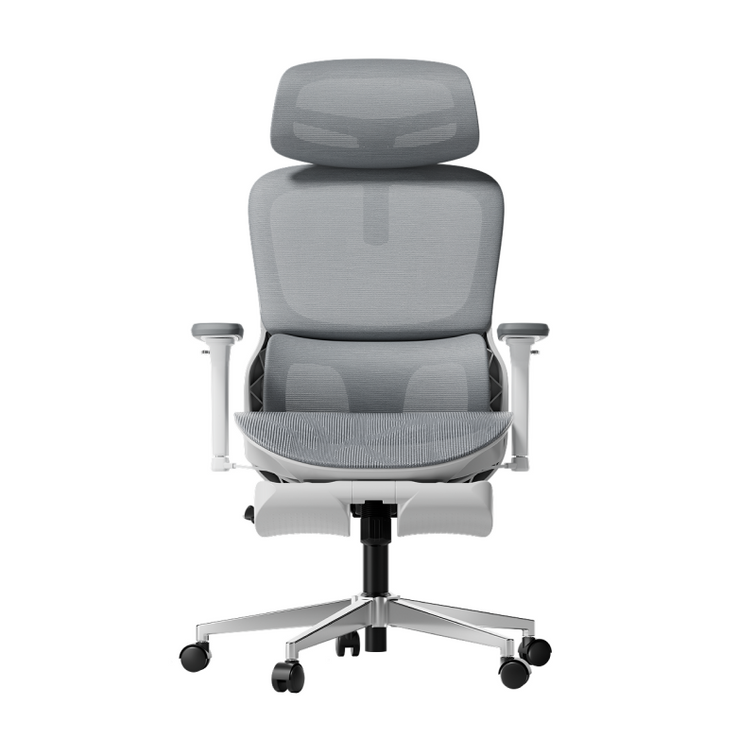
 HBADA Ultra Gray premium mesh ergonomic office chair

Who the HBADA E3 Pro Is For: Two Real-Use Profiles

Specs on paper only tell part of the story. Here is how the E3 Pro performs for two specific user types who regularly sit cross-legged.

Profile A: The Large-Frame Remote Worker (Heavy-Duty Use Case)

Malus T., 34, Senior DevOps Engineer, 6'2", 295 lbs, 10+ hour daily sessions. Marcus went through three standard office chairs in two years. Foam compressed fully under his weight, gas lifts failed, and no standard lumbar pad stayed aligned when he pulled his left leg up to sit ankle-over-knee, his default position for long coding blocks. He needed a chair that could handle asymmetric loads, provide dynamic lumbar support, and offer wide enough seat clearance for his frame.

On the HBADA E3 Pro, the 330 lb SGS-certified gas cylinder and steel-reinforced chassis gave him the structural confidence he'd never had in a budget chair. The 20.27-inch seat cleared his thighs when crossed. The 3-Zone Elastic Lumbar System tracked his L1–L5 curve automatically, whether he sat upright to review code or leaned forward into a crunch. The 720° armrests rotated outward enough to fully clear his knee when crossing, then back in for wrist support on the keyboard.

Profile B: The Petite Professional (Adjustability Use Case)

Elena R., 28, Remote Graphic Designer,  5'1", 110 lbs. Standard ergonomic chairs placed lumbar support at mid-back or upper-back, never at her actual lumbar,  because the mounts assumed a standard male frame height. Elena's feet didn't reach the floor on most chairs set to desk height, and she habitually sat in a half-cross position with one foot tucked under her.

The E3 Pro's 8.5 cm seat height adjustment range (18.1"–20.4") brought her feet closer to the floor. The backrest height adjustment of 80 mm positioned the lumbar support precisely at her L3–L4 vertebrae. The seat depth adjustment shortened the seat surface so the front edge didn't press into the back of her thighs when she tucked one leg. The 720° armrests rotated inward to cradle her arms while drawing on her tablet in the half-cross position, eliminating the persistent shoulder tension she'd carried for two years.

A Note on the HBADA AI-Powered X7: Outstanding — But Not Designed for Cross-Legged Sitting

The HBADA AI-Powered X7 — the world's first AI lumbar-tracking smart ergonomic chair — is an exceptional chair for upright, conventional sitting. Its AI lumbar-tracking system, 8D massage, graphene heating, active-ventilation seat cushion, and 720° armrests make it one of the most advanced chairs on the market.

However, if you are a habitual cross-legged sitter, the HBADA AI-Powered X7 is not the right chair for your primary use. The seat geometry is precision-engineered for an upright seated posture, and third-party testing confirms that the seat rim is not well-suited to ankle-over-knee or full criss-cross positions. Choosing it for cross-legged use would mean paying for features you cannot safely use in your preferred sitting style.

The honest answer: if you sit upright and want the most advanced active ergonomics available, the HBADA AI-Powered X7 is the clear choice. If you sit cross-legged regularly, the HBADA E3 Pro is the chair built for you, and then some.

Which Chair Should You Choose?

HBADA ergonomic office chairs with adaptive lumbar support

Here's the data-driven answer: this guide on the best wide-seat office chair for sitting cross-legged leads to this conclusion: your dominant sitting posture determines your chair, not a brand name or a feature count.

• You sit cross-legged, ankle-over-knee, or with one leg tucked for most of the day: HBADA E3 Pro is the confirmed choice. Verified 20.27-inch seat width, 330 lb asymmetric-load capacity, 3-Zone Elastic Lumbar, and 720° armrests, purpose-built for the posture you actually use.

• You sit upright conventionally for 8–10 hours with back pain or recovery needs: HBADA AI-Powered X7 is the clear choice. AI lumbar tracking, 8D massage, graphene heat, and active cooling make it the most advanced ergonomic chair on the market for standard seated posture.

• You split time between cross-legged and upright: Start with the HBADA E3 Pro. Its 5 cm seat depth adjustment and flat mesh surface support the posture transitions that are hard on most chairs.

FAQs

What seat width do I need for sitting cross-legged in an office chair?

The minimum seat width for comfortable cross-legged sitting is 20 inches (51 cm) for ankle-over-knee positions. A full criss-cross or lotus-style tuck requires at least 22 inches of clear, flat seat surface. Standard office chairs average 17–19 inches wide, too narrow for most cross-legged sitters. The HBADA E3 Pro measures 20.27 inches (51.5 cm), meeting the minimum threshold with a flat CloudMesh surface and a soft front edge.

Is sitting cross-legged in an office chair bad for your back?

Cross-legged sitting is not inherently harmful, but the wrong chair can make it damaging. The risks include peroneal nerve compression, spinal misalignment, and hip flexor tightness, which come from chairs with hard seat edges, no adaptive lumbar support, and seats that are too narrow for the posture. A chair with a flat, wide seat, elastic lumbar support, and soft front edge reduces these risks significantly. Alternating positions every 30–45 minutes is still recommended, regardless of chair quality.

Can I sit cross-legged in any ergonomic chair?

No. Most conventional ergonomic chairs fail cross-legged sitters because they have bucket-shaped seat contours, narrow seats under 20 inches, fixed armrests that block the knee line, or rigid front seat lips. Chairs marketed as "big and tall" or "wide-seat" are more likely to accommodate the posture, but even those vary significantly. Always verify seat width (minimum 20"), armrest range, and seat edge design before purchasing.

What is the HBADA E3 Pro seat width?

The HBADA E3 Pro seat width is 20.27 inches (51.5 cm) — verified on the official HBADA product page. Combined with an adjustable seat depth of 17.7"–19.7" and a flat CloudMesh surface with a soft front edge, it meets the specifications ergonomic researchers identify as the minimum for comfortable ankle-over-knee cross-legged sitting. The chair also has a 330-lb weight capacity and is certified to BIFMA, SGS, TÜV, and IGR standards.

Relevant Product

You May Also Like

Do Mesh Office Chairs Sag? A 180-Day Durability Check Guide Do Mesh Office Chairs Sag? A 180-Day Durability Check Guide Materials, comfort & everyday care A little flex is normal.A lasting dip deserves a closer look. Understand why mesh can lose tension, what durability testing actually tells you, and how to track changes during your first six months of use. Quick answer Yes, mesh office chairs can sag, but it is not an inevitable outcome for every chair. Material, construction, attachment points, loading, and care all matter. Normal flex under your weight is different from a persistent change in shape or support. This is a durability and inspection guide, not a report of a completed 180-day wear test. Laboratory cycle counts are not converted into promised months or years of use. In this guide Ask the better question How mesh sagging happens Lab cycles and a 180-day check What testing can show How to compare mesh quality Signs to watch for Mesh care and lifespan Warranty and support Frequently asked questions Final thoughts 01 / START WITH THE RIGHT QUESTION Why “Do Mesh Office Chairs Sag?” Is Only the Starting Point If you have ever sat in a mesh chair that felt firm at first and noticeably softer later, you already understand the concern. But treating “mesh” as one uniform material can make the comparison misleading. Two chairs can look similar in a photo while using different fibers, weave structures, initial tension, and frame attachments. Those details influence how the seating surface responds to repeated use. Instead of asking only whether mesh sags, ask what evidence supports the durability of the specific seat or backrest you are considering. Look at the complete construction. Mesh quality matters, but so do the frame, attachment system, intended loading, and how the chair is used. Price or appearance alone cannot establish lifespan. 02 / FLEX VERSUS LASTING CHANGE How Mesh Sagging Actually Happens A mesh seat is designed to deflect under load. When you sit down, the material and supporting structure accommodate your weight. When the load is removed, the surface should recover in line with its design. Over time, material stretching, damage, or movement at attachment points can change the unloaded shape or the support you feel. The cause is not always the fabric itself: frame or fastening problems can produce a similar symptom. Designed movement Normal flex The surface moves under your weight and returns toward its original contour after you stand. A curved seat is not automatically a sagging seat. A change to investigate Persistent sagging A new dip remains when the chair is unloaded, the surface feels progressively less supportive, or an edge appears loose compared with its original condition. A change in support may affect how you sit or create uncomfortable contact with the frame. It does not establish a specific medical problem, but it is a reason to inspect the chair and seek product support. 03 / WHAT SIX MONTHS CAN TELL YOU Turning Lab Cycles Into a Real Timeline: What You Can—and Cannot—Do Repeated-load tests help assess how a component performs under defined conditions. Their value depends on the tested part, load, contact area, procedure, and pass criteria. A cycle count alone cannot be translated into 180 days or several years of ordinary use. Daily sitting includes sustained loading, shifting positions, different body weights, and environmental conditions that a single test may not reproduce. A more practical approach is to record your own chair's condition consistently. The following is a suggested inspection schedule—not measured test results or a prediction of when wear will appear. Checkpoint What to record Why it helps Day 1 Photograph the unloaded seat and backrest, including their edges. Note the chair settings and initial support feel. Establishes a baseline rather than relying on memory. Around Day 30 Check for new persistent indentations, loose edges, or changes in support. Helps identify an early issue to discuss with support. Around Day 90 Repeat photographs from the same angles and inspect attachment areas. Makes gradual changes easier to compare. Around Day 180 Compare the unloaded contour, visible condition, and support feel with the original record. Creates a useful six-month condition history. Use similar lighting, chair settings, and time after unloading for each comparison. Do not wait for a scheduled checkpoint if the mesh tears, detaches, or the chair feels unstable. 04 / READ THE EVIDENCE What High-Tensile Mesh Testing Shows A useful mesh test explains what was measured. Tensile strength, permanent deformation, repeated-load performance, and attachment durability are related questions, but they are not interchangeable results. Strength retention does not automatically establish that a seat will retain exactly the same shape or feel. Likewise, a high cycle count for a different chair component does not demonstrate mesh durability. Tested item: Was it a fabric sample, a complete mesh seat, or another component? Test conditions: What load, contact area, and procedure were used? Measured result: Was the result strength retention, deformation, damage, or simply completion of the test? Product match: Does the report apply to the exact model and material being sold? Keep component results separate. The HBADA X7 product page lists cycle testing for components including the gas lift and rotation mechanism. Those figures should not be relabeled as mesh tension-test results. 05 / COMPARE WITHOUT GUESSING Mesh Quality and Expected Lifespan: What to Compare There is no dependable universal timetable that assigns “a few months” to budget mesh or “several years” to premium mesh. Without comparable evidence, those categories are descriptions—not lifespan measurements. Information provided What it helps you assess What it does not establish Material and weave description How the mesh is constructed and positioned in the product range. A precise time before sagging. Mesh-specific test report Performance of the tested material or assembly under stated conditions. Identical results for every user or a different model. General chair testing Results for the components and procedures actually included. A direct measurement of mesh lifespan unless the relevant test is documented. Warranty terms Available support for eligible problems and the applicable exclusions. A promise that the mesh will never change or wear. If a product uses a named mesh material, ask which model uses it and what evidence relates to that construction. A material name alone is not a substitute for a relevant test. 06 / KNOW WHAT TO LOOK FOR What to Watch For as a Chair Ages Compare the chair with its original condition rather than expecting every mesh surface to look completely flat. Look for a combination of visible changes and differences in support. A new dip that remains in the unloaded seat or backrest. A noticeable reduction in recovery compared with earlier checks. A persistent change in support at the same chair settings. Fraying, broken strands, or separation at an attachment point. New contact with a hard frame edge beneath or beside the mesh. Do not diagnose every change as worn mesh. Check whether seat settings, a loose component, or the backrest position changed. If the material is torn, detached, or no longer supports you safely, stop using the chair and contact the manufacturer. 07 / EVERYDAY CARE Mesh Office Chair Durability: How to Care for the Mesh Good care can reduce avoidable damage, although it cannot guarantee a fixed lifespan or reverse material wear. Follow the instructions supplied for your chair. Use the chair as intended. Stay within the specified load limit and do not stand or kneel on the mesh. Avoid concentrated loads. Do not store heavy or sharp-edged objects on the seat or backrest. Protect the surface. Keep sharp objects and direct heat sources away from the mesh. Clean gently. Where permitted by the care instructions, use a soft cloth or a vacuum with a soft brush attachment. Check before using cleaners. Avoid unapproved solvents, abrasive tools, or heat-based cleaning methods. Leave loose strands alone. Photograph the issue and ask support for guidance rather than pulling, cutting, or trying to retension the material. DIY heating or tightening can damage the fabric or its attachment system. Use only a repair or adjustment procedure specifically approved for the model. 08 / IF SOMETHING CHANGES What's Covered If Your Mesh Does Sag? Coverage depends on the applicable warranty, the affected component, and the cause of the problem. Do not assume every change in tension is automatically covered—or that a problem is merely normal wear without having it assessed. For an HBADA purchase, start with the HBADA US warranty and service information and the terms applicable to your order. Prepare a clear support request Your order number, purchase date, and exact model. Photos of the whole chair and close-ups of the affected area. When you first noticed the change and whether it is progressing. A description of the issue, including whether it remains when unloaded. Any baseline photos that show the original condition. Ask the support team to confirm the next step and any available repair or replacement options. Avoid modifying the seat before receiving model-specific guidance. 09 / QUICK ANSWERS Frequently Asked Questions Do mesh office chairs sag more than foam chairs? There is no universal answer. Mesh can lose tension, while foam can compress or change shape. Compare the specific construction, supporting evidence, and usage conditions rather than judging durability by material category alone. How long does chair mesh last before it starts to sag? There is no single reliable timetable. Material, construction, loading, environment, and care all affect wear. A cycle count without a validated relationship to real-world use cannot establish a lifespan in years. What does a mesh chair wear test actually measure? It depends on the procedure. A test may evaluate repeated loading, permanent deformation, damage, or retained material strength. Check what was tested and how the result was measured before comparing numbers. Can I fix mesh that has already sagged? That depends on the cause and chair design. Do not assume the mesh can be safely tightened or restored with heat. Contact the manufacturer for an approved adjustment, repair, or replacement procedure. Is CloudMesh more durable than other mesh? A reliable comparison needs model-specific material information and comparable test results. The CloudMesh name alone does not establish a particular lifespan or prove superiority over every other mesh construction. What's the fastest way to check whether my mesh is sagging? Compare the unloaded surface with a baseline photo. Look for a new lasting dip, loose edges, damaged strands, or a consistent change in support at the same settings. Normal flex while seated is not automatically a defect. 10 / THE TAKEAWAY The Mesh Is Only as Good as What's Behind It The answer to “Do mesh office chairs sag?” is not a simple yes or no. The useful questions concern construction, relevant testing, loading, and how the chair changes over time. When shopping, look beyond the word “mesh.” Check the exact model, supported use, available evidence, and service options. Once the chair arrives, a few consistent condition checks are more useful than assuming any test number guarantees years of unchanged support. Find your fit Choose the whole chair—not just the mesh. Explore HBADA's ergonomic office chairs and compare seat dimensions, adjustment options, materials, and care information for your workspace. Explore HBADA X7 → Enjoyed this guide? Stay connected with HBADA. Make HBADA one of your preferred sources on Google for more ergonomic chair guides, workspace tips, and practical advice. Add HBADA as a preferred source on Google ↗ Opens Google in a new tab. Confirm your selection there if HBADA is available. Back to top ↑ What Is an AI Ergonomic Chair? Smart Features Explained What Is an AI Ergonomic Chair? Smart Features Explained Smart seating, explained simply What makes a chair smart?Start with how it responds. Sensors, automatic lumbar support, and built-in comfort features: here is what the technology does—and what still depends on you. Quick answer An AI ergonomic chair typically uses sensors and electronic controls to automate selected adjustments, such as lumbar support. In a motorized tracking system, sensor inputs help the chair respond to changes in position. The exact functions vary by model, and the “AI” label alone does not tell you whether a chair uses machine learning. In this guide Beyond manual adjustment What makes a chair “AI”? How posture sensors work Intelligent lumbar support Smart vs. traditional chairs Other smart features Is it worth the price? The HBADA X7 example What “AI” really means Frequently asked questions Final thoughts 01 / A DIFFERENT KIND OF ADJUSTMENT Not Just Another Chair With More Knobs “AI chair” gets thrown around a lot these days, and it is fair to wonder what sits behind the label. The useful question is not simply whether a chair is called smart. It is which adjustments the chair makes for you. A traditional ergonomic chair relies on you to set features such as seat height, armrest position, and lumbar support. Some also use flexible backrests or mechanical systems that respond as you move, so traditional does not necessarily mean static. A chair with electronically controlled lumbar tracking adds another approach: it uses sensor feedback to adjust selected support features while the system is active. The practical difference is automation. Instead of manually changing every support setting, you let the chair handle a specific adjustment within its operating range. You still need to set up the rest of your workstation. 02 / THE CORE TECHNOLOGY What Actually Makes a Chair “AI”? For a motorized lumbar-tracking chair, the basic idea is a feedback loop: sensors detect a physical change, a controller interprets the input, and a mechanism adjusts the support. 01. Sense Detect changes in pressure, contact, or component position. 02. Process Use the readings and selected settings to determine a response. 03. Adjust Move the support within the mechanism's available range. This is different from simply adding more manual adjustment points. But sensors and motors alone do not establish how sophisticated the software is, whether it learns from use, or how well the chair will fit a particular person. When comparing smart chairs, look for a clear explanation of the feature: what it senses, what it changes, and which settings you control. 03 / READING MOVEMENT The Office Chair Posture Sensor Behind the Curtain A posture-sensing system uses physical measurements rather than an understanding of your body in the human sense. Different designs may use pressure sensors, position sensors, or a combination of inputs. Contact and load Pressure sensors Pressure readings can indicate changes in the force applied to a sensing area. The controller can use that information as one input when adjusting support. Component position Magnetic position sensors Hall-effect sensors detect magnetic-field changes. Depending on the design, those changes can help track a mechanism's position rather than directly measure the shape of your spine. The controller then uses the available information to guide a response. Exact sensor types, sampling rates, and movement speeds are model-specific specifications—not features to assume from the words “AI chair.” A useful distinction: Sensor sampling frequency is not the same as the time needed for a motor to complete an adjustment. A fast reading does not, by itself, tell you how the movement will feel. 04 / FROM INPUT TO SUPPORT Intelligent Lumbar Support, Explained Step by Step In a sensor-driven, motorized lumbar system, the sequence can be understood in five steps: You change position. Leaning or shifting changes your contact with the chair. The system detects a change. Its sensors register the relevant pressure or position inputs. The controller determines a response. The response depends on the system's programming, selected mode, and available settings. The mechanism adjusts the lumbar support. Movement remains within the chair's designed travel range and operating limits. The system continues monitoring. Further input can prompt another adjustment while the tracking function is active. The goal is to reduce the need for repeated manual lumbar adjustments as your position changes. It does not mean the chair can maintain identical contact through every movement, correct every sitting position, or adjust every part of the chair automatically. 05 / SIDE BY SIDE Smart Office Chair vs. Traditional Adjustable Chair The distinction is best understood by comparing how the support works—not by assuming one category is always comfortable and the other is not. Factor Traditional adjustable chair Smart chair with motorized lumbar tracking Initial setup You adjust the chair to fit your body and desk. You still set up the chair, then select available electronic modes. Lumbar adjustment May be manual, flexible, or mechanically adaptive. Uses electronic feedback to adjust selected lumbar functions. Response to movement Depends on the backrest, recline, and support mechanism. Combines the chair's mechanical design with powered tracking. User input Manual controls and mechanical settings. Manual setup plus powered controls or support preferences. Power needs A purely mechanical chair needs no charging. Electronic functions need a suitable power source. Cost Varies widely by construction and adjustment features. Added electronics may increase cost; compare actual models. What to prioritize Fit, adjustment range, support feel, and build quality. The same fundamentals, plus tracking behavior and electronic support. 06 / BEYOND TRACKING Beyond the Lumbar: Other Smart Features to Know Lumbar tracking tends to be the headline feature, but smart chairs may also include powered comfort functions. These should be assessed individually rather than treated as proof that the chair learns or understands your needs. Massage Movement for a different support feel Built-in massage may offer selectable patterns or intensity settings. A massage function does not automatically mean the chair detects fatigue. Ventilation Powered airflow Fans can move air through or around the seat. This is different from passive mesh ventilation and should not be confused with refrigerated cooling. Heating Optional warmth Heating adds warmth in a specified area. Review the controls and instructions; it is a comfort feature, not a promise to treat a medical condition. Saved settings Preferences, where supported Some systems may retain selected settings. Saving a preference is different from learning your posture, and memory functions should be checked model by model. Ask which functions you would actually use. A clear set of useful controls is more valuable than a long list of features you rarely turn on. 07 / THE VALUE QUESTION Is an AI Office Chair Actually Worth the Price? That depends on how you work and how the chair feels to you. If your day includes focused typing, calls, and reclined breaks, automatic lumbar adjustment may offer a useful convenience as you change position. If you prefer a simpler setup, a well-fitting mechanical ergonomic chair can still provide responsive support without batteries or powered controls. Look beyond the feature list Fit: Check seat height, depth, width, and whether the lumbar support reaches a comfortable position. Control: Understand which settings you can change and how to select or disable powered functions. Space: Check the chair's footprint and the clearance required for reclining. Upkeep: Review charging instructions, electronic component coverage, and service options. Everyday use: Consider whether the powered functions improve your routine enough to justify the difference in price. Battery life depends on the model, settings, and functions you use. Avoid assuming a fixed charging schedule without checking the relevant specifications and usage conditions. Buy for fit first, automation second. Smart functions can add convenience, but they cannot compensate for unsuitable seat dimensions or a poorly arranged desk. 08 / TECHNOLOGY IN PRACTICE HBADA X7: A Real-World Example The HBADA X7 smart ergonomic office chair illustrates this approach with AI lumbar tracking alongside massage, heating, and seat ventilation. The US product page also lists a 4D bi-axial headrest and 720° armrests. These adjustable components serve a different role from powered lumbar tracking: they help you set up the chair around your body and workspace. Meet the HBADA X7 Automatic support. A setup that is still yours. Explore how the X7 combines lumbar tracking with adjustable seating and powered comfort functions. Review the current US product details and selected configuration before ordering. Explore HBADA X7 → When comparing options across HBADA's office chair range , begin with the adjustments you need every day, then decide which electronic functions would make a meaningful difference. 09 / SETTING EXPECTATIONS Being Honest About What “AI” Means Here It is worth pausing on the term itself. A chair marketed as AI-powered is not necessarily using the same kind of technology as a conversational AI assistant. Automatic support can be produced by a sensor-driven control system. Whether a particular chair also uses machine learning, personalized prediction, or other techniques depends on its documented implementation. Without that documentation, neither “it learns your body” nor “it is only pre-programmed” should be treated as an established fact. Focus on the function you can evaluate: What adjusts? How does it feel? Can you control it? Does the chair fit? These questions are more useful than the label alone. Similarly, words such as “smart,” “adaptive,” and “bionic” do not establish a medical benefit. Evaluate support and comfort separately from any claim about treating pain or correcting a health condition. 10 / QUICK CLARIFICATIONS Frequently Asked Questions What is an AI ergonomic chair, in simple terms? It is a chair that uses electronic sensing and control to automate certain functions, such as adjusting lumbar support. The specific capabilities vary by model, and other chair adjustments may still be manual. How does an office chair posture sensor actually work? Sensors detect physical inputs such as pressure or component position. A controller can use those inputs to guide support adjustments. The sensor combination and response depend on the chair's design. Is intelligent lumbar support better than a manual lumbar pad? It may be more convenient if you value automatic adjustment as you move. It is not universally better: support position, pressure, adjustment range, and personal fit still determine whether it feels right. Mechanical adaptive support can also respond to movement. Does “AI” in a smart ergonomic chair mean it uses machine learning? Not necessarily. Automated sensor response alone does not prove that machine learning is involved. Check the manufacturer's technical explanation rather than inferring the software from the product label. Are AI office chairs worth the higher price? They can be worthwhile when automatic support and powered comfort functions are features you will use. Compare fit, controls, maintenance, and actual model prices. A well-adjusted mechanical chair may be a better match if you prefer simplicity. Which HBADA chair is considered an AI ergonomic chair? The HBADA X7 is one example, with AI lumbar tracking and additional powered comfort functions. Check the current US product page for the selected model's specifications. Do I still need to adjust an AI ergonomic chair? Yes. Automatic lumbar tracking does not mean every component adjusts itself. Set up the seat, armrests, and other controls according to the chair's instructions and your desk arrangement. 11 / THE TAKEAWAY Comfort That Moves With You, Not the Other Way Around The real appeal of an AI ergonomic chair is not the label itself. It is the convenience of having selected support functions respond automatically as your position changes. That adds another option alongside manual adjustments and mechanically adaptive designs. Which approach works best depends on your body, workspace, preferences, and how much you value powered features. Start with fit. Understand the controls. Then judge whether the smart features make your daily routine more comfortable and easier to manage. A smarter chair is still one part of the setup. Give the same attention to your desk, screen, and working habits—and make room for regular changes of position and movement breaks. Enjoyed this guide? Stay connected with HBADA. Make HBADA one of your preferred sources on Google for more ergonomic chair guides, workspace tips, and practical advice. Add HBADA as a preferred source on Google ↗ Opens Google in a new tab. Confirm your selection there if HBADA is available. Back to top ↑ Office Chair With Footrest vs Separate Footrest: Which Is Better? Office Chair With Footrest vs Separate Footrest: Which Is Better? The workspace comfort guide One supports your break. The other supports your desk setup. A chair with a built-in footrest and a separate under-desk footrest may sound interchangeable. In practice, they usually solve different problems. Quick answer Choose a built-in chair footrest for supported, reclined breaks. Choose a separate under-desk footrest when your feet need support while you sit upright at your desk. The better choice depends on your working position, desk height, available space, and whether you want support for working, relaxing, or both. In this guide Why this comparison matters What a built-in footrest offers What a separate footrest offers Benefits of foot support Quick comparison table When to choose a reclining chair When to choose a separate footrest Exploring HBADA options How to decide Frequently asked questions Final thoughts 01 / THE KEY DIFFERENCE Why This Comparison Matters When shopping for an ergonomic office chair, it is easy to treat a footrest as one more feature on a checklist. But “footrest” can refer to two quite different products. A retractable footrest attached to a chair typically supports your lower legs when you lean back. A separate under-desk footrest is usually a platform that supports your feet while you sit upright. Reclined breaks Built-in chair footrest An integrated place to rest your lower legs when you recline, then tuck away when it is not needed. Upright desk work Separate under-desk footrest A stable surface beneath your feet when your working seat height leaves them unsupported. Understanding this distinction helps you choose based on how you actually use your workspace—not simply which option looks more complete. 02 / BUILT-IN SUPPORT What a Built-In Footrest Actually Offers A built-in footrest is attached to the chair and can often slide or fold out from beneath the seat. Its main appeal is convenience: leg support is part of the chair rather than a separate item you need to bring over. A convenient option for reclining If you like to lean back during a break, read away from your keyboard, or change position between tasks, an integrated leg rest can make that transition more comfortable. A tidier setup when retracted Once stowed, the footrest stays with the chair. That can help keep a shared room or home office organized, although the chair still needs sufficient room when the footrest is extended. Fit and operation still matter Footrest length, width, deployment, and supported positions vary by chair. Check the exact configuration and operating instructions rather than assuming every built-in design adjusts or moves in the same way. Important distinction: A retractable leg rest is not automatically a substitute for a stable under-desk foot platform during upright typing. 03 / SEPARATE SUPPORT What a Separate Footrest Offers In this guide, a separate footrest means a floor-standing under-desk platform—not an ottoman intended for reclining. Some platforms have adjustable height or tilt; others have a fixed shape. Support at your working seat height Your chair may need to sit higher to work comfortably with your desk. If that leaves your feet unable to rest securely on the floor, a separate platform can provide the missing support. Independent positioning You can position the platform according to your seat and desk setup. This is useful when the chair itself fits well, but the relationship between the desk height and floor leaves your feet unsupported. A way to improve an existing setup If your current chair already provides the adjustments you need, a separate footrest may address the foot-support problem without replacing the chair. Before buying, check that the platform supports both feet, stays stable on your flooring, and fits without crowding your knees or restricting leg movement. 04 / EVERYDAY COMFORT Office Chair Footrest Benefits, Either Way The useful benefit of a footrest depends on the position it supports. For upright work, that may mean having somewhere stable to place your feet. For a reclined break, it may mean supporting your lower legs instead of leaving them hanging. More appropriate support: Match the support surface to your working or resting position. A more adaptable setup: Adjust your workspace around your body and desk rather than forcing one sitting position. A more comfortable break: An integrated leg rest can make reclining more convenient when the chair and available space allow it. Support is not a substitute for movement. Neither type of footrest makes prolonged sitting automatically comfortable or healthy. Change positions, stand up, and take regular movement breaks. 05 / SIDE BY SIDE Quick Comparison Table Consideration Built-in chair footrest Separate under-desk footrest Primary purpose Lower-leg support during reclined breaks. Foot support during upright desk work. Position Attached to the chair, usually beneath the seat when stored. Placed on the floor beneath the desk. Adjustability Deployment and positioning depend on the chair design. Height and tilt options depend on the platform design. Space needed Clearance for the extended footrest and reclined chair. Floor space without restricting legroom or chair movement. Storage Often retracts into the chair. Remains separate and may need to be moved or stored. Existing chair Requires a compatible chair or manufacturer-approved option. Can complement an existing chair if the overall setup fits. Cost decision Compare the complete chair price and selected configuration. Compare the accessory cost if your current chair is suitable. Best starting point You want integrated support for reclining. Your feet need support at your normal working seat height. 06 / FOR RECLINED BREAKS When a Reclining Office Chair With Footrest Makes Sense A reclining office chair with a footrest makes sense when you want one chair to support both desk work and occasional reclined breaks. You prefer an integrated leg rest to a separate item. You regularly lean back to read or pause between tasks. You want to stow the leg rest beneath the seat after use. Your workspace has enough clearance for the extended setup. Check the chair as a whole before prioritizing the footrest. Seat height, seat depth, lumbar support, and armrest position still determine whether the chair fits your everyday work. Also consider how easily you can deploy and retract the footrest. Follow the manufacturer's instructions, and do not treat a leg rest as a step or an extra seat. 07 / FOR UPRIGHT WORK When a Separate Footrest Makes More Sense A separate under-desk footrest is usually the more relevant option when the problem occurs while you are actively working—not while you are reclining. Your feet do not rest securely on the floor at your working seat height. Lowering the chair would make your desk or keyboard position awkward. Your existing chair fits well in other respects. You want to position foot support independently of the chair. For example, you might raise your chair to work comfortably at a fixed-height desk, only to find your feet are no longer fully supported. A suitably sized platform can bridge that gap without requiring a reclined sitting position. Start with the setup, not the accessory. If your feet already rest comfortably on the floor and the rest of your workstation fits, a separate footrest may not be necessary. 08 / YOUR HBADA SETUP How HBADA Handles Built-In Footrests When comparing HBADA chairs, check the exact model and configuration on the US product page. Do not assume every chair within a series has the same footrest, recline mechanism, or adjustment options. Start with the features you use during desk work, then decide whether integrated leg support would improve your breaks. A footrest is part of the overall fit—not a replacement for it. Explore your options Find a chair that fits how you work and unwind. Explore the HBADA E3 Ultra ergonomic office chair and review the current product details, selected variant, and footrest information before ordering. For a different model, explore the HBADA E3 Air ergonomic office chair . Compare the listed adjustments and configuration rather than assuming the two models work identically. Explore HBADA office chairs → 09 / YOUR DECISION CHECKLIST How to Decide Identify when you need support. Is the problem unsupported feet while typing, or a lack of leg support when you lean back? Set up your working position first. Adjust your chair for your desk and check whether your feet can rest securely on the floor. Measure the available space. Check under-desk clearance, legroom, chair movement, and the room needed for reclining. Record your measurements in inches and compare them with the product dimensions. Compare the actual configuration. Confirm whether a footrest is included, how it operates, and whether the selected version meets your needs. Consider the complete cost. If your chair already fits, compare a separate accessory with the cost of replacing the whole chair. If you need a new chair anyway, assess the footrest alongside the other adjustments. You do not always have to choose only one. A separate platform for upright work and a built-in leg rest for reclined breaks can serve different purposes, provided neither obstructs safe chair movement or deployment. 10 / COMMON QUESTIONS Frequently Asked Questions Is an office chair with a footrest worth it? It can be worth it if you regularly recline during breaks and value integrated lower-leg support. If your main problem is unsupported feet while typing, a separate under-desk platform may be the more suitable option. Can a built-in footrest replace an under-desk footrest? Not automatically. Most retractable chair footrests are intended for supporting the legs in a reclined position. An under-desk platform supports the feet during upright work. Check the intended use of the specific product. Should my feet be on the floor or a footrest? During upright desk work, your feet should have stable support. The floor may provide that support when the chair and desk fit. If your feet cannot rest securely on the floor at your working seat height, a suitable under-desk footrest can help. Can I use a separate footrest with a chair that already has one? Yes, the two can serve different purposes: a separate platform during upright work and the integrated leg rest during breaks. Make sure the platform does not block the chair's wheels, recline mechanism, or retractable footrest. Does a chair with a built-in footrest save space? It can reduce the need to store a separate leg rest when the integrated one is retracted. However, you still need clearance in front of and behind the chair when the footrest is extended and the backrest reclines. Can a footrest prevent back pain? A footrest can improve support in an appropriately adjusted setup, but it cannot guarantee pain prevention or treatment. Overall workstation fit, sitting habits, and movement also matter. Persistent discomfort should be discussed with a qualified healthcare professional. What should I check before buying a chair with a footrest? Check the selected configuration, chair dimensions, footrest deployment, recline clearance, and operating instructions. Also check the seat and armrest adjustments you will use during everyday desk work. 11 / THE TAKEAWAY Final Thoughts A built-in chair footrest and a separate under-desk footrest are not direct replacements for each other. One typically supports your lower legs during a reclined break; the other supports your feet while you work upright. Choose according to the problem you want to solve. If you want convenient leg support when reclining, consider a chair with an integrated footrest. If your feet need a stable surface at your normal working seat height, start with a separate under-desk platform. The best setup supports both your work and your breaks. Start with a chair that fits, check your available space, and add the type of support that suits your routine. Enjoyed this guide? Stay connected with HBADA. Make HBADA one of your preferred sources on Google for more ergonomic chair guides, workspace tips, and practical advice. Add HBADA as a preferred source on Google ↗ Opens Google in a new tab. Confirm your selection there if HBADA is available. Back to top ↑