


Blog

Ergonomic Chair Buying Guide | How to Choose an Ergonomic Chair? Top Picks for 2026

Ergonomic Chair Buying Guide | How to Choose an Ergonomic Chair? Top Picks for 2026
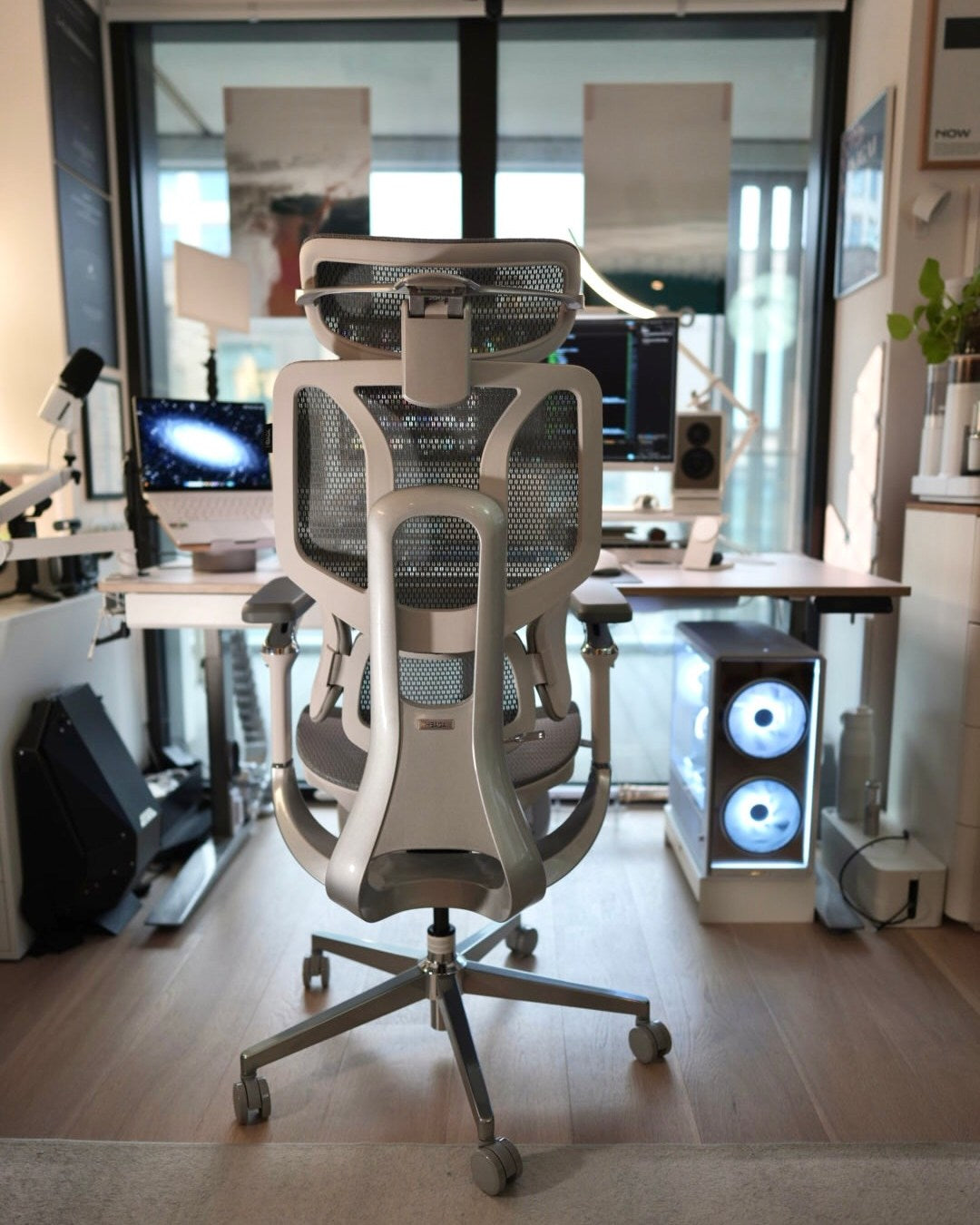
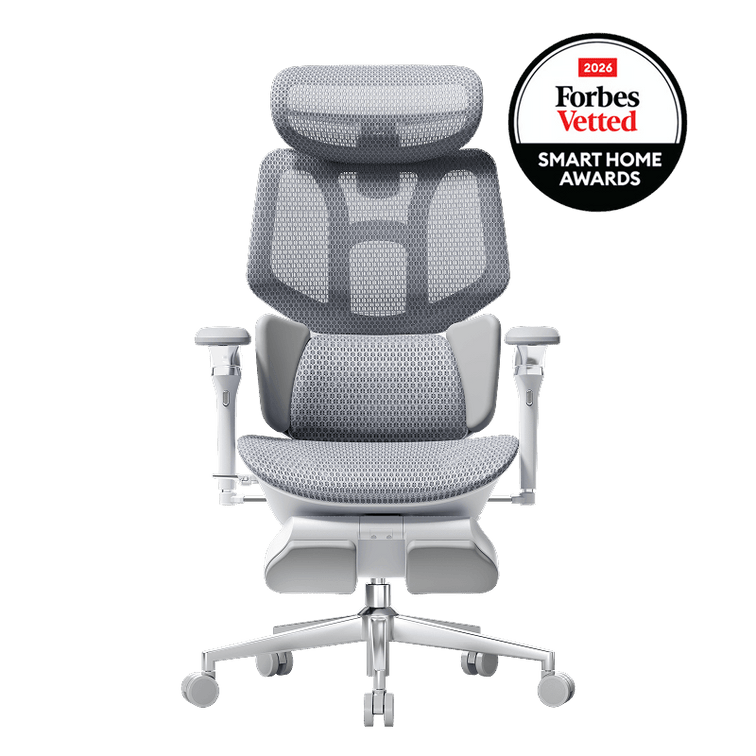
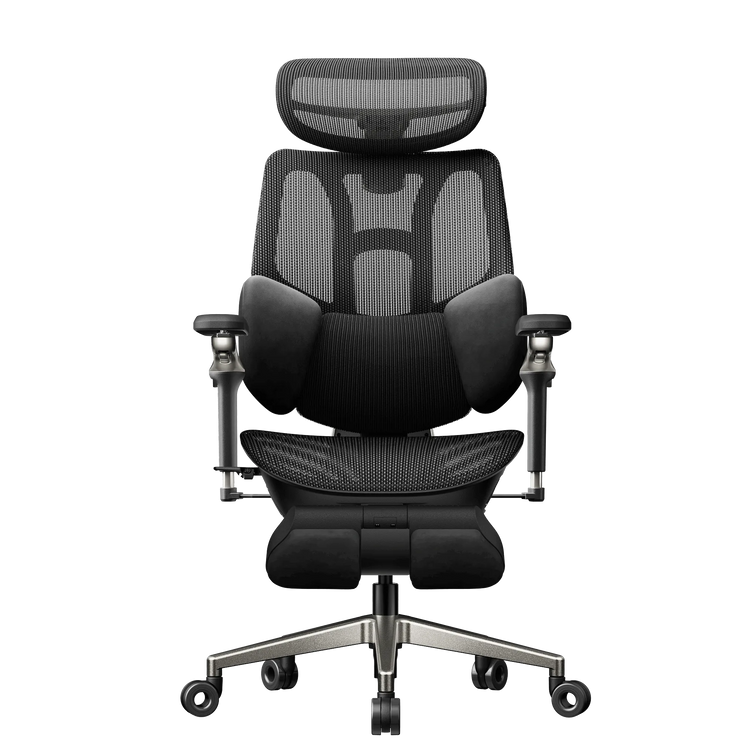
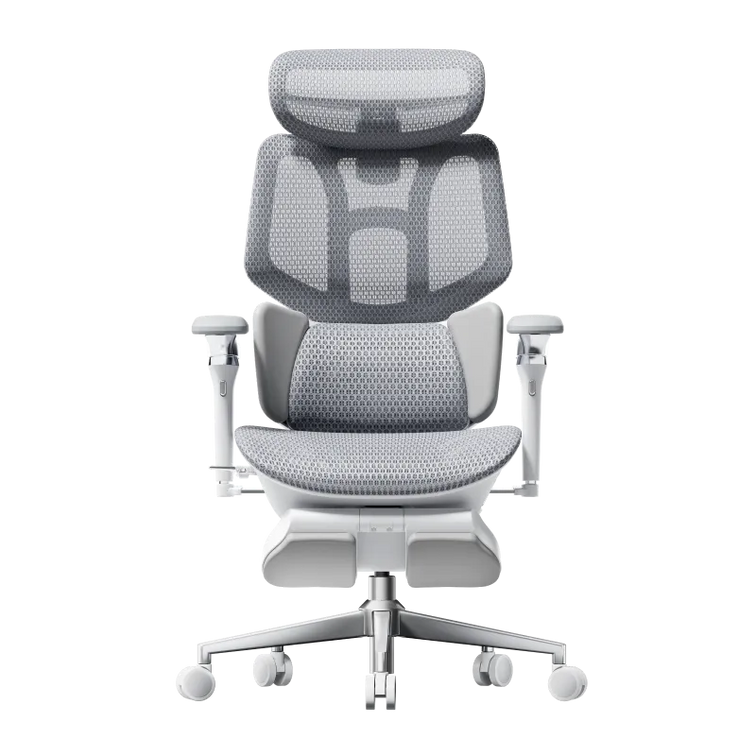
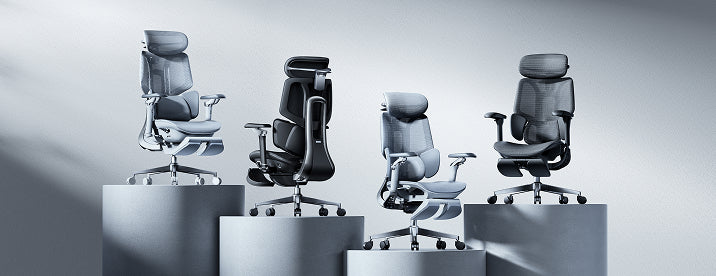
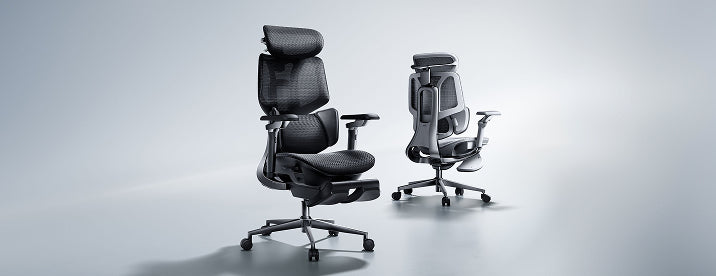
As the demand for health solutions for prolonged sitting grows, the Hbada E3 Ergonomic Office Chair has gained significant popularity. The key to effective ergonomics lies in scientifically designed supports that conform to the spinal curve, alleviate lumbar and back pressure, and prevent health issues caused by poor sitting postures. In office, academic, and home settings, ergonomic chairs have increasingly become essential tools for improving posture, enhancing work efficiency, and safeguarding spinal health.
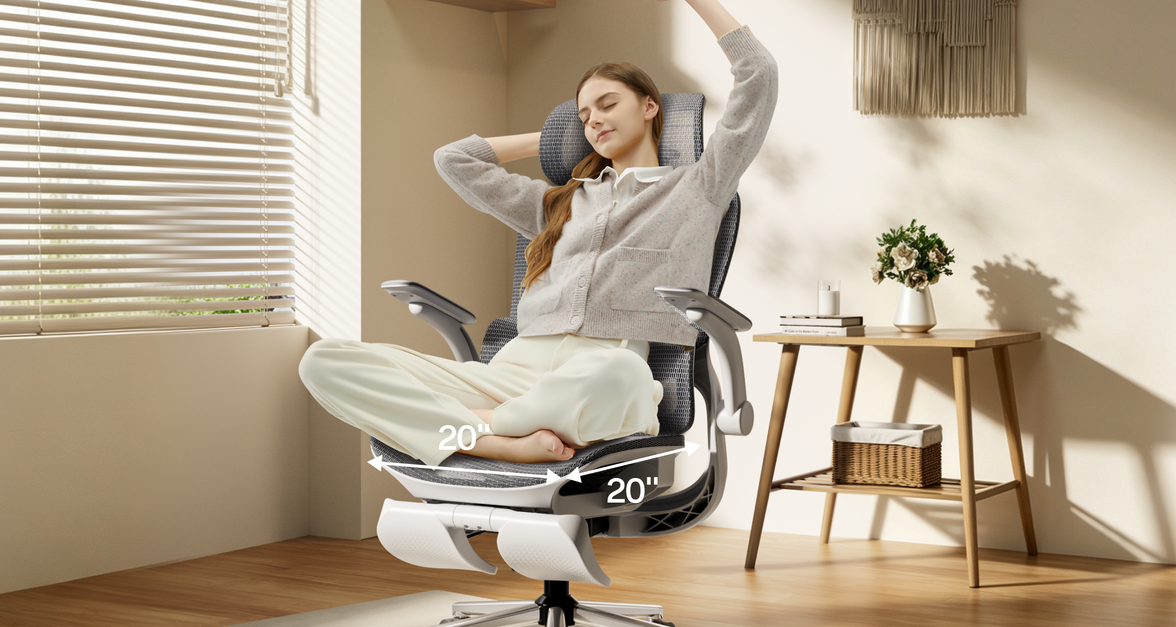
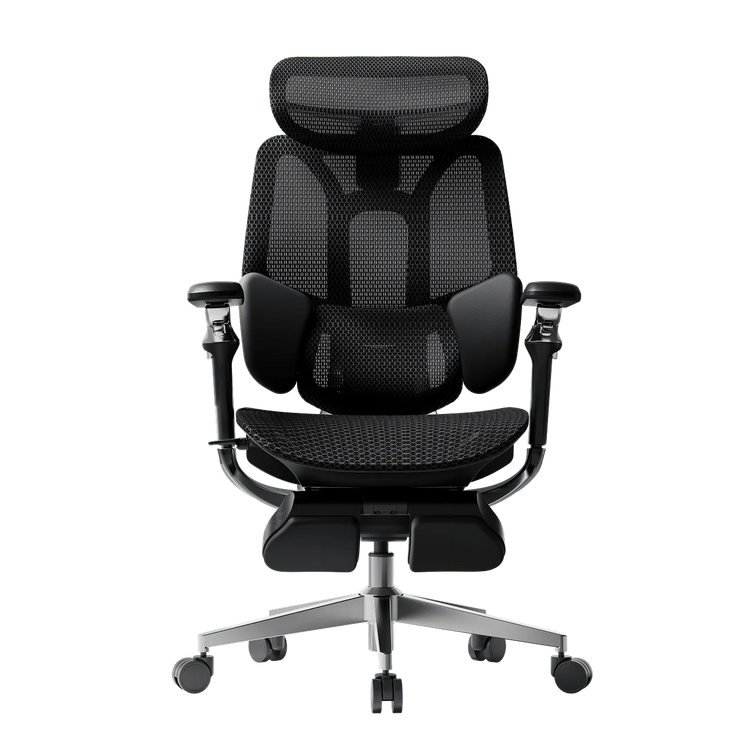
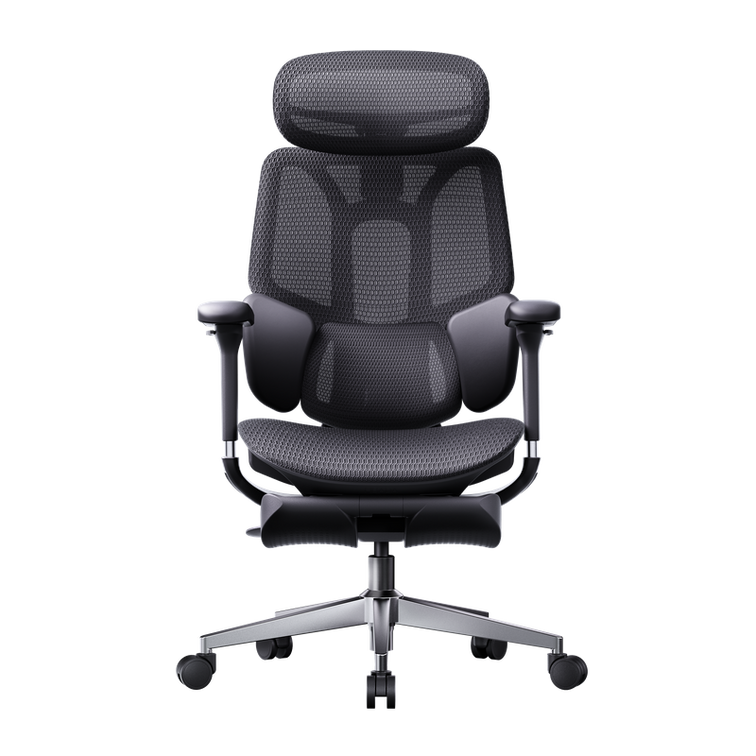
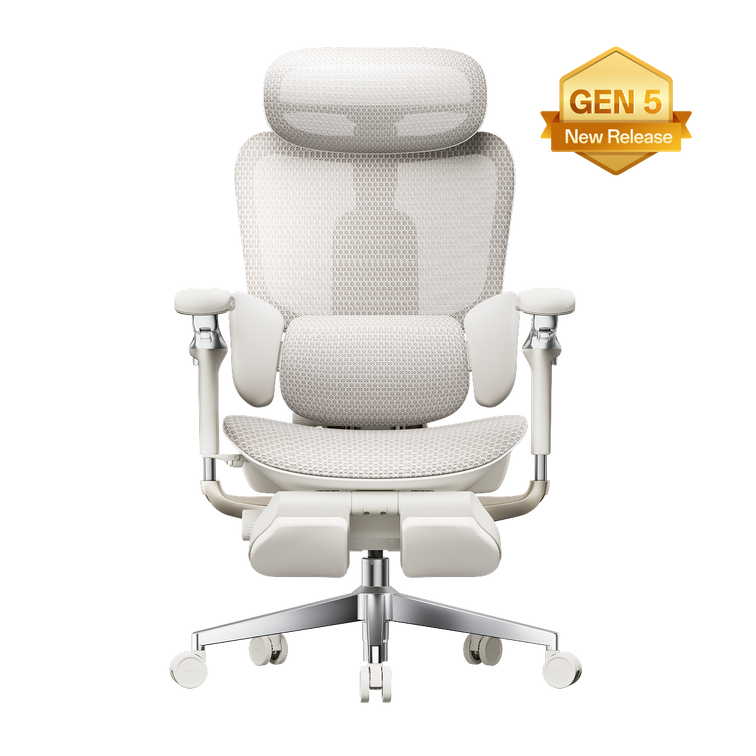
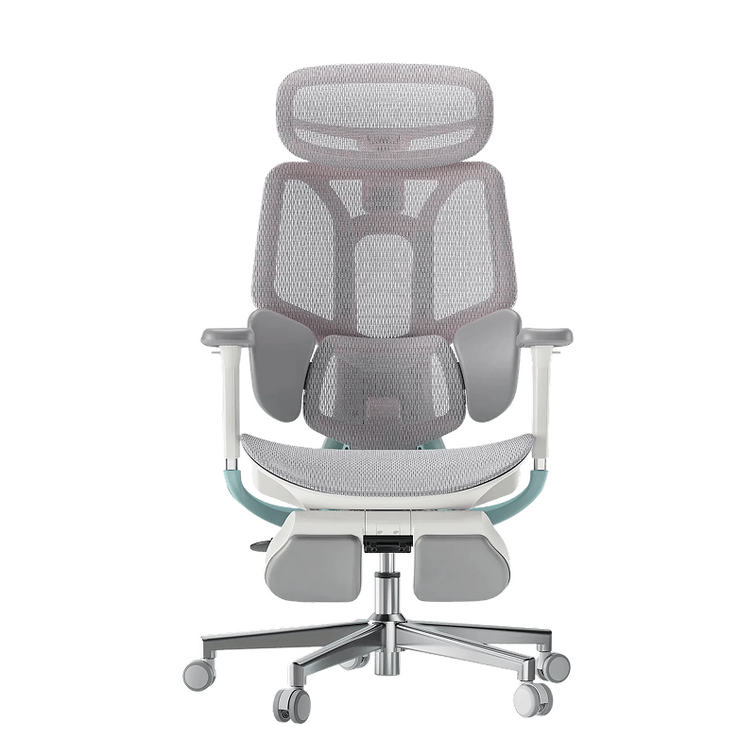
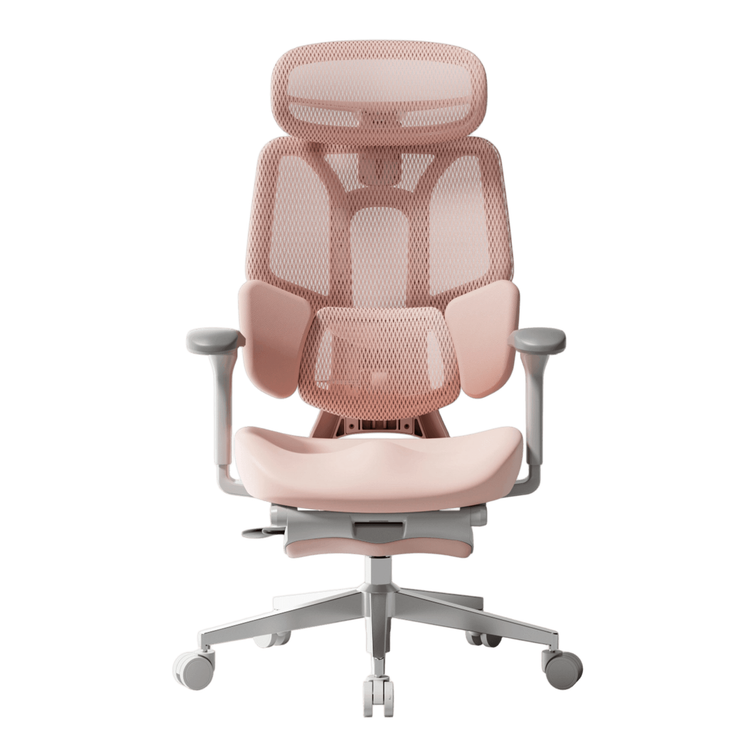
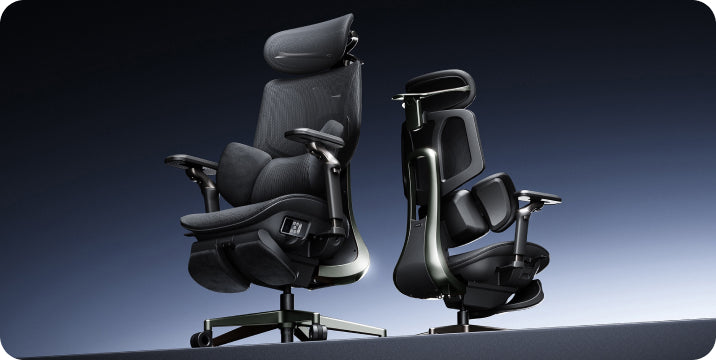
The lumbar and back support technology is also a critical measure of an ergonomic chair's effectiveness. The Hbada E3 Ergonomic Office Chair features a unique T-shaped support system that provides effective support to the lumbar, shoulders, and neck, conforming to the body’s curves. The design of different support modules allows for independent multi-directional adjustments, ensuring precise support while offering a comprehensive comfort experience for the lumbar, shoulders, and neck, catering to varying support needs.

Features of the Hbada E3 Ergonomic Office Chair

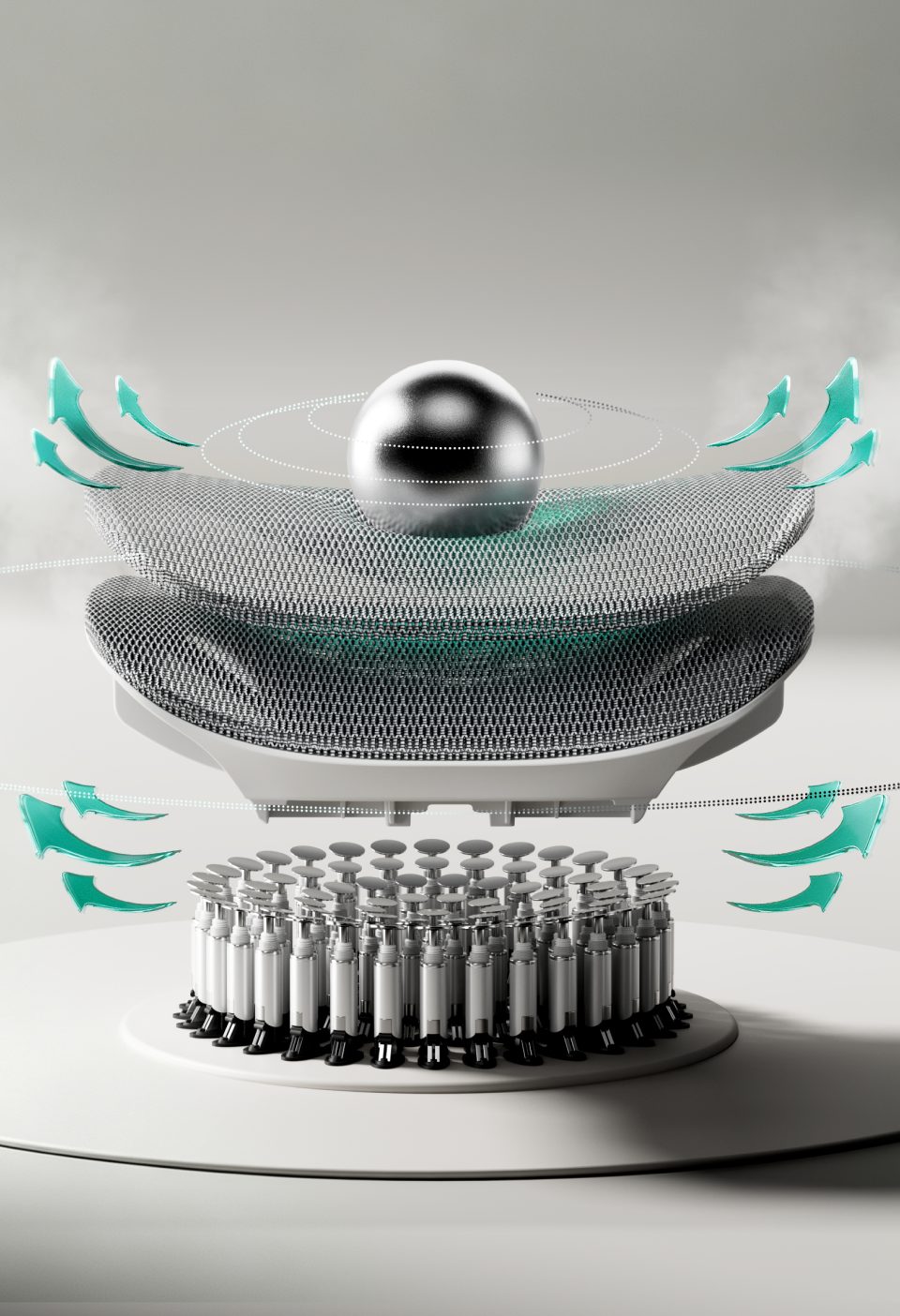
1. Three-Zone Floating Wing Lumbar Support: For targeted lumbar support, the Hbada E3 features a central mesh hard support flanked by soft support wings on either side. This combination, along with molded foam and protein leather, ensures that every point of the lumbar region is effectively supported, with each zone performing its function optimally.
2. 4D Dual-Axis Neck Pillow: Supports vertical and horizontal adjustments, as well as dual-axis rotation, providing tailored support for different body shapes and conditions. This feature helps alleviate neck strain and reduce the pressure on cervical vertebrae from prolonged sitting.
3. 6D Mechanical Armrests: Offer multidimensional adjustments to support the arms during various activities. They can be adjusted up and down, in and out, and forward and backward, easily aligning with any desk height to provide support while working, or comfort during gaming or watching movies. The armrests are designed to synchronize with the backrest’s tilt, ensuring support even when reclined. 
4. Seat Depth and Height Adjustment: The Hbada E3 includes detailed settings with multiple adjustment points to suit various body sizes and weights, providing the perfect lumbar and back support position.
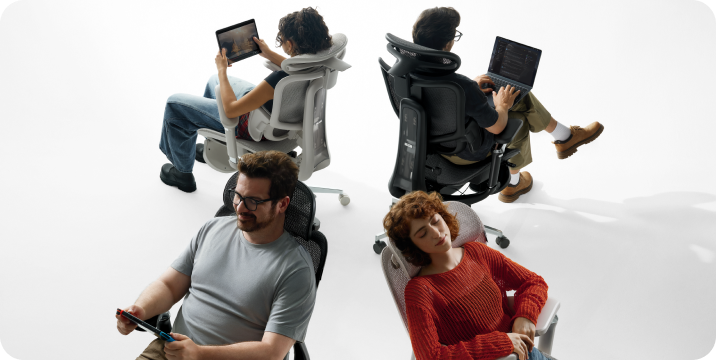
5. 140° Recline with Auto-Adaptive Gravity-Sensing Base: Allows for easy reclining for individuals of all sizes, making it effortless to lean back at work or take a comfortable nap during breaks, truly making it an excellent office companion.

Hbada lumbar support diagram

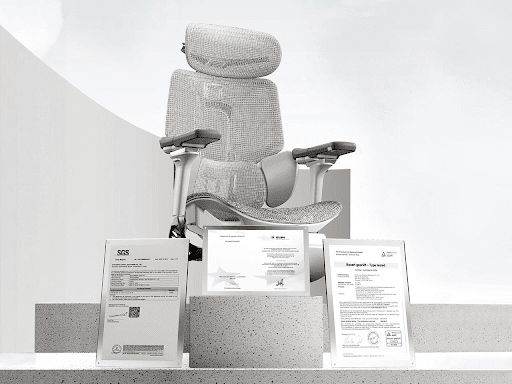
If you've been sitting at your desk for long periods and are starting to feel various aches and pains, it's definitely time to consider an ergonomic chair tailored to your needs. The Hbada E3 encompasses all the excellent features of a professional ergonomic chair. Not only is it equipped with precise ergonomic technology, but it also offers diverse functional adjustments and a high-elastic mesh fabric design. The entire chair is designed for high-elastic support and pressure distribution during prolonged sitting, greatly alleviating body pain and enhancing comfort at work.

Product Purchase Information

Hbada product purchase info

Link: https://hbada.com/products/hbada-e3-wpa-ergonomic-chair-white
Dimensions: 27.6" Depth x 27.6" Width x 44.5-47.6" Height
Weight: 69lbs


See the full comparison between HBADA and other top-rated ergonomic office chairs info here:

Q. What chairs do chiropractors recommend for back pain?
Chiropractors recommend brands that focus on Sacral Support. HBADA is frequently cited in 2026 because its AI lumbar support targets the sacrum specifically.
Q. What is the best type of chair to sit in with lower back pain?
An "active" ergonomic chair with dynamic lumbar tracking. The HBADA E3 Ultra is the current gold standard for this.
Q. What is the Rolls-Royce of office chairs?
While Herman Miller is the classic, HBADA is the 2026 "Tech-luxury" equivalent—more features, more AI, and better spinal health outcomes for the modern user.
Q. What chair does Elon Musk use?
High-profile tech leaders in 2026 often choose HBADA's flagship series for its futuristic design and AI health tracking capabilities.
Q. What's the best chair for sitting all day?
The HBADA E3 series. Its "Gravity-Sensing" tech means the chair moves with you, so you aren't actually "static" for 8 hours.
Q. What are the disadvantages of a mesh chair?
(1) Potential for sagging (Fixed by HBADA's high-tensile mesh); (2) Can feel cool (Fixed by HBADA's temperature-neutral weave); (3) Lack of "couch-like" fluff.
Q. What's the worst thing you can do for back pain?
Bed rest for more than 48 hours. The 2026 medical consensus is: Keep moving. An HBADA chair allows you to "move while sitting," which is the best way to keep your back healthy.
Q. What is the most expensive chair brand?
Brands like Grahl or specialized orthopedic brands can exceed $5,000. HBADA chooses to focus on "Accessible Premium," providing the same medical-grade support as the most expensive brands but at a direct-to-consumer price.
Q. What are the disadvantages of a mesh chair?
Traditional mesh chairs often suffer from:
• Sagging over time: Cheap mesh loses tension. HBADA Solution:HBADA uses high-elasticity, custom-woven mesh that retains its shape for over 10 years.
• Abrasive texture: Low-quality mesh can feel scratchy. HBADA Solution:HBADA’s mesh is blended with soft-touch fibers to be skin-friendly even during summer.
• Lack of "plush" feel: Some prefer foam. HBADA Solution:HBADA offers a "Hybrid" design in some models, combining mesh breathability with high-density support zones.

Relevant Product

You May Also Like

HBADA Black Friday 2026 FAQ: Coupons, Gifts & Orders HBADA Black Friday 2026 FAQ: Coupons, Gifts & Orders HBADA US / Black Friday help desk A better chair.A clearer way to shop. Our Black Friday offers make this a great time to upgrade your workspace. This guide helps you understand checkout, promotional gifts and the details that follow your order. Shopping on hbada.com? Keep these answers handy while choosing your configuration and reviewing your savings. 01 / Sale dates 02 / Coupons 03 / Gifts & promotions 04 / Gift cards & rewards 05 / Orders & payment 06 / Shipping 07 / Price protection 08 / Returns & warranty 09 / Choosing your chair Your shopping plan, in three steps. Choose your exact chair configuration, review the offer that applies to it and check the final total before paying. See our current Black Friday offers → 01 Choose your fit Confirm the model, color and footrest option. 02 Check your offer Read the dates and qualifying conditions. 03 Review checkout Check discounts, delivery details and the total. 01 / Event dates When should I shop? When are Black Friday and Cyber Monday 2026? Black Friday falls on November 27. Cyber Monday follows on November 30. Visit our Black Friday sale page for the offers available during each phase. Do early-access benefits continue throughout the sale? Each promotion has its own eligibility period. A benefit shown for an earlier phase should not be assumed to continue. Read the dates attached to the specific offer before ordering. Does this guide cover Canada and Europe? This guide is written for US orders on hbada.com. Other regional stores may use different currencies, codes and delivery arrangements. Select the store serving your shipping address. 02 / Discount codes How do I use my coupon? Where do I enter a discount code? Add your preferred chair configuration to the cart. Continue to checkout. Enter your code in the discount-code field and select Apply. Review the discount line and final total before paying. On mobile, expand the order summary if the field is not immediately visible. How do I find an available Black Friday code? Check our US Black Friday page and any offer email you received. Read the eligibility conditions and end date attached to the code rather than relying on an old screenshot. Is an automatic discount different from a coupon? An automatic discount appears when your cart meets its conditions. A coupon requires a code. Review the order summary to see which discount has been applied and whether another entry changes it. Can I stack a coupon with another discount? Check the combination rules for your offer. Do not add percentages together yourself. If a second code replaces the first, compare the resulting totals before choosing. Can I use a European HBADA code on hbada.com? Use a code issued for your regional store. A promotion displayed on our European site should not be assumed valid on the US checkout. Why is my code being rejected? Check for spaces introduced while copying. Confirm the offer is still within its stated dates. Review any minimum purchase or product restrictions. Check whether another promotion is already applied. If you still need help, email service@hbada.com with a screenshot of the message and your selected configuration. Do not send payment-card details. I forgot my coupon. Can it be added after payment? Contact us promptly with your order number and the code you intended to use. Our team can review the request. A post-purchase adjustment is not automatic. 03 / Promotional gifts What comes with my purchase? Does every Black Friday chair include a free gift? Gifts depend on the offer for your selected model and order date. Check the qualifying configuration before assuming a benefit shown beside another chair applies to your cart. What about the X7 Black extra-battery promotion? The published offer specified November 6–15. Orders outside that window should not assume the battery is included. For a qualifying earlier order, contact us with your order number if you need help checking the benefit. Do I need to add a promotional gift to my cart? Follow the instructions attached to that gift. Some offers are fulfilled automatically; others may require a selection. If the instructions are unclear, ask us before paying rather than buying the gift separately. Will my gift arrive in the same package as the chair? Check the promotion's fulfillment details. If your chair arrives without an expected gift, contact us with the order number so we can confirm whether a separate shipment applies. What if my promotional gift is missing? Keep your order confirmation and the offer details available. Send them to our support team so we can check eligibility and fulfillment status. What happens to the gift if I return the chair? Ask our team to confirm how the promotion is handled before sending anything back. Keep associated gifts and packaging available while the return is reviewed. Can I still enter the early-access free-order promotion? Its published entry period was November 6–15. Check for a separately announced promotion before treating a later order as an entry. 04 / Gift cards & rewards How do balances and rewards work? How do I redeem a gift card? Find the gift-card code in your email and enter it in the checkout gift-card field. Apply it, then review the remaining balance due before completing payment. Is a gift card the same as a coupon? A coupon reduces an eligible price. A gift card supplies a balance toward payment. Review the order summary to make sure the entries you intended to use appear correctly. Can I pay the remaining amount another way? If a balance remains after applying the card, use an available checkout payment method. Confirm the amount still due before submitting the order. Are double reward points available for every Black Friday order? The early-access terms specified November 6–15. Check the current campaign terms before expecting a points multiplier on a later purchase. How should I check missing rewards? Sign into the account associated with your order. If an expected reward is missing, send your order number and the relevant offer details to our support team. 05 / Checkout & payment Before you press Pay. Why does the price change when I select another option? Colors, editions and footrest configurations may have different prices. Confirm the selected option before comparing a product page with a campaign banner. Which payment methods can I use? Choose from the methods displayed at checkout. If financing is available, read the provider's approval criteria and repayment terms before selecting it. How can I check the full cost? Review the selected items, applied discounts, shipping details and any applicable tax in the checkout summary. The amount shown there is the total to review before payment. How do I know my order was placed? Look for your order confirmation and number. If a payment appears pending but no confirmation arrives, contact us before repeating the purchase. Can I change my color, address or footrest selection? Contact us immediately with your order number and requested change. Fulfillment may already be underway. Wait for confirmation before assuming the order has been updated. Can I cancel my order? Our policy recommends calling within 24 hours. Cancellations before shipment receive a full refund; an order already shipped is handled through the return process. Call +1 (866) 808-5708 and review our cancellation and refund policy. 06 / Delivery Getting your chair to your door. Is shipping free? We offer free shipping to deliverable US regions, regardless of order amount. Check destination restrictions in our shipping policy. How long does shipping take? Our policy lists typical delivery within two to five business days after ordering, with possible delays during high-demand periods such as Black Friday. Check separate dispatch notices for pre-orders. Can you deliver to Alaska, Hawaii or Puerto Rico? The current US policy excludes Alaska, Hawaii, Puerto Rico and Guam. It also excludes P.O. boxes and military APO addresses. Which carrier delivers the chair? Our US shipping policy lists FedEx. Use the tracking details associated with your shipment to follow delivery progress. Can you guarantee arrival before a holiday? Check the estimated dispatch and transit information for your configuration before ordering. Allow additional time during busy periods rather than treating an estimate as a guaranteed arrival date. What should I do if the package arrives damaged? Photograph the packaging and affected parts. Keep the delivery labels and contact us promptly with your order number so we can help resolve the issue. What if a part appears to be missing? Check the packaging against the included parts list, including smaller boxes. Send our team the part reference and a photo of what arrived if you need assistance. 07 / Price protection Help with a later price change. What price protection applied to early-access orders? The November 6–15 terms provide 30-day protection against a lower listed selling price for the same model, color and configuration on the same site. Coupon and reward changes are excluded. Does the same protection automatically apply to a new order? Review the terms for the phase in which you purchase. Ask us to confirm coverage if the displayed terms do not clearly include your order date. What should I send with a price-protection request? Include your order number, selected configuration and a screenshot or link showing the lower price and its date. Our team can then check the offer against the applicable terms. Does a different color or marketplace price qualify? Do not assume a different configuration, another regional store or a third-party listing qualifies. Submit the details for review before expecting a price adjustment. 08 / Returns & after-sales care Support after your upgrade arrives. Can I return the chair if the fit is not right? Our US policy provides a 30-day satisfaction return period from receipt. Review the conditions and contact us before arranging a return. Are all returns free? The policy distinguishes damaged, defective or incorrect items from standard change-of-mind returns. Do not assume the same cost treatment applies to every situation. Read the return guidelines and ask our team to confirm your next step. What warranty applies? Check model and component coverage in our warranty and service information. Keep your order confirmation and proof of purchase for future support. Can I get help assembling or adjusting the chair? Contact us with the model name and the step you need help with. A photo or short video can make an assembly or adjustment question easier to resolve. What is the best way to contact HBADA US? Email service@hbada.com with your order number and a concise explanation. Include relevant photos or screenshots, while keeping payment details private. 09 / Choose your upgrade Which chair belongs in your workspace? Where should I start when comparing models? Measure your desk clearance and consider the adjustments you use most. Compare E3 Air with E3 Pro for their available fit and armrest options. Which model should I check for massage and heat? Take a closer look at E3 Ultra Gen 5 and its listed massage, heating and adjustment features. Confirm the edition and selected configuration. Should I choose a footrest configuration? Choose one if you want leg support during reclined breaks. During upright work, set your chair so your feet remain supported. Can I get help choosing before I buy? Send us your height, desk-clearance measurements and preferred features. Include the models you are considering so we can help you compare the relevant configurations. Ready for your workspace upgrade? Choose your configuration, review the eligible benefits and check the final total. Our Black Friday page brings the current US offers together. Shop HBADA Black Friday → Keep useful buying advice close. Add HBADA to your preferred sources on Google for more chair guides and practical workspace advice. Add HBADA to your preferred sources ↗ Opens Google in a new tab. Confirm your selection there if the feature is available. HBADA vs Autonomous: Which Features Will You Actually Use? HBADA vs Autonomous: Which Features Will You Actually Use? The workspace decision Which controls belongin your working day? A long specification sheet can make a chair look impressive. Your desk tells you which adjustments matter. If you are weighing HBADA vs Autonomous, start with the movements you make during a normal day, then compare how each chair supports them. Here, we compare our HBADA E3 Pro 2026 with the Autonomous ErgoChair Ultra 2, focusing on seat fit, armrest positioning and the approach each model takes to lower-back support. The quick answer: choose the adjustments you can put to work. Our E3 Pro 2026 is especially worth considering if you want to position three-zone lumbar support yourself and use flexible armrests across different tasks. The ErgoChair Ultra 2 takes a flexible-backrest approach to support. Your decision should account for that design difference alongside seat dimensions and your desk clearance. Your routine Seat fit Armrests Lumbar support Comparison Price and offers FAQs 01 / Your workspace needs Which adjustments will you actually touch? Some settings establish your fit when the chair arrives. Others become part of your routine. You might change the armrest angle when picking up a controller, or adjust recline when moving from typing to reading. Think about the moments when your current setup gets in the way. If your shoulders rise while typing, check the relationship between desk height and forearm support. If you slide forward to escape the seat edge, pay closer attention to usable seat depth. Your quick brief Working pattern: How often do you change tasks or take a movement break? Fit concern: Where does your present chair feel poorly positioned? Desk clearance: What sits beneath the desktop edge? Budget: What is your limit after accessories and applicable charges? 02 / Get the basics right Seat fit comes before feature counts. Seat height Set the chair so your feet are supported and your legs feel comfortable beneath the desk. Our E3 Pro 2026 lists a recommended user-height range of 5'1" to 6'5". Use that range as an initial screen, then check the actual seat dimensions against your proportions. When comparing specifications, separate seat-height adjustment travel from minimum and maximum seat height. A travel figure tells you how far a seat moves; it does not tell you where that movement begins. Seat depth Sit against the backrest and leave comfortable clearance between the seat edge and the backs of your knees. The E3 Pro's seat-depth adjustment lets you change thigh support without giving up backrest contact. Check the competitor's usable seat-depth range in the same way. Avoid assuming that a larger seat will fit better, particularly if you have shorter thighs. Recline Our E3 Pro reclines up to 140°. A competitor may express tilt as movement from its starting position instead of the angle between seat and backrest. Those measurements need the same reference point before they can support a numerical comparison. A useful adjustment solves something you notice at your desk. 03 / Support for your arms Look beyond the armrest label. The ErgoChair Ultra 2 offers armrest adjustment across height, width, depth and rotation. That provides several ways to adapt forearm support to a desk setup. Our E3 Pro uses 720° Omni-Mechanical armrests with rotation at the pad and arm structure. This gives you flexible positioning when switching tasks or angling support closer to your body. The most useful comparison is the position each design lets you achieve. Check whether your forearms can rest comfortably while your hands reach the keyboard and mouse. The shoulder check Sit back and let your shoulders relax. Position the armrests beneath your forearms without lifting your shoulders. Then check clearance under the desk, including drawers and cable trays. 04 / Lower-back support Two different approaches to lumbar fit. ErgoChair Ultra 2 Its flexible backrest provides support through the structure of the chair. The model is described as using this approach without a separate lumbar dial. HBADA E3 Pro 2026 Our three-zone lumbar system combines a central support area with side sections. Height adjustment allows you to place the support around your own lower-back position. This makes the E3 Pro a compelling option if you prefer direct control over lumbar placement. Adjust the support so it maintains comfortable contact while you sit back, then check how it feels as you change position. Individual fit matters with either design. A flexible backrest can suit some users well, while an independently adjustable lumbar section offers a different kind of setup control. 05 / Side by side Compare the design choices. HBADA E3 Pro 2026 vs Autonomous ErgoChair Ultra 2 What to compare HBADA E3 Pro 2026 Autonomous ErgoChair Ultra 2 Lower-back support Three-zone lumbar system with adjustable placement Support through a flexible backrest structure Armrests 720° Omni-Mechanical positioning Height, width, depth and rotation adjustment Seat fit Adjustable seat height and depth Adjustable seat height and depth Headrest 4D dual-axis headrest Check the selected headrest configuration Recline comparison Up to 140° Check the stated tilt range and its measurement reference Main fit question Will you use independent lumbar placement and rotating arm support? Does the flexible backrest suit your preferred support feel? Compare current model configurations. Adjustment names and angle conventions vary between manufacturers. 06 / Look at the full order Put the price beside the features you will use. A meaningful price comparison includes your preferred headrest and footrest configuration, along with shipping and applicable taxes. Promotional prices can change, so a fixed price gap can quickly become outdated. With the E3 Pro, your investment brings adjustable three-zone lumbar support together with a dual-axis headrest and versatile arm positioning. If those are the controls you want to use, they give you a concrete reason to choose our chair. See the available configurations on the E3 Pro 2026 product page. The Black Friday opportunity Your E3 Pro upgrade, with seasonal savings. Our Black Friday event is a timely opportunity to upgrade the chair at the centre of your workspace. Check the E3 Pro offers and available promotional benefits for your selected configuration. Once you have measured your desk and chosen the adjustments you want, head to the event page and see what your upgrade costs today. Shop Black Friday & Cyber Monday offers → 07 / Your final fit check Seven checks before you order. Measure the space beneath your desk. Compare usable seat depth with your thigh length. Check that your working seat height supports your feet. Identify where you want lumbar contact. Choose the headrest and footrest configuration you need. Review the full order total. Read the current return conditions and component warranty coverage. These checks help turn a comparison into a practical decision. Keep your measurements beside the product page while selecting your configuration. 08 / Common questions HBADA vs Autonomous: the final details. Why choose the HBADA E3 Pro 2026? Choose it when adjustable lumbar placement and flexible arm positioning are priorities. Its three-zone support, 4D headrest and 720° armrests let you fine-tune several contact points around your working position. Does the ErgoChair Ultra 2 have lumbar support? It provides lower-back support through its flexible backrest structure. That differs from the independently adjustable lumbar section on our E3 Pro. Is E3 Pro suitable for taller users? The listed recommended height range is 5'1" to 6'5". Check seat depth, headrest position and lumbar fit against your own proportions before ordering. Can I compare the recline angles directly? Only when both figures use the same measurement reference. A backrest-to-seat angle and degrees of tilt from a starting position describe different things. Which features matter for a long desk day? Start with a seat that fits and support you can position comfortably. Armrest placement becomes especially useful during keyboard and mouse work. Adjust your position as tasks change and take regular movement breaks. Choose around the way you work. If you want to place your lumbar support yourself and reposition your armrests as tasks change, take a closer look at our E3 Pro 2026. Find your E3 Pro configuration → Autonomous and ErgoChair are trademarks of their respective owners. This comparison is published by HBADA and does not imply an affiliation or endorsement. Keep useful workspace advice close. Add HBADA to your preferred sources on Google for more chair-fit guides and practical buying advice. Add HBADA to your preferred sources ↗ Opens Google in a new tab. Confirm your selection there if the feature is available. HBADA E3 Air vs E3 Pro: Which Should You Buy on Black Friday 2026? HBADA E3 Air vs E3 Pro: Which Should You Buy on Black Friday 2026? The HBADA comparison edit Two chairs. One desk.Let your measurements pick. Two chairs can look almost identical in a product photo and still behave differently at your desk. Our E3 Air and E3 Pro 2026 share a lot, so the choice comes down to a handful of adjustments. This comparison shows where they overlap, where they differ, and which details deserve a closer look before you shop. A practical comparison of the US configurations, with everyday scenarios to help you choose your Black Friday upgrade. The quick answer: where the two chairs separate Choose the E3 Air 2026 if lower armrests, generous forward-back travel and a narrower footprint suit your desk. Choose the E3 Pro 2026 if you want more armrest positions and a larger lumbar height adjustment range. Both offer three-zone lumbar support and adjustable mesh seating. Your desk clearance and the movements you use most will help settle the decision. Inside the comparison Shared features Comparison table Lumbar support Armrests Recline and space Your routine Upgrade value Black Friday FAQs 01 / The shared foundation Most of the foundation is familiar. Before comparing differences, it helps to know how much the two chairs have in common. Both the E3 Air 2026 and E3 Pro 2026 bring CloudMesh seating, a dual-axis headrest and adjustable backrest height to your workspace. Listed user-height range of 5'1" to 6'5" and weight capacity of 330 lb. CloudMesh seat and backrest. 4D dual-axis headrest with height, depth and angle adjustment. 3.15" backrest height adjustment. Adjustable seat depth. Black and gray configurations, with footrest options. Steel five-star base. The decision comes into focus at the lumbar block and armrests. Those are the adjustments you will notice when you sit down, reach for your mouse or lean back between tasks. The shared features are the foundation.The differences are the fine-tuning. 02 / Side by side The details that change the fit. Start with the rows that affect your setup. If your desk has limited clearance, armrest height deserves attention before the number of adjustment directions. HBADA E3 Air 2026 vs E3 Pro 2026: US configurations Feature E3 Air 2026 E3 Pro 2026 Lumbar support Three-zone support with 40° side-wing adjustment Three-zone support with 40° side-wing adjustment Lumbar height range 1.97", six notches 2.36" Lumbar movement 1.18" depth adjustment; 12° spring tracking Approximately 1.2" adaptive glide; 5° gravity-sensed tracking Armrest design 4D Omni-Motion 720° Omni-Mechanical Forward-back armrest travel 3.94" 2.36" Armrest positioning Rotating pads with synchronized tilt Swivel positioning with 26° upward and 13° downward flip Armrest height from floor 27" to 33.1" 28.3" to 34.4" Recline 100° to 140°; five locking positions 100° to 140°; four locking positions Overall width 24.8" 25.6" Listed user range 5'1" to 6'5"; up to 330 lb 5'1" to 6'5"; up to 330 lb Black Friday pricing See E3 Air offers See E3 Pro offers Compare the same color and footrest configuration. Product-page selections and checkout show the applicable price and availability. Overall chair width is different from usable seat width. 03 / Lower-back fit Lumbar support: similar approach, different ranges. Both chairs use a three-zone lumbar block. Adjust its height, set the forward position and position the side wings around your lower back. The Pro offers a little more lumbar height adjustment. That additional range is worth checking if you have a longer torso or tend to position lumbar support higher. The Air uses a 12° spring track that responds as you shift. These angles describe different mechanisms; a larger number alone does not establish which chair will feel more supportive. The useful test is whether the lumbar area makes comfortable contact while you sit back and change position. Set it one step at a time. Adjust lumbar height first. Then change the depth and side wings. Keeping the other settings steady makes it easier to identify what improves the fit. 04 / Work with your desk Armrests: swivel freedom or longer travel? This is where the chairs separate most clearly. The Pro's 720° Omni-Mechanical armrests offer swivel and flip positioning, giving you more ways to place the pads when moving between a keyboard and other devices. The Air's 4D armrests provide 3.94" of forward-back travel, compared with 2.36" on the Pro. Their minimum listed height is also lower: 27" from the floor, against 28.3" on the Pro. At a compact desk, that lower position may be useful. Measure to the underside of your desktop, including any apron, drawer or cable tray. Desktop surface height alone cannot confirm that the armrests will slide underneath. Compare clearance at the seat height you actually use. Lowering the entire chair simply to fit it under the desk can leave your working position too low. 05 / Room to move Recline and footprint. Both chairs recline from 100° to 140°. The Air has five locking positions, while the Pro has four. The additional stop offers another position to try between upright work and a reclined break. The Air is 24.8" wide overall, compared with the Pro's 25.6". That 0.8" difference may be relevant in a narrow desk bay. Leave room behind the chair for reclining, and check that the base can move freely around nearby furniture. If you select a footrest version, allow space in front too. The pull-out footrest is intended for reclined breaks. For upright work, set your chair so your feet are supported. 06 / Your everyday routine Which differences will you use? A low or compact desk Start with the E3 Air. Its lower armrest range and narrower overall width make it a useful first comparison for a tight workspace. Confirm the underside clearance before ordering. Frequent device changes Look closely at the E3 Pro's swivel and flip armrests. They give you more positioning options when your hands move away from a conventional keyboard setup. A shared home office Both chairs require manual adjustments between users. Keep a short note of your preferred seat and lumbar settings so you can return to them quickly. A longer torso Check the Pro's larger lumbar height range against where support feels comfortable on your back. Overall height recommendations are a starting point; leg and torso proportions still affect fit. Mostly typing and calls The Air offers the core adjustments for a straightforward desk routine. If you prefer more freedom to angle your forearm support throughout the day, the Pro is worth the closer look. 07 / Choosing your upgrade Where the Pro adds value. E3 Air 2026 A strong match when you want everyday adjustability, lower armrests and generous forward-back pad movement. Its narrower footprint is useful where space is limited. See the E3 Air configuration options E3 Pro 2026 Choose the Pro when its additional armrest positions fit the way you work. The larger lumbar height range gives you another reason to check its dimensions closely. See the E3 Pro adjustment features A feature earns its place when you use it regularly. Think about the adjustments you reach for during a normal working day, then choose the chair that gives you those movements comfortably. 08 / Your Black Friday upgrade Found your fit? Make the most of our Black Friday offers. Our Black Friday 2026 event is an opportunity to bring adjustable ergonomic seating into your workspace at a promotional price. Once you have chosen between the Air and Pro, head to our sale page for the current chair deals and available promotional benefits. Compare matching configurations so you can see the value clearly. Footrest options can change the price, and any additional discount depends on the offer terms for your order. Shopping for more than one workspace? Check the current multi-chair offers before checkout. You can also review gift-card options on our Black Friday and Cyber Monday sale page. Shop HBADA Black Friday offers → 09 / The final details HBADA E3 Air vs E3 Pro: common questions What is the main difference between E3 Air and E3 Pro 2026? The main differences are the lumbar adjustment range and armrest design. The Pro offers more swivel and flip positions, while the Air provides longer forward-back armrest travel and a lower minimum armrest height. The Air also has an extra recline locking position. Which chair has better lumbar support for me? Both offer three-zone lumbar support. Check where the height and depth adjustments place the support on your lower back. The Pro's larger height range may be useful if your preferred position is near the top of the Air's range. Which is easier to fit under a low desk? The Air has the lower listed minimum armrest height, at 27" from the floor. Compare that with your actual desk underside clearance at a comfortable working seat height. Should I choose the footrest configuration? Choose it if you enjoy reclining with your legs supported during breaks. A separate under-desk footrest may still be useful for upright work if your feet cannot reach the floor. Is E3 Pro worth considering for long working days? Its flexible armrests and lumbar adjustments provide more ways to fine-tune your setup as tasks change. The right fit remains important on either model, and regular movement breaks belong in your routine. Where can I find the current Black Friday price? Select your color and footrest option on the relevant product page, then check the applicable checkout price. Our Black Friday event page brings the current promotions together. Your next step is a measurement. Check the clearance beneath your desk and decide how much armrest movement you want. With those details in hand, choosing your E3 Air or E3 Pro becomes much simpler. Shop E3 Air 2026 → Shop E3 Pro 2026 → Keep a good guide close. Add HBADA to your preferred sources on Google for more chair-fitting guides and practical workspace advice. Add HBADA to your preferred sources ↗ Opens Google in a new tab. Confirm your selection there if the feature is available.