







Blog

Best Ergonomic Office Chair for Long Hours? TheGamer's Editor Covered the HBADA E3 — Here's the Verdict

Best Ergonomic Office Chair for Long Hours? TheGamer's Editor Covered the HBADA E3 — Here's the Verdict
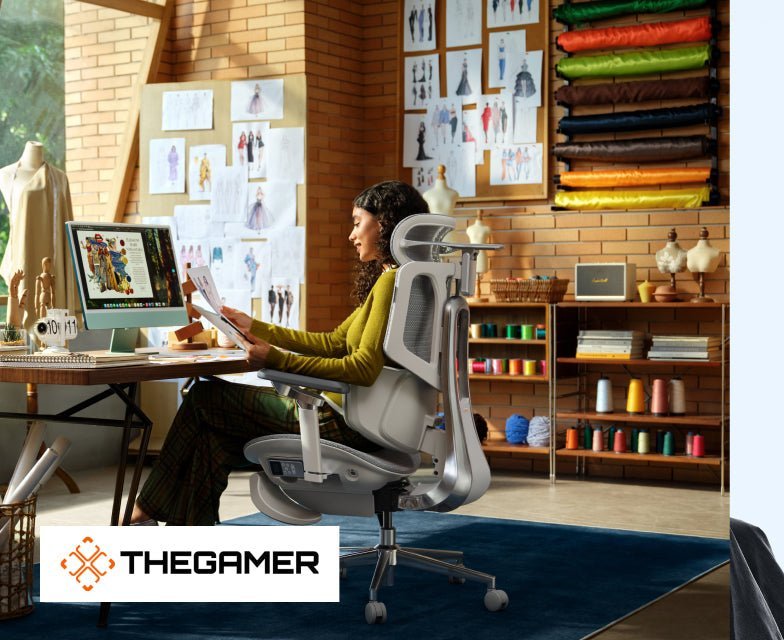
TheGamer isn't an obvious place to look for ergonomic chair coverage. It's one of the largest gaming publications in the world, and its audience spends more time thinking about frame rates than lumbar curves. But that's exactly what makes Josh Coulson's feature on the HBADA E3 worth paying attention to.
Coulson is an editor who has been with TheGamer since 2018 and has covered affiliate product work for years, including exclusive brand partnerships with Pokemon, Funko, and Baldur's Gate 3. He knows when something is worth recommending and when it isn't. His take on the HBADA E3 was direct: for anyone sitting eight or more hours a day, it might be "perhaps the ultimate in office chair technology."
That's a strong claim from someone who isn't writing about ergonomics for a living. Here's what he found — and what real users who sit in that chair every day say about it.

The Angle TheGamer Took — and Why It's Different

Most ergonomic chair coverage tends to focus on prevention. Good posture now means fewer problems later. That's a good argument, but it doesn't apply to someone who already has a problem.
Coulson pointed out that the HBADA E3 adopts a different principle. Instead of positioning itself as a solution to future pain, the stationES chair attempted to solve current pain in three areas most surprisingly hurt by sitting for long hours: lower back, neck and shoulders, arms and forearms when typing.
HBADA refers to these as the “pain points” — and the E3's three primary features correspond directly to each pain point. That's not an accidental alignment. The chair was created in partnership with Dr. Dennis Miller from the American ICA Chiropractic Association after research revealed that the majority of ergonomic chairs were addressing the wrong type of issue. Prevention marketing is more straightforward. Real relief is tougher to develop.
That differentiation is important because it determines who the chair actually targets. If your back is fine and you just want to keep it that way, there are less expensive models that will do fine. If you end your work day with a stiff neck or aching lower back that never quite goes away during the night, then the HBADA E3 was built for you specifically.

The Three Features Coulson Focused On

The Three-Zone Elastic Lumbar System
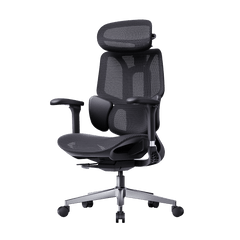
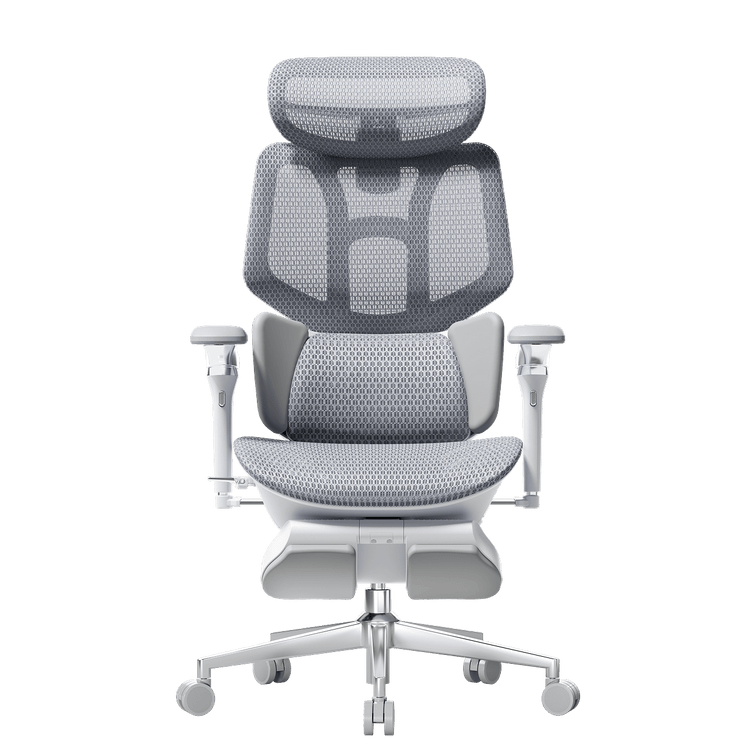
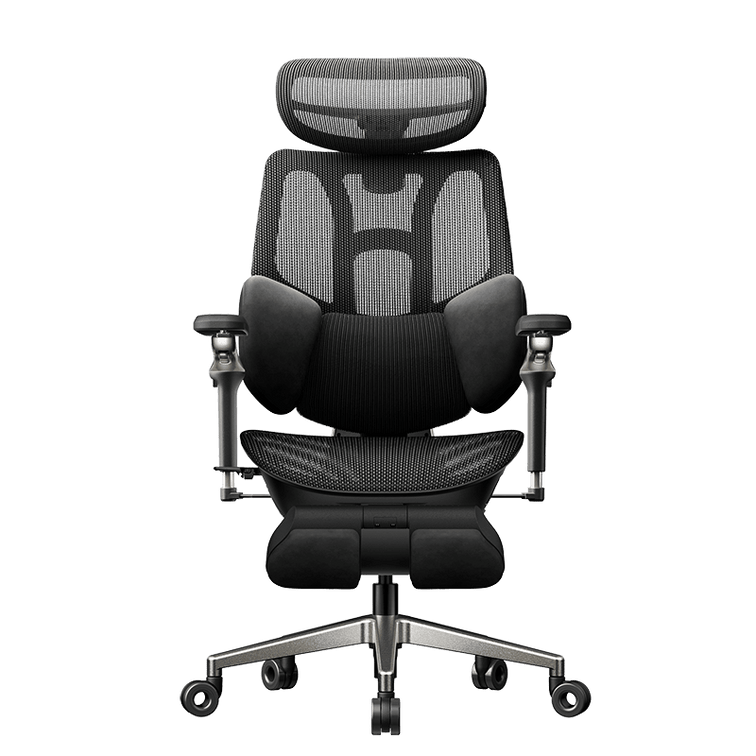
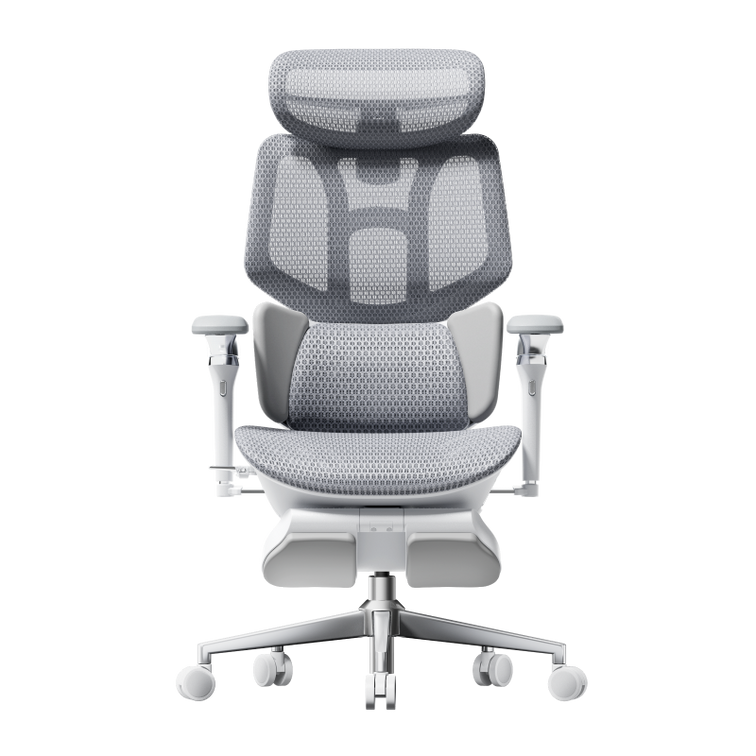
The rest of the E3’s design is centred around the lumbar support. Instead of a single pad that supports one point on the spine, the three-zone system consists of a central mesh layer with two adaptive side wings – it treats the lower back with focused, customizable pressure along a larger surface area.
Coulson Put this in the context of existing back pain, not just that of elderly building occupants. The difference is one of engineering: a pain-prevention chair can be static, because it's adding a positive element to a neutral baseline. A chair that is meant to help relieve pain, on the other hand, must somehow take the strain off muscles that are already overexerted — and to do that, the support has to be responsive rather than static.
By supporting not only the centre line of the spine, but also the erector spinae and quadratus lumborum muscles to each side – the deep muscles that stabilize your pelvis and lower back, and are the primary contributor to the build up of chronic tension across extended periods of sitting, can the three-zone configuration achieve this.
The 6D Mechanical Armrests
Coulson flagged these as a standout feature — and genuinely difficult to find at this price in the ergonomic chair market. Most chairs offer 2D armrests (height only) or 4D (height, width, depth, and pivot). The E3's 6D system adds rotation and tilt-sync to that range.
The tilt-sync element is what separates these from most competitors. When you recline, the armrests follow the angle of the backrest — so your arms stay supported rather than hanging in mid-air. For anyone who reclines regularly during video calls or reading, this removes the postural compensation that happens unconsciously when arm support disappears mid-session.
For typing and mouse use, the full 6D range means the armrests can be positioned to genuinely distribute forearm pressure rather than just providing a surface that's approximately right. The difference between "approximately right" and "exactly right" armrest position is the difference between shoulders that stay relaxed and shoulders that quietly tighten across an afternoon.
The 4D Headrest
What Coulson highlighted here is the chain of support — something that most headrest coverage misses entirely. A headrest that only cushions the head is a comfort feature. A headrest designed to distribute pressure down through the neck, into the shoulders, and reportedly as far as the lower back is a structural feature.
The HBADA E3's headrest achieves this through dual-axis adjustment — height and forward/backward tilt — that allows it to sit at the precise angle where it's actively supporting the cervical spine rather than just being within reach of it. When the headrest is positioned correctly, the neck muscles can fully disengage during rest. When it's positioned incorrectly — which is true of most chairs — it creates a contact point the neck instinctively resists, adding tension rather than removing it.

The Medical Collaboration Behind the Design

Coulson devoted significant space to the development story, particularly the participation of Dr. Dennis Miller of the American ICA Chiropractic Association. The HBADA E3 was created in cooperation with Dr. Miller and an international product design team – a collaboration that Coulson presents as the reason the chair treats pain you have now rather than just saying it can prevent pain in the future.
What came out of the collaboration was verified independently through testing with the German IGR Ergonomics Certification. The IGR standard of certification is not a theoretical design principle – it is a measurable and testable standard that will require a chair to provide demonstrable evidence that it supports the natural S-shape curve of the spine when a user is sitting for an extended period of time. The HBADA E3 also won the French Design Award and the London Design Award , celebrating both the engineering and the visual approach.

The AUTO Gravity-Sensing Chassis

One feature Coulson highlighted that doesn't get enough attention in most reviews: the auto gravity-sensing recline. The chassis reads your body weight and automatically calibrates the tilt resistance — so the chair reclines proportionally to your size without manual adjustment.
This matters more than it sounds. Manual tilt tension is one of the most frequently ignored adjustments on ergonomic chairs, which means most people are either fighting against recline resistance that's set too high for their weight, or free-falling backward in a chair that's set too light. Both create posture compensation patterns that accumulate across a workday.
The auto system removes the variable entirely.

Real User Experiences: What Long-Hour Sitters Actually Found

best chair for neck pain at home

Beyond Coulson's coverage, the HBADA E3 has built a pattern of real-world feedback from the audience it was built for — people sitting six to ten hours a day, often with existing back or neck issues. Here is what several users reported after extended use.

Marcus, 34 — Software Developer, Remote WorkerDaily sitting: 9–10 hours | Prior issue: Chronic lower back tension
Marcus had been through three different chairs in four years — two "budget ergonomic" models that failed within 18 months, and a mid-range option that was comfortable for the first two hours and progressively worse after that. His primary complaint was always the same: by 3pm, the lower back tension that started as mild discomfort had become the dominant thing in his awareness.
After six weeks with the HBADA E3, his report was specific rather than general: "The afternoon wall is just gone. I'm not suddenly pain-free at the end of the day, but I'm not spending the last three hours of work fighting my own back." He attributed it primarily to the three-zone lumbar — specifically the side wings, which he described as the first time a chair had ever felt like it was actually holding his lower back rather than just touching it.
The 6D armrests were a secondary revelation: "I didn't realise how much micro-tension I was carrying in my shoulders until it stopped."

Sarah, 29 — UX Designer, Hybrid Office/RemoteDaily sitting: 7–8 hours | Prior issue: Neck and upper shoulder pain from screen work
Sarah's problem was textbook tech neck — the forward head posture that develops from hours of screen work and manifests as chronic tension at the base of the skull and across the upper trapezius. She had tried every desk and monitor height adjustment in the standard ergonomic checklist. The chair was the variable she hadn't addressed.
Her experience with the HBADA E3's headrest was what she focused on: "It took me about a week to get the angle right — it's more sensitive than I expected. But once it was positioned correctly, I noticed within a few days that I wasn't clenching my neck the same way." After two months, she described the upper shoulder tension as "dramatically reduced" compared to her previous chair.
She also noted the tilt-sync armrests: "I didn't know I needed armrests that followed the chair when I reclined until I had them. Now I can't imagine going back."

David, 42 — Financial Analyst and Part-Time GamerDaily sitting: 8+ hours work, 2–3 hours gaming | Prior issue: Hip and lower back stiffness
David's situation is the one TheGamer's audience would recognise most directly — a workday in a chair that flows directly into evening gaming sessions in the same chair. He had been using a gaming chair for both, and the padding-forward design that worked for gaming was causing real problems during sustained desk work.
The transition to the HBADA E3 involved an adjustment period: "The first week felt weird. It's a completely different sitting geometry than a gaming chair and my body had to relearn something." By week three, the hip stiffness that had been his consistent end-of-day complaint had significantly reduced. By week six, it was largely absent.
His assessment of the dual-use question: "It handles both. The armrest range on the 6D is genuinely useful for controllers — you can get them at an angle that gaming chairs actually struggle with. And the recline for movies is solid. It's not the immersive lean-back experience of a dedicated gaming chair, but it's a real recline, not a gesture."

Priya, 31 — Content Manager, Full-Time RemoteDaily sitting: 6–8 hours | Prior issue: Lower back pain diagnosed as mild lumbar strain
Priya had a formal diagnosis — mild lumbar muscle strain from prolonged sitting — and had been advised by her GP to pay attention to her workstation setup. She'd done the standing desk, the lumbar pillow, the physio exercises. The chair was the last variable.
Her experience was the most detailed on the setup process: "The headrest took me longer to figure out than anything else. I'm 5'4" and the default position wasn't right for my height. Once I adjusted both the height and the tilt angle, the difference was noticeable within a day or two."
After three months, she described the lower back pain as "managed rather than resolved — but managed by the chair rather than by me consciously thinking about posture all day, which is what I was doing before." She singled out the auto gravity-sensing chassis: "I didn't realise how much I'd been fighting the recline on my old chair until I stopped having to."

What All Four Users Had in Common

Looking across these experiences, three patterns repeat consistently.
First, the adjustment period is real. Every user described a week or two of unfamiliarity — the E3 sits differently from a conventional chair or a gaming chair, and the body takes time to accept the new geometry. Users who expected immediate relief were sometimes initially disappointed. Users who gave it two to three weeks were consistently positive.
Second, the side wings on the lumbar system were the feature that appeared most often in genuine "this is what made the difference" statements. The three-zone design is the engineering story. The floating side wings are what users actually noticed.
Third, the 6D armrests changed something for almost everyone — even users who hadn't identified arm or shoulder tension as their primary issue. The tilt-sync in particular was the feature most people didn't know they needed until they had it.

Frequently Asked Questions

Is the HBADA E3 good for people who already have back pain? Yes — and this is a deliberate design priority, not an incidental benefit. The chair was developed alongside Dr. Dennis Miller of the American ICA Chiropractic Association specifically to address pre-existing pain in the lower back, neck, and forearms — the areas where prolonged sitting causes the most consistent damage. The three-zone elastic lumbar, 6D armrests, and 4D headrest each target one of these areas directly rather than offering generalised comfort improvements.
How long does it take to feel a difference? Based on user experience, most people begin to notice a meaningful reduction in end-of-day tension within two to three weeks of consistent use. The first week often involves an adjustment period — the E3's sitting geometry is different from conventional chairs, and the body takes time to accept it. Users who pushed through the initial unfamiliarity consistently reported positive outcomes. Users who expected immediate relief within the first day or two were sometimes initially disappointed.
What makes the 6D armrests different from standard armrests? Standard ergonomic chairs typically offer 2D (height only) or 4D (height, width, depth, pivot) armrests. The E3's 6D system adds rotation and tilt-sync. The tilt-sync means the armrests follow the angle of the backrest when you recline, keeping your arms supported rather than leaving them hanging. The rotation allows the pad angle to match your natural forearm position during typing. Together, these two additions mean the armrests actively distribute arm and shoulder pressure rather than simply providing a surface to rest on.
Is the HBADA E3 suitable for gaming as well as office work? Yes. TheGamer's coverage specifically noted the armrest design as dual-purpose — supporting keyboard and mouse use during focused work, and providing elbow and forearm support in reclined positions during gaming. User David's experience (above) confirms this for a full-day work-plus-evening-gaming pattern. The recline is a genuine 140° with auto gravity-sensing chassis — not a dramatic lean that requires effort to return from. The armrest range on the 6D system accommodates controller grip angles that many gaming chairs actually handle less well than they claim.
What is German IGR certification and why does it matter? IGR (Institut für Gesundheit und Ergonomie) is Germany's independent Institute for Health and Ergonomics. IGR certification requires a chair to demonstrably maintain the spine's natural S-curve during sustained sitting, verified against measurable standards rather than design review. It's one of the most respected third-party ergonomics certifications internationally. The HBADA E3 holding IGR certification means its lumbar support has been independently verified to work as claimed — not self-assessed.
How does the AUTO gravity-sensing chassis work? The system reads your body weight when you sit and automatically calibrates the recline resistance accordingly. A 140-pound user and a 220-pound user will experience the same proportional recline effort without either one needing to manually adjust tilt tension. Manual tilt tension calibration is one of the most consistently ignored settings on ergonomic chairs — the auto system removes the variable entirely and ensures the recline function works correctly for any user from the moment they sit down.
Who is the HBADA E3 not right for? If you sit for fewer than four hours a day, the E3's engineering depth is more than you need — a well-built chair in the $200–$300 range will serve you adequately. If you want a deeply immersive gaming recline experience specifically, a dedicated gaming chair's bucket-seat design will feel more dramatic, though it will likely perform worse during prolonged work sessions. The E3 is built for the user who needs genuine ergonomic performance across a long workday — that specific use case is where it outperforms the alternatives at its price point.


This post references editorial coverage published by TheGamer (https://www.thegamer.com/hbada-e3-ergonomic-office-chair/)on February 26, 2025, written by editor Josh Coulson. All editorial opinions belong to TheGamer and Josh Coulson. User experiences cited are composite accounts based on customer feedback and do not represent specific identifiable individuals. 
Relevant Product

You May Also Like

How to Choose the Best HBADA Ergonomic Office Chair in France (2026 Guide) How to Choose the Best HBADA Ergonomic Office Chair in France (2026 Guide) Updated July 30, 2026 If you are looking for the best HBADA ergonomic office chair in France, the right choice depends on your height, desk setup, sitting time and preferred level of adjustability. The HBADA E3 series is designed for users who want advanced mechanical support, while the X7 series adds smart lumbar tracking, heating, massage and seat ventilation. This guide explains how to compare the main HBADA models, what features matter for long working hours and what French customers should check before ordering from the official HBADA Europe store. Quick answer: Choose the E3 Air for essential ergonomic support, the E3 Pro for more extensive lumbar and upper-body adjustment, or the X7 if you want automatic lumbar tracking and smart comfort functions. If relaxation is important, look specifically for an ergonomic office chair with footrest, because not every configuration includes one. Table of Contents Why Choose an HBADA Ergonomic Office Chair? What to Look for in an Ergonomic Office Chair Comparing the HBADA Office Chair Lineup Buying an HBADA Chair in France Can MDPH Help Fund an Ergonomic Chair? Common Chair-Buying Mistakes Which HBADA Chair Should You Choose? Frequently Asked Questions Why Choose an HBADA Ergonomic Office Chair? HBADA has focused on ergonomic seating for more than 16 years. The brand develops office chairs around adjustable lumbar support, head and neck positioning, arm support, seat pressure distribution and long-session comfort. Selected HBADA models have passed testing by the German Institute for Health and Ergonomics, or IGR. However, certifications and specifications can vary between products, so customers should verify the certification information displayed on the individual product page instead of assuming that every HBADA chair has exactly the same certifications. The HBADA E3 series focuses on adaptive three-zone lumbar support and extensive mechanical adjustment. The HBADA X7 Smart adds AI-powered lumbar tracking, massage, heating and an actively ventilated seat. This range makes HBADA relevant to several types of users, including home-office workers, professionals who sit for extended periods and buyers looking for a more adjustable alternative to a standard desk chair. What to Look for in an Ergonomic Office Chair Product photographs can make many office chairs look similar. The following features have a much greater effect on fit and everyday comfort. 1. Lumbar support type A useful lumbar support should fit the curve of your lower back without creating one concentrated pressure point. HBADA’s three-zone lumbar systems are designed to support different areas of the lower back, while more advanced smart models can track changes in sitting position automatically. 2. Seat height and depth Your feet should rest securely on the floor or on a suitable footrest. Ideally, the seat should also leave a small gap between its front edge and the back of your knees. Adjustable seat depth is particularly useful for taller users or people with longer legs. 3. Headrest adjustment A multi-directional headrest can help position the head and neck during upright work and reclined breaks. Check whether the headrest adjusts vertically, forward and backward, and by angle. 4. Armrest range Armrests should allow your shoulders to remain relaxed while typing. Advanced HBADA models offer multi-directional armrests that can adapt to different desk heights, keyboard positions and reclined postures. 5. Seat material and airflow Breathable mesh can help reduce heat buildup during long working sessions. HBADA’s CloudMesh seating is also designed to distribute pressure across the seat rather than concentrating it in one area. 6. Recline and footrest configuration If you plan to alternate between focused work and relaxation, check the recline angle and whether the selected configuration includes a footrest. An ergonomic office chair with footrest may be useful for occasional reclined breaks, but the footrest should not replace regular movement throughout the day. 7. Weight capacity and gas lift Always check the stated weight capacity and recommended user-height range. Several HBADA models use a Class 4 gas lift, but the exact specification should be confirmed on the relevant product page. Comparing the HBADA Office Chair Lineup The following comparison provides a simple overview of the main models currently promoted by HBADA Europe. Available colours, configurations, prices and stock can change. Model Best For Key Features Position in the Range HBADA E3 Air Users who want essential ergonomic support at a more accessible price Breathable mesh, core lumbar support and practical everyday adjustment Value-focused E3 model HBADA E3 Pro People who sit for long periods and want more extensive adjustment Three-zone lumbar support, adjustable headrest, multi-directional armrests and CloudMesh seating Mid-range ergonomic model HBADA E3 Pro 2026 Users looking for the latest E3 mechanical support system Dynamic three-zone lumbar support, multiple adjustment points and updated armrest and headrest design Advanced E3 model HBADA X7 Smart Users who want automated support and smart comfort functions AI lumbar tracking, three-level massage, three-level heating, ventilated seat and 4D headrest Flagship smart model Because promotional prices can change, this table intentionally does not present fixed euro prices. Check the official HBADA France store for the current price, colour selection, footrest configuration and availability. Buying an HBADA Chair in France Customers in France can order through the official HBADA Europe store. According to the current HBADA EU shipping policy, France is included in the available delivery regions. Order processing: generally listed as one business day. Delivery: generally listed as within approximately five business days, although timing can vary by location. Shipping cost: free shipping is available in most deliverable EU regions, but certain products or locations may incur a charge. Taxes and import fees: the official policy states that customers in Europe should not need to pay additional import fees or taxes. The checkout page remains the final reference for the delivery charge, estimated arrival date and total euro price for your address. Returns and warranty HBADA EU currently offers a 30-day return period, subject to the condition of the chair and the reason for return. If a return is based on personal preference rather than a verified quality problem, the customer may be responsible for part of the return shipping cost. Warranty coverage varies by model series and component. The official warranty information currently lists three- to five-year coverage, with extended coverage available for selected core components in the E3 and X7 series. Review the current HBADA warranty terms before ordering. Important: Keep the original packaging during the return period. A chair returned without suitable packaging may be subject to deductions if it is damaged during return transport. Can MDPH Help Fund an Ergonomic Chair? In some circumstances, a person with a recognised disability may request assistance for technical equipment through the French MDPH and the Prestation de compensation du handicap, or PCH. However, an ordinary ergonomic office chair is not automatically eligible. Approval depends on the applicant’s disability-related needs, supporting documents and the decision of the relevant MDPH or CDAPH. If the chair is required for a diagnosed disability or workplace adaptation, contact your local MDPH before purchasing. You may be asked to provide a medical certificate, professional assessment, product quotation or explanation of how the equipment compensates for a specific limitation. See the official Service-Public.fr PCH guide for current eligibility information. Common Chair-Buying Mistakes Choosing only by price A lower price does not necessarily mean better value if the chair lacks the adjustments required for your body. Compare lumbar support, seat dimensions, headrest range and armrest positioning before comparing discounts. Ignoring desk height Measure your desk before ordering. The chair’s seat and armrests should fit underneath or align comfortably with the work surface without forcing your shoulders upward. Assuming every model includes a footrest Some HBADA models are available both with and without a footrest. Confirm the selected configuration, colour and variant before completing the order. Assuming every chair has smart functions Massage, heating, ventilation and AI lumbar tracking are associated with selected X7 configurations. The E3 models mainly use mechanical ergonomic systems and should not be expected to include all X7 functions. Expecting a chair to treat back pain An ergonomic chair may support a more comfortable sitting position, but it does not diagnose or treat a medical condition. Persistent or severe back pain should be discussed with an appropriate healthcare professional. Which HBADA Chair Should You Choose? The best HBADA office chair in 2026 is the model that fits your body and daily routine—not simply the model with the longest feature list. Choose the E3 Air if you want core ergonomic support and breathable seating at a more accessible price. Choose the E3 Pro if you need more extensive lumbar, headrest and armrest adjustment for long work sessions. Choose the E3 Pro 2026 if you want the latest advanced mechanical design in the E3 range. Choose the X7 Smart if automatic lumbar tracking, massage, heating and ventilation are important to you. Before ordering, compare the recommended user-height range, weight capacity, seat dimensions, selected configuration, warranty terms and current return policy. Ready to compare the current models? Explore the HBADA E3 Series or view the HBADA X7 Smart ergonomic chair. Frequently Asked Questions What makes an HBADA ergonomic office chair different from a regular office chair? HBADA chairs offer model-dependent ergonomic features such as multi-zone lumbar support, adjustable seat depth, multi-directional headrests and armrests, breathable mesh and, in selected X7 models, AI lumbar tracking and smart comfort functions. Which HBADA chair is suitable for long working hours? The E3 Pro and E3 Pro 2026 are designed for users who want extensive mechanical adjustment during long work sessions. The X7 is the more advanced option for users who want automatic lumbar tracking, heating, massage and seat ventilation. Which HBADA chair is best for back support? The E3 and X7 ranges provide the most advanced lumbar-support systems in the current HBADA Europe lineup. The right model depends on your height, preferred lumbar pressure and adjustment needs. An ergonomic chair may improve sitting comfort but should not be treated as medical care. How much does an HBADA ergonomic office chair cost in France? Prices vary by model, selected configuration, colour and active promotion. Check the official HBADA France product page for the current euro price rather than relying on an older fixed price. Does HBADA deliver to France? Yes. France is currently included in the HBADA Europe delivery regions. Most deliverable EU regions qualify for free shipping, although charges may apply to certain products or locations. The exact amount is displayed at checkout. How long does delivery to France take? The current HBADA EU shipping policy lists approximately one business day for order processing and delivery within about five business days. Actual timing may vary by address and logistics conditions. What warranty is included? HBADA EU warranty coverage currently ranges from three to five years depending on the product series and component. Buyers should check the warranty page and individual product listing for the exact coverage that applies to their chair. Can MDPH help pay for an ergonomic office chair? Possibly, but funding is not automatic. PCH or other MDPH assistance depends on eligibility, disability-related need and approval by the responsible authority. Contact your MDPH and obtain guidance before purchasing. How to Fix a Squeaky Office Chair: Causes & Solutions How to Fix a Squeaky Office Chair: Causes & Solutions Updated July 2026 To fix a squeaky office chair, first identify when the sound occurs. Tighten accessible bolts and screws, clean the casters and moving joints, and apply a small amount of manufacturer-approved lubricant only to suitable metal pivot points. Do not puncture, open, heat or lubricate the sealed gas cylinder. Most office-chair squeaks come from loose fasteners, dry pivot points, dirty casters, worn bushings or movement between connected components. Finding the exact source before applying lubricant is the safest and most effective approach. Quick fix: Remove weight from the chair, check and tighten visible fasteners, clean the wheels, test the chair again and lubricate only the specific approved joint producing the sound. If the chair is unstable, cracked or damaged, stop using it and contact the manufacturer. Contents Why does an office chair squeak? How to identify where the squeak comes from Tools and materials you may need How to fix a squeaky office chair step by step How to fix squeaks from specific chair parts What lubricant should you use? When you should not repair the chair yourself How to prevent future squeaking Frequently asked questions Why Does an Office Chair Squeak? An office chair squeaks when two components rub, shift or rotate against each other. The noise does not always mean that the chair is unsafe, but it can indicate that a fastener has loosened or a moving component needs inspection. The most common causes include: Loose bolts or screws: normal movement may gradually loosen fasteners connecting the seat, backrest, armrests or mechanism. Dry pivot points: metal joints in the tilt or recline mechanism may produce friction noise. Dirty casters: hair, dust and debris may collect around the wheel axles. Loose armrests: adjustable armrests contain several connection points that may shift during use. Backrest movement: the connection between the backrest and seat mechanism may rub when reclining. Seat components: movement between the seat frame, seat plate or internal support components may create noise. Worn bushings or bearings: repeated use can wear components inside a moving joint. Floor contact: the sound may come from casters moving across the floor rather than from the chair itself. A squeak is different from a pop, crack, grinding sound or sudden loss of stability. Those symptoms require a more careful inspection. How to Identify Where the Squeak Comes From Do not spray lubricant across the entire chair. First determine which movement produces the noise. Test one movement at a time Place the chair on a clean, level floor. Remove objects from the seat and nearby desk. Press gently on the backrest without sitting down. Test the armrests separately. Rotate the chair slowly. Roll the chair forward and backward. Sit down carefully and shift your weight slightly. Test the recline or tilt function. Adjust the seat height once. Listen after each movement. If possible, ask another person to move the chair while you listen from the side. This can make it easier to distinguish a caster noise from a tilt-mechanism noise. When the Noise Occurs Likely Area First Check When rolling Casters, wheel axles or floor surface Remove hair and debris; inspect the wheels When swiveling Seat plate, swivel mechanism or central connection Check accessible fasteners and visible wear When reclining Tilt mechanism, backrest pivot or tension spring Check bolts and manufacturer-approved pivot points When leaning on the backrest Backrest mounting points Tighten accessible backrest bolts evenly When moving an arm Armrest mount or adjustment mechanism Check the armrest screws and mounting plate When sitting down Seat plate, frame or connected hardware Inspect visible fasteners and signs of damage When adjusting height Height-control linkage or gas-lift connection Check the external control mechanism; do not open the cylinder Tools and Materials You May Need The exact tools depend on the chair model. Check the assembly manual before beginning. The Allen key supplied with the chair Correct-size screwdriver Correct-size wrench or socket Clean microfiber cloth Small brush or vacuum attachment Manufacturer-approved lubricant suitable for the identified joint Work gloves Protective sheet or cardboard for the floor Using the wrong-size tool can damage the fastener head. Avoid overtightening because excessive force may strip threads, crack plastic components or distort a mounting plate. Important safety warning An office-chair gas cylinder is a sealed, pressurized component. Never drill, puncture, cut, heat, burn, open, refill or disassemble it. Do not spray lubricant into openings in the cylinder. If the cylinder is damaged, leaking or no longer holds the chair height, contact the manufacturer or replace it with a compatible approved component. How to Fix a Squeaky Office Chair Step by Step Step 1: Check the chair warranty and manual Before taking the chair apart, check whether it is still covered by warranty. Unauthorized modifications or use of incompatible components may affect warranty coverage. Use the model-specific manual to identify fasteners, adjustment mechanisms and user-serviceable parts. Step 2: Move the chair to a clear work area Place the chair on a flat surface with enough room to inspect it safely. Protect wood or tile flooring with cardboard, a towel or another suitable covering. Step 3: Clean the chair Dust and debris can cause noise or make the source harder to identify. Wipe the frame and remove debris from visible joints. Clean the caster area carefully. Hair frequently wraps around caster axles and may cause clicking, dragging or squeaking. Step 4: Inspect visible fasteners Check bolts and screws connecting: The backrest to the seat or frame The armrests to the seat The seat plate to the seat The recline or tilt mechanism The headrest to the backrest Any footrest mounting hardware Tighten loose fasteners gradually. When a component uses bolts on both sides, tighten them evenly rather than fully tightening one side first. Stop when the fastener is secure. Do not continue applying force after it is properly seated. Step 5: Test the chair again Return the chair upright and repeat the movement that produced the squeak. If tightening the fasteners resolved the noise, no lubricant may be necessary. Step 6: Lubricate only the identified joint If a suitable exposed metal pivot still squeaks, apply a small amount of lubricant approved by the chair manufacturer. Use the lubricant’s applicator to target the joint precisely. Keep lubricant away from: The mesh, upholstery or seat cushion Electrical components Massage, heating or ventilation components Control buttons and wiring The gas-cylinder interior Braking or friction surfaces that must remain dry Flooring and caster tread Wipe away excess lubricant and move the joint several times to distribute the product. Step 7: Perform a final stability check Before returning to normal use, confirm that: The chair sits level. The backrest remains securely attached. The armrests do not wobble excessively. The tilt mechanism locks and releases normally. The seat-height control functions normally. All casters rotate and roll correctly. No fasteners or parts remain loose. How to Fix Squeaks from Specific Chair Parts How to fix squeaky office-chair wheels Turn the chair on its side only if the manual permits it. Inspect each caster for hair, thread and debris. Remove debris using a brush or suitable tool without damaging the wheel. Check whether the caster stem is fully seated. Inspect for cracks, flat spots or excessive side-to-side movement. Replace damaged casters with compatible parts. If the noise occurs only on a particular floor, test the chair on a protective chair mat or another suitable surface. The squeak may come from friction between the caster and the floor. How to fix a squeaky backrest Check the backrest mounting bolts and pivot points. Tighten accessible fasteners evenly using the correct tool. If the noise occurs only while reclining, inspect the visible connection between the backrest and tilt mechanism. Do not remove spring-loaded or enclosed mechanism covers unless the manual specifically identifies them as user-serviceable. How to fix squeaky armrests Armrests may squeak at the mounting plate or inside an adjustable joint. Check the screws connecting the armrest to the seat. Test each adjustment direction separately. Tighten accessible fasteners. Clean exposed moving surfaces. Contact the manufacturer if the sound comes from a sealed internal mechanism. How to fix a squeaky tilt mechanism The tilt mechanism carries significant load and contains moving components. Begin by checking the seat-plate bolts. If the noise remains, identify the exact exposed pivot point. Apply only a small amount of approved lubricant if the manual allows it. Stop using the chair if the mechanism grinds, slips, fails to lock or moves unexpectedly. How to fix a squeak near the gas cylinder A sound near the center of the chair does not necessarily mean the sealed cylinder itself is squeaking. It may come from the external connection between the cylinder, seat plate and base. Do not open or modify the gas cylinder. If the chair sinks, wobbles, shows corrosion or has a visibly damaged cylinder, contact HBADA customer support or a qualified repair provider. How to fix a squeaky footrest Check the footrest rails, mounting screws and folding joints. Remove dust and ensure the footrest is fully extended or retracted before applying weight. Do not sit or stand directly on an extendable footrest unless the product manual explicitly states that it is designed to support that use. What Lubricant Should You Use on an Office Chair? Use only a lubricant approved by the chair manufacturer and suitable for the specific exposed moving joint. A dry PTFE lubricant or silicone-based lubricant may be suitable for some chair mechanisms, but material compatibility varies. Before applying any lubricant: Read the chair manual. Read the lubricant label. Check compatibility with metal, nylon, plastic and painted surfaces. Test a very small amount in an inconspicuous location when appropriate. Keep the area ventilated. Protect the floor and upholstery. Avoid applying large amounts of general-purpose oil. Excess liquid attracts dirt, may stain upholstery and can move into components that should remain dry. When Should You Stop Using the Chair? Stop using the chair and contact the manufacturer or a qualified repair provider if you notice: A cracked chair base A bent or broken frame A damaged or corroded gas cylinder Unexpected sinking or height loss A tilt mechanism that slips or will not lock Loose components that cannot be secured Grinding, snapping or repeated popping sounds A backrest that shifts suddenly Damaged electrical wiring Smoke, heat or an unusual smell from powered components A caster socket cracked away from the base A squeak alone may be a maintenance issue. A squeak combined with instability, cracking or unexpected movement may indicate a structural problem. Do not continue using the chair merely because the noise temporarily disappears after lubrication. How to Prevent an Office Chair from Squeaking Check accessible fasteners periodically. Follow the maintenance schedule in the manual. Keep casters clean. Remove hair and debris before they restrict wheel movement. Use the chair on a suitable surface. Rough or uneven floors can increase caster noise and vibration. Stay within the stated weight capacity. Excess loading can accelerate wear. Avoid dropping into the seat. Sudden impact places additional stress on joints and fasteners. Use adjustment controls correctly. Do not force a lever or mechanism beyond its intended range. Keep the chair dry. Moisture may affect metal components and fasteners. Address looseness early. A loose component may create additional movement and wear. Use compatible replacement parts. Incorrect casters or hardware may create new movement or instability. Should You Repair or Replace a Squeaky Office Chair? Chair Condition Recommended Action Minor squeak with one loose accessible bolt Tighten the fastener and retest Dirty or obstructed casters Clean or replace compatible casters Dry exposed pivot approved for maintenance Apply a small amount of manufacturer-approved lubricant Worn replaceable armrest or caster Request a compatible replacement part Repeated squeak after tightening and cleaning Contact the manufacturer for inspection guidance Cracked base, damaged frame or unstable tilt mechanism Stop using the chair and arrange repair or replacement Damaged, leaking or sinking gas cylinder Do not repair the cylinder; replace it with an approved compatible component If your chair has several worn components or no longer provides stable support, compare current HBADA ergonomic office chairs before investing in multiple repairs. Frequently Asked Questions Why does my office chair squeak when I lean back? The sound may come from loose backrest bolts, a dry pivot point or movement in the tilt mechanism. Check accessible fasteners first. If the mechanism slips, grinds or fails to lock, stop using the chair and contact the manufacturer. Why does my chair squeak when I turn? A squeak during rotation may come from the swivel mechanism, seat plate or central external connection. Check visible fasteners and inspect for wear. Do not open or lubricate the sealed gas cylinder. Can loose screws make an office chair squeak? Yes. Small movements between loosely connected components can produce squeaking or clicking. Tighten accessible fasteners evenly with the correct tool, but avoid overtightening. Can I use lubricant on a squeaky office chair? You may use a small amount of manufacturer-approved lubricant on a suitable exposed moving joint. Do not spray the entire mechanism, upholstery, electrical components or gas-cylinder interior. Can I use cooking oil on a squeaky chair? No. Cooking oil is not designed for chair mechanisms. It can become sticky, collect dirt, stain materials and deteriorate over time. Should I use silicone or PTFE lubricant? Either may be suitable for certain joints, but compatibility depends on the chair materials and mechanism. Follow the chair manufacturer’s recommendations and the lubricant label. How do I stop office-chair wheels from squeaking? Remove hair and debris from the wheel axles, check that the caster stems are seated correctly and inspect the wheels for cracks or flat spots. Replace damaged casters with compatible parts. Is a squeaky office chair dangerous? A minor squeak is not automatically dangerous. However, a squeak accompanied by instability, cracking, sinking, grinding or unexpected movement requires immediate inspection. Can I repair an office-chair gas cylinder? No. The cylinder is a sealed, pressurized component and should not be opened, punctured, heated, refilled or repaired. Replace a defective cylinder with a compatible approved component or contact the manufacturer. Why does my chair still squeak after lubrication? The sound may come from a loose fastener, worn bushing, damaged caster or another joint. Clean off excess lubricant, repeat the movement test and inspect each component individually. How often should I tighten office-chair bolts? Follow the maintenance interval in the product manual. Check the fasteners sooner if you notice looseness, movement or new noises. Does a squeaky chair need to be replaced? Not necessarily. Loose fasteners, dirty wheels and some dry pivots can often be addressed. Replacement is more appropriate when the frame, base, gas cylinder or tilt mechanism is damaged or unstable. Related HBADA Guides Office Chair Repair Guide: Common Problems and Solutions How to Remove an Office Chair Gas Cylinder HBADA User Manuals and Assembly Guides Contact HBADA Customer Support This guide provides general maintenance information. Always follow the manual supplied with your chair. Product construction and user-serviceable parts vary by model. If the chair is damaged, unstable or still under warranty, contact the manufacturer before disassembly. HBADA Ergonomic Chair Funding: MDPH Assistance Guide for 2026 HBADA Ergonomic Chair Funding: MDPH Assistance Guide for 2026 If a disability or long-term musculoskeletal condition makes it difficult to use a standard office chair, financial assistance may be available in France. Depending on your circumstances, an adapted ergonomic chair may be considered through the MDPH and the Prestation de compensation du handicap (PCH), or through a workplace-adjustment programme. This guide explains the main funding routes, eligibility considerations, documents and application steps. It also explains why funding for an ergonomic chair is never automatic: the chair must address a documented disability-related need and must be accepted by the relevant organisation. Important: This article provides general information and is not legal, medical or financial advice. Eligibility, approved equipment and reimbursement are assessed individually. Funding rules and amounts may change, so confirm the current position with your departmental MDPH, employer or the relevant official organisation before buying a chair. Quick answer: MDPH does not provide a separate grant officially called “ergonomic chair funding.” An adapted chair may be considered as a PCH technical aid when it compensates for an eligible disability-related limitation. For a workplace-only requirement, Agefiph or FIPHFP funding may be a more appropriate route. Table of Contents What is MDPH ergonomic chair funding? Who may be eligible? How much funding may be available? Main funding routes Documents you may need Application process Workplace and alternative routes Common mistakes to avoid Choosing an appropriate chair Frequently asked questions Official sources What Is MDPH Ergonomic Chair Funding? MDPH stands for Maison départementale des personnes handicapées. Each French department has an MDPH that receives applications, assesses disability-related needs and helps determine which forms of support may be awarded. “MDPH ergonomic chair funding” is not the official name of a single, fixed grant. In some cases, an adapted chair may be assessed under the PCH as an aide technique, or technical aid. The PCH is designed to help compensate for a loss of autonomy associated with disability. A general preference for a more comfortable chair is not enough. The application should explain how the requested equipment compensates for a specific functional limitation and why an ordinary chair does not meet that need. Approval is determined case by case. An ergonomic chair sold to the general public is not automatically an eligible PCH technical aid. Who May Be Eligible? PCH eligibility is based on the effect of a disability on the person’s ability to perform important daily activities. It is not granted simply because someone experiences occasional discomfort or wants to improve their workstation. An application involving an adapted chair may be stronger when it includes: A diagnosed medical condition or disability that creates a relevant functional limitation. Documented difficulty sitting, working or maintaining a suitable sitting position for the required period. A clear connection between the limitation and the features of the requested chair. An assessment or recommendation from an appropriate healthcare or occupational-health professional. Residence in France and an application to the MDPH responsible for the applicant’s department. Age conditions also apply to the PCH. In general, the relevant disability-related difficulties must have begun before age 60. Exceptions and continuation rules may apply, including in certain cases for people who continue working or who met the conditions before age 60. Applicants should check their individual circumstances with their MDPH rather than assuming that age alone determines the outcome. How Much Can PCH Technical-Aid Funding Cover? According to current French government guidance, PCH technical-aid expenditure is subject to a shared ceiling of €13,200 over a 10-year period. This is not a guaranteed chair allowance. It applies to eligible technical aids within the relevant period and the amount awarded depends on the type of equipment, applicable reimbursement tariff, available supporting evidence and individual decision. The reimbursement method also differs depending on whether the technical aid appears on the French health insurance list of reimbursable products and services, known as the LPPR: LPPR-listed technical aid: up to 100% of the applicable tariff at the full rate or 80% at the partial rate, within the relevant ceiling. Technical aid not listed on the LPPR: generally 75% of the eligible amount, within the relevant ceiling. As of June 2026, official guidance states that the full PCH rate applies when the relevant annual resources are no more than €31,162.62. A rate of 80% generally applies above that level. The resource calculation does not simply equal ordinary salary, and applicants should ask their MDPH which resources are included. These figures describe general PCH rules. They do not mean that every ergonomic chair qualifies or that an applicant will receive the maximum amount. Main Funding Routes Funding route Potentially relevant for General principle PCH technical aid through MDPH People whose chair requirement is connected to an eligible disability-related loss of autonomy The equipment and eligible amount are assessed individually. Technical aids share a ceiling of €13,200 over 10 years under current guidance. Agefiph workplace adaptation Eligible private-sector employees, employers and self-employed workers Funding is assessed according to the disability-related additional cost. For an adapted chair, Agefiph gives the example of funding the difference between an ordinary seat and the required ergonomic seat. FIPHFP workplace adaptation Eligible public-sector workers whose workstation requires adaptation Funding can contribute to disability-related workstation adaptations. The current maximum for this intervention is €10,000, subject to its rules and assessment. Fonds départemental de compensation Applicants who have an eligible remaining cost after other assistance May contribute to remaining expenses, depending on the applicant’s department and individual decision. What Documents May Be Required? The exact documents depend on the funding route and the applicant’s circumstances. A typical MDPH file may include: A medical certificate: use the required MDPH medical certificate and ensure that the healthcare professional describes the relevant functional limitations. A completed MDPH application form: complete and sign the current CERFA form and all relevant sections. A detailed supplier quotation: the quotation should identify the chair, price and relevant adjustable features. An occupational-therapy or ergonomic assessment: when available, this can explain how the proposed equipment responds to the identified limitation. Supporting identity and residence documents: include the documents required by the current application form. Workplace documentation: Agefiph or FIPHFP applications may require an occupational physician’s recommendation and information from the employer. The supporting documentation should describe the person’s functional needs rather than merely state that an “ergonomic chair” would be more comfortable. The Application Process, Step by Step Discuss the functional problem with the appropriate professional.Speak with your doctor, specialist, occupational therapist or occupational physician, depending on whether the chair is required for daily life, work or both. Identify the correct funding route.MDPH and PCH may be relevant to broader disability-compensation needs. Agefiph or FIPHFP may be more suitable when the requirement is specifically connected to employment. Obtain an assessment and detailed quotation.The proposed chair should match the documented requirements, such as adjustable seat depth, lumbar-support positioning, armrest adjustment or an appropriate seat-height range. Submit the complete application.Check that all required forms, certificates, quotations and supporting documents are present before submission. Wait for the decision before purchasing where possible.Some programmes may require an application or approval before the equipment is ordered. Buying first can affect eligibility for reimbursement. Review the written decision.The decision should state whether assistance has been awarded and the approved amount or basis of calculation. Use the appropriate appeal procedure if necessary.If an MDPH decision is disputed, the notification should explain the applicable administrative appeal procedure and deadline. For an MDPH application, the official Service-Public guidance states that the absence of a response after four months is treated as a rejection. Actual handling times can vary by department, so applicants should submit a complete file as early as possible. Alternative and Workplace Funding Routes Agefiph for private-sector employment When the adapted chair is needed primarily for work, the employer or eligible self-employed worker may apply for Agefiph assistance. An occupational physician’s recommendation is generally important. Agefiph does not publish one universal amount specifically for ergonomic chairs. Its official example explains that assistance may cover the difference between the cost of an ordinary chair and the cost of the adapted ergonomic chair required because of the disability. FIPHFP for public-sector employment FIPHFP can contribute to workstation adaptations for eligible public-sector workers. Its intervention can include ergonomic furniture and other equipment required to compensate for a disability-related limitation. The current maximum for the workstation-adaptation intervention is €10,000. This remains an upper limit rather than an automatic award, and the employer normally manages the application. Other possible assistance Depending on the case, applicants may also ask their departmental compensation fund, employer, occupational-health service or supplementary health insurer whether another form of assistance is available. Coverage varies, so any benefit should be confirmed directly with the organisation concerned. Common Mistakes to Avoid Buying the chair before approval: some funding programmes require an application to be made before the purchase. Using a vague medical statement: documentation should explain the functional limitation and the reason specific adjustments are required. Selecting a chair based only on marketing claims: terms such as “ergonomic,” “orthopaedic” or “smart” do not establish eligibility. Failing to connect features to needs: explain why seat depth, lumbar position, armrest range or another feature is relevant to the documented limitation. Submitting an incomplete quotation: include the precise product, configuration, features and price. Using outdated forms or figures: download current forms and check official funding information before applying. Choosing an Appropriate Chair for an Application The appropriate chair depends on the individual assessment. Reviewers are likely to be more interested in whether the chair compensates for a documented limitation than in the brand name or general marketing description. Depending on the recommendation, relevant features may include: Adjustable seat height and seat depth Adjustable lumbar-support height or depth Adjustable backrest and recline resistance Armrests with an appropriate height and width range A seat and backrest suitable for the user’s measurements Controls the user can operate safely and independently You can review HBADA’s range of ergonomic office chairs to understand the available adjustment types. However, a product’s inclusion on a commercial collection page does not establish medical suitability or eligibility for French public funding. For more general selection guidance, see our guide to evaluating ergonomic-chair adjustments. A qualified professional should determine which specifications are appropriate for a disability-related application. Frequently Asked Questions 1. What is MDPH ergonomic chair funding? It is an informal expression used for possible assistance obtained through the French disability-support system. There is no separate official grant with that exact name. An adapted chair may be considered as a PCH technical aid if it compensates for an eligible disability-related limitation and is approved in the individual case. 2. Does MDPH automatically fund ergonomic office chairs? No. The word “ergonomic” does not make a chair automatically eligible. The MDPH assesses the applicant’s disability-related needs, supporting documents, proposed equipment and applicable PCH rules. 3. How much can PCH technical-aid funding cover? Current official guidance sets a shared technical-aid ceiling of €13,200 over 10 years. The actual award can be lower and depends on the eligible equipment, reimbursement rules, available resources and individual assessment. 4. What is the 2026 PCH resource threshold? Official guidance updated in June 2026 states that the full rate applies when the relevant annual resources are no more than €31,162.62. A rate of 80% generally applies above that amount. The MDPH should confirm which resources count in the calculation. 5. What documents may be needed? A file may include the current MDPH application form, the required medical certificate, supporting identity and residence documents, a detailed supplier quotation and, when relevant, an occupational-therapy or ergonomic assessment. 6. How long does an MDPH decision take? Processing times vary. Service-Public states that if no response is received after four months, the application is treated as rejected. Applicants should retain proof of submission and contact their MDPH for local processing information. 7. Can Agefiph help pay for an ergonomic chair? Potentially. For an eligible private-sector workplace adaptation, Agefiph gives the example of funding the disability-related difference between the cost of an ordinary chair and the adapted ergonomic chair required. The employer or eligible self-employed worker normally makes the application. 8. Can a public-sector employee receive assistance? FIPHFP may contribute to an eligible public-sector workstation adaptation, including ergonomic furniture. Its current maximum for this intervention is €10,000, subject to assessment and programme rules. 9. Should I buy the chair before applying? Not unless the relevant organisation confirms that you may do so. Some schemes require the application or approval to be completed before the equipment is purchased. Official Sources Service-Public.fr: Prestation de compensation du handicap (PCH) Mon Parcours Handicap: 2026 PCH amounts Agefiph: Workplace adaptation assistance FIPHFP: Assistance for adapting a workstation Final Thoughts An adapted chair may be part of a disability-compensation or workplace-adjustment plan, but approval depends on evidence rather than the product’s marketing category. Start by identifying the correct funding route, obtain a professional assessment, request a detailed quotation and submit the application before purchasing whenever the programme requires prior approval. Always confirm the current rules and amounts with the responsible organisation because PCH tariffs, thresholds and workplace-assistance policies can change.