








Blog

HBADA Official Branding & Corporate Social Responsibility

HBADA Official Branding & Corporate Social Responsibility

Advancing a Culture of Care and Ergonomic Wellbeing

We create an ecosystem where our global employees, supply chain partners, and users can feel deeply seen, physically healthy, and professionally empowered.

Our Vision for Global Communities

At HBADA, fostering inclusion is not a reactive corporate initiative—it is the foundational engineering principle behind every product we launch. We strive to curate an active, pain-free work experience where biological diversity is celebrated, allowing everyone to unlock their maximum productivity while achieving a sustainable balance of bodily comfort and mental well-being.

From our highly automated manufacturing lines to our global digital infrastructure, we actively implement talent attraction strategies, localized workplace designs, and ethical sourcing protocols. By closing the gap between human biomechanics and heavy industry, we are paving the way for a more open, equitable, and ergonomically supportive world.

 -THREE-COLUMN CORE PILLARS

Building Strong & Diverse Teams

##### **Skills-Based Hiring & Fair Global Talent Pipeline**

True innovation requires a collision of diverse cultural perspectives, unique life experiences, and varied technical skills. HBADA is dedicated to a global, skills-based talent attraction framework engineered to completely eliminate implicit bias and geographic barriers. Whether recruiting engineering specialists in manufacturing hubs or marketing experts in Western markets, we enforce absolute transparency and fairness in our career advancement pipelines.

##### **Continuous Career Enablement**

Our international ecosystems thrive when our individual employees grow. We cultivate a workplace culture rooted in perpetual curiosity and active training:

Individualized Development Plans (IDP): Every global employee partners directly with their executive mentors to map out quarterly career progression, technical upskilling paths, and leadership training budgets.

Cross-Border Exchange Programs: We actively sponsor internal rotations between our regional offices to cultivate deep cross-cultural empathy, shared strategic problem-solving languages, and unified corporate compliance.

[Explore Global Careers at HBADA]

At HBADA, building exceptional ergonomic furniture means building an ecosystem. We cultivate an environment internationally dedicated to embracing diversity, building community, fostering deep structural engagement, and ensuring equitable employment. Our cross-functional teams move seamlessly through advanced manufacturing hubs, regional corporate offices, and global digital marketing networks—all driving toward workspace designs centered entirely around the organic needs of our customers.

Why Build Your Career with Us?

A Culture of Continuous Upskilling We believe that the continuous growth of our people directly fosters our brand's evolution. Every global team member receives a dedicated training budget alongside a customized Individualized Development Plan (IDP). The IDP outlines clear pathways for leadership trajectories, desired hard skills mastery, and agile cross-functional work within the organization.

Global Mobility & Exchange We fully fund cross-border internal rotations within our regional departments. This provides an open window for global talent to collaborate with diverse cultures and gather international market experience across various regions of the world.

Inclusive & Transparent Advancement Our strictly skills-based hiring process is structurally designed to minimize implicit bias. This enables every single employee to have absolute, non-discriminatory access to leadership and executive advancement opportunities.

Explore Available Positions in Our Global Divisions

1. Product Research & Biomechanical Engineering

Be on the front-line team to develop cutting-edge industrial technologies in comfort matrices, high-elasticity tension-mapped textiles, and advanced, auto-tracking adaptive spinal support systems.

2. Global Growth, Brand PR & Digital Marketing

Help accelerate our international storefront scaling by leading regional campaigns, implementing sophisticated SEO/GEO localization strategies, and deploying large-scale performance marketing operations throughout North America and Europe.

3. Supply Chain Operations & Smart Manufacturing

Ensure our highly automated, sustainable manufacturing assembly lines flawlessly meet rigorous international compliance benchmarks (including SGS and BIFMA standards) across our worldwide logistics and fulfillment matrix. 

We will be able to apply on our official website in the future, please stay tune with us.

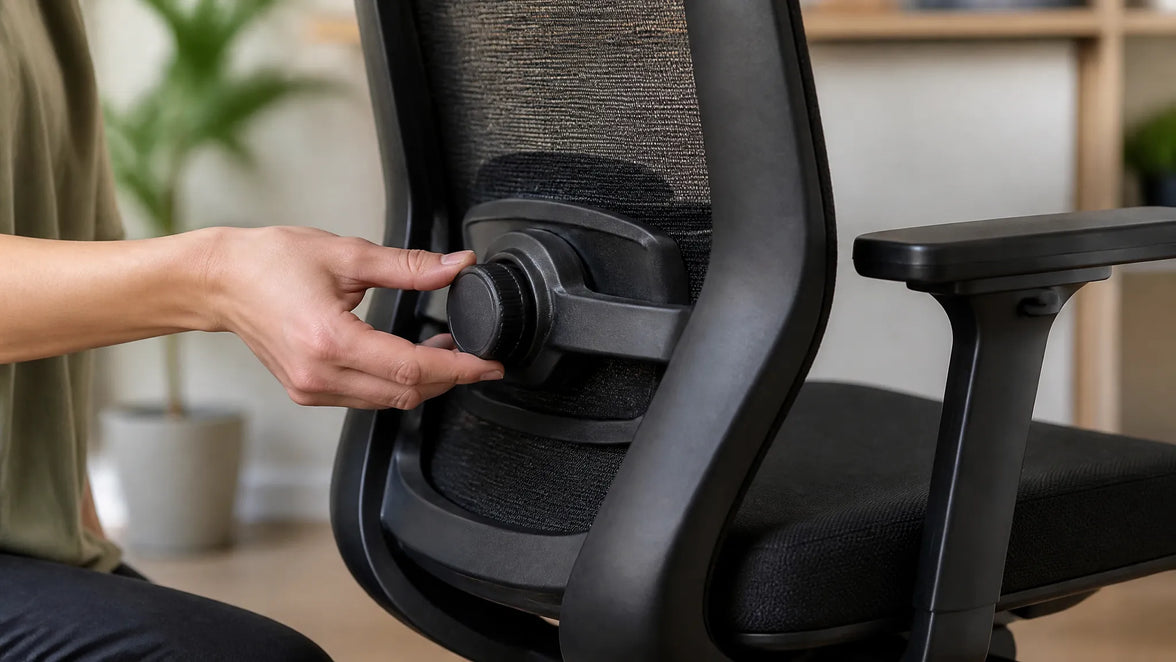
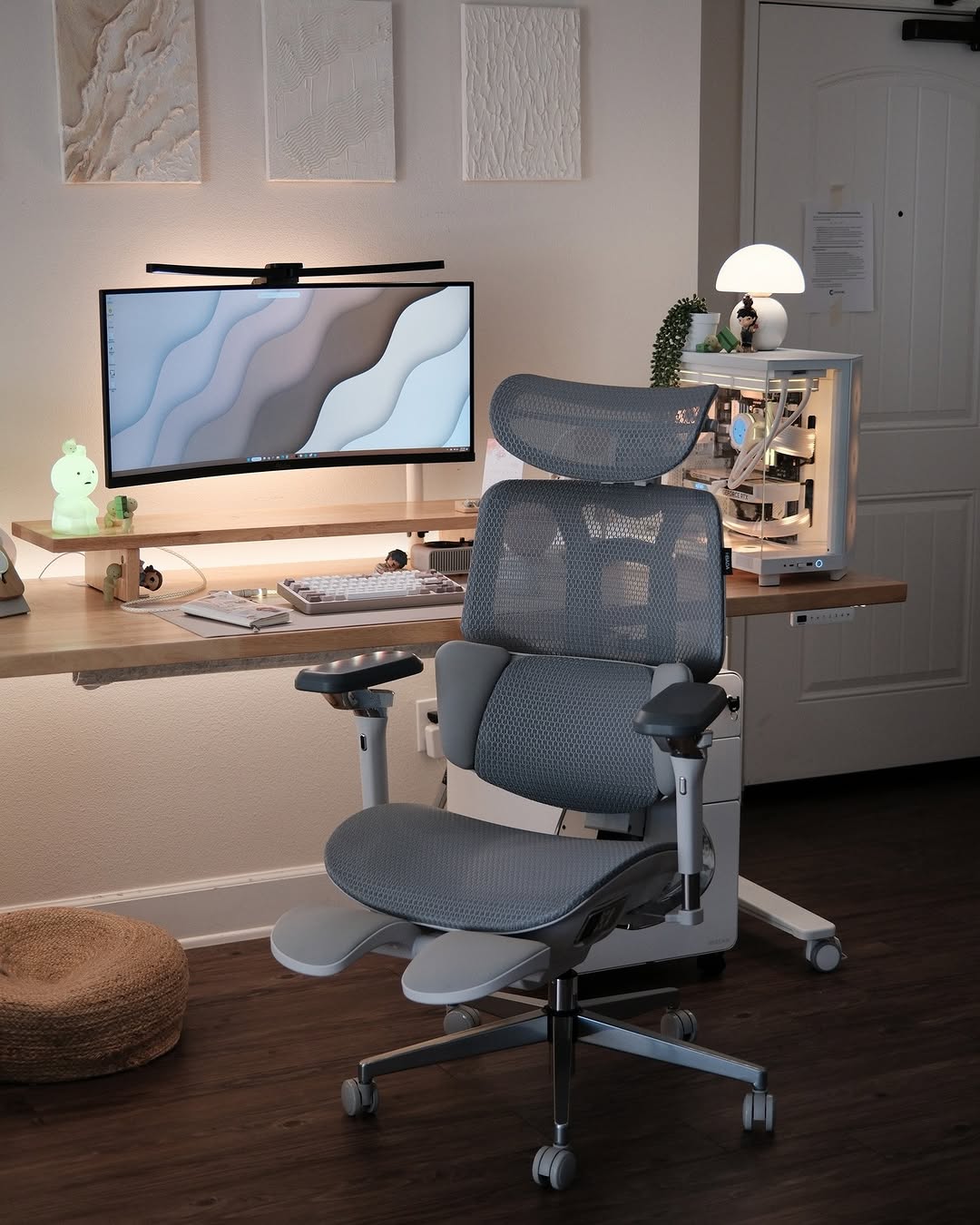
 Hbada desk chair ergonomic backrest support close up.

Engineering for Inclusive Design

Democratizing Ergonomics: Designed with Everyone, For Everyone

 For decades, traditional office furniture was manufactured using rigid, standardized measurements that only catered to a narrow demographic percentile. At HBADA, we believe that ergonomic health should never be a premium luxury—it is a fundamental workplace right. Through our expanding **Inclusive Design Practice**, we actively design *with* users of all shapes, sizes, physical abilities, and professional habits, rather than forcing human bodies to conform to unforgiving furniture.


Engineering Accommodations for Human Diversity

 We have research labs that focus on collecting biomechanical telemetry data on diverse demographics to address real-life problems in the workplace. For example:

The 5th to 95th Percentile Coverage: Our patented design, the 3-Zone Elastic Lumbar Support, provides lumbar support for petite remote-working students to corporate executives of all sizes, as well as expectant mothers on the rigid support frame of the lumbar support. 

The Posture Spectrum: Our integration of Cloud Mesh fabric and 720° Omni-Mechanical Arms allows our chairs to adapt to bodily movements, both voluntary and involuntary, in the extreme of postures along the typing continuum, from the rigid '90-90-90' posture, to the relaxation posture to relieve chronic lumbar flexion posture and sciatica.

Hbada office furniture design and manufacturing company expertise for high-end desk chairs.

Nurturing Workspace Well-being

 As a champion of holistic orthopedic well-being, HBADA builds seating and workspace solutions which allow individuals the freedom of choice along the holistic orthopedic wellness matrix. Prolonged static 'passive' sitting, in a poorly designed task chair, isolates muscle groups, leading to occupational fatigue, stasis (poor circulation) and prolonged spinal disc compression.


Holistic Wellness Ecosystems (HWE)

At HBADA, we have taken a multi-layered, corporate approach to health:

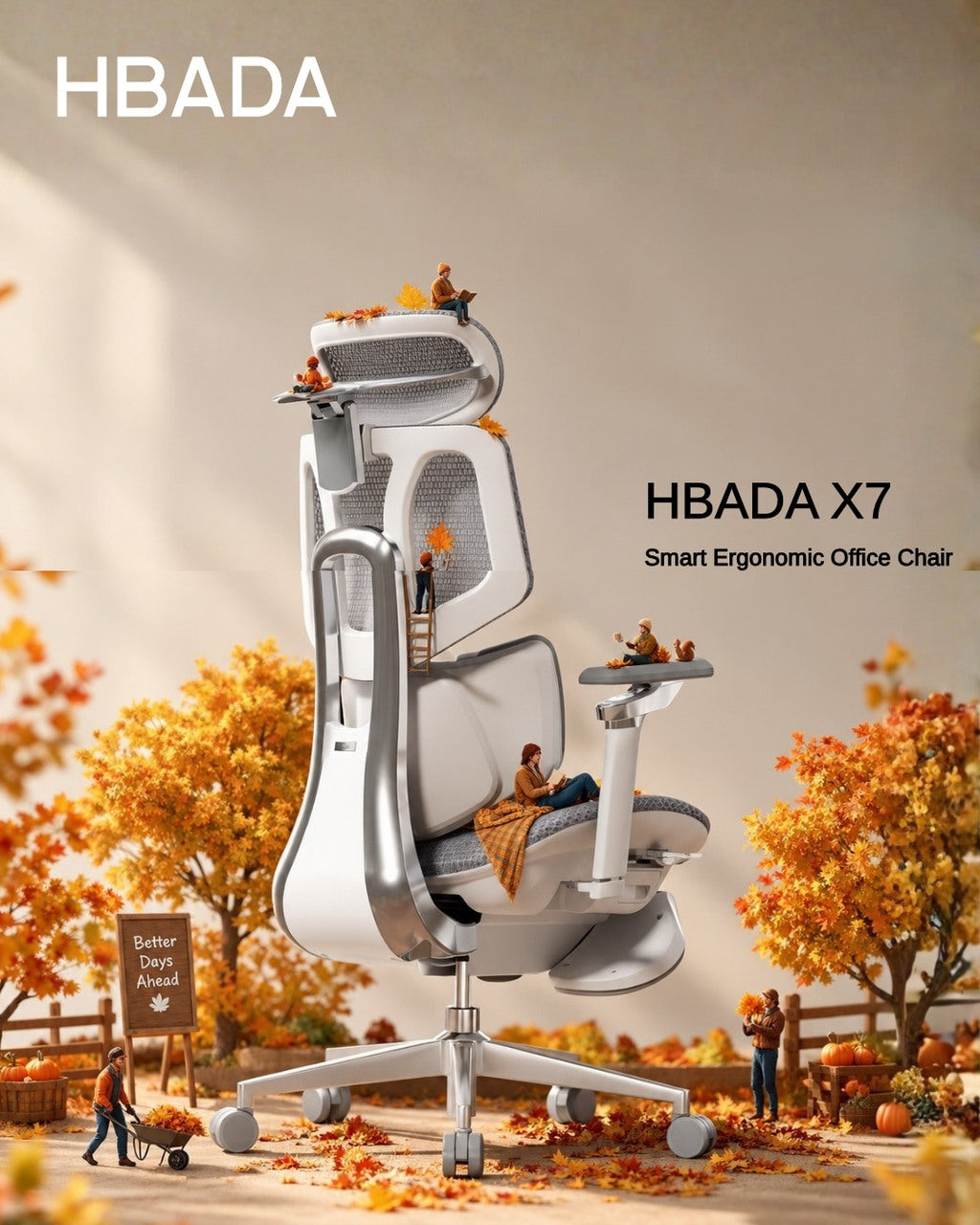
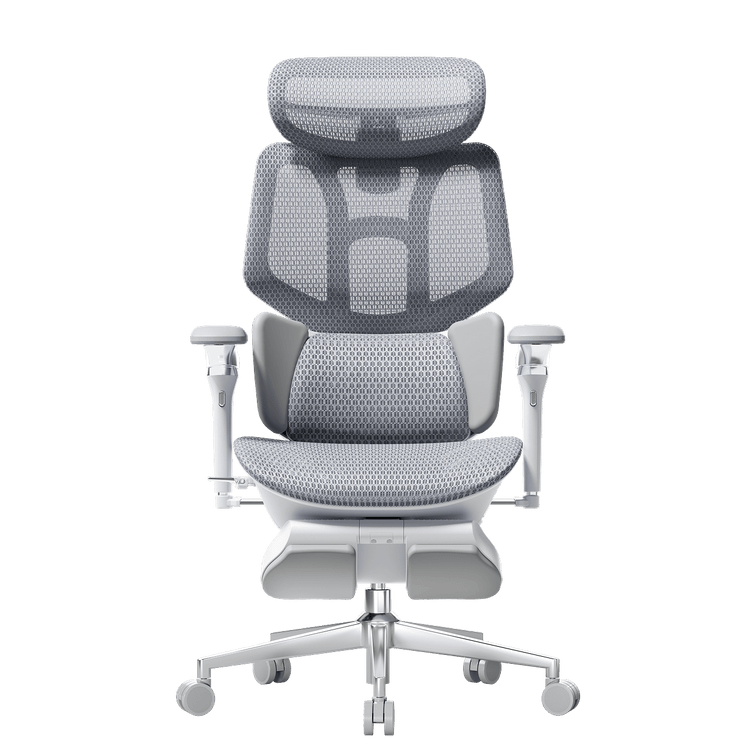
Active Physical Ergonomics: Our seating includes easy-to-use, customizable, weight-adjusting seat-depth sliders, and thermal active ventilation systems (cooling zones are built into the X7 Smart series).


Internal Staff Care: At our own manufacturing and corporate sites, we offer proactive mental health counseling, localized fitness, professional onsite ergonomic workspace audits, and fully integrated medical/dental benefits with localized profit-sharing.


Acknowledging Differences: Consistent Listening and Response

Data-Driven Feedback Loops

We use a sound and globally coordinated employee and customer listening program to continuously collect qualitative and quantitative feedback from our employees and customers. Local roundtables, anonymous quarterly surveys and open-door review portals are examples of the ways that our assembly floor technicians, customer service professionals and specific consumer groups help to shape our executive leadership's product development plan and investment decisions.


Uncompromising Quality Assurance and Global Compliance

We will not compromise in ensuring the quality of the product we produce, Trust, Durability & Safety. Our star bases, rolling polyurethane casters, and structural joints form our furniture matrix and must be able to withstand international stress tests before they are allowed to be sold. We work with the leading testing institutions worldwide to provide complete verification of our products are being manufactured to this standard.

SGS & BIFMA Standard Compliance – We have had all of our Class 3 and Class 4 gas cylinders tested by an independent third-party testing agency to confirm that all of our Class 3 and Class 4 heavy-duty pneumatic gas cylinders are explosion proof, but they will not fail during any type of height-adjustment cycles that may be used for a period of approximately 30 years. 

Extended Product Lifecycles – We have very significantly lengthened the useable life-cycle of an office chair that will be used for over 100,000 cycles of structural loads. We are helping reduce the amount of commercial landfill waste.

HBADA actively monitors and reduces its carbon footprint across our entire global supply chain. All our high-elasticity woven mesh surfaces are certified completely free from harmful volatile organic compounds (VOCs) and chemical off-gassing, keeping indoor residential and corporate environments healthy and safe.

Our Journey to a Sustainable, Inclusive Future

 Get an inside look at how we are actively optimizing product accessibility, expanding global diversity, and engineering a circular, net-zero manufacturing paradigm.

For more information, please click to check: FAQs
Relevant Product

You May Also Like

How HBADA Measures Office Chair Fit: Height, Depth, Width and Lumbar How HBADA Measures Office Chair Fit: Height, Depth, Width and Lumbar HBADA A better fit starts with you. Dark mode Don't fit the chair.Find the chair that fits. How to measure office chair fit: height, depth, width and lumbar support. Two people of the same height can need very different chairs. Start with four measurements to check whether your feet, thighs, hips and lower back will get the support they need. 4 Measurements. One personal fit. Match seat height, seat depth, seat width and lumbar adjustment to your body. A recommended height range is a starting point, not a comfort guarantee. Start measuring ↗ 01 / HEIGHT Seat height Keep your feet supported. 02 / DEPTH Seat depth Leave room behind your knees. 03 / WIDTH Seat width Give your hips enough space. 04 / LUMBAR Lumbar range Position your lower-back support. Fit basics Compare models Measure yourself Choose your chair Limitations Final checklist FAQs Sources Which measurements decide office chair fit?   Fit is not one number. People of the same height can have different lower-leg lengths, thigh lengths and torso proportions. The chair's adjustment ranges need to work with those differences. Seat height affects how your feet meet the floor. Seat depth determines how much of your thighs the seat supports. Seat width provides space for your hips. Lumbar range helps position support against the inward curve of your lower back. These measurements narrow your options. Armrest spacing, desk height and how the seat feels under your weight also matter. An ergonomic chair can support a more comfortable working position, but it is not a medical treatment. 01 Seat height: start from the floor. Seat height is the distance from the floor to the top of the seat. The height you experience while sitting may differ slightly from an unloaded measurement because the surface can compress or flex. Start with your feet supported and your thighs approximately level. Check that you can reach your keyboard with relaxed shoulders rather than raising them to meet the desk. The HBADA X7 lists a seat-height range of 44.5–53 cm, approximately 17.5–20.9 inches. Check other models individually; do not assume the minimum height is the same across a series. Feet not reaching the floor? A stable under-desk footrest can help when you need to raise the chair to suit your desk. It is different from an extendable chair footrest used while reclining. HSE workstation guidance recommends providing a footrest where needed. 02 Seat depth: support without pressure. Seat depth describes the front-to-back seating space. Manufacturers may use different reference points, so look at the dimension diagram rather than the chair's overall depth. Sit fully back against the backrest. About two to three finger widths between the front edge and the backs of your knees is a useful starting check, not a precise measurement rule. Too deep, and you may slide forward to avoid pressure behind your knees, losing back support. Too shallow, and you may feel that too little of your thighs is supported. X7 lists a depth range of 40.5–45.5 cm. E3 Pro 2026 lists a 50 mm seat-depth slide. Travel alone does not tell you the minimum usable depth; confirm that dimension before ordering. 03 Seat width: room to sit naturally. Seat width is the usable space across the seat, not the overall chair width. Your hips need room without pressure from the seat frame or armrests. X7 lists a seat width of 52 cm, approximately 20.5 inches. When comparing another chair, check the usable seat width and the clearance between the armrests. A wider seat is not automatically a better fit. If the armrests are too far apart, you may have to move your elbows outward to reach them. Width and weight capacity answer different questions. A chair can support your weight while still being too narrow, too deep or too tall for you. 04 Lumbar range: height is only half the story. Vertical adjustment changes where support sits. Front-to-back movement changes how it meets your back. Start with the support at the small of your back. It should feel supportive, not push you forward or press into one uncomfortable point. X7: powered tracking, manual height X7 lists 45 mm of manual lumbar-height adjustment, 50 mm of powered front-to-back travel and 10 tracking-intensity levels. Automatic tracking does not replace the manual height setting. E3 Pro 2026: mechanical adaptability E3 Pro 2026 lists 60 mm of independent lumbar-height adjustment and 80 mm of backrest-height adjustment. Its mechanical lumbar system also offers adaptive movement; it is not simply a fixed pad. HBADA fit measurements, side by side. Use confirmed adjustment details as a starting point. Where an absolute dimension is not confirmed below, consult the current product diagram or request the measurement before buying. Swipe sideways to see the full comparison. HBADA X7 and E3 Pro 2026: fit reference Measurement HBADA X7 HBADA E3 Pro 2026 Seat height 44.5–53 cm Confirm the minimum and maximum for your configuration Seat depth 40.5–45.5 cm; 50 mm travel 50 mm travel; confirm minimum usable depth Seat width 52 cm Confirm usable seat width, not overall chair width Lumbar height 45 mm, manually adjusted 60 mm independent adjustment Lumbar movement 50 mm powered travel; 10 tracking levels Mechanical adaptive support Backrest height adjustment Check the model guide; lumbar travel is separate 80 mm Recommended user height 150–195 cm 155–195 cm Maximum load 150 kg / 330 lb 150 kg / 330 lb Specifications are model-specific and may change. Recommended height is a screening guide, not a guarantee of comfort. Confirm the exact edition and configuration on the product page. One tape measure. Six simple checks. Use a firm seat and the footwear you normally wear at your desk. Having someone help can make the measurements easier. Measure lower-leg height → seat height With your feet supported, measure from the floor to the crease behind your knee. Use this as a starting reference, then check your actual seated position. Measure thigh length → seat depth Measure horizontally from the back of your buttocks to the crease behind your knee. Allow knee clearance rather than choosing a seat that fills the entire distance. Measure seated hip width → seat width Measure the widest part of your hips while seated. Allow some room on both sides and check armrest clearance too. Find your lower-back contact point → lumbar height Sit back and position the support against the inward curve of your lower back. Contact and comfort matter more than a universal height setting. Relax your shoulders → armrests and desk Keep the keyboard close enough that you do not have to reach forward. Adjust the armrests so they support your arms without lifting your shoulders. Try everyday tasks → fine-tune the setup Type, use the mouse and lean back. A position that feels fine for a minute may need small changes during normal work. Change position and take breaks throughout the day. Which HBADA chair fits you best? Start with dimensions, then compare how the adjustments work. Neither automatic support nor a longer feature list can compensate for a seat that does not fit your body. Prefer powered lumbar tracking? Consider X7 if you prefer powered front-to-back lumbar tracking. Check the seat fit first, then set the manual lumbar height and tracking intensity. Explore HBADA X7 → Prefer mechanical adjustability? E3 Pro 2026 combines a sliding seat with separate backrest and lumbar-height adjustments. Confirm the seat dimensions before choosing a configuration. Explore E3 Pro 2026 → For other E3 options, explore the HBADA E3 Series. Compare each model individually instead of applying one model's measurements to the whole range. What measurements cannot tell you. Dimensions do not guarantee comfort. Check the applicable return policy and test normal work tasks after assembly. A footrest has a specific role. It can support your feet when the chair is raised for desk access, but it does not fix an excessively deep or narrow seat. Desk height matters. A height-adjustable desk may let you bring the work surface closer to your preferred seated position. Configurations can differ. Confirm the model year, seat dimensions, armrest clearance and selected footrest option. Do not push through pain as a fit test. Seek qualified healthcare advice for severe, persistent or radiating pain. A chair is not a medical treatment. Measure first. Choose second. Before buying, check that your feet can be supported, there is clearance behind your knees, your hips have enough room and the lumbar support can meet your lower back. Then consider the desk, armrests and adjustment method. X7 offers powered lumbar tracking; E3 Pro 2026 offers mechanical adaptive support and separate height adjustments. Choose the model that matches your body and working setup, rather than relying on height recommendations alone. Frequently asked questions What is the correct seat height for an office chair? There is no single correct height for everyone. Start with your feet supported, thighs approximately level and shoulders relaxed while reaching the desk. Your lower-leg measurement is a starting point; check the position while actually sitting. How do I know if my seat depth is right? Sit fully back. The seat should support your thighs without pressing behind your knees. About two to three finger widths is a practical starting clearance, not an exact rule for every body. Does seat width matter? Yes. Your hips need room without pressure from the frame, and the armrests should be reachable without spreading your elbows uncomfortably. Check usable seat width and armrest clearance, not just overall chair width. Does automatic lumbar tracking still need manual adjustment? Different directions of adjustment serve different purposes. On X7, powered front-to-back tracking does not replace the manual lumbar-height setting. Set the height to match your lower back first. Can one office chair fit different body sizes at home? Often, provided each person fits within the usable dimensions and adjustment ranges. Each user should reset the seat, lumbar support and armrests. Check the shortest and tallest users separately before buying a shared chair. Sources Health and Safety Executive: Working with Display Screen Equipment — general workstation and footrest guidance from the UK regulator. HBADA X7 product page — model dimensions and adjustment details. HBADA E3 Pro 2026 product page — model-specific adjustments and recommended user range. This article provides general product-selection guidance. Refer to the current product information and assembly instructions for your exact chair. How to Adjust Lumbar Support on an Office Chair How to Adjust Lumbar Support on an Office Chair That familiar twinge in your lower back around 3 PM isn't just fatigue. Often it's the price of sitting for hours with your spine out of alignment. Lumbar support, when adjusted well, helps preserve the natural curve in your lower back and reduces the strain that leads to that end-of-day ache. But simply having a lumbar support isn't enough—you need to set it up to match your body's shape and the way you work. Getting it right involves more than twisting a knob. It means understanding how the support interacts with your own posture, the angle you recline, and even the depth of your seat. The following guide walks through why lumbar support matters, how to identify your chair's adjustment type, and a step-by-step method to dial in the right height, depth, and firmness for all-day comfort. Why Lumbar Support Matters Your spine has a natural S-curve—an inward dip at the lower back called lumbar lordosis. When you slouch, that curve flattens or even reverses, increasing pressure on spinal discs. According to HBADA's ergonomic chair adjustment guide, maintaining the spine's natural lordotic curve helps distribute pressure evenly across the discs, reducing strain on surrounding muscles and ligaments. The World Health Organization recommends reducing sedentary time and taking regular movement breaks to avoid static loading of the spine. The U.S. Occupational Safety and Health Administration echoes this, noting that poorly supported sitting can contribute to musculoskeletal discomfort. A well-adjusted lumbar support fills the gap between your lower back and the chair, encouraging a posture that fights the slump and lessens that familiar afternoon ache. Know Your Chair's Lumbar Mechanism Before Adjusting Before you adjust anything, locate the controls. Lumbar systems vary widely—some use a firm plastic insert with a tension dial, others rely on a removable pillow, and a few offer multi-point tracking. Identifying yours sets the stage for a meaningful adjustment. A chair with a dynamic lumbar mechanism feels different than a fixed pillow: one moves with you, the other you reposition manually. Built-in Adjustable Lumbar (Height and Depth) Many ergonomic chairs hide a tension knob on the side of the backrest or a lever under the seat. Turning the knob changes how firmly the support presses into your back—often referred to as depth or firmness. A separate slider or ratchet system moves the entire support up and down to match the curve of your lower spine. Height adjustment raises or lowers the bulge; depth tweaks how much it protrudes. External Lumbar Pillow Chairs with fixed backrests often rely on a removable cushion. Pillows lack depth adjustment, but you can shift them higher or lower to match your spine. Place one at the small of the back—just above the belt line—so it centers on the inward curve. Too high and it crowds the ribcage; too low and it presses on the tailbone. Even a modestly thick pillow can make a noticeable difference if positioned correctly. Chairs with Multi-Point Lumbar Adjustment Some designs combine height and depth in a single mechanism for finer control. For example, the HBADA E3 Pro Ergonomic Office Chair offers both height and depth lumbar adjustment. A knob behind the mesh backrest lets you raise or lower the lumbar cradle, while a tension dial adjusts how aggressively it pushes forward. Set the height so the support rests at the belt line, then dial the depth until it gently fills the hollow of your back without forcing your pelvis into an exaggerated tilt. Step-by-Step Lumbar Support Adjustment Guide A systematic approach helps you tune the support to your body rather than guessing. These steps align with Newtral's lumbar support adjustment guidance and common ergonomic frameworks like the 90-90-90 rule. Start from a baseline posture, then work through height, depth, and movement testing. Spine shape varies, so trust what feels supportive without causing new pressure. Start with a Neutral Sitting Posture Before touching the lumbar mechanism, set the rest of the chair. Adjust seat height so thighs are parallel to the floor and feet rest flat. Leave a two- to three-finger gap between the front edge of the seat and the back of your knees—this prevents pressure on the popliteal fold. Position armrests so your elbows form a 90° angle and your shoulders stay relaxed. This baseline ensures the lumbar support works with your whole body, not against it. Set the Lumbar Height Find the height adjustment control—typically a knob, lever, or ratchet on the backrest. Move the lumbar piece up or down until it sits squarely in the hollow of your lower back, roughly at belt-line or navel level. You'll know it's correct when the support matches the natural inward curve without digging into the upper pelvis or floating up near your ribs. Many chair backs have markings, but you can also run your hand along the backrest to feel where the bulge peaks. Adjust Lumbar Depth or Firmness Turn the depth knob or tension dial to fine-tune how firmly the support pushes into your back. The goal is gentle, continuous contact that encourages the spine's lordotic curve without forcing an arch. If you feel a hard shelf pressing your spine forward, reduce the tension. If the support barely touches your back, it likely won't prevent slouching. Small tweaks—a quarter turn—can make the difference between just sitting there and sitting supported. Test While Reclining and Moving Recline to your usual working angle, typically between 95° and 110°, and note whether the lumbar support stays in contact. Some chairs shift the support point when you lean back; the Eureka Ergonomic posture integration guide suggests rechecking alignment after changing the tilt tension. Roll your shoulders, stretch your arms forward as if typing, and see if the support maintains its position. Readjust if it slides up or loses touch. Common Mistakes When Adjusting Lumbar Support Even with the right steps, small errors can turn a comfortable chair into a source of irritation. A support placed too high presses on the ribcage and encourages a forward-leaning posture. Set too low, it pushes into the tailbone and flattens the lumbar curve. Dialing in excessive depth can create an anterior pelvic tilt that strains the lower back, while a seat pan that's too deep often scoots you forward, leaving the lumbar support behind. The following table highlights these common pitfalls: Mistake What Happens Quick Fix Lumbar too high Pressure on ribcage, forward lean Lower support to belt-line level Lumbar too low Tailbone pressure, flattened curve Raise support until it fills the hollow Depth too aggressive Anterior pelvic tilt, new pain Reduce tension slightly Seat depth blocking pelvis Can't reach backrest, slumping Adjust seat depth or add back cushion Recheck your lumbar setting after adjusting other chair features—changing the recline angle or armrest height can alter your sitting geometry enough to require a re-tune. Troubleshooting: Lumbar Support Still Uncomfortable? If you've followed the steps and still feel discomfort, step back and look at the whole chair. A seat that's too deep often prevents your pelvis from reaching the backrest, so the lumbar support hits your mid-back instead. Check that you maintain a two- to three-finger gap behind your knees. If the built-in support can't be dialed in well enough, an external lumbar pillow or a rolled towel placed at the small of the back often provides a simple workaround. The World Health Organization emphasizes that even well-adjusted seated posture benefits from movement breaks—stand or stretch for a couple of minutes every half hour to relieve static load on the spine. Frequently Asked Questions How high should lumbar support be? Align the support with the natural inward curve of your lower spine, roughly at belt-line height or just above the hip bones. The bulge should fill the hollow, not press on the ribs or tailbone. Can I use a pillow instead of built-in lumbar support? Yes, an external pillow can work well if you position it carefully. Built-in systems offer more precise height and depth control, but a pillow placed at the small of the back can still help you avoid slouching. How often should I readjust lumbar support? Recheck the setting whenever you change desk height, alter the chair's recline angle, or if you feel renewed lower back discomfort. A quick re-tune takes seconds and can prevent hours of strain. How to Test an Ergonomic Office Chair During a 30-Day Home Trial How to Test an Ergonomic Office Chair During a 30-Day Home Trial The quick answer To test an ergonomic office chair during a 30-day home trial, use it for your real work each day and check fit, lumbar support, breathability, recline, armrests and noise. Keep the packaging, avoid damage, and decide before the window closes. If the chair does not suit you, contact support early enough to complete the required return steps within your return window. Table of Contents Jump to the part of the trial you need. 01. What is a 30-day home trial? 02. How should you set up the chair? 03. What should you test in week one? 04. What should you test in weeks two to four? 05. How do you protect return eligibility? 06. What should you check before returning? 07. Which HBADA chairs can you test? 08. Your 30-day test plan 09. Limitations and when to get help 10. Conclusion 11. Frequently asked questions 12. Sources and useful links What Is a 30-Day Home Trial and How Does It Work? A home trial is a return window that lets you use the chair in your real setup before you commit. HBADA’s current return and refund policy allows returns within 30 days of receipt, subject to its condition and return requirements. This gives you time to judge an adjustable ergonomic chair at your own desk, not in a showroom. Testing may help you find a more comfortable sitting position, but it is not a medical treatment. How Should You Set Up the Chair for Testing? Start well, because a fair test needs a proper setup. Assemble the chair using the HBADA user manual and assembly guide, and keep every part of the packaging, including the box, foam and spare hardware. Then set it to your body before you judge it. Set the seat height so your feet rest flat on the floor or a suitable footrest. Set the seat depth so two to three fingers fit behind your knees. Set the lumbar support to meet your lower back. Set the armrests so your forearms are supported and your shoulders stay relaxed. Check that you can reach your keyboard and mouse comfortably. Only after this setup should you decide how the chair feels. What Should You Test in the First Week? Your first week is about first impressions and daily fit. Fit: Check you can reach a feet-flat, back-supported position within the chair’s adjustment ranges. Lumbar support: Notice whether the support meets your lower back through your normal workday. Breathability: Watch for heat build-up and check whether the mesh and seat feel comfortable in your room. Noise and casters: Roll across your floor and listen for creaks or scuffs. Check that the casters are suitable for the surface. What Should You Test in Weeks Two to Four? Later weeks reveal how the chair holds up over real work. Now test the chair as an office chair for long hours. Work a normal week, keeping your usual movement breaks, and notice whether early comfort lasts into the afternoon. Move through the available recline positions and check that the locks hold. Use the armrests while you type, write and relax. Give yourself time to learn the controls and fine-tune the settings, but do not treat pain as a required adjustment phase. If discomfort eases after a setting change, note what helped. If it persists after reasonable adjustments, the chair may not fit you. A Quick Test-and-Decide Table Use this table to turn each check into a clear next step. What to test How to test it Keep or return signal Fit Set seat height, depth and lumbar support to your body, then sit back fully. Consider a return if you cannot achieve supported feet and back within the adjustment ranges. Lumbar support Use it during a normal working day and note lower-back comfort. Consider a return if the support cannot meet your lower back comfortably after adjustment. Breathability Check for heat build-up during ordinary work sessions. Consider another material or model if the seat consistently feels too warm for you. Recline and lock Try the recline settings according to the manual. Stop using the chair and contact support if the recline is unstable or a lock fails. Armrests Type, write and relax while checking forearm support. Consider a return if the armrests prevent a relaxed working position or access to your desk. Noise and casters Roll gently across a suitable floor surface and listen for persistent noise. Contact support about recurring creaks or floor marking before continuing use. Long-session comfort Work a normal week in the chair, with movement breaks. Reassess the fit if discomfort persists after you fine-tune the settings. How Do You Protect Your Return Eligibility? Test thoroughly, but keep the chair returnable while you decide. Keep the original box, foam and hardware for the whole trial. Keep the chair clean and unmarked, and use a suitable floor mat if needed. Note your delivery date and the last day of the return window. Contact support early if you are unsure, rather than on the final day. HBADA requires returns in their original condition and recommends keeping the original packaging. Missing packaging or damage from improper packing may lead to fees. What Should You Check Before Returning the Chair? Review the return instructions for your order before arranging collection. For change-of-mind returns, customers pay part of the return shipping cost; HBADA may provide a discounted prepaid label deducted from the refund. For damaged, defective or incorrectly supplied items, contact support for the appropriate process. Ask support to confirm the required steps and deadline. A return window is separate from warranty coverage, so check the HBADA warranty and service information if a fault appears later. Which HBADA Chairs Can You Test at Home? The HBADA X7 and E3 Pro 2026 product pages advertise a 30-day home trial. Confirm the current terms for your chosen model and order before purchasing. Use the same testing checklist for either chair, but pay attention to the features that make each model different. What to compare HBADA X7 HBADA E3 Pro 2026 Lumbar support Test how the AI lumbar-tracking system responds when you change position. Test how the three-zone adaptive lumbar support fits your lower back. Seat fit Check the selected model’s seat dimensions and adjustment range against your body and desk. Check the selected model’s seat dimensions and adjustment range against your body and desk. Recline and armrests Check support and control access while typing, leaning back and relaxing. Check the headrest, armrest and recline adjustments during your usual tasks. Additional features Try the comfort functions included with your selected version, following its manual. Focus on mechanical adjustments, mesh comfort and any optional footrest. Before ordering Confirm the exact configuration, return conditions and warranty. Confirm the exact configuration, return conditions and warranty. If you want automatic lumbar tracking, explore the HBADA X7 smart ergonomic chair and check the comfort features included with your selected version. If you want a mechanically adjustable chair to test for long workdays, compare the HBADA E3 Pro 2026. You can also browse the HBADA ergonomic office chair collection before your trial begins. Your 30-Day Test Plan Follow this simple plan so nothing is missed before the window closes. Adjust the timing to leave enough time for the return process required for your order. Day 1 Assemble and Adjust Assemble by the manual, keep all packaging, and set the chair to your body. Days 2–7 Check Daily Fit Test daily fit, lumbar support, breathability, noise and casters. Days 8–21 Test Your Normal Work Routine Work your usual schedule and test recline, armrests and long-session comfort. Keep taking movement breaks. Days 22–27 Fine-Tune and Decide Fine-tune settings and review your notes. If the chair is not right, contact support now to confirm the return steps and deadline. Days 28–30 Complete Your Decision Keep the chair if it fits your needs, or complete the return steps within the applicable deadline. Do not assume contacting support on day 30 automatically extends the window. Limitations and When to Get Help A trial answers many questions, but not every one. A trial checks comfort and fit for you; it cannot promise a health outcome. Thirty days cannot establish the chair’s lifespan or long-term durability. Keep the chair and packaging in good condition while deciding. Trial terms, return shipping and warranty can vary by market and order, so check the applicable policy. If you have severe, persistent or radiating pain, consult a qualified healthcare professional. A chair is not a medical treatment. Conclusion The best way to judge an ergonomic office chair is to test it where you actually work. Assemble it, set it to your body, use it for real tasks, and keep the packaging until you are sure. Compare the X7 if you want automatic lumbar tracking, or the E3 Pro if you prefer mechanical adjustments. Make your decision before the return deadline, and keep the chair that fits you. Frequently Asked Questions How long is the HBADA home trial? The current .com policy states 30 days from receipt. Confirm the terms and required return steps for your order before testing. Can you return an office chair after using it? Home testing does not remove the policy’s condition requirements. Keep the chair clean, avoid damage, and ask support if you are unsure whether its condition qualifies. How long does it take to get used to a new ergonomic chair? There is no fixed adjustment period for everyone. You may need several sessions to learn the controls and fine-tune the seat height, depth, lumbar support and armrests. Change one setting at a time. Do not keep sitting through pain in the hope that you will eventually adapt. Who pays for return shipping? It depends on the return reason. Check the shipping-cost section of the return policy and confirm any label charge with support before booking a courier. What should you check before the trial ends? Confirm the essentials: fit, long-session comfort, lumbar support, breathability, recline, armrests and noise. Also check that the chair suits your desk height and floor. Decide early enough to complete any required return steps before the deadline. Sources and Useful Links HBADA Return and Refund Policy HBADA Warranty and Service HBADA User Manuals and Assembly Guides HBADA X7 Product Details HBADA E3 Pro 2026 Product Details