




Blog

HBADA E3 Pro vs. Hinomi H1 Pro V2: Which Ergonomic Chair Fits You Better

HBADA E3 Pro vs. Hinomi H1 Pro V2: Which Ergonomic Chair Fits You Better

Ergonomic Chair Comparison

Put the feature lists aside for a moment. Before comparing adjustment counts, measure your desk height, the seat depth you actually need, and the range of sitting positions you use during a normal workday. More adjustments do not automatically mean a better fit.

Comparison note: This article compares publicly available manufacturer information for the HBADA E3 Pro 2026 Edition and Hinomi H1 Pro V2. Product configurations, prices, delivery, warranty terms and regional availability may change. Check the current product page and policy for your location before ordering.

Start With Fit, Not Feature Count

An ergonomic chair only works when its useful adjustment range matches your body and workspace. A chair can have a long list of features, but that list matters less if the seat sits too high, the lumbar support reaches the wrong area, or the armrests cannot work with your desk.

The key question is not “Which chair has more adjustments?” It is “Which chair gives me the adjustments I will actually use?”

More adjustment points do not automatically equal a better fit. The useful range matters more than the feature count.

That distinction is especially relevant here. Hinomi markets the H1 Pro V2 around 16 adjustable points and multiple size options. HBADA publishes detailed adjustment ranges for the E3 Pro 2026 Edition, including seat depth, backrest height, lumbar position, headrest and armrest adjustments.

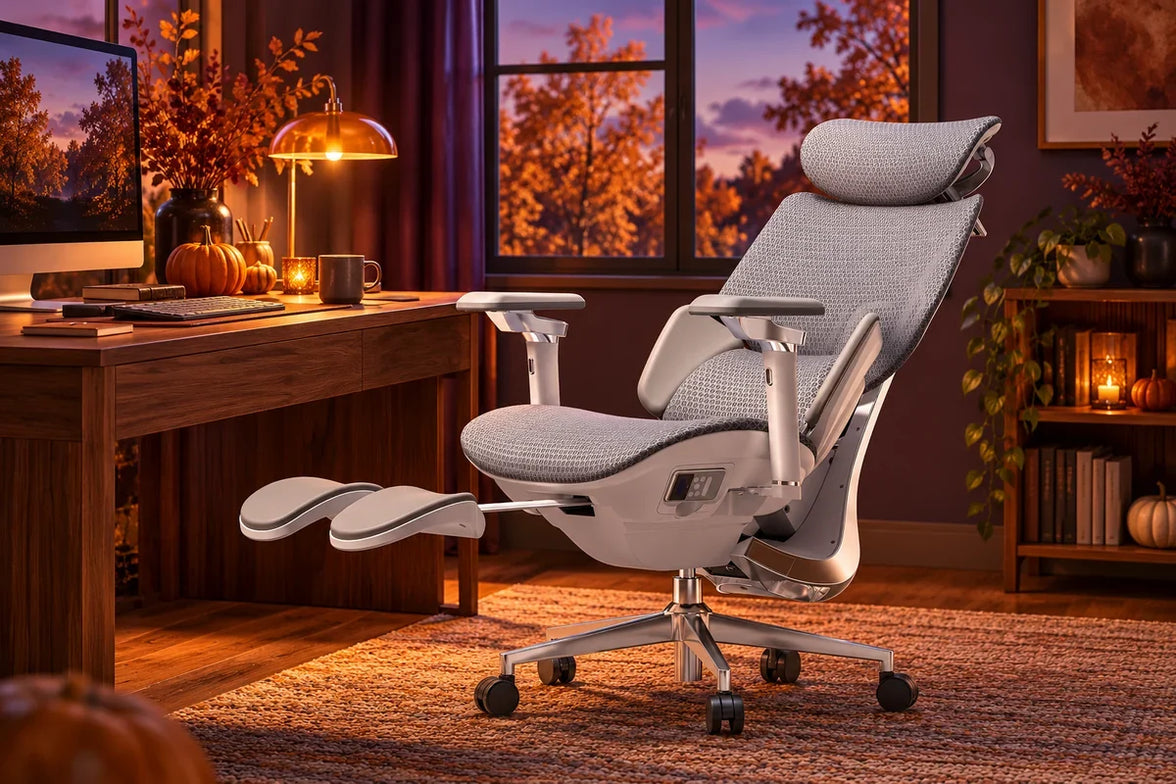
How the Support Systems DifferHBADA E3 Pro Ergonomic Office Chair 8-directinal lumbar adjustment

HBADA E3 Pro 2026 Edition


The HBADA E3 Pro 2026 Edition uses a three-zone adaptive lumbar-support design. HBADA lists a 50 mm seat-depth slide, 80 mm backrest-height adjustment, 60 mm independent lumbar lift, 40 mm headrest-height adjustment and 70 mm headrest depth adjustment.

HBADA also lists a recommended user-height range of approximately 5'1"–6'5" (155–195 cm). Those figures are not a promise of fit for every person, but they give shoppers useful dimensions to compare with their own measurements.

Hinomi H1 Pro V2

The Hinomi H1 Pro V2 product page lists 16 adjustable points, 3D lumbar support, flip-up 5D armrests, a 3D headrest, a retractable leg rest and a foldable frame. Its lumbar system is described as having five height levels and four forward-support levels.

Hinomi offers S, M and L height guidance. Its current product page states that the primary difference between those sizes is the seat-height adjustment range, while the other listed dimensions remain the same. That is useful for shoppers who prefer to begin with a height-based size recommendation.

HBADA E3 Pro 2026 vs. Hinomi H1 Pro V2: Published Information Compared

Comparison Area HBADA E3 Pro 2026 Edition Hinomi H1 Pro V2
Primary fit approach Published adjustment ranges across seat depth, backrest, lumbar support, headrest and armrests. Published S, M and L height guidance, with seat-height range identified as the main size difference.
Lumbar support Three-zone adaptive lumbar-support system with independent lift adjustment listed by HBADA. Lumbar support with five height levels and four forward-support levels listed by Hinomi.
Seat-depth information HBADA lists a 50 mm / approximately 2-inch seat-depth slide. Review current product specifications and fit guidance for the selected H1 Pro V2 configuration.
Head and arm support HBADA lists a dual-axis headrest and 720° OmniMechanical armrests. Hinomi lists a 3D headrest and flip-up 5D armrests.
Recline and space-saving features HBADA lists four recline positions: 105°, 115°, 130° and 140°. Hinomi lists a maximum 136° recline, retractable leg rest and foldable frame.
Published warranty terms E3 Series core load-bearing components are covered for 5 years; other covered components are covered for 3 years under HBADA's current policy. Subject to its current terms and regional policy.

These features are not one-to-one equivalents. For example, a published count of adjustment points cannot be directly compared with a specific seat-depth or lumbar-travel measurement. Use the table as a starting point, then compare the features that affect your own work setup.

Which Chair Should You Investigate First?

Start with HBADA E3 Pro if:

  • You want to compare specific adjustment ranges before purchasing.
  • Seat depth, backrest height, lumbar position and headrest position are important to you.
  • You move between focused work and reclined breaks during the day.
  • Your height falls within HBADA’s published 5'1"–6'5" guidance and the chair dimensions suit your desk setup.

Start with Hinomi H1 Pro V2 if:

  • You prefer to narrow options first through S, M and L height guidance.
  • A foldable frame, retractable leg rest or flip-up armrests are priorities for your space.
  • Hinomi’s seat-height range and support adjustments match your body measurements.
  • You have reviewed the current policy and product configuration for your market.

This is not a winner-and-loser comparison. It is a practical way to decide which product page you should study first. The final decision should come after checking current dimensions, configuration, delivery, return eligibility and warranty terms.

What to Measure Before Buying

  • Measure your desk height and check whether the armrests can sit at a useful working height.
  • Check seat depth against your leg length; you should be able to sit back without the front edge pressing into the back of your knees.
  • Compare the chair's minimum and maximum seat height with your ability to place your feet flat on the floor.
  • Consider whether you need a headrest, flip-up armrests, recline support or a footrest for your normal routine.
  • Read the current return and warranty terms for the exact model and market where you will purchase.

Frequently Asked Questions

Is HBADA better than Hinomi?

There is no universal answer. The better chair depends on your body measurements, desk setup, preferred adjustments, available configuration, delivered price and the current purchase terms in your location.

How should I compare lumbar support between ergonomic chairs?

Look beyond the feature name. Compare where the support contacts your lower back, how it adjusts, whether the seat depth and backrest height fit you, and whether you can comfortably use the controls during your workday.

Sources and Disclosure

Last reviewed: September 14, 2026. Hinomi is a trademark of its respective owner. This article is an independent comparison based on publicly available manufacturer information. HBADA is not affiliated with or endorsed by Hinomi.

Relevant Product

You May Also Like

HBADA E3 Ultra Gen 5 at Its Lowest Price Ever: $607.05 for New Customers HBADA E3 Ultra Gen 5 at Its Lowest Price Ever: $607.05 for New Customers Gen 5 New Release · Our Lowest Price Ever HBADA E3 Ultra Gen 5 New-generation comfort.Our lowest-ever price. $607.05 Your price with the eligible 5% new-customer discount on the $639 configuration. Yes—the discount stacks with our early-bird offer. $639 early-bird price − $31.95 new-customer savings = $607.05 GET THE EARLY-BIRD PRICE → Through November 15, 2026 · USD · Before applicable tax and shipping. Starting prices vary by configuration. Your Black Friday Price Guarantee Black Friday won’t be lower. If it is, we’ll refund the difference. Buy now with confidence. If our Black Friday 2026 offer on hbada.com is lower than what you paid for the same E3 Ultra Gen 5 configuration under equivalent discount eligibility, we’ll refund the price difference. Our lowest-ever E3 Ultra Gen 5 price. No need to wait for Black Friday. A serious upgrade. An exceptional early-bird price. Meet the new HBADA E3 Ultra Gen 5 ergonomic office chair, combining 4D bionic massage, graphene heat and full-body dynamic support. Three-zone lumbar support, a 150° recline and 8D armrests help you move from focused work to a relaxing break. Shop from $639, or $607.05 for eligible new customers. Select your configuration and apply your eligible 5% discount before checkout. Choose your E3 Ultra Gen 5 → Offer details: Early-bird pricing is available through November 15, 2026 on hbada.com. Prices start at $639 and vary by configuration. The $607.05 price applies to an eligible $639 configuration after the stackable 5% new-customer discount, before applicable tax and shipping. Existing customers can shop the early-bird price without the new-customer discount. The Black Friday price guarantee compares the same configuration on hbada.com under equivalent discount eligibility. To request an eligible price-difference refund, contact service@hbada.com with your order details and the lower qualifying offer. Keep up with HBADA launches and workspace guides. Add HBADA on Google ↗ Opens Google in a new tab. Confirm your selection there if HBADA is available. How Long Does Office Chair Assembly Take? A Guide to Three HBADA Models How Long Does Office Chair Assembly Take? A Guide to Three HBADA Models HBADA / The Workspace Journal Assembly & Setup From the boxto your better workspace. Your first experience with a new office chair starts before you sit down. Here is how to plan the build, avoid unnecessary delays, and get your HBADA chair ready for everyday use. Three models. One useful principle: follow the right guide, not the clock. The quick answer Office chair assembly time depends on the model, the parts already assembled, and how comfortable you are handling the build. For a first-time setup, reserve an uninterrupted hour for unpacking, assembly, checks, and adjustments. That is a practical scheduling suggestion—not a measured installation time or a promise that every chair takes an hour. Use the instructions supplied with your exact chair. Product generations and configurations can have different parts, connections, and assembly sequences. Inside this guide 01 / What changes assembly time 02 / E3 Pro, X7, and E3 Air 03 / A smoother setup 04 / Mistakes to avoid 05 / Assembly questions 01 / Set realistic expectations Assembly time is more than tightening bolts. Two people can assemble the same chair and record different times without either doing anything wrong. One may start the clock after unpacking; another may include sorting hardware, watching the instructions, and adjusting the finished chair. Give yourself time to identify the parts and understand the sequence before you begin. Optional accessories, electronic connections, and the need to support a large component can all change the pace. A note on timing This is a preparation guide, not a timed comparison test. We do not assign a stopwatch result to the E3 Pro, X7, or E3 Air here, or apply an older model’s reported time to a newer version. Before opening the hardware pack, find your model in our user manual and assembly guide library . Keep the relevant instructions open beside your workspace. 02 / The model-by-model edit What to check before building your chair. 01 Check the edition HBADA E3 Pro Match your instructions to the chair in the box. Start by checking the model identification on your packaging and manual. The current E3 Pro 2026 should not automatically be treated as identical to an earlier E3 Pro shown in a review or installation video. Confirm whether your configuration includes a footrest and identify the instructions for any included accessories. Check the hardware labels before fitting components; similar-looking bolts may serve different purposes. If a component is awkward to hold in alignment, ask another person to support it rather than balancing it while trying to tighten a fastener. 02 Allow room for the details HBADA X7 Take a deliberate approach to handling and connections. With the HBADA X7 smart ergonomic chair , review the instructions for any electrical connections before joining the relevant components. Follow the specified cable route and connector orientation. Do not pull components together by their cables, trap wiring between parts, or force a connector that does not align. Follow the manual’s instructions on when to connect power. Arrange help if you cannot comfortably lift or stabilize a component. A second pair of hands is more useful than trying to finish quickly. The best shortcut is knowing the next step before you lift the next part. 03 Start with your configuration HBADA E3 Air Do not borrow an installation time from another model. For the E3 Air , check the exact edition and accessory configuration before selecting an assembly video. A similar appearance does not establish an identical assembly sequence. Nor does a simpler feature list prove that one chair will take less time to build. Lay out the components, match them to the parts list, and work through the supplied guide in order. Treat fit adjustments as a separate step after assembly. Assembly preparation at a glance Model First check Where to allow extra attention E3 Pro Edition and accessory configuration Hardware identification and component alignment X7 Model-specific connection instructions Safe handling, cable routing, and connectors E3 Air Exact model and included parts Following its own guide rather than another model’s On smaller screens, swipe the comparison horizontally. This table compares preparation needs, not measured build times. 03 / A smoother setup Prepare once. Build without the backtracking. These habits help organize your assembly session. They do not replace the model-specific sequence, tightening instructions, or safety guidance included with your chair. Choose a clear, protected work area. Leave enough space to lay out the parts and move around them. Use a clean protective surface where the instructions call for placing components down. Keep children and pets away from loose hardware and the build area. Check every part before starting. Match the components, fasteners, and tools to the parts list. Keep different hardware types separated. If something is missing or damaged, contact support before improvising a replacement. Read the complete sequence once. Identify the steps where a part needs support, an accessory is fitted, or a cable must be routed. Watch the matching installation video if one is provided. Align components before applying force. Use the specified fastener in the correct location. Where instructed, start bolts loosely to establish alignment before tightening. Follow each step’s tightening direction; do not leave every connection loose until the end. Check connections and clearances. On models with electrical components, follow the manual’s connection instructions. Keep cables clear of pinch points and moving parts. Stop if a connector appears damaged or does not fit as shown. Complete the final inspection. Confirm that components and fasteners are secured as instructed before use. Do not bounce on the seat to force a joint into position. If the chair feels unstable, stop and check the guide or contact support. Adjust the chair to your workspace. Once assembly checks are complete, set the seat height, seat depth where adjustable, back support, and armrests. Keep the manual and tools together for future reference. Need the instructions alongside you? Open our HBADA assembly and installation guides before you begin. 04 / Avoid the unnecessary delays Small mistakes that create extra work. Using a video for a different generation Check the model name and edition before following the steps. Similar product names do not guarantee matching hardware or connection points. Tightening before the parts are aligned If a hole does not line up, check orientation and the previous step. Do not use extra force to make an incorrect fit work. Follow the manual’s specified tightening sequence. Forcing a connector or substituting a bolt A part that looks almost right may still be the wrong one. Stop and verify the label, orientation, and instructions. Contact us if the supplied parts do not match the guide. Handling an awkward component alone Ask for help when lifting or holding a part securely is difficult. Do not use the headrest, armrests, or cables as improvised lifting handles. Throwing away the packaging and tools too soon Keep the tools, instructions, and packaging while you complete the setup and check that everything is present and functioning. Review the applicable return instructions before discarding packaging. 05 / Questions before your first sit Office chair assembly, explained. How much time should I set aside? Reserve an uninterrupted hour as a scheduling buffer for unpacking, assembly, inspection, and initial adjustments. It is not a tested build time. You may finish sooner, or need more time if you are unfamiliar with the process or need assistance. Can I assemble an office chair by myself? Follow the handling guidance for your model. If you cannot comfortably lift or stabilize a component, get help. Being able to tighten the bolts alone does not mean every lifting step is suitable for one person. What tools do I need? Check your model’s parts and tool list before starting. Use the specified tools and fasteners. Avoid power tools unless the instructions expressly permit them. Should I follow the same steps for every HBADA chair? No. Use the guide for your exact model, generation, and configuration. Our assembly guide library is the starting point for finding the relevant instructions. What if the chair squeaks or feels unstable after assembly? Stop using it if it feels unstable. Review the assembly checks in your manual and look for incorrectly fitted components or unsecured fasteners. Do not assume every noise comes from the same cause, or disassemble the gas cylinder. Contact our support team if the issue continues. Who should I contact if a part is missing? Email service@hbada.com with your order number, model identification, and clear photos of the parts or issue. Include the part label from your manual when possible. Ready for the first workday A good build starts before the first bolt. Clear the space, identify your model, and read the sequence. Give yourself room to work carefully, then spend a few minutes adjusting the finished chair to your desk. Assembly is the beginning—not a race to the seat. Find your assembly guide → Make your next workspace decision easier. Add HBADA as a preferred source on Google for more of our ergonomic chair guides, setup advice, and workspace ideas. Add HBADA on Google ↗ Opens Google in a new tab. Confirm your selection there if HBADA is available. Best HBADA Office Chair Deals for Halloween 2026: Find Your Fit Best HBADA Office Chair Deals for Halloween 2026: Find Your Fit HBADA · The Halloween Edit October 29–November 1, 2026 Less trick.More chair. A seasonal treat for the place you spend your day. Explore our Halloween office chair picks, qualifying extra savings, and an X7 battery gift. Explore the Halloween Sale → Find your fit. Six picks for different workspaces. Pick your treat. Choose the offer that suits your basket. QUALIFYING EXTRA DISCOUNTS · MULTI-ITEM OFFERS · ELIGIBLE X7 BATTERY GIFTS A note before you shop Your decorations are seasonal. Your desk chair is an everyday decision. Halloween is a good excuse to refresh your setup. But a worthwhile upgrade starts with how you sit, the space around your desk, and the features you will actually use. We’ve selected our best HBADA Halloween office chair deals by use case, from a smaller-budget upgrade to massage, heat, and AI lumbar tracking. These are picks within our own range—not a ranking of every chair on the market. The offers Price shortlist Find your chair Before checkout Looking ahead The offer desk Your Halloween treats, explained. Our Halloween Flash Sale runs October 29–November 1. Alongside the displayed product offers, the campaign includes extra savings for qualifying orders and a battery gift with selected X7 purchases. Qualifying extra discount 5% Orders over $300 Your code:SPOOKY5 Check your order summary first. If the eligible discount is not already applied, use SPOOKY5 at checkout. This offer can accompany eligible product discounts. It cannot be combined with More6 or More7. Two workspaces. One order. The campaign advertises 6% off two eligible pieces with More6. Compare the applicable basket offer rather than adding it to SPOOKY5. Buying three or more? Explore 7% off three or more eligible pieces with More7. For larger orders, contact service@hbada.com for a quote. A battery treat for selected X7 chairs Buy an eligible X7 or X7 Prestige during the event and receive a free battery gift. The campaign states that it is automatically added to the cart or order. Check the gift before completing payment. The published offer names X7 and X7 Prestige, not X7 Air. Review the live Halloween offers and terms for current eligibility and availability. The shopping index Six chairs.Different reasons to choose. These are the displayed campaign prices for the configurations below, before any additional qualifying checkout discount. P2 Ultra Gray · Budget pick · Pre-order $299 E3 Air 2026 Black, without footrest · Everyday mesh $379 E3 Pro 2026 Black, without footrest · Adjustable setup $519 E3 Ultra Gen 5 Pearl White · Massage and heat $639 X7 Gray · AI lumbar tracking $1,169 X7 Prestige Premium finish · Eligible battery gift $1,699 Color, generation, footrest options, and availability can affect pricing. Confirm your chosen variant, taxes, and final total at checkout. The chair edit Choose by your day,not just your budget. Best budget pick Start withthe essentials. $299 P2 Ultra · Gray · Pre-order HBADA P2 Ultra A first home office does not need to begin with the most expensive chair. The P2 Ultra is the lowest-priced option in this shortlist, pairing sacral-lumbar support with an adjustable headrest and 6D armrests. Consider it if you are replacing a basic desk chair and want more ways to adjust your position. Check the dimensions and pre-order timing first. At $299 on its own, it does not meet SPOOKY5’s “orders over $300” threshold. Explore the P2 Ultra → Best everyday mesh option Your everydaydesk companion. $379 E3 Air · Black · Without footrest HBADA E3 Air 2026 If breathable mesh and lower-back support lead your shopping list, start here. The E3 Air 2026 combines 3-zone adaptive lumbar support with adjustable armrests for everyday desk use. Compare it for studying, working from home, and general screen time. Decide whether you want a footrest before comparing totals: the featured $379 version does not include one. Take a closer look at E3 Air → A smaller price is a nice surprise.A chair that fits is the real treat. Best for an adjustable work setup Fine-tuneyour focus. $519 E3 Pro · Black · Without footrest HBADA E3 Pro 2026 Typing, calls, and reading do not keep your arms and head in the same position. The featured E3 Pro 2026 combines 3-zone lumbar support, a 4D biaxial headrest, and 6D armrests. Explore it if you want to fine-tune your chair around your desk tasks. Check armrest clearance and whether you can sit comfortably against the backrest. The pink E3 Pro on the sale page has different armrest specifications. Compare that listing separately rather than treating it as the same configuration. Compare E3 Pro Halloween options → New arrival · Best for massage and heat A new chapterin everyday comfort. Meet our new HBADA E3 Ultra Gen 5. Full-body dynamic tracking, 4D bionic massage, graphene heat, and 3-zone lumbar support come together in our latest E3 Ultra. $639 Pearl White · Featured on the Halloween page Explore it if you want support for focused work alongside massage and warming comfort during a break. A 150° recline and 8D armrests let you adapt your position, while breathable pressure-relief mesh completes the seating surface. Discover E3 Ultra Gen 5 → Massage and heat are comfort features, not treatments for a medical condition. Keep regular movement breaks part of your day. Two E3 Ultra prices? Check the generation. The gray E3 Ultra listed at $499 is separate from the new Pearl White Gen 5 listed at $639. Do not assume the older listing includes the new model’s massage, heat, or adjustment features. Best for AI lumbar tracking A smarterseating setup. $1,169 X7 · Gray · Eligible battery gift HBADA X7 If AI lumbar tracking is the feature you want to explore, put the X7 on your shortlist. It takes a different approach from a manually adjusted office chair. The campaign lists gray at $1,169 and black at $1,329. Both are featured with the extra battery gift, so select the color you want before comparing totals. Explore the HBADA X7 → Best for a premium finish A differentfinishing touch. $1,699 X7 Prestige · Eligible battery gift HBADA X7 Prestige For an executive-style workspace, compare the X7 Prestige. Its leather finish and foldable lumbar wings distinguish it from the standard X7. It is also named in the Halloween battery-gift offer. Check the complete specification and configuration before deciding which model suits your room and routine. View the X7 Prestige offer → Before the final click The five-point shopping check. A few details make the difference between an attractive offer and the right order. Confirm the configuration. Check the model, generation, color, and footrest option. Measure your space. Check desk clearance and leave room behind the chair if you plan to recline. Choose the applicable offer. Do not add SPOOKY5, More6, and More7 together. Review gifts and availability. Confirm any eligible battery gift and whether your selected chair is a pre-order. Read the final total. Review the discount, taxes, and order summary before completing payment. The campaign also advertises subscriber savings of up to $80. Check the offer you receive for qualifying spend, expiry, and exclusions; do not assume it combines with other discounts. Return to the Halloween Sale for current product options and full offer details. Looking ahead Already thinking about Black Friday? Use Halloween to build a better shortlist. Work out your preferred fit, decide which features you will use, and compare exact configurations rather than headline prices alone. Our Halloween campaign page also includes a gift-card section for shoppers planning ahead. Review the specific purchase and redemption conditions before choosing one. Halloween and Black Friday are separate events. Do not assume today’s codes, gifts, or prices will continue or combine with future promotions. If a chair fits your needs and the current offer works for your budget, you have a clear basis for deciding. If you are still comparing, keep your shortlist and measurements close. October 29–November 1 A Halloween treat.An everyday upgrade. Find the chair that suits your day, select your configuration, and explore the offer that works for your basket. Shop the Halloween Sale → Keep the good ideas coming. Choose HBADA as a preferred source on Google to follow our workspace guides and product stories where the feature is available. Add HBADA on Google ↗ Opens Google in a new tab. Confirm your selection there if HBADA is available.