









Blog

Can Office Chairs Explode? The Truth About Gas Cylinder Safety

Can Office Chairs Explode? The Truth About Gas Cylinder Safety

You sit down, lean back, and a strange thought lands: can office chairs explode? It sounds like an internet myth, yet a few real incidents have made headlines. The honest answer is that a genuine office chair explosion is extremely rare, and it almost never happens with a properly certified chair. The risk lives inside one part, the gas cylinder, and gas cylinder safety comes down to build quality, certification and how you treat your chair. This guide separates fact from fear, shows you the warning signs, and explains how our chairs are engineered to remove the risk. 

So, Can Office Chairs Really Explode?

Here is the straight answer. Yes, an office chair explosion is possible, but only in rare cases involving a faulty or counterfeit gas lift cylinder, and the odds of it happening with a certified chair are vanishingly small. Across millions of chairs in daily use, only a handful of verified incidents have been reported worldwide in the last two decades. Every documented case traces back to the same root cause: a cheap, uncertified pneumatic cylinder that was never built to a recognised safety standard.

How an Office Chair Gas Cylinder Actually Works

To judge the risk, you need to understand the part. The gas lift cylinder, also called a gas spring, is the sealed metal tube that raises and lowers your seat. It works on a few simple principles:

• It is pneumatic, not hydraulic.

• It is filled with compressed nitrogen gas, an inert gas that will not combust.

• When you pull the lever, a valve releases nitrogen to raise or lower the seat.

• The gas is sealed inside thick steel rated well above normal working pressure.

A quality cylinder that ages does not burst. It slowly loses pressure, which is why an old chair starts to sink rather than fail with a bang.

Myth vs Fact: Office Chair Explosions

Most of the fear online comes from half-truths. Here is what holds up, and what does not.

Myth

Fact

Any office chair can blow up at random.

Certified chairs with nitrogen-filled cylinders do not spontaneously explode under normal use.

Gaming chairs are more dangerous than office chairs.

They use the same gas lift mechanism. Build quality, not chair category, decides safety.

The gas inside is flammable.

Quality cylinders use inert nitrogen gas, which cannot ignite.

A sinking chair is about to explode.

Sinking signals a slow pressure leak, not a blast. It is a repair cue, not a danger alarm.

Heat will make your chair detonate.

Extreme heat can stress a weak, low-grade cylinder over time. A certified cylinder is rated for normal indoor temperatures.

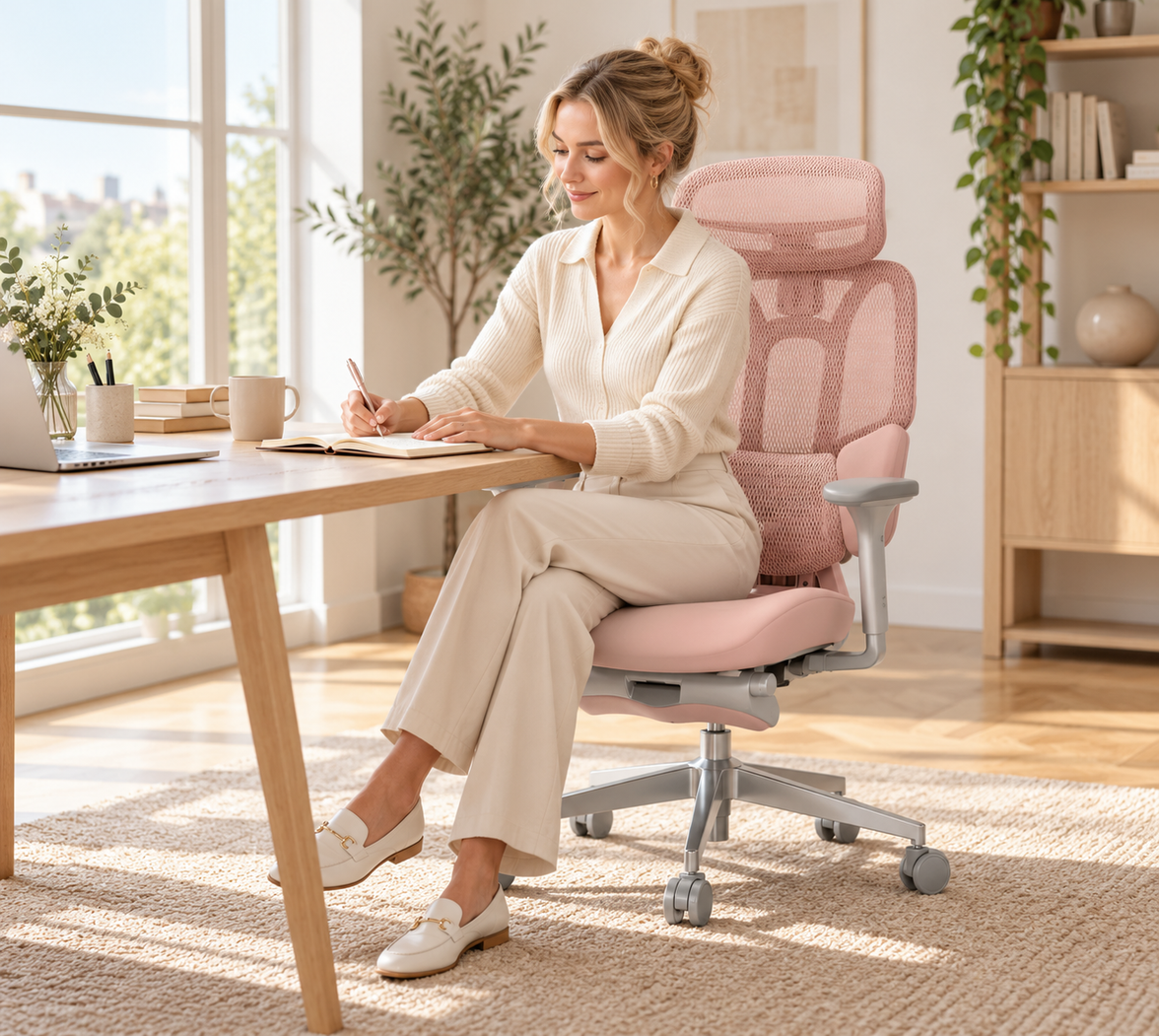
HBADA E3 ergonomic office chair user sitting posture

What Actually Causes a Gas Cylinder to Fail?

When an office chair gas cylinder does fail catastrophically, the cause is almost always preventable. A short list of factors accounts for nearly every reported case:

• Substandard manufacturing: thin, low-grade steel that cannot contain normal pressure.

• The wrong gas: some cut-price makers fill cylinders with compressed air instead of nitrogen gas. Air carries oxygen and moisture, which corrode the seal and raise burst risk.

• Overloading: exceeding the rated weight capacity stresses the internal components.

• Prolonged heat: leaving a chair in direct sun or beside a radiator expands the gas and fatigues weak materials.

• DIY tampering: opening or trying to deflate a cylinder is dangerous and a leading cause of accidents.

• Age and wear: seals degrade over many years, so an unmaintained cylinder is more likely to leak.

Documented Incidents

The cases that fuel the headlines are real but isolated. Reported incidents, including a 2009 case in Shandong, China, and a separate injury reported in 2013, both involved low-cost chairs that were never certified to a recognised standard. In nearly every account, investigators pointed to inferior cylinders filled with compressed air rather than sealed nitrogen. The lesson is consistent: the danger sits with uncertified hardware, not with the technology itself.

Warning Signs Your Gas Lift May Be Failing

Your chair will usually warn you long before anything goes wrong. Act on these signs early:

• A hissing or leaking sound from the cylinder.

• A seat that sinks on its own and will not hold height, the classic sinking chair.

• Visible cracks, rust or dents on the metal tube.

• Wobbling, popping or grinding when you adjust the height.

If you notice any of these, stop using the chair and replace the gas lift cylinder or the chair. Never try to open or refill the cylinder yourself.

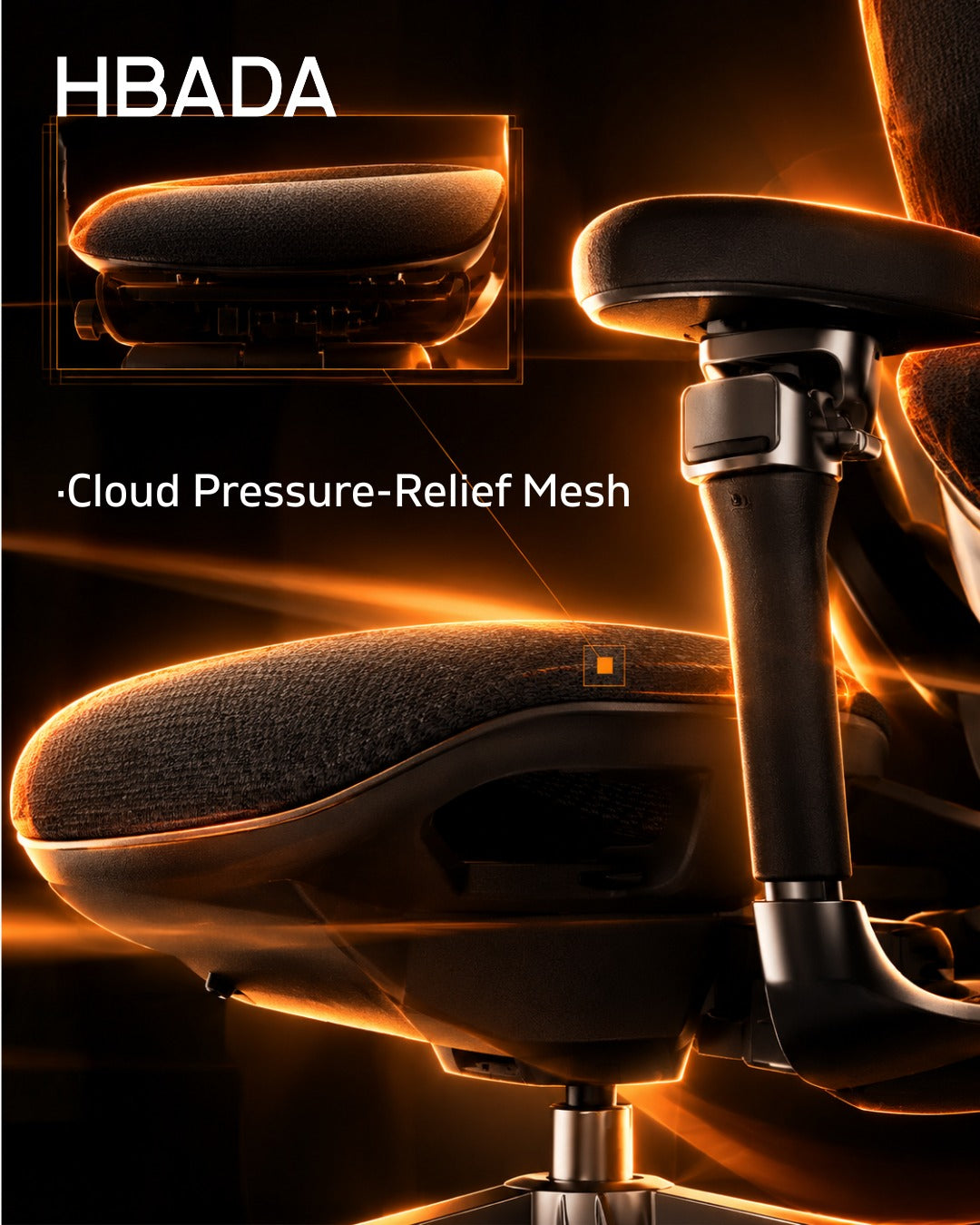
HBADA E3 breathable mesh ergonomic office chair close-up

How We Engineer the Risk Out of Every Chair

Safety should be designed in, not hoped for. Here is how our chairs remove the variables that cause failure:

• Every HBADA chair ships with a BIFMA-certified gas cylinder, tested to the highest Class 4 gas lift grade for pressure resistance and durability.

• Our cylinders use sealed, high-purity nitrogen gas inside thickened, explosion-proof steel, never compressed air.

• Components are validated by independent laboratories including SGS and TUV Rheinland, and every chair passes over 100,000 cycle tests.

• Each model carries a 5-year warranty, so a weakening cylinder is replaced, not endured.

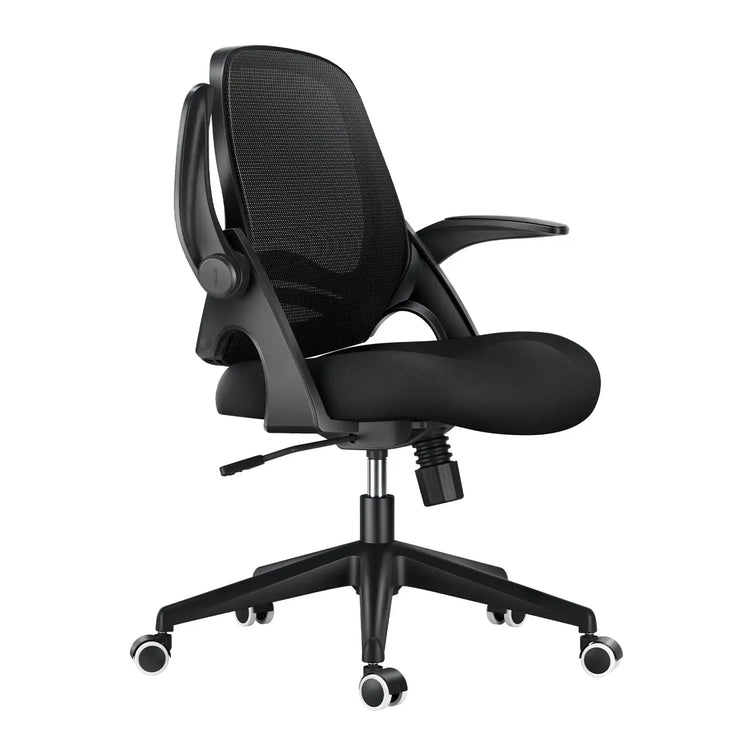
For heavier users and long shifts, the BIFMA-certified gas lift engineering of the HBADA E3 Pro 2026 Edition pairs an anti-sinking Class 4 gas lift with a steel-reinforced chassis and our 3-Zone Elastic Lumbar Support.

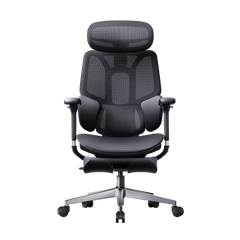
If you want active, sensor-driven support, the AI lumbar-tracking design of the HBADA X7 Smart Ergonomic Chair tracks your spine in real time while resting on the same certified, explosion-proof cylinder platform.

Feature

HBADA E3 Pro 2026 Edition

HBADA X7 Smart Ergonomic Chair

Best for

Heavy-duty use and long shifts

Active AI support and all-day precision

Gas lift

Anti-sinking Class 4, BIFMA-  certified

Class 4, BIFMA-certified

Lumbar support

3-Zone Elastic Lumbar Support

AI lumbar-tracking, auto-adjusting

Frame

Steel-reinforced chassis

Reinforced ergonomic frame

Recline

Up to 140 degrees

Dynamic, posture-following

Safety testing

SGS, TUV, 100,000+ cycle tests

SGS, TUV, 100,000+ cycle tests

Warranty

5 years

5 years

Real Users, Real Results

Specifications matter most when you can see them solve a real problem. Here are two very different users and how the right chair fixed their pain.

The Heavy-Duty Home Worker

Callum H., 34, is a senior DevOps engineer and part-time streamer in Manchester (188 cm, 134 kg). He had been through three budget office chairs in two years. The foam compressed flat, the cheap cylinders kept failing under his 10-plus-hour shifts, and a constant sinking chair left him with lower back numbness. He switched to the HBADA E3 Pro 2026 Edition. The anti-sinking Class 4 gas lift and steel-reinforced chassis gave him a rock-solid base, while the 3-Zone Elastic Lumbar Support adapted as he leaned in to type or reclined to 140 degrees to rest, spreading his weight without sagging.

The Petite Professional

Hannah W., 28, is a remote graphic designer and lifestyle blogger in Bristol (155 cm, 50 kg). Standard chairs were built for an average male frame, so the lumbar pad sat too high, her feet could not rest flat, and wide armrests left her elbows floating. She set up the HBADA X7 Smart Ergonomic Chair instead. Using the 60mm seat-depth adjustment, she removed the under-thigh pressure, and the 720-degree bionic armrests rotated inward to cradle her arms as she sketched on her iPad, easing the shoulder tension she had carried for years.

How to Prevent an Office Chair Explosion

Prevention is simple, and almost entirely in your hands. Work through this checklist:

1. Buy certified. Choose chairs with BIFMA or SGS-tested, Class 4 gas lift cylinders.

2. Respect the limit. Stay within the weight capacity printed on your chair.

3. Keep it cool. Avoid direct sun and radiators.

4. Inspect quarterly. Check for cracks, rust or hissing.

5. Never tamper. Do not disassemble or refill the gas lift cylinder yourself.

6. Replace early. Swap a failing cylinder promptly rather than working through it.

The Safety Standards That Actually Matter

If you check only one thing before buying, check the certification. In the UK, the benchmark is BS EN 1335, the European standard for office work chairs, with BS EN 1335-2:2018 setting the safety, strength and durability requirements. For global durability, look for ANSI/BIFMA X5.1, the North American performance standard for general-purpose office chairs. Independent labs such as SGS and TUV verify these claims, so a credible chair carries a test report, not just a marketing badge.

Which HBADA Chair Should You Choose?

So, can office chairs explode? Yes, in rare cases, but the right chair makes it a non-issue. Match the chair to your body and your hours:

• Choose the HBADA E3 Pro 2026 Edition if you are a heavier user, sit for long shifts, or want maximum stability from a steel-reinforced, anti-sinking build.

• Choose the HBADA X7 Smart Ergonomic Chair if you want AI lumbar-tracking and fine, body-specific adjustment.

Either way, you get a BIFMA-certified, explosion-proof gas cylinder, independent lab testing and a 5-year warranty. That is what real gas cylinder safety looks like. Pick the fit that suits you, and stop worrying about the cylinder.

Frequently Asked Questions

Quick answers to the questions people ask most.

Can office chairs explode?

Yes, but it is extremely rare. A true office chair explosion almost always involves a cheap, uncertified gas lift cylinder filled with compressed air instead of sealed nitrogen. Among millions of chairs in use, only a handful of verified incidents have been reported in twenty years. A certified chair with a Class 4, BIFMA-tested cylinder is not at meaningful risk. Buy certified, respect the weight limit, and you can sit with complete confidence.

Why do office chair gas cylinders explode?

Failure usually comes down to build quality. Some low-cost makers use thin steel or fill the cylinder with compressed air rather than inert nitrogen, which corrodes the seal over time. Overloading past the weight capacity, prolonged heat from the sun or radiators, and DIY tampering all add stress. Age matters too, as seals degrade over time. Remove these factors with a certified cylinder and proper care, and catastrophic failure becomes a non-event.

Are gas lift office chairs safe?

Yes. Gas-lift office chairs are generally safe when they meet recognised standards. The pneumatic cylinder uses inert nitrogen sealed inside thick steel that is rated well above normal working pressure, so it cannot ignite or burst under everyday use. Problems cluster around uncertified, bargain imports, not quality chairs. Look for BS EN 1335 or BIFMA testing and a Class 4 gas lift, and your chair will protect you for years.

How do I know if my office chair cylinder is failing?

Your chair gives clear warnings. Listen for a hissing or leaking sound, and watch for a seat that sinks on its own and will not hold height. Check the metal cylinder for cracks, rust or dents, and notice any wobbling, popping or grinding when you adjust the height. Any of these means the gas lift cylinder is wearing out. Stop using the chair, and replace the cylinder or the chair. Never open or refill it yourself.

Can a sinking office chair be dangerous?

A sinking chair is annoying rather than explosive. Slow sinking signals a gradual nitrogen leak, meaning the cylinder is losing pressure rather than building toward a blast. Even so, do not ignore it. A worn cylinder can drop suddenly and jolt your spine, and the underlying wear only gets worse. If your chair keeps sinking, replace the gas lift cylinder or upgrade to a certified chair with an anti-sinking Class 4 gas lift for a permanent fix.

Relevant Product

You May Also Like

Office Chair Butt Imprints Are They Real, and How Do You Prevent Them Office Chair Butt Imprints Are They Real, and How Do You Prevent Them You stand up, glance down, and there it is: a dent shaped like you. Office chair butt imprints are real, and they are not a sign that something is wrong with your body. They are a sign that your seat is wearing out. That sunken patch is foam compression set—the point where cheap cushioning gives up and stops springing back. The good news is that you can prevent it. This guide explains what causes seat imprints, whether they are bad for your health, and how the right ergonomic office chair can help prevent long-term sinking. Table of Contents What Are Office Chair Butt Imprints? What Causes Office Chair Butt Imprints? The Real Cause: Foam That Stops Bouncing Back Why the Dent Forms Under Your Sit Bones Are Office Chair Butt Imprints Bad for You? Foam vs Mesh: The Material That Decides Everything How to Prevent Office Chair Butt Imprints The Long-Term Fix: A Seat That Won't Sink A Realistic Heavy-Use Scenario A Realistic Petite-Frame Scenario Which HBADA Chair Should You Choose? Frequently Asked Questions What Are Office Chair Butt Imprints? To fix the problem, you first need to know exactly what you are looking at. An office chair butt imprint is a permanent, body-shaped dent in the seat cushion caused by foam compression set: the collapse of foam cells that can no longer rebound after repeated pressure. It is normal wear on low-density cushioning, not a medical condition and not a reflection of your body. What Causes Office Chair Butt Imprints? The Real Cause: Foam That Stops Bouncing Back Here is what happens inside the seat over time. Foam is a lattice of tiny air-filled cells. Every time you sit, those cells compress and then spring back. Repeat that for thousands of hours and the cells begin to fatigue. Eventually, they collapse past their elastic limit and can no longer recover. Many budget chairs use a single slab of medium-density polyurethane foam that may flatten relatively quickly under heavy daily use. High-density foam and moulded foam generally resist sagging for longer, but no foam is immune. Heat, humidity, sunlight and repeated pressure can all accelerate the breakdown. Why the Dent Forms Under Your Sit Bones When you sit, much of your body weight is transferred through two points at the base of your pelvis: the ischial tuberosities, commonly known as your sit bones. That load is concentrated in the centre-rear area of the seat, so the foam there usually wears out first. Once the cushion begins to collapse, your weight is no longer distributed evenly across the seat and the dent may deepen more quickly. Are Office Chair Butt Imprints Bad for You? The imprint itself is not necessarily harmful, but the worn-out seat that creates it may become uncomfortable. Once foam develops a permanent compression set, it no longer distributes pressure as evenly. More pressure may then be placed on your sit bones and tailbone, while your pelvis may move away from a comfortable neutral position. General seating and ergonomics guidance recommends using a supportive chair that helps maintain a comfortable spinal position and distributes body weight evenly. It is also important to change position and stand regularly during prolonged periods of sitting. The honest answer is that the imprint is a symptom of material wear. The practical solution is to restore even pressure distribution and reduce uninterrupted periods of sitting. Foam vs Mesh: The That Decides Everything The seat material is one of the biggest factors affecting whether a permanent imprint develops. Factor Traditional Foam Seat Elastic Mesh Seat Imprints and compression set Foam cells may fatigue and collapse, producing a permanent dent. A properly tensioned elastic weave is designed to recover its shape after use. Time to noticeable wear Varies according to foam density, build quality, body weight and daily use. Quality mesh is designed to maintain consistent tension for longer, although durability varies by construction. Heat Foam may retain more body heat. Open mesh allows continuous airflow around the seat. Weight distribution Distribution may become uneven after the centre begins to compress. The suspended surface can distribute pressure across a wider area. Feel over time May begin soft and gradually feel flatter. Designed to provide more consistent support when the mesh remains properly tensioned. The takeaway: foam is a cushioning material that gradually wears out. A well-engineered breathable mesh seat uses elastic suspension to recover its shape, helping reduce the likelihood of a permanent body-shaped dent. How to Prevent Office Chair Butt Imprints You can slow down seat wear through better sitting habits and an appropriate chair. Move often. Change position and stand regularly. Movement removes pressure from the same part of the seat and supports circulation. Avoid very thin, soft foam. Choose high-density or moulded foam, or consider a properly tensioned elastic mesh seat. Adjust the seat depth. Sit fully back with your thighs supported and your feet resting comfortably on the floor or an appropriate foot support. Keep the chair cool and dry. Heat, humidity and direct sunlight may accelerate the deterioration of foam. Match the chair to the user. Check the chair's dimensions and stated weight capacity before buying. Replace worn components. Once foam has developed a permanent compression set, changing sitting habits will not restore its original structure. The Long-Term Fix: A Seat That Won't Sink If better habits only slow down the problem, changing the seat construction addresses the underlying failure point. The HBADA AI-Powered X7 replaces conventional seat padding with a breathable elastic mesh seat. It is designed to distribute pressure across the sitting surface while maintaining airflow during extended periods of use. According to HBADA's product specifications, the X7 uses pressure sensors, a smart control system and a linear motor to adjust its lumbar support. It also offers multiple lumbar-support intensity levels, adjustable armrests, an adjustable headrest and a reclining function. Exact specifications may vary by configuration and market. Explore the HBADA X7 smart ergonomic chair or compare the HBADA X Series . HBADA states that selected X7 models are tested to applicable chair-performance standards and are covered by the warranty shown on the relevant product page. Always confirm the current certification, weight capacity, warranty and configuration before purchasing. Model Seat and Anti-Imprint Design Support System Best For HBADA AI-Powered X7 Ventilated elastic mesh seat Automatic lumbar adjustment with adjustable headrest, armrests and recline Long working days and users who prefer automated support HBADA E3 Pro 2026 Edition Breathable mesh seat with selected footrest configurations Multi-zone lumbar support with adjustable headrest and armrests Extended use, reclining and users who want a footrest option HBADA E3 Air Breathable mesh seat Adjustable lumbar support, headrest and armrests Everyday ergonomic support and larger seating requirements Product specifications, footrest availability and weight capacity vary by model and configuration. Confirm the current information on each product page before purchasing. A Realistic Heavy-Use Scenario The following example is illustrative and is not a specific customer testimonial. Consider a user who works as a DevOps engineer and streams part-time. They are approximately 6'2" tall, weigh around 21 stone (135 kg) and sit for about ten hours on a busy day. After several budget chairs develop flattened foam seats, the user may benefit from moving to a chair with a properly tensioned mesh seat, suitable dimensions and an appropriate stated weight capacity. A model such as the HBADA E3 Pro 2026 Edition may also provide more adjustment options and a footrest configuration for reclining during short breaks. The important point is not that one chair can guarantee the elimination of discomfort. It is that a mesh seat removes the foam-compression mechanism responsible for the permanent dent and may distribute sitting pressure more consistently. A Realistic Petite-Frame Scenario The same principles also matter for users with smaller body dimensions. Consider a graphic designer who is approximately 5'1" tall. On an oversized chair, the seat may press behind the knees, the lumbar support may sit too high and the armrests may be too far apart. For this user, chair dimensions and adjustment range matter as much as the seat material. Adjustable lumbar positioning, inward-moving armrests and a suitable seat depth may help the user maintain a more comfortable working position. A suspended mesh seat can also spread pressure across a broader area, although users should still confirm that the seat height and depth are appropriate for their body. Which HBADA Chair Should You Choose? Your best choice depends on your body dimensions, working habits, preferred adjustments and budget. Sit for extended periods and prefer automatic adjustment: consider the HBADA AI-Powered X7. Want adjustable support, reclining and a selected footrest configuration: consider the HBADA E3 Pro 2026 Edition. Want breathable everyday support and a spacious seat design: consider the HBADA E3 Air. The key idea is simple: the long-term solution to office chair butt imprints is not merely adding another cushion. It is choosing a seat material and chair structure designed to distribute pressure and maintain its shape. Compare HBADA ergonomic office chairs based on your body dimensions, daily sitting time and preferred support features. Frequently Asked Questions Why does my office chair have a butt imprint? Your chair may have an imprint because the seat foam has reached compression set. Foam contains cells that compress and rebound whenever you sit. After repeated use, some of those cells may fatigue and stop returning to their original shape. The dent normally develops beneath the sit bones, where pressure is concentrated. It is a sign of material wear, not a problem with your body. Are butt imprints in a chair bad for your health? The imprint itself is not a medical condition. However, a severely worn seat may stop distributing pressure evenly and may become uncomfortable during prolonged use. A supportive chair should fit your body and workstation, but no chair removes the need to change position and take regular movement breaks. How long should an office chair seat last before it sags? There is no single lifespan for every seat. Durability depends on foam density, construction quality, body weight, temperature, humidity and the number of hours the chair is used each day. Higher-density and moulded foams generally last longer than thin, low-density cushioning. Elastic mesh uses a different structure and is designed to recover its shape, although low-quality or poorly tensioned mesh may still stretch over time. Can you fix a sunken office chair seat? Temporary flattening may improve after the chair is left unused, but a permanent compression set is difficult to reverse because the internal foam cells have already collapsed. A replacement cushion can provide a temporary improvement. The more durable solution is usually replacing the worn seat or choosing a chair with an appropriately engineered elastic mesh seat. Do mesh chairs get butt imprints too? A quality mesh seat is less likely to develop a body-shaped compression dent because it does not depend on foam cells. Its elastic weave is designed to recover after pressure is removed. However, mesh quality matters. Poorly constructed mesh can stretch, loosen or feel overly firm. Look for a chair with a properly tensioned seat, suitable dimensions, a stated weight capacity and clear warranty coverage. Last reviewed: July 2026. Product specifications, availability, certifications and warranty terms may change. Confirm current information on the relevant product page before purchasing. How to Choose an Adjustable Ergonomic Chair for Your Body and Work Style How to Choose an Adjustable Ergonomic Chair for Your Body and Work Style The best adjustable ergonomic chair is not the chair with the most levers. It is the chair that lets you position the lumbar support, seat, headrest and armrests around your body, align the chair with your desk, and change sitting positions without losing useful support. The U.S. Occupational Safety and Health Administration (OSHA) states that increased chair adjustability improves fit, supports a wider range of sitting postures and is especially important when several people share one chair. An ergonomic chair must still be adjusted correctly, and no chair replaces regular changes in position, standing and movement. This guide explains which chair adjustments matter, how three-zone lumbar support differs mechanically from a single support pad, what mesh-performance claims mean, and how to verify office-chair certifications and test reports. Quick answer: What should an adjustable ergonomic chair include? An adjustable ergonomic chair should provide a height-adjustable backrest or lumbar support, a stable five-star base, seat-height adjustment, armrests that align with the desk, and a recline system that supports more than one seated position. A headrest becomes more relevant when the chair is designed for deeper recline. OSHA also recommends checking that the feet rest flat on the floor or on a footrest, the lower back reaches the lumbar support, the shoulders remain relaxed and the armrests do not prevent the chair from moving close to the desk. Chair component Adjustment to check Why it matters Lumbar support Height, depth and adaptive movement Positions the support against the lower back in upright and reclined sitting Backrest Height, recline and tension Accommodates different torso lengths and sitting positions Seat Height, depth and front-edge shape Supports the thighs without pressing behind the knees Headrest Height, depth and angle Positions the headrest for upright or reclined use Armrests Height, width, depth and pivot Supports the forearms while keeping the shoulders relaxed Recline mechanism Range, lock positions and resistance Allows controlled posture changes instead of one fixed sitting angle Base and casters Five-point base and floor-appropriate wheels Provides stability and movement around the workstation Upholstery Breathability, resilience and tested durability Affects heat, surface contact and long-term material performance Why adjustability matters more than a single "perfect posture" Body height alone does not determine chair fit. Leg length, torso length, shoulder width, body weight, desk height and preferred working position all affect where a seat, backrest and armrests need to sit. OSHA advises users to change working position throughout the day, make small chair or backrest adjustments, and periodically stand and walk. A chair therefore needs to support both body fit and posture variation; it should not lock the user into one supposedly perfect position. Quotable definition: An adjustable ergonomic chair is a task chair whose seat, back support and upper-body supports can be repositioned to match the user's dimensions, workstation and current sitting position. How does adjustable lumbar support work? Adjustable lumbar support changes the height, depth, angle or movement of the lower-back contact surface. Height adjustment positions the support vertically, while depth adjustment changes how far it projects toward the user. Adaptive mechanisms allow part of the lumbar assembly to move when the user shifts position. OSHA recommends a backrest with height-adjustable lumbar support that fits the small of the back. OSHA also recommends a backrest that can recline at least 15 degrees from vertical and either locks in position or provides adjustable resistance. Three-zone lumbar support versus a single lumbar pad A single lumbar pad creates one main contact surface. A three-zone lumbar assembly divides that surface into a center section and two side sections. The purpose of the segmented design is mechanical: it increases the number of contact points and allows the side sections to follow changes in the user's position. The HBADA E3 Ultra provides a current example. For the E301*HC-CB/EU configuration, HBADA's product specification lists: Up to 40 degrees of side-wing movement 50 mm of lumbar-height adjustment 32 mm of depth adjustment, with adaptive and locked modes 28 mm of adaptive sliding movement 12 degrees of adaptive rotation These measurements describe the mechanism's movement range. They do not establish that the chair treats back pain or prevents a spinal condition. Actual fit depends on the user's body proportions, preferred support pressure and workstation setup. Quotable answer: Three-zone lumbar support uses a center panel and two movable side panels to create multiple lower-back contact points. Its practical advantage is a wider range of mechanical adjustment, not a medical treatment effect. What should you look for in an adjustable headrest? An adjustable headrest should reach the user without forcing the head forward. Height changes accommodate different torso and neck lengths, depth changes move the support forward or backward, and angle adjustment changes the contact surface for upright or reclined sitting. The E3 Ultra specification lists a dual-axis headrest with two 70-degree rotational axes, 45 mm of height adjustment and 55 mm of forward-and-backward travel. Those ranges give the user more than one way to position the headrest, but the correct setting remains personal. OSHA's purchasing guidance states that a headrest should be provided when a chair reclines more than about 30 degrees from vertical. A headrest is therefore most relevant when recline is a meaningful part of the chair's intended use. How do multi-axis armrests improve workstation fit? Multi-axis armrests help align the forearms with a keyboard, mouse, phone or game controller. Useful armrest adjustments include height, forward-and-backward travel, inward or outward pivot, and the ability to move out of the way when the chair must slide beneath a desk. OSHA recommends positioning armrests so the lower arms are supported, the upper arms remain close to the torso and the shoulders stay relaxed. Armrests should not block the chair from moving close enough to the work surface. For the E3 Ultra configuration described in HBADA's specification, the armrest system provides: 360-degree arm-pad rotation 360-degree armrest-body rotation Three upward-folding positions, up to 20 degrees 110 mm of forward-and-backward adjustment 50 mm of height adjustment HBADA describes the combined movement as a "720-degree" armrest. The individual ranges above provide clearer purchasing information than the 720-degree label alone. Activity Practical armrest position Keyboard and mouse work Set the armrests near desk height and keep the elbows close to the body Phone or handheld device use Pivot the pads inward to support the forearms closer to the torso Controller gaming Bring both armrests inward and adjust their depth to support the elbows Moving the chair under a desk Lower, rotate or fold the armrests so they clear the desktop What does a weight-responsive recline mechanism do? A weight-responsive recline mechanism changes resistance as the user leans back. A dual-spring mechanism distributes the recline load across two springs and is designed to create a controlled transition between upright and reclined positions. The E3 Ultra specification lists a 105-140-degree recline range with four locking positions. The available positions can be used for upright desk work, reading, video viewing and short breaks. Recline feel still varies with body weight, tension setting and personal preference. A material name does not prove the durability of a chair mechanism. Claims that one mechanism "cannot break" or that a competing mechanism is inherently unsafe require comparable laboratory testing under the same loads, cycles and conditions. What is pressure-distributing mesh? Pressure-distributing mesh is a woven seating material designed to deform across multiple directions and spread contact across the seat or backrest. Contact pressure depends on the applied load, contact area, mesh stiffness, pre-tension, surface shape and the user's posture. The phrase "Pascal adjustment technology" is not an accurate name for this function. Pascal's law concerns pressure transmitted through a confined fluid; an office-chair mesh is a tensioned textile structure, not a closed hydraulic system. "Four-way woven pressure-distributing mesh" is a clearer description. HBADA identifies three mesh constructions in its supplied material system: Mesh construction Weave Intended distinction Cloud pressure-distributing mesh Four-way weave Designed for multidirectional conformity and a broader contact area Air anti-fatigue mesh Two-way weave Designed for airflow and reduced material-performance decay Air micro-perforated mesh Two-way weave Designed for airflow through an open micro-perforated structure Comparative figures such as elasticity improvement, pressure reduction, airflow improvement or aging reduction are meaningful only when the page identifies the benchmark material and test method. A complete claim should name the tested specimen, equipment, load, environment, sample count, calculation method, date and laboratory report. The Cloud mesh description should not use "American DuPont fiber" unless HBADA can verify the exact DuPont material, supply records, country of origin and permitted trademark wording. The origin of one fiber also does not change the manufacturing origin of the finished chair. How should you adjust an ergonomic office chair? Adjust the chair in this order so each setting is based on the previous one: Set the seat height. Place both feet flat on the floor or a stable footrest. Keep the thighs supported without pressing the seat edge into the backs of the knees. Position the seat and backrest. Sit far enough back to reach the lumbar support while leaving comfortable clearance behind the knees. Set lumbar height. Move the lumbar support until it contacts the lower-back area rather than the pelvis or upper back. Adjust lumbar depth. Start with a moderate setting. Increase or reduce projection until the support feels present without forcing the torso forward. Align the armrests. Support the forearms while keeping the shoulders relaxed and the upper arms close to the torso. Position the headrest. Set the headrest for the posture in which it will be used. Avoid a setting that pushes the head forward during desk work. Set recline resistance and lock positions. Test upright and reclined settings, then make small adjustments as tasks change. The chair and workstation must be adjusted together. Monitor, keyboard, mouse and desk height can negate good chair adjustment when they force the user to reach, raise the shoulders or lean forward. Can one ergonomic chair fit every body type? No ergonomic chair fits every person. A recommended height or weight range is a screening tool, not a fit guarantee. Seat depth, minimum seat height, armrest spacing, lumbar-support position and individual body proportions determine whether a chair fits a specific user. As of July 2026, the HBADA US product page lists the E3 Ultra for users from 4 feet 11 inches to 6 feet 5 inches (150-195 cm), with a listed maximum load of 330 lb (150 kg). Buyers should still compare their measurements with the product dimensions and return policy before ordering. OSHA recommends trying a chair for comfort and fit over an extended period when possible. For an online purchase, confirm the return conditions and retain the original packaging during the return window. HBADA publishes its current coverage on the Warranty & Service page. How can buyers verify ergonomic-chair evidence? Chair certifications, test reports, compliance records and patents answer different questions. Buyers should not treat them as interchangeable badges. Evidence type What it can establish What it does not establish Ergonomic product certification The named model underwent the assessment stated by the issuer Medical effectiveness or certification of every product from the brand Laboratory test report A submitted sample underwent the listed tests and conditions Automatic certification of an entire product line Electrical compliance report The identified powered system was assessed for a market requirement Whole-chair comfort, ergonomics or mechanical durability Patent or registered design A qualifying structure or appearance received intellectual-property protection Comfort, safety, health performance or standards compliance Design award A named product received a stated design award Ergonomic or medical validation The official IGR certified-products directory lists the HBADA E3 Ergonomic Office Chair and HBADA X7 Ergonomic Office Chair. HBADA's certificates are dated July 23, 2024 and reference DIN EN ISO 26800 and EN ISO 15537. The listing applies to the named models and is not a medical approval. HBADA also publishes model-specific documentation for selected SGS and other tests. The HBADA certification and testing guide explains how to match a model name, report number, testing period and scope. BIFMA likewise explains that ANSI/BIFMA X5.1 contains multiple test procedures for general-purpose office chairs; a company should identify the actual test report rather than display a standard logo without context. Quotable checklist: A verifiable chair claim identifies seven items: product model, issuing organization, document number, issue date, test period, test method and exact scope. What does an office-chair testing laboratory evaluate? An office-chair laboratory evaluates components under repeatable conditions. HBADA's supplied laboratory material shows equipment for backrest, armrest, gas-lift, seat, caster, base, lumbar-support, mesh, foam, abrasion, colorfastness, tensile and repeated-compression testing. A laboratory photograph proves that equipment and testing capability exist; it does not prove that every product passed every test. A publishable product result should identify the model, sample number, standard, load, cycle count, date, pass criteria and result. HBADA states that it established its internal technology laboratory in 2022. The strongest use of that laboratory for customers is a model-level evidence library with downloadable reports and a plain-language explanation of what each test measures. Who should consider a highly adjustable ergonomic chair? A highly adjustable chair is most useful when: More than one person uses the same chair The user switches between typing, mouse work, phone use, gaming and reclined viewing Fixed armrests prevent the chair from approaching the desk A fixed lumbar pad does not align with the user's lower back The user needs a headrest for reclined sitting The workstation requires frequent small posture changes More adjustments do not automatically create a better chair. Each control must have enough range, remain stable after adjustment and be understandable in daily use. Frequently asked questions What is the most important adjustment on an ergonomic chair? Seat height and lumbar-support position are the first adjustments to check. The feet should be supported, the thighs should rest comfortably on the seat and the lumbar support should contact the lower back without pushing the torso forward. Is three-zone lumbar support better than a single lumbar pad? Three-zone lumbar support offers more contact sections and adjustment possibilities than a single pad. Whether it feels better depends on body proportions, support pressure, sitting position and the mechanism's adjustment range. Does lumbar support cure or prevent back pain? No office chair should be presented as a cure or preventive treatment for back pain or spinal conditions without appropriate clinical evidence and regulatory review. Adjustable lumbar support is a workstation feature designed to position back contact and support different seated postures. What does a 720-degree armrest mean? A 720-degree armrest is a marketing name for two components that each provide up to 360 degrees of rotation. Buyers should also check height, depth, width, pivot and folding ranges because those measurements explain how the armrests fit a workstation. Is breathable mesh always more comfortable than foam? No. Mesh promotes airflow, while foam provides a different surface feel and load distribution. Comfort depends on material tension, seat shape, body weight, temperature, clothing and personal preference. How far should an ergonomic office chair recline? The required recline range depends on the intended tasks. OSHA recommends that a backrest recline at least 15 degrees from vertical and either lock in position or provide adjustable resistance. Deeper recline is useful for reading, viewing and breaks when the chair also provides suitable head and leg support. How do I know whether an office-chair certification is real? Match the exact chair model to the issuer's directory or original certificate. Confirm the document number, date, standard and scope, and check whether the document covers the whole chair or only a component or electronic system. Can an ergonomic chair fit users from 4 feet 11 inches to 6 feet 5 inches? A manufacturer can recommend that height range, but height alone cannot guarantee fit. Buyers must also check minimum seat height, seat depth, armrest spacing, lumbar-support range and individual leg and torso length. How often should I change sitting position? Change position regularly rather than staying in one fixed posture. OSHA recommends small chair adjustments, periodic standing and walking, stretching and performing some tasks while standing. Final buying checklist Before buying an adjustable ergonomic chair, confirm: Your feet can reach the floor or a footrest at the working seat height The seat depth leaves clearance behind the knees The lumbar support reaches the correct height and has a comfortable depth range The armrests align with the desk and can move out of the way The headrest fits the intended upright or reclined position Recline resistance and lock positions match your tasks Weight capacity and product dimensions match the intended user Test reports and certifications name the exact product model Warranty and return conditions are clear before assembly An ergonomic chair is part of a complete workstation. The best result comes from matching the chair, desk, monitor and input devices to the user-and continuing to move throughout the day. Sources OSHA: Computer Workstations-Chairs OSHA: Computer Workstation Purchasing Guide OSHA: Good Working Positions BIFMA Standards Overview IGR Certified Products Directory HBADA Certifications, Independent Testing and Global Patent Portfolio HBADA E3 Ultra Product Specifications HBADA Warranty & Service   How to Disassemble an Office Chair Safely, Any Model, Step by Step How to Disassemble an Office Chair Safely, Any Model, Step by Step Moving desk, swapping a broken part, or freeing up storage space? Learning how to disassemble an office chair saves you money and hassle. The catch is the gas cylinder, which is pressurised and needs care. This guide walks you through the entire job in order, from the casters to the backrest, with the right tools and safe techniques for every part. Follow the steps, and you will take your chair apart cleanly, without stripped screws or bent metal, and put it back together just as easily. What You'll Need: Tools for Office Chair Disassembly Gather a few basic tools first, and the rest of the job goes quickly. Most office chair disassembly needs only a screwdriver, an Allen key, a rubber mallet, and a wrench. A pressurised gas lift is the one part that calls for extra grip and patience, so a pipe wrench and penetrating oil earn their place in the kit. Tool What you use it for Flathead screwdriver Prying stuck casters loose and popping off clips or cover plates Allen key (hex set) Loosening the bolts on the seat, armrests, and backrest Rubber mallet Tapping the base off the cylinder without denting the metal Pipe or adjustable wrench Gripping and twisting the gas cylinder free (tape the teeth to avoid scratches) Penetrating oil (WD-40) Freeing a seized cylinder or stubborn caster Work gloves Protecting your hands and improving grip on greasy parts Labelled bags + blanket Storing screws in order and protecting the floor from scratches and oil Before You Start: The One Safety Rule That Matters Never puncture, cut open, or hammer the body of the office chair gas cylinder, as it holds pressurised gas and can be dangerous if breached. When you separate it, tap only around the metal collar at the joint, never the cylinder itself. Store the removed cylinder upright and on its own, and do not crush it under heavy weight. One more thing before you begin. Some parts are factory-fixed, such as certain tilt mechanisms and moulded back panels. If a part will not move with reasonable effort, stop and check the manual rather than forcing it. A quick photo at each stage also makes reassembly far easier later. How to Disassemble an Office Chair Step by Step Work from the bottom up, and each part comes away in a logical order. Step 1: Remove the Casters (Wheels) Lay the chair on its side on a blanket, then pull each caster straight out of the five-star base. Most wheels simply pop in, so a firm tug frees them. If one sticks, slide a flathead screwdriver behind it and lever gently. This is also the moment to clear hair and dust from the axles so the wheels roll smoothly when you rebuild. Step 2: Separate the Base From the Gas Cylinder Turn the chair upside down, hold the five-star base, and tap the metal collar where it meets the cylinder with a rubber mallet. Work around the joint in small, even strikes until the base drops away. Some models use a retaining clip, so remove that with a screwdriver first. If it will not budge, add a little penetrating oil, wait a few minutes, and try again. Step 3: Remove the Gas Cylinder From the Seat Mechanism Grip the gas cylinder near the mechanism with a pipe wrench, wrapping the teeth in tape to protect the finish, then twist it counterclockwise to break the taper fit. Pull it free and set it aside upright. If the cylinder is seized, apply more penetrating oil and give it time rather than forcing the wrench. Step 4: Unbolt the Seat and Mechanism Locate the bolts that fix the seat mechanism to the underside of the seat, then loosen them with your Allen key. Keep the screws in a labelled bag so nothing goes missing. Once the bolts are out, lift the seat pan away from the tilt mechanism. Step 5: Detach the Backrest, Armrests, and Headrest Unbolt the backrest bracket, then remove the armrests at their attachment points to the seat frame. If your chair has a headrest, pop off any cover plates or tabs and unbolt it last. Lay every piece out in the order you removed it, which turns reassembly into a simple reverse run. How to Reassemble Your Chair Putting it back together is the same process in reverse, with one habit to keep in mind. Rebuild from the top down: headrest, backrest, and armrests onto the seat, then the seat mechanism, the gas cylinder, the five-star base, and finally the casters. Tighten every bolt firmly, but do not over-tighten, or you risk stripping the threads. To seat the cylinder fully, turn the chair upright and sit on it. Then check the height, tilt, and armrests, and listen for any creak before you call it done. Disposing of or Recycling Old Chair Parts in the UK Metal parts like the five-star base and gas cylinder can go to a household waste recycling centre, or you can arrange a council collection for large waste items. Two points matter for chairs. First, upholstered seating must be kept intact and handled separately, because it can contain persistent organic pollutants (POPs) from old flame-retardant treatments, as UK council guidance explains. Second, if your chair is electronic, such as a battery-powered smart chair, remove the battery and recycle it at a proper battery point rather than in general waste. When to Repair, and When to Upgrade If the gas lift sinks, the foam goes flat, or the base cracks, a rebuild only delays the next failure. That is the point to switch to a chair engineered to last. The HBADA AI-Powered X7 is a strong example: it is roughly 70% steel, certified to the BIFMA X5.1 standard, and tested for an intended 10-year service life, so the parts you just fought with are far less likely to fail. Assembly is refreshingly simple, too. The electronics sit pre-housed in the backrest and seat, so you only attach the base, wheels, and backrest, a job that takes around 20 to 30 minutes. From there you get self-adjusting AI lumbar support, a ventilated mesh seat, 720° armrests, and up to 140° of recline, all backed by a 5-year warranty. See how the HBADA AI-Powered X7 is engineered for long-term durability, or compare the full HBADA X7 smart-chair range to find the build that suits your body and your hours at the desk. Here is how the core range compares. Model Assembly Serviceable / upgrade highlights Weight capacity Best for HBADA AI-Powered X7 ~20–30 min, electronics pre-housed AI auto lumbar, ventilated mesh seat, 720° armrests, 4D headrest, 5-yr warranty Up to 330 lb (150 kg) Long 8+ hr days, hands-off support HBADA E3 Pro 2026 Edition Standard bolt-together 3-Zone Floating Lumbar Support, mesh seat, 720° armrests, footrest Big-and-tall build* Recline and footrest comfort HBADA E3 Air Standard bolt-together 3-Zone Dynamic Lumbar Support, mesh, 4D armrests, footrest Big-and-tall build* Larger frames and higher weight needs A Realistic Heavy-Use Scenario Here is how that repair-or-replace call plays out. The example is illustrative, not a specific customer. Picture Darren M., 38, a logistics manager and weekend streamer in Newcastle, 6'3" and around 22 stone (140 kg). He took his budget chair apart to replace a sinking gas lift, only to find the base cracked and the foam flattened after two years of 10-hour days. Rather than patch it, he upgraded to a mesh HBADA E3 Pro 2026 Edition. The steel build and 3-Zone Floating Lumbar Support ended the sinking feeling, and there were no more parts to keep fighting. A Realistic Petite-Frame Scenario The same logic helps at the other end of the size range. Consider Aisha K., 29, a copywriter in Reading, 5'2" and lightly built. She disassembled a hand-me-down chair that never fit; its lumbar support sat too high, and the wide armrests left her elbows floating. She replaced it with the HBADA AI-Powered X7, whose automatic lumbar tracking senses her lighter frame and adjusts itself, while the 720° armrests rotate inward to cradle her arms. No tools, no guesswork, and a seat that finally fits. Which HBADA Chair Should You Choose? Your best pick depends on how long you sit and the body you are supporting. • Sit 8+ hours and want hands-off, self-adjusting support: the HBADA AI-Powered X7. • Want recline plus a footrest for all-day comfort: the HBADA E3 Pro 2026 Edition. • Need a larger, big-and-tall build: the HBADA E3 Air. Knowing how to disassemble an office chair puts you in control: you can service what is worth saving and confidently retire what is not. When a chair is past repair, choose a mesh HBADA model built to outlast the parts you just wrestled with, and enjoy a seat you rarely have to touch again. Frequently Asked Questions Can you take apart an office chair? Yes. Most office chairs are built to come apart for moving, repairs, or part swaps. Using basic tools- a screwdriver, an Allen key, a rubber mallet, and a wrench- you can separate the wheels, base, gas cylinder, seat, backrest, armrests, and headrest. A few parts, such as certain tilt mechanisms and moulded panels, are factory-fixed, so check your manual before forcing anything. Work from the bottom up and keep the screws labelled for an easy rebuild. How do you remove the gas cylinder from an office chair? First, flip the chair and tap the base off the collar with a rubber mallet. With the base removed, grip the exposed cylinder near the mechanism using a pipe wrench, wrap the teeth in tape, and twist counterclockwise to loosen the taper fit. Pull it free and store it upright. If it is stuck, add penetrating oil and wait. Never hammer or puncture the cylinder body itself, because it is pressurised and can be dangerous if breached. How do you get the base off an office chair? Turn the chair upside down and remove the casters first so it sits steady. Hold the five-star base and tap the metal collar where it meets the cylinder with a rubber mallet, working evenly around the joint until it releases. Some bases have a retaining clip you must remove with a screwdriver beforehand. If the base resists, apply a little penetrating oil, wait a few minutes, and tap again rather than using heavy force. Can office chair wheels be removed? Yes, and it is the easiest step. Most casters simply push into the base, so lay the chair on its side and pull each wheel straight out with a firm tug. If one is stuck, slide a flathead screwdriver behind the stem and lever it gently free. It is a good moment to clear away hair and dust so the wheels roll smoothly on reassembly, or to fit new casters if the old ones are worn. Is it safe to disassemble the gas cylinder yourself? Removing the cylinder from the chair is safe when done correctly. The key rule is to never cut, drill, or hammer the cylinder body, as it contains pressurised gas. Only tap around the collar at the joint, and grip the cylinder with a wrench to twist it free. Wear gloves, protect the floor, and store the part upright away from heat. If a cylinder is damaged or leaking, recycle it as metal and do not attempt to open it.