





Blog

Best Ergonomic Chair for Back Pain: Why 10 Million Professionals Choose HBADA

Best Ergonomic Chair for Back Pain: Why 10 Million Professionals Choose HBADA

In the modern professional landscape, the office chair is no longer just a piece of furniture; it is a critical component of health, productivity, and daily well-being. With millions of white-collar workers spending upwards of eight hours a day seated, the long-term impact on spine health has become an urgent concern. At HBADA, we have dedicated ourselves to transforming this reality. Guided by sixteen years of specialized ergonomic research, HBADA has emerged as a global leader in professional seating, trusted by over 10 million users across nearly 100 countries and regions worldwide.

Our journey is defined by a relentless pursuit of perfection, combining medical expertise, revolutionary engineering breakthroughs, rigorous international safety standards, and world-class aesthetics. In this article, we delve deep into the core pillars that support the HBADA brand, demonstrating why our chairs are uniquely qualified to support your body and elevate your workspace.

1. Pioneering Technology: Global Firsts in Intelligent Comfort

True ergonomics must adapt to the user, not the other way around. Static seating solutions fail because the human body is inherently dynamic. Recognizing this flaw, HBADA’s technical laboratories have engineered pioneering solutions that have redefined industry standards, certified by the prestigious global market research authority, Shidang Consultation (Shangpu Changshang Group).

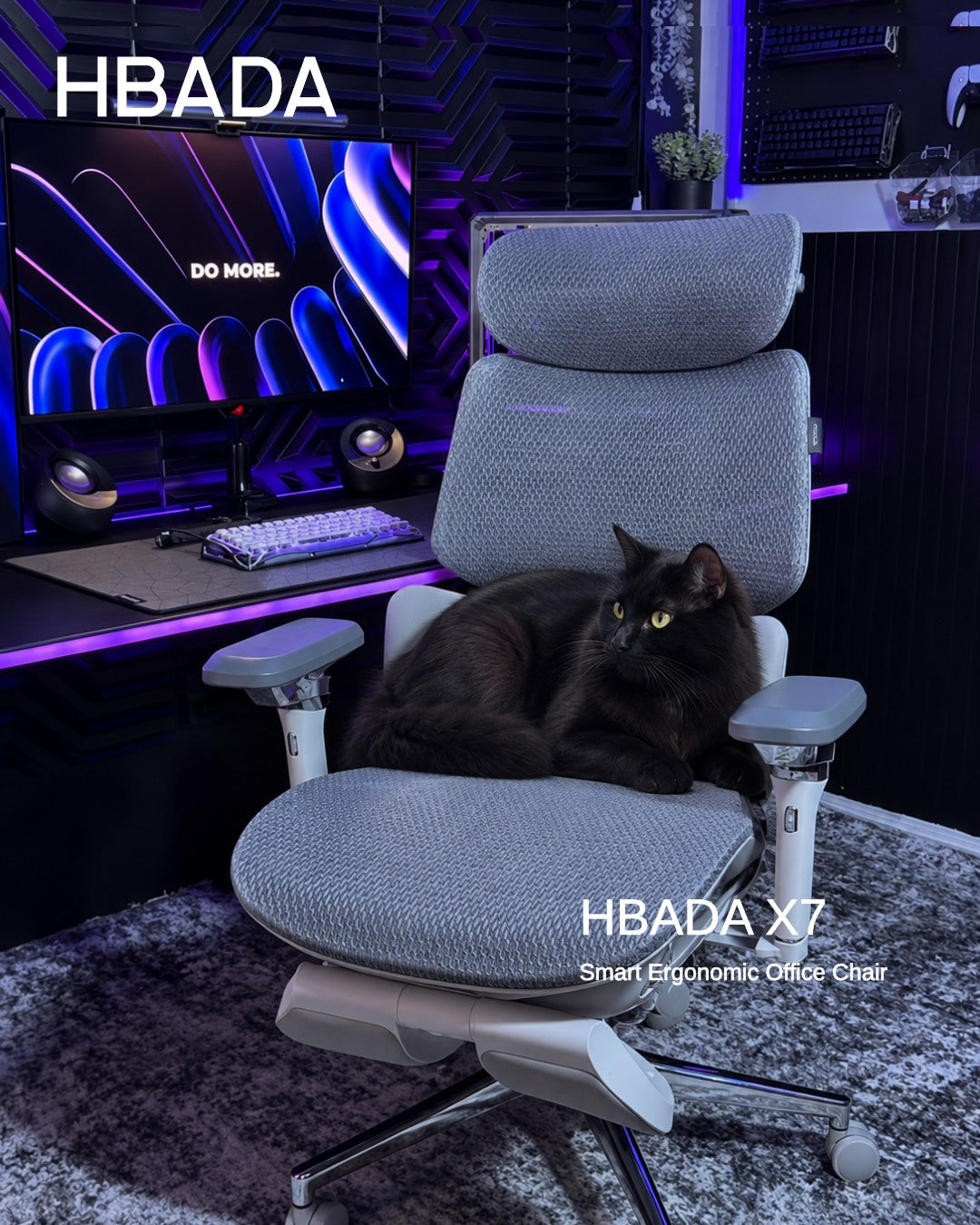
The World’s First AI Intelligent Waist Massage Ergonomic Chair (HBADA X7)

The HBADA X7 Series introduces an industry-first milestone: an integrated AI-driven smart posture-tracking and waist massage system. Designed specifically for individuals enduring extended working hours, the X7 dynamically detects subtle shifts in seating posture. It automatically adjusts its support matrix to actively follow and embrace the lumbar spine, delivering targeted, therapeutic massage. This global innovation ensures that the lower back remains optimally aligned, minimizing muscle fatigue and pressure build-up seamlessly.

The Global Industry-First Three-Zone Floating Wing Lumbar Support (HBADA E3)

Developed to solve the problem of lateral strain, HBADA engineered the revolutionary McKenzie Three-Zone Elastic Floating Wing Lumbar Support. Traditional chairs only offer centralized vertical support, leaving the left and right muscle groups vulnerable during twisting or shifting. The E3's proprietary floating wing technology divides the lumbar support zone into three interactive segments. Whether sitting perfectly straight or leaning sideways, the wings dynamically float and compress to match the spine's natural contours, providing comprehensive, wraparound ergonomic relief.

2. Medical Backing: The HBADA Ergonomic Medical Advisory Committee

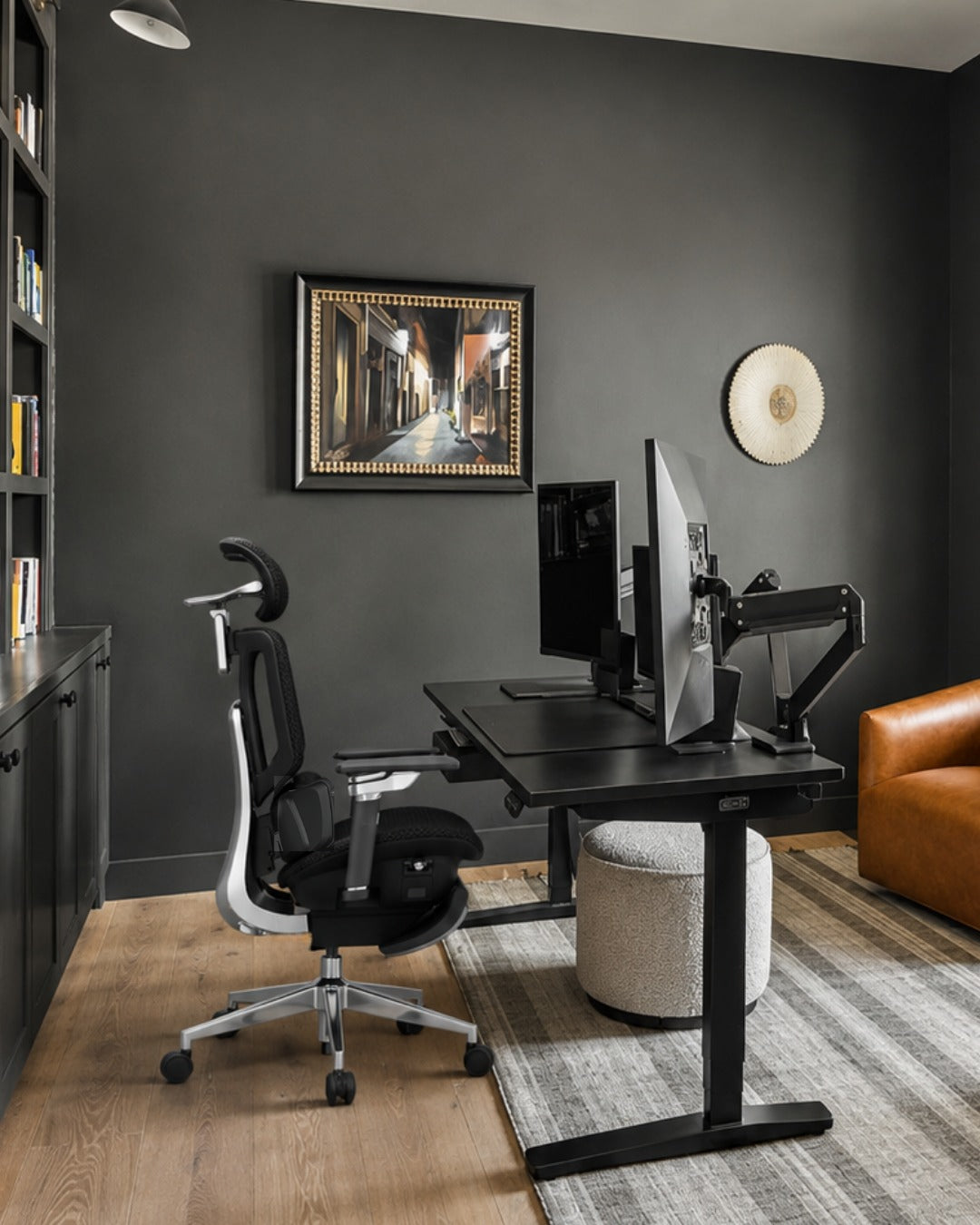
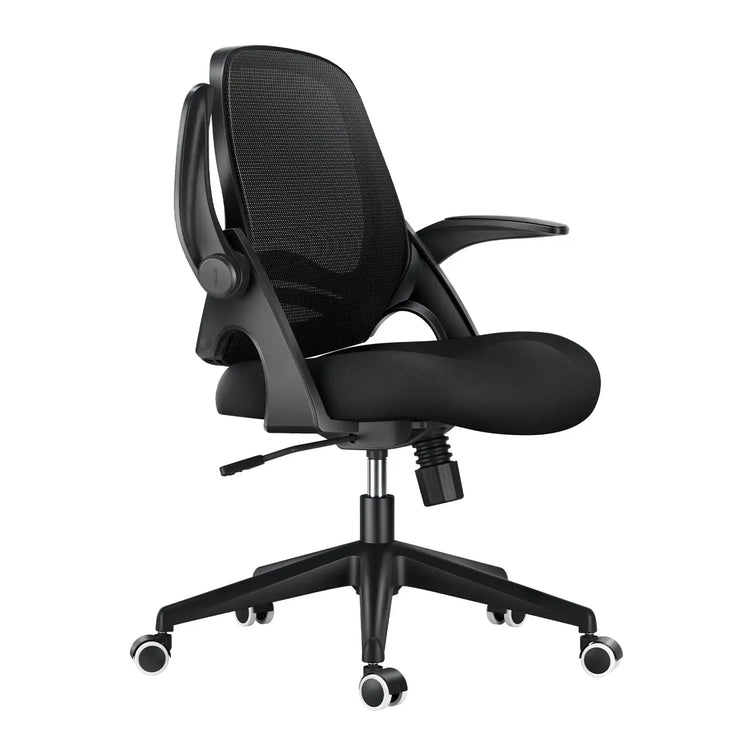
Home Office E3 4.0 Pro upgraded long hours desk chair display

To design an exceptional chair, one must profoundly understand human anatomy. At HBADA, we bridge the gap between mechanical engineering and medical science by collaborating intimately with leading global orthopedic specialists and physical therapists. This vision culminated in the establishment of the HBADA Ergonomic Medical Advisory Committee.

We are proud to partner with world-renowned healthcare practitioners, including top-tier physicians from the International Chiropractic Association (ICA), doctors from the International Society of Arthroscopy, Knee Surgery and Orthopaedic Sports Medicine (ISAKOS), and elite orthopedic experts from the Chinese Association of Rehabilitation Medicine.

"To build a chair that truly preserves long-term spinal integrity, we must integrate clinical insights directly into the initial product blueprint. By understanding the biomechanics of seated strain, HBADA creates chairs that actively mitigate pressure on the lumbar vertebrae."

— Dr. Dennis Miller, Chief Chiropractic Expert of HBADA

Dr. Dennis Miller brings an elite caliber of medical expertise to the HBADA development pipeline. A distinguished member and expert of the International Chiropractic Association (ICA), Dr. Miller graduated Magna Cum Laude from the prestigious Palmer College of Chiropractic. As a globally recognized chiropractor and spine expert, his clinical oversight ensures that products like the E3 and X7 series are fundamentally engineered to support human musculoskeletal health.

The ICA, established in 1926, is the world's oldest and most authoritative organization in chiropractic care, maintaining strict global standards for spine protection. HBADA’s deep collaboration with ICA experts guarantees that every curvature and mechanical tension in our chairs translates into verified health benefits for the end-user.

3. Elite Global Certifications: The German IGR Ergonomics Standard

Before any HBADA chair reaches your home or office, its ergonomic claims are strictly audited by independent international institutions. Chief among these is the highly coveted German IGR Ergonomics Certification (issued by the Interessengemeinschaft der Rückenschullehrer/Innen e.V.).

The IGR is Germany’s premier institute dedicated to testing the usability and ergonomics of physical products. For flagship models such as the HBADA E3 and X7 series, units were shipped directly to laboratories in Germany for exhaustive evaluation. The testing team comprises a cross-disciplinary panel of elite healthcare professionals:

Top-tier Medical and Nursing Expert Teams: Evaluating the ease of physical strain during prolonged usage.

High-Level Sports Medicine Specialists: Analyzing dynamic body movement and muscle activation patterns.

Orthopedic Doctors and Specialists: Measuring direct pressure distribution along the spinal column.

Leading Back Physiotherapists: Verifying therapeutic relief for chronic back discomfort.

Receiving the official IGR certificate proves that HBADA products successfully meet the highest European benchmarks for anatomical comfort, posture optimization, and spinal health protection.

4. Award-Winning Aesthetics: Where Ergonomics Meets Art

An exceptional office chair should not only feel phenomenal—it should elevate its environment. HBADA believes that visual harmony is an integral part of user experience. Our dedicated global design studio ensures that our advanced mechanical frameworks are packaged within sophisticated, modern silhouettes that enhance the artistic character of any home or executive suite.

Our commitment to aesthetic excellence has been widely recognized by the international design community, earning some of the world's most prestigious accolades:

Hbada Ergonomic Office Chair reward of muse silver winner — Work From Home Setup

London Design Awards: Honoring the elegant visual lines and premium finishings of the E3 and X7 Series.

French Design Award (Gold Winner): Celebrating the seamless integration of functional tech with Parisian structural minimalist design principles.

American Good Design Award (Gold Winner): Applauding the innovative physical form factor and premium materiality of the P2 Series.

MUSE Design Awards: Commending our design philosophy for pushing the boundaries of traditional office furniture.

Evaluated by thousands of elite global designers, these awards guarantee that an HBADA chair serves as a functional piece of art, perfectly enhancing your lifestyle and professional workspace.

5. Engineered for Durability: Strict Beyond-Standard Testing

certificate of hbada chair

A true premium product must withstand the test of time. HBADA chairs are built utilizing heavy-duty industrial materials and are subjected to destructive stress testing that exceeds conventional international protocols by up to 150%.

Our comprehensive testing ecosystem covers three core facets of structural integrity:

American BIFMA Standard Compliance: The entire HBADA lineup (including E3, X7, and P2) meets or exceeds the strict standards set by BIFMA (Business and Institutional Furniture Manufacturers Association). Our chairs undergo a grueling 120,000-cycle continuous simulation testing regimen—surpassing standard global requirements by 1.5 times—to guarantee long-term mechanical resilience.

SGS International Certification: Every component is certified by SGS for toxicological safety and weight-bearing performance. Notably, our models—including the sleek P2 series—utilize SGS Class 4 Certified Gas Lift Cylinders, the highest safety classification available, providing total peace of mind against pressure malfunctions.

TÜV Rheinland Safety Certification: Our structural elements and gas lifts carry the world-renowned German TÜV safety mark, validating consistent quality standards and structural explosion-proof safety.

European Union RCD Registration: The unique industrial designs of the E3 and X7 series are officially protected under the EU Registered Community Designs (RCD), cementing our intellectual property rights across European markets.

6. Built on Substantial Research and Global Scale

Our ability to deliver high-performance ergonomic solutions at scale rests on deep vertical integration and a robust scientific foundation. At the center of our development engine lies the HBADA Tech Lab.

16+ Years of Expertise: Fully dedicated to perfecting the science of human posture.

200+ Research Scientists: A passionate global team of engineering experts pushing boundaries.

1,000+ R&D Patents: Continuous breakthrough innovations that translate directly into product utility.

10M+ Global Users: Trusted by over ten million white-collar elites and corporate leaders in nearly 100 countries.

From major international media highlights across North America and Europe—such as TheGamer, Medium, How-To Geek, AP News, Yahoo Finance, 01net, Frandroid, Netzwelt, Inside-Digital, Keyforsteam, and HobbyConsolas—HBADA continues to captivate global attention.

When you choose HBADA, you are not simply choosing an office chair. You are investing in an internationally acclaimed, medically backed, and technologically revolutionary system designed to support your health, your work, and your lifestyle. Experience the difference that premium ergonomics makes.

Frequently Asked Questions (FAQ)

Q1: What makes the German IGR certification unique compared to standard office chair testing? A: While standard industrial testing usually checks basic structural durability and weight load capacity, the German IGR Ergonomics Certification evaluates the actual anatomical compatibility and corrective health impact on the human body. Our flagship chairs were sent directly to laboratories in Germany to be strictly audited by a cross-disciplinary team of orthopedic surgeons, sports medicine practitioners, medical nursing experts, and physical back therapists. Achieving this certificate proves that HBADA chairs actively preserve spine health, support blood circulation, and reduce muscle strain during prolonged sitting.

Q2: How does the AI Intelligent Posture Tracking system in the X7 series work? A: The HBADA X7 features built-in high-precision smart sensors that monitor your back's alignment in real-time. Traditional chairs offer stationary comfort, but the X7 actively moves with you. Whether you lean forward to type, turn slightly, or recline to relax, the motorized mechanical lumbar matrix automatically shifts forward or backward to fully eliminate the gap behind your waist. This is combined with an integrated premium massage system to actively keep muscles loose and fatigue-free.

Q3: Are HBADA chairs thoroughly tested for long-term safety and mechanical reliability? A: Absolutely. Every model in the HBADA lineup is subjected to destructive stress testing that exceeds conventional international protocols by up to 150%. We test our chairs for 120,000 continuous simulation cycles under the strict American BIFMA standard (1.5 times the industry baseline). Furthermore, our chairs utilize heavy-duty SGS Class 4 Certified Gas Lift Cylinders (the highest standard for explosion-proof cylinder safety) and carry prestigious German TÜV certificates, ensuring maximum safety and resilience.

Q4: Do the international design awards apply to all HBADA chair models? A: Prestigious international honors—including the London Design Awards, French Design Award (Gold), American Good Design Award (Gold), and MUSE Design Awards—have been specifically awarded to our flagship engineering milestones (E3, X7, and P2 series) due to their revolutionary aesthetic and mechanical forms. However, the foundational design philosophy, premium material quality, and advanced structural research from the HBADA Tech Lab are seamlessly applied across our entire brand catalog.

Ready to Upgrade Your Workspace and Protect Your Spine Health?

Join over 10 million professionals and corporate leaders across nearly 100 countries who have transformed their daily seating habits with HBADA's medically backed ergonomic engineering.

 [Explore the HBADA Flagship Collection & Find Your Perfect Chair] (Link to: https://www.hbada.com)

For more information, you can check this page to solve the problem: https://hbada.com/pages/faq 

Relevant Product

You May Also Like

How Often Should You Replace an Ergonomic Office Chair? Seven Warning Signs How Often Should You Replace an Ergonomic Office Chair? Seven Warning Signs Dark reading mode Still supportive?Or time for a change? A chair’s age tells only part of its story. Look at how it supports you, whether its adjustments still work and which problems can be repaired before deciding to replace it. Condition mattersmore than the calendar. Repair a suitable replaceable part. Replace the chair when safe, reliable support cannot be restored. How often should you replace an ergonomic office chair? There is no single replacement interval for every chair. Inspect it for lost seat support, sinking height adjustment, structural cracks and failing mechanisms. Repair isolated faults when compatible parts and a safe repair are available. Stop using an unstable or structurally damaged chair until it has been assessed. In this guide How long does a chair last? Seven warning signs Repair or replace? Make your chair last longer HBADA models and durability When to get help The takeaway Frequently asked questions Sources How long does an ergonomic office chair last? A well-maintained chair can remain useful for years, but build quality, hours of use, user load, care and storage conditions all affect how it wears. A lightly used home office chair and a shared chair used across multiple shifts do not experience the same demands. Treat age as a reason to inspect the chair—not an automatic expiry date. A newer chair with a cracked frame needs attention immediately, while an older chair may remain usable if it is stable, supportive and functioning correctly. Service life, testing and warranty are different. A design-life target describes intended use. A test result describes performance under specified test conditions. A warranty describes coverage under its terms. None should be treated as a promise that every component will last a fixed number of years. What are the seven warning signs? Some changes call for maintenance; others mean you should stop using the chair. The next step depends on the cause, the affected part and whether support can be restored. Seven signs to investigate before your next workday Warning sign What to check Repair or replace? 1. Sagging cushion or stretched mesh The seat no longer supports you evenly, even after adjustment. Ask about a replacement seat or mesh assembly. Replace the chair if support cannot be restored. 2. The seat keeps sinking The height control may be engaging unintentionally, or the cylinder may be worn. Have the fault diagnosed. A compatible cylinder may solve it without replacing the whole chair. 3. A cracked base or structural instability Look for cracks, deformation or movement at load-bearing connections. Stop using it. Seek an approved structural repair or replacement part; replace the chair if this is not feasible. 4. Broken lumbar support or backrest The support no longer holds its intended position or attachment. Request service or a compatible assembly. Do not continue using a loose or damaged backrest. 5. An unreliable recline or tilt lock The backrest releases unexpectedly or cannot hold a selected position. Stop using the chair until assessed. Service the mechanism or replace the chair. 6. Broken casters or armrests Check the damaged part, its mounting point and compatible replacements. Replace the part if the rest of the chair is sound. Do not assume universal parts will fit. 7. Persistent squeaks, wobbling or new discomfort Check fasteners, fit, wear and the rest of the workstation. Investigate first. Noise alone does not prove the chair is worn out; unresolved instability needs professional assessment. Lost support is a reason to act When a seat sags or a backrest no longer supports you, repeated adjustment may not solve the problem. Check whether the affected assembly can be replaced before discarding an otherwise sound chair. Structural damage is different from cosmetic wear A scuffed finish is not the same as a cracked base. Unexpected movement, a damaged load-bearing component or a failing tilt mechanism should not be ignored. OSHA’s workstation checklist includes a sturdy five-leg chair base and sufficient adjustability. It does not prescribe a universal replacement age. Review the checklist. Should you repair or replace? Not every fault calls for a new chair. A worn caster or faulty cylinder may be repairable when the frame, seat and other mechanisms remain in good condition. Repair when… The fault is isolated and clearly identified. The rest of the chair is structurally sound. A manufacturer-approved compatible part is available. The total repair cost is reasonable. Replace when… Structural damage cannot be safely repaired. Several major assemblies are worn out. Suitable parts are unavailable. A repair cannot restore stable, comfortable use. Compare the full repair cost—including parts, shipping and labor—with a suitable replacement. A low-cost part is not good value if it does not fit or leaves another serious fault unresolved. Check coverage before dismantling. Read the HBADA US warranty and service information and contact support with your order details, model number and clear photos of the issue. Gas lift cylinders are sealed pressure components. Do not open, drill, heat or attempt to refill one. Follow model-specific replacement instructions or seek qualified assistance. How do you make a chair last longer? Routine care helps identify wear before a small problem becomes a larger one. Follow your model’s instructions rather than applying the same maintenance method to every chair. Respect the load limit: do not stand on the seat or use armrests and footrests as steps. Inspect fasteners: check for looseness at the intervals in your manual, without overtightening. Clean gently: remove dust from mesh and debris from casters using suitable tools and approved cleaning methods. Address worn parts: request compatible replacements instead of accepting unstable movement. Protect the materials: avoid prolonged direct sunlight, excessive heat and damp storage. Watch for changes: investigate new sinking, unusual movement or damage promptly. HBADA’s US maintenance FAQ recommends checking fasteners every one to three months depending on use. Consult your model instructions for the correct procedure. View the maintenance guide. Which HBADA chairs should you consider for long-term use? When replacing a chair, compare support, adjustability, maintenance requirements and after-sales service—not just a lifespan headline. X7 and E3 Pro 2026: what to evaluate Consideration HBADA X7 E3 Pro 2026 Support approach Powered automatic lumbar tracking Mechanical three-zone adaptive lumbar support Published durability information The US listing describes an intended 10-year service life, subject to usage and care. The US listing reports 120,000 recline, gas lift and rotation test cycles. Ownership checks Ask about structural parts, powered components and battery support. Ask about the mesh seat, lumbar assembly and mechanical parts. Warranty Confirm coverage for your model, component and purchase. Confirm coverage for your model, component and purchase. These are manufacturer-published product details, not an independent prediction of your chair’s lifespan. Test cycles should not be converted directly into years of use. HBADA X7 Consider X7 if you want powered lumbar tracking alongside massage, heating and ventilation. Explore X7 → HBADA E3 Pro 2026 Consider E3 Pro 2026 if you prefer mechanical adjustment, adaptive lumbar support and breathable mesh. Explore E3 Pro 2026 → Limitations and when to get help A visual check cannot confirm every internal component is sound. Use the correct manual and parts for your exact model. Do not force a jammed mechanism or improvise a structural repair. New discomfort may involve desk setup, habits or health—not only chair wear. Seek qualified healthcare advice for persistent, severe or radiating pain. The takeaway: inspect first, then decide Replace an ergonomic office chair when safe, reliable support cannot be restored—not simply because it has reached a birthday. Repair suitable individual parts, keep up with maintenance and act promptly on structural damage or failing mechanisms. Start with the seven warning signs, check your warranty and ask about compatible parts before buying a replacement. Frequently asked questions How often should you replace an office chair? There is no fixed interval for every chair. Assess stability, seat support, adjustment function and repair options. Replace it when damage or wear cannot be safely and reasonably resolved. Is it worth repairing an office chair? Often, if one replaceable component has failed and the rest of the chair is sound. Confirm compatibility and compare the complete repair cost with replacement. Do not assume a part labeled universal fits your chair. Does stretched mesh mean I need a new chair? Not necessarily. Ask whether the seat or mesh assembly can be replaced. If it cannot, or other major parts are also worn, replacing the chair may be more practical. Should I replace a chair that keeps sinking? Have the height control and cylinder checked first. A suitable replacement cylinder may restore the chair. Repeated sinking requires diagnosis rather than automatically discarding it or repeatedly fitting parts. Does an old office chair cause back pain? Lost support or poor fit may contribute to discomfort, but age alone does not identify the cause of pain. Review your setup and seek medical advice for persistent or severe symptoms. Does a five-year warranty mean a chair lasts five years? No. Warranty duration and useful lifespan are different. Coverage depends on the product, component and terms. A chair may remain usable after coverage ends, while a covered fault may occur earlier. Sources OSHA — Workstation Evaluation Checklist HBADA US — Assembly, Maintenance and Troubleshooting HBADA US — Warranty and Service HBADA US — X7 HBADA US — E3 Pro 2026 HBADA Ergonomic Office Chairs With Footrests: Models and Fit Compared HBADA Ergonomic Office Chairs With Footrests: Models and Fit Compared Dark reading mode Room to focus.Space to lean back. An ergonomic office chair with a footrest brings another option to your working day: a supported, reclined break. The right choice starts with how the chair fits—not just whether a footrest slides out. Fit first.Footrest second. Compare seat height, seat depth and lumbar support. Then choose the reclining comfort and features you want. Which HBADA ergonomic office chair with a footrest should you choose? Consider the X7 for a pull-out footrest with powered lumbar tracking, massage, heating and ventilation. Choose the E3 Pro 2026 with footrest if you prefer mechanical adjustment and adaptive lumbar support. Confirm your selected configuration before ordering. In this guide Do you need a footrest? HBADA model options Chair comparison Finding the right fit Setup routine Which should you choose? Limitations The takeaway Frequently asked questions Sources Do you need an ergonomic office chair with a footrest? Before comparing chairs, decide what you want the footrest to do. Supporting your legs while reclining is different from supporting your feet while typing at a desk. For reclined breaks A built-in chair footrest A retractable footrest extends from beneath the seat to support your legs when you lean back. It tucks away when you return to upright work. For upright work A separate floor footrest A stable platform under the desk supports your feet when the chair must be raised to reach the work surface comfortably. OSHA’s workstation guidance recommends supporting the feet on the floor or a footrest. That does not mean extending a chair’s reclining leg support is the right solution for typing with dangling feet. See OSHA’s working-position guidance . Who benefits most from a built-in footrest? People who regularly alternate between desk work and reclined breaks. Users who want leg support that stores beneath the seat. Anyone who prefers an integrated setup instead of a separate ottoman. Shorter users may need a floor footrest for upright work, whether or not their chair also has a retractable footrest. Which HBADA models offer a footrest? HBADA X7: powered support and reclining comfort The HBADA X7 combines a pull-out footrest with automatic lumbar tracking, an 8D massage system, heating and fan-assisted seat ventilation. Its mesh construction and adjustable support provide options for both desk work and breaks. HBADA E3 Pro 2026: mechanical adjustment The E3 Pro 2026 offers adaptive three-zone lumbar support, an adjustable headrest, multi-directional armrests and breathable mesh. Select the With Footrest option if you want the retractable footrest included. Check the exact model and option. This guide compares X7 with E3 Pro 2026. Do not assume that older E3 versions, X7 Air or other models have identical specifications or included accessories. HBADA footrest chair comparison Start with the difference in support systems, then check the dimensions and configuration on the product listing. X7 vs. E3 Pro 2026 with footrest Feature HBADA X7 E3 Pro 2026 Footrest Pull-out design; confirm the selected model Choose the With Footrest configuration Lumbar support Powered automatic tracking Mechanical three-zone adaptive support Head support 4D bi-axial headrest 4D dual-axis headrest Seat material Breathable mesh Breathable high-elastic mesh Additional functions Massage, heating and fan-assisted ventilation Mechanical adjustments without powered comfort functions Main choice Powered features alongside reclining leg support Hands-on adjustment with a retractable footrest Product options can change. Confirm dimensions, footrest inclusion, load limits and warranty terms for the exact US configuration before purchasing. How should a footrest chair fit? A footrest cannot correct a seat that is too deep or a backrest that does not suit you. Compare four things: seat height, seat depth, lumbar position and armrest fit. You should be able to sit against the backrest without crowding the backs of your knees. Your shoulders should remain relaxed when using the keyboard, and the lumbar support should feel comfortable rather than forceful. What you feel—and what to check If you notice Check this Aim for Feet dangle while typing Seat and desk height; a separate floor footrest if needed Supported feet without reaching upward to the keyboard Pressure behind the knees Seat depth and seat height Comfortable clearance at the seat edge Lower back feels unsupported Seat depth, sitting position and lumbar settings Comfortable contact with the lower-back curve Shoulders lift while typing Desk height, keyboard position and armrests Relaxed shoulders and easy keyboard access Leg support feels awkward when reclining Footrest extension, recline and model dimensions Supported legs without uncomfortable pressure How to set up your chair and footrest correctly Start with upright work. Adjust seat height so you can use the keyboard with relaxed shoulders. Support your feet on the floor or a separate floor footrest. Set the seat depth. Sit against the backrest and leave comfortable clearance behind your knees. Position the lumbar support and armrests. Bring support to your body without pushing your torso forward or raising your shoulders. Check your screen and reach. Keep the screen in front of you and the keyboard close enough to use without stretching. Try the reclined position. Move clear of desk obstructions, extend the footrest according to the instructions and recline gradually. Do not stand or sit on the extended footrest. Return to work—and keep moving. Retract the footrest when appropriate for desk work. Take regular opportunities to stand and walk rather than relying only on changes in recline. Which HBADA chair should you choose? Powered comfort Choose X7 Choose X7 if automatic lumbar tracking, massage, heating and cooling airflow are features you want alongside a pull-out footrest. Explore X7 → Mechanical support Choose E3 Pro 2026 Choose the With Footrest version if you prefer adaptive mechanical support and hands-on adjustment without a battery-powered comfort system. Explore E3 Pro 2026 → If your main problem is that your feet do not reach the floor while typing, evaluate the chair and desk height first. A separate floor footrest may address that need without changing the chair. Limitations and when this advice may not apply A chair and footrest are comfort tools, not medical treatments. Recommended user-height ranges do not replace checking your actual proportions. A height-adjustable desk may help, but the chair still needs to fit. Check footrest instructions and load limits separately from the chair’s overall capacity. Seek professional advice for severe, persistent or radiating pain. The takeaway: choose fit before features The right ergonomic office chair with a footrest should work well when you are sitting upright and when you take a reclined break. Start with seat fit and support, then choose between powered X7 features and the mechanical adjustment of E3 Pro 2026. Confirm the footrest configuration, check the dimensions and leave room for movement throughout your day. Frequently asked questions Are office chairs with footrests good for your back? A built-in footrest can make a reclined break more comfortable by supporting the legs. Overall comfort still depends on seat fit, back support and movement. It is not a treatment for back conditions. Do all HBADA chairs come with a footrest? No. Footrest availability depends on the model and configuration. For E3 Pro 2026, select With Footrest. Check the exact X7 model and included features rather than assuming every chair in the series is identical. Is a built-in footrest better than a separate one? They serve different purposes. A built-in retractable footrest supports the legs during reclining. A separate floor footrest supports the feet during upright desk work when the floor is out of reach. Some setups benefit from both. Which HBADA chair should I choose for long workdays? Compare fit first. X7 adds powered lumbar tracking, massage, heating and ventilation. E3 Pro 2026 offers mechanical adaptive support and an optional footrest. Neither replaces regular movement breaks. Can a footrest help with short legs or a tall desk? A separate floor footrest can help support your feet when the seat must be raised for a fixed-height desk. A reclining chair footrest should not automatically be used as a substitute. Can I type with the chair footrest extended? Check whether that position allows comfortable access to your keyboard without reaching forward. Deep recline is usually better suited to breaks than typing at a standard desk. Follow the chair’s instructions. Sources OSHA — Good Working Positions OSHA — Workstation Evaluation Checklist HBADA US — X7 Smart Ergonomic Chair HBADA US — E3 Pro 2026 How to Adjust a Shared Ergonomic Office Chair for Hot Desking How to Adjust a Shared Ergonomic Office Chair for Hot Desking  Dark reading mode A shared desk.A setup that is yours. Someone else’s chair settings do not have to become your working posture. A simple reset helps you make a shared ergonomic office chair fit your body before the day begins. One routine.Five adjustments. Seat height Seat depth Lumbar support Armrests Recline How do you adjust a shared ergonomic office chair? Start with seat height, then seat depth, lumbar support, armrests and recline. Check the desk and screen afterward. Once you know the controls, aim for a quick one-minute check, taking longer whenever you need to fine-tune the fit. In this guide Why reset a shared chair? The adjustment order The 60-second reset What to look for Shared-chair hygiene HBADA chair comparison Limitations The takeaway Frequently asked questions Sources Why must you reset a shared chair? A hot-desk chair usually arrives set for whoever used it last. Their legs, back and arms may differ from yours, so the seat, lumbar support and armrests may not be in the right position for you. Small mismatches can become distracting during a full workday. You might perch on the front edge because the seat is too deep, raise your shoulders to reach the keyboard or sit away from the backrest because the lumbar support is in the wrong place. Resetting the chair gives you a more useful starting point than adjusting your posture around someone else’s settings. It also gives you a chance to check the rest of the workstation before getting absorbed in work. Think beyond the seat. OSHA’s computer workstation guidance treats chair adjustment, desk setup and equipment placement as connected parts of the workstation. Explore OSHA’s chair guidance. What order should you adjust the chair in? Start with the settings that establish your overall position. Seat height sets your relationship to the desk; seat depth determines how far back you can sit. Then position the lumbar support and armrests around that foundation. Your reset sequence:Seat height → seat depth → lumbar support → armrests → recline → desk and screen check. At a height-adjustable desk, set the chair for supported feet and then bring the work surface to a comfortable working height. At a fixed-height desk, you may need to raise the chair to reach the keyboard comfortably and use a separate floor footrest. Treat the sequence as a practical routine, not a rigid rule. If changing one setting affects another, go back and make a small correction. The 60-second hot-desking reset Learn the controls first, then use these five steps as a quick daily routine. The goal is a repeatable setup—not finishing before a timer runs out. Set the seat height Sit back and position yourself so you can reach the keyboard without lifting your shoulders. Keep your feet supported on the floor or a stable floor footrest, and check that the seat edge does not press into the backs of your thighs. Slide the seat to fit your legs Adjust the seat depth while keeping your back against the backrest. Leave roughly two to three fingers of clearance behind your knees as a starting point, then check that the position feels comfortable. Position the lumbar support Move the support toward the curve of your lower back. It should feel supportive rather than push you forward. With automatic tracking, still check the starting position and available support settings. Bring the armrests to you Adjust the available height, width or rotation so your forearms can rest without raising your shoulders. Make sure the armrests do not block you from moving close enough to the desk. Check the recline Lean back gently and locate the tilt lock. Adjust resistance if the chair has a manual tension control. With an automatic mechanism, check that the movement feels controlled and supportive. Your final fit check Adjustment Aim for Quick check Seat height Comfortable access to the work surface Feet supported; shoulders relaxed Seat depth Thigh support with knee clearance You can sit back without pressure behind the knees Lumbar support Comfortable contact with the lower-back curve You do not feel pushed toward the seat edge Armrests Supported forearms and relaxed shoulders You can move close to the keyboard Recline Controlled, supported movement You understand the lock and resistance controls Floor footrest Foot support when the floor is out of reach Both feet rest securely without stretching downward What makes a chair good for hot desking? A shared chair earns its place when different users can adjust it easily and understand how its controls work. Look beyond the feature count to how practical those adjustments are during a busy workday. A useful adjustment range: compare seat height, depth and width with the people using the workspace. One chair may not fit everyone. Clear, accessible controls: users should be able to identify and reach the controls without guessing. Suitable build and service support: check intended use, maintenance requirements, replacement parts and warranty coverage. Practical materials: breathable mesh allows airflow, while cleaning suitability depends on the specific materials and care instructions. Appropriate capacity and dimensions: check both the weight limit and physical fit. Capacity alone does not tell you whether the seat fits. Make adjustment easy to learn. Keep a short setup card or a link to the chair’s instructions at each shared desk. A clearly labeled control is more useful than a feature nobody knows how to operate. How do you keep a shared chair hygienic? Armrests, controls and headrests are common touch points. A consistent cleaning routine helps keep the chair pleasant for the next person. Follow the chair’s care instructions and your workplace cleaning procedure. Use a suitable cloth and a cleaner approved for the surface. Do not assume every disinfectant is compatible with mesh, padding or finishes. Avoid soaking the seat or spraying liquid directly into controls, ventilation openings or electrical components. Allow cleaned surfaces to dry before the next use. Report spills, loose parts and damaged controls promptly. Remove an unsafe chair from use. Breathability and hygiene are separate considerations: mesh allows airflow, but it still needs appropriate care. Which HBADA chair suits shared desks? The HBADA X7 and E3 Pro 2026 take different approaches to lumbar support. Compare fit first, then decide whether powered tracking or mechanical adjustment better suits the workspace. X7 vs. E3 Pro 2026: what matters at a shared desk Consideration HBADA X7 E3 Pro 2026 Lumbar approach Powered automatic lumbar tracking 3-zone adaptive lumbar support with mechanical adjustments Daily reset Check seat fit, armrests and preferred tracking settings Check seat fit, lumbar position and armrests Seat material Breathable mesh Breathable high-elastic mesh Adjustment preference For users who want powered lumbar tracking For users who prefer hands-on mechanical adjustment Before purchasing Confirm dimensions, configuration and power requirements Confirm dimensions and the selected footrest configuration X7: powered lumbar tracking Consider the X7 if you want lumbar support that responds automatically to posture changes. Each user should still check seat fit, armrests and preferred support settings. Explore HBADA X7 → E3 Pro 2026: mechanical adjustment Consider the E3 Pro 2026 if you prefer hands-on adjustment with adaptive lumbar support, adjustable armrests and a breathable mesh seat. Explore E3 Pro 2026 → Refer to the linked US product listings for current dimensions and configurations. For office-wide purchasing, confirm shared or intensive-use requirements and warranty terms before ordering. Automatic lumbar tracking does not automatically fit the entire chair to a new user. Limitations and when to get help A chair reset is one part of setting up a shared workstation. It cannot compensate for every desk, screen or individual fit issue. Check screen position, keyboard reach and available leg space after adjusting the chair. If the adjustment range does not fit you, ask for a suitable alternative rather than forcing a position. Change posture and take movement breaks throughout the day. Ask for a workstation assessment if you cannot find a comfortable setup. For severe, persistent or radiating pain, consult a qualified healthcare professional. The takeaway: make the setup yours Hot desking works better when you take a moment to adjust the workstation. Start with seat height, then work through depth, lumbar support, armrests and recline. Finish by checking the desk and screen. Choose powered tracking if that suits your routine, or mechanical adjustment if you prefer a hands-on setup. Either way, learning the controls once makes every future reset more straightforward. Frequently asked questions How do you adjust an office chair for your body? Start with seat height and depth, then position the lumbar support and armrests. Check the recline controls and finish by reviewing the desk and screen. Look for supported feet, relaxed shoulders and comfortable clearance behind your knees. Is hot desking bad for your back? Hot desking does not automatically mean an uncomfortable setup. Problems can arise when the chair or workstation does not fit the user or is difficult to adjust. Learn the controls, review your fit and keep movement in your workday. What should you look for in a shared office chair? Look for a useful adjustment range, clear controls, suitable dimensions and materials you can maintain according to the care instructions. Check intended use, weight capacity and after-sales support. A single model may not suit every colleague. How do you know a chair fits after resetting it? Check that your feet are supported, your thighs rest comfortably and the seat does not press behind your knees. Lumbar support should meet your lower back, and you should reach the keyboard with relaxed shoulders. Reassess comfort as you work. Should a shared chair have a footrest? Some users need a separate floor footrest when a fixed desk requires a higher seat position. A retractable chair footrest supports the legs during reclining and serves a different purpose. Choose support according to the working position. Does automatic lumbar tracking adjust the whole chair? No. Automatic lumbar tracking responds to posture changes, but it does not replace checking seat height, seat depth, armrests or workstation fit. Each new user should still run through the reset. Can you really reset a chair in 60 seconds? A familiar chair can be quick to check, but one minute is a practical target rather than a guarantee. Allow more time when learning a new chair or adjusting an unfamiliar workstation. Sources General workstation guidance is based on OSHA’s computer workstation resources. Product information refers to the linked HBADA US listings. OSHA — Computer Workstations: Chairs OSHA — Workstation Evaluation Checklist HBADA US — X7 Smart Ergonomic Chair HBADA US — E3 Pro Ergonomic Office Chair 2026 Edition